
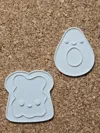
Avocado Toast Coloring Craft DIY
Print Profile(1)
Description

Boost Me (for free)
🌸 THANK YOU from the bottom of my heart for supporting me with a boost!🌸 ❤️ Like, comment, and rate! ❤️ ✨ Check out my Free Commercial Use collection (CC BY-ND 4.0) on my profile page to sell my designs. Just remember to credit me and use your own photos! 😊
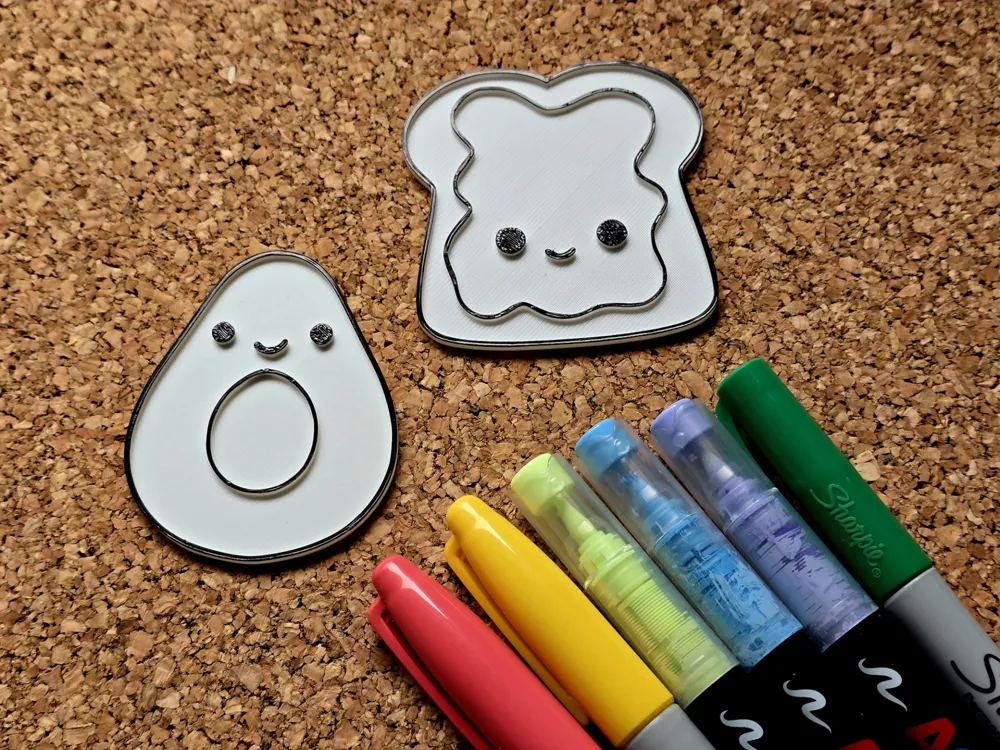
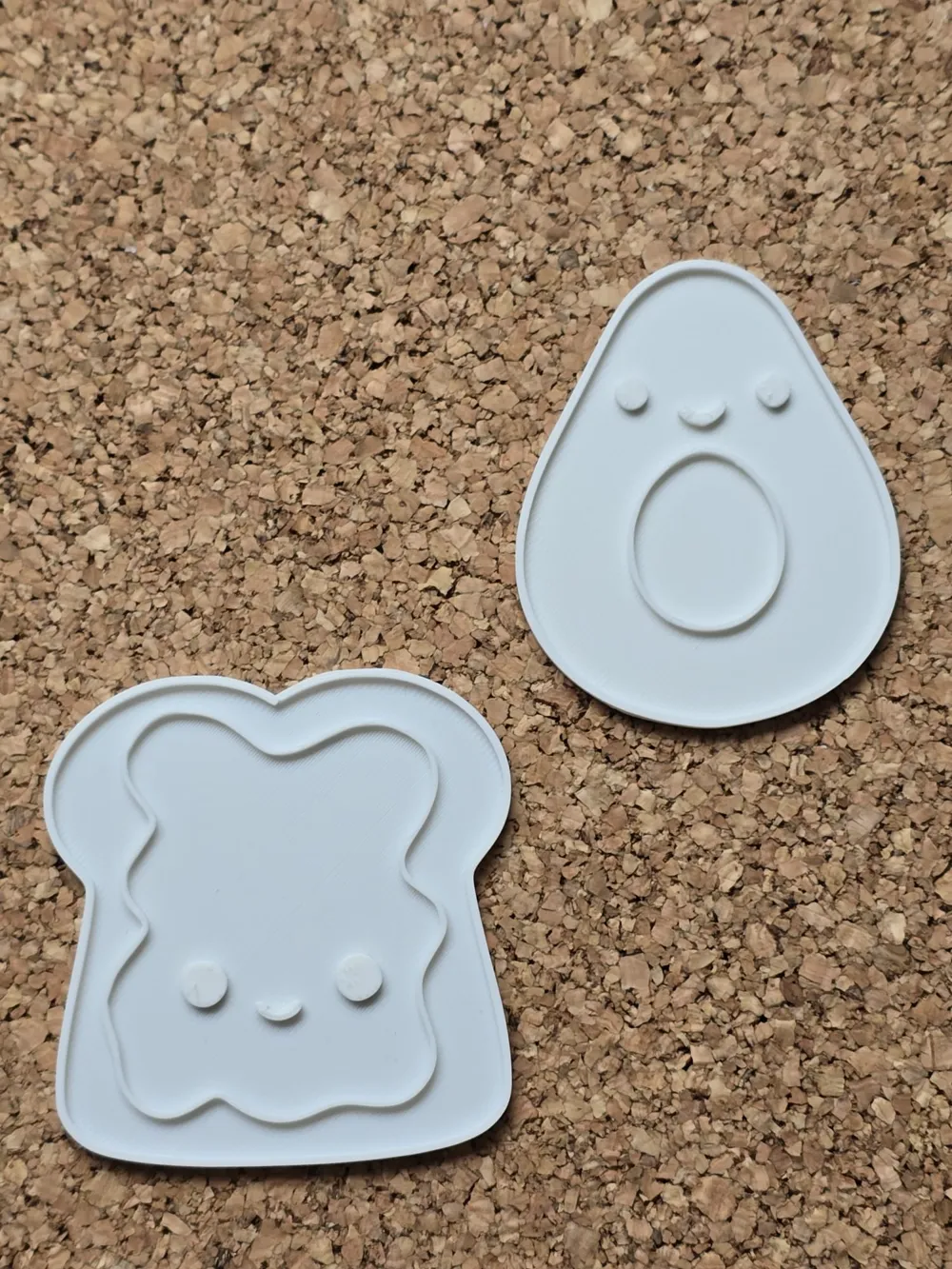
DIY Coloring – 3D Printable Coloring Panels!
🎨 Print, Color, Create!
Print in white (best for coloring) or any color you like.
Finish with coloring the outlines black for a amazing effect!
Scale it big or small
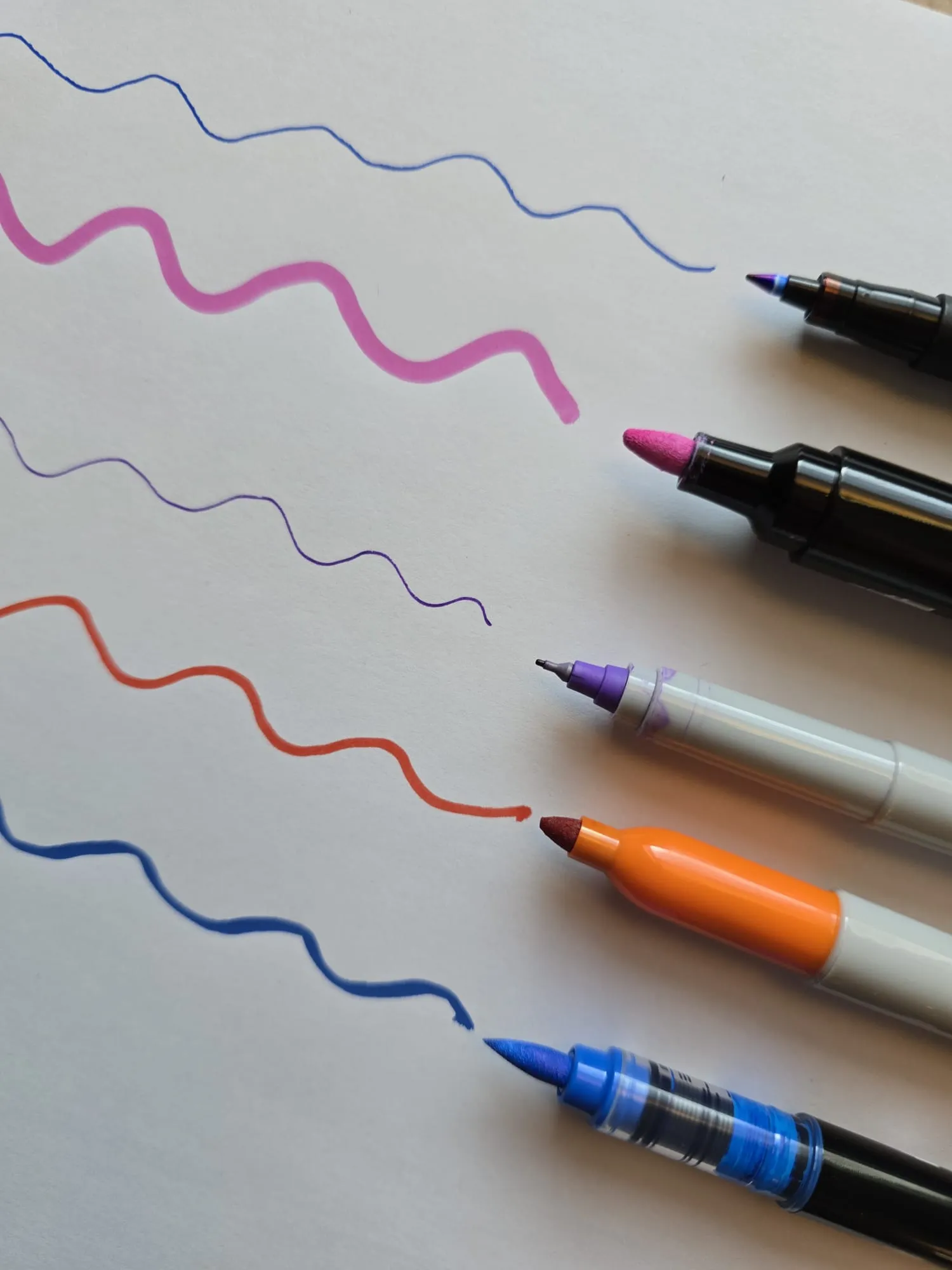
🖌️ Example Marker Types That Work Well:
Fine tip (for large areas)
Ultra-fine tip (for details)
Acrylic paint markers (bold, opaque colors)
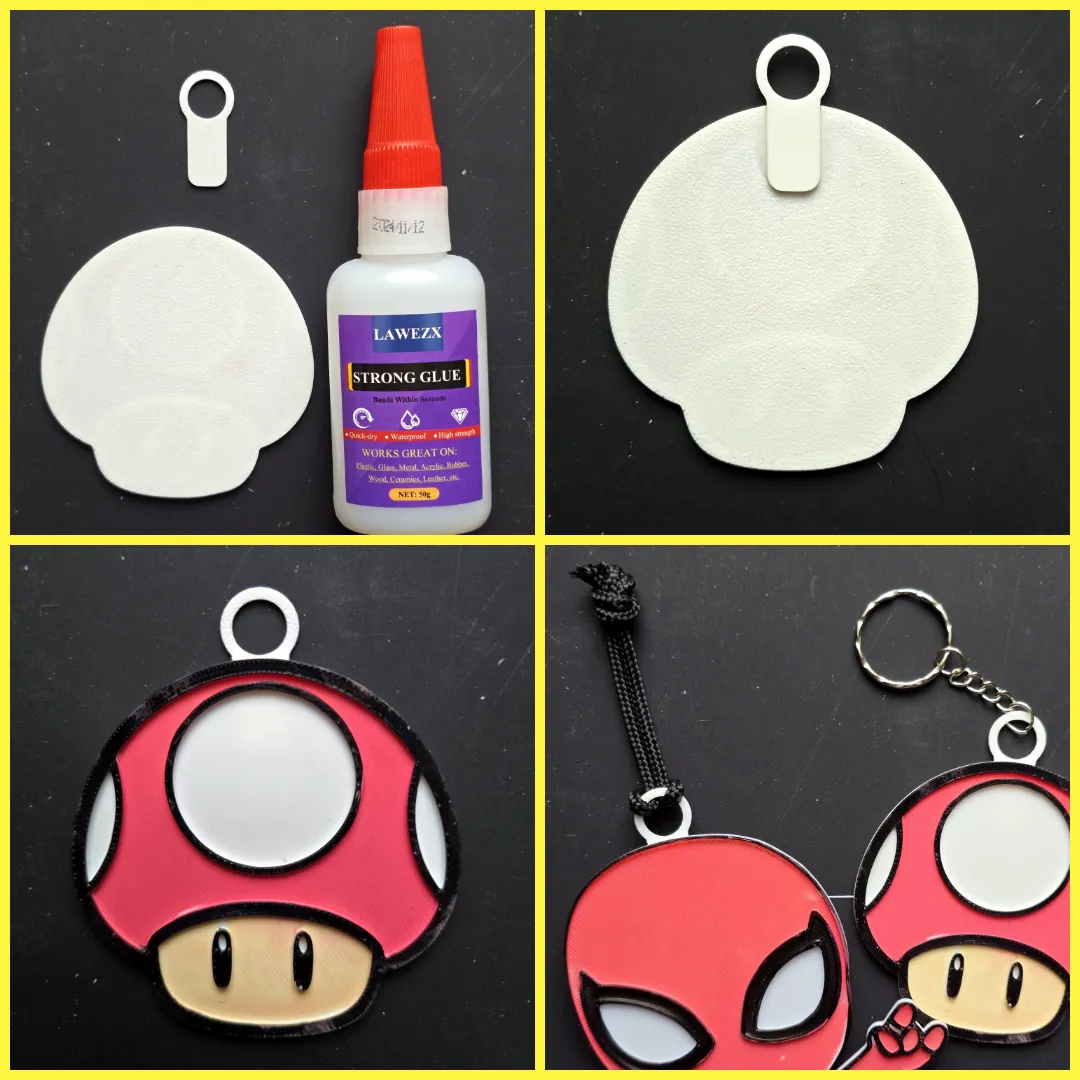
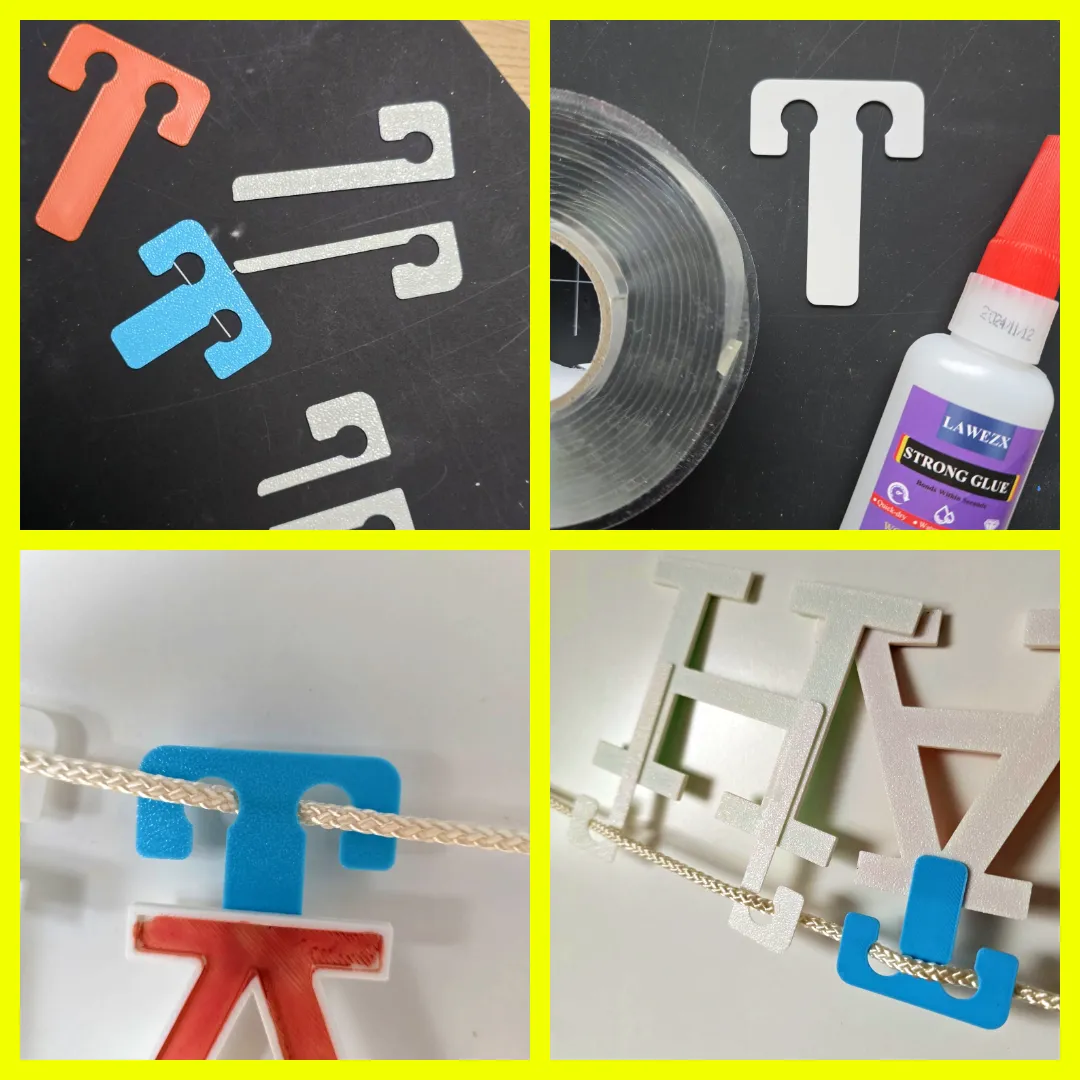
ADDONS for the coloring panels:
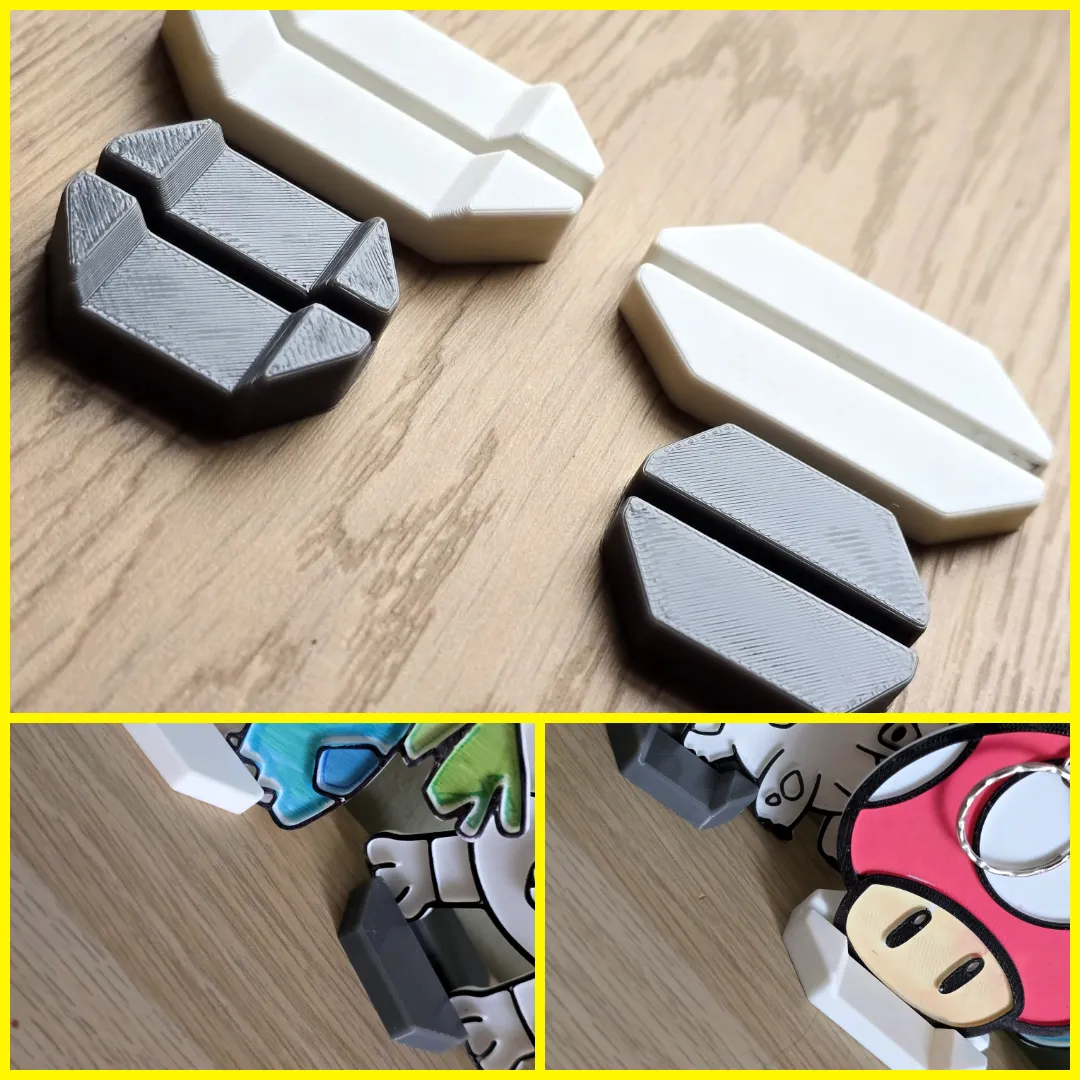
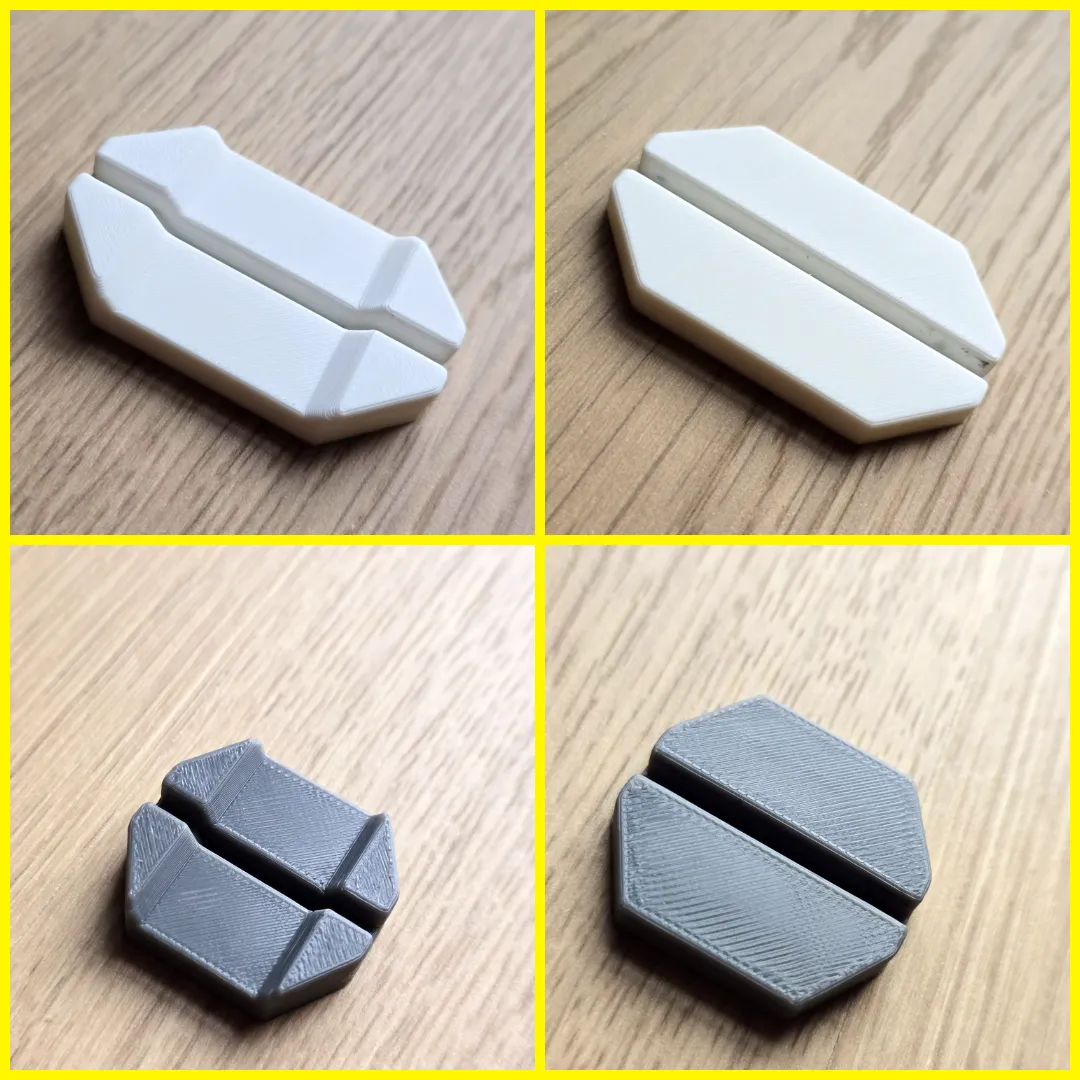
Stand
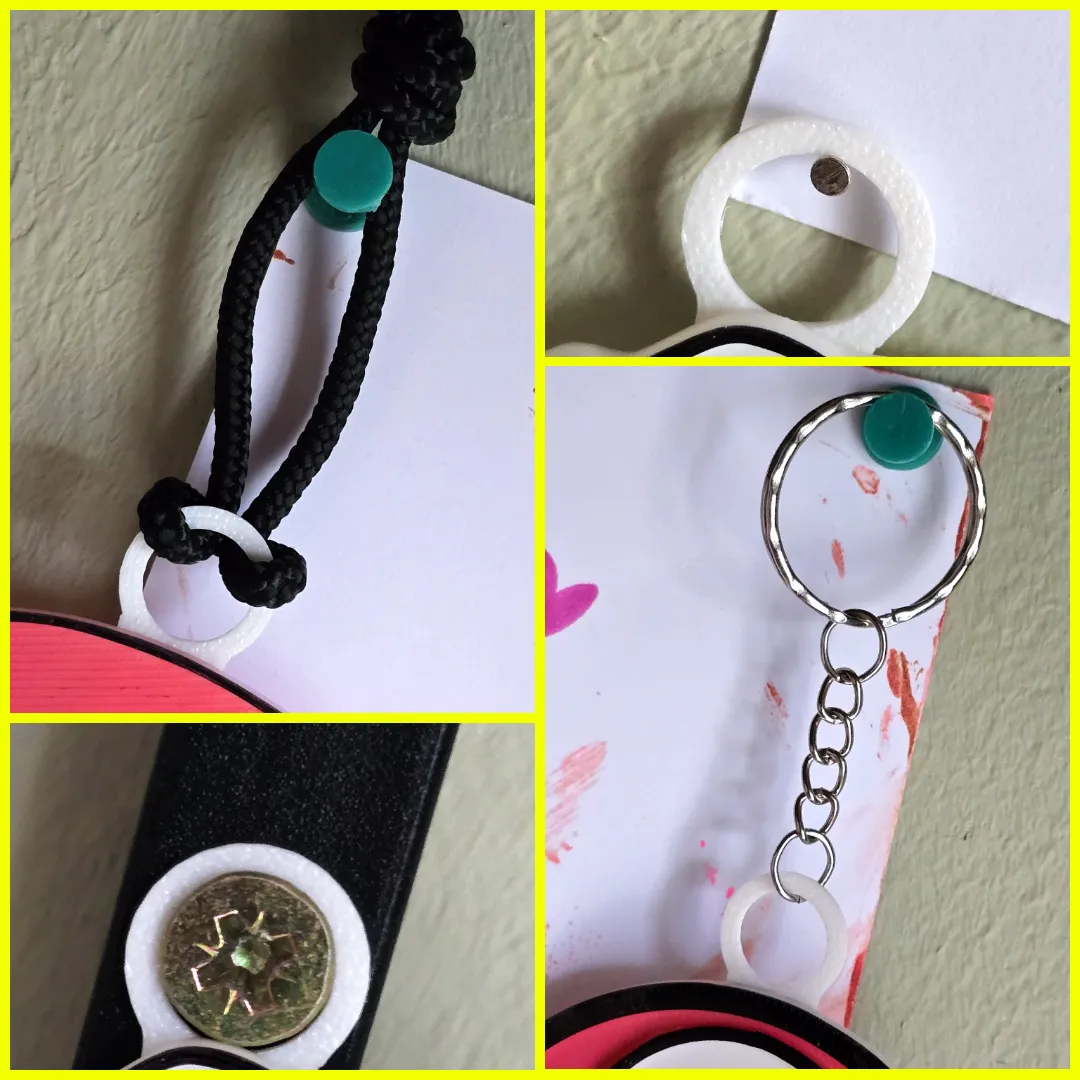
Hanger
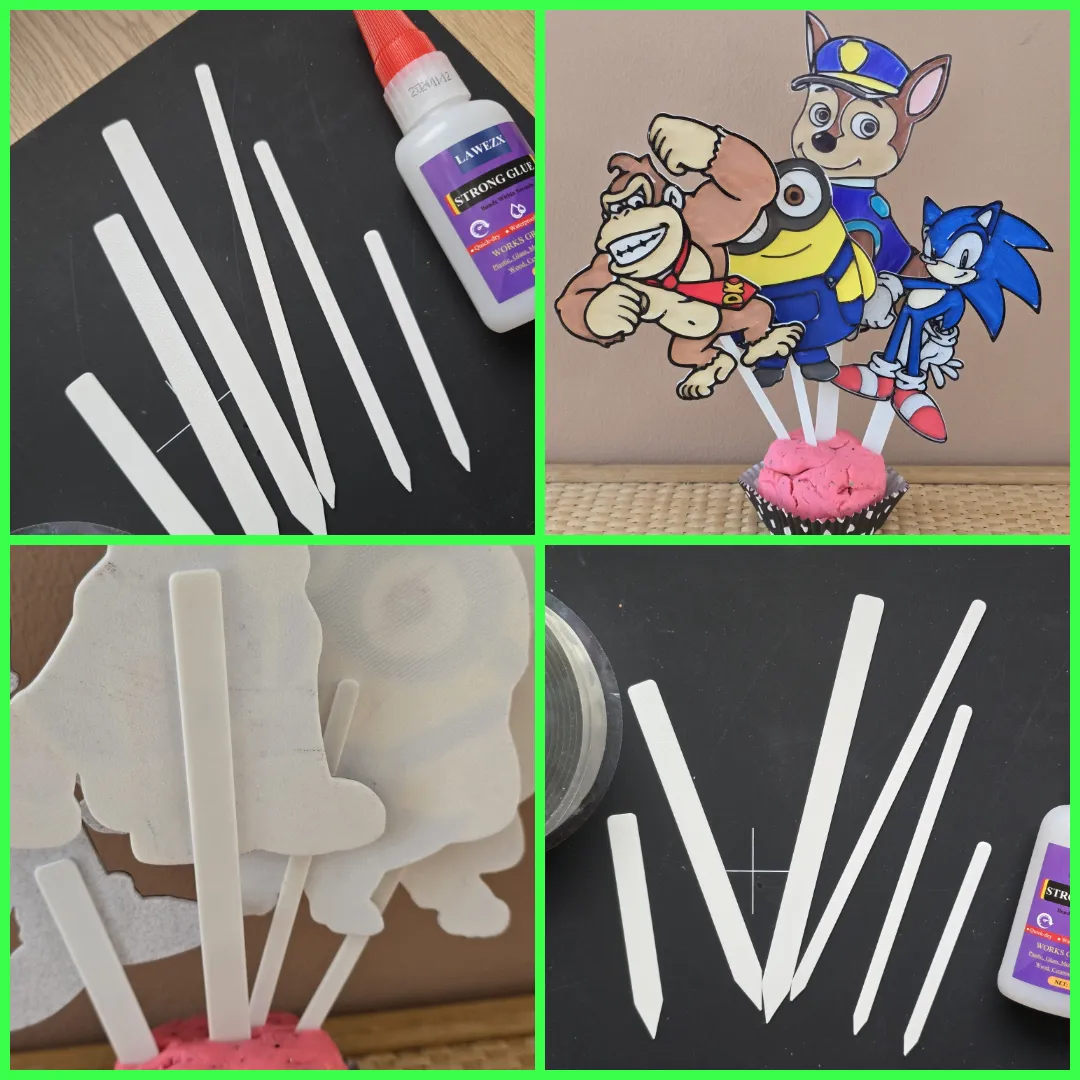
Cake Topper
Rope Hook
🛠️ Scaling Tips for Best Results:
Resizing? Adjust dimensions first, then disable uniform scaling and set thickness to 2.5mm (or thinner for flexibility).
2.5mm is needed to put it in the STAND
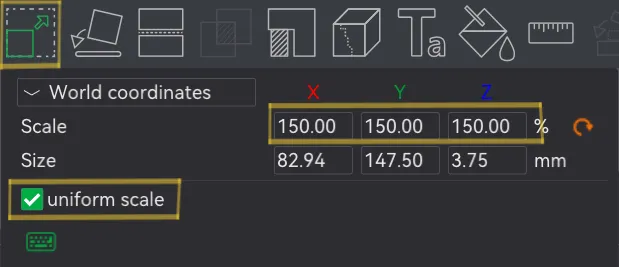
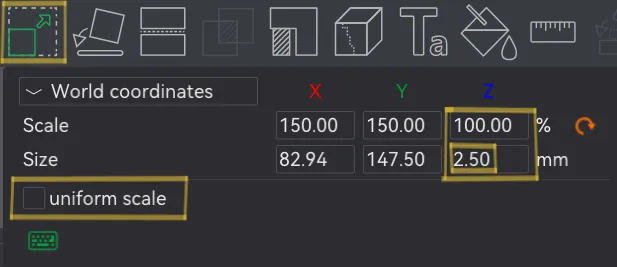
Big prints = Great for wall art, gifts, or easy coloring for kids!
Small prints = Perfect for fridge magnets, fine motor skill practice, or a fun challenge for adults!
💎 WHY THESE ROCK:
✨ For Kids: Develops motor skills + creativity boost
✨ For Adults: Therapeutic mindfulness activity
✨ For Everyone: Frame-worthy art & perfect personalized gifts
🚀 Print, Color, Display—Your Adventure Awaits!
U can find more in my full collection here: https://makerworld.com/en/collections/5629404-coloring
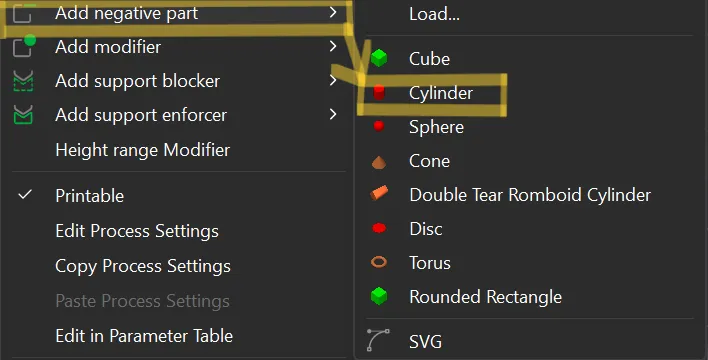
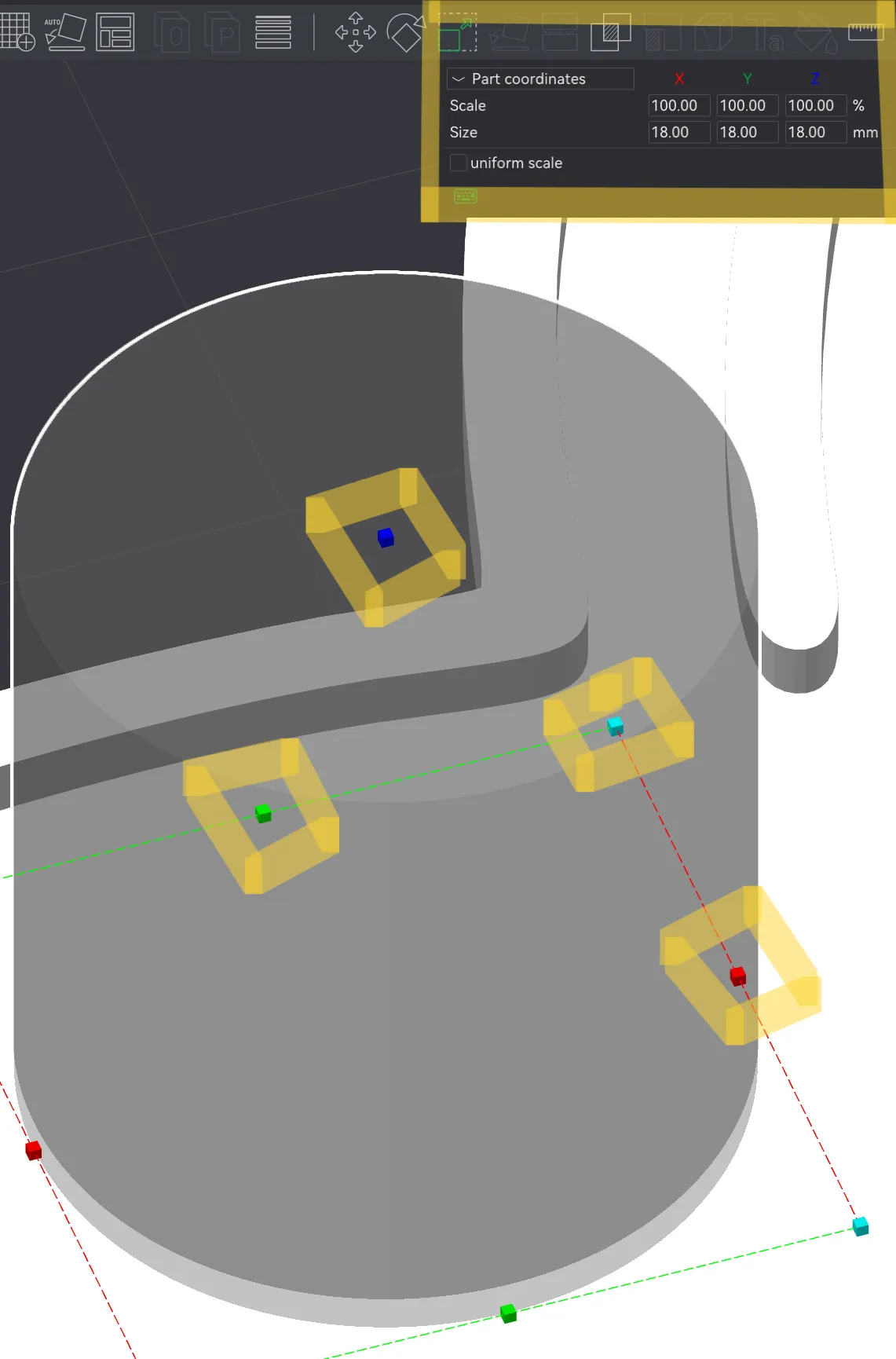
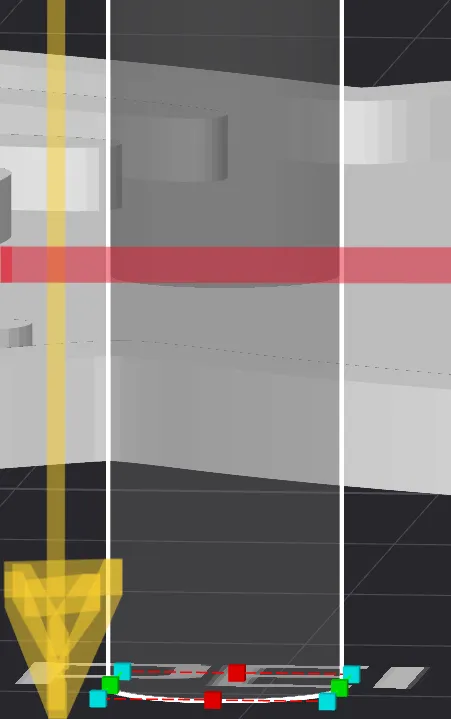
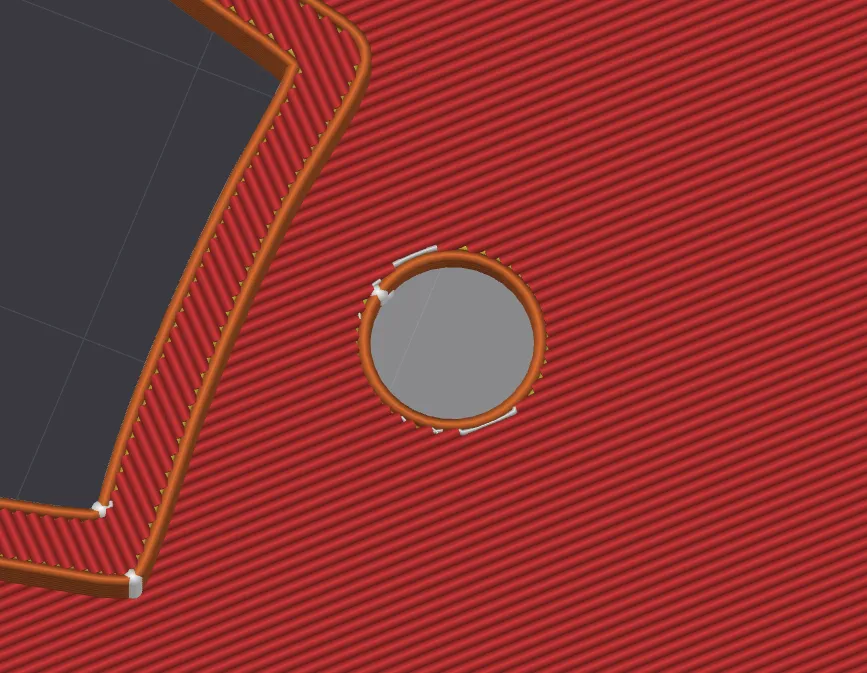
Want to use it as a keychain?
You can make a hole everywhere on the model using a negative modiffer
Boost Me (for free)
🌸 THANK YOU from the bottom of my heart for supporting me with a boost!🌸 ❤️ Like, comment, and rate! ❤️ ✨ Check out my Free Commercial Use collection (CC BY-ND 4.0) on my profile page to sell my designs. Just remember to credit me and use your own photos! 😊

License

You shall not share, sub-license, sell, rent, host, transfer, or distribute in any way the digital or 3D printed versions of this object, nor any other derivative work of this object in its digital or physical format (including - but not limited to - remixes of this object, and hosting on other digital platforms). The objects may not be used without permission in any way whatsoever in which you charge money, or collect fees.


Comment & Rating (0)