
Perfect Printing Parameters for ASA-Aero filament
Print Profile(1)

Description
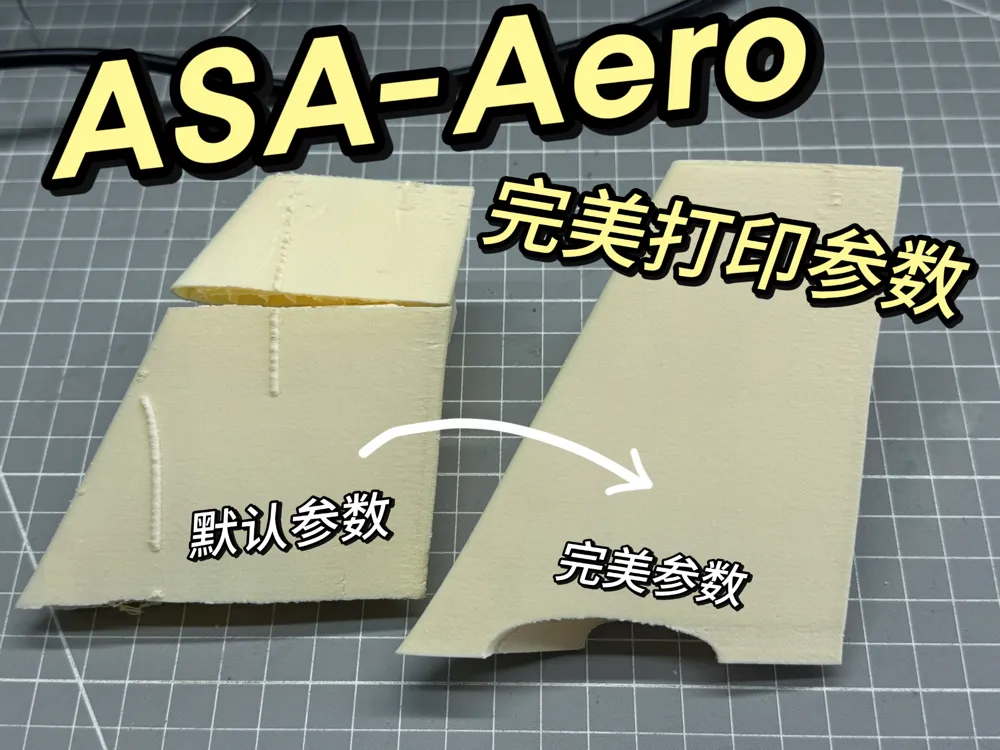
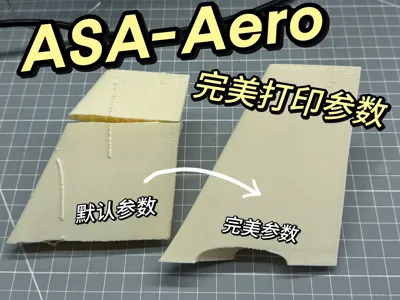
I purchased a roll of official Bambu Lab ASA-Aero filament, but I found that the official printing parameters did not print well, and even after referring to the printing guide on the Bambu Lab wiki, printing still had issues
So I started a lot of attempts and found the perfect parameters for printing Bambu Lab ASA-Aero filament, which I will share here
Boost Me (for free)
Your support is my biggest motivation for creating
Things to prepare before printing:
- Completely dried ASA-Aero filament
Dry at 65 degrees for at least 6 hours; the dryness of the filament is key to printing
- Bambu Lab smooth PEI print plate and bed glue
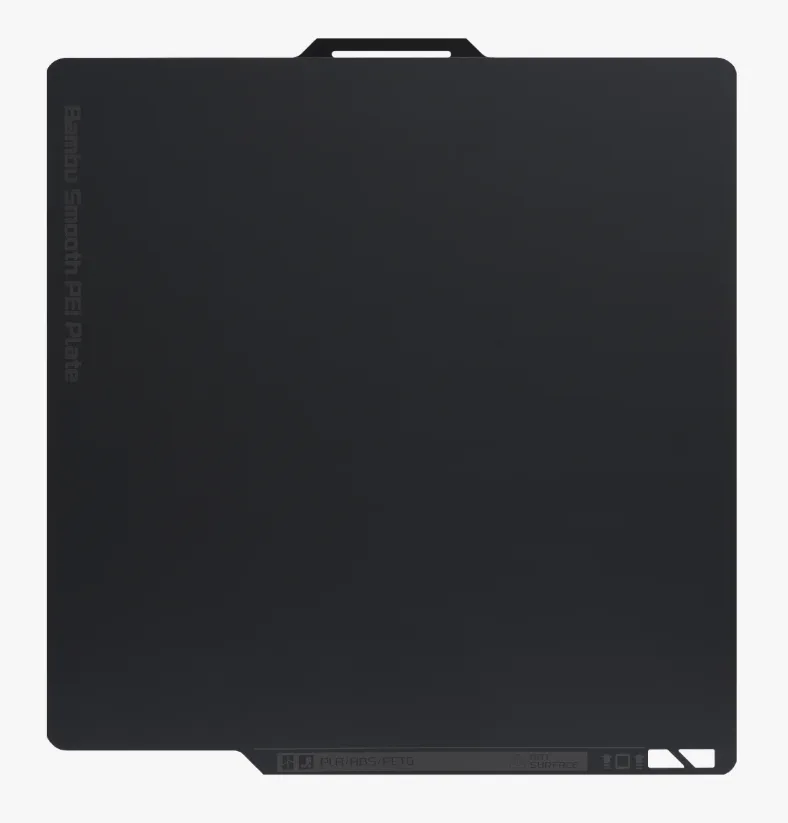
Unfortunately, a smooth print plate is essential. A smooth surface makes it easier to remove the model; if a textured PEI print plate is used, it will make the foaming filament difficult to remove and will leave residue on the print plate

Glue must be applied before each print. The glue does not increase the adhesion between the model and the hotbed but acts as an intermediate layer to make model removal easier
Preparing printing parameters
Now, let's prepare my printing parameters! You have two ways to use my printing parameters
The first and simplest way
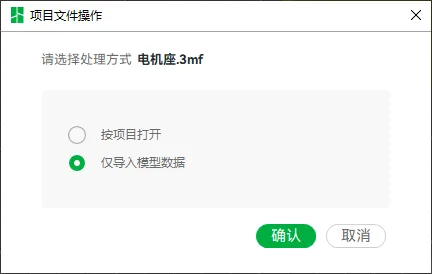
Directly download my print profile, delete the self-contained model, drag your model into it, and choose to import model data only
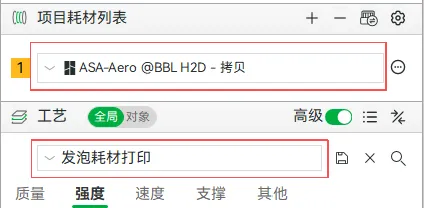
Then you should see that the configuration on the left has changed to "Foaming Filament Printing," and the filament type is also in a modified state
Don't rush yet; start printing after reviewing the following precautions
The second way
If you want to try to understand the modifications I made or verify the parameters imported in the first step, you can refer to the figure below for a detailed comparison
Solid circles indicate important parameters; you must fill them according to my settings unless you understand their specific meaning
Dashed circles indicate adjustable parameters that can be modified as needed
- Filament Parameters
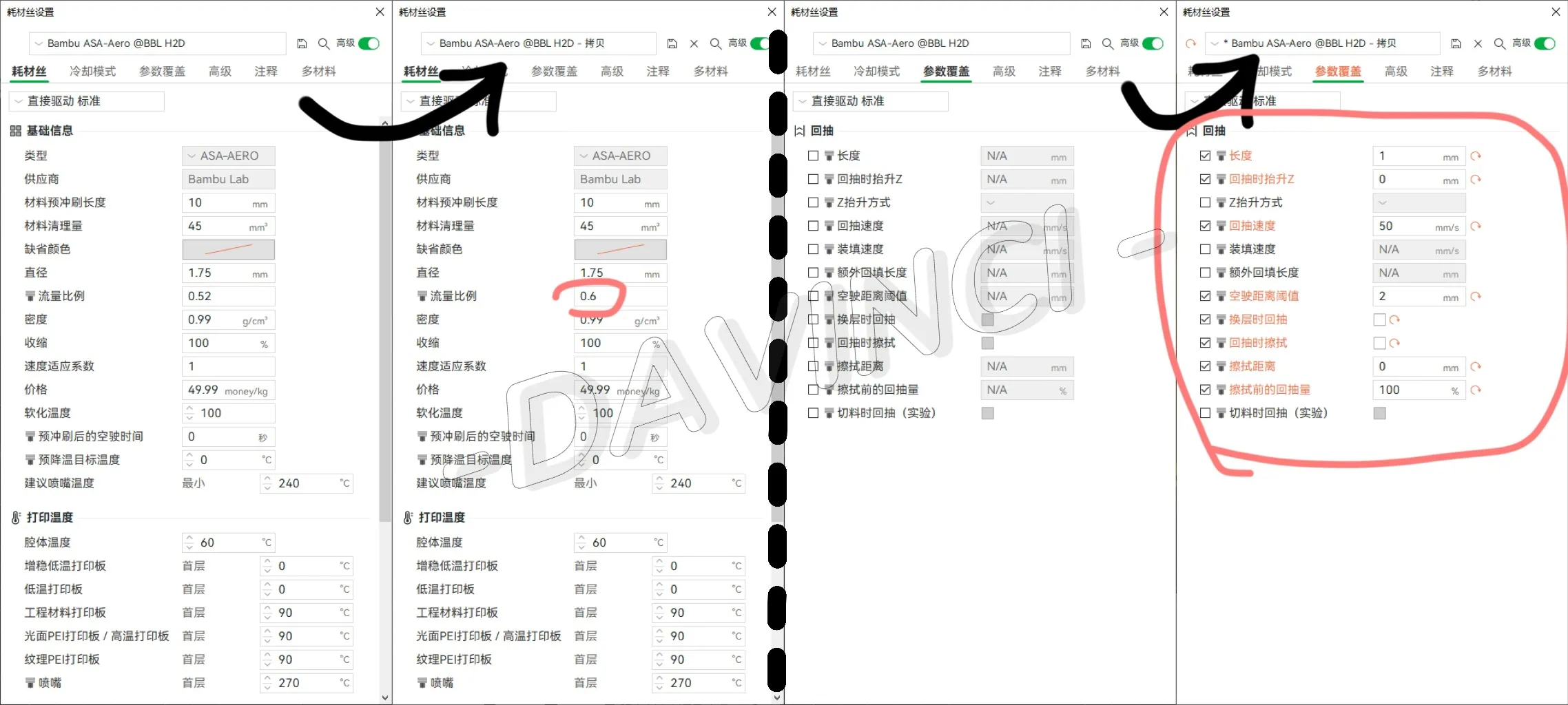
Flow rate: The default ratio is not enough; at least, that's what my tests showed. Increasing it to 0.6 is just right
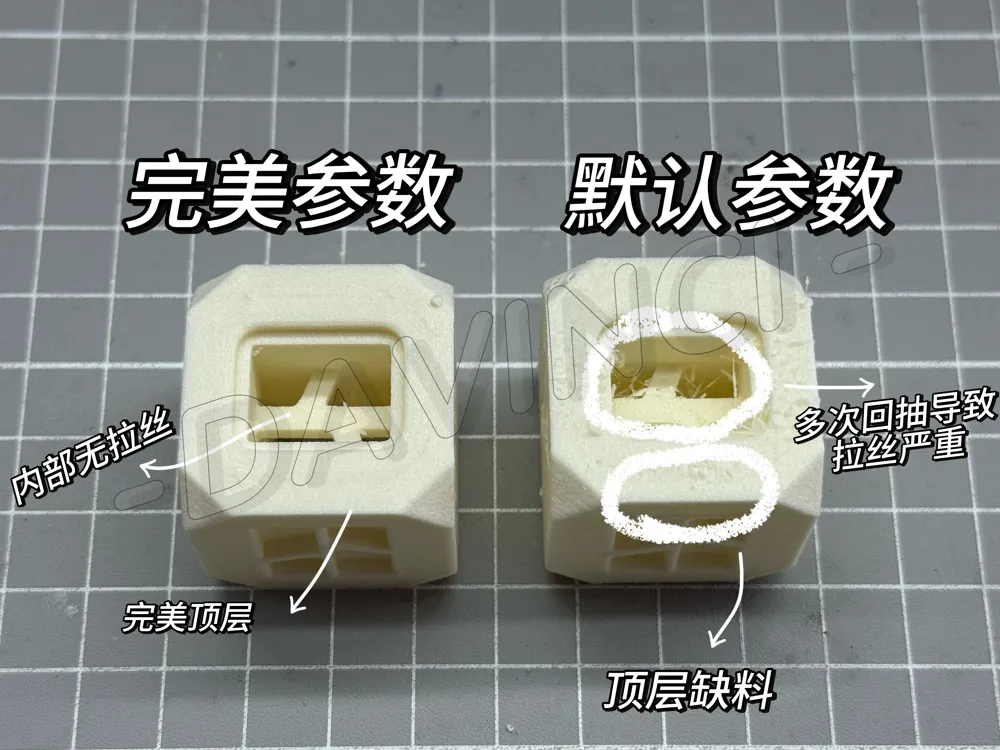
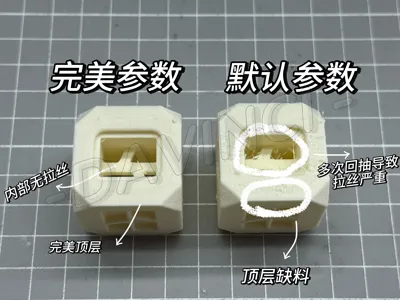
Retraction: The default distance is too long, and foaming filament can easily clog the nozzle after prolonged retraction. 1mm might be slightly conservative; it can be slightly increased
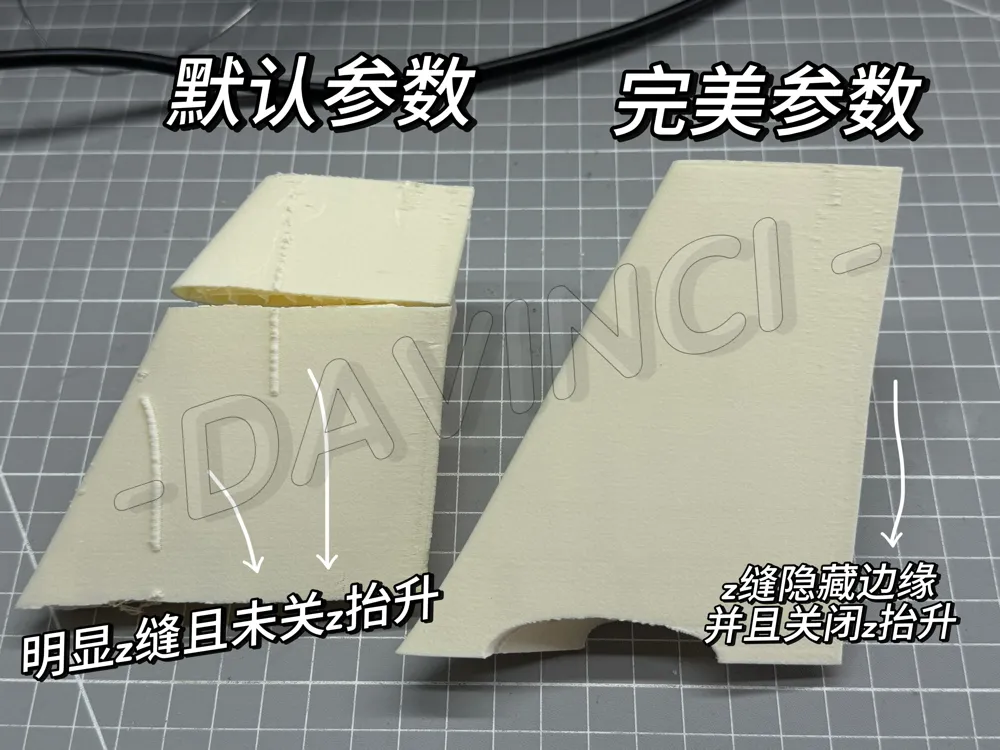
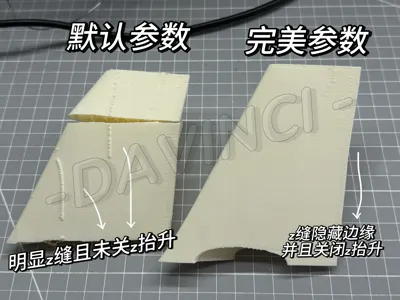
Z-hop: Must be off, as it will cause very ugly Z-seams on the surface
- Printing Parameters 1
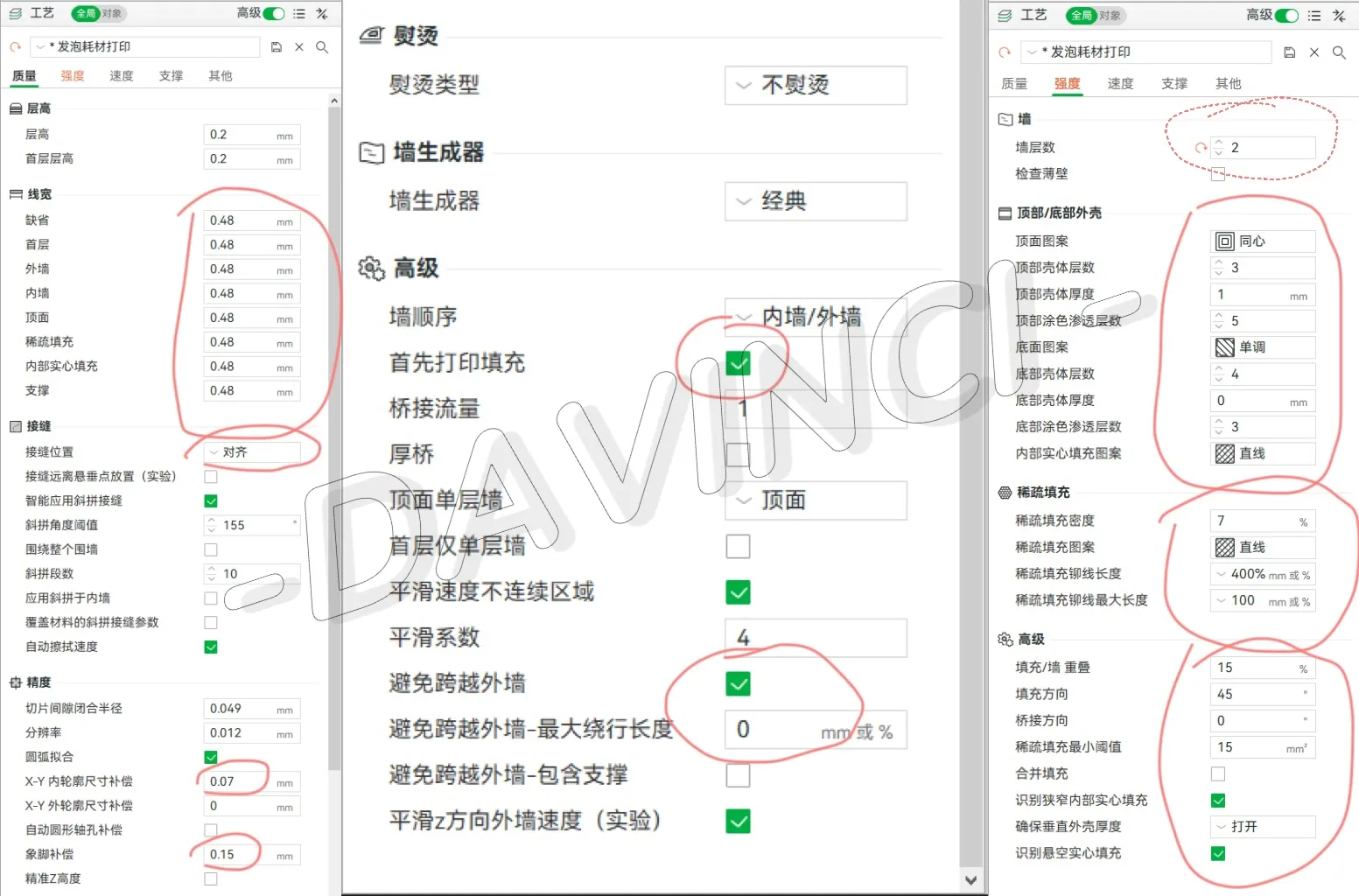
Align seam selection, or manually draw seams according to the model
Inner wall compensation must be enabled; foaming filament will make the model slightly larger, similar to matte filament
Print infill first to improve outer wall quality
Avoiding crossing outer walls can reduce stringing
The bottom shell thickness is to prevent the bottom layer from remaining on the print plate when removing the model
- Printing Parameters 2
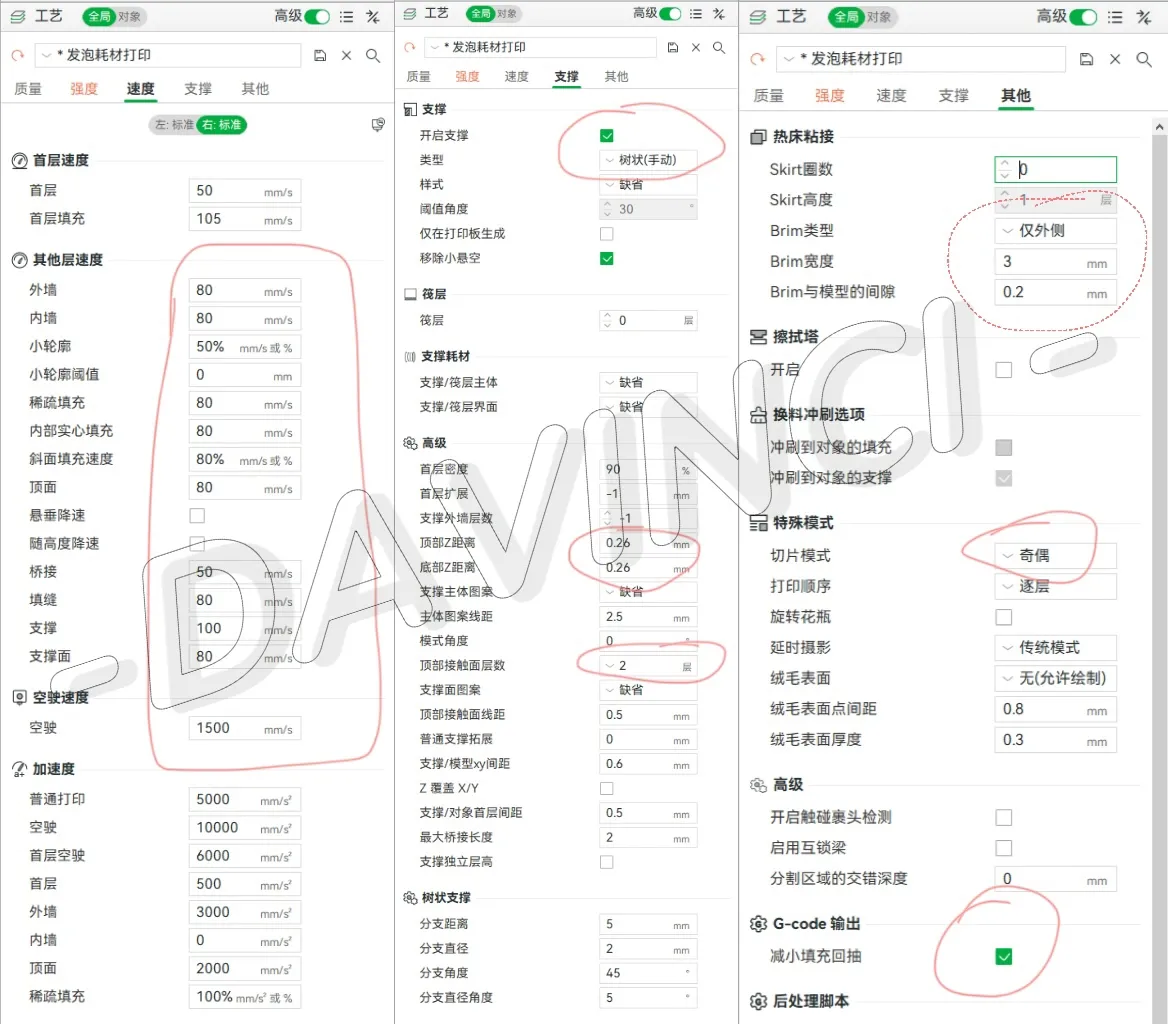
Disable overhang speed reduction; overhangs might be worse after speed reduction
Supports require a larger Z distance; otherwise, the model will be damaged when removing supports
This concludes the printing parameter settings; there are a few more points to note
Points to note:
1. Plate arrangement
Be sure to enable print by object, otherwise, there will be a lot of stringing due to retraction + travel
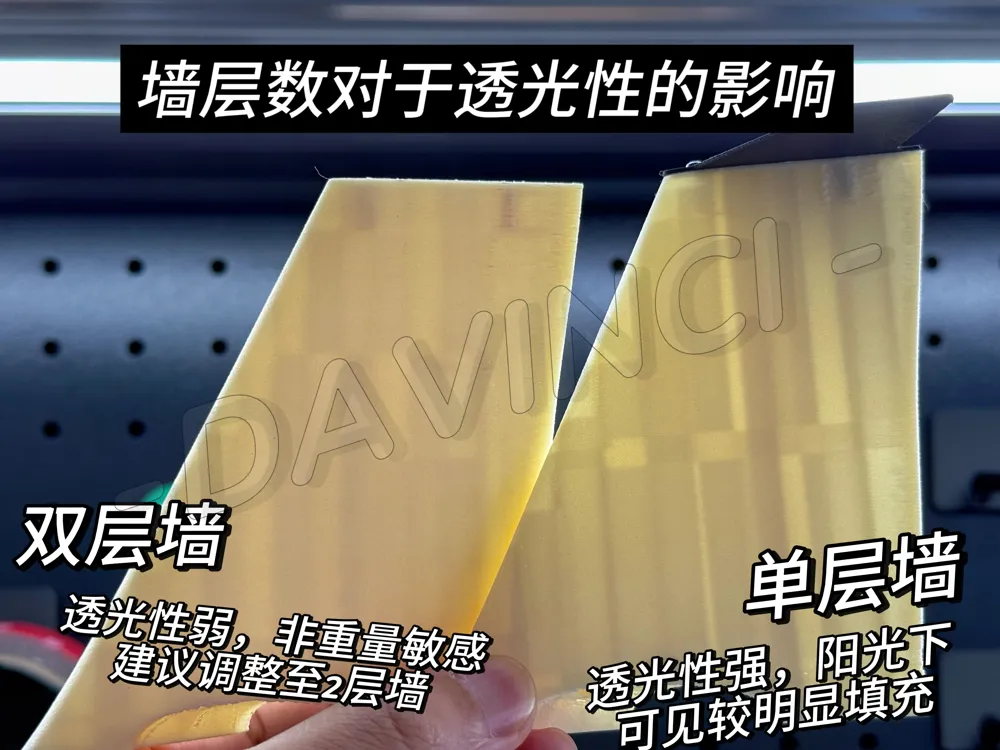
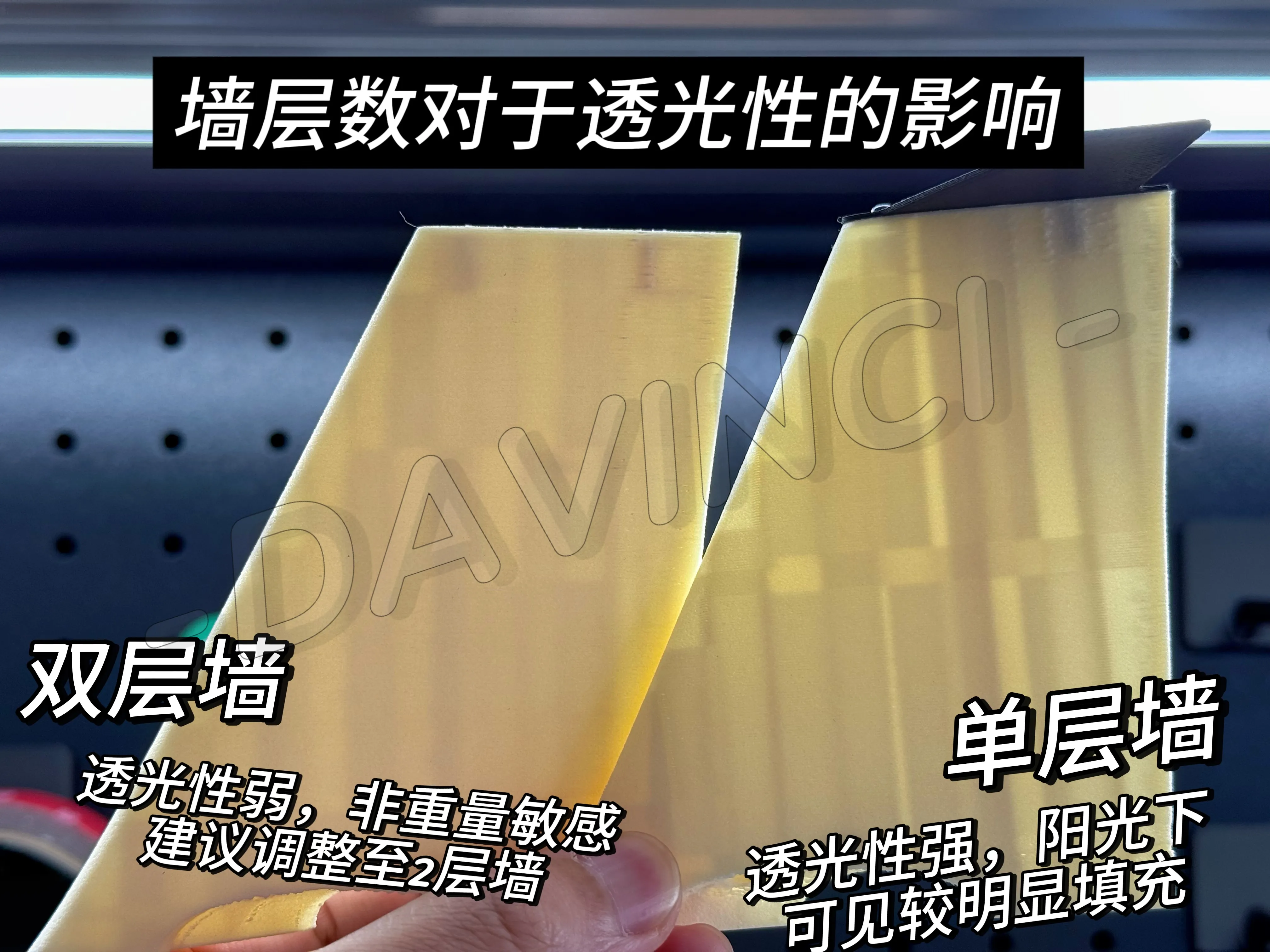
2. Wall count
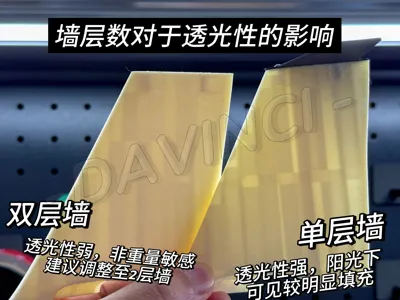
This depends on your model's quality requirements; generally, setting 1 wall is sufficient, but you can also increase it appropriately to improve surface quality in sunlight
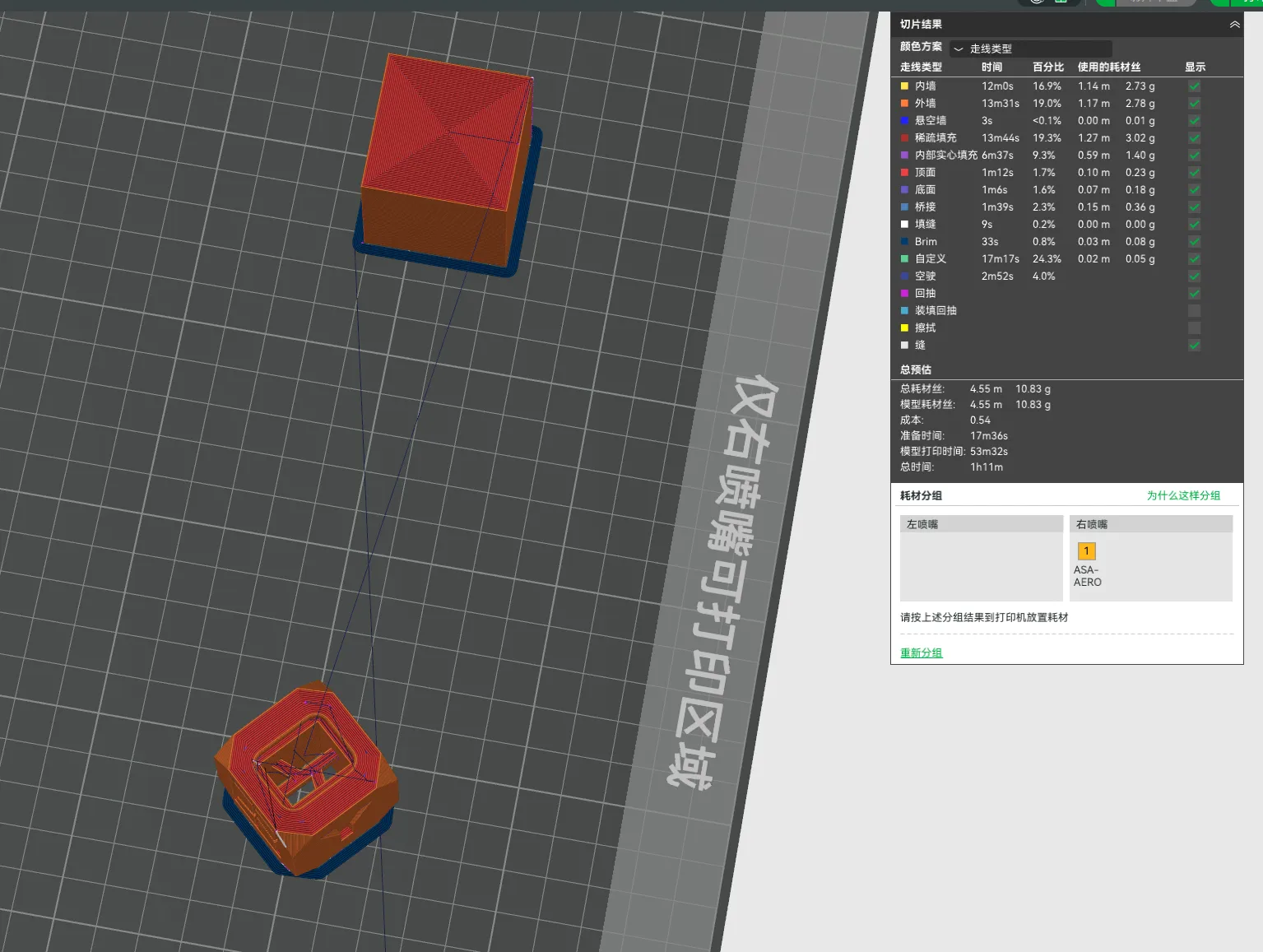
Finally, after slicing, check the print preview. You should see the following details:
- Print by object
- No travel inside the model
- Z-seams are aligned with no spiral ascent
Start printing!
Share your printed test models, or leave a comment in the comment section if you have any questions
After you finish printing and removing the model, remember to reapply glue
License

You shall not share, sub-license, sell, rent, host, transfer, or distribute in any way the digital or 3D printed versions of this object, nor any other derivative work of this object in its digital or physical format (including - but not limited to - remixes of this object, and hosting on other digital platforms). The objects may not be used without permission in any way whatsoever in which you charge money, or collect fees.


Comment & Rating (9)