
Print Profile(3)


Description
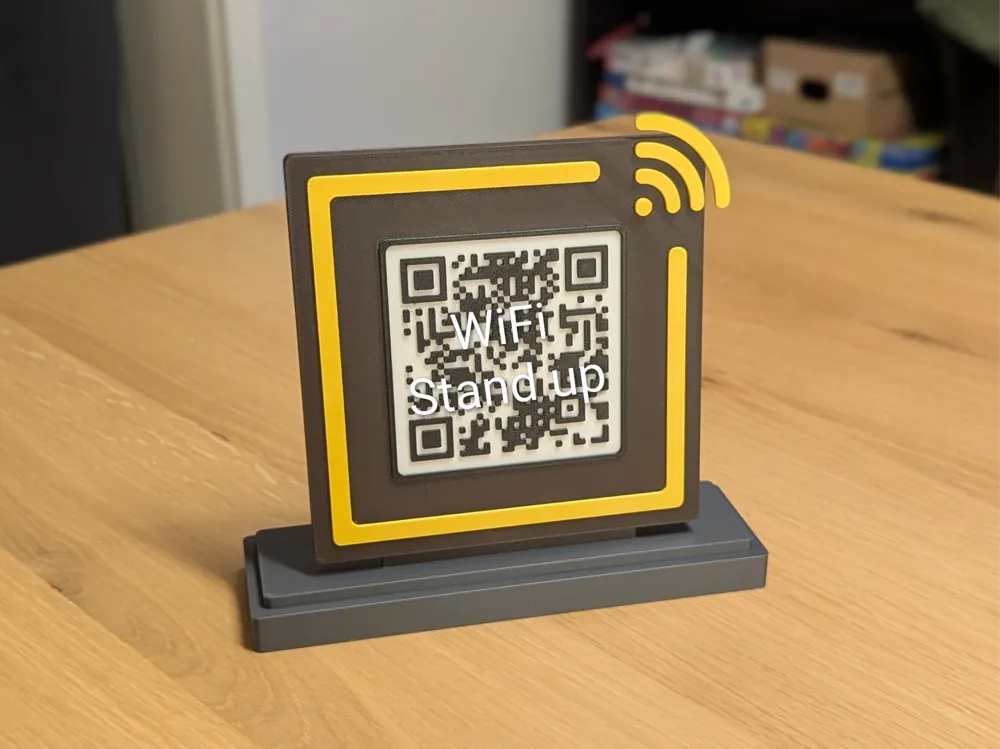
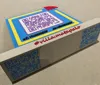
A simple and decorative QR code stand for your guest Wi-Fi to make access as easy as possible.
The QR code panel can be removed so that it can be replaced if necessary.
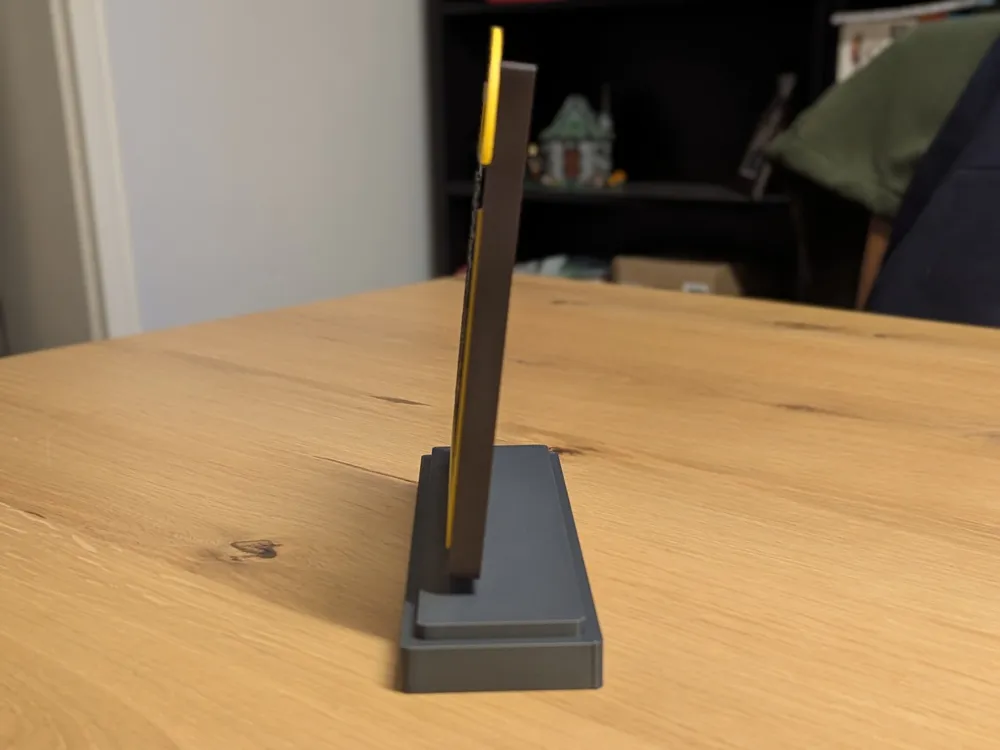
The stand is 20 cm wide, 19 cm high, and 6 cm deep. The QR code has a 7-degree angle.
I have the stand on the top shelf so that it can be easily scanned from there. If anyone needs a base with a greater angle, let me know and I will publish another version.
Instructions for creating and printing your own QR code panel:
- Create an STL file of your QR code with this outstanding generator.
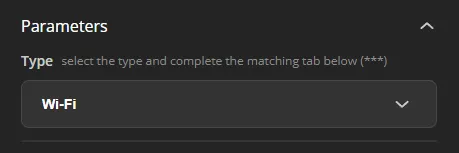
Set paramters type to WiFi.
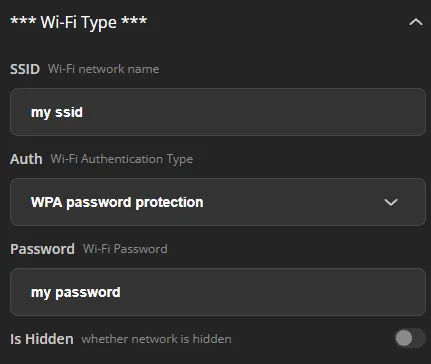
Set you WiFi credentials.
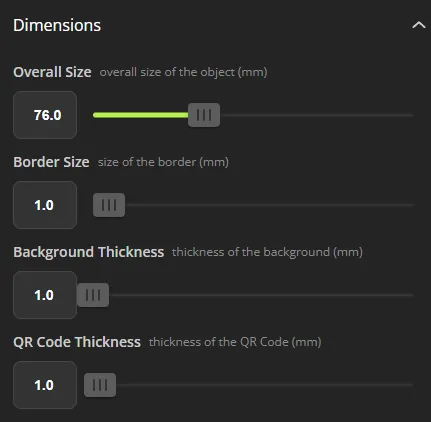
Set dimensions as shown below.
(Optional) Set rounds blocks if you want.

Set parts download to QR code
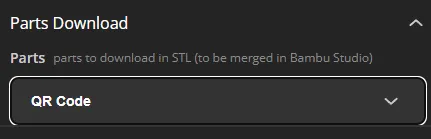
- Generate and download your stl file.
- Open this project in Bambu Studio.
Go to objects and remove the example QR code.
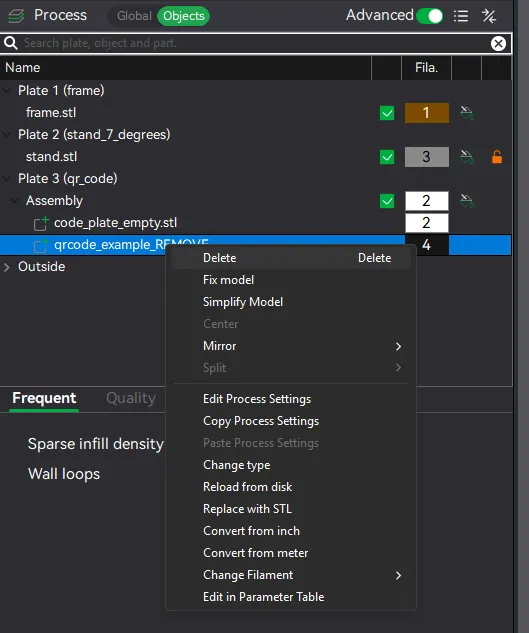
Select the qr_code plate and add your previously created stl file (first button in the toolbar at the top).

Set color of your QR code to black.
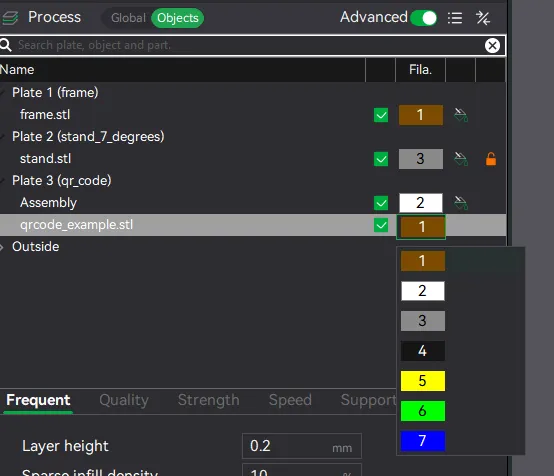
Right click your QR code in the objects view and center it.
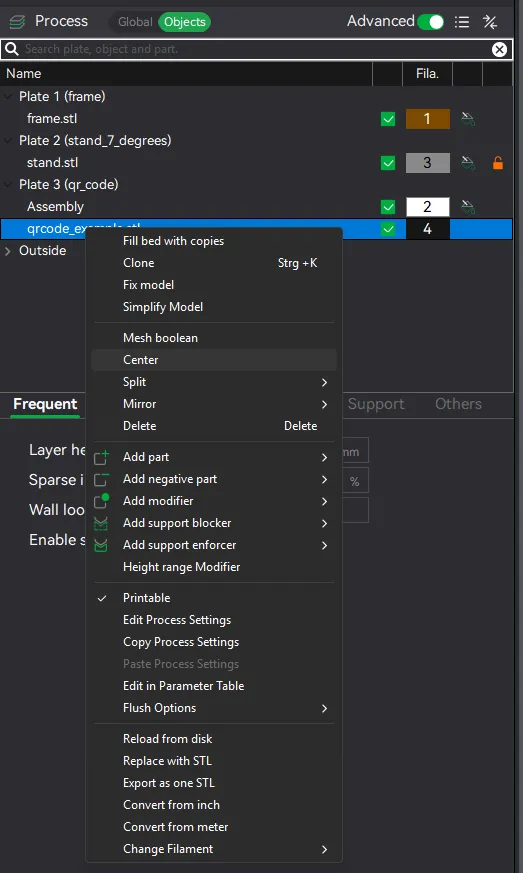
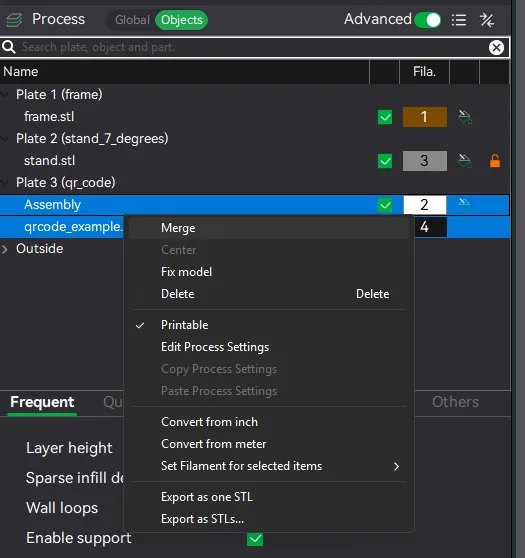
Select both assembly (this is the QR code panel) and your QR code and merge them context menu.
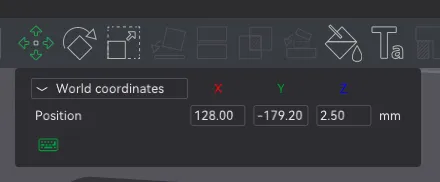
Select your QR code again, open the move tool in upper toolbar and set the Z world position to 2.50mm.
- Now slice and print the qr_code plate, you're done :)
This is my first self-made model, so please feel free to give me feedback, I would be delighted :) Happy printing!
License

You shall not share, sub-license, sell, rent, host, transfer, or distribute in any way the digital or 3D printed versions of this object, nor any other derivative work of this object in its digital or physical format (including - but not limited to - remixes of this object, and hosting on other digital platforms). The objects may not be used without permission in any way whatsoever in which you charge money, or collect fees.


Comment & Rating (75)