Search models, users, collections, and posts

A1 & A2L Dual External Spool Holder – Compression
Print Profile(2)

All
A1
A2L

Variable settings WITH BRIM (see print profile description)
Designer
2.7 h
1 plate
4.7(19)

Variable settings (see print profile description)
Designer
2.7 h
1 plate
4.6(63)

Open in Bambu Studio
Boost
298
798
119
18
1 k
673
Released 

Description

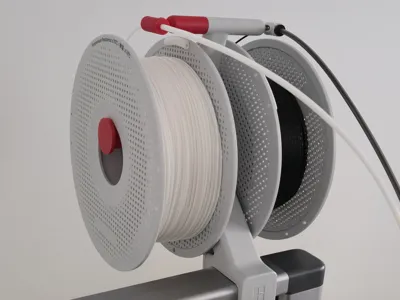
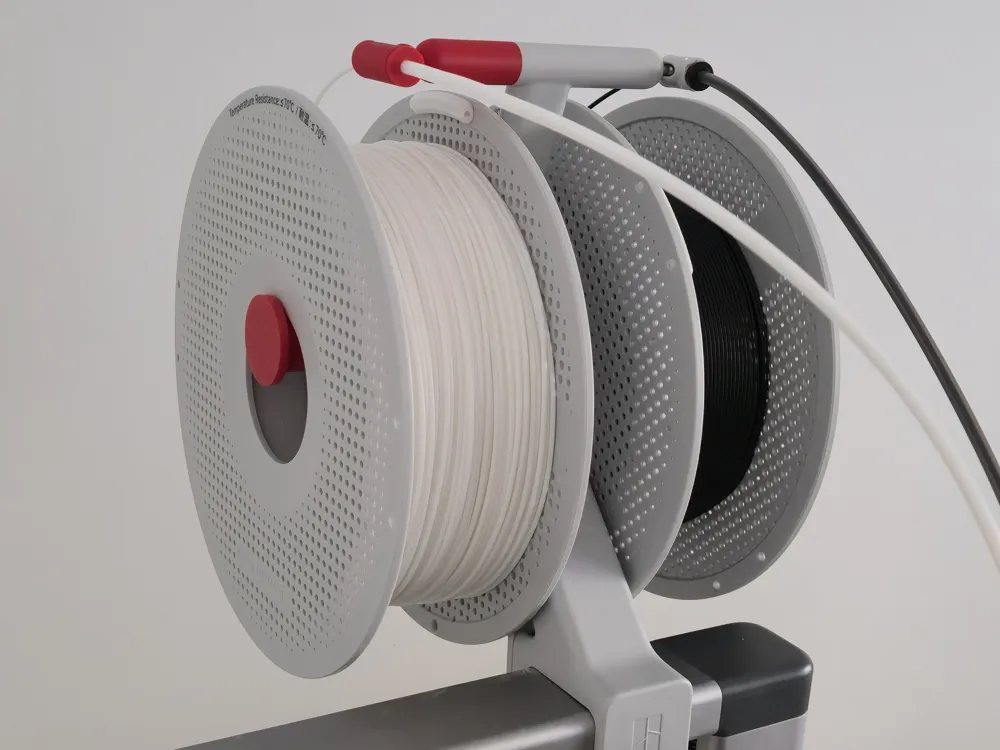
Double your A1 or A2L external spool holder

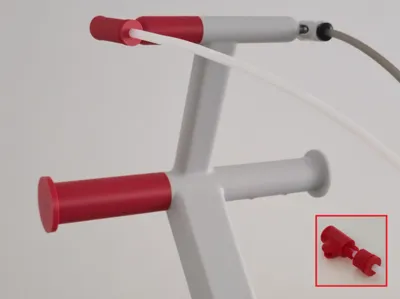
This one-plate print expands your 2025 A1 or A2L external spool holder by doubling its capacity. If the AMS Lite isn’t an option for you, but you’re happy to pause prints to manually swap filaments, this is a great alternative.

Boost Me (for free)

Like what you see? Give it a Boost – it’s like a high-five for 3D prints! 🙌

Compatibility

This model is only for the 2025 A1 external spool holder. The design changed recently and these parts won’t fit older models.


You can identify the 2025 model by these features:

  • The PTFE holder and spool handle are fully integrated and not removable.
  • Removing the rubber grommets reveals hollow tubes – with no threads for a spool handle and no tri-shape for an official PTFE holder.

For reference photos, please download the Assembly Guide PDF included in the Documentation section below. 


This model is also compatible with the A2L external spool holder.

PTFE model options

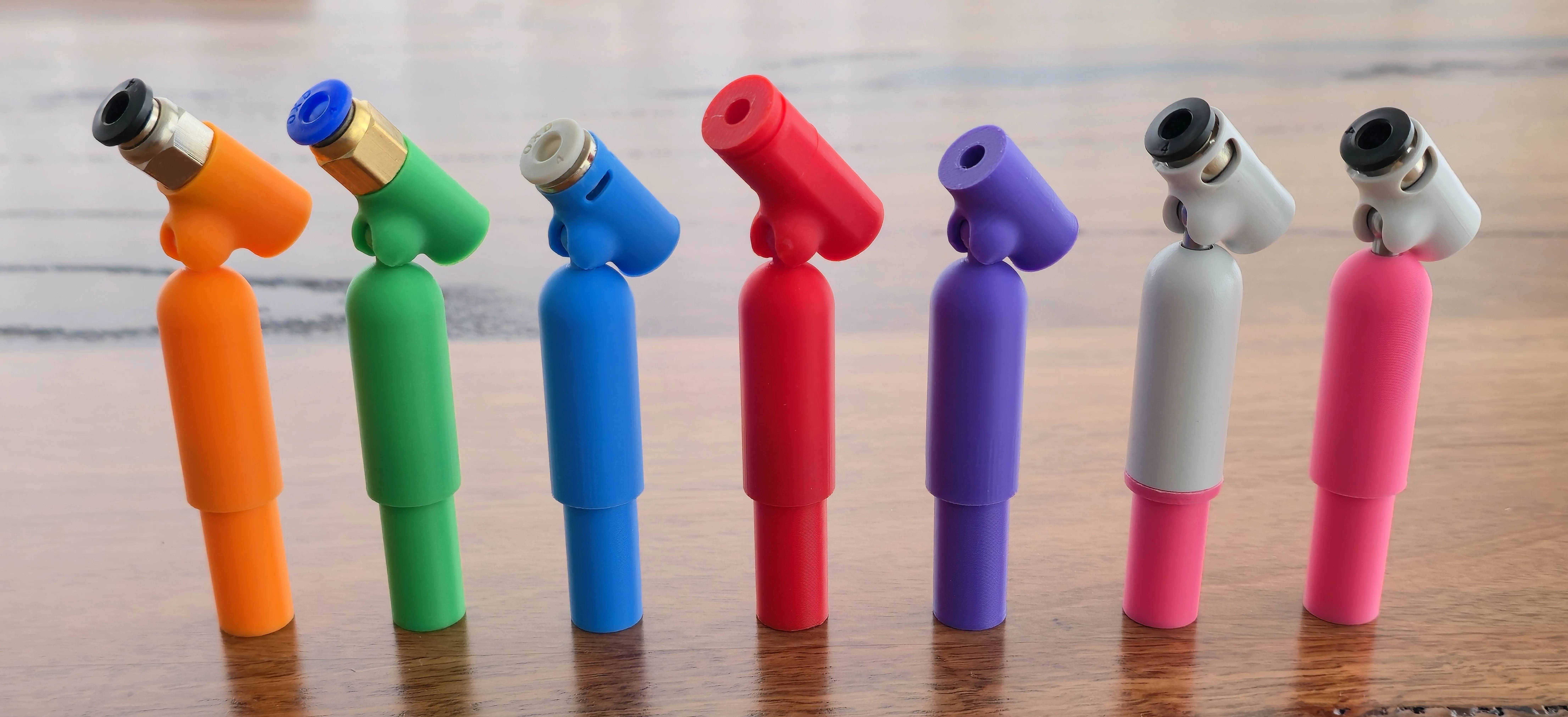
There are several different PTFE holder models to choose from. Each has a dedicated model page for download and print. The models are colour-coded for easy identification:

  • 🟧 Orange – PC4-M10 connector – Common at hardware stores or online from retailers like AliExpress or Amazon. Click here to open the Orange model page.
  • 🟩 Green – PC4-M6 connector – Also commonly available at hardware stores or online. Click here to open the Green model page.
  • 🟦 Blue – Pneumatic connector – Available from AliExpress. A bit fiddly to prepare but gives a clean finish. Click here to open the Blue model page.
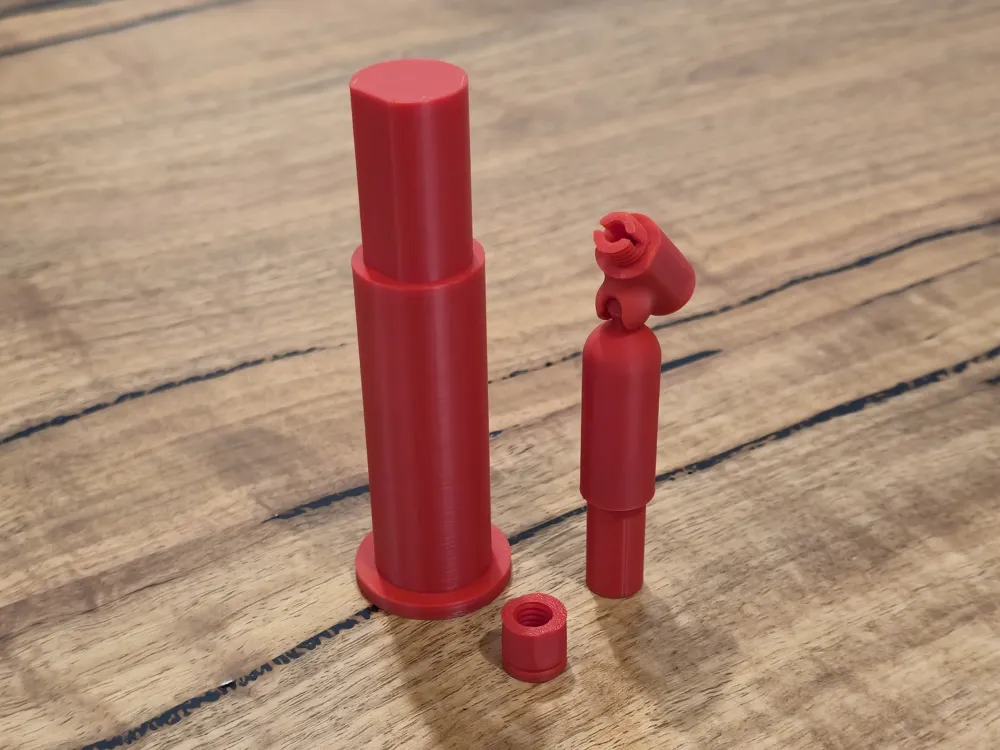
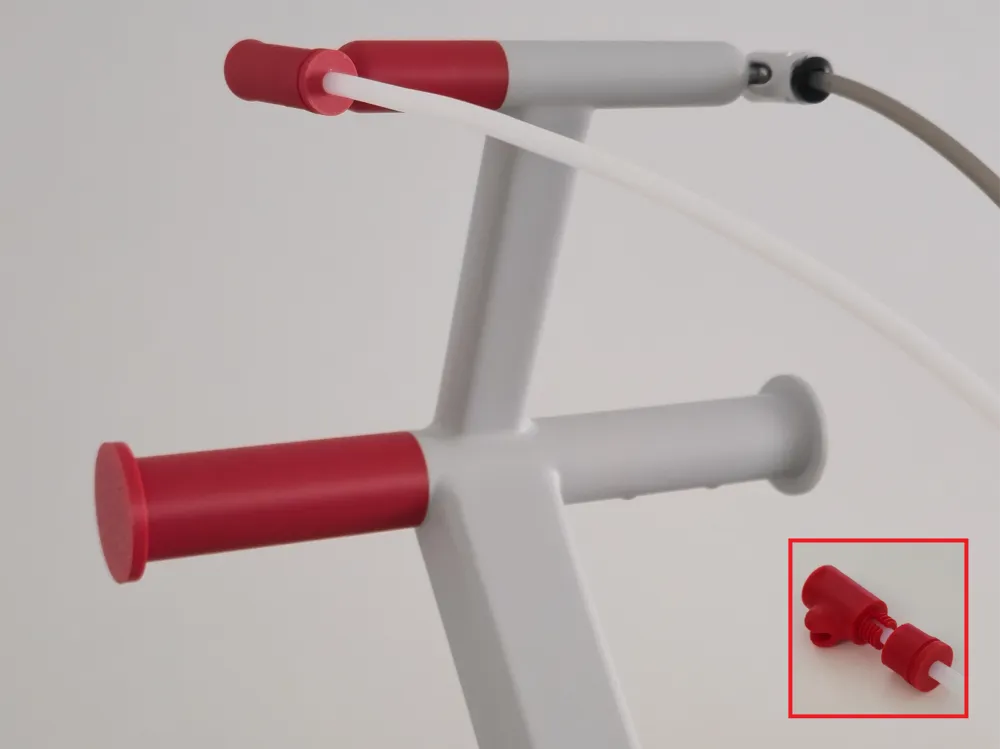
  • 🔴 Red – Compression fitting (this model) – Fully printed, like a garden-hose connector, with no extra parts needed (except an 11 mm spanner).
  • 🟣 Purple – No frills friction-fit – Simple, no-frills design with no connectors or fittings required. The PTFE tube is held securely in place by friction alone for a clean, straightforward setup. Click here to open the Purple model page.
  • 🩷 Pink – adapter for Bambu Lab PTFE Tube Connector – Adapter for the official PTFE holder sold by Bambu Lab, with multiple versions available to suit different connector designs, including the newer swivel-only connector with the short ball screw. Click here to open the Pink model page.

All models include the spool handle to complete everything needed to double the capacity of your A1 or A2L external spool holder.
 

Fit and sizing

Depending on the filament and print settings used, some parts may fit more tightly or loosely when inserted into the A1 or A2L external spool holder. To help with this, a variation model with different-sized fittings is available for key parts:

  • Spool handle
  • Base of the PTFE holder (all models except Pink)
  • Adapter for Bambu Lab PTFE Tube Connector (Pink V1 model only)
  • Base of the PTFE holder (Pink V2 model only)
  • No frills friction-fit swivel (Purple model only)

There’s also a print profile for a slightly longer spool handle, matching the size of the handle on the official Bambu Lab external spool holder, instead of the more compact version included as the default for these models.


See the Fit & Sizing Pack model page for details.

Printing profiles

There are two profiles available for printing each model:

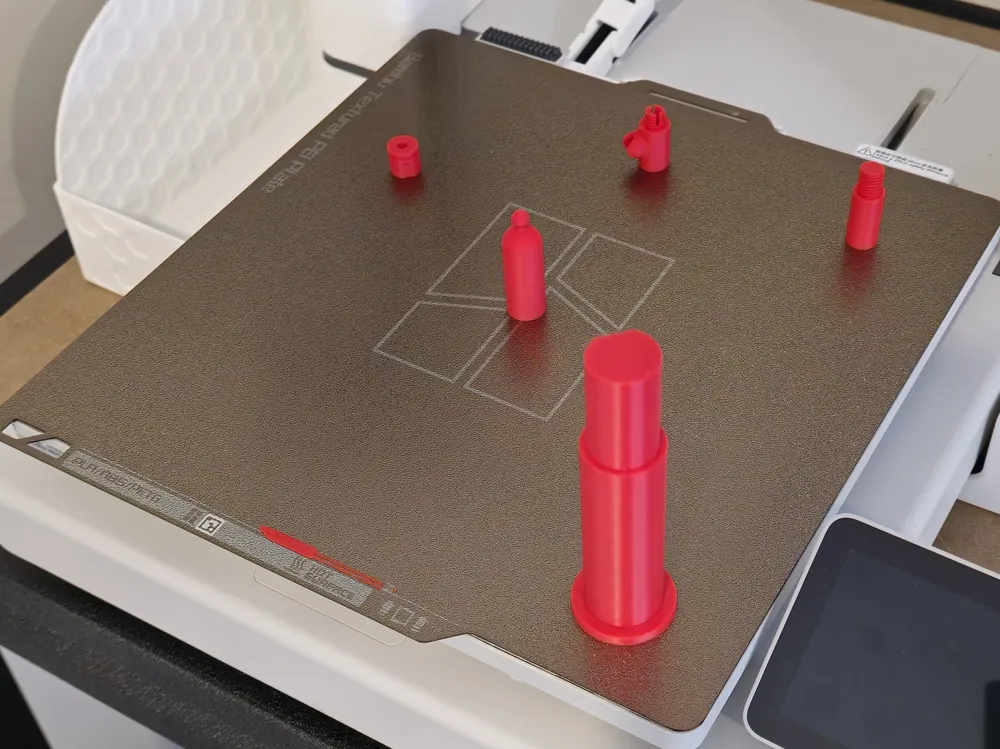
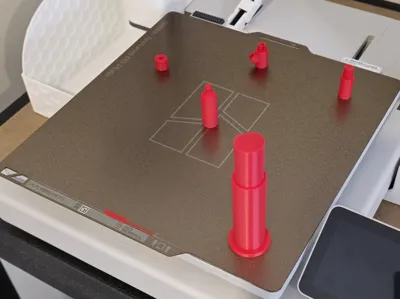
  • If your build plate is clean and tacky and your filament settings are dialled in, print the profile without brims. This gives the cleanest finish and a seamless integration with the external spool holder.
  • If not, or if you want a simple, hassle-free print and don’t mind a slightly less refined finish, print the profile with brims. This ensures the more delicate pieces adhere properly.

🔴 Red model – compression fitting

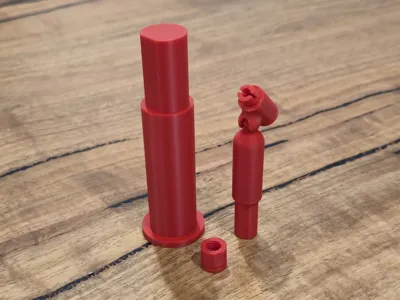
This version uses a fully printed compression fitting, similar to a garden hose connector. It doesn’t require any extra connectors – just the printed parts, PTFE tube, and an 11 mm spanner to tighten the end cap.


It’s a good option if you can’t find any of the other connectors. However, the compression fitting can stress and snap if overtightened, or if printed with filaments weaker or stiffer than the tested Bambu Lab PLA Basic. It has a sleeker look than the bulkier PC4-M6 and PC4-M10 connectors, but those options are sturdier and easier to use.

Additional parts required

  • 11 mm spanner (may be needed to tighten flush)

⚠️ Warnings

  • Do not overtighten – stop once flush and aligned.
  • Do not screw the cap on without the PTFE tube inserted – this stresses the base of the threads.
  • Avoid repeated tightening and loosening – it wears the threads. Remove the PTFE tube from the filament inlet instead of undoing the cap.
  • Filament strength matters:
    • Tested with Bambu Lab PLA Basic (creates a secure clamp that can’t be pulled out easily).
    • Weaker filaments may crack; stronger/stiffer filaments may not flex enough to allow threading.
    • Other filament types are untested – share your results in the comments.

Full assembly guide

For detailed step-by-step instructions on printing, assembling, and installing your dual external spool holder, please download the Assembly Guide PDF from the Documentation section below.


Documentation (1)

Assembly Guide (1)
Assembly Instructions.pdf

Comment & Rating (119)

(0/1000)

Boosted
Print Profile
Variable settings WITH BRIM (see print profile description)
works wonderful. be careful “over tightening” when putting the friction fitting together. I went a little too crazy and snapped it but that was on me. the print went just as planned and works wonderfully!
The profile uploader has replied
profile
1
Reply
Thanks for the review – and for the kind words! Glad to hear the print is working wonderfully for you. 😊 It was a bit of a balancing act getting the threads tight enough to clamp the PTFE tube while still having the cap sit flush with the swivel. That does mean it’s pretty easy to over-tighten though – I’m definitely guilty of snapping a few test prints while developing the model. 😅 If you liked the model, a boost would be greatly appreciated. Boosting helps support me as a model designer and helps others discover the model. Thanks again, and happy printing!
0
Reply
Where'd you get the stand/base for your external spool? If 3D printed, have you got a link for it?
0
Reply
Boosted
Replying to @user_2595305814 :
https://makerworld.com/models/1143589 here’s the link for that base I used. it works flawlessly!
0
Reply
I combined this with a model for an additional stand, so I now have 4 colours for easy swapping.
3
Reply
please, tell me, how you swap colors without AMS. I cant add extra colour in bambu studio
0
Reply
Replying to @Sobra_0770 :
You can’t do it like with an AMS. You add pauses at the beginning of specific layers using Bambu Studio slicer. then manually change the filament once the print pauses. so you can’t do full multicolour. But having them all there makes it easier to do different colours on different layers
0
Reply
Print Profile
Variable settings (see print profile description)
Okay
Show original
0
Reply
Print Profile
Variable settings (see print profile description)
Other Issues:printing problems
Show original
0
Reply
I have had this problem 3 times, I give up
Show original
0
Reply
Print Profile
Variable settings (see print profile description)
Strength Issue:I had trouble printing this model a piece detached twice even though the plate is new and I had to add some rafts to it I also had to remove the pre-defined object printing because they were colliding with the print head The upper support also broke when inserting it into its location and I had to glue it In the end I achieved the goal but it took more work than I thought Thanks anyway I use it frequently and in the end it delivers what it promises
The profile uploader has replied
Show original
0
Reply
Thanks for taking the time to share your experience – I’m glad to hear it’s working for you in the end. The collisions you mentioned are unusual. The provided profiles are set up for object-by-object printing in Bambu Studio, and if any toolhead collisions were expected, Studio would flag this during slicing. If the print head was colliding with parts, it may point to a calibration issue. Another possible cause is a part lifting due to poor adhesion to the build plate, which can then lead to collisions mid-print. I know you mentioned using a brand new build plate, but there are still a few factors that can contribute to this. Either of these issues could also result in layer adhesion problems, creating weak spots that may cause parts to break during assembly. Sorry you had to work around those issues with rafts and glue, but I really appreciate you taking the time to share your feedback.
0
Reply
Print Profile
Variable settings WITH BRIM (see print profile description)
amazing so you dont have to buy extra parts
The profile uploader has replied
profile
1
Reply
Thanks so much for the rating and the kind words – I really appreciate the support! If you liked the model, a boost would be greatly appreciated. Boosting helps support me as a model designer and helps others discover the model. Thanks again, and happy printing! 😊
0
Reply
Print Profile
Variable settings (see print profile description)
Easy print and assembly.
The profile uploader has replied
profile
1
Reply
Thanks so much for the rating and kind words – I really appreciate the support! If you liked the model, a boost would be greatly appreciated. Boosting helps support me as a model designer and helps others discover the model. Thanks again, and happy printing! 😊
0
Reply
Print Profile
Variable settings WITH BRIM (see print profile description)
love the print but I keep having the bolt portion of the PTFE Holder break off. A couple times it was my fault I tried jamming it in while the holder was still on the printer. But I just had it break off when the spool I had on it snagged. I am going to try printing it with a higher fill percentage.
(Edited)
The profile uploader has replied
profile
1
Reply
Thanks so much for the rating – I really appreciate the support! If you liked the model, a boost would be greatly appreciated. Boosting helps support me as a model designer and helps others discover the model. Thanks again, and happy printing! 😊
0
Reply
Print Profile
Variable settings (see print profile description)
works but ams lite is required for multiple colours at once.
The profile uploader has replied
profile
1
Reply
Thanks so much for the rating – I really appreciate the support. 😊 That’s partly correct. In Bambu Studio, you can add pauses on a per-layer basis, so if you only need a single colour on any given layer, you can do multi-colour prints by manually unloading and loading filament at each pause. If you need more than one colour on the same layer, then yes – there’s currently no out-of-the-box way to do that without using one of the AMS options. If you liked the model, a boost would be greatly appreciated. Boosting helps support me as a model designer and helps others discover the model. Thanks again, and happy printing! 😊
0
Reply
Print Profile
Variable settings (see print profile description)
came out well. tolerances are tight but I managed to get the spool all the way in and the guide part like 4/5th in, which is fine, it'll do. I know I could print a slightly smaller one with your files but meh haha
The profile uploader has replied
profile
1
Reply
Thanks so much for the rating and kind words – I really appreciate the support! If you liked the model, a boost would be greatly appreciated. Boosting helps support me as a model designer and helps others discover the model. Thanks again, and happy printing! 😊
0
Reply

License

This user content is licensed under a Standard Digital File License.

You shall not share, sub-license, sell, rent, host, transfer, or distribute in any way the digital or 3D printed versions of this object, nor any other derivative work of this object in its digital or physical format (including - but not limited to - remixes of this object, and hosting on other digital platforms). The objects may not be used without permission in any way whatsoever in which you charge money, or collect fees.