
Ergonomic Stick End Caps for DJI FPV Controller 3
Print Profile(1)

Description
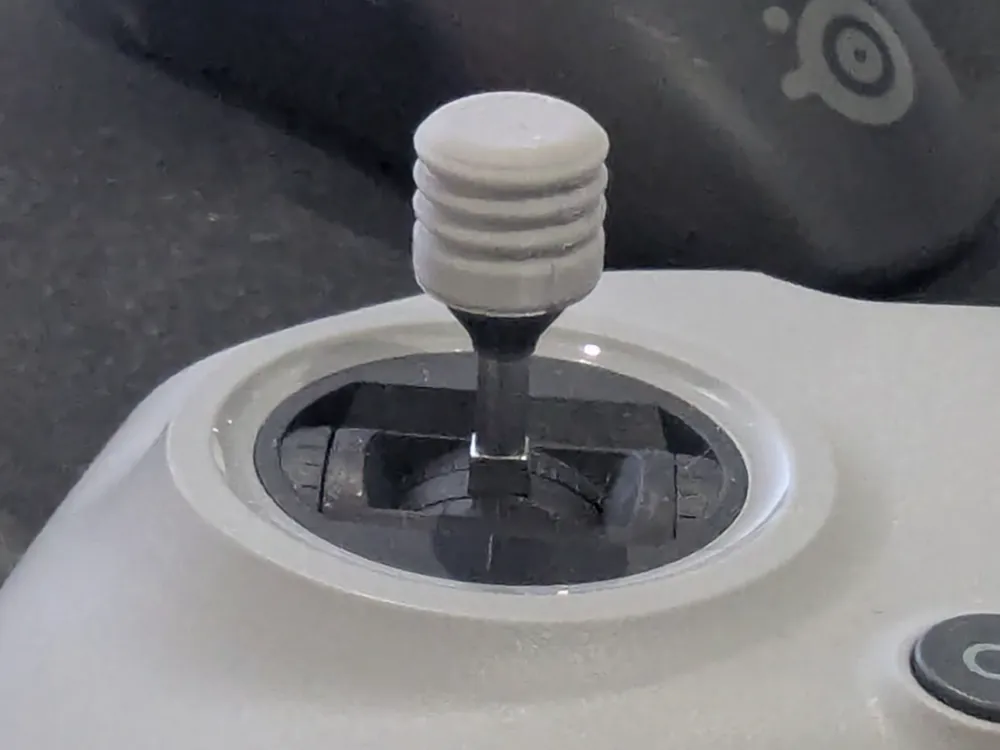
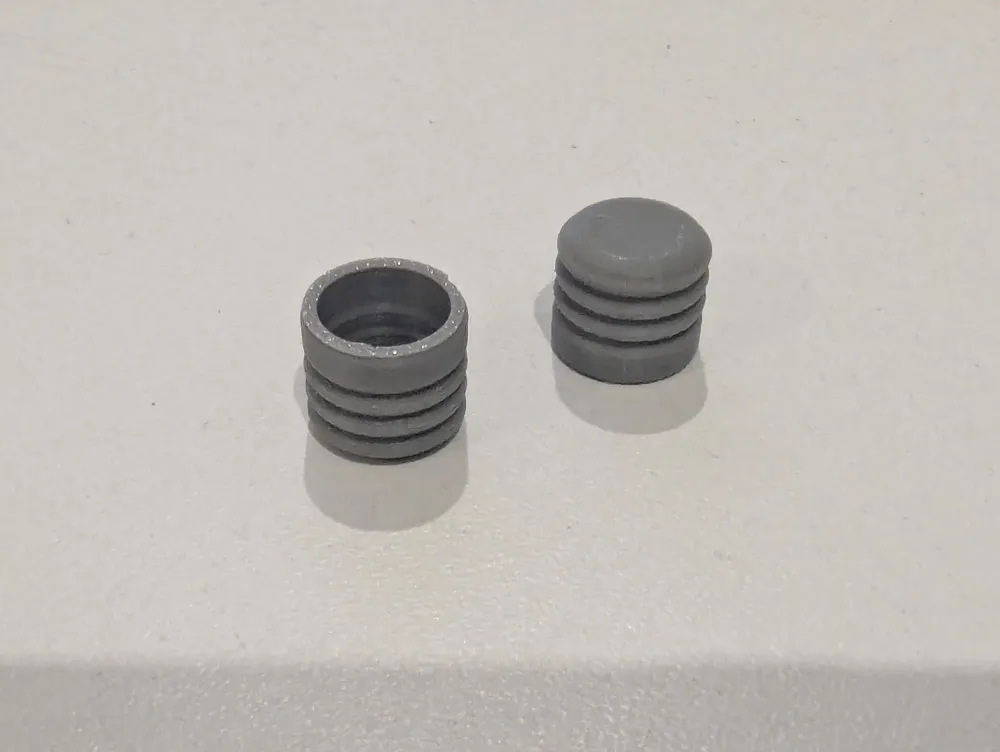
Improve the ergonomics of your DJI FPV Remote Controller 3 with these rigid press-fit caps, designed to cover the stock stick ends.
This design addresses the discomfort from the sharp edges on the original sticks, which can be an issue during long flights. These caps are designed to be a permanent addition to your stock sticks, creating a wider, smoother, and more comfortable surface for your thumbs without replacing the original hardware. The result is a more robust and pleasant feel for maximum control.
Key Features:
- Ergonomic Shape: Provides a comfortable, rounded surface that eliminates the sharp pressure points of the stock stick ends.
- Secure Press-Fit: Designed for a very tight friction fit, ensuring the caps become a solid, integrated part of your stick ends and will not come off during flight.
- Augments Original Sticks: You keep the original metal base and thread, simply adding a more comfortable top.
- Durable: Made from rigid plastic for a solid feel and long-lasting performance.
Printing Instructions:
- Material: PLA
- Supports: No supports are required.
- Layer Height: 0.12mm or lower is recommended for a smooth finish.
- Infill: 15% or higher.
Installation Instructions:
⚠️ IMPORTANT! To avoid damaging the sensitive gimbals, you MUST unscrew the original stick ends from the controller before attaching these caps.
- Remove Sticks: Carefully unscrew both original stick ends from the controller by turning them counter-clockwise. Set your controller aside in a safe place.
- Position Cap: Take one of the original metal stick ends and one of the 3D-printed caps. Align the cap over the top of the stick end.
- Press to Fit: On a hard, stable surface, press down firmly and evenly on the cap until it is fully seated on the stick end. This is a very tight fit and requires significant force. This is why it must be done while the stick is removed from the controller.
- Reinstall: Take the newly assembled stick (original base + printed cap) and screw it back into the controller gimbal clockwise until snug.
- Repeat the process for the second stick.
License

You shall not share, sub-license, sell, rent, host, transfer, or distribute in any way the digital or 3D printed versions of this object, nor any other derivative work of this object in its digital or physical format (including - but not limited to - remixes of this object, and hosting on other digital platforms). The objects may not be used without permission in any way whatsoever in which you charge money, or collect fees.


Comment & Rating (3)