
AMS Purge Calibration Swatches
Print Profile(10)


![NEW [PLA] A1, P1, P2, X1, H2 - 3 colors](https://makerworld.bblmw.com/makerworld/model/USfb15074daa996d/485224895/instance/2025-09-28_6528d2d4f27808.png?x-oss-process=image%2Fresize%2Cw_100%2Fformat%2Cwebp)
![[NEW] improved scale (PLA) 4-colors](https://makerworld.bblmw.com/makerworld/model/USfb15074daa996d/485215337/instance/2025-11-17_e862277de78408.jpeg?x-oss-process=image%2Fresize%2Cw_100%2Fformat%2Cwebp)
Description
DO NOT PRINT THIS MODEL DIRECTLY VIA BAMBU HANDY!!!
When printing via Bambu Handy the flush volume isn´t transfered from the print profile.
So import the 3mf.-file into Bambu Studio and check if the Flush Volume is set to 0.
You may have to first set the value to 1 and then back to 0 (even though it says the flush volume is 0)
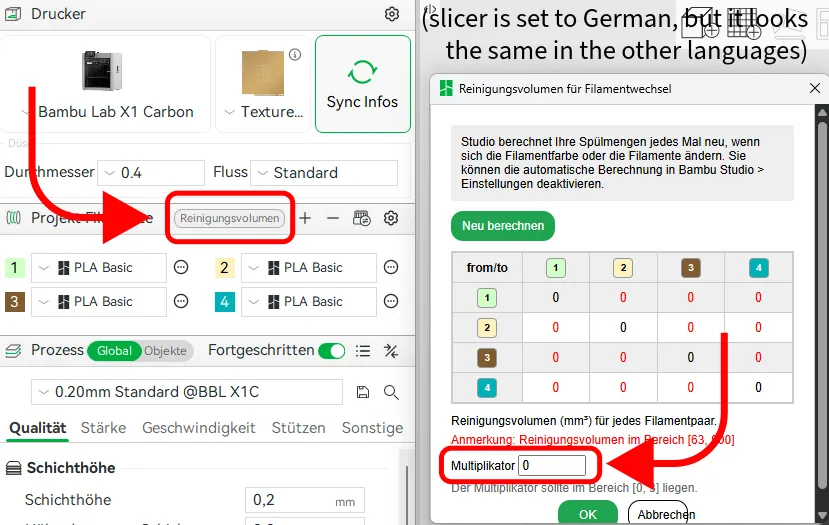
Do not activate automatic flush calibration! (Otherwise the printer will poop again)
Note that Bambu printers still poop a little, even though all flush volumes are set to 0.
---------------------------------------------------
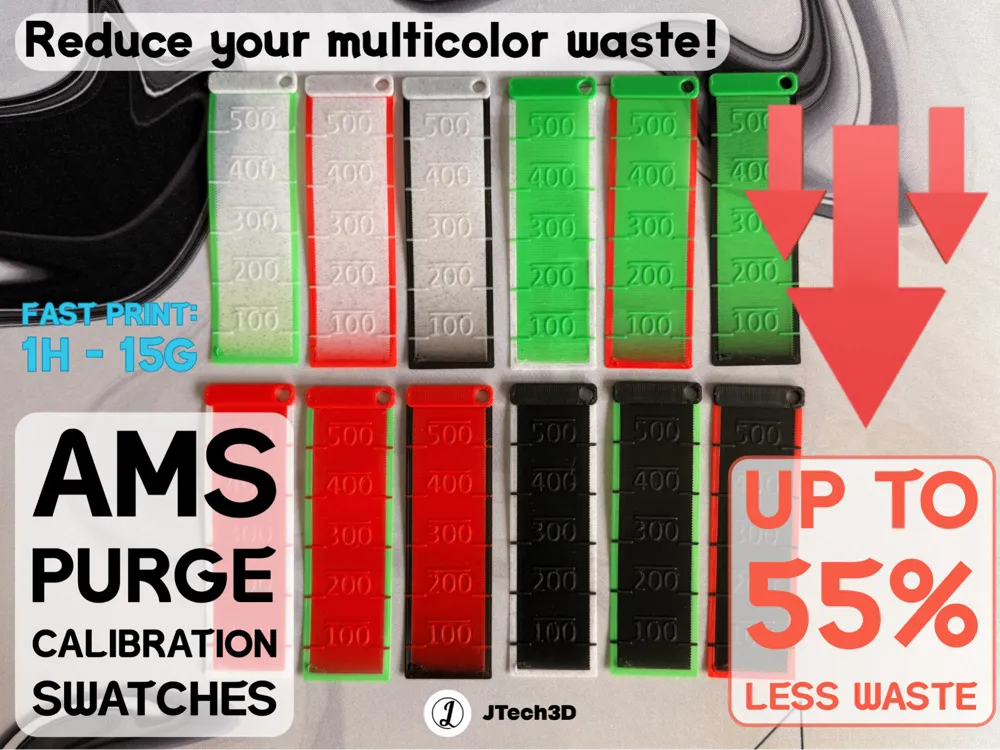
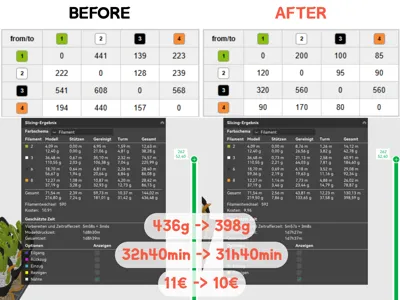
The AMS is making way more poop that it needs to!
That´s because your printer doesn´t exactly know how much it need to poop so that the next color is perfectly flushed.
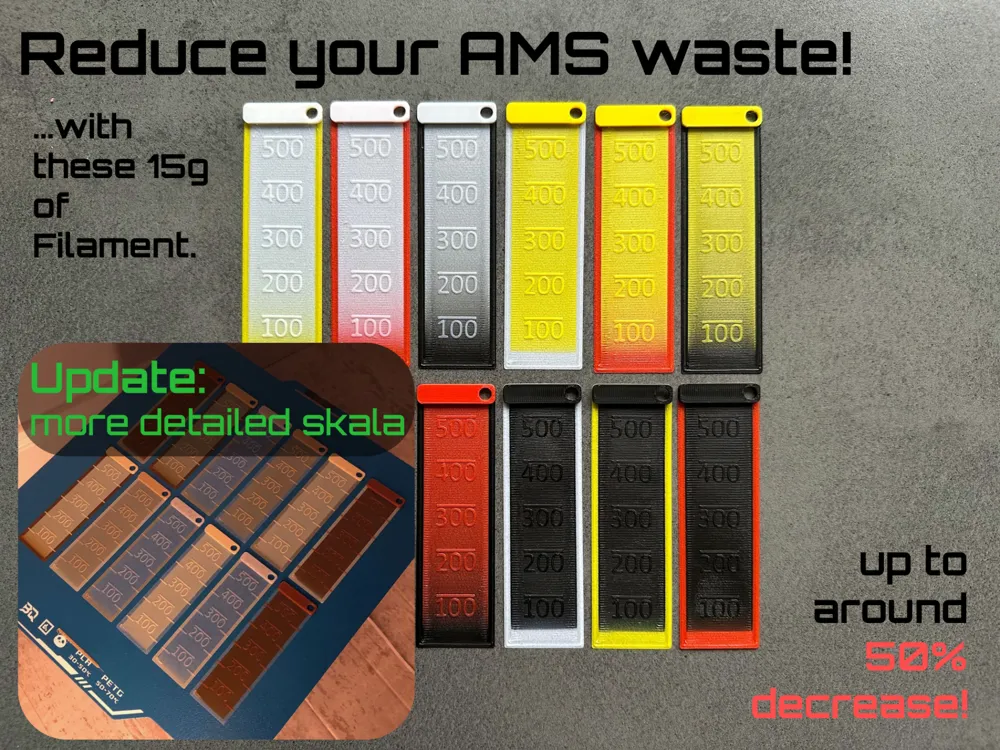
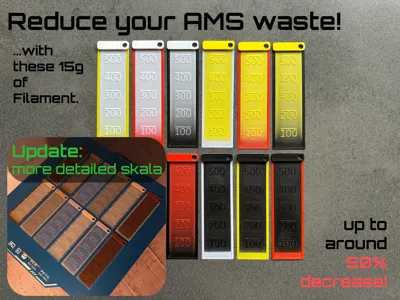
With this small print you can calibrate how much your printer actually needs to flush for your exact filaments.
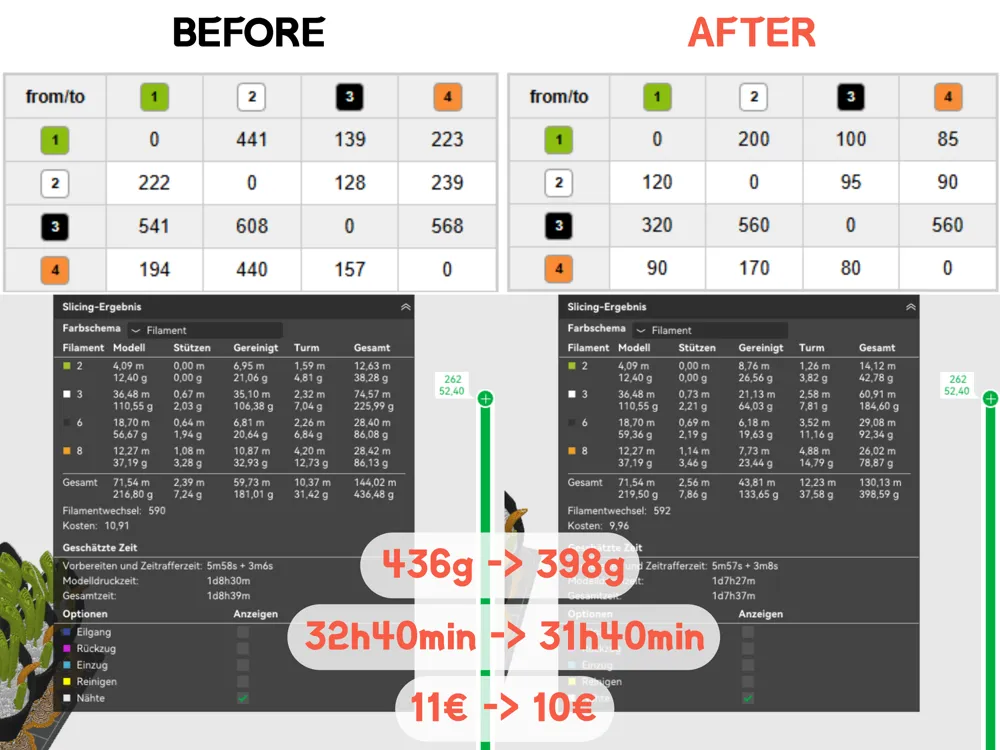
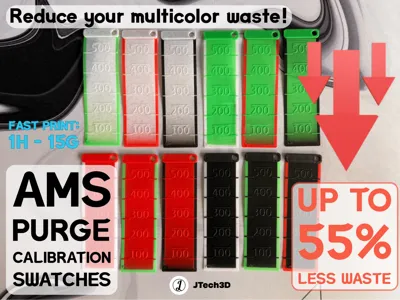
This reduces the amount of waste (poop) your multicolor print produces while ensuring that you don´t have color bleeding.
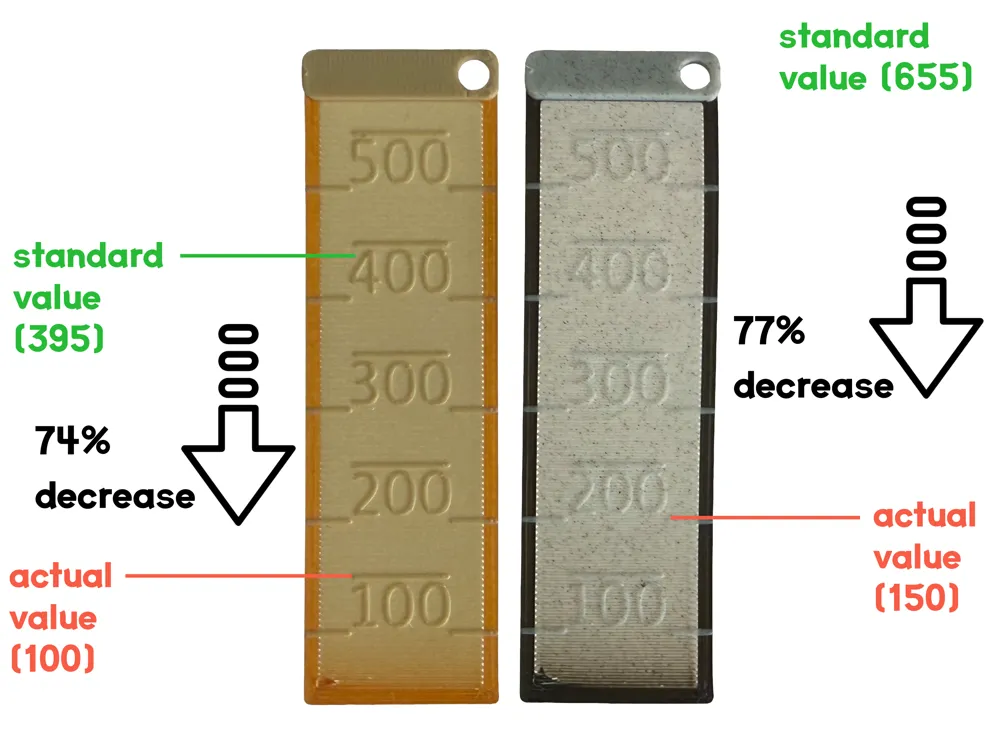
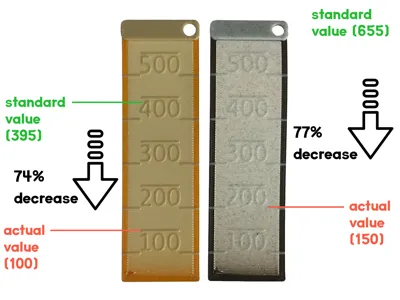
After printing the model go to the Flush Volumes in the Slicer again and change the values to the values on the swatches.
Don´t be too optimistic when setting the values; rather put in a bit more than a bit too less ;).
The color on the rim is the FROM color and the color of the center is the TO color.
The values can be different depending on the printer you're using, even with the exact same filaments
Boost Me (for free)
Hey, I´m Jakob and I´m a 14 year old from Germany.
With a boost you would really help me financing my future projects.
Maybe you have a boost token left, it expires anyway :)
If you want to reduce your multicolor waste as efficient as possible (in addition to this model), there are plenty of fidgets or other designs out there which you can use to flush into, then you can reduce the flush volume of the wipe tower to 10mm3 or so.
If you have any ideas or wishes for improving this model, feel free to write me a message!
The idea for this model is based on the MMU version made by mcfada (https://www.printables.com/model/406616-purge-volume-calibration-tool-mmu2s-5-filament-col)
THANKS FOR YOUR SUPPORT!
License

You shall not share, sub-license, sell, rent, host, transfer, or distribute in any way the digital or 3D printed versions of this object, nor any other derivative work of this object in its digital or physical format (including - but not limited to - remixes of this object, and hosting on other digital platforms). The objects may not be used without permission in any way whatsoever in which you charge money, or collect fees.


Comment & Rating (282)