Search models, users, collections, and posts

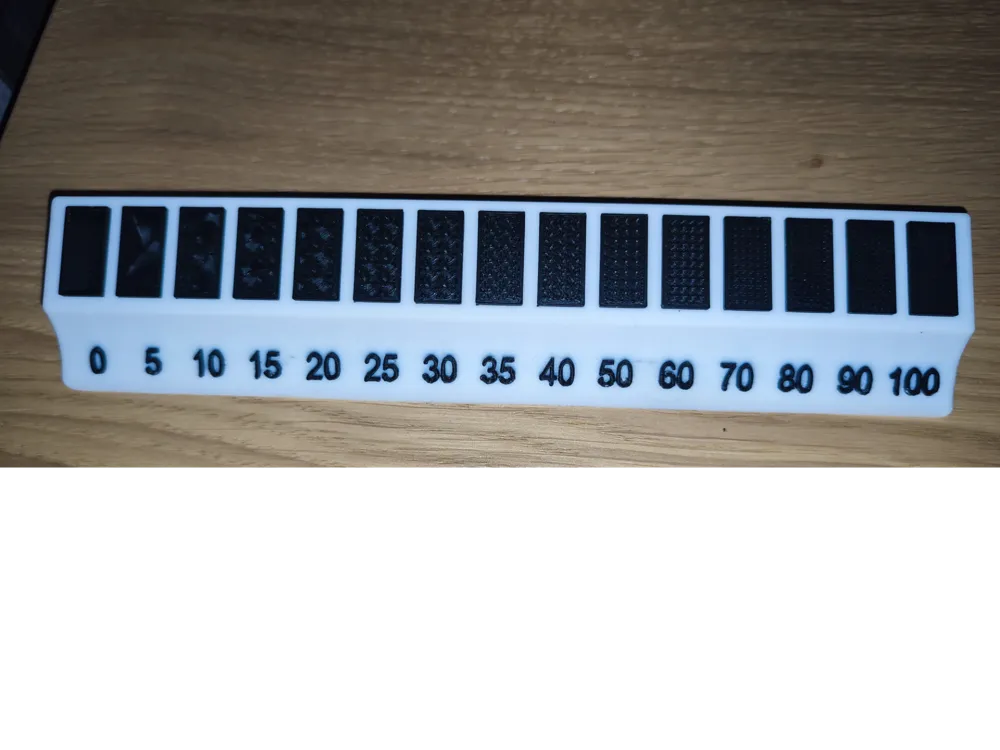
Fill percentage sample
IP Report
Print Profile(1)

0.2mm layer, 2 walls, 15% infill
Designer
6.3 h
2 plates
Open in Bambu Studio
Boost
4
13
3
1
16
7
Released
Description
Content has been automatically translated.
Model Description: Infill Test Sample
This model is an indispensable calibration tool for anyone looking to optimize the strength, weight, and print time of their objects. By printing this sample, you can visually explore and physically feel the differences between various infill percentages and their impact on the properties of the printed part.
What you will learn:
- Strength vs. Weight: Compare how a higher infill percentage (e.g., 50% or 100%) significantly increases the part's robustness, at the expense of greater material usage and higher weight.
- Print Speed: Observe how a lower infill (e.g., 10% or 20%) significantly reduces print time, ideal for objects that do not require high structural strength.
- Surface Finish: Evaluate how the top walls and flat surfaces of the model can be affected by insufficient infill, with the risk of "sagging" or visible lines.
Why it is useful:
- Choose the right setting: Helps you find the right balance between strength, speed, and filament consumption for each of your projects.
- Improve your prints: Avoid wasting material and time on projects that do not require high infill.
- Deepen your knowledge: Gain a practical understanding of a fundamental slicing parameter.
License

This user content is licensed under a
Creative Commons Attribution-Noncommercial-Share Alike


Comment & Rating (3)