Search models, users, collections, and posts

Compact Keyboard and Mouse Stand
Print Profile(1)

All
X1 Carbon
H2D Pro
P1S
P1P
A1
H2S
X1
X1E
H2D
P2S
H2C
X2D
A2L

0.2mm layer, 2 walls, 15% infill
Designer
9.2 h
4 plates
5.0(11)

Open in Bambu Studio
Boost
290
774
17
12
377
168
Released 

Description

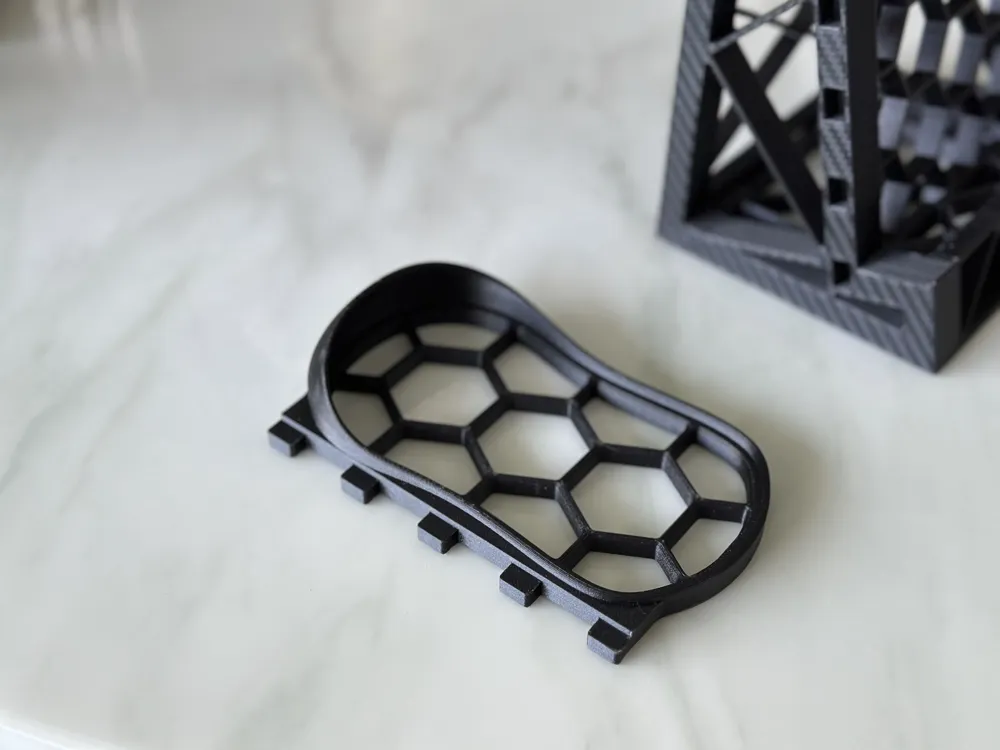
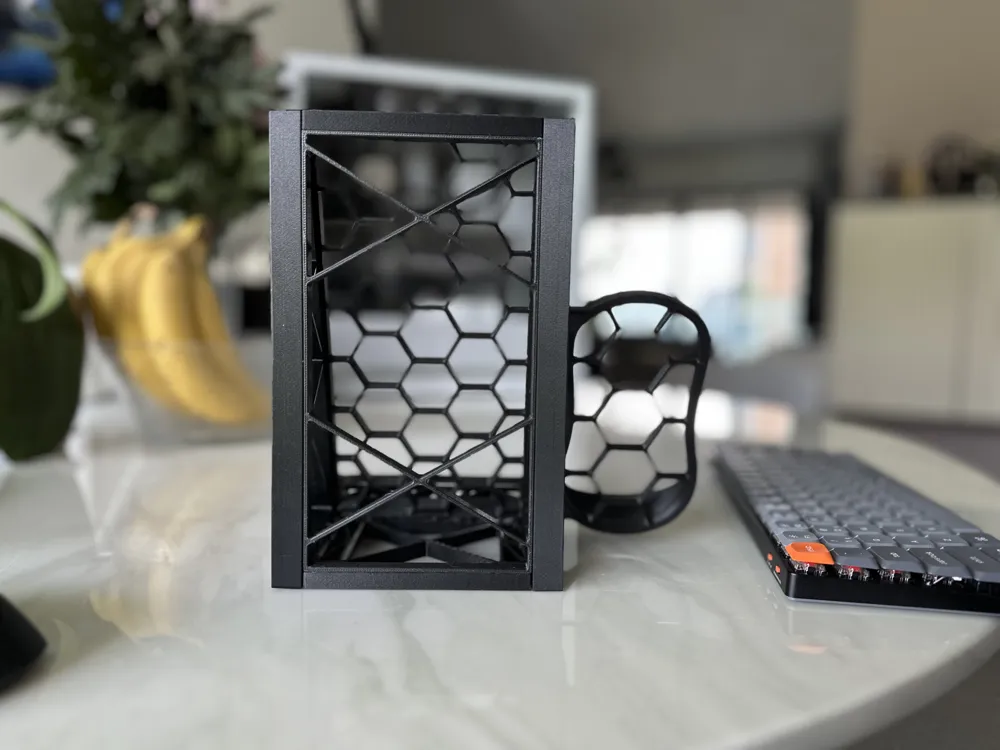
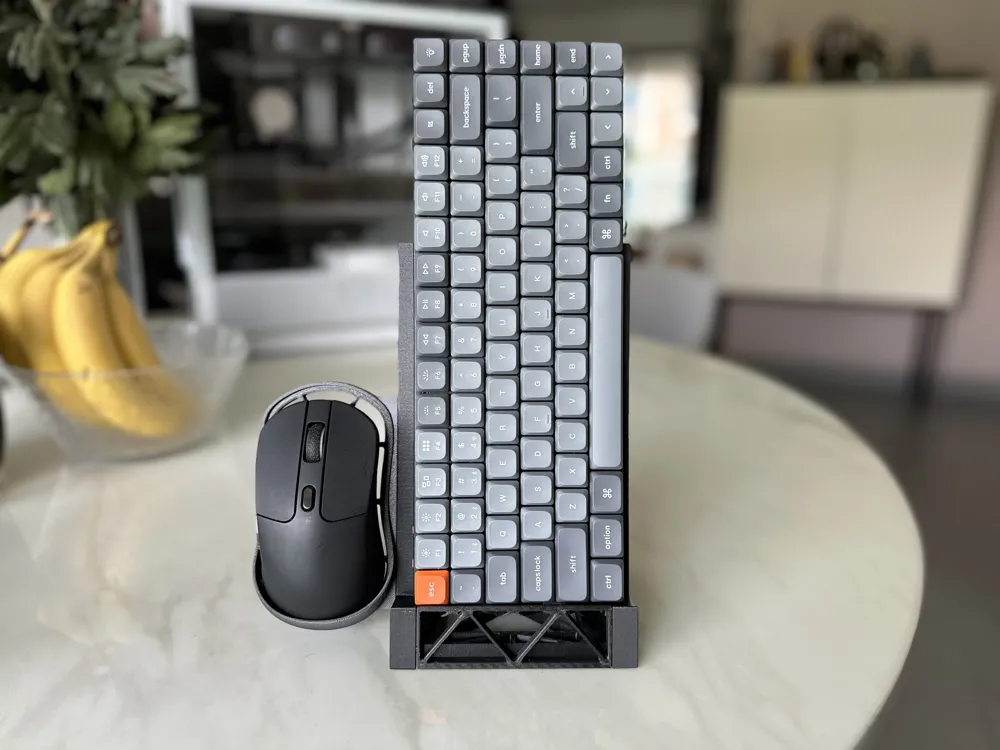
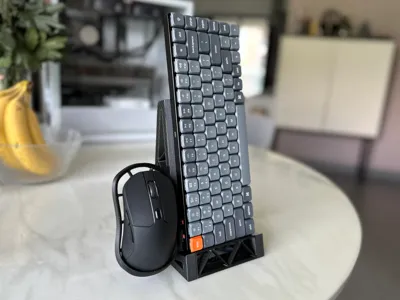
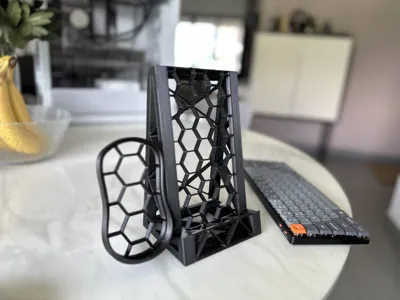
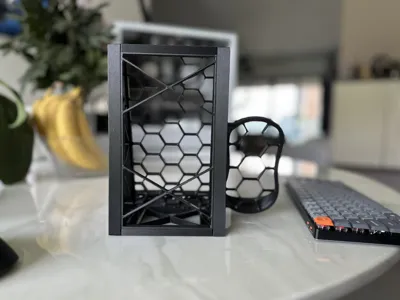
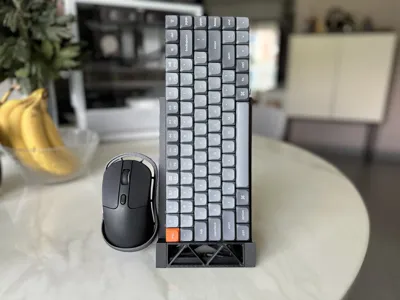
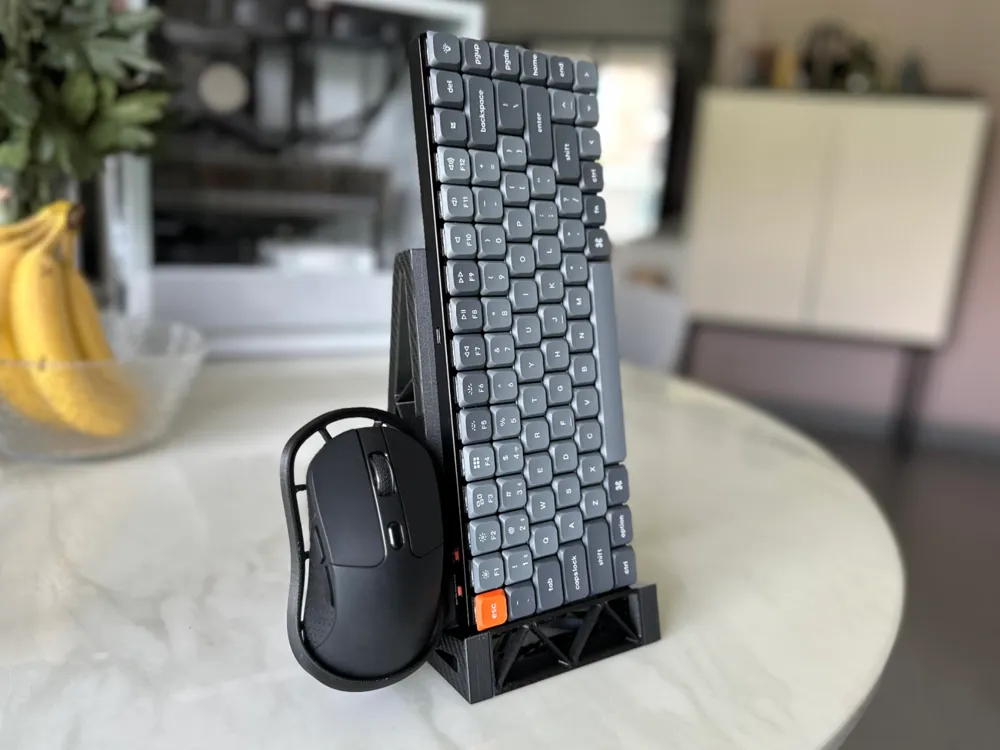
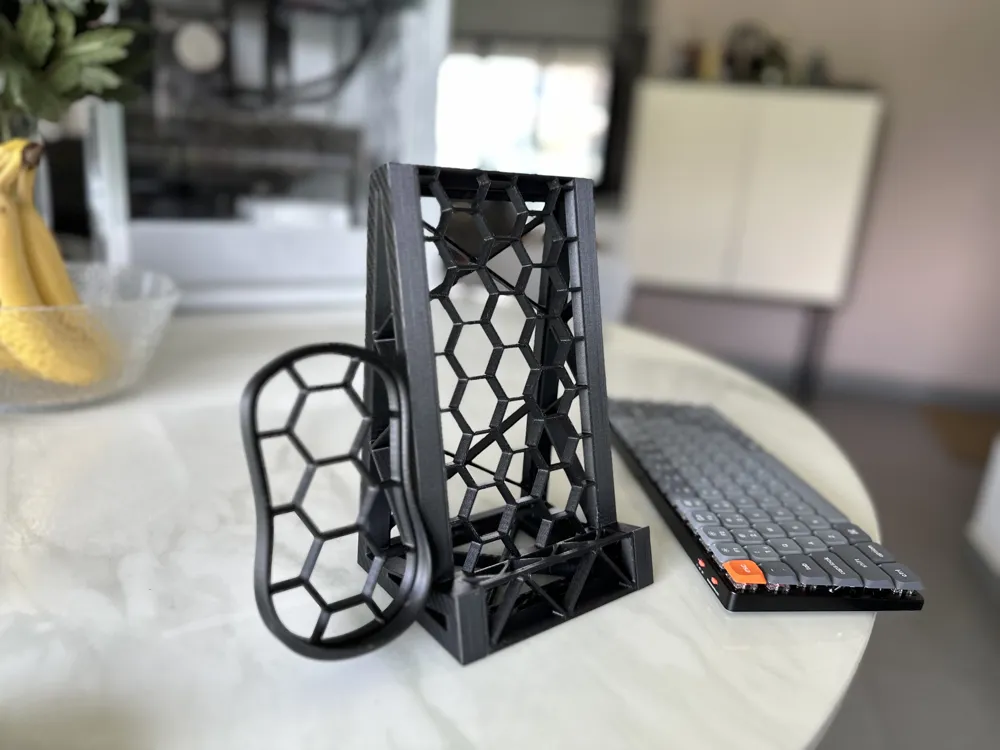
A compact desktop stand for your keyboard and mouse. Designed to maximize desk space and assemble without glue. 


This is my first go at a keyboard and mouse stand to tidy up my desk. In my case I purchased a wireless mouse and smaller keyboard for streaming to my TV without thinking about the space they'd take up. The goal with this project was to reduce their footprint on my desk. 


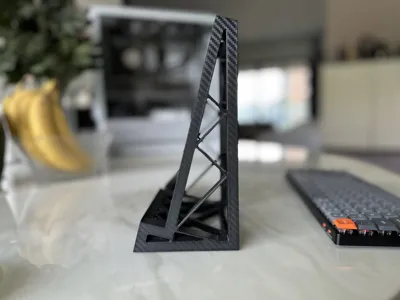

The model was designed to such that each component prints flat, with no supports needed. 


I printed this in PETG-CF, but it doesn't require any specific filament. 


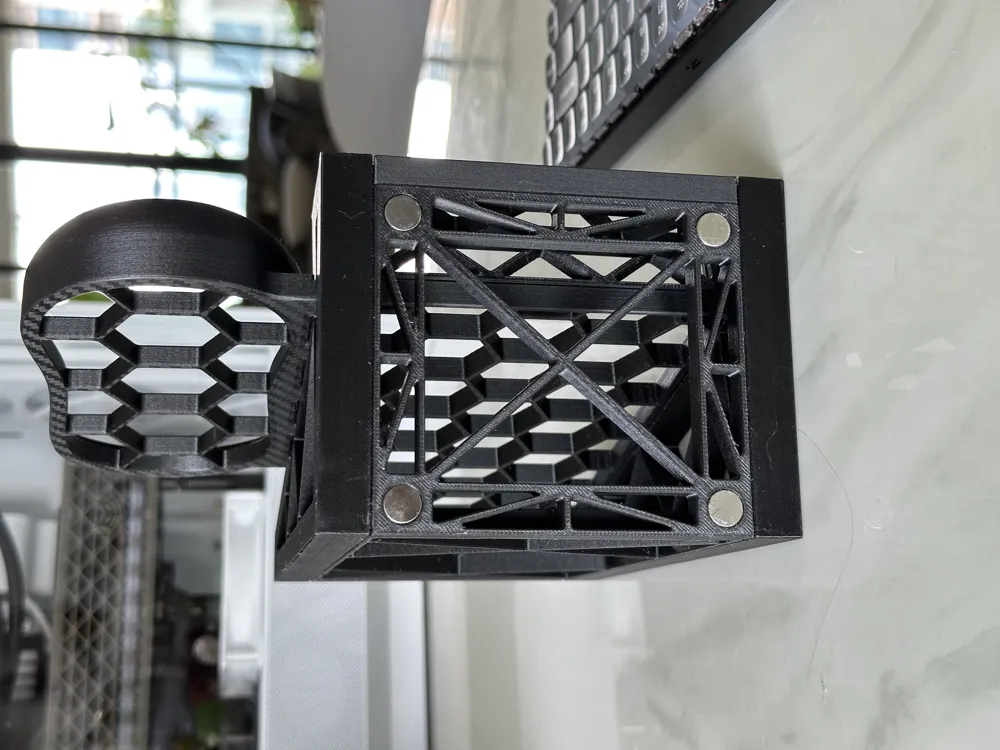
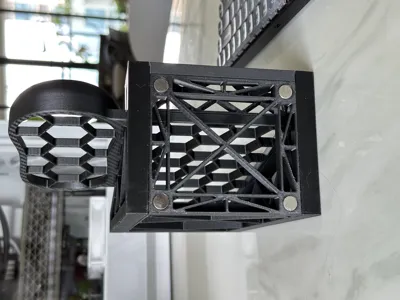
Part of my desk is powdercoated steel, so I added slots for 10mm magnets under the base. I've included a ‘weighted base’ model for anyone who would prefer to add material to a ‘solid’ base, or even felt to the bottom. 


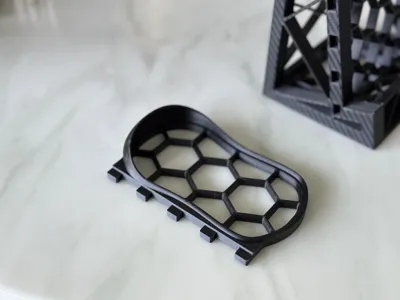
In the 3MF I've added an alternative plate if you prefer the mouse to be on the right instead of the left. (Or want to go crazy and have 2 mice on your stand.


Assembly animation


Instructions for Assembly:

  1. If confused, check the included PDF file for assembly pictures. 
  2. Begin by inserting the back and base pieces into either side.
  3. Work around the side frame to add remaining pieces. 
  4. Add remaining side frame.
  5. Press mouse shelf into frame.

If something doesn't quite fit, use a deburring tool or knife to carefully shave down the plate side. If something is too loose, adhesive is always an option!


Magnetic Base:

If you wish to add magnets to the base, go for it. The holes are sized to fit 10x2mm magnets or taller. I'd recommend slightly taller magnets. Depending on your printer accuracy/tolerances you might get away with press-fit installation, but may need a bit of glue. I'd recommend something like T-9000 glue (I used this) but gel super glue will work fine also. 


Weighted Base:

This is a 2-part assembly with a flat panel that is ‘removable’. I'll be honest- I meant to model this for the top, but goofed, and now it's on the bottom. Depending on your results it may press in place, but it also may not. If not, glue! Add whatever ballast you want to the base- washers, screws, fishing weights, etc. Personally I'd glue the stuff in place before adding the door. 

Enjoy!


Documentation (1)

Assembly Guide (1)
Keyboard Stand Drawing v1.pdf

Comment & Rating (17)

(0/1000)

Print Profile
0.2mm layer, 2 walls, 15% infill
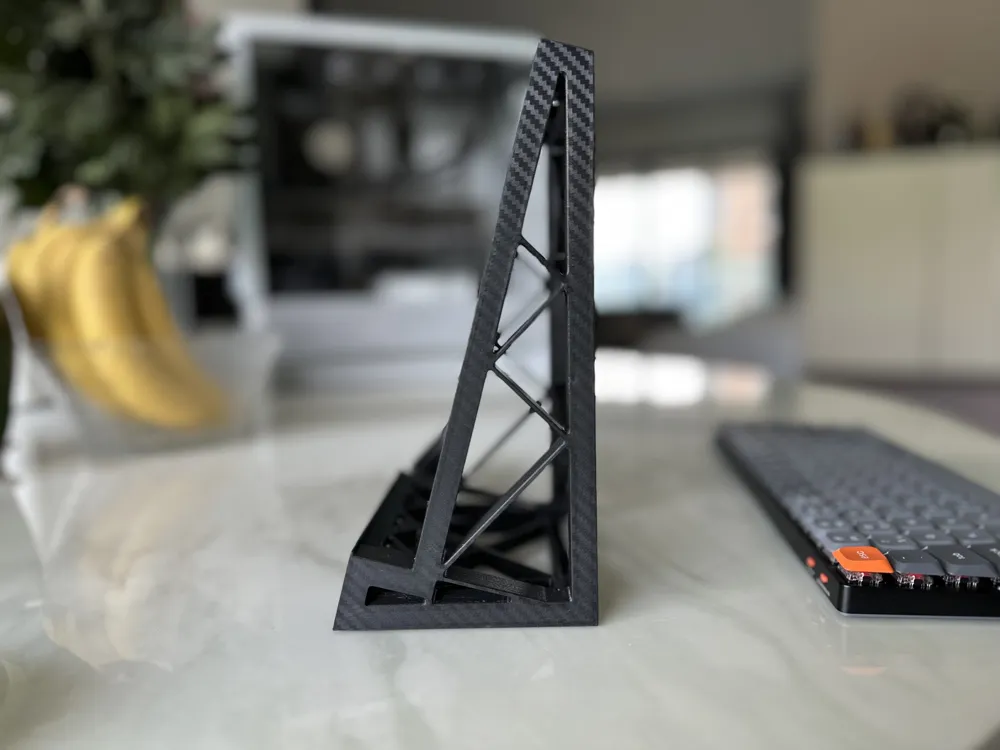
What really sold me on this Compact Keyboard and Mouse Stand was that the designer is also using the same Keychron K3 as I am — it’s reassuring to know it was designed and tested with the exact keyboard I use. The fit is spot-on and feels purpose-built rather than generic. I didn’t print the mouse holder since I didn’t need it, but I appreciate having the option. The modular design is thoughtful, practical, and prints cleanly. My only small wish is that the base plate had the same front chamfer as the piece directly under the keyboard — that detail would make it look even more cohesive. Still, overall a very well-designed solution that keeps my desk tidy and organized. Highly recommended!
The profile uploader has replied
profile
1
Reply
I’ll revise (or probably just make a new one) soon and fix that chamfer detail. I was thinking more about adding triangles and less about cohesiveness back when I made this. Loved the Keychron K3 so much I bought an K5 for my desk too. Genuinely brilliant keyboards.
(Edited)
1
Reply
absolutely perfect
1
Reply
Boosted
Print Profile
0.2mm layer, 2 walls, 15% infill
What nailed it for me was the ability to put the mouse on the right hand side. What went from being a good model was now a great model. Thanks
profile
2
Reply
Boosted
Christmas came, a new keyboard and mouse showed up, but somehow the amount of space on my desk remained the same? How to solve this problem? Print a keyboard and mouse stand to put the rarely used keyboard and mouse in an out of the way, but still accessible location. Perfect print. Thank you
The designer has replied
designer
1
Reply
Glad to hear it!
0
Reply
thank you. now my kids cant spill stuff on my key board 🥲
designer
1
Reply
Great stand, only issue is that it is set up to use a lot of plastic. I reduced infill to 8% and top/bottom walls to 3 which leaves it still more than strong enough due to the great design.
designer
1
Reply
Print Profile
0.2mm layer, 2 walls, 15% infill
0
Reply
Print Profile
0.2mm layer, 2 walls, 15% infill
0
Reply
Print Profile
0.2mm layer, 2 walls, 15% infill
0
Reply
Print Profile
0.2mm layer, 2 walls, 15% infill
0
Reply