
Desktop Stand Base for KOALAMODULE Belt Version
Print Profile(1)

Description
Boost Me (for free)
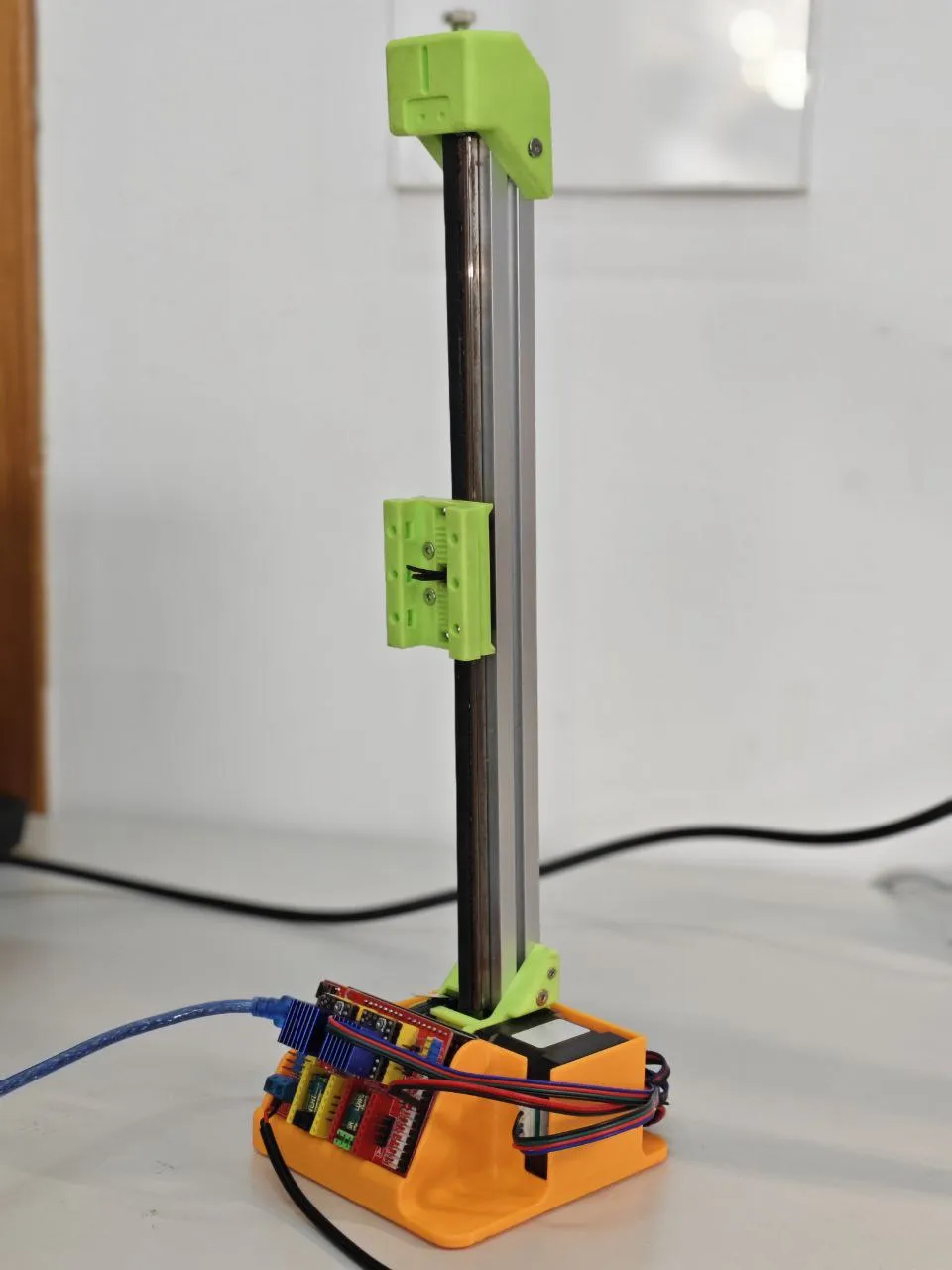
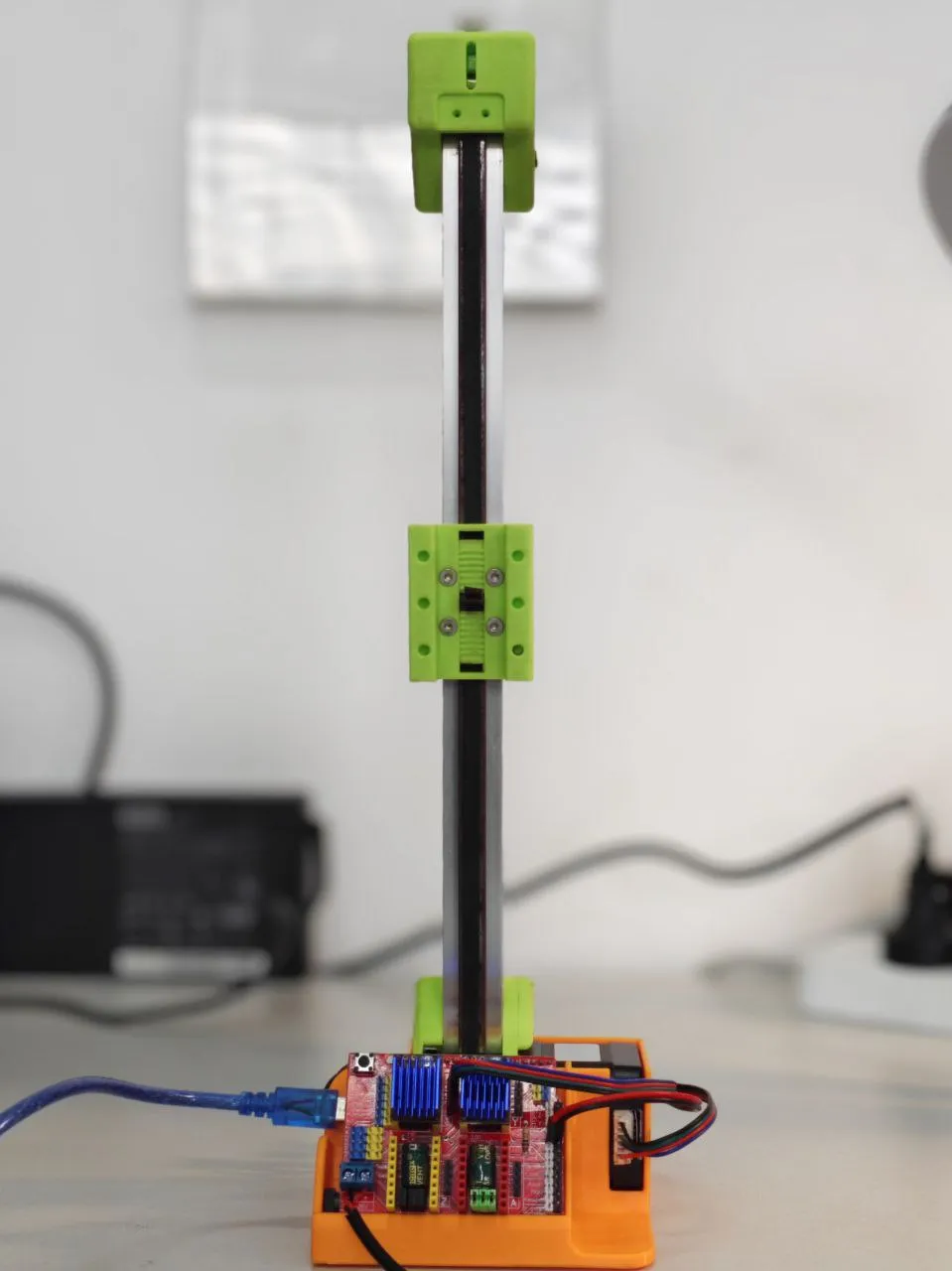
Desktop Stand Base for KOALAMODULE Belt Version
This is a base designed for the belt-driven linear module developed by a PhD from Zhejiang University (Koala project). For friends abroad who may not be familiar, here is the link: https://item.taobao.com/item.htm?id=911822896981&pisk=ghLtDOqLAvDgVewa6KmnoxC5wzcHBDANJdR7otXgcpppGd6GnGa6Ow1PgPN1cI1fkp9m_OAjQKLAdNs2jtXGHZd2eXDor4Aw_ZSIEY0uwh9JVN11Gs_jG91NGXfsjVLpZZ7jEYq3lGuRud6FR2PbA66FMsaffKZQdsWC1taXh9sCN_21lZ9j9M1PGRa_5POQO_WQ11s_lMsC_1Eb1rss9B6FGZ6XhGGpO95fltMHIjXQ0tavfTbhdoN6NraXJ1IIxC6Bdpcc_GB269HSFeePXTO1prMsom4dH98SKDdeAh9GTK3-pZJecK1vdJMcbItpp1pie-WD7CYAICnsdBQhBds9vbZN9BY9MnsK1VOdWOIklGPbXNKXQEIwXSlyON9e4TSsYv5pSUjAUMeICBAdCgKvIvzfI3dBpgY3Kzb2Ln9fMpwO4XLkyn8uETC0fXhL0oS1TkBUlE283OwO9TctmorVx01dEXhL0oS1T6BotUE40Mm5.&spm=a21xtw.29178619.0.0
It is an educational control kit made for beginners, based on Arduino Uno and CNC Shield. There are two types: one with a lead screw drive, and one with a belt drive. This print is specifically for the belt-driven version.
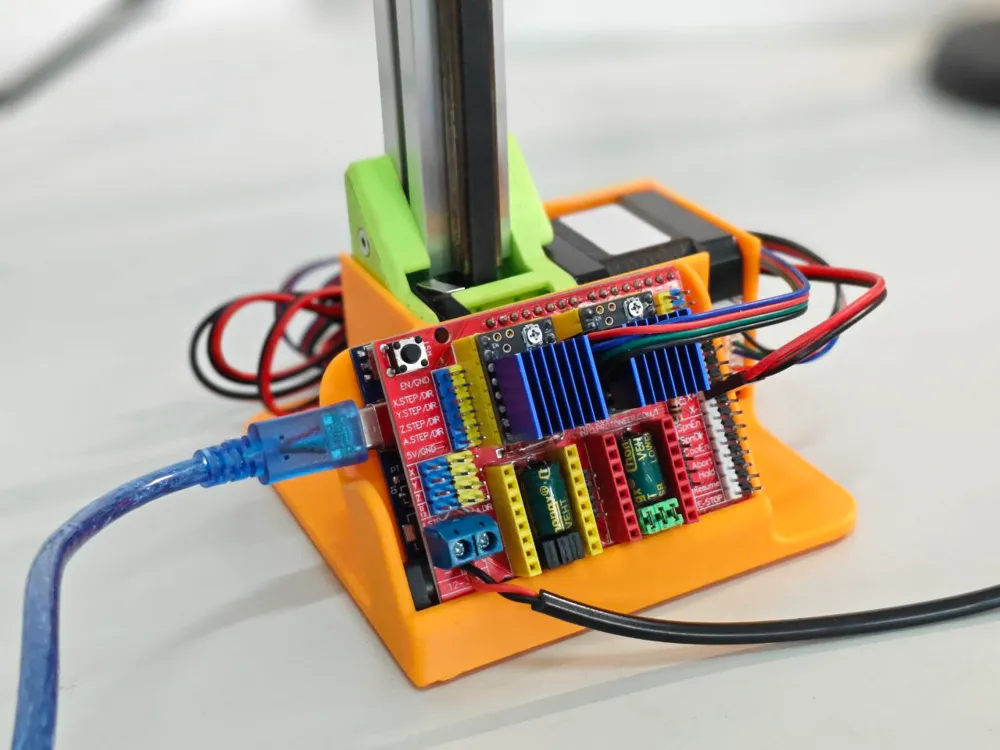
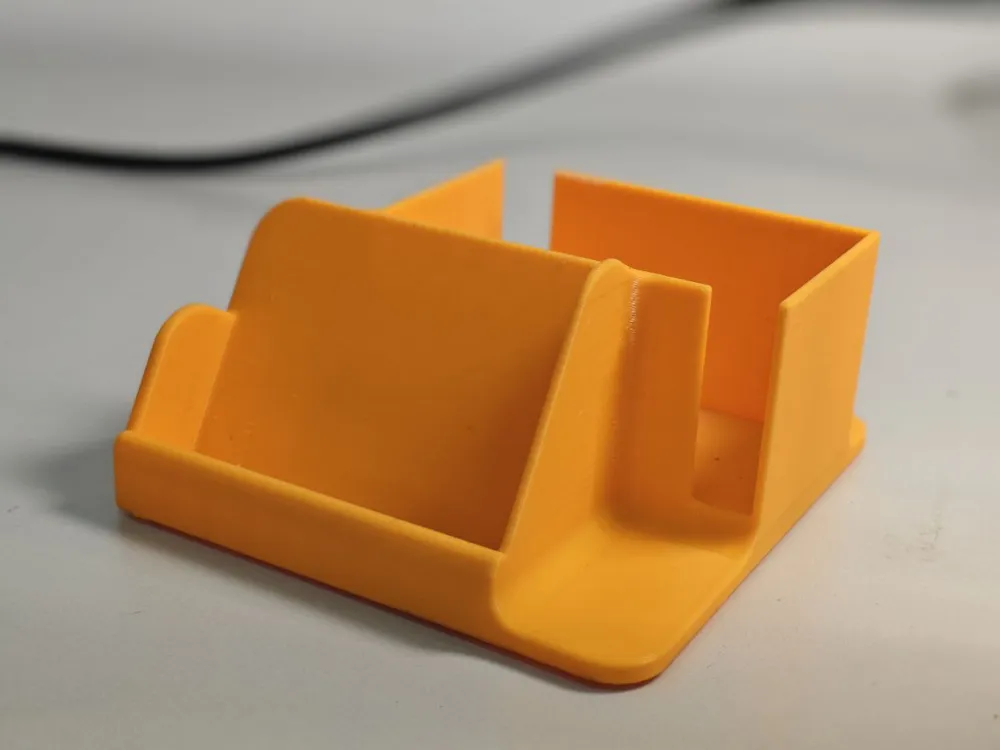
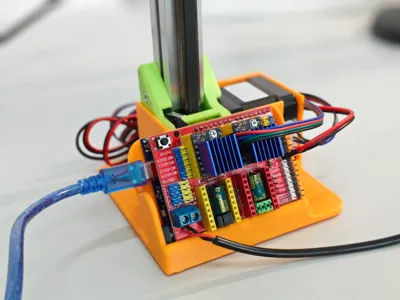
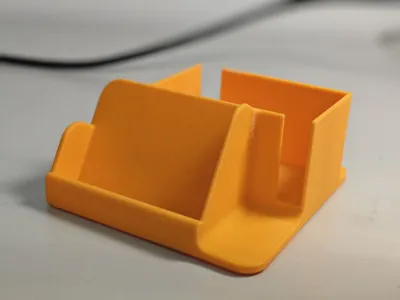
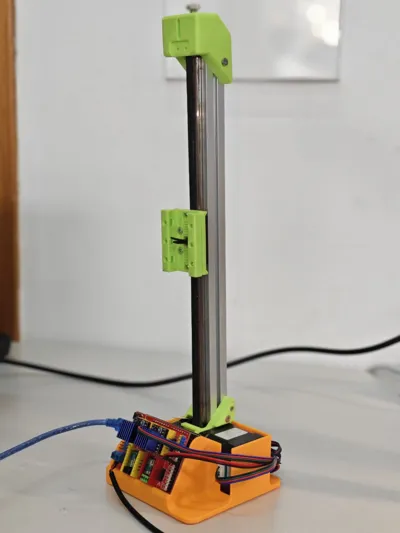
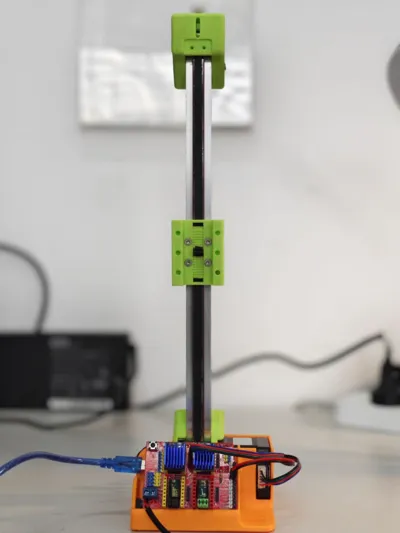
When studying, the wires were too many and messy, which was very annoying, so I designed this vertical desktop stand for the belt module. Of course, if you also happen to have an Arduino Uno and CNC Shield, you can print the model in the following link, which is a desktop organizing base designed for the board.
User Guide: Just place the module vertically into the slot, assemble the CNC Shield and Arduino Uno together, tilt the board slightly (top facing yourself), press it down into the slot, and then push it forward to lock in place. If the wires are messy, you can bundle them with zip ties or rubber bands and fix them at the back.
Print Settings: Default is fine.
After the belt version was released, I was the sixth buyer, the first to receive the package, and the first to successfully assemble it. When I first put it together, I already wanted to design a vertical stand, but only now did I finally publish the first version.
I think on Taobao the best seller is the lead screw linear module, with sales of 500+. The belt module only sold 35 units because it was released later (belt: 2025.4.22; lead screw: 2024.11.26) and was not heavily promoted. But I think the lead screw is too heavy. If it is purely for study, I recommend the belt version. The two are the same price and have similar functions.
- Lead screw: self-locking, higher load, higher precision.
- Belt: lighter load, smaller size and weight, faster speed.
For example, in 3D printers, the Z-axis uses a lead screw, while the X and Y axes use belts.
PS: The code in the video was written by Doubao:
// ---- 引脚定义(适配UNO+CNC Shield)----
#define X_STEP 2
#define X_DIR 5
#define X_EN 8 // 低电平使能
#define LIMIT_SWITCH 9 // 限位开关接在X轴限位接口
#define LED_PIN 13 // 板载LED指示运行状态
// 电机参数(高速场景优化)
const long STEPS_PER_REV = 200L * 16L; // 200步/圈 × 16细分
const unsigned int MIN_PULSE_US = 50; // 最小脉冲宽度(驱动器支持的最小值)
const unsigned int RUN_PULSE_US = 100; // 运行脉冲间隔(根据电机性能调整)
// 全局状态变量
volatile bool motorRunning = true;
bool lastSwitchState = HIGH;
unsigned long lastDebounceTime = 0;
const unsigned long debounceDelay = 30;
void setup() {
pinMode(X_STEP, OUTPUT);
pinMode(X_DIR, OUTPUT);
pinMode(X_EN, OUTPUT);
pinMode(LIMIT_SWITCH, INPUT_PULLUP);
pinMode(LED_PIN, OUTPUT);
digitalWrite(X_EN, LOW);
digitalWrite(LED_PIN, HIGH);
delay(100);
}
void stepOnce() {
digitalWrite(X_STEP, HIGH);
delayMicroseconds(RUN_PULSE_US);
digitalWrite(X_STEP, LOW);
delayMicroseconds(RUN_PULSE_US);
}
void checkSwitch() {
unsigned long currentTime = millis();
int currentState = digitalRead(LIMIT_SWITCH);
if (currentState != lastSwitchState) {
lastDebounceTime = currentTime;
}
if ((currentTime - lastDebounceTime) > debounceDelay) {
if (currentState == LOW) {
motorRunning = !motorRunning;
digitalWrite(LED_PIN, motorRunning ? HIGH : LOW);
digitalWrite(X_EN, motorRunning ? LOW : HIGH);
while (digitalRead(LIMIT_SWITCH) == LOW) {
delay(10);
}
}
}
lastSwitchState = currentState;
}
void moveSteps(long n, bool dir) {
digitalWrite(X_DIR, dir ? HIGH : LOW);
for (long i = 0; i < n; i++) {
if (!motorRunning) {
return;
}
stepOnce();
if (i % 10 == 0) {
checkSwitch();
}
}
}
void loop() {
checkSwitch();
if (motorRunning) {
moveSteps(2 * STEPS_PER_REV, true);
checkSwitch();
if (!motorRunning) delay(50); else delay(300);
moveSteps(2 * STEPS_PER_REV, false);
checkSwitch();
if (!motorRunning) delay(50); else delay(300);
} else {
delay(20);
checkSwitch();
}
}
License

You shall not share, sub-license, sell, rent, host, transfer, or distribute in any way the digital or 3D printed versions of this object, nor any other derivative work of this object in its digital or physical format (including - but not limited to - remixes of this object, and hosting on other digital platforms). The objects may not be used without permission in any way whatsoever in which you charge money, or collect fees.


Comment & Rating (0)