
[Qinglan Island] Oho Button
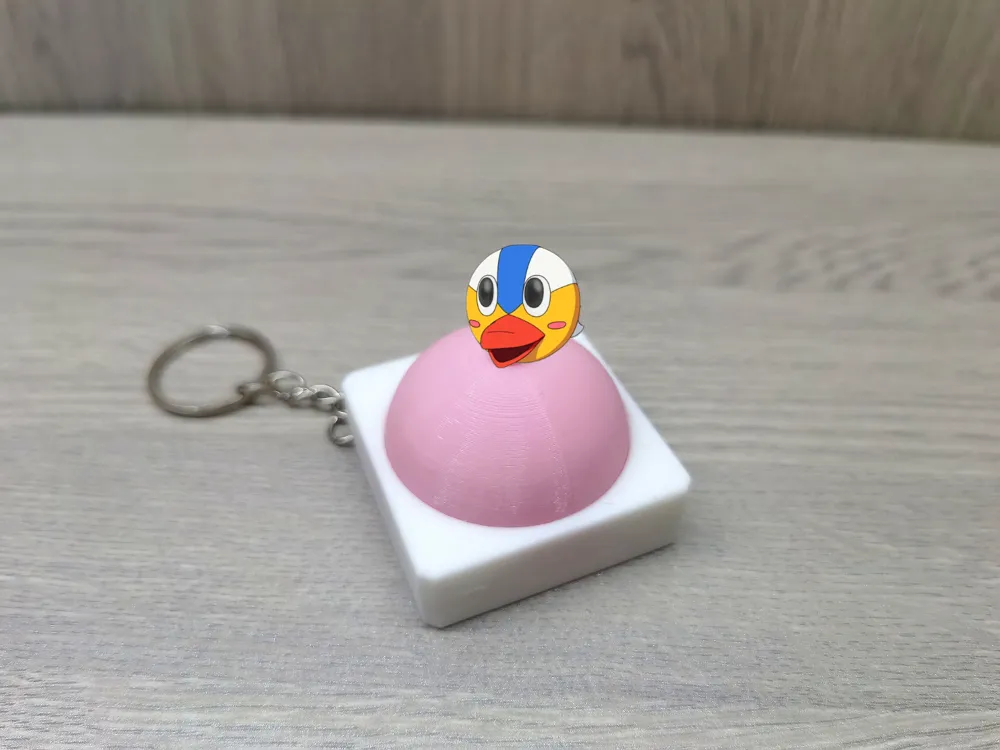
Print Profile(2)


Description
Non-sounding version introductory video:
Sounding version introductory video:
The sounding version requires using DIY press sound component supporting customizable content, contact customer service for toy doll voice playback - Taobao.com
Making process:
1: Remove the casing of the sound component and place it into the button's base 2: Secure the snap fastener to the button's base with glue 3: Assemble the other components |
Thank you for your download
If you have any further questions, please feel free to ask in the comment section
Boost Me (for free)
License

You shall not share, sub-license, sell, rent, host, transfer, or distribute in any way the digital or 3D printed versions of this object, nor any other derivative work of this object in its digital or physical format (including - but not limited to - remixes of this object, and hosting on other digital platforms). The objects may not be used without permission in any way whatsoever in which you charge money, or collect fees.


Comment & Rating (1)