
8040 Aluminum Extrusion Center Stick Mount
Print Profile(1)
Description
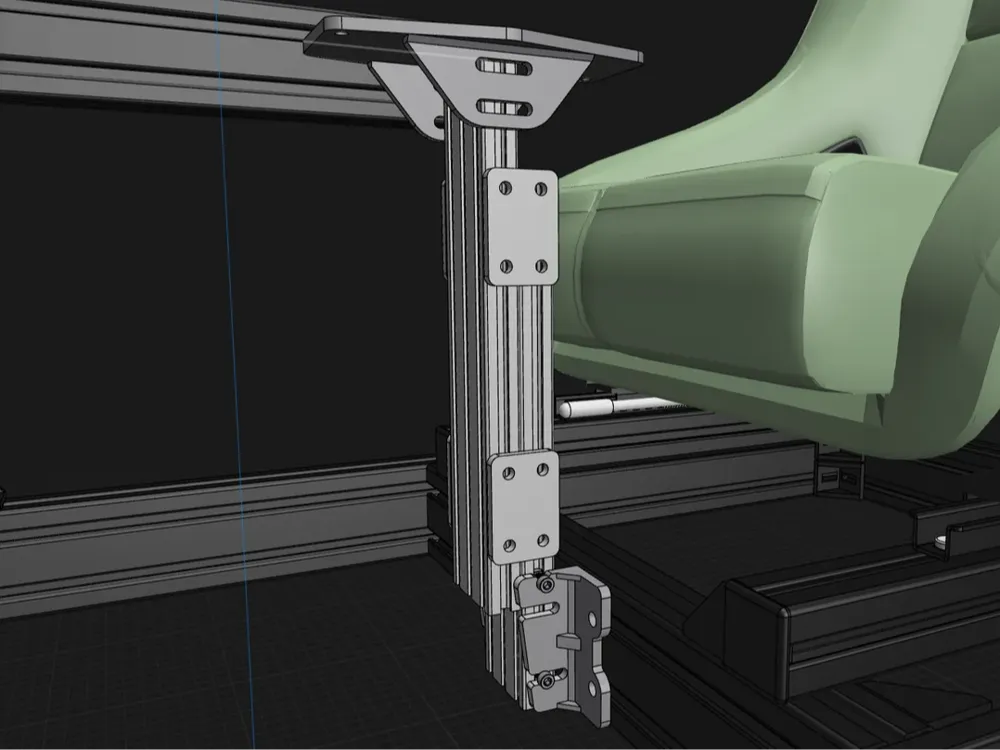
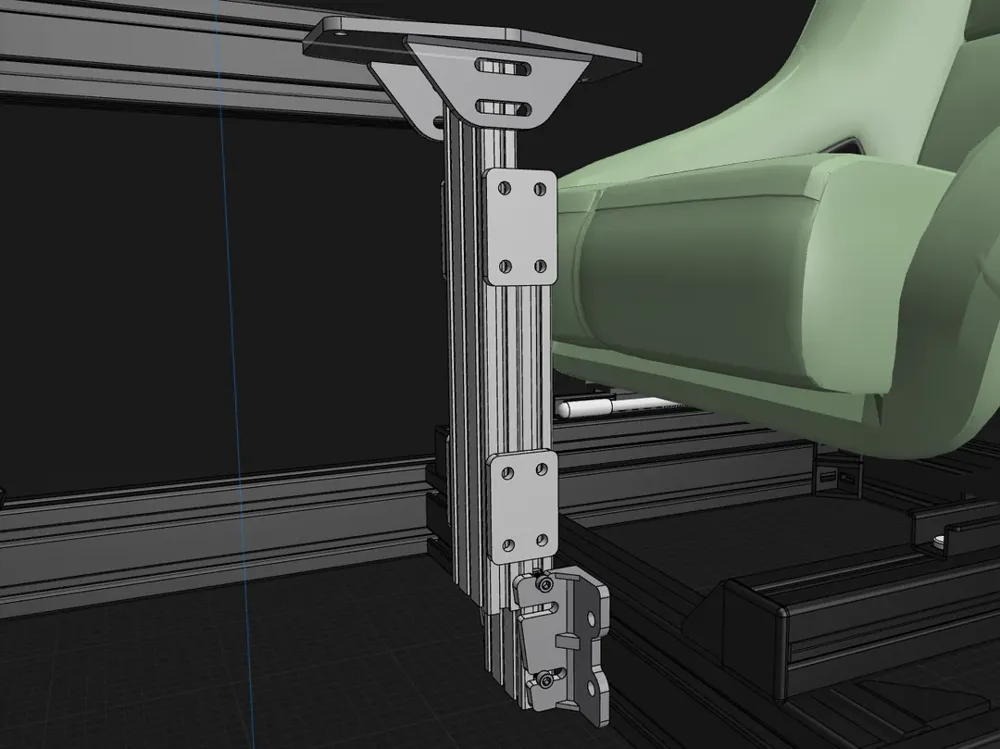
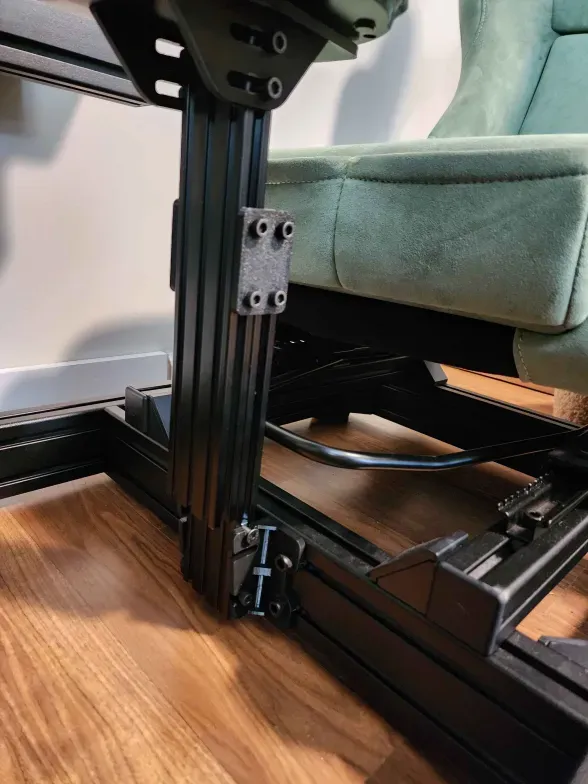
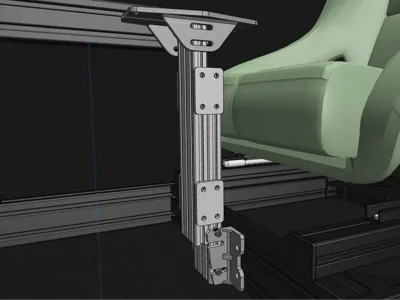
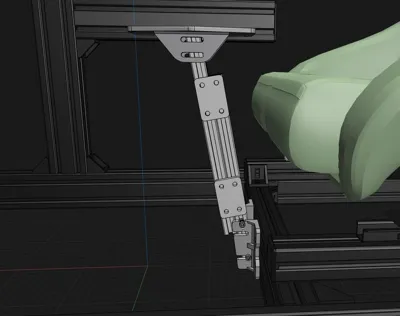
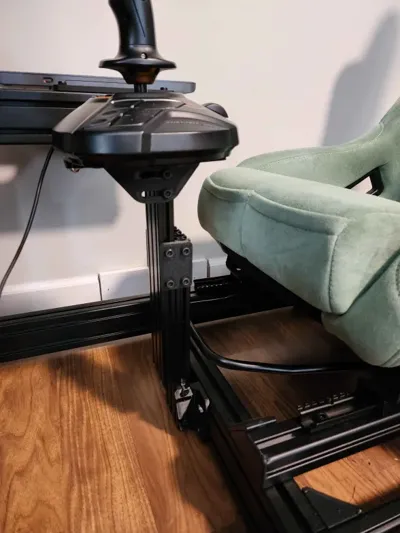
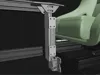
I designed brackets and a mounting plate to securely attach 2060 aluminum extrusion profiles from HOTAS desk mounts onto 8040 extrusions.
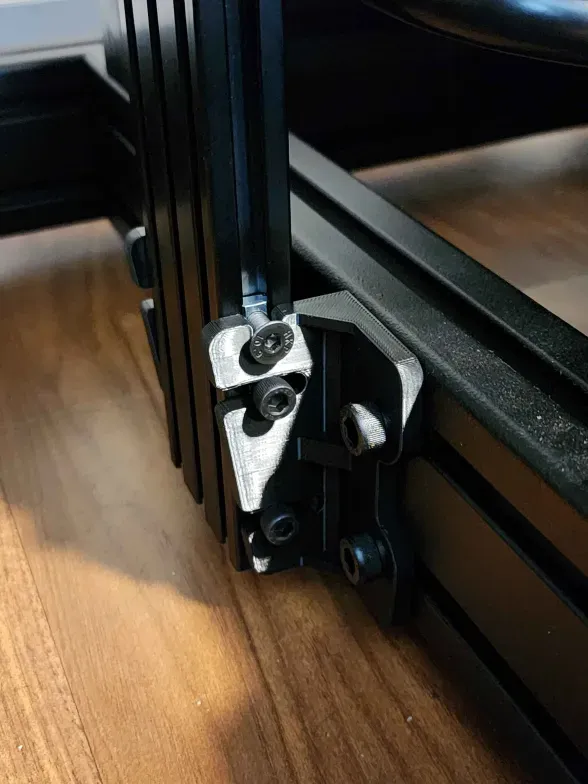
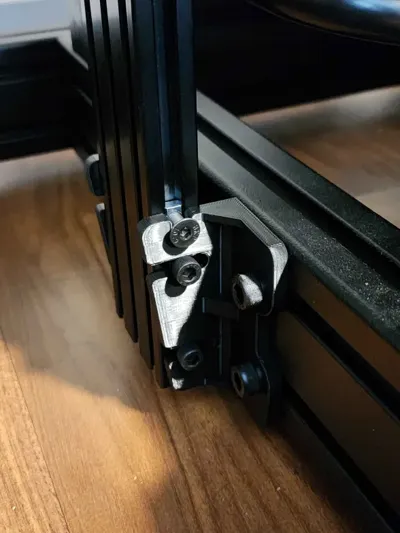
Universal fastening is achieved using M6x12 Allen cap bolts combined with M6 ball spring T-nuts for the post assembly, while M8x12 Allen cap bolts paired with M8 ball spring T-nuts are employed to connect the assembly to the 8040 support structure.
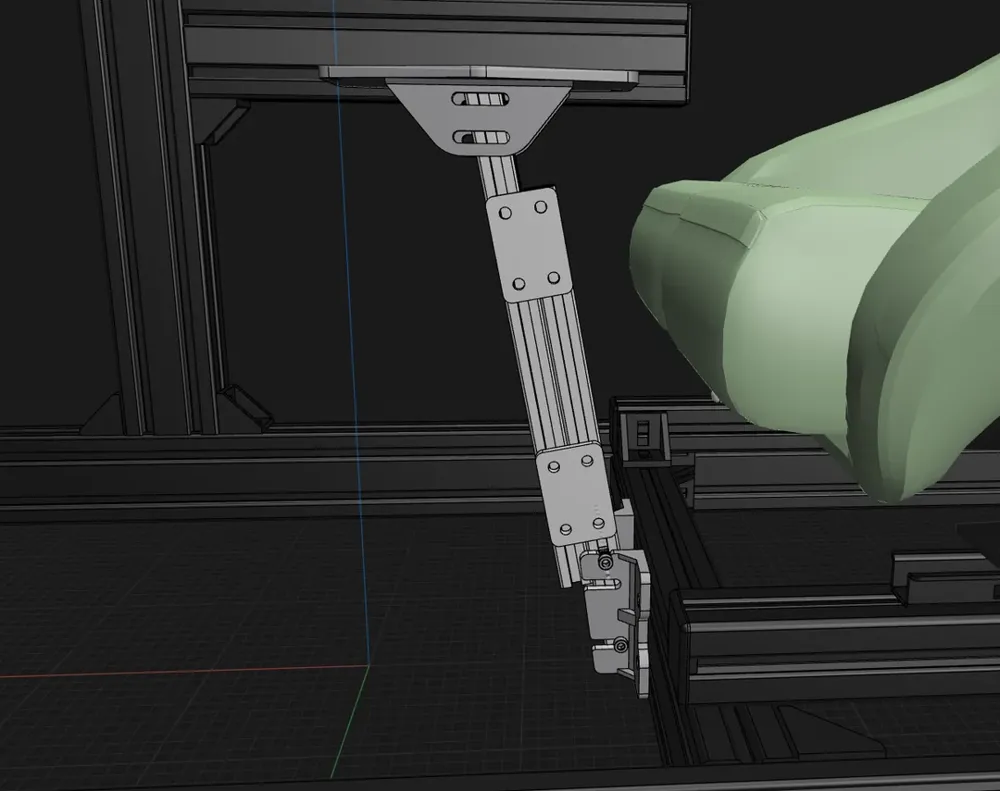
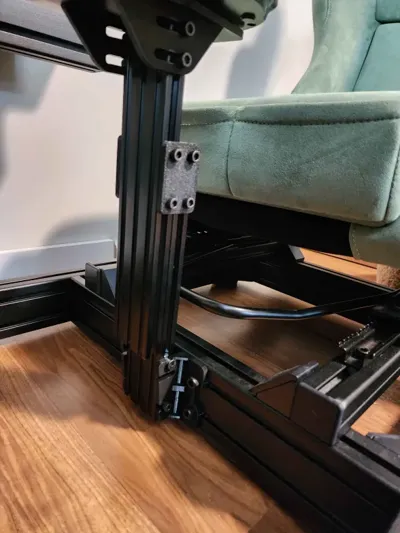
Two M6 bolts function as swivel pins on each side of the central post. These swivel pins rest within a U-shaped notch at the top of the bracket, allowing the post to be positioned into the bracket. The bottom of the extrusion can then be swung into place, secured by two additional M6 bolts engaging the lowermost channel of the bracket. The bracket’s channel is designed to permit a forward tilt of up to 10 degrees if desired. Once the optimal angle is achieved, the lower bolts are tightened to lock the post securely. A central channel accommodates an additional set of M6 bolts for a more rigid or permanent installation.
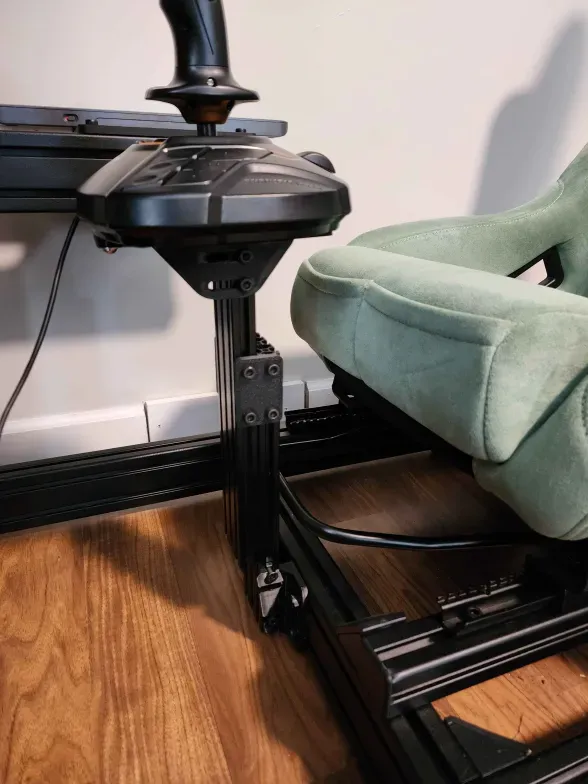
The second 2060 aluminum extrusion is joined to the first via four 40x60mm mounting plates—two on each side. Although the design includes four plates, I only used 2 in my photographed build. These plates are fastened using the same M6 bolts employed elsewhere in the assembly. This configuration enables vertical height adjustment of the central post, facilitating a more ergonomic final positioning.
The T16000M controller mounting plate overlays the top surface of the 2060 extrusion. It is secured with four M6 bolts passing through two mounting channels on each side, providing the ability to slide the mount forward or backward. Additionally, the mount supports tilt adjustments up to 10 degrees to enhance user comfort and customization.
License



Comment & Rating (0)