
Minisforum UM870 120mm cooler (+others)
Print Profile(2)

Description
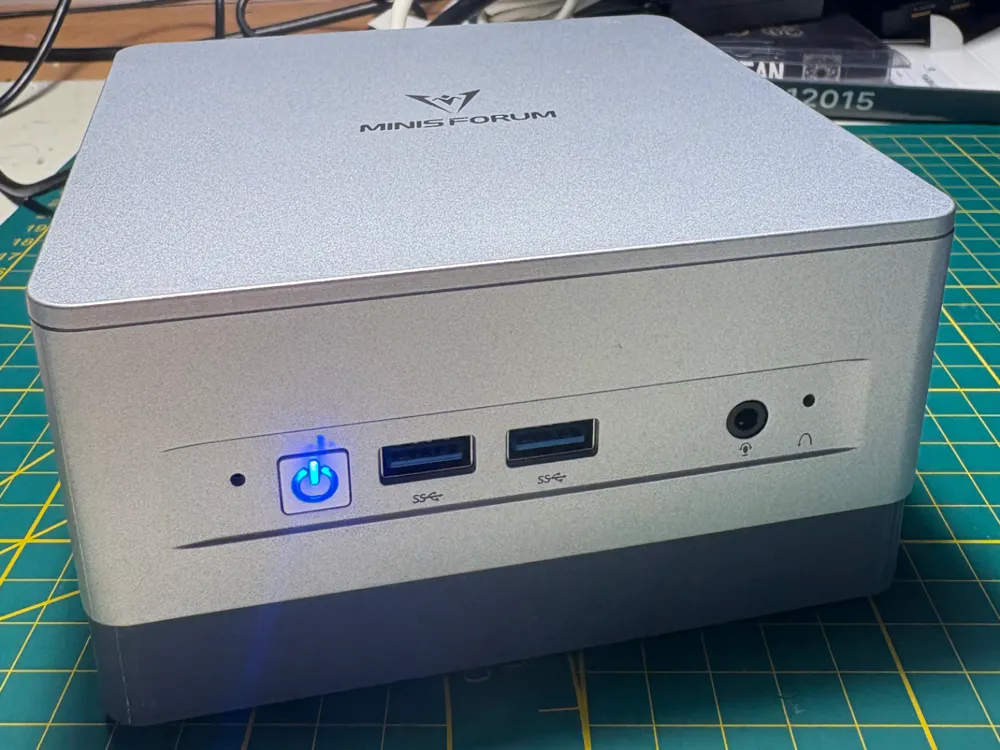
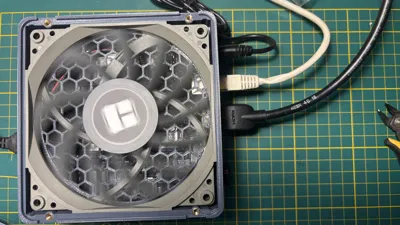
Breathe fresh air into your MinisForum UM870 !
With its 8 Zen cores, the Ryzen-7 powered MinisForum UM870 Slim is a great desktop PC for families. Thanks to its integrated Radeon 780M GPU, it can even handle casual gaming and more.
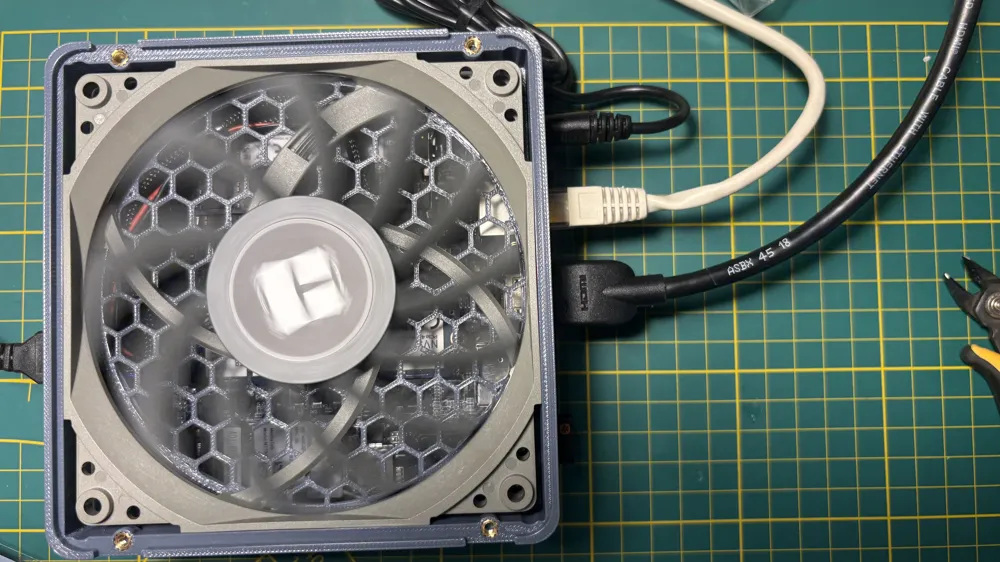
Turn it into a mini powerhouse of airflow by replacing the original bottom panel. This designs add about 20 mm of extra height, but makes room for a full 120 mm low-profile fan. The result : your SSD and RAM stay cool, throttle less, and last longer — and even the CPU benefits with a 1–2 °C drop under load, despite not being directly in the airflow.
Compatibility note : based on close examination of chassis design, this design should also work with :
For unconfirmed models, please print the test plate first (less than 35 minutes / 13g) so as to confirm compatibility. |
Why it’s good :
- Cooler SSD & RAM → more stable and longer lifespan.
- Slight CPU cooling boost under heavy load.
- Fully reversible mod — no permanent changes.
- Optional VESA mount support preserved.
- Fun idea: print in clear PETG and use an RGB fan for a glowing setup.
What you’ll need :
- PETG filament (recommended for heat resistance).
- 120 mm low-profile fan (e.g. Thermalright TL-C12015).
- 4× M3 low-profile inserts + 4× M3×5 screws.
- Custom fan connector (UM870 header → standard PWM) (see detailed instructions).
- (Optional) 2× M4 inserts for reusing the stock VESA plate.
Boost Me (for free)
If, just like me, you love tinkering with computer and network equipment to improve it, please consider boosting me :-) !
Detailed step by step instructions
Gather the required components
As stated earlier, you will need :
- 120 mm low-profile, 15 mm height fan, probably with a 4-pin PWM connector (I used a Thermalright TL-C12015 but Noctua has good options too)
- 4× low-profile M3 inserts (e.g. Ruthex M3S)
- 4× M3×5 flat-head screws (something like this, or buy yourself some assorted set for other projects)
- Standard PWM male connector (e.g. cannibalized from this adapter) (or matching you fan)
- Motherboard-side fan header (I had some lying around, but JST connectors with a 1.25mm pitch, like these, should do the trick) (or reuse the one from the original fan)
- Optional : 2× low-profile M4 inserts (e.g. Ruthex M4S)
Print the parts
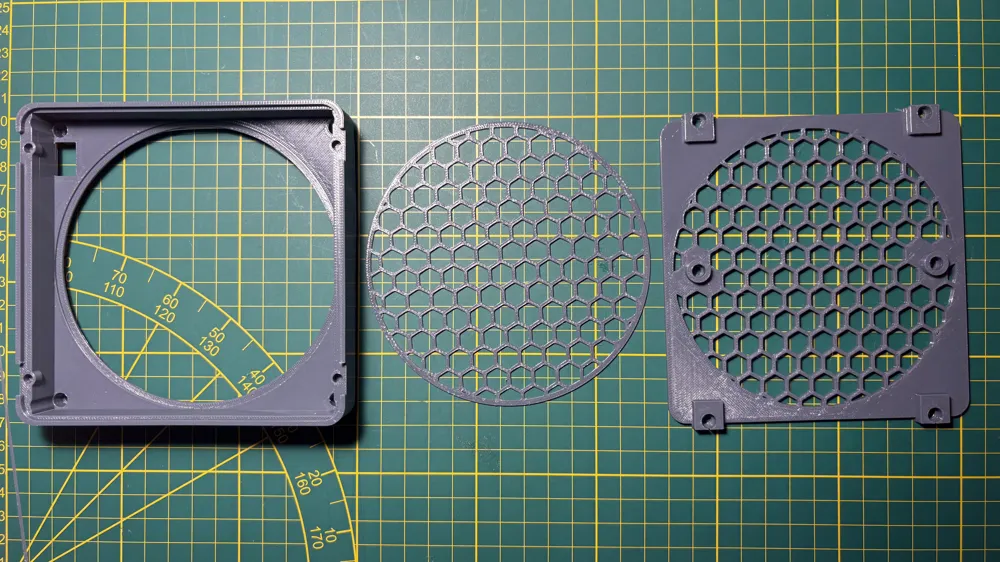
- The provided profile should work fine. I used and suggest PETG. If the computer remains in a well ventilated place, PLA might work (but if you're considering beefier cooling, your use case is probably running the computer in a somewhat warm environment already).
- Removing supports on the main case is not difficult but requires a firm hand to swiftly do a clean job.
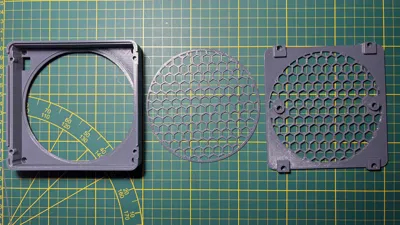
- NOTE : I also provide a slightly quieter Noctua-designed grills set to replace the original grills. In this case, of course, only print the cover case from this profile. Many thanks to Noctua for releasing the grills design under a CC license.
Solder the adapter
- You could possibly reuse the connector from the original fan to create your adapter, or even solder it directly to the fan wires. I elected not to do so, so as to have a fully reversible setup.
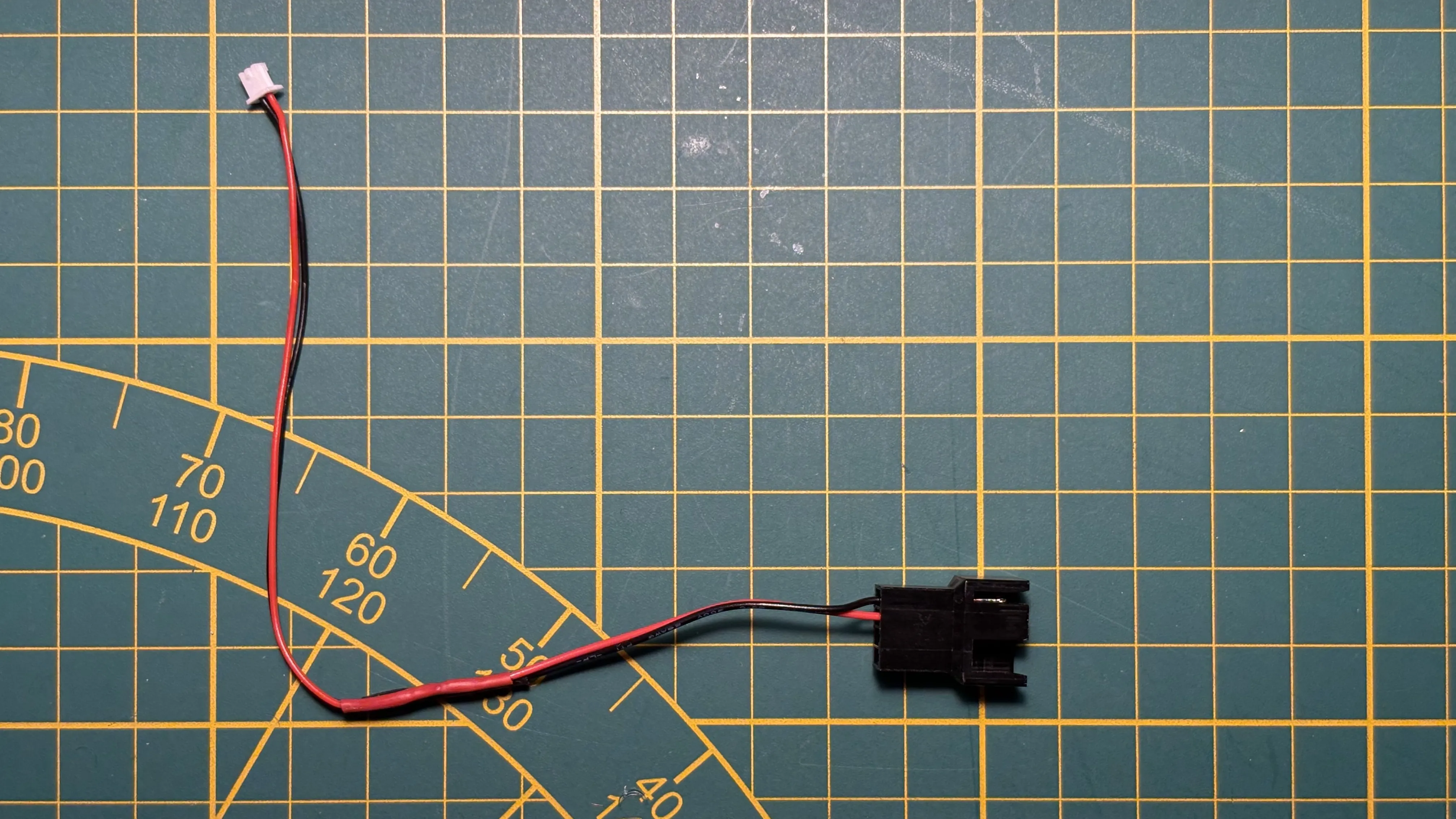
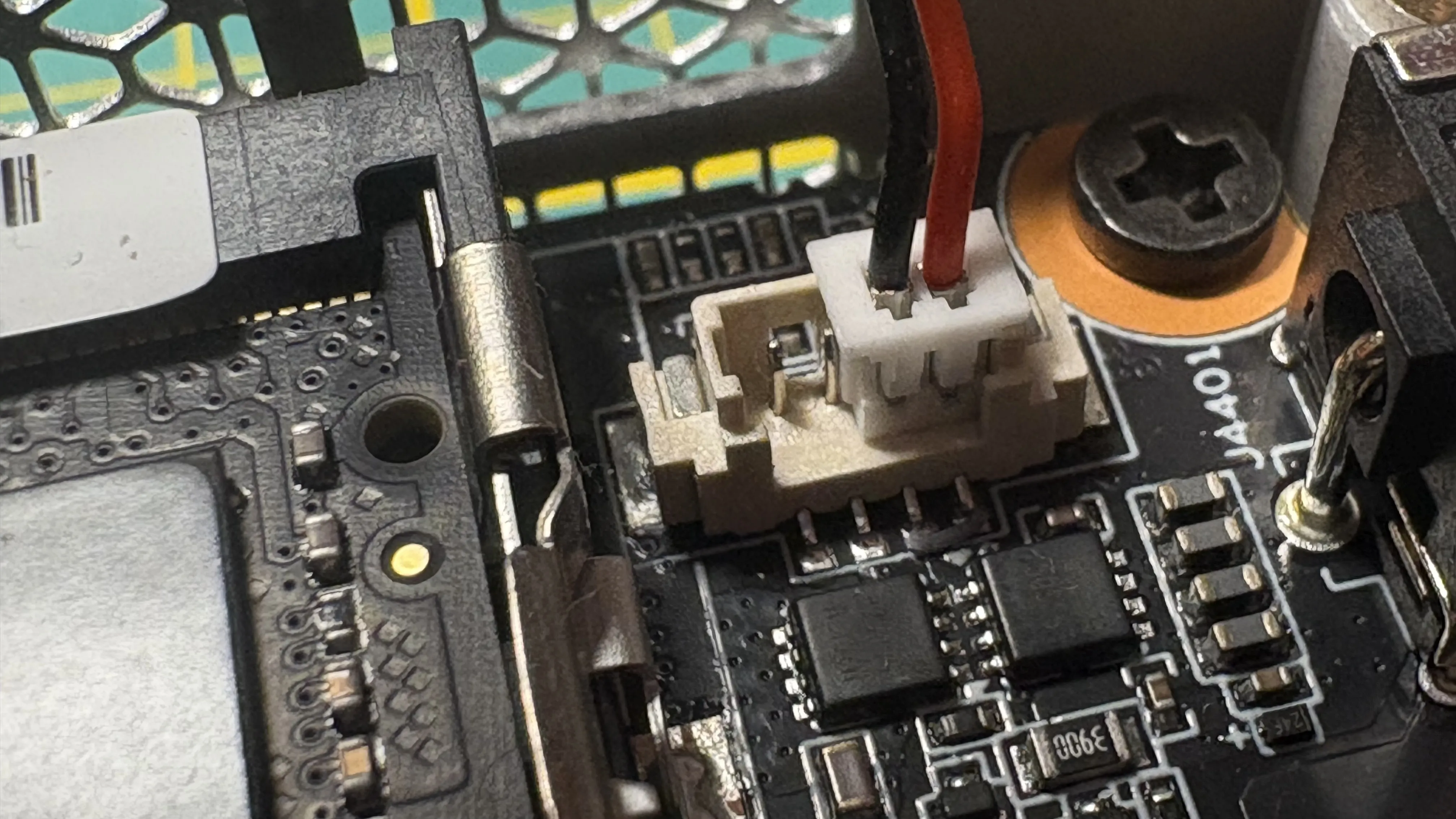
- This is the results you want to reach. Whatever exact connector you use, pay close attention to polarity :
- Motherboard header : Pins 1–2 unused (likely PWM and RPM feedback, not tested). Pin 3 = ground, Pin 4 = +12 V. See picture.
- PWM connector : typically black = ground, red = +12 V.
Add the threaded inserts
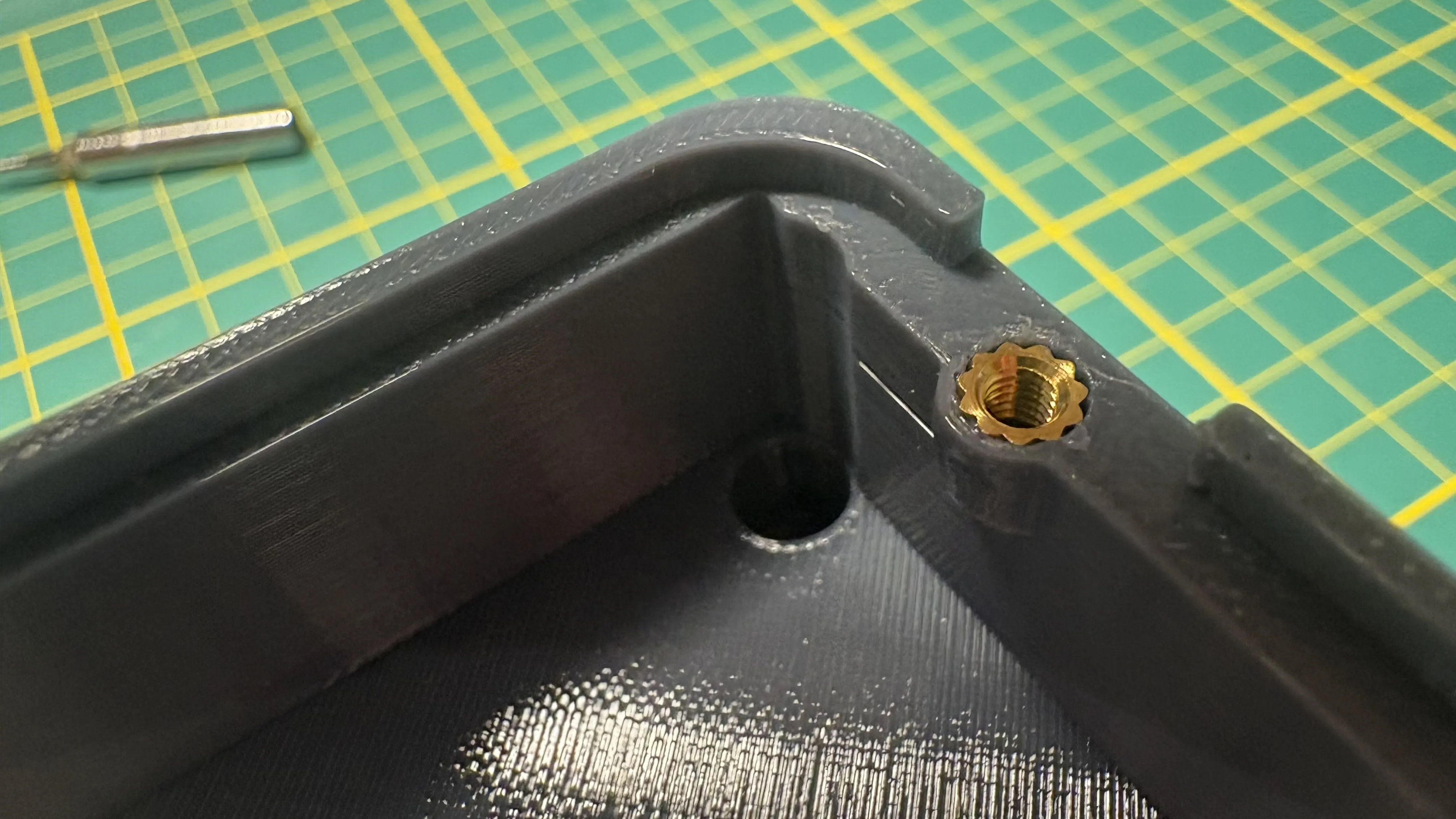
- Straightforward if you use the same size (recommended Ruthex model is “low profile” — match Ruthex specs if using alternatives).
Install the case
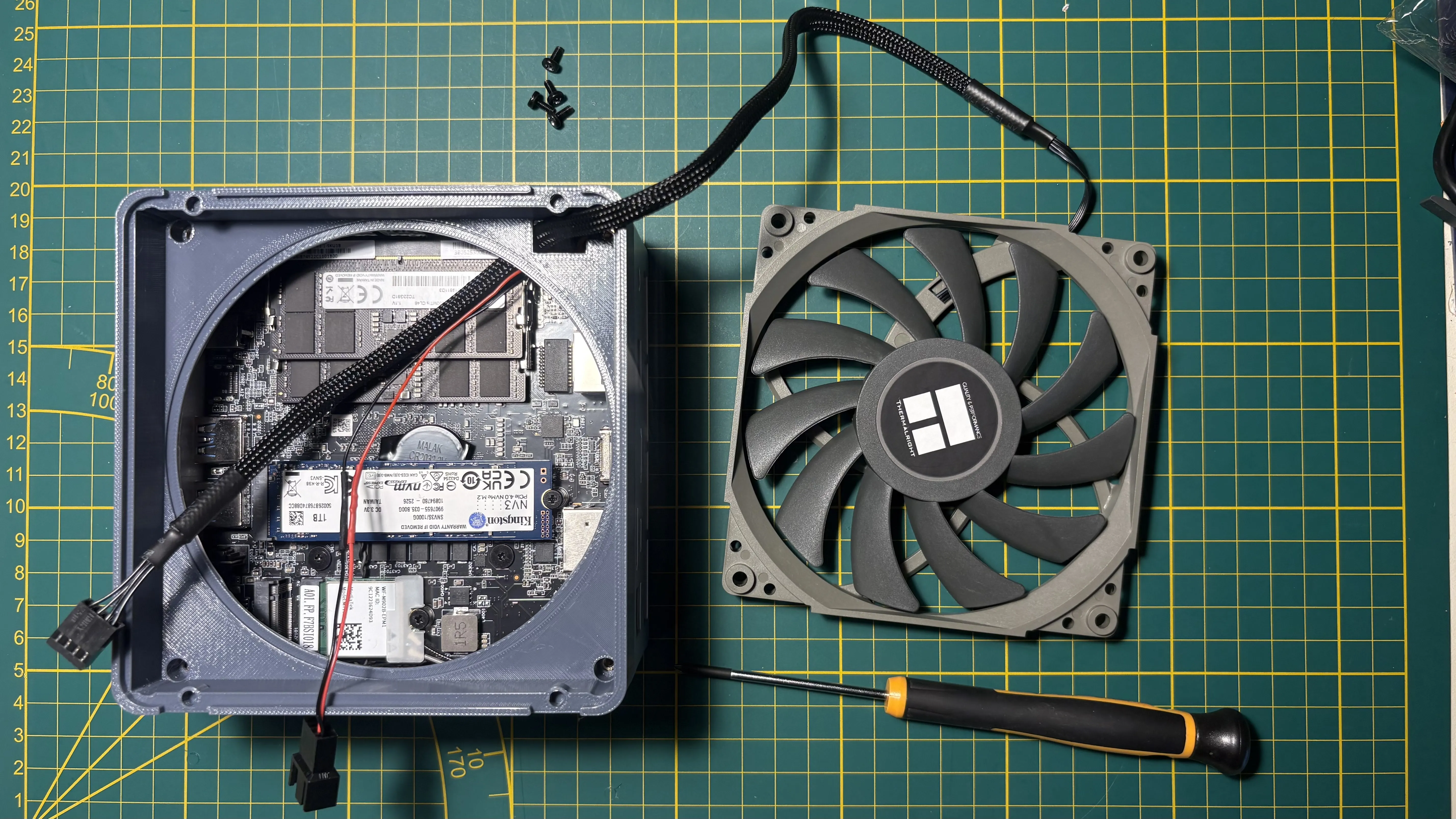
- Remove the old cover and carefully unplug the original fan.
- Connect your adapter to the motherboard.
- Pass the fan PWM header through the hole in the cover.
- Align the cover (note: it is not perfectly square) and place it on the case.
- Don't forget to secure it using the original screws.
Plug the fan and install the internal fan grid
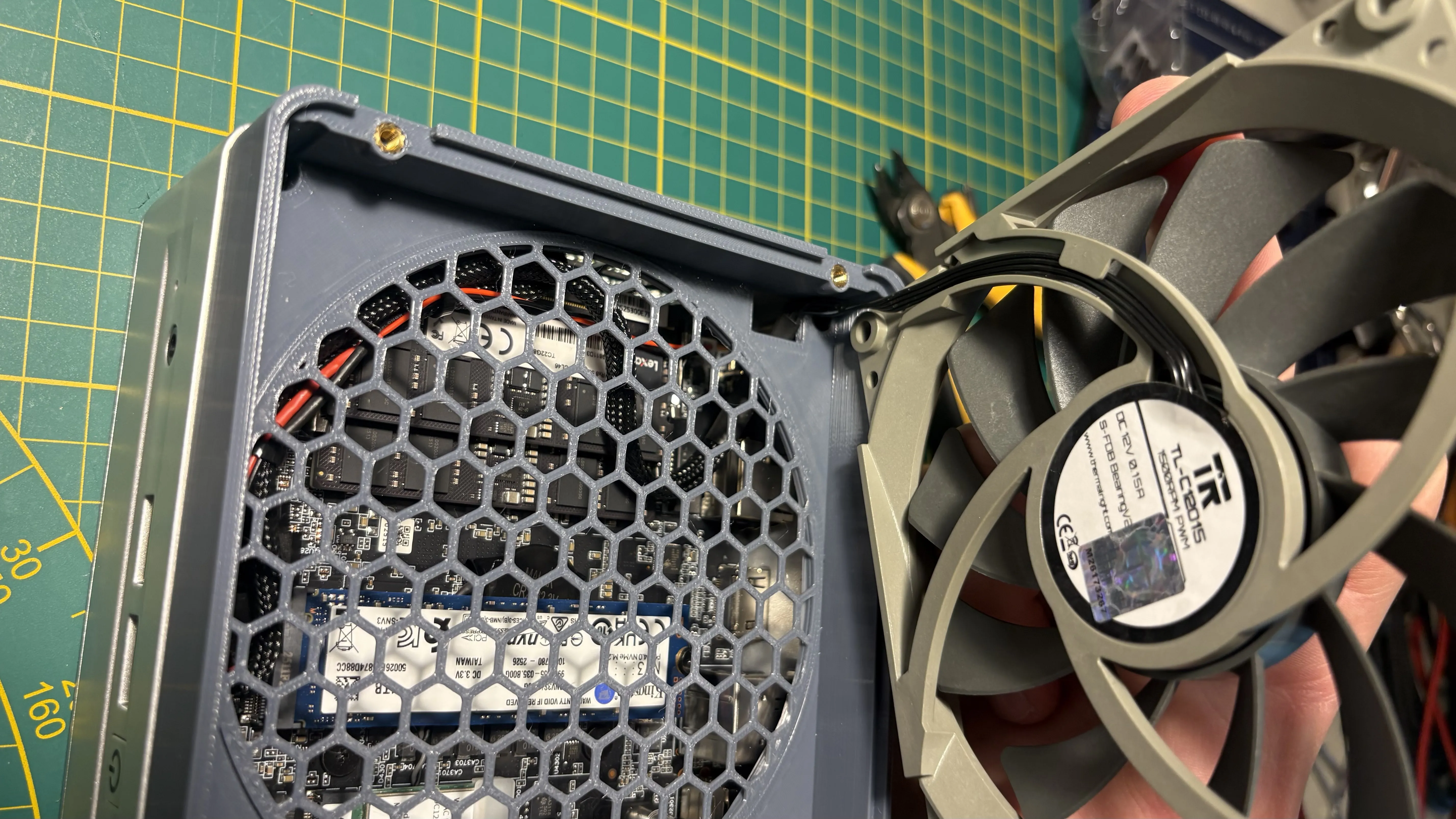
- Connect the fan to the adapter, tidy up the wires (tie wraps recommended).
- Position the fan close to final placement to avoid excess slack.
- Install the grid (optional but recommended to keep wires out of the blades).
Finish installing the fan
- Tuck in remaining wire and place the fan.
- I had to remove the rubber fan corners for clearance; vibration hasn’t been an issue thanks to the flexible plastic setup.
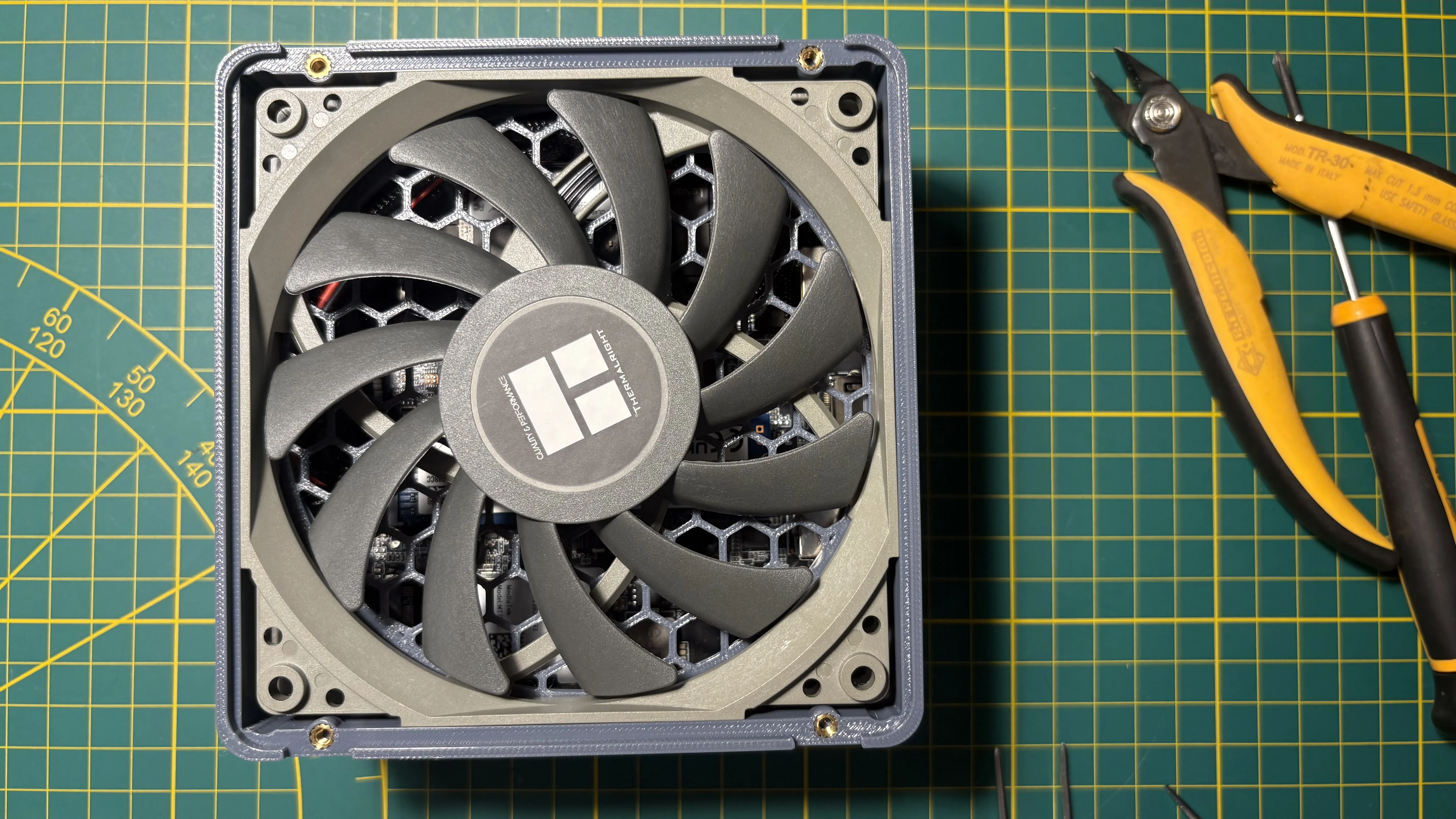
Test your setup
- Power on and confirm the fan spins freely.
- Shut it off again before final assembly.
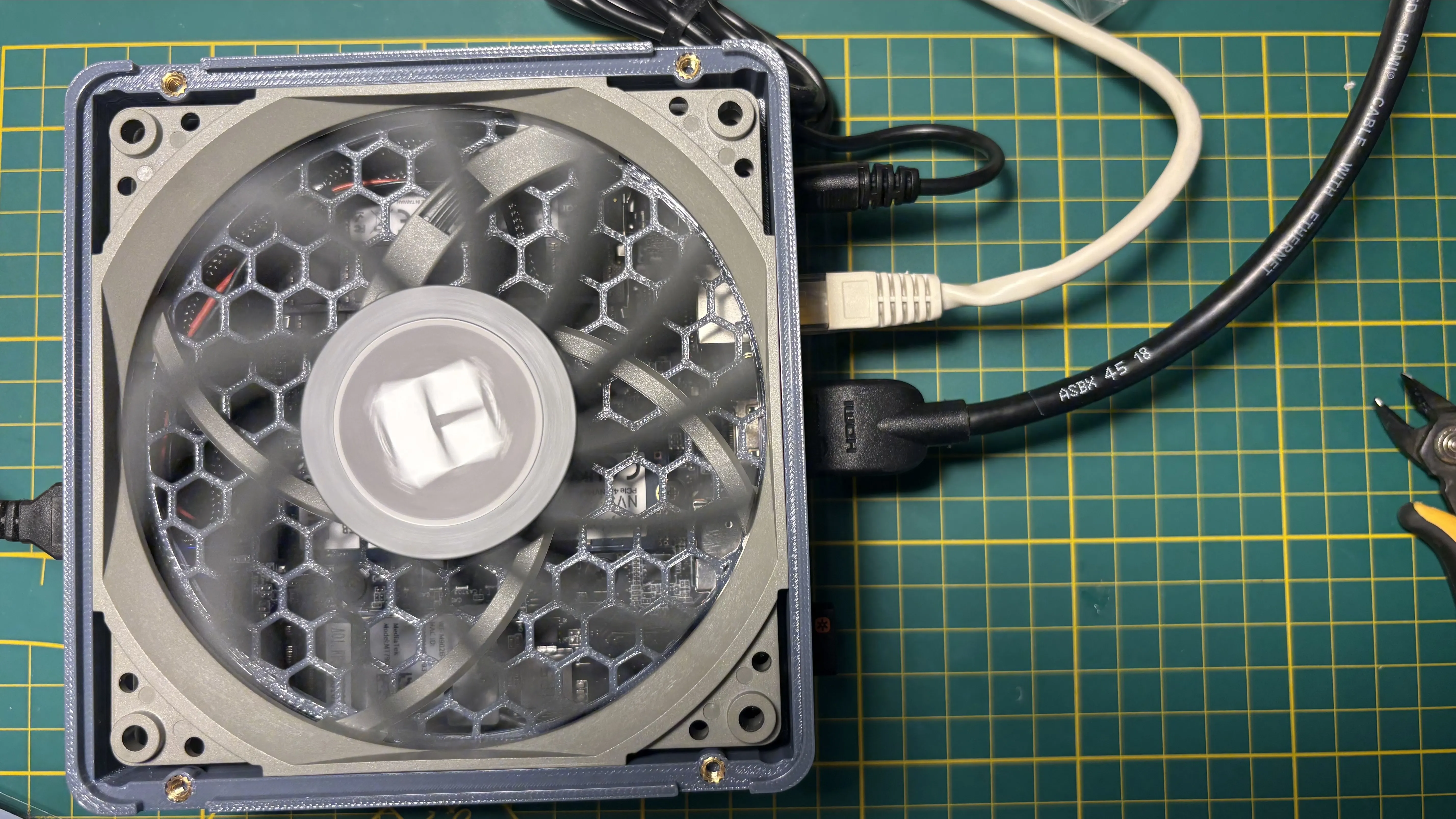
Cover the case
- Secure the cover with 4× M3 screws.
- Optionally, use the M4 inserts and the stock M4 screws to reattach the VESA mounting plate (mounting orientation and spacing preserved).
⚠️ Disclaimers
This is a DIY project intended for experienced makers. Modifying electronic devices carries inherent risks. Make sure you understand what you're doing before proceeding. I take no responsibility for any damage, injury, or malfunction resulting from the use of this model or the instructions provided.
This is a set of DIY instructions and blueprints. The brand names MinisForum, UM870 and others are used solely for the purpose of compatibility reference. This product is an independent design and is not affiliated with, endorsed by, or sponsored by MinisForum in any way. All trademarks and brand names are the property of their respective owners.
License

You shall not share, sub-license, sell, rent, host, transfer, or distribute in any way the digital or 3D printed versions of this object, nor any other derivative work of this object in its digital or physical format (including - but not limited to - remixes of this object, and hosting on other digital platforms). The objects may not be used without permission in any way whatsoever in which you charge money, or collect fees.


Comment & Rating (6)