
Ken Griffey Jr Coaster | Mariners Baseball | #24
Print Profile(1)

Description
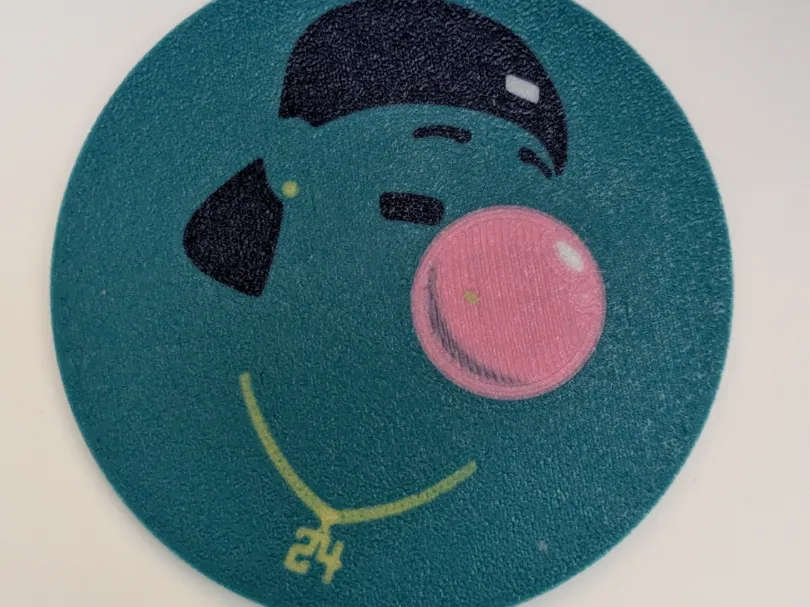
No one had a sweeter swing or had more fun in baseball than the Kid. As requested by fans and basebalism fans themselves we have the Bubblegum Griffey. Add it to your coaster collection and let's all enjoy Americas pastime!
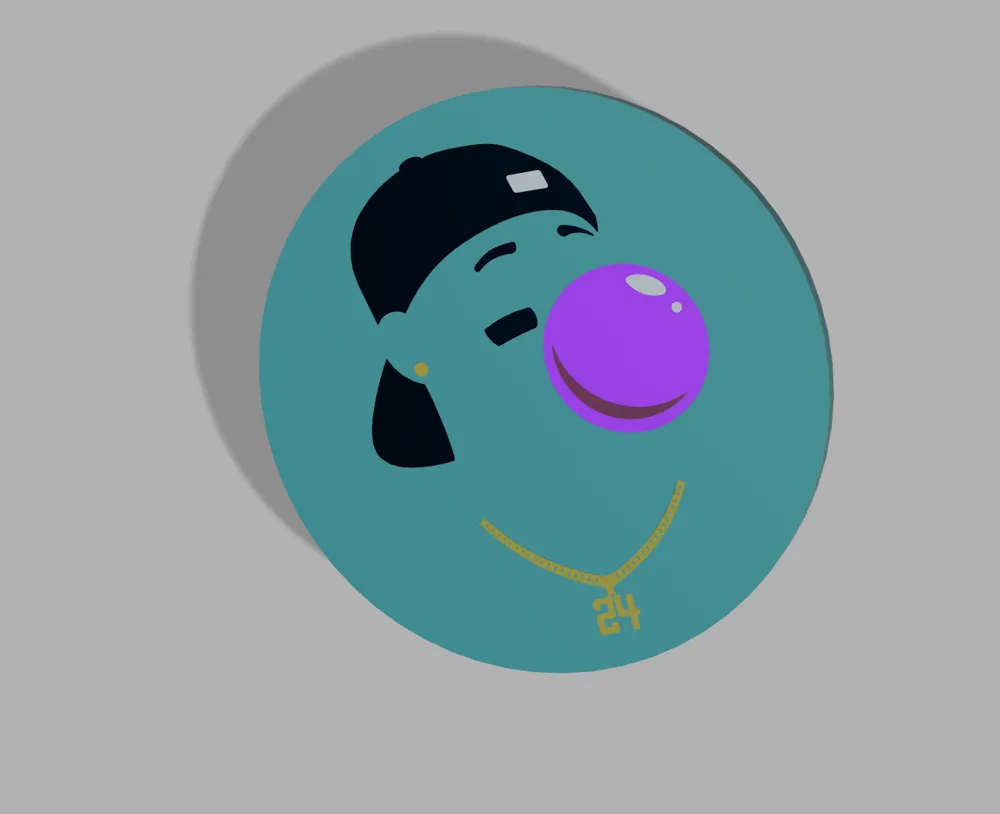
Keep all your tables water rings at bay with the sweetest swing silhouette to ever come out of baseball! Print in old school or new school colors. I rocked mine in Mariners colors; but could easily be done in Cincinnati Red or White Sox Black
I print all my coasters face down on a textured plate to give a grippier rough surface (Textured PEI sheet), but they could be printed face up if you so choose, would just have a different finishing surface. Coasters are 4mm thick with all colors changes/logos of 1mm for full color effect and no bleed through.
If you're looking for the coaster to not slide around, the base comes with 4 indents for Rubber Feet. I designed them to match these Rubber Feet that I use in all my base and coaster designs and other items I design that I do not want slipping
Filament I used for coasters (feel free to use whatever colors you think match, I love hatchbox, eSun and sunlu and they continue to work great with my X1C printer):
Blue/Navy: Geetech Navy Blue
White: Sunlu White
Yellow: Sunlu Yellow
Teal: Paramount Mid Century Teal
Pink: Sunlu Pink
Dark Pink: Any Cubic Magenta
- 2 AMS System 6 Colors
- Print as normal
- 2 AMS System 5 Colors (without a dark pink or Purple)
- If you do not have a dark pink or purple style for the Bubble portion, I created the model to switch colors at the 2nd layer. “Dark Pink Top” Layer (first layer) is pink, then the “Dark Pink” will be your navy blue to cause it to turn a purpleish color. If you do not wish to have the corner a different color, simply make both those bodies pink and it'll be all pink bubble.
- 1 AMS System
- If you only have one AMS system we can trick the system into printing 5 colors. Using the 1 AMS custom print settings box in the file, when starting your print (see image below) be sure to change the Navy Blue slot to whatever your white slot is. In your AMS unit itself, you will START that slot with navy blue. Once the print starts it'll print the Navy “white” first. Once the navy is layed down and the AMS switches to Pink, REMOVE the Navy filament and place in the white filament. This will then print the white in the correct spots and all navy and white layers after will be white. White will not bleed through the Navy as it is a darker color.
- NOTE: If you DO NOT change the filament in the “send print job” screen, this will not work.
- Double check the print preview first layer timeline to make sure Navy is the first layer down, followed by any other color that isn't white, to give yourself pleny of time to switch the navy and white spools.
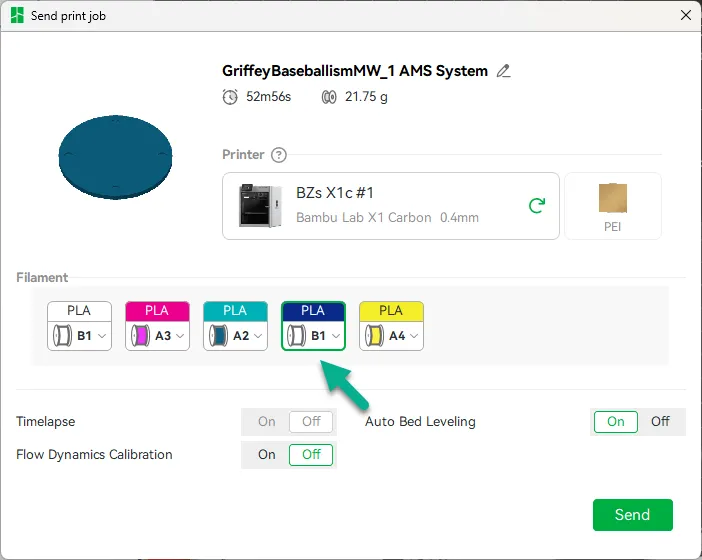
- If you only have one AMS system we can trick the system into printing 5 colors. Using the 1 AMS custom print settings box in the file, when starting your print (see image below) be sure to change the Navy Blue slot to whatever your white slot is. In your AMS unit itself, you will START that slot with navy blue. Once the print starts it'll print the Navy “white” first. Once the navy is layed down and the AMS switches to Pink, REMOVE the Navy filament and place in the white filament. This will then print the white in the correct spots and all navy and white layers after will be white. White will not bleed through the Navy as it is a darker color.
Membership
Need an alternate team logo or City Connect Logo? Maybe a Player outline silhouette? Join the $3 tier and move to the front of the line once a month!
Disclosure: This post contains affiliate links. If you make a purchase through these links, I may earn a commission at no extra cost to you. Thank you for your support!
Check out the other MLB coasters in my MLB Collections spot.
License



Comment & Rating (5)