Search models, users, collections, and posts

Train Crossing Toy Roads & Wooden Tracks 1:64/87
Print Profile(3)
All
A1 mini
X1E
H2D
X1 Carbon
H2D Pro
P2S
H2S
X2D
A1
X1
H2C
P1S
P1P
A2L

Gated Level Crossing 2.0 (Updated)
Designer
2.2 h
1 plate
5.0(26)

Barriers 2.0 (Updated)
Designer
1.4 h
2 plates
5.0(21)

Unmanned railway crossing 2.0 (Updated)
Designer
2 h
1 plate
5.0(5)

Open in Bambu Studio
Boost
156
484
81
16
344
293
Released 

Description

Content has been automatically translated.
Show original

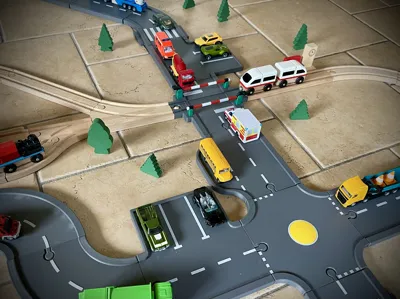
Attention at the barrier, a train is coming! 🚂🚗

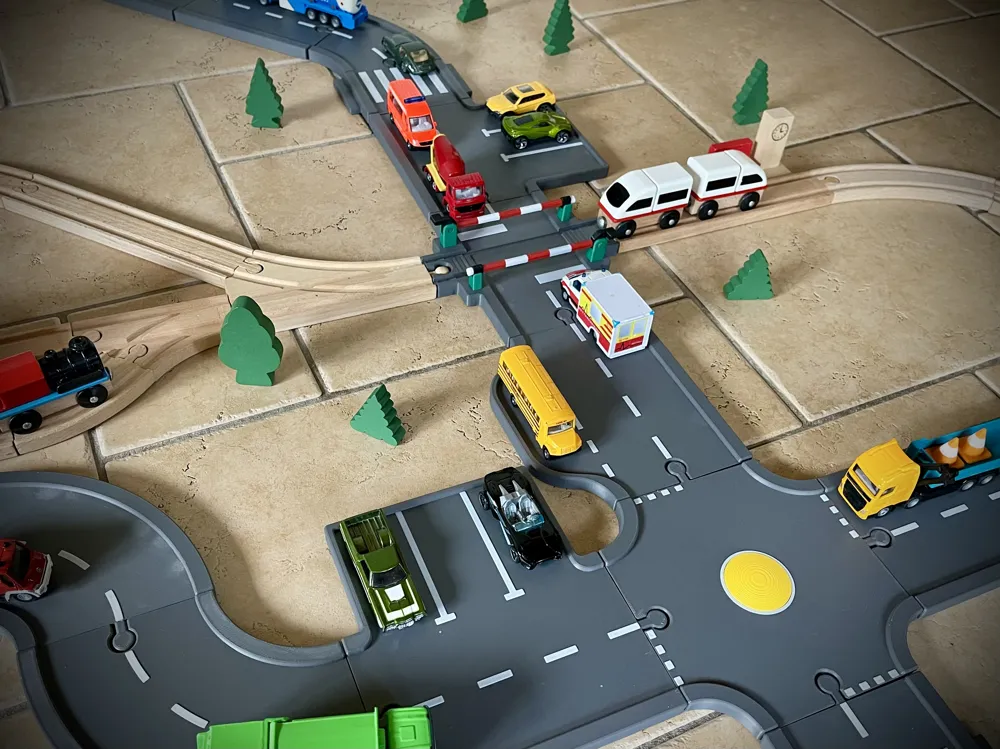
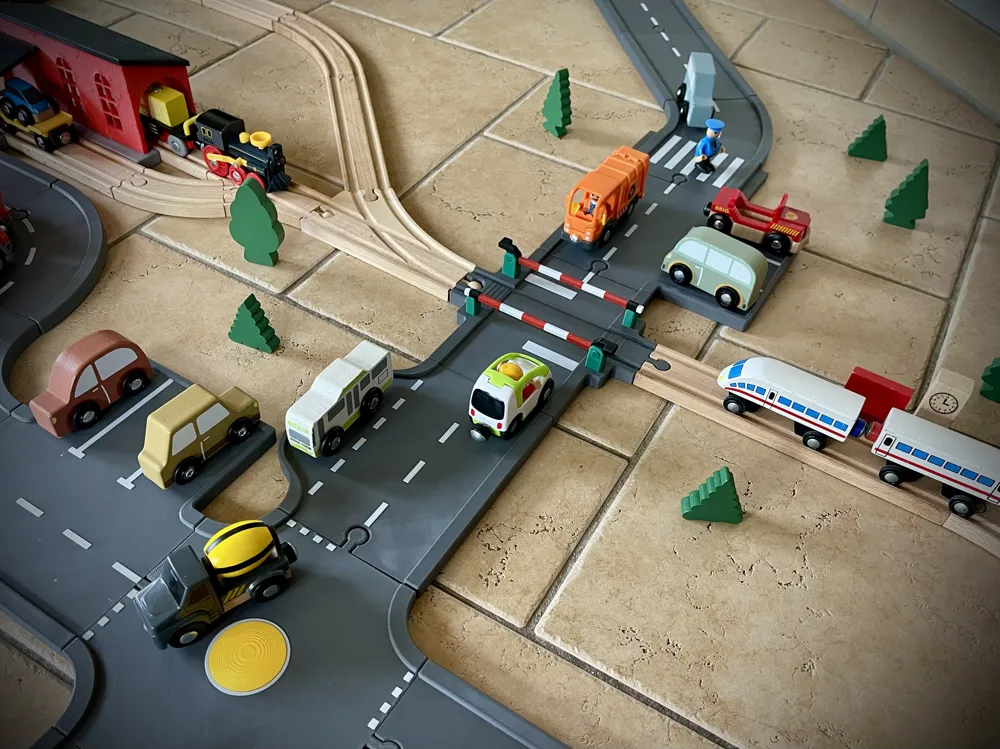
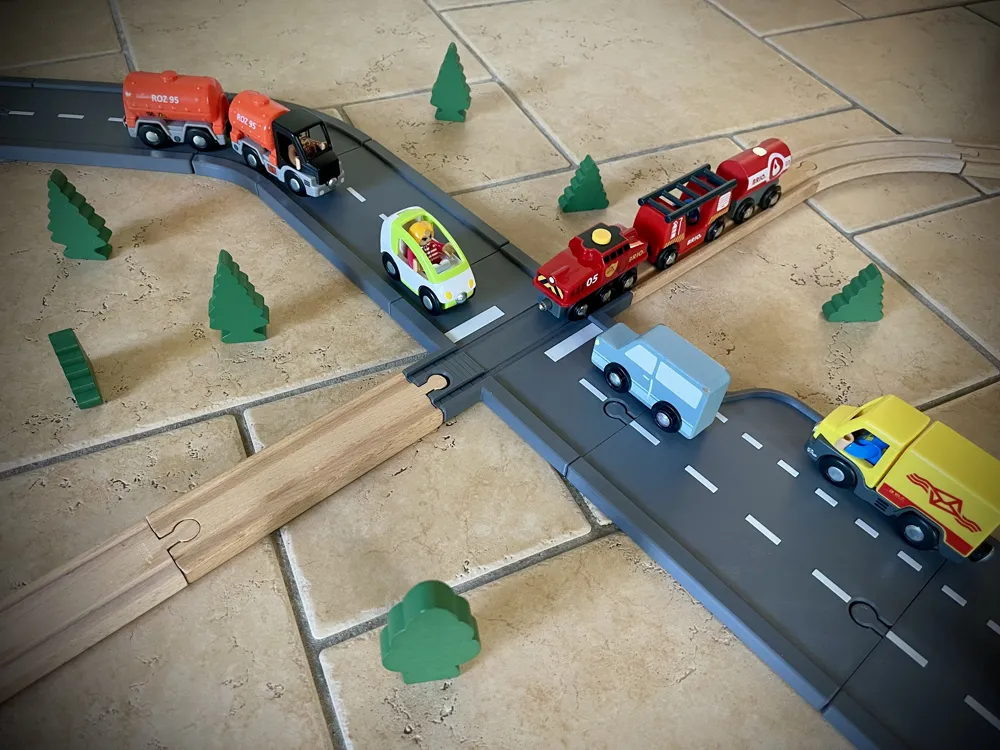
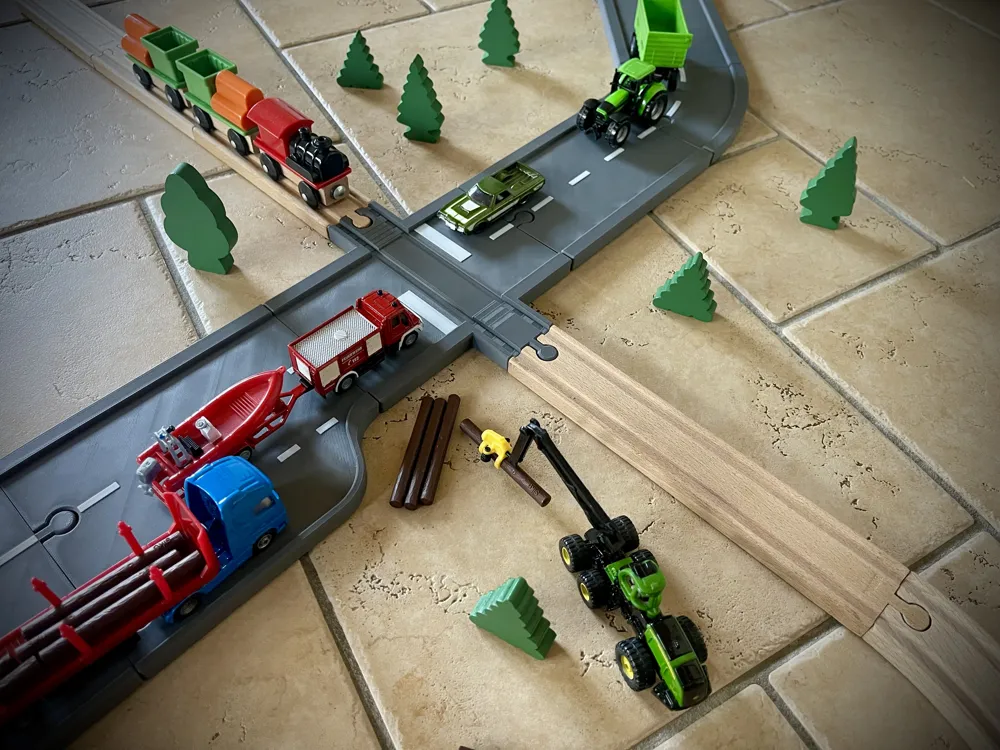
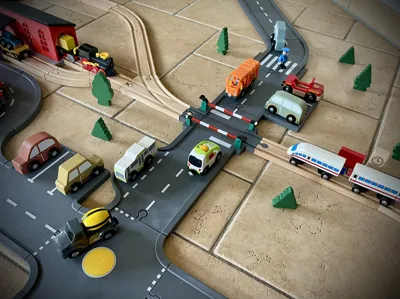
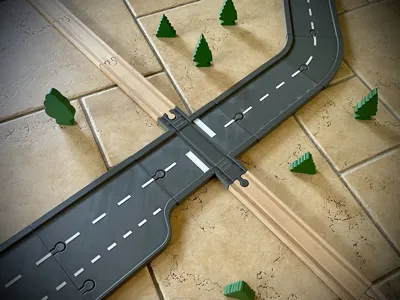
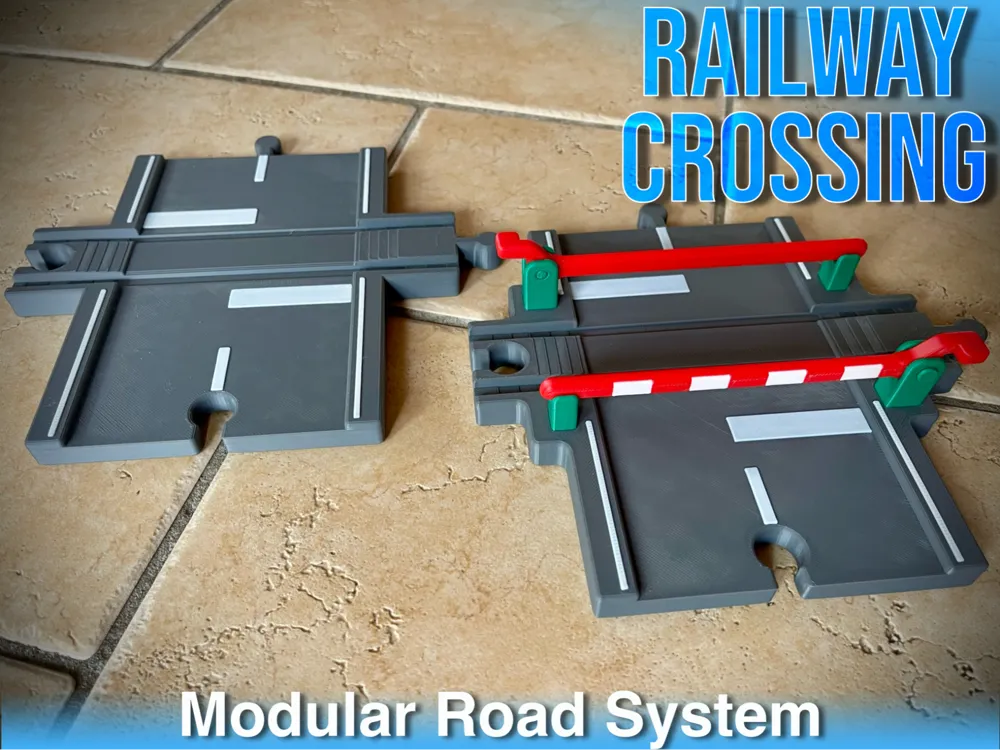
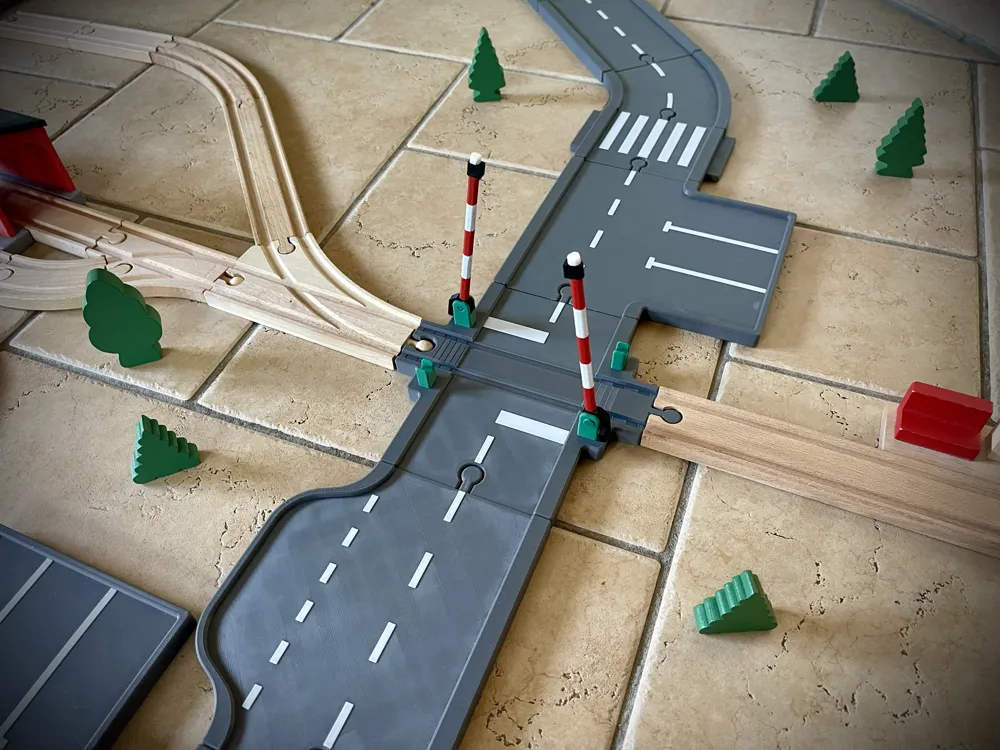
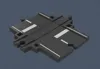
With this ingenious extension, the two most popular play worlds in the children's room finally merge seamlessly! This level crossing connects my Road Basic Set for small metal cars directly with the tracks of classic wooden train systems

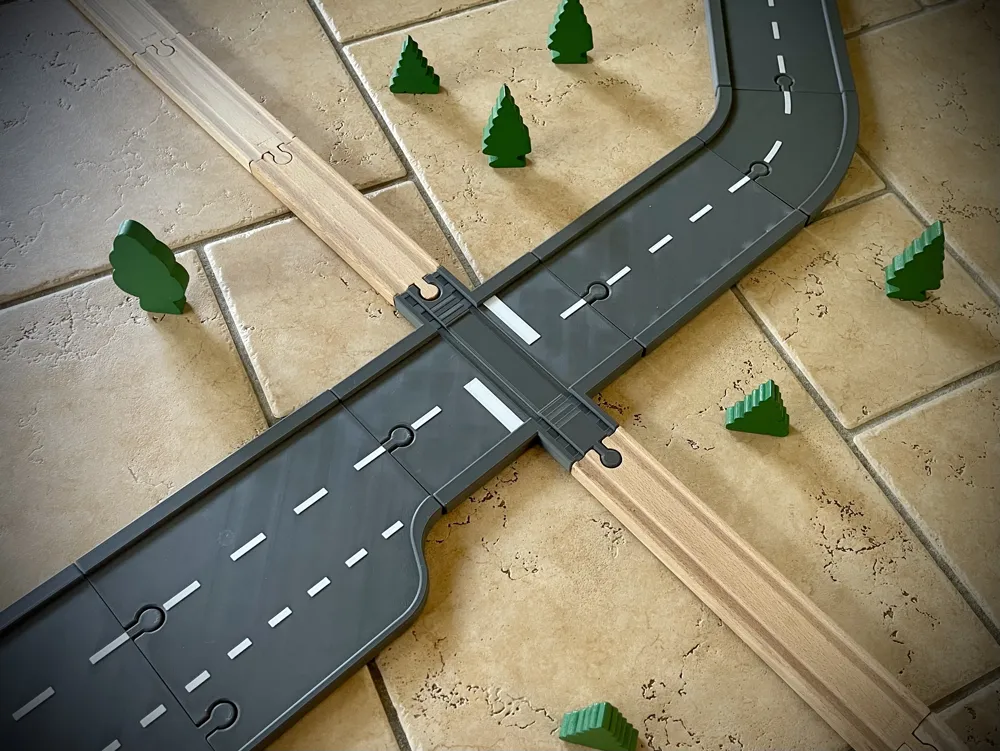
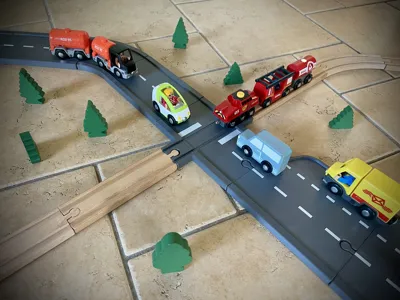
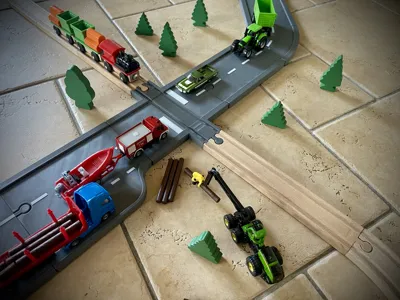
The design is an absolute problem solver: While cars (scale 1:64 and 1:87) on the road continue to enjoy a completely flat, obstacle-free roadway, the crossing track is precisely adapted to the well-known wooden trains (puzzle system). This way, trains and cars can whiz through your play city simultaneously!

🌟 The highlights of this extension:

  • Two worlds united: Perfect fit for your road plug connections on one side and the standardized wooden train tracks on the other
  • Two cool variations:
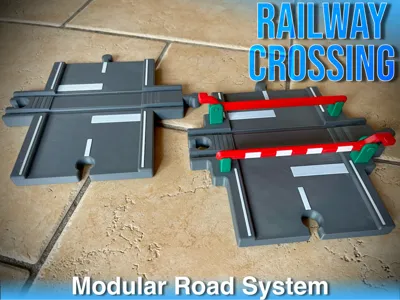
    • Variant 1 (The Classic): A simple, open level crossing for flowing traffic
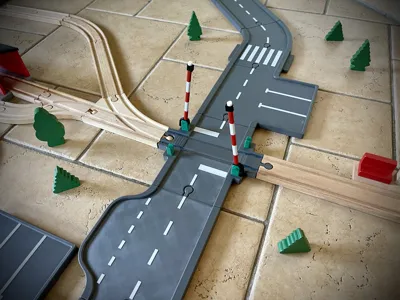
    • Variant 2 (With Barriers): An interactive level crossing with movable barriers! Children can lower the barriers when the train comes and let the small cars wait in front of it – huge fun for role-playing
  • Safe Crossing: Thanks to the flat road design, the small die-cast speedsters do not get stuck when crossing the tracks

⚙️ My Print Settings & print profile

All my uploaded 3D models are designed by myself and extensively tested in practice. To guarantee you a perfect print, I have successfully printed the model with the following settings. These values are stored in the print profile:

  • Material: Bambu Lab PLA Basic
  • nozzle size: 0.4 mm
  • Layer Height: 0.2 mm
  • wall loops: 3
  • Infill: 7% (Pattern: Gyroid)
  • Reinforcement: 30% Infill (Gyroid) at strategic weak points for maximum stability


🖨️ Compatibility & Requirements for your printer

This design is engineered to be easily printable on any common 3D printer

  • Compact Design: The model only requires a print bed size of 180 x 180 mm. This makes it 100% compatible with compact printers like the Bambu Lab A1 mini
  • Important Note on Print Bed Adhesion: To avoid warping or detachment of the model, I require an absolutely clean and grease-free print bed. Please clean your print plate thoroughly before starting (e.g., with warm water and dish soap or isopropanol)


Boost Me (for free)

Do you like my design? I put a lot of time into developing my models. If you like this upload, I would be thrilled to receive a like, a boost, and a photo of your finished print (Make). Happy printing! 🚀


💼 Commercial Use & Sales

Would you like to sell the printed versions of my toy models? I'm very happy about that! Please note that the free download here on MakerWorld is intended exclusively for private, non-commercial use


If you want to legally offer the physical 3D prints of my toys for sale at markets, on the internet, or in your own shop, you need a commercial license for this. You can easily acquire one here:


Membership

👉 Find the right license here!

Join

Documentation (1)

Other Files (1)
Dimensions.pdf

Comment & Rating (81)

(0/1000)

Print Profile
Barriers 2.0 (Updated)
printed beautifully! tolerances are very tight which is great (no glue) but you may need some tools if your hands are weak like mine!
(Edited)
The profile uploader has replied
profile
1
Reply
Thanks for your comment! Speaking of tools: Did you hammer the pin into the barrier?
0
Reply
Replying to @CreatorPaul :
pliers!
(Edited)
profile
1
Reply
When I look at the picture closely, the question arises whether the Brio train that drives electrically somehow has problems driving over the level crossing?🤔
0
Reply
Print Profile
Gated Level Crossing 2.0 (Updated)
super
The profile uploader has replied
profile
1
Reply
Danke
0
Reply
Print Profile
Gated Level Crossing 2.0 (Updated)
perfect!
The profile uploader has replied
profile
1
Reply
Thanks!
0
Reply
Super
The designer has replied
designer
1
Reply
Thank you, the assembly is a bit difficult, but the barrier stays open at the top 😊👍
Show original
0
Reply
Boosted
Hey Paul this is a really great model Our son loves the barriers in combination with your roads Unfortunately I have a durability problem with my barriers Our son pushed all the barriers to their limit in less than a day
The designer has replied
Show original
designer
1
Reply
Hello Maxx Thank you very much for your feedback and your helpful comment I am truly sorry – an error occurred when saving the print profile For the barrier, the infill actually needs to be set to 100%, otherwise exactly what you see in your picture will happen I immediately removed the faulty print profile and have already uploaded the corrected print profiles It would be great if you could let me know as soon as you have tried the new print profile Thanks again for your feedback and please excuse the inconvenience! 🙂
Show original
0
Reply
Hey Paul First of all, thank you very much for all the great models. My little one and I are huge fans =) A follow-up question regarding the barrier: The model is designed so that the colored parts are only painted on the outside, but the infill is printed in a different filament. This results in over 50 filament changes. Wouldn't it be much easier and more print-friendly if the black, white, and red parts also had the same color on the inside and the model were printed vertically? Then there would only be 7 changes, and in my experience, the curves also come out better when printed vertically Sorry if I'm overlooking something or thinking incorrectly - I'm unfortunately not a big 3D printing pro myself and also have no idea how to adjust the model myself to clarify my thoughts =D Best regards and thanks again for everything
(Edited)
The designer has replied
Show original
3
Reply
Thank you for your kind comment! 😊 I always really appreciate feedback, especially when it can lead to ideas for improvement For the barrier, it was important to me that it looked as realistic as possible, which is why I really wanted to implement this design. I did many print attempts until I settled on this version You are absolutely right, the many filament changes are not ideal. I had initially also printed the barrier upright, as you suggested. Unfortunately, it was significantly more unstable that way and broke easily. Printed lengthwise, it holds up much better, especially because a continuous body on the inside provides additional stability For those who value ease of use more than aesthetics, you can, of course, set all parts to one color in the slicer – that is definitely more print-friendly Thank you again for your great, friendly feedback! 🙏
(Edited)
Show original
0
Reply
Replying to @CreatorPaul :
Hey Paul, learned something new again - I hadn't thought about stability at all. Thanks a lot for the info, we'll now print the barrier as you intended. =) Best regards
Show original
designer
1
Reply
Hey, I have now created and uploaded a second version of the barriers, this results in significantly fewer filament changes and they still look very good. Feel free to check it out 😉
Show original
0
Reply
The whole street set including buildings looks great. My question would be, is it possible to make a railway crossing with Duplo tracks instead of Brio
The designer has replied
Show original
designer
1
Reply
Hey, that's a very good idea, I'll try to implement it soon, I'll let you know 🙂👍🏻
Show original
1
Reply
Replying to @CreatorPaul :
Thank you very much! my download and boost will follow!
Show original
designer
1
Reply
Boosted
Print Profile
Gated Level Crossing 2.0 (Updated)
My son loves the streets, I've already printed dozens and there are more to come. Thank you very much for it!
The profile uploader has replied
Show original
profile
1
Reply
Thank you for your review 🙂 and which cabinets did you choose
Show original
0
Reply
Boosted
Replying to @CreatorPaul :
we have decided on the version 😎
Show original
0
Reply
Boosted
Print Profile
Barriers 2.0 (Updated)
Our son loves the level crossings
The profile uploader has replied
Show original
profile
1
Reply
Thank you very much, I tried to make these look as real as possible unfortunately this creates a lot of waste due to all the color changes But this is the only way to achieve particularly good stability Did you also print them exactly as in the example 😊
Show original
0
Reply
Boosted
Replying to @CreatorPaul :
Yes, there is some waste involved. But the play value is brilliant, and that's what matters. Bambu filaments are now available on sale for under 12 Euros
(Edited)
Show original
profile
1
Reply
Print Profile
Gated Level Crossing 2.0 (Updated)
Very cool and good my son loved it and we too it is perfect and fits perfect the brio :)
The profile uploader has replied
profile
1
Reply
Thank you, I'm glad to hear that, I would be very happy to see a photo 🙂👍
Show original
0
Reply

License

If you want to use this model commercially, please join my membership.
Join Now
This user content is licensed under a Standard Digital File License.

You shall not share, sub-license, sell, rent, host, transfer, or distribute in any way the digital or 3D printed versions of this object, nor any other derivative work of this object in its digital or physical format (including - but not limited to - remixes of this object, and hosting on other digital platforms). The objects may not be used without permission in any way whatsoever in which you charge money, or collect fees.