
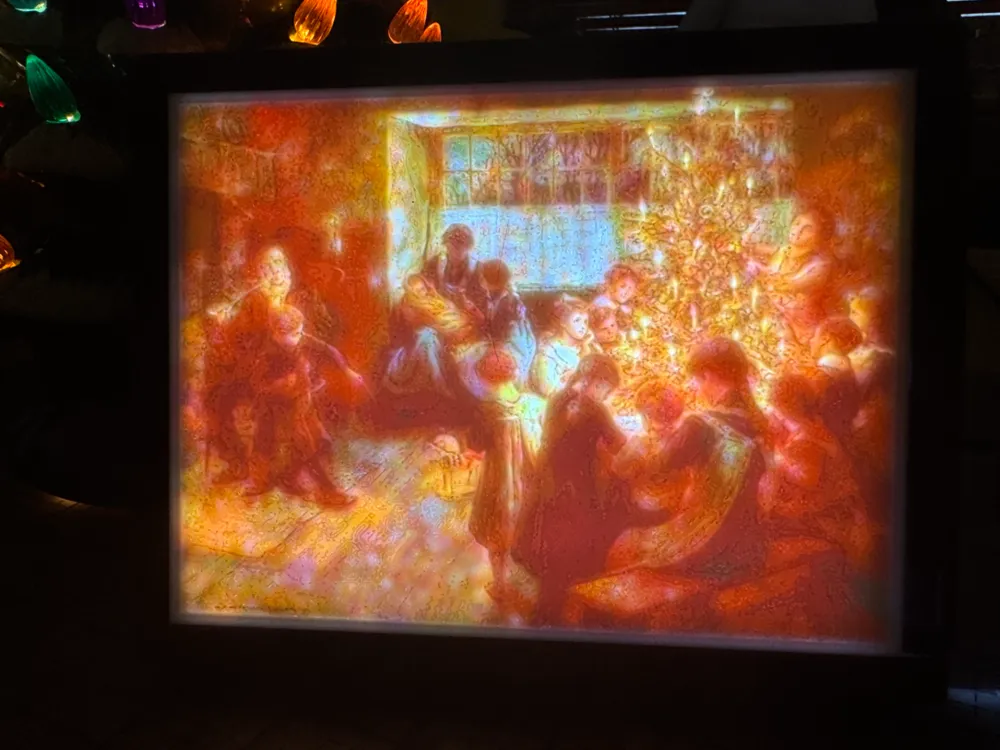
A. C. Tayler's "The Christmas Tree" Lithophane
Print Profile(1)
Bill of Materials







Description
If you enjoy this design, 👍 Like, 💝 Follow, and 🚀Boost! |
You can feel the warmth of Christmas in this beautiful painting by the English artist Albert Chevallier Tayler, “The Christmas Tree” (1911). The faces of the children, hopeful and full of the pure joy of life, are especially notable in this finely executed painting.
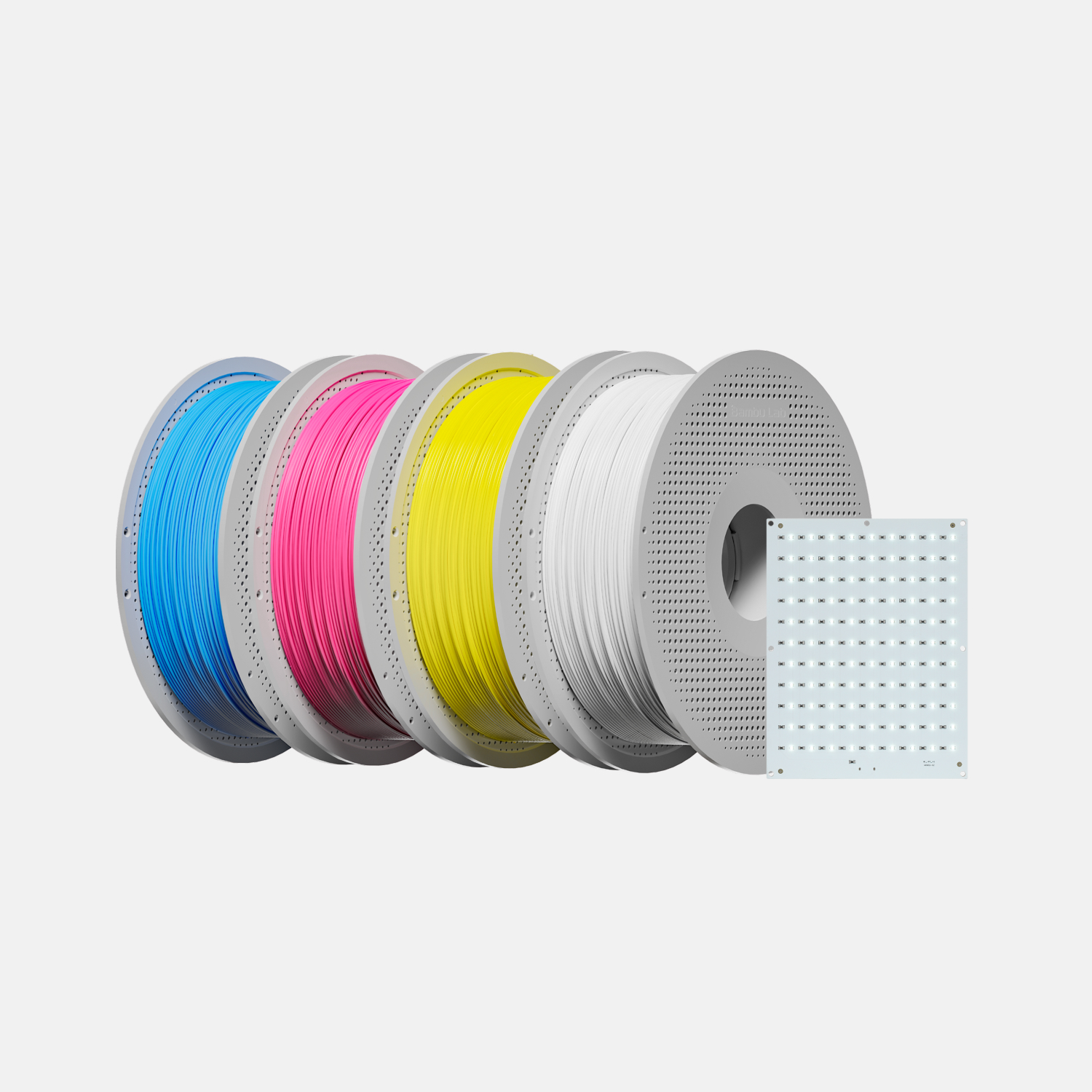
Bambu's frame for the Bambu CMYK LED Backlight Board (FAZ007) is included in the print profile. Comparable backlight panels may be available at online electronics retailers. Another MakerWorld user has designed a lighting system using Bambu's 2-contact white LED strips (https://makerworld.com/en/models/862322#profileId-812830), although soldering is required.
The frame has a stand component that can shake loose during printing. If you encounter problems, add a raft or other support, or consider using a glue stick.
Lithophane made using filaments in the Bambu Lab Basic PLA Lithophane Bundle (Cyan, Magenta, Yellow, and Jade White). Frame made using Bambu Lab Matte PLA in Dark Brown, with the light guide plate (diffuser) printed with Kingroon PLA Plus.
Commercial license available.
How to Print a Great-Looking Lithophane
The print profile will take some minutes to slice. This is normal. Warnings about “floating regions” can be safely ignored.
A high-quality lithophane has some of the same quality problems seen when printing signs or other large, flat objects: a tendency for the edge to lift. This spoils the print. Bambu Lab recommends minimizing this problem by reducing the bed temperature to between 40-55 degrees C.
A lithophane printed at 50 C on top, and 65 C below:
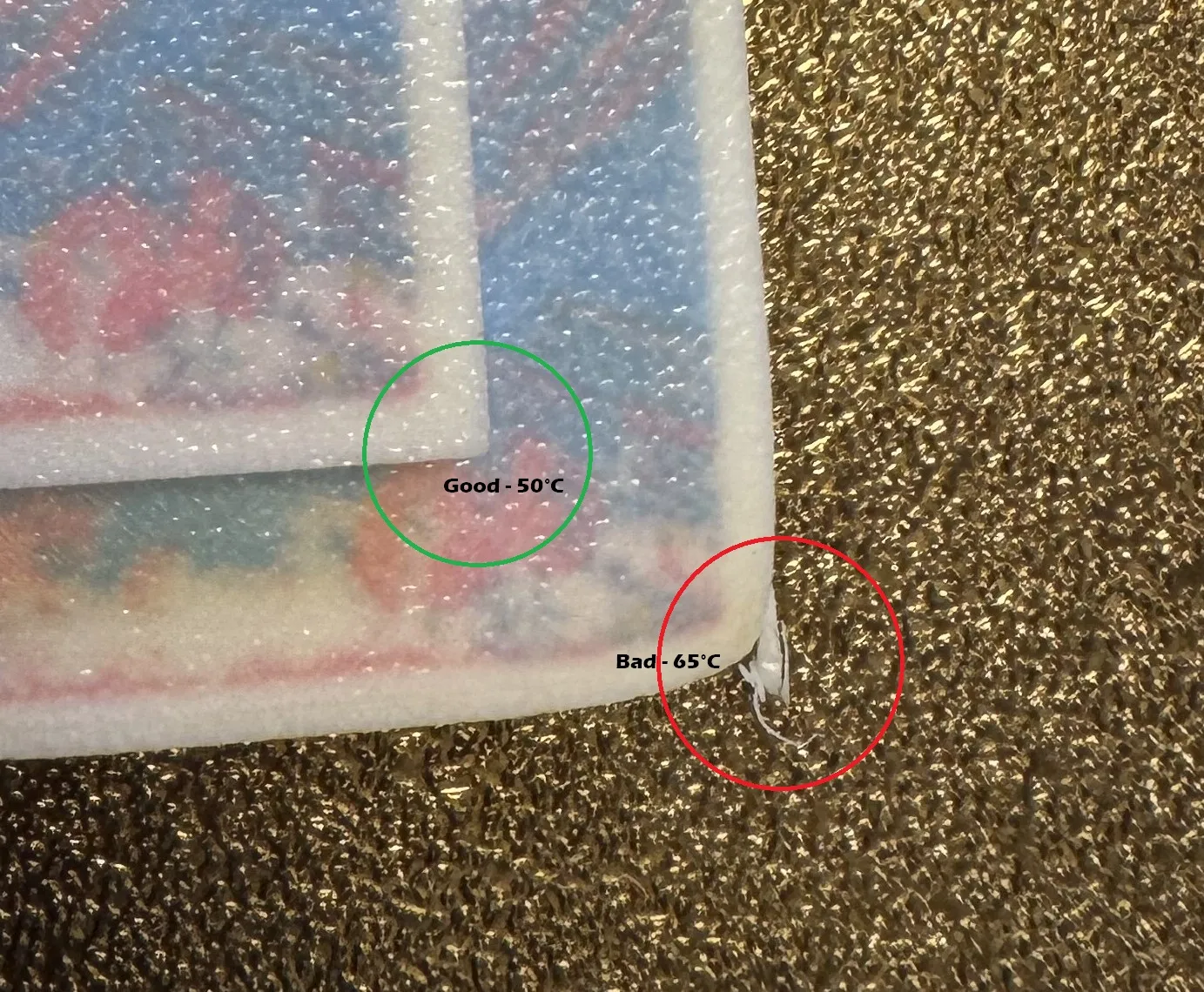
While this lithophane image looks ok, the end product is actually quite poor without crisp corners and edges. It is also possible for the bottom layer to lift off entirely and bring the upper layers into hard contact with the print head, as you can see here. You will know if this happens because your printer will turn the plastic it hits into little pieces of confetti all over your print bed.
It's strongly recommended to take the following steps before printing this lithophane:
- Wash your build plate with a mild, oil repelling detergent (such as Dawn), and rinse and dry thoroughly.
- Calibrate the filaments being used, including Bambu Lab filaments (I discovered considerable variation among fresh-out-of-the-plastic filaments from the same product line, in this case PLA Basic).
- Reduce the bed temperature from 65 degrees C to somewhere in the Bambu recommended range of 40 C - 55 C. Alternatively, you could use a cool “Cryo Grip” type plate, but this has not been tested with this lithophane.
- Your local conditions and materials will vary, so you may have to experiment.
- Important Note: the transmission of light through plastic lithophanes, as through any other media (including air) is subject to the inverse-square law. The intensity of light from a point source decreases in proportion to the square of the distance from the source.
- This means that if you double the distance between a light source and the lithophane, the light intensity drops to one-fourth. Triple the distance? The intensity drops to one-ninth, and so on.
- Lithophanes must receive enough light sufficient to diffuse through the medium, illuminating all parts so they can be perceived correctly by the eye.
- Therefore, only use strong light placed close behind the lithophane to prevent the loss of light due to the inverse-square law.
If you like this design, Like, Follow, and Boost! |
Lithophanes Make a Memorable and Elegant Gift with custom designed “Vienna” & “Chantilly” |
The original artwork used to create this lithophane is in the public domain.
Boost Me (for free)
🚀 Your boost is appreciated! Boosts contribute to the filament used to bring new models to you. Thank you! 🫶
Membership
Would you like to sell prints of my work? 💵 Enjoy generous rights and no competition from the author with my low-cost license! 😄
License

You shall not share, sub-license, sell, rent, host, transfer, or distribute in any way the digital or 3D printed versions of this object, nor any other derivative work of this object in its digital or physical format (including - but not limited to - remixes of this object, and hosting on other digital platforms). The objects may not be used without permission in any way whatsoever in which you charge money, or collect fees.


Comment & Rating (1)