Search models, users, collections, and posts

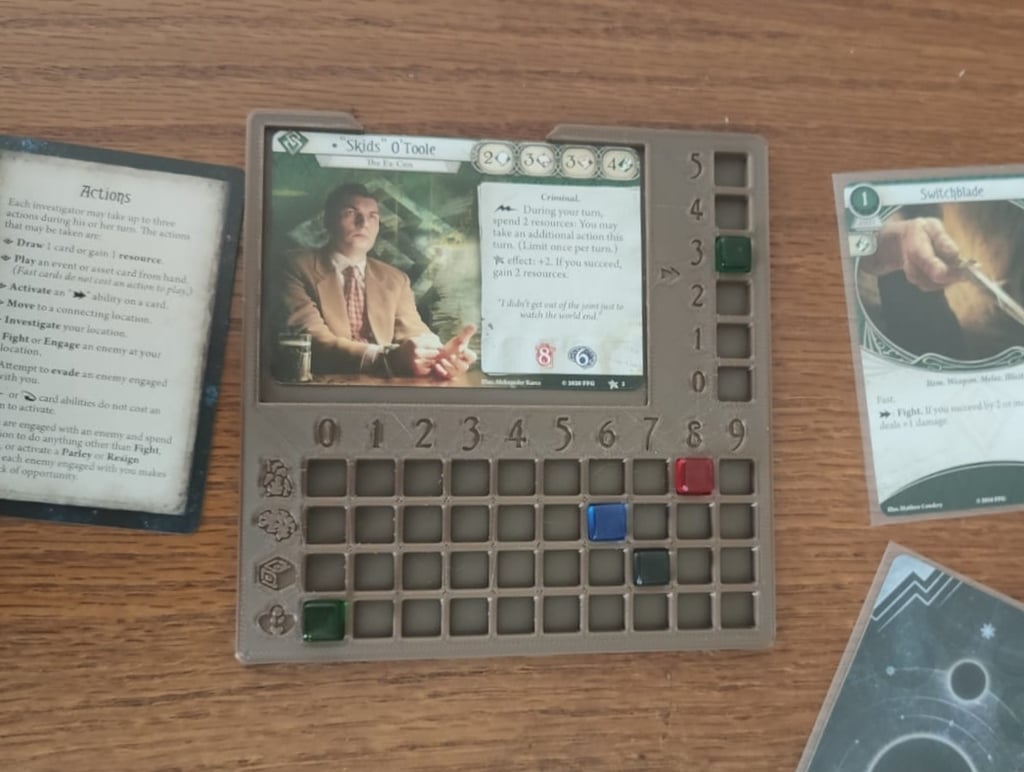
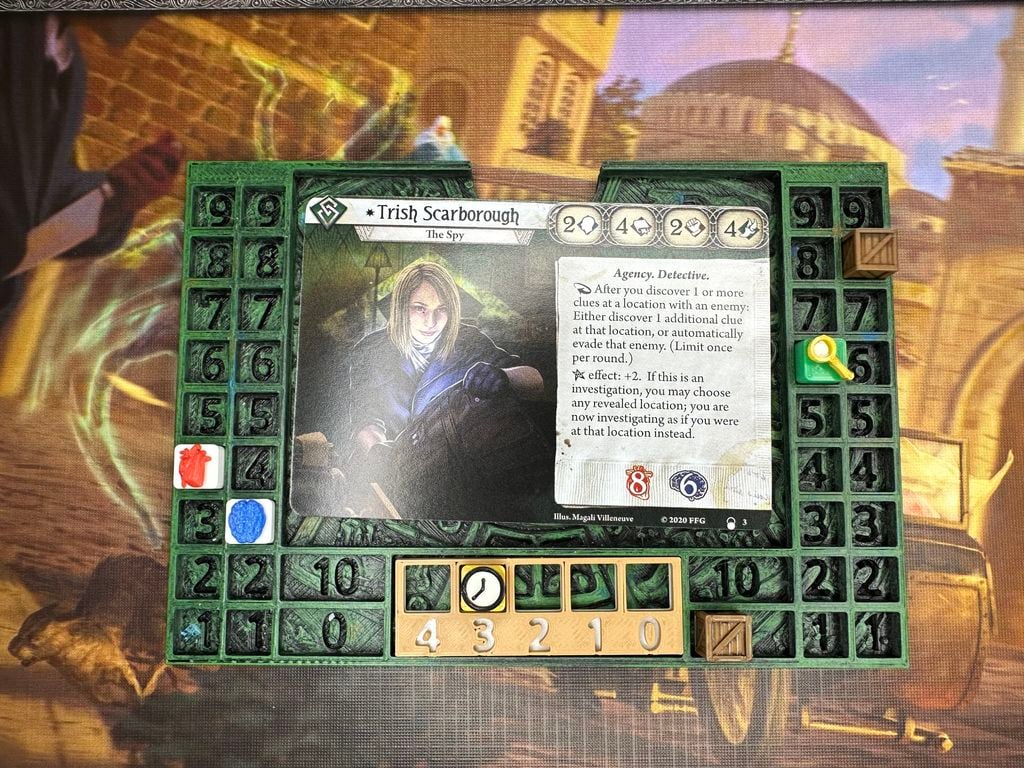
Arkham Horror player dashboard with cubes and arrows

Remixed by

Print Profile(3)

All
A1
P1S
P1P
X1 Carbon
X1E
X1
H2D
H2D Pro
H2S
P2S
H2C
X2D
A2L
A1 mini

0.2mm layer, 2 walls, 15% infill, 100% infill for cubes
Designer
4 h
2 plates
4.8(33)

A1 mini - 0.2mm layer, 2 walls, 15% infill
Designer
4.1 h
3 plates
3.7(3)

0.2mm layer, 2 walls, 15% infill
2.7 h
2 plates
5.0(1)

Open in Bambu Studio
Boost
127
520
45
36
542
350
Released 

Description

Original dashboard from: https://www.thingiverse.com/thing:5398736 where I added colors to the the recessed areas.

by BrainDigger is licensed under the Creative Commons - Attribution license.


Cubes from: https://www.thingiverse.com/thing:5333289 I extracted the cubes and enlongated them to match with the dashboard. Has solid fill in the print profile

by tradenmyr is licensed under the Creative Commons - Attribution license.


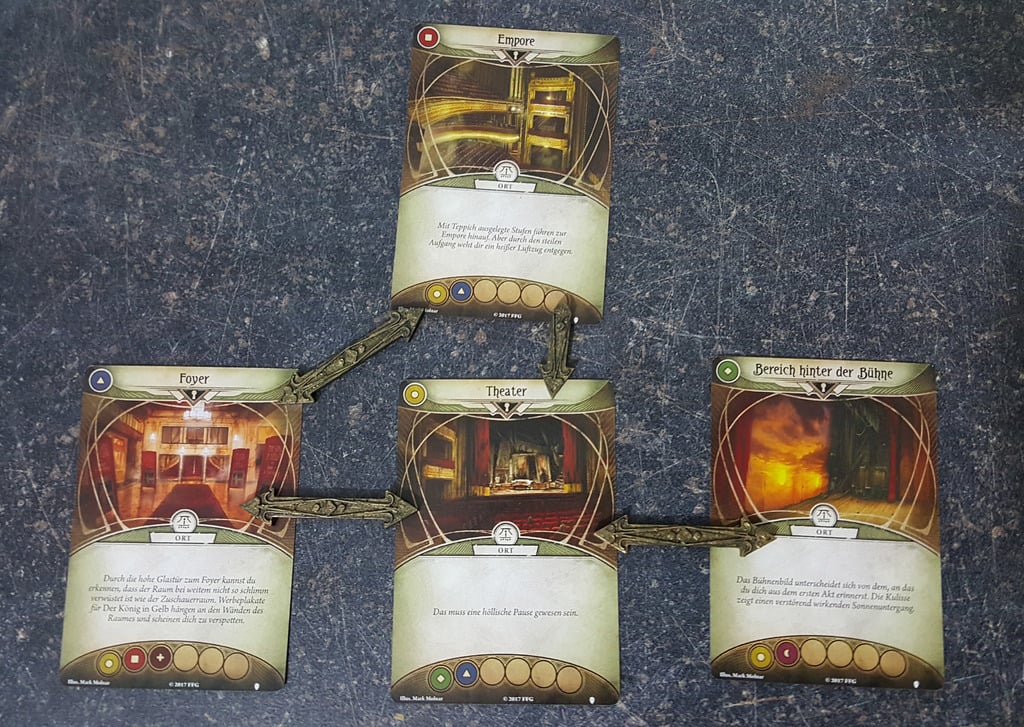
Arrows https://www.thingiverse.com/thing:2809004 Multiple copies added to the same print plate. 16 X doubles + 6 X singles to match the 15 doubles + 5 singles required by Forgotten Age
by MagnusU is licensed under the Creative Commons - Attribution - Non-Commercial - Share Alike license.

Comment & Rating (45)

(0/1000)

any reason why the resources box would lack the in lines on the top and left sides?
(Edited)
2
Reply
Print Profile
0.2mm layer, 2 walls, 15% infill, 100% infill for cubes
printed clean and I really like the layout. printed on Sunlu PLA + in tan and olive.
1
Reply
Print Profile
0.2mm layer, 2 walls, 15% infill
Fantastic! I also did a remix on my own.
0
Reply
Super happy how these turned out. Thanks for the prints, great job.
0
Reply
Boosted
Print Profile
0.2mm layer, 2 walls, 15% infill, 100% infill for cubes
thank you for your work
0
Reply
Print Profile
A1 mini - 0.2mm layer, 2 walls, 15% infill
The sanity and health icons are lacking fill, otherwise it’s a good print and definitely useful.
2
Reply
Great print! No problems, thanks. I am new to the game though and I am confused what is being tracked. Heart = Health/Damage. Brain = Sanity/Horror. Box = Resources. What is the Magnifying Glass and Clock used for?
The designer has replied
0
Reply
I use magnifying glass to track the number of clues that the investigator has picked up. The clock can be used for tracking the number of actions the investigator performed in their turn. (Up to 3 each round, and some effects can limit or extend it)
1
Reply
can you add a profile for A1 mini please? looks like it'll be an additional plate maybe..
The designer has replied
0
Reply
Sure! I added a print profile for A1 mini. It was just an additional plate with the arrows separated.
1
Reply
Hello, I received the AMS Lite yesterday, but when I send a print job, it prints everything in a single color. It doesn't change colors. I have correctly installed the filaments in the AMS, and in theory everything should be correct, but I don't know why it only prints in one color, if anyone can lend a hand, thank you
Show original
0
Reply
I'm pretty new also, but might be able to help. Check your filament, does the printer detect all four colors? Sometimes when you load it it doesn't read the color, so if that color is not registered then the printer picks another that's closest to it. You could also select different colors on your own, you do not have to print in the designers color. Hope that helps. Watch a lot of videos, it's helpful. Good luck printing, I'm having a ton of fun.
0
Reply
Print Profile
0.2mm layer, 2 walls, 15% infill, 100% infill for cubes
X1C eSUN PLA - printed perfectly, thanks for sharing!
0
Reply