Search models, users, collections, and posts

AutoConnect MacBook Pro 14" Mount
IP Report
Print Profile(1)

0.2mm layer, 6 walls, 25% infill
Designer
7 h
1 plate
Open in Bambu Studio
Boost
14
87
4
0
106
14
Released
Description
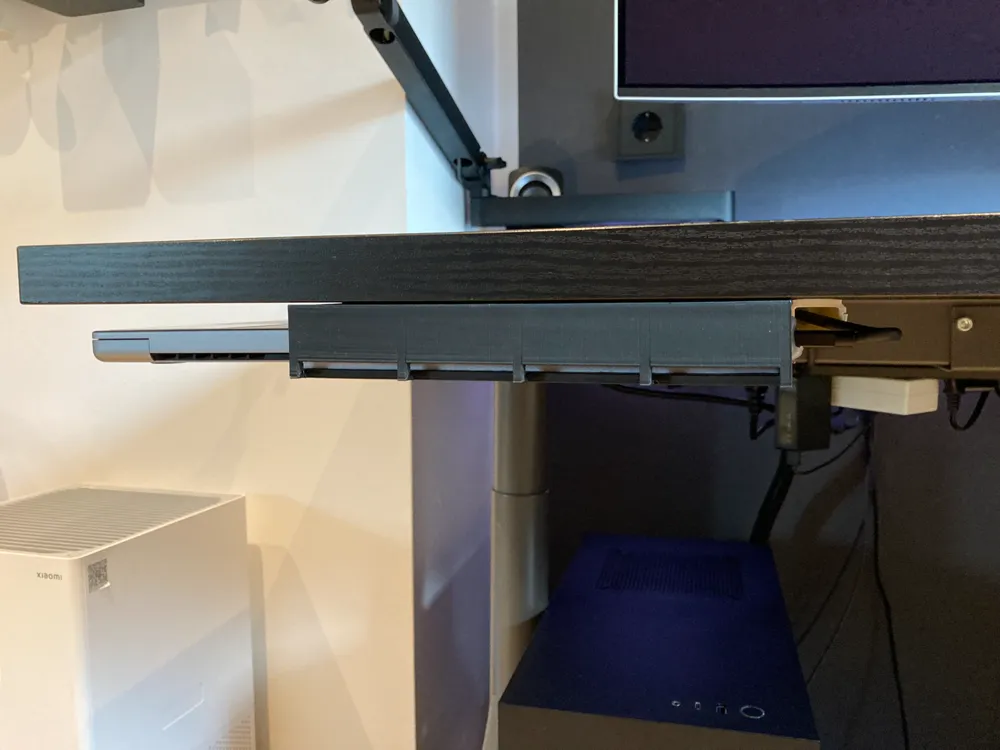
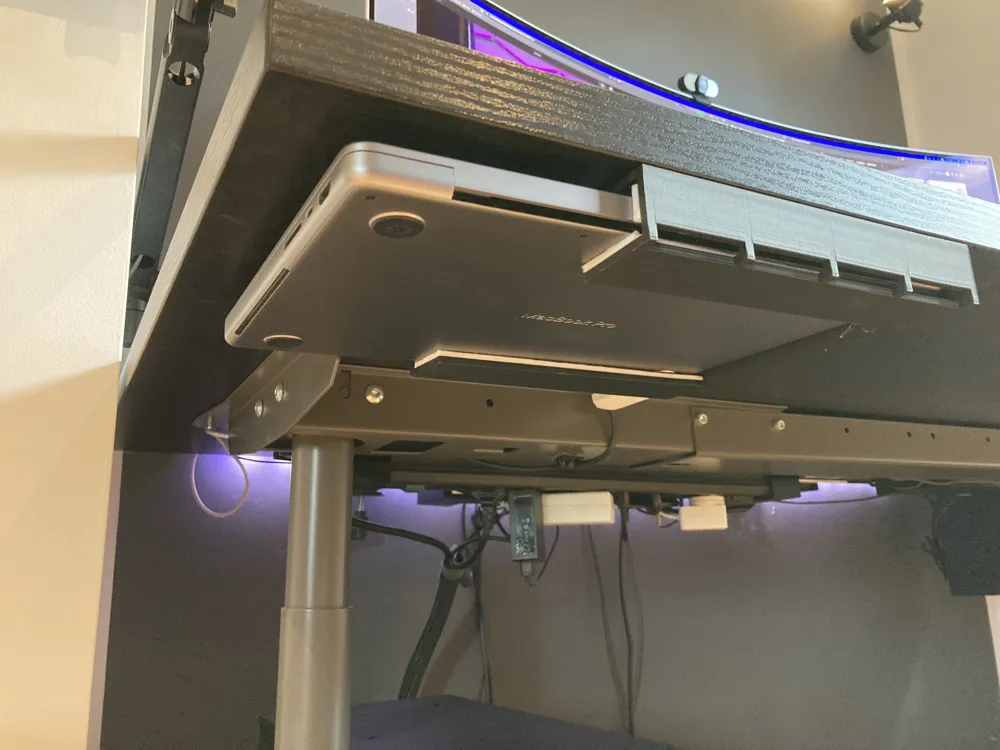
Low‑profile, single‑part under‑desk holder with automatic connecting thunderbolt port designed for the M1 MacBook Pro. The laptop slides on 3.3 mm felt pads (“Filzgleiter”) for protection and smooth docking. A cut‑out at the rear of the print leaves space for a Thunderbolt/USB‑C plug; fix the cable in that opening with hot glue from behind so the connector lines up every time.
I did not test later MacBook Pro 14"
What it is
- One big printed tray that screws under the desk.
- Inside contact surfaces are lined with 3.3 mm Filzgleiter (felt furniture pads).
- Rear pass‑through/relief hole for the cable; the cable is hot‑glued in place from the back of the part (no separate printed cable channel).
Installation
Important: Apply the upper felt pads after the holder is screwed to the desk.
- Position and mark the holder under the desk; check clearance to the frame.
- Drill pilot holes and screw the holder in place. Ensure screws won’t poke through the desktop.
- Degrease the tray surfaces, then apply the 3.3 mm felt pads inside the holder. This covers the screw heads and sets the final clearance.
- Plug your Thunderbolt/USB‑C cable into the laptop, slide the laptop into the holder, and align the connector with the rear opening. Hot‑glue the cable into the opening from behind. The glue lets you fine‑tune angle and depth for different cables.
- Test slide‑in/out; re‑warm the glue to adjust if needed.
License

This user content is licensed under a
Creative Commons Attribution-Noncommercial-Share Alike


Comment & Rating (4)