
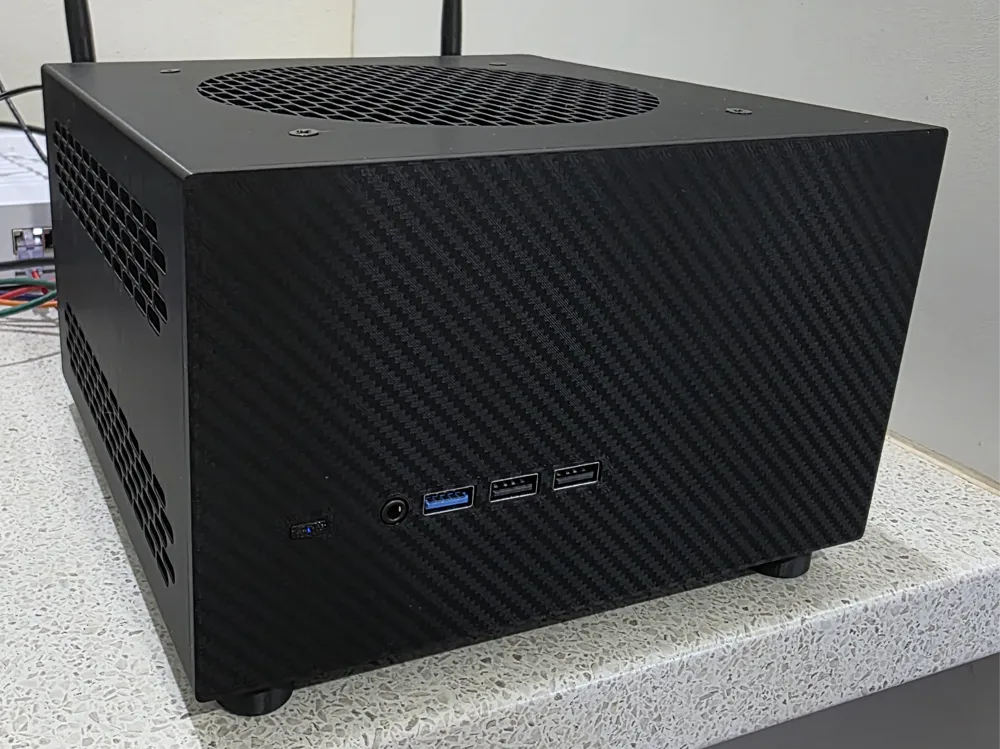
MS-01/MS-A2 Case, 2x 140mm Fans, 2 Slot GPU
Print Profile(2)


Description
Boost Me (for free)
Want More? Throw a boost my way, I spent quite a lot of time working on this and hope to start spending more time working on similar projects.
Why did I make this?
Living in a hot area the biggest issue I had with the MS-01 was cooling and I didn't want to run the air conditioning 24/7 to keep it at a reasonable temperature so I started designing a case to house two 140mm fans. Originally the design just had the machine sandwiched between the fans and it was as small as it could be but then I wanted to install a Sparkle A380 GPU which is a single slot pci card but the heatsink takes up two slots so I expanded the case and this is what I came up with pretty much only using Bambu Studio.
Pros
- Dual 140mm Fans to cool things down.
- Fits dual slot gpu's, I've only tested with the Sparkle A380 but others should fit with minor tweaking.
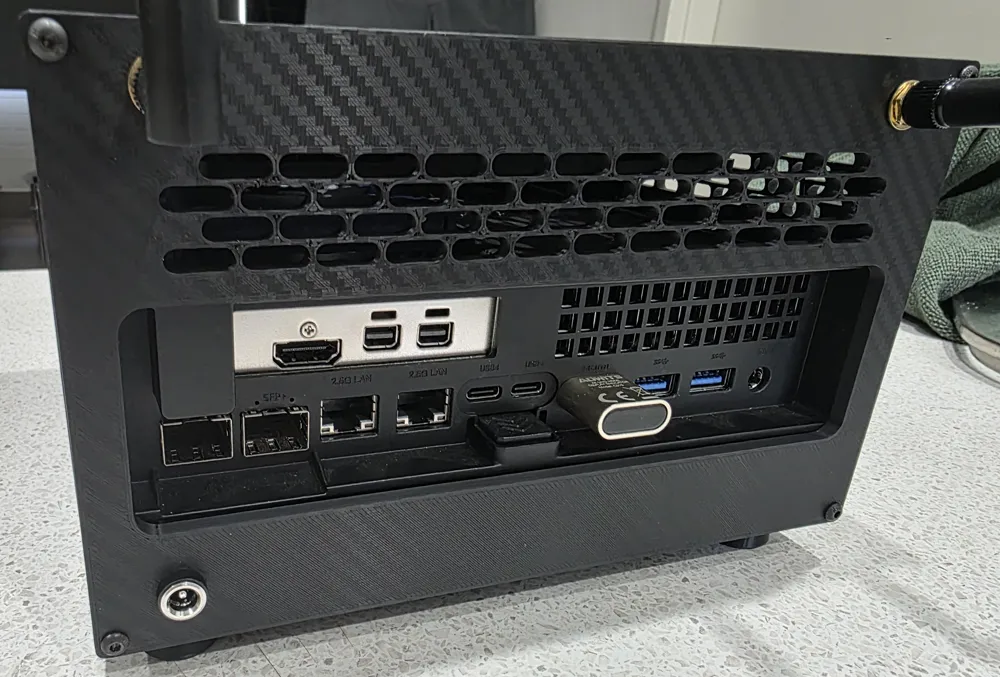
- Can install dual wifi antennas on the back of the case, it can be a bit fiddly to install them.
- Custom Faceplates, I added a few to the 3MF as well as a template
Cons
The design isn't perfect there's a couple of things I haven't designed quite the way I want and I may fix them in future revisions.
- The power button is fiddly, you have to drop it into place after installing the fans, once in it works great. (the larger side faces the front)
- There's holes for 6mm x 2mm magnets in the front of the case for the faceplates, I had to add extra magnets to keep the faceplat aligned properly and needed to use a long screwdriver to push them into place properly.
What's needed?
- 2X 140mm Fans (they all should work, I used thermalright ones)
- 5.5mm x 2.1mm DC Jack
- 12v power supply (usually 12 volt 1 amp is plenty for two fans)
- Wifi Antennas and cables suitable for the NGFF wifi card (make sure you don't get the larger ones for mini pcie cards)
- 4X M5x12mm Bolts (for feet)
- 4X M5 Nuts (for feet)
- 4X M3 12mm Bolts (for back cover)
Putting it all together
- Print the case, back cover, feet and power button.
- Install the feet, it's pretty straightforward using the M5 nuts and bolts, don't overtighten them.
- Install the fans, how you wire this all up is on you I have left negative areas on the back cover so you can modify/remove the holes etc.
- Put the power button into place
- Slide the MS-01/MS-A2 all the way into place, you should be able to test the power button and feel it click when you press it.
- Install your wifi Antennas and 5.5mm x 2.1mm DC jack onto the back cover and connect it to the fans.
- Screw the back cover on using 4X M3 12mm bolts.
- ALL DONE!
Need Help? Modifications?
Let me know, I'm happy to listen to constructive criticism and help modify things when I have time. I may release the original small version in the future but I got rid of it so would need to print it again and make some modifications before publishing it.
License



Comment & Rating (24)