
Print Profile(3)


Description
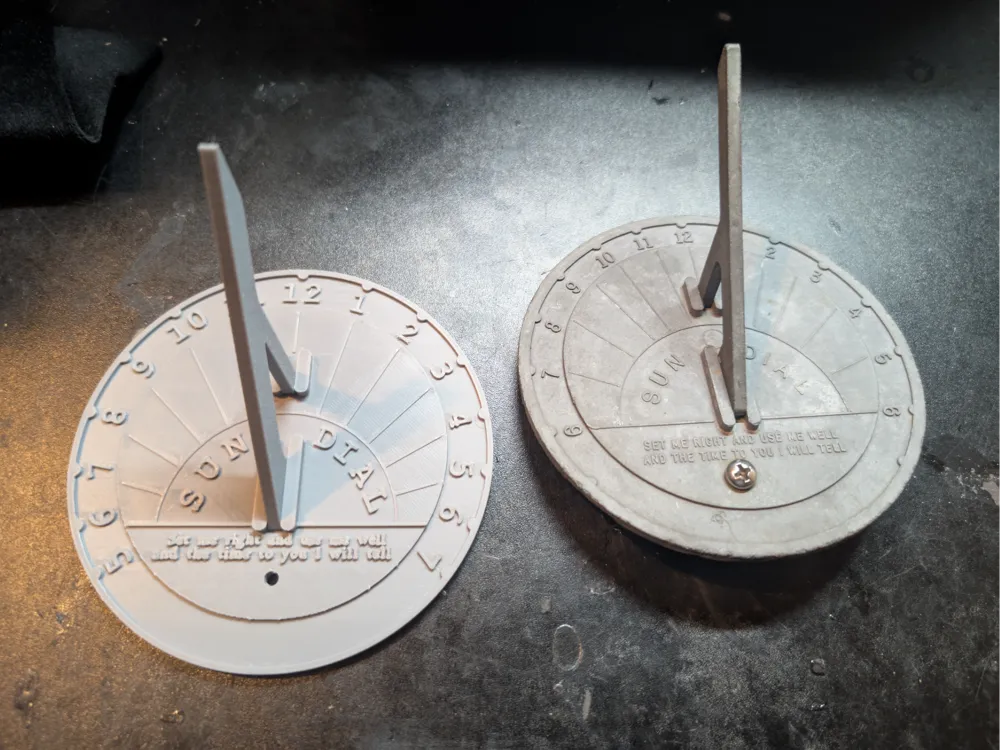
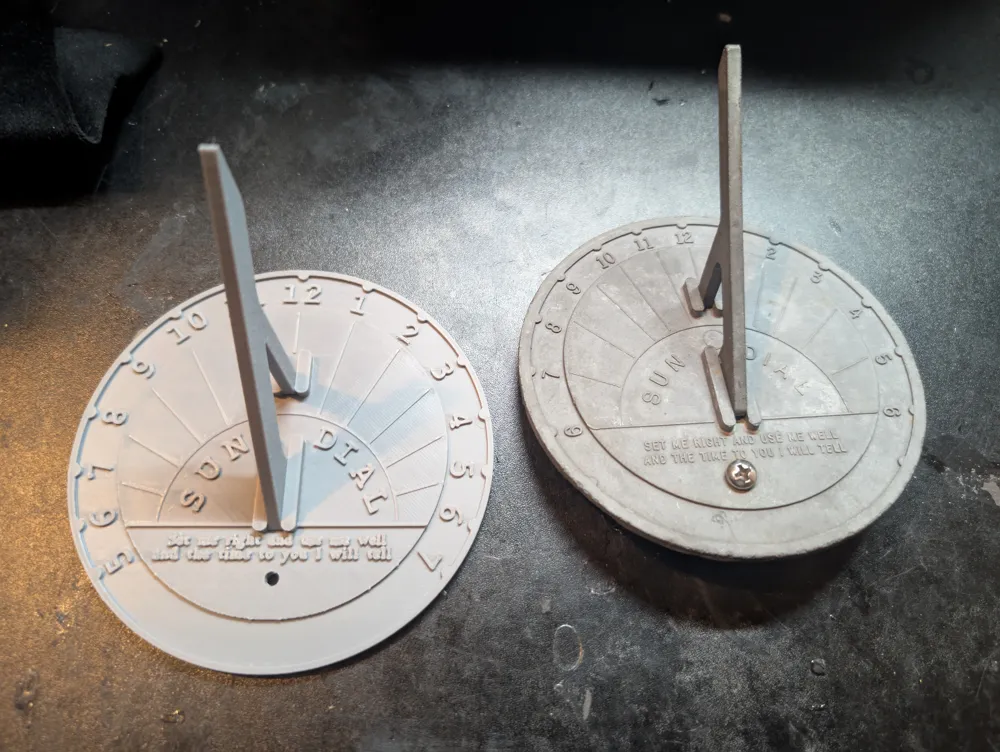
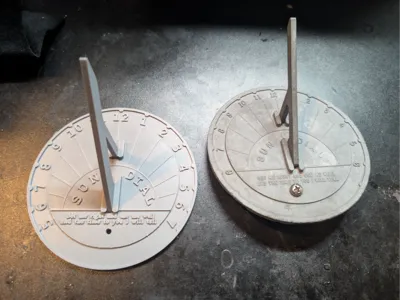
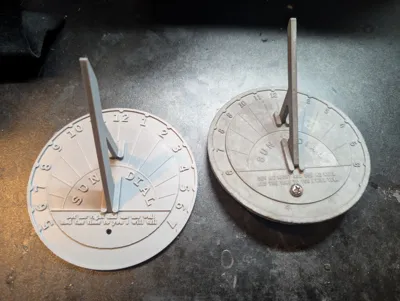
On the off chance a sundial I got when I was a kid ever did get lost I wanted to have a backup. So I made this.
Note: For those who care about how accurate the time is on it
The gnomon (the thing that causes the shadow) is set for 35.3 degrees or a latitude of about 35.3 degrees. I added the Fusion 360 file so you can adjust this. I made it super super super easy. If you don't have Fusion 360, then you can get it for free under the hobby version. Open the file, edit the sketch for the gnomon (ask on reddit and there is a ton of people that will walk you through it). Edit the 35.3 to whatever your latitude is).
If you aren't sure if you should edit it. Look at your latitude, and if it is about 5 degrees off you shouldn't see a major change.
But like I'm in NC (USA) and if you were in Miami (FL). Then the math shows if the dial shows 3PM for me it should show 2:28 for you. Normally this isn't a huge huge huge thing. But given it is a 3D print, and I'm giving you the ability to change it. It is up to you.
I just wanted to give a heads up because I wanted this to be a set it and forget it. And assuming it is made out of the right material, and placed in the right spot. If the gnomon is at the right angle, then it should work at long as the material allows for.
Also note: For those above 55.5 degrees N or below 55.5 degrees South.
The length of the gnomon of this is made for those living between 55.5 degrees N&S. Which is most people. But if you do live outside of this, then you need to extend it. You can tell an AI the sundial is 114 mm wide, and each hour from 6 am to 6pm is 15 degrees for each tick. How tall does the gnomon have to be. Note it will tell you the minimum size so the shadow goes end to end. You can go above that if wanted, which is why I say it should be good on that within 55.5 N&S range.
Last thing I want to note.
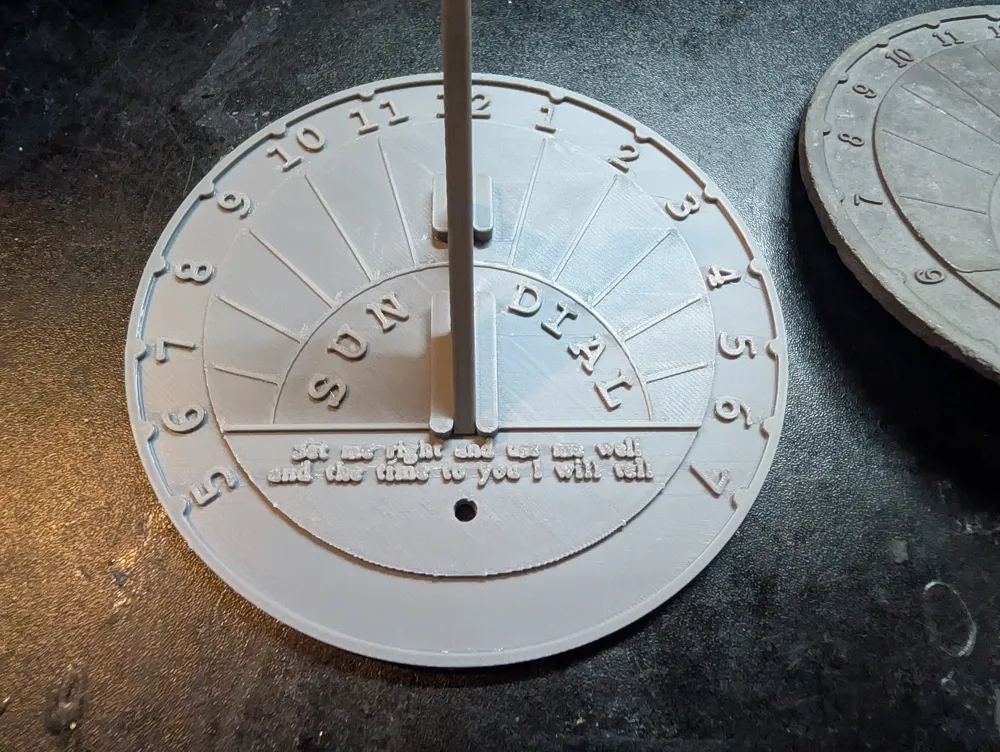
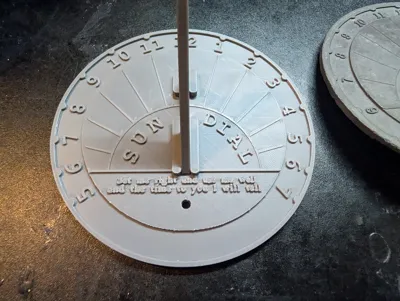
The original didn't have a screw hole. We added this because the gnomon made things off as you can guess from the above. So we had to add it to put it at an angle to offset the difference. While this isn't really needed anymore (btw if you have the original you can literally just go to the fusion 360 file edit the angle, and print that 1 part off and you have it for your area. I tested it and it does fit). I still think it is a good idea for the screw hole if you plan on screwing it. Obviously you can fill this in on the model if you want.
And the other changes I made was the poem at the bottom isn't all capital. I couldn't fit it if I did that. At least without using a smaller nozzle. The font type, I didn't know what font type it used. And the 5AM 7PM I added the numbers. They have the bumps but didn't add the numbers. I'm assuming to save money, but I'm not sure. Maybe it was a mistake.
Outside of that I tried to keep it as close to the original as possible.
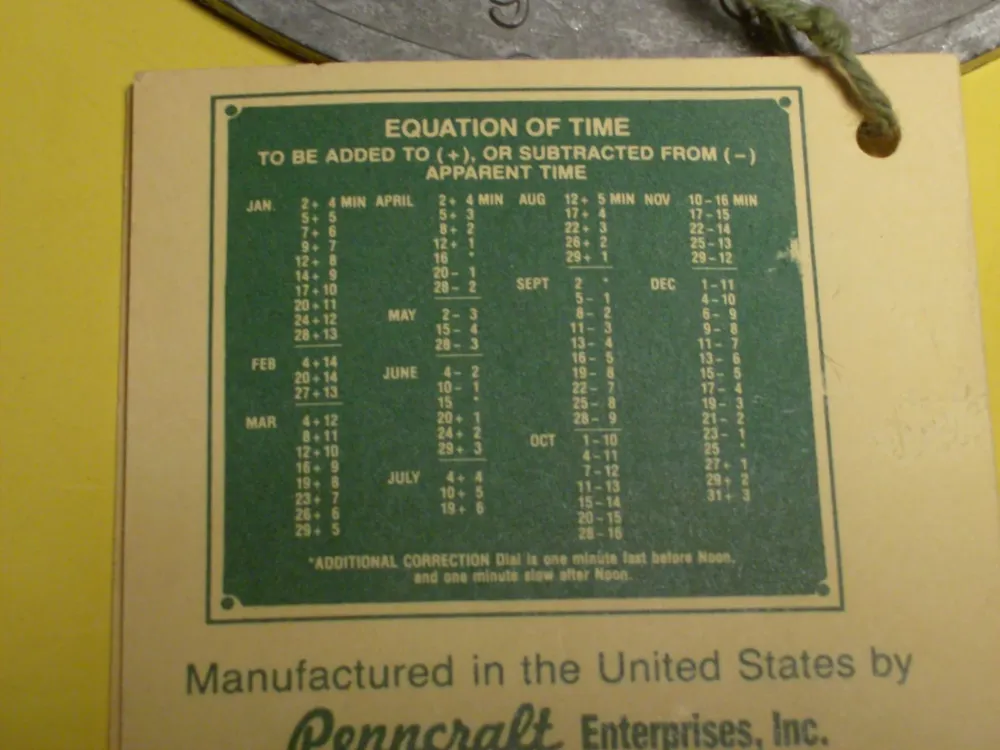
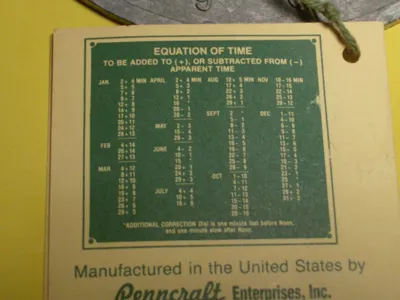
The last image is from https://www.etsy.com/listing/175275587/sundial-by-penncraft-with-its?show_sold_out_detail=1&ref=nla_listing_details
I wanted to upload it because it originally came with it and it might help. You need to line rotate the entire sundial so the gnomon points toward true north, not magnetic north. And the chart lets you know much time to add or take away. The why this happens has to deal with this https://www3.nd.edu/~lent/Astro/IndividualPages/NDAnalemma.html
IMO you can just use it as a general ballpark on what time it is. But the chart is there if you want to use it.
I SWEAR THIS IS THE LAST LAST LAST THING TO NOTE (this is important if you want it to give you the right time):
https://sundials.org/index.php/teachers-corner/sundial-mathematics (go to the bottom)
Use that to make the adjustments needed in the fusion 360 file for the hour ticks. Like what I have is based on what I got when I was a kid. But in all honesty it isn't 100% accurate as I pointed out with the angle and other bits. Basically this model uses a 15 degree tick. This is OK for general, but not really right and you won't know what hour you are on. Horizonal sundials like this are very much a local thing. Meaning not only the gnomon need to be the right height and angle, the hour tick marks I need to make for mine is 100% different from yours unless if we are in the general same latitude.
You need to then go into the fusion 360 file, edit it. This should be pretty easy if you know what you're doing. And then export the body to your computer. Then on this project you can replace with STL and this will keep all the text and color. Adjust the numbers as needed and there you go.
Or you can be like most and run with it and say it's roughly in these few hour range (depending on your latitude this actually can be pretty important. And to be blunt, without doing this correction. It is mostly for looks. This is a problem with all horizonal sundials. If the person isn't in the same latitude as you, then you likely aren't going to get something right. This is a major reason why I'm giving you the Fusion 360 and trying to walk you through this)
How to replace it so you keep the text and color?
After you made your changes
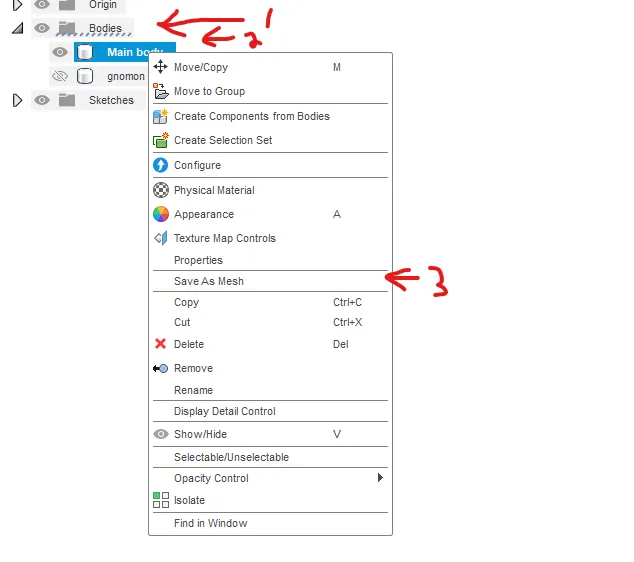
1 go to bodies, right click the one you want to export, then save as mesh, then press OK and then name it and tell it where to save.
Then when you are in Bambu Studios
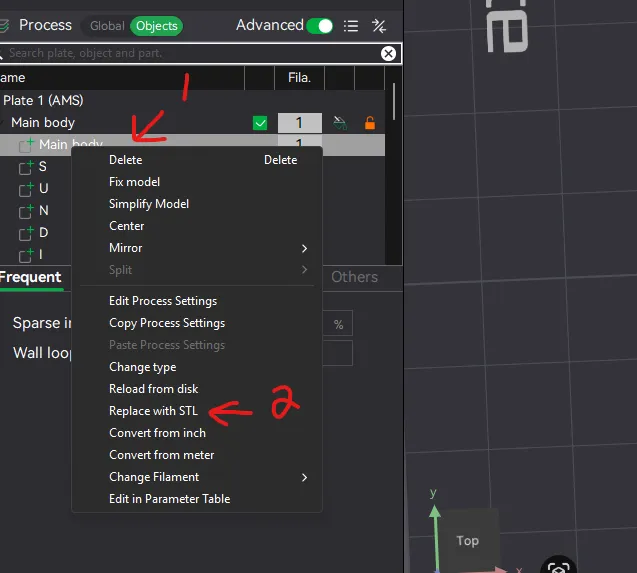
Simply right click the body you want to change, and replace with STL. Select the file you just exported.
After this point, make sure the numbers are in the right spot, change the text if you want, and make sure the color is mostly right. After that point you are good to go and you have a sundial for your exact area.
License

You shall not share, sub-license, sell, rent, host, transfer, or distribute in any way the digital or 3D printed versions of this object, nor any other derivative work of this object in its digital or physical format (including - but not limited to - remixes of this object, and hosting on other digital platforms). The objects may not be used without permission in any way whatsoever in which you charge money, or collect fees.


Comment & Rating (2)