
Flap Detents for TCA Boeing Quadrant - 737NG/MAX
Print Profile(1)

Description
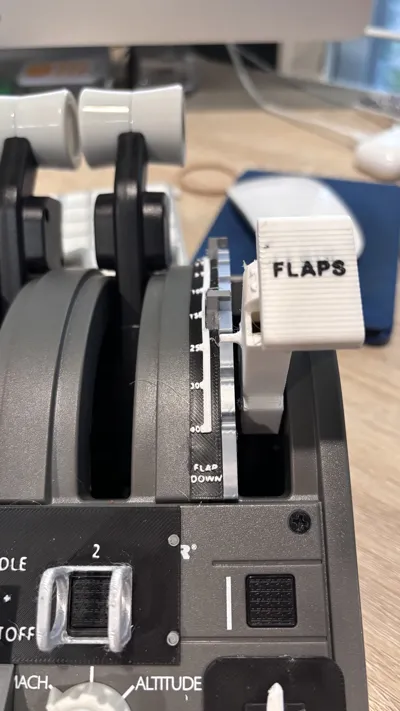
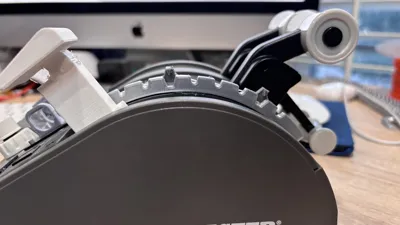
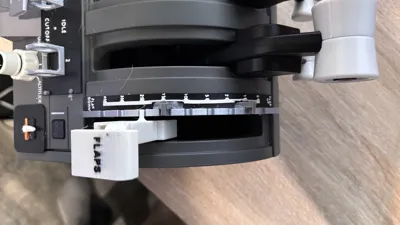
DESCRIPTION
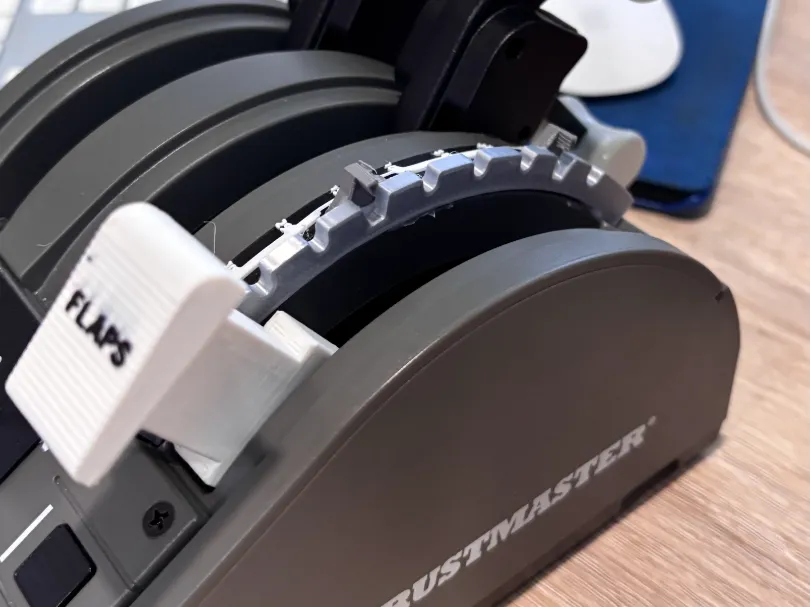
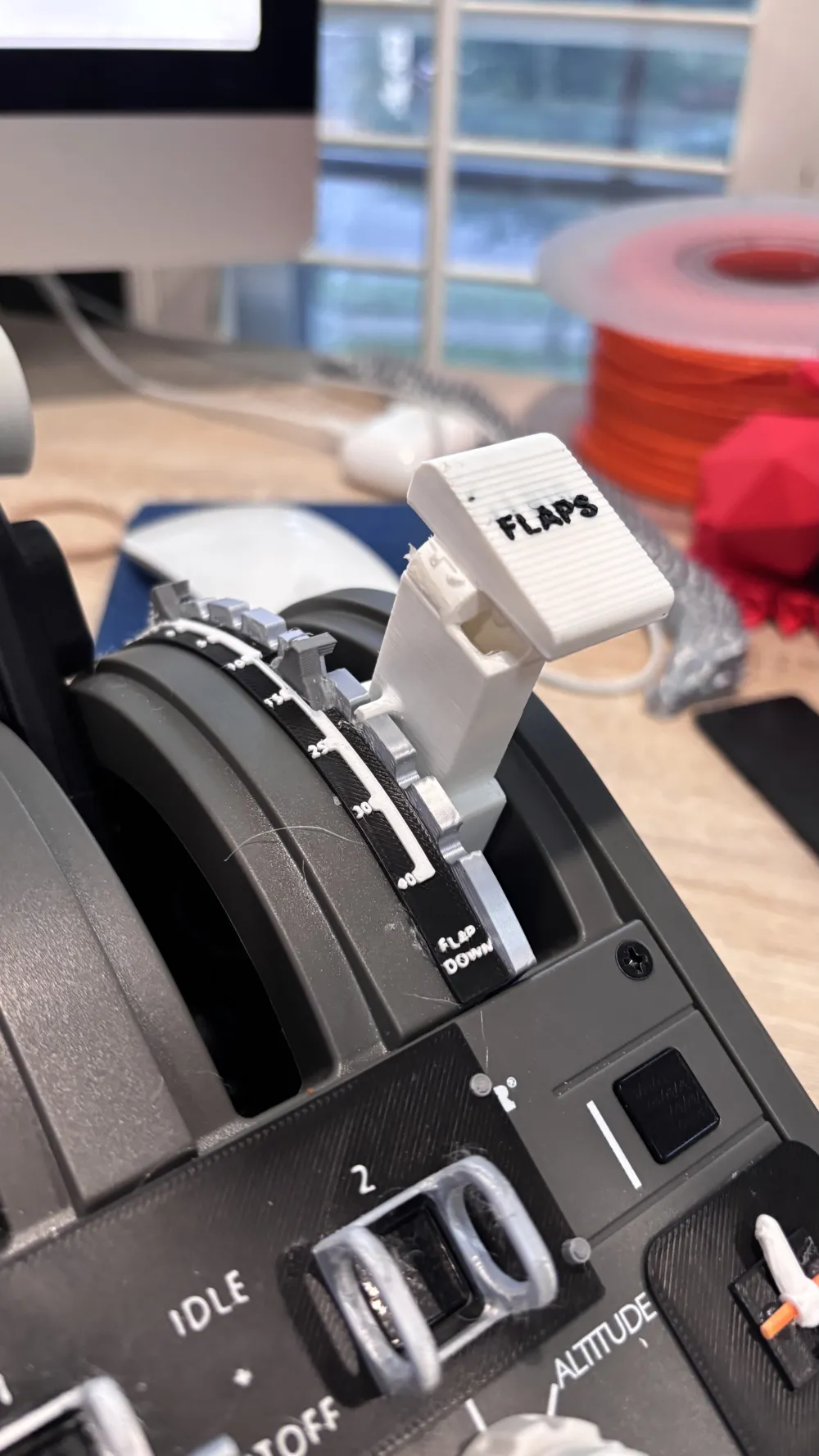
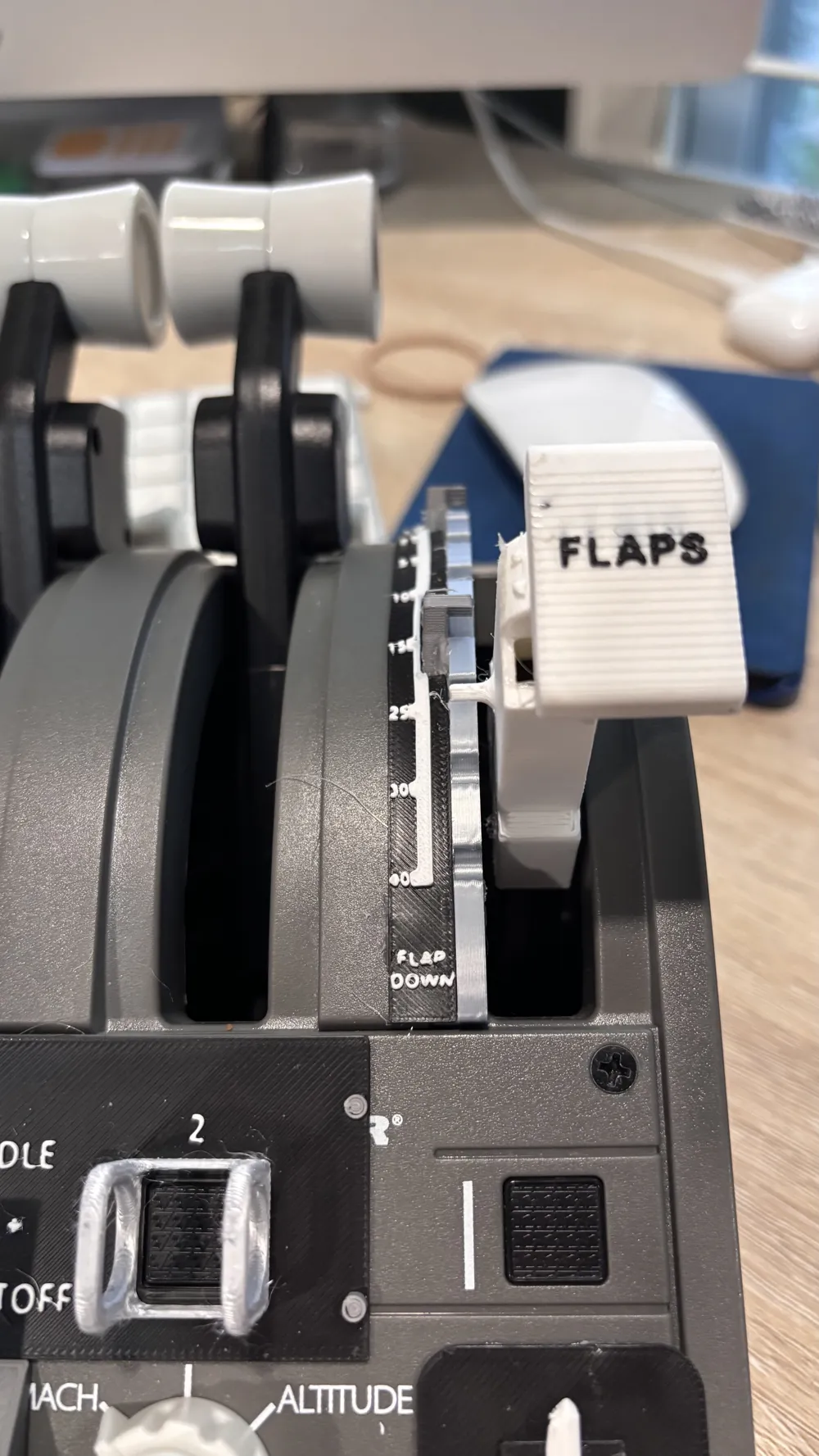
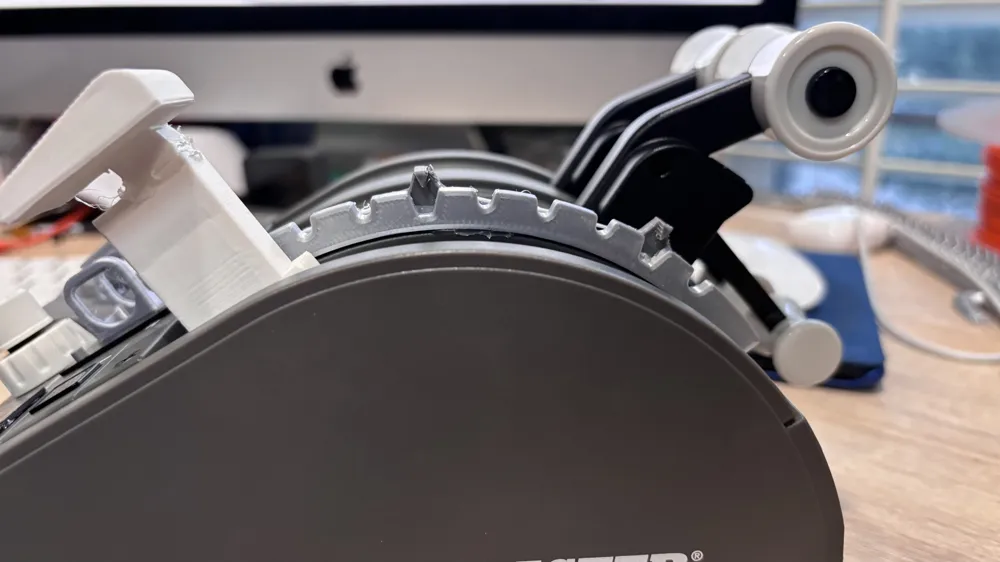
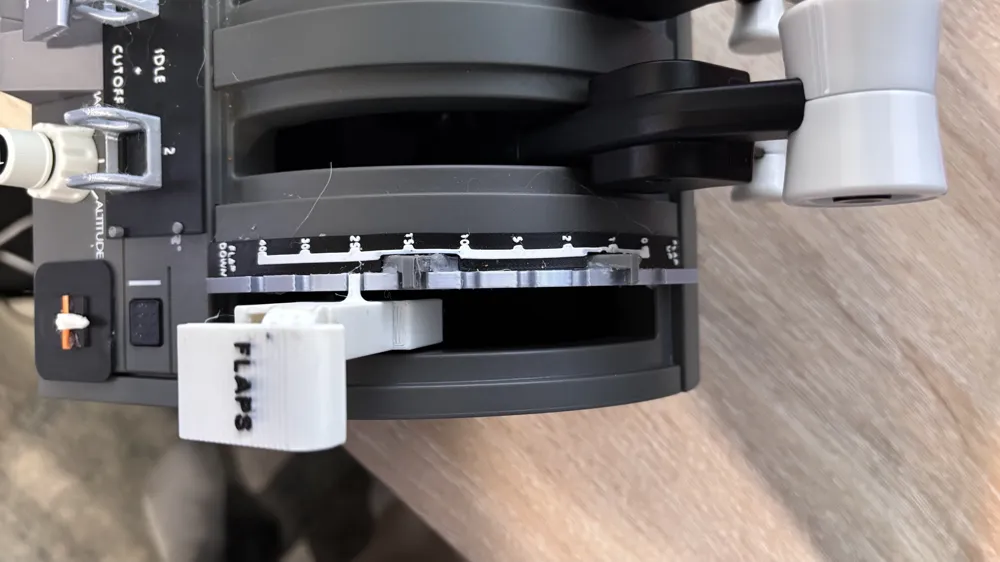
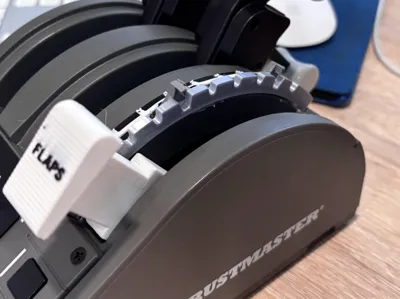
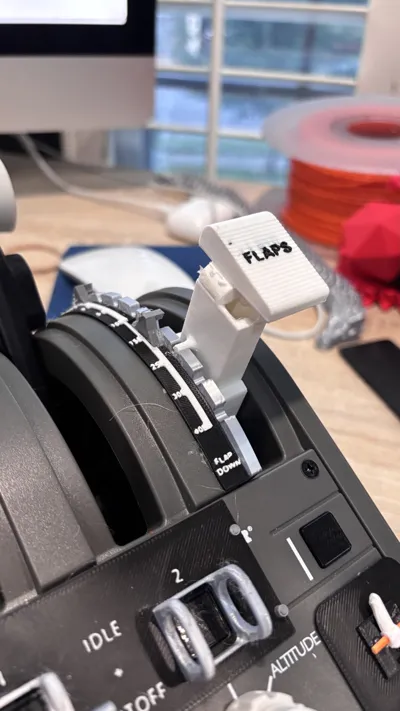
This model has been designed to give you functional flap positions and detents for your TCA Boeing Quadrant. The slot positions model the real flap slots in the 737 MAX or 737 NG. Experience the feel of professionalism as you move the lever through each slot during final approach and know that your aircraft will have the same degrees of flaps as the ones you have set on your quadrant. The slots on the model allow for precise flap positioning. No more guessing where your flaps will be when using the TCA Boeing Quadrant during takeoff and landing. The gates the flaps 1 and flaps 15 positions add an additional level of realism.
NOTES
THIS MODEL REQUIRES MY CUSTOM FLAP LEVER TO WORK PROPERLY.
IT CAN BE FOUND HERE: https://makerworld.com/en/models/1685770-flap-lever-for-tca-boeing-quadrant#profileId-1786277
The gates on this model are completely optional. If you want some flap slots for really just about any aircraft, print the model but do not attach the gates.
With the first few uses, the bottom layer on your gates may wear down or snap off. This is normal.
You must glue the gates on because of the way the print is oriented. If I were to make this a single piece, the gates are very weak and would not work as well.
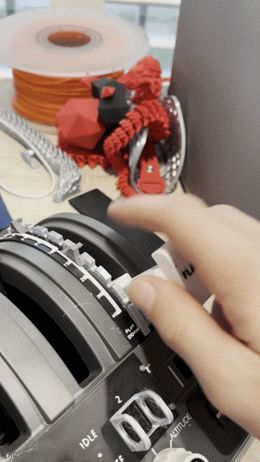
How to work the gates:

- Pull the flap lever to the gate
- Push the lever down all the way to go under the gate
- Push the lever through the slot
- Pull the lever up and out of the slot
To add another layer of realism, print my flaps position marker strip, found here: https://makerworld.com/en/models/1685597-737-max-ng-flaps-positions-for-tca-boeing-quadrant#profileId-1786089 This shows the degrees of flaps for each slot, just like in the real aircraft.
ASSEMBLY
You will need to print the model and glue in the gates in their positions before gluing the model to your quadrant.
- This model needs my custom flaps lever to work properly.
To attach the gates, simply locate the flaps 1 and flaps 15 slots (they are the larger ones), and do your best to align the tip of the triangle with the middle of the slots. Ensure that the back side of the gate is flush or close to flush with the edge of the model, or else attaching the model to the quadrant could be problematic.
When glueing the model to your quadrant, apply the hot glue to the bottom of the model before attaching it to your quadrant. A centimeter of hot glue at either end of the model is plenty to keep it attached.
- Hot glue is recommended for this model because it is easy to remove.
Boost Me (for free)
Boost me to help me make more models for the TCA Boeing Quadrant and Yoke. Winwing may also come soon.
License



Comment & Rating (2)