
Parametric bumper
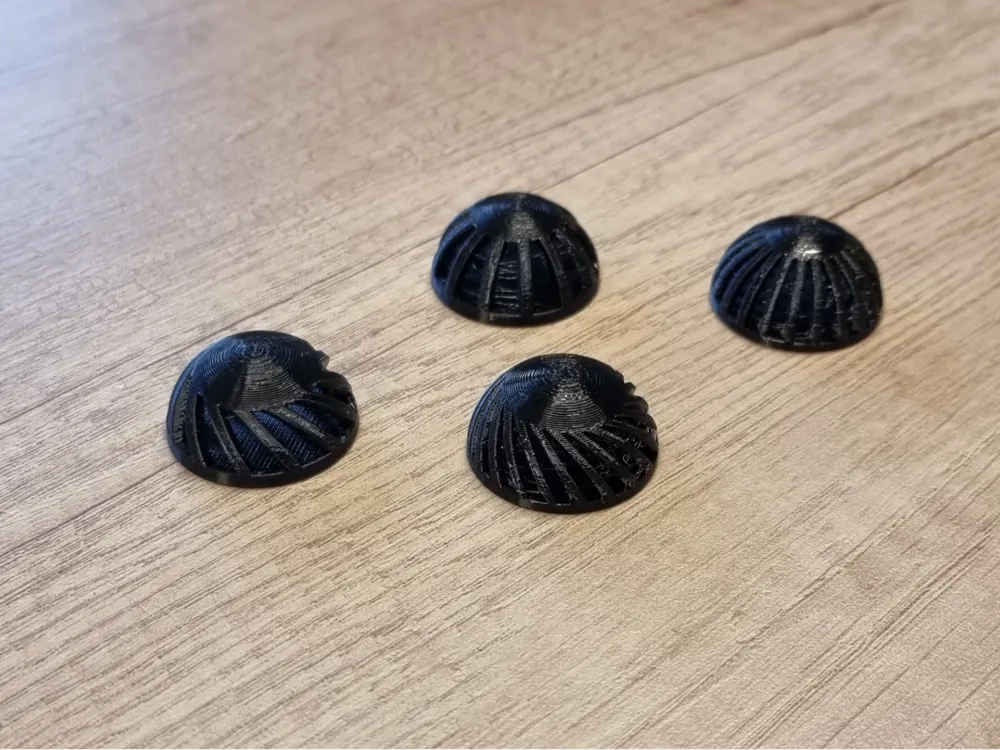
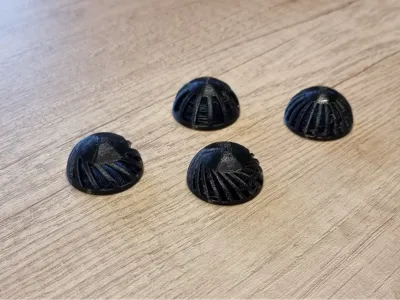
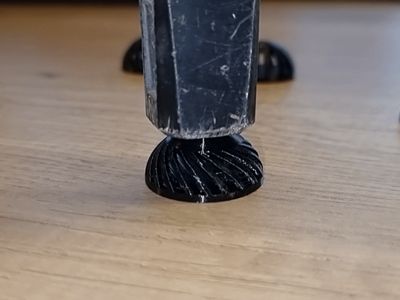
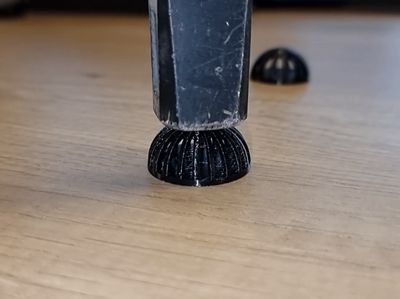
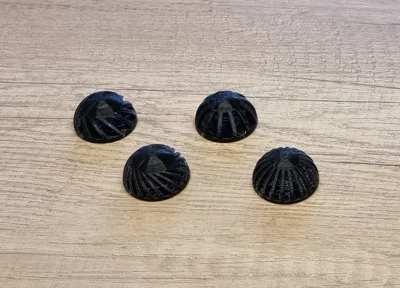
Print Profile(1)

Bill of Materials



Description
A parametric customizable bumper.
Customize the bumper to your needs. In a few seconds you will have the perfect bumper ready to print.
Must be printed with TPU to be effective.
My print profile includes a few designs that you can try out if you are not sure what settings to use. See the details below.
Read the description of each parameter before printing your model to see what it does or just try it out.
If you experience any issues with the parametric model please note down your inputs so I can check what the issue is.
Boost Me (for free)
Thank you for supporting me.
Parameters
- Diameter - the diameter in [mm] of the bumper
- Bottom hole - the diameter of the bottom hole in [mm] - optional, can be set to 0
- Top hole - the diameter of the top hole in [mm] - optional, can be set to 0
- Top flat - flattens the top of the bumper for the value in [mm] from the maximum height - optional, can be set to 0
- Wall thickness - bumper wall thickness in [mm]
- Spoke angle - “spoke” or vertical support angle in degrees
- Spoke number - number of “spokes” or vertical supports - minimum 4
Parameters notes
With the diameter you determine the diameter of the bumper. The height of the bumper is half of this value since the profile of the bumper is circular.
Bottom and top hole parameters add a hole of the set diameter in to the bottom or top portions. This can be useful if you want to screw down your bumper to make the screw and screwdriver access holes. If you don't need this feature, set the value to 0.
Top flat parameter flattens the top of the bumper if you would like to have a flat profile on the top. The value determines how much of the top will be cut off. The bumper height will be determined as:
(diameter / 2) - top_flat
Keep in mind that if you have a hole in the top it may hide the flattened part. In this case either decrease the hole size or increase the top_flat value.
Wall thickness determines the thickness of the walls. The higher this value the stiffer the bumper will be. I recommend keeping this larger than 1.6 mm (depends on your TPU filament stiffness). If you go too low the model may not print properly as the vertical supports or “spokes” will not be stiff enough.
The softer your TPU filament is the higher this value needs to be for equal stiffness.


Spoke angle determines the tilt of the vertical supports or “spokes”. Value 0 means no tilt and the supports will be vertical. For practical purposes do not go above 40. The maximum value depends on the overhangs your printer / filament combo can effectively print. A value between 20 to 30 work well, looks nice and should be printable on any printer.
Increasing this value will decrease the required force to compress the bumper.
Spoke number determines the number of vertical supports. With thicker walls you can decrease this number. With thinner walls I recommending keeping this value high to have good support.
Special cases
If you want to make a hollow fully enclosed part, set the spoke number parameter to a high value until the walls are closed. This value will depend on other parameters so just increase the value if you still see some openings in the generated model.
If you want to make a completely solid part, set the wall thickness to almost half of diameter value:
(diameter / 2) - 0.01
In this case top hole parameter has no effect, only bottom hole which extends throughout the whole part.
If you want to have a solid part but keep both hole parameters, for example to embed a screw, follow this guideline:
- Set the spoke number to minimum value (4).
- Set both top and bottom hole sizes to desired values.
- Start increasing the wall thickness until you can't see through the side of the model.
- Increase the number of spokes until the model closes
- By increasing the wall thickness, you will decrease the top hole depth (you will need a longer screw).
Printing notes
- If you make the walls too thin for the TPU you have, the vertical supports may flex too much when printing. If this happens, decreasing the print speed is the first step.
- Turn off supports.
- For best bumper performance, set the infill percentage to 100%. You can also increase the number of walls and top and bottom layers.
Test print settings
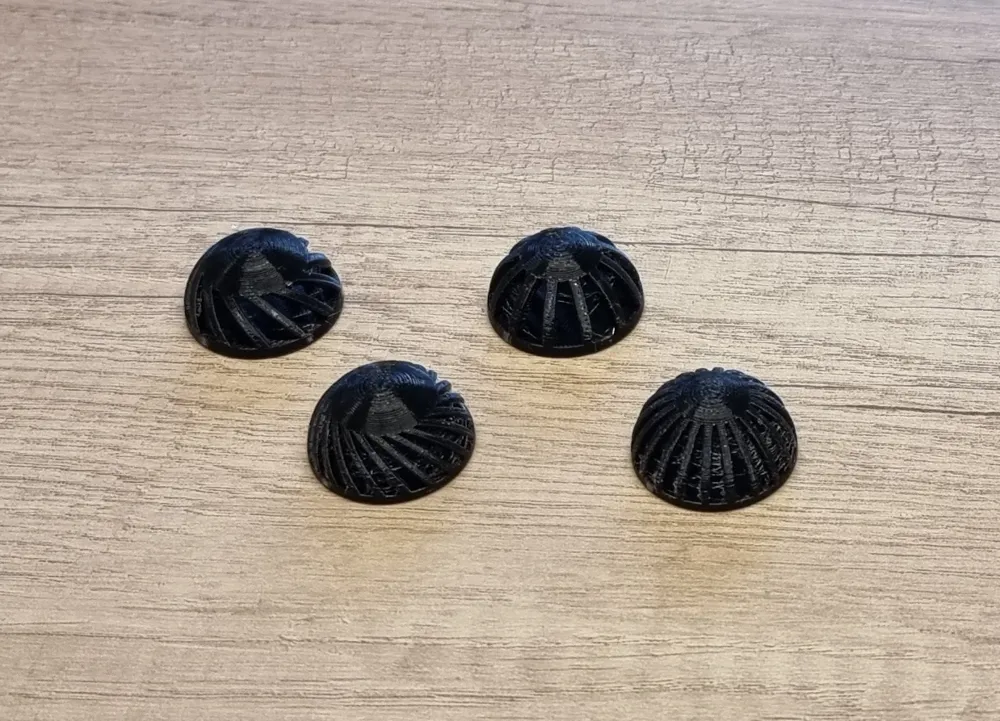
My test profile includes four different models. All models had the same following settings:
- Diameter = 30
- Bottom hole = 0
- Top hole = 0
- Top flat = 0
The following settings were different:
- model 1:
- Wall thickness = 2.4
- Spoke angle = 30
- Spoke number = 12
- model 2
- Wall thickness = 1.8
- Spoke angle = 30
- Spoke number = 20
- model 3
- Wall thickness = 1.8
- Spoke angle = 0
- Spoke number = 20
- model 4
- Wall thickness = 2.4
- Spoke angle = 0
- Spoke number = 12
Using this as a reference you can quickly find a suitable value. Or just go ahead and try it yourself.
License

You shall not share, sub-license, sell, rent, host, transfer, or distribute in any way the digital or 3D printed versions of this object, nor any other derivative work of this object in its digital or physical format (including - but not limited to - remixes of this object, and hosting on other digital platforms). The objects may not be used without permission in any way whatsoever in which you charge money, or collect fees.


Comment & Rating (1)