Search models, users, collections, and posts

HP EliteDesk 800 G3 SFF Hard Disk Drive Bracket
Print Profile(1)

All
P1S
A1
X1E
P1P
X1 Carbon
X1
A1 mini
H2D
H2D Pro
H2S
P2S
H2C
X2D
A2L

0.2mm layer, 2 walls, 50% infill
Designer
26 min
1 plate
5.0(1)

Open in Bambu Studio
Boost
41
111
10
0
103
33
Released 

Description

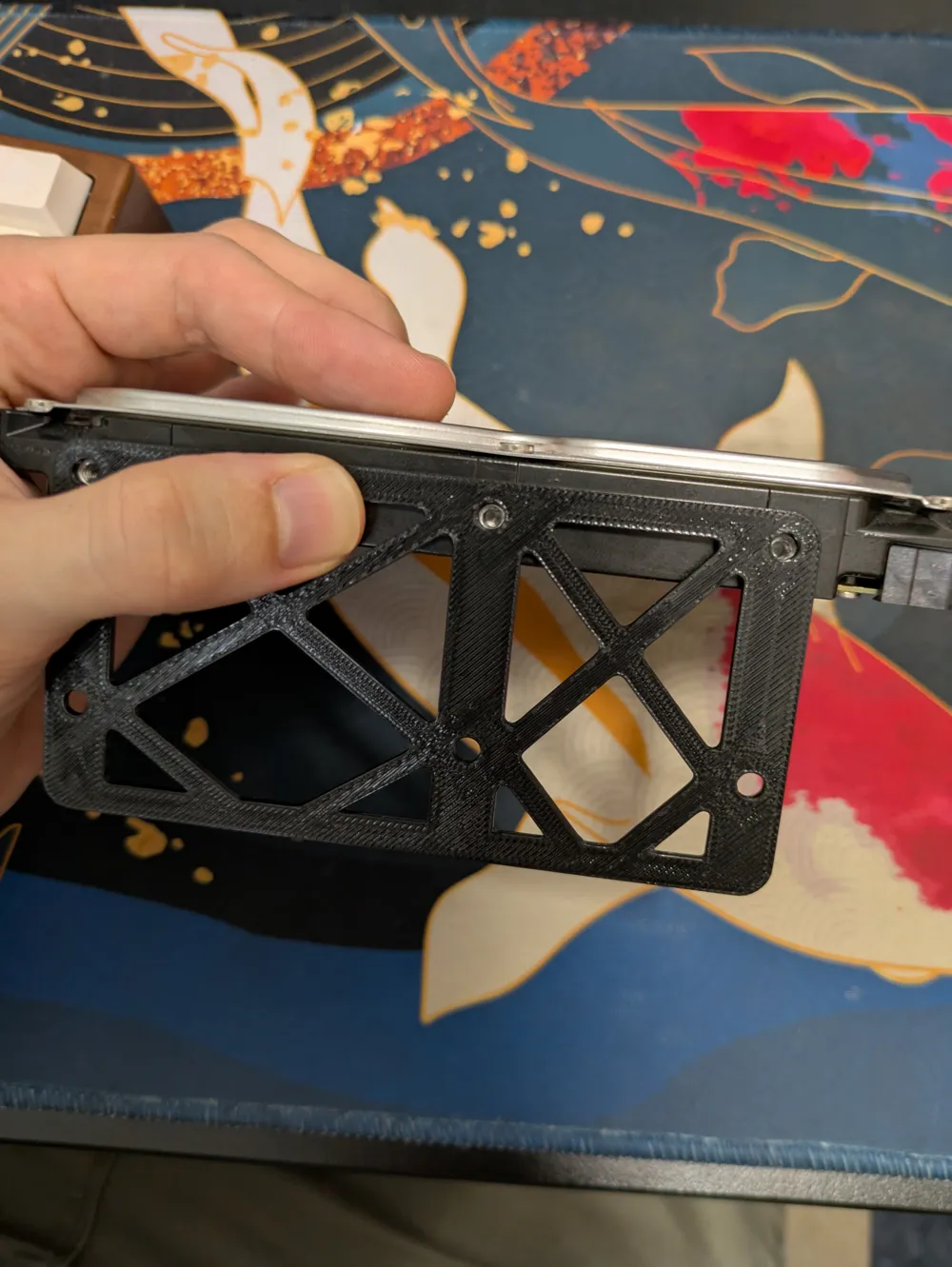
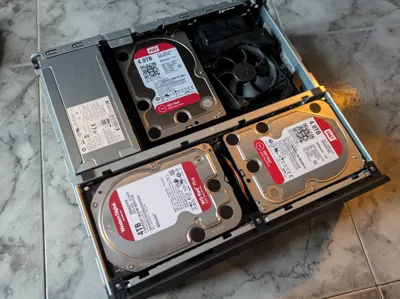
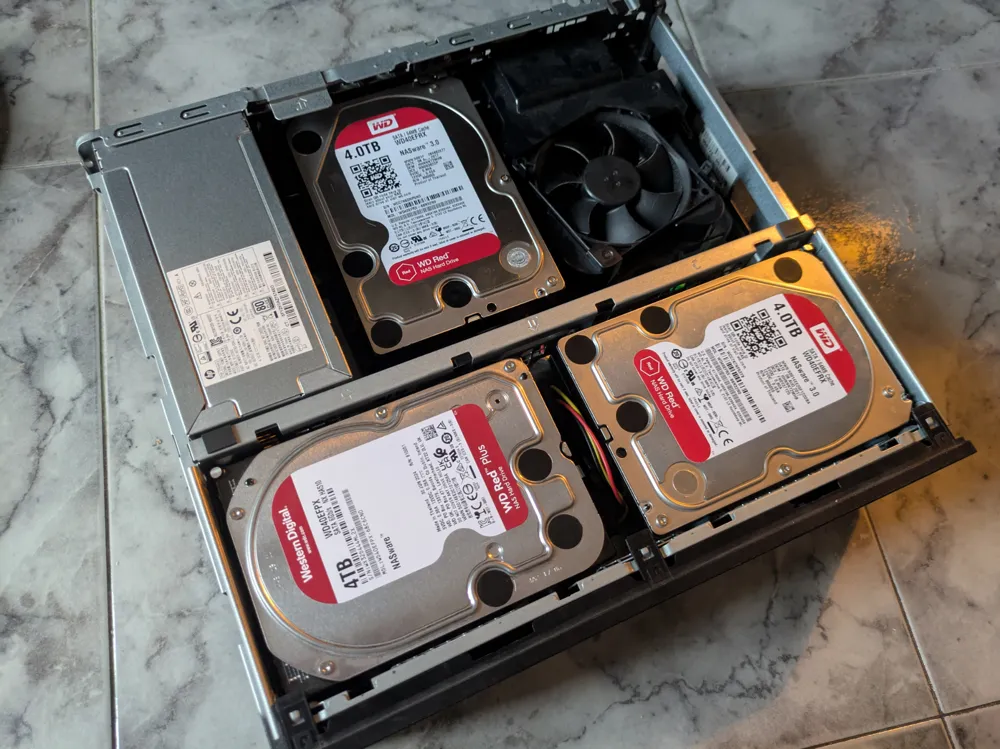
Need to mount a third hard-drive in your HP Elite Desk 800 G3? This bracket supports the side one 3.5" drive above the PCIE lanes.


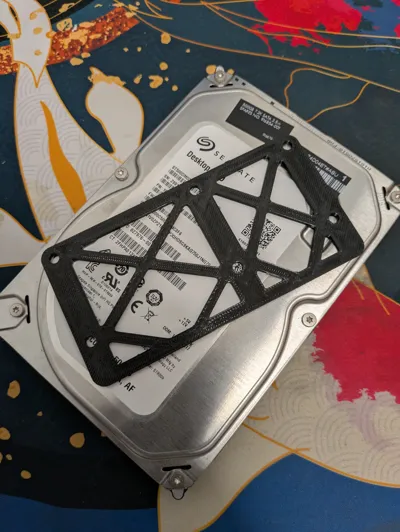
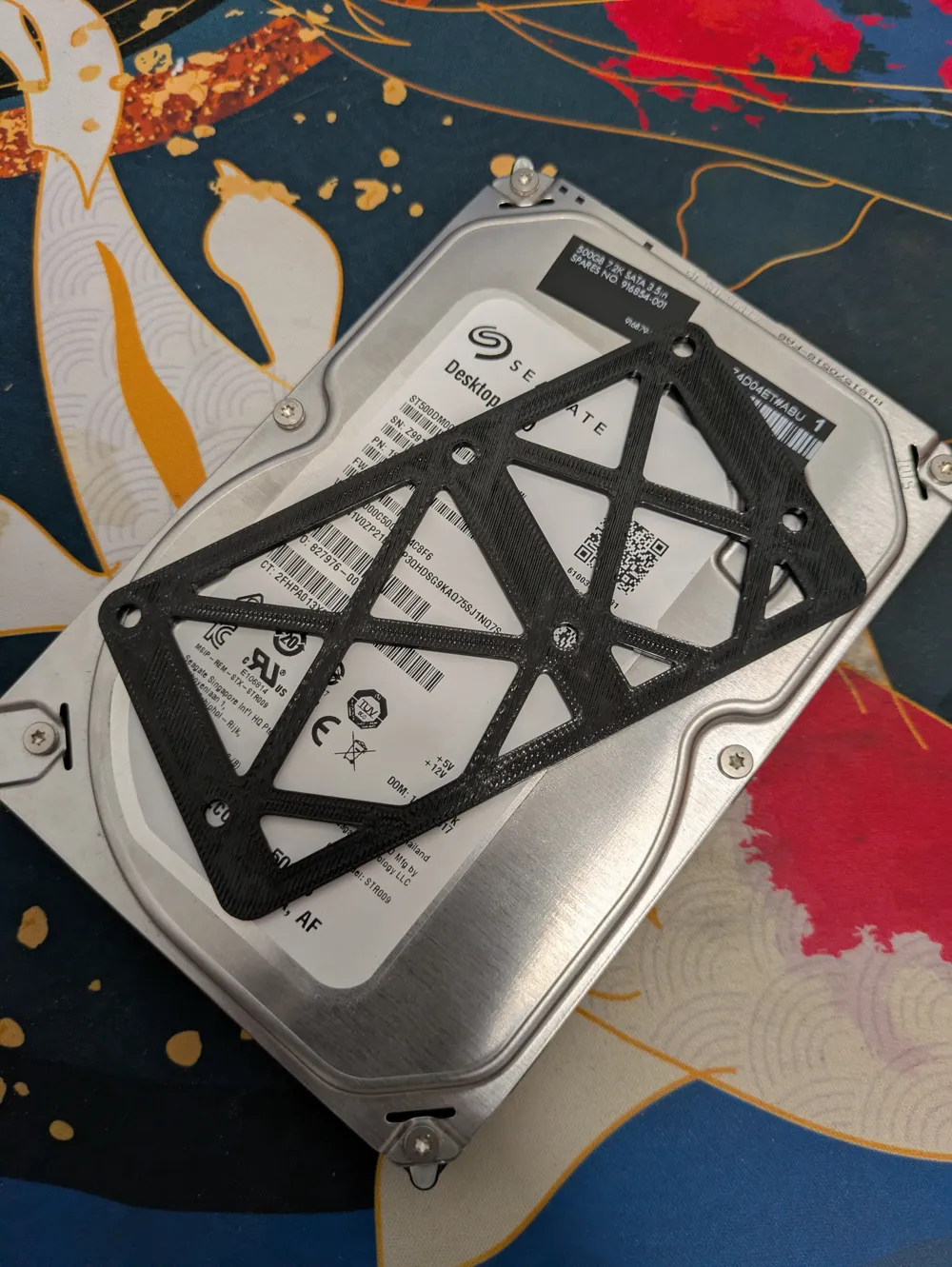
Simply print one bracket in PETG, attach it to the side of the drive nearest to the power supply and rest the other side on the CPU cooler's plastic shroud. You'll need to attach power cables whilst dropping the standard HDD caddy back into place, so be careful not to catch your fingers.


To make this more secure, you could model a mount for the side nearest to the CPU, using the exposed screw hole as a drop-in mounting point, but I don't have the time to do this at present - if someone wants to, please share the file and link it as a remix for the homelab community to enjoy :)

Boost Me (for free)

As always, if this file helps please don't forget to boost - it helps me know what I should design and share next!

Comment & Rating (10)

(0/1000)

Thank you absolute legend for making this design. I tried with the help of chatgpt and it failed to make anything this good. This fits in my HP Elitedesk 800 G3. I am putting two hard drives in HP's drive bay and your print fits their bays perfectly you just have to only use 4 screws holding in the bottom hard drive. The second drive on top everything screws in. Next I will modify the top shell by adding a riser so that then it will become an enclosed NAS with 4 hard drives and not the standard 2 HDDS and 1 or 2 SSDS like HP wants. On my system one of the ssd trays used to hold a slim cd drive like the type you find in laptops.
The designer has replied
designer
1
Reply
Glad it helped! if you have a boost to spare that helps me fund my future prints/designs - always appreciated! Either way, I hope it served you well 👍🏻
0
Reply
This is amazing! How many hdd did you fit in your setup?
The designer has replied
0
Reply
3 total, two in the standard mounts and a third above the PCIe lanes
0
Reply
Replying to @coldhands :
if you're willing to modify the case, you could mount more, but I wanted to keep it as stock
0
Reply
I presume you can’t use the pci slot
The designer has replied
0
Reply
correct, unfortunately the only way I could make space for a third drive without modifying the case was to have it over the pcie lanes, so they are unusable
(Edited)
0
Reply
Thanks for sharing, that it was I was looking for!
The designer has replied
0
Reply
Glad it could help!
0
Reply
Print Profile
0.2mm layer, 2 walls, 50% infill
0
Reply
No more