
Maps of Azeroth: Maelstrom
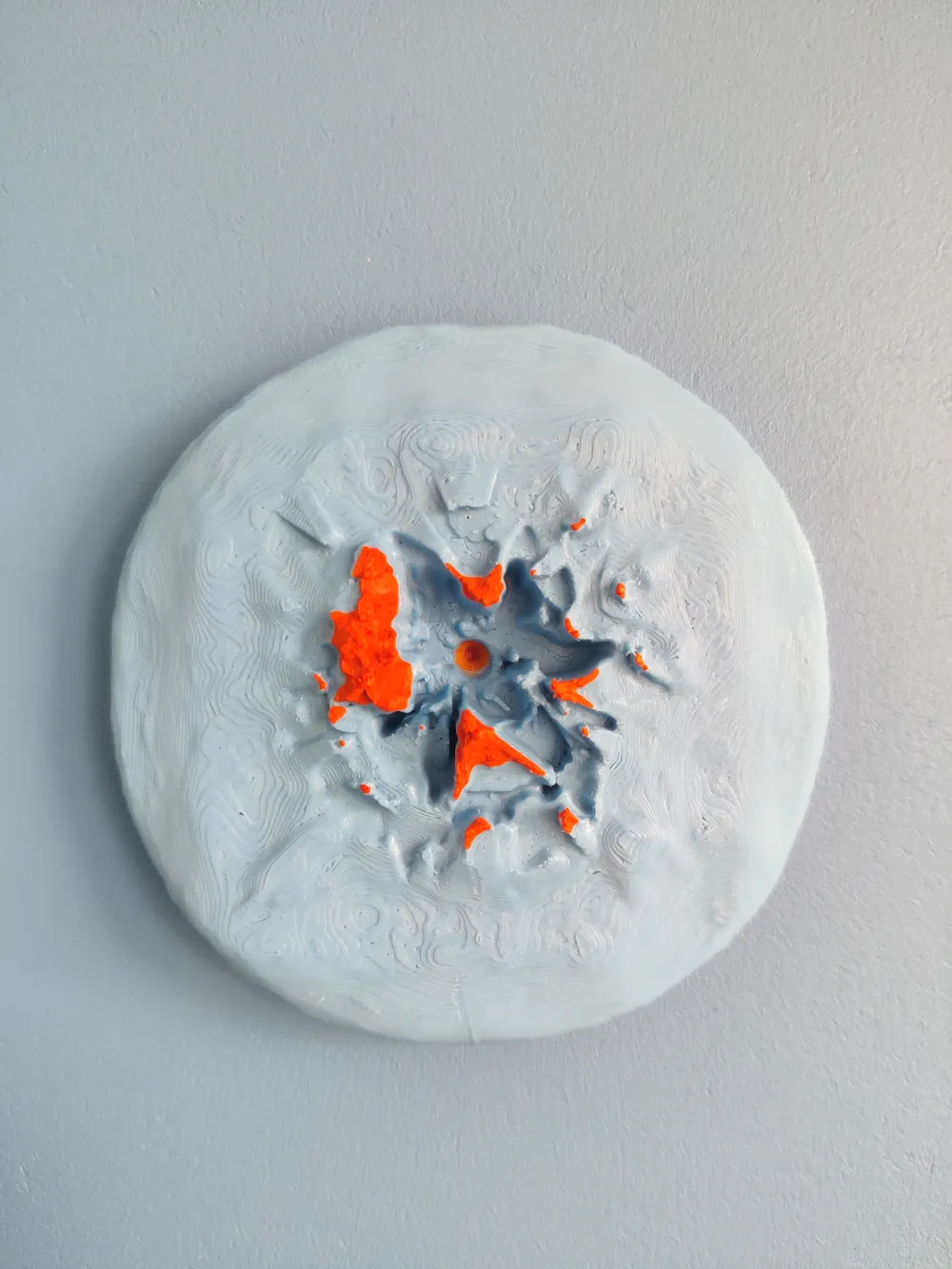
Print Profile(1)

Description
About Me
I am a huge fan of World of Warcraft, played almost every expansion they created. On Retail , Classic, and also on private servers :)
Idea
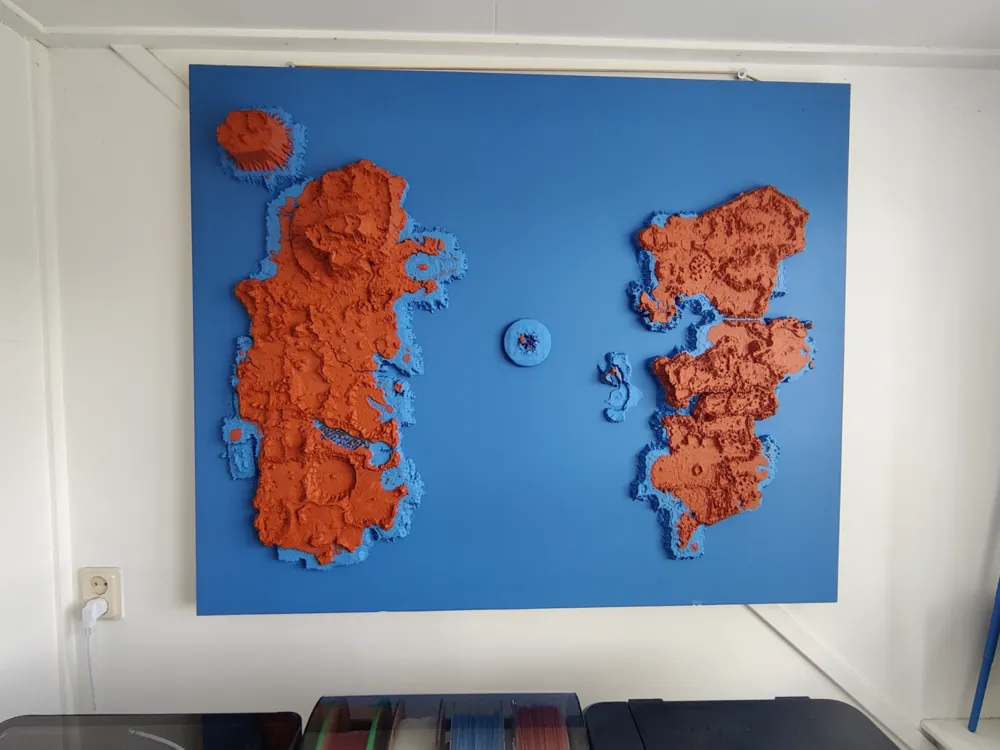
A few months back i got the idea of printing the world map of Classic Kalimdor and the Eastern Kingdoms so i can put the model on my wall and have that nostalgic feeling everytime I look at the piece of art!
I started digging through the vast universe of freely available models and did not find anyone who created anything like that.
So i began looking into ways of making it myself.
After a bit of research I found a tool (wow.export) which made it possible to extract models directly from the game data. I started downloading all map pieces of the Retail Map of the Maelstrom imported them into Blender.
Disclaimer: I had zero knowledge at that time how Blender works and still think i know almost nothing of 3D modelling.
I quickly became aware that my plan of “simply” whipping something up, print it and be done with it wasn't gonna work… The map was a surface model only and I had to find a way of making it solid. Also I saw that certain parts of the Classic Map were not designed properly and just blocky and/or flat, so I decided to go with the Retail version of the map. That also meant that the map did not look anything like Classic at all. But the details were much better :) After a few weeks of trying i got to a point where I had a usable model to print.
So here is how I did it:
I scaled the whole map down to 0.0035 of its original size, removed about 90% of its original level of detail and created 2 sets of blocks. The idea was to have the map in two colors, everything below sea-level was one color and everything above sea-level was the other. The block below sea-level was 24.2667x24.2667x1.755 cm (x,y,z).
Finally, once I got everything ready, I started printing :) In the end I painted a slab of wood I found at home in the same color the plastic had below sea-level and used silicone glue to stick it to the wood and put it on the wall. I really like how it turned out!
Let me know what you think! :D and if you decide to print it as well, happy printing!
The map is at a scale of 1:31000 (I think)
The map of Kalimdor: https://makerworld.com/en/models/1635618-map-of-the-lands-of-kalimdor
The map of the Eastern Kingdom: https://makerworld.com/en/models/1635603-map-of-the-eastern-kingdoms
License

You shall not share, sub-license, sell, rent, host, transfer, or distribute in any way the digital or 3D printed versions of this object, nor any other derivative work of this object in its digital or physical format (including - but not limited to - remixes of this object, and hosting on other digital platforms). The objects may not be used without permission in any way whatsoever in which you charge money, or collect fees.


Comment & Rating (3)