Search models, users, collections, and posts

2 Games, 1 Board: Yahtzee and Dice Connect 4
Print Profile(1)

All
P1S
A1
X1 Carbon
X1E
X1
P1P
H2D
H2D Pro
H2S
P2S
H2C
X2D
A2L

0.2mm layer, 2 walls, 15% infill
Designer
14 h
4 plates
4.8(35)

Open in Bambu Studio
Boost
545
2139
57
35
540
286
Released 

Description

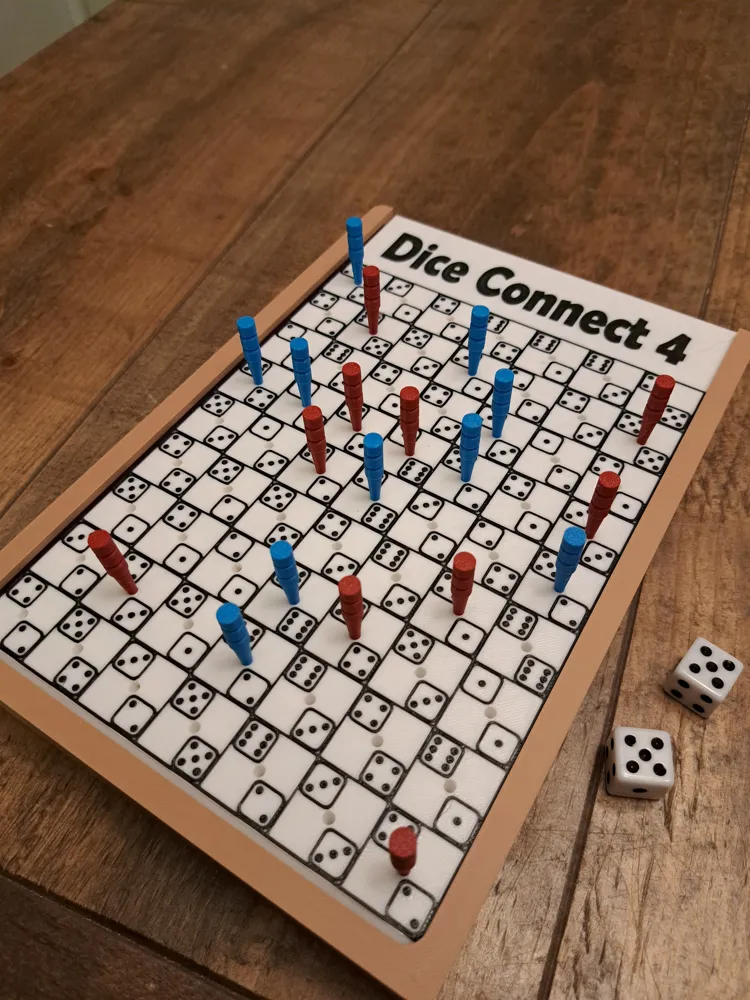
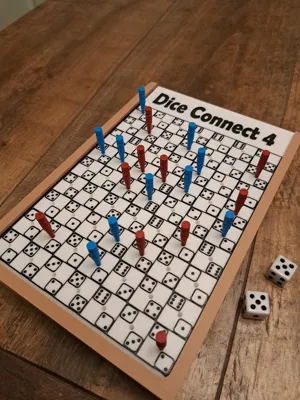
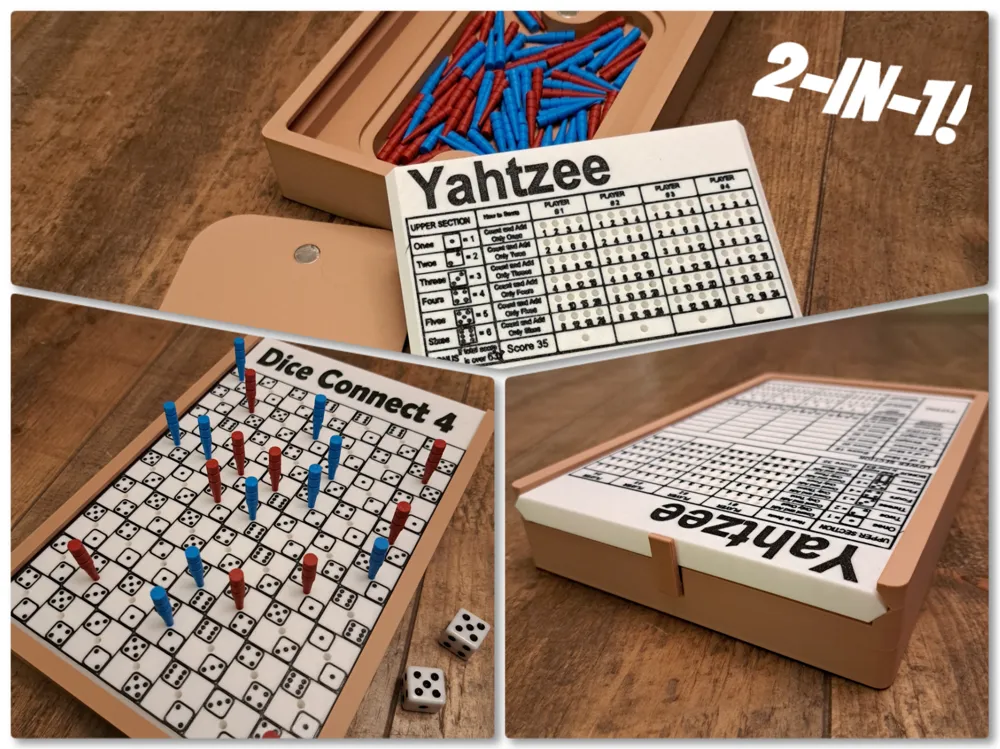
I used to make these board games out of wood, so I thought, why not combine my two hobbies and share this design with the 3D printing community?


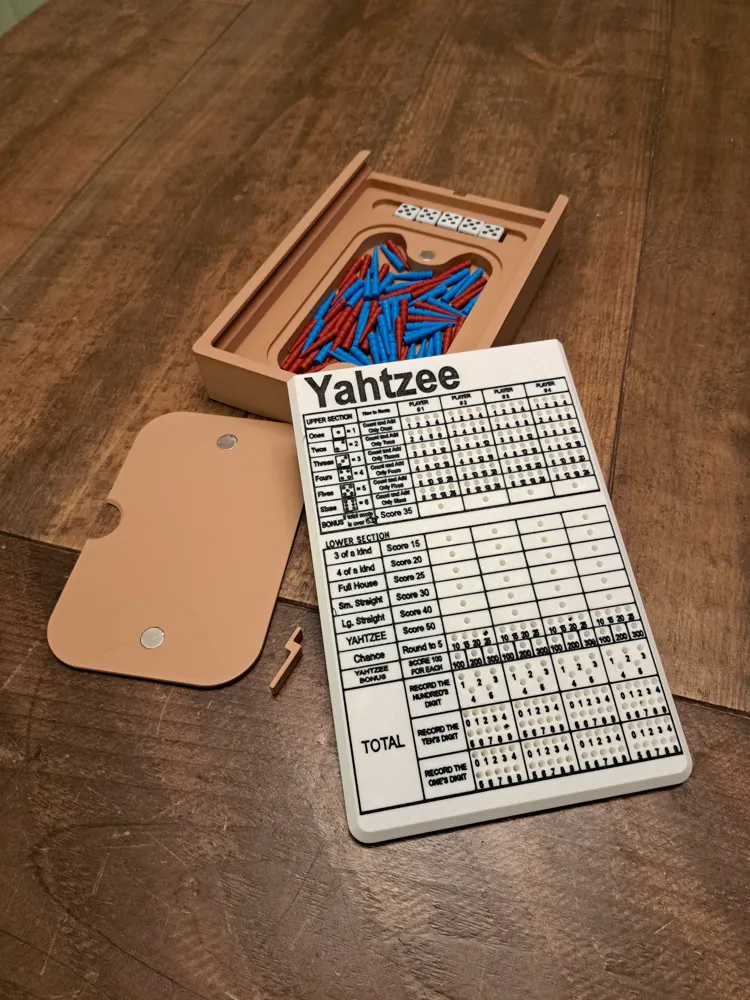
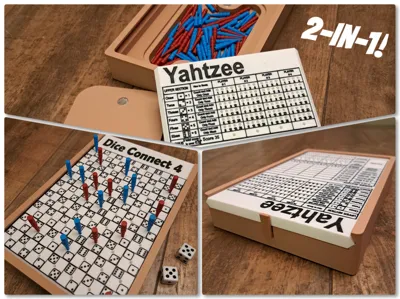
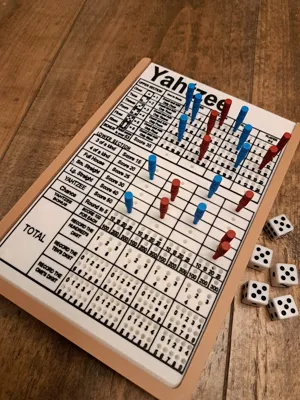
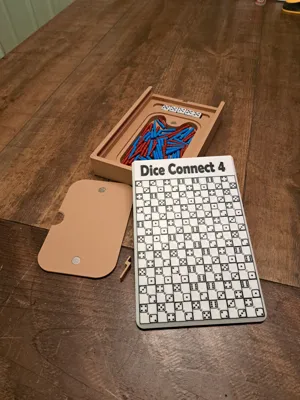
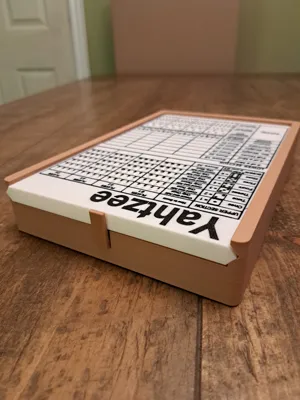
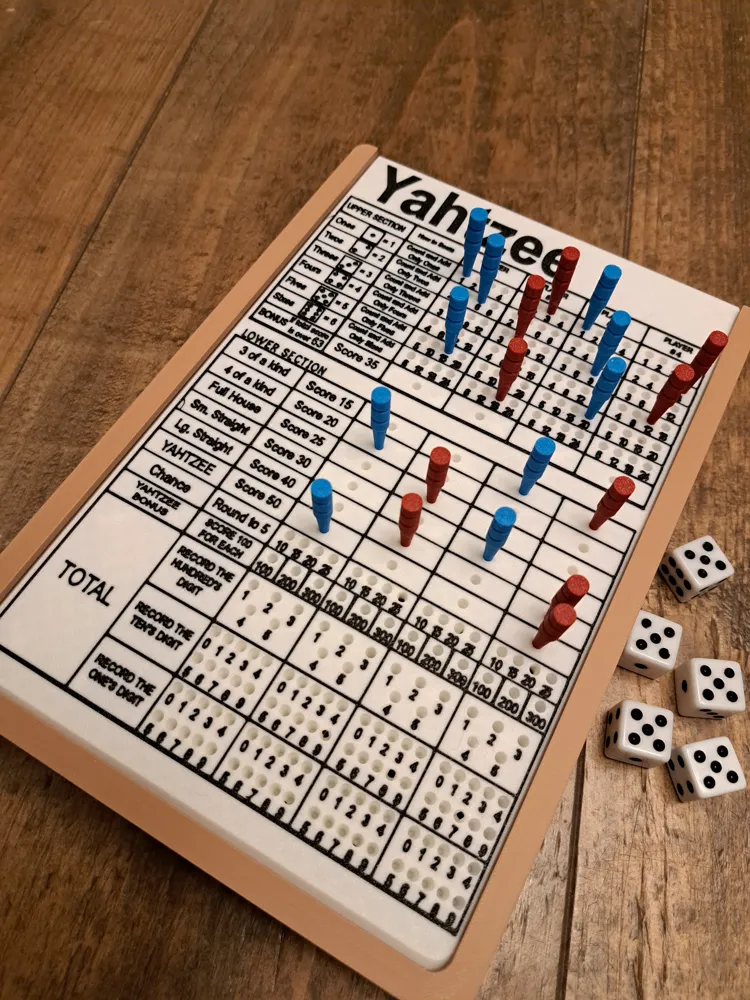
This board game features two games in one: Yahtzee on one side of the game card and Dice Connect 4 on the other. I’ve adapted the classic Yahtzee score sheet into a reusable peg-based version. This design eliminates the need for disposable paper pads, making the game more eco-friendly and convenient. Some score values, like 3 and 4 of a kind, have been preset to simplify scoring and maintain a clean, easy-to-read layout.


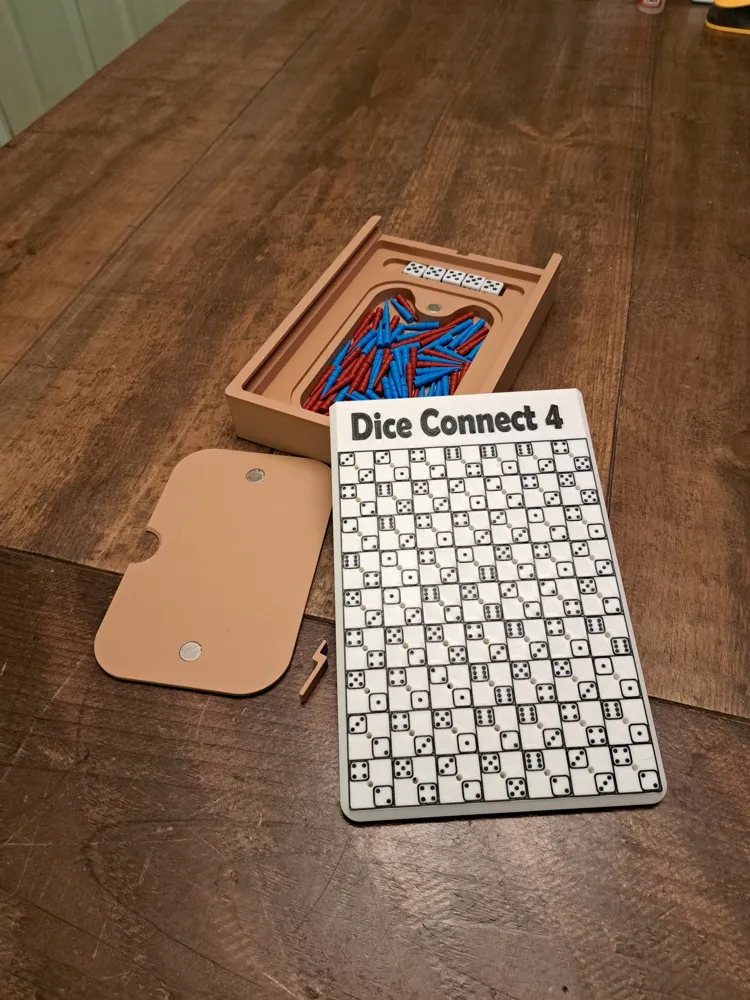
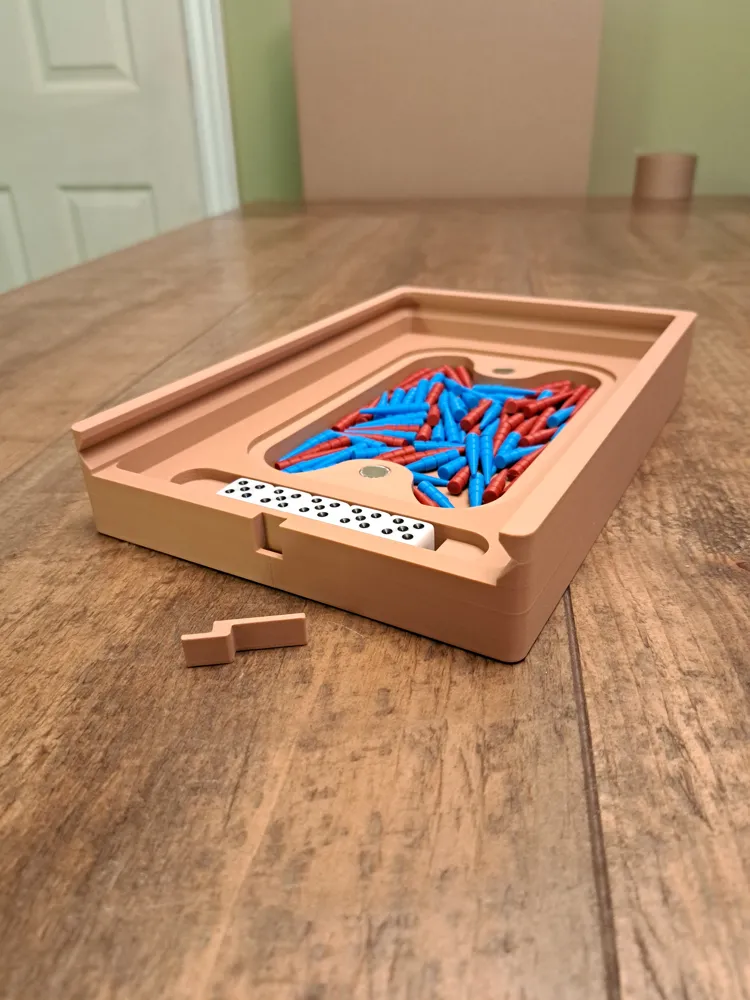
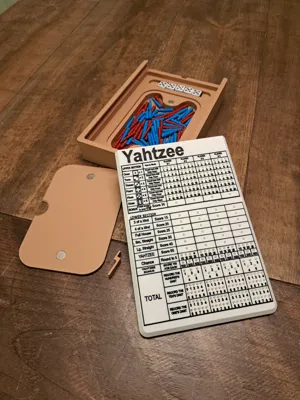
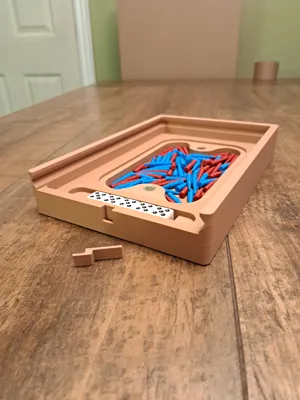
The game card slides conveniently into a storage box, which includes:

  • Storage pockets for dice and pegs.
  • A magnetic peg cover to keep pegs secure.
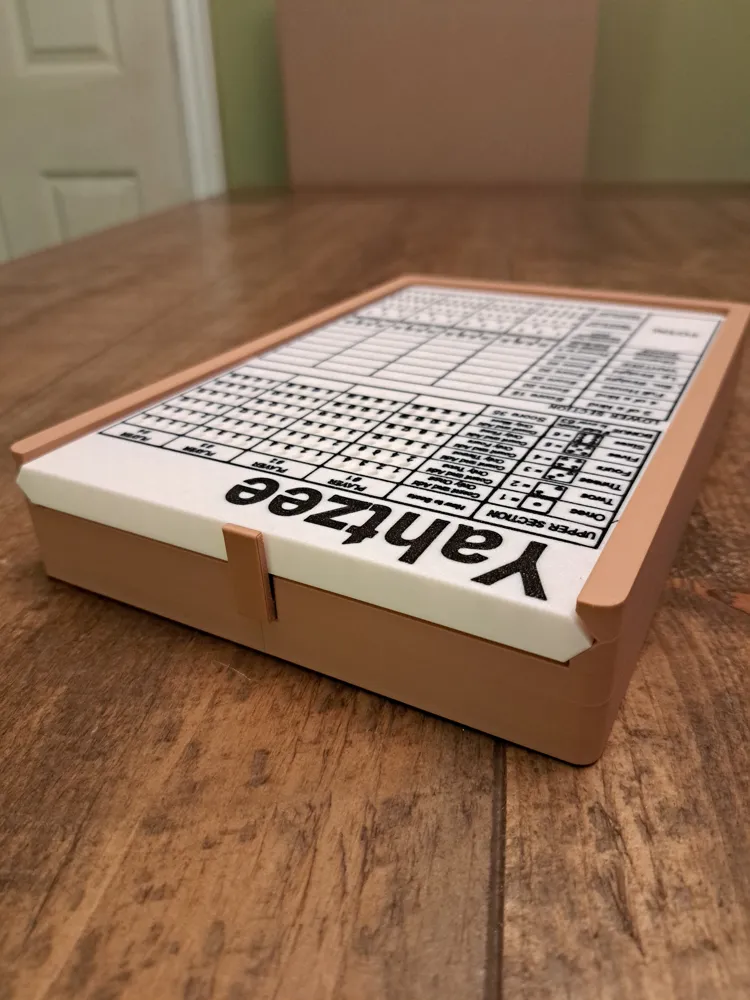
  • A locking tab to prevent the game card and pieces from falling out during travel.


When you're done playing, simply slide the locking tab into place, and everything is neatly stored away.


Custom 3D Printed Pegs:

I’ve designed pegs specifically for this game, you may need to trim or sand the brim for a clean finish.


Accessories Required (Not Included):

  • 5 dice
  • 4 neodymium magnets (12x2mm)
     

Printing Details:

  • Game Box: 235g of filament, ~4 hours 21 min
  • Game Card: 173g of filament, ~7 hours
  • Pegs: 24g of filament each, ~3 hour 13 min


Included Rules:


I’ve provided the game rules in PDF format:

  • A printable version (front and back). Meant to be cut in half so that it fits inside the game box.
  • A full-page version for easy viewing or printing.


 2 Games One Board Game Collection

You can find my other game selections here, all of them are dual-sided and fit into the same style storage box with.


Dice Baseball and Frustration Rummy

Ludo and Ten Thousand

Rummy 500 and Spades

Euchre and Gin Rummy


I had so much fun transforming my wooden designs into printable ones, and I’m excited to share more combinations of game cards in the future. Stay tuned!


Documentation (3)

Other Files (3)
Yahtzee Game Rules.pdf
Dice Connect 4 Rules.pdf
Yahtzee-Dice Connect 4 Printable.pdf

Comment & Rating (57)

(0/1000)

Print Profile
0.2mm layer, 2 walls, 15% infill
We love this Yahtzee game print—it’s so practical and easy to use. However, I printed the board twice, and both times the Connect 4 game came out very rough (see picture).
The profile uploader has replied
0
Reply
Hello, thank you for the rating! That is super frustrating. This looks to me almost like it was lifting off the print bed in those areas causing dragging of the print head. I would suggest turning off auxiliary fan, or adding a brim, or keeping the lid and door closed, or raising the bed temperature a little bit. Most of the time turning off the auxiliary fan on large surface area prints works for me.
(Edited)
1
Reply
Replying to @bergeron720 :
Thank you for your feedback/advice. We are very new to 3D printing.
(Edited)
1
Reply
Print Profile
0.2mm layer, 2 walls, 15% infill
This is an excellent 3d model and printed flawlessly. I love how the magnetic lid keeps in the pegs too. My daughter really loves this .....thank you. Definitely worth 👌 💯 a boost
1
Reply
Print Profile
0.2mm layer, 2 walls, 15% infill
overall happy. did have some issues on one part (picture)! font definitely a little hard to read but all in all worth the print.
1
Reply
Print Profile
0.2mm layer, 2 walls, 15% infill
I would suggest a. 2 nozzle. The. 4 is hard to read but that's not a reflection on the model. It's a great design.
1
Reply
What a unique fun print. I had some issues with my textured plate but I think it was a me problem. No problem at all once I switched to a new plate. I still need to print a few more pegs but I would recommend this print for any board game fan. I was also worried about the colors but I had some fun and it turned out great. Hard in the picture to see but I can read everything in person
(Edited)
0
Reply
Even with a 0.2 nozzle and a 0.1 layer height, this section of Yahtzee is still hard to read. It took 34 hours to print. Still super cool and a great road trip game.
(Edited)
0
Reply
Print Profile
0.2mm layer, 2 walls, 15% infill
(Edited)
0
Reply
Ok I think i might need help. When I load it onto my program to slice I don't see any of the words numbers or anything. What am I missing?
The designer has replied
0
Reply
Hello, I am not sure. When I open in Bambu Studio and slice it all the words and numbers appear as you can see.
0
Reply
Replying to @bergeron720 :
I'm using Creality Print to slice mine...does that matter?
0
Reply
Replying to @cmchadwick07 :
Honestly I am not sure, as I only use/have used Bambu Studio
0
Reply
would be great if you could print multiple boards and store them in the same box love this so far
3
Reply
As an FYI, the bed size of the A1 (not the A1 Mini) is identical in size to the P1S and it's kin, so you could add the A1 to your list of supported printer models. A great looking model, and it's on my "to do" print list. I'll boost once I print it (on my A1). :-)
The designer has replied
0
Reply
Hello, I thought it was checked as a compatible printer. I even looked up the print bed sizes. I'm changing it now, thanks for the heads up Edit to add: It is checked in the print profile but it's not showing up. I'll have to see why that is. Second edit: I had print by object enabled for the pegs which automatically excludes the A1 series printers. Fixed now, you may have to redownload the print profile.
(Edited)
1
Reply
Replying to @bergeron720 :
No problem.... I'm really looking forward to printing off the Yahtzee game, and now it's just a waiting game as I've got two realllllly long prints in progress, but am hoping to start it this Saturday!
0
Reply
Replying to @bergeron720 :
second reply to the model creator... I see the A1 showing up now, so your correction to the print by object setting must have fixed it. Odd though, as the A1 supports print by object... it's a feature I use quite frequently. Strange. Regardless, thank you for fixing this so I can print it without having to adjust anything.
0
Reply

License

This user content is licensed under a Standard Digital File License.

You shall not share, sub-license, sell, rent, host, transfer, or distribute in any way the digital or 3D printed versions of this object, nor any other derivative work of this object in its digital or physical format (including - but not limited to - remixes of this object, and hosting on other digital platforms). The objects may not be used without permission in any way whatsoever in which you charge money, or collect fees.