
Oversized Keyboard Volume Knob (Rotary Encoder)
Print Profile(2)



Description
Turn Up the Volume, Not the Effort!
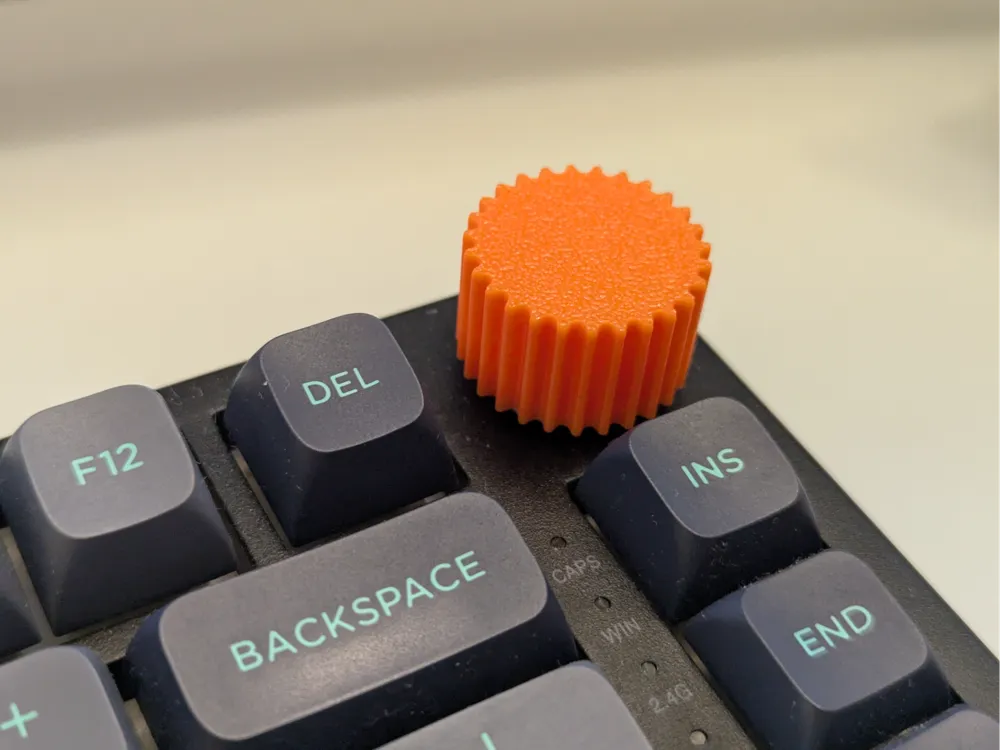

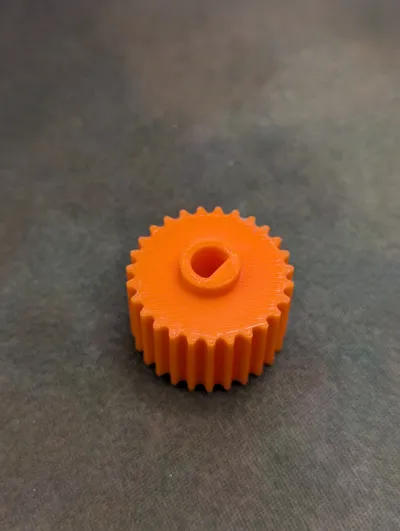
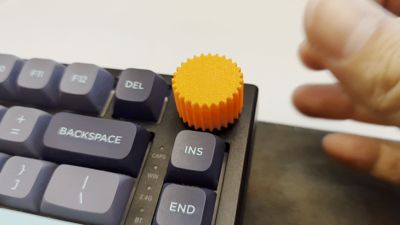
This 3D-printed replacement knob transforms your mechanical keyboard’s tiny stock encoder into a bold, ergonomic dial—perfect for easy audio control and one-finger adjustment. Designed for everyday ease and enhanced grip, it brings both function and flair to your setup.
Key Features:
- Oversized Diameter: At 25.1 mm wide, this knob gives you ample surface area for smooth, accurate turning—no more fumbling with a tiny nub.
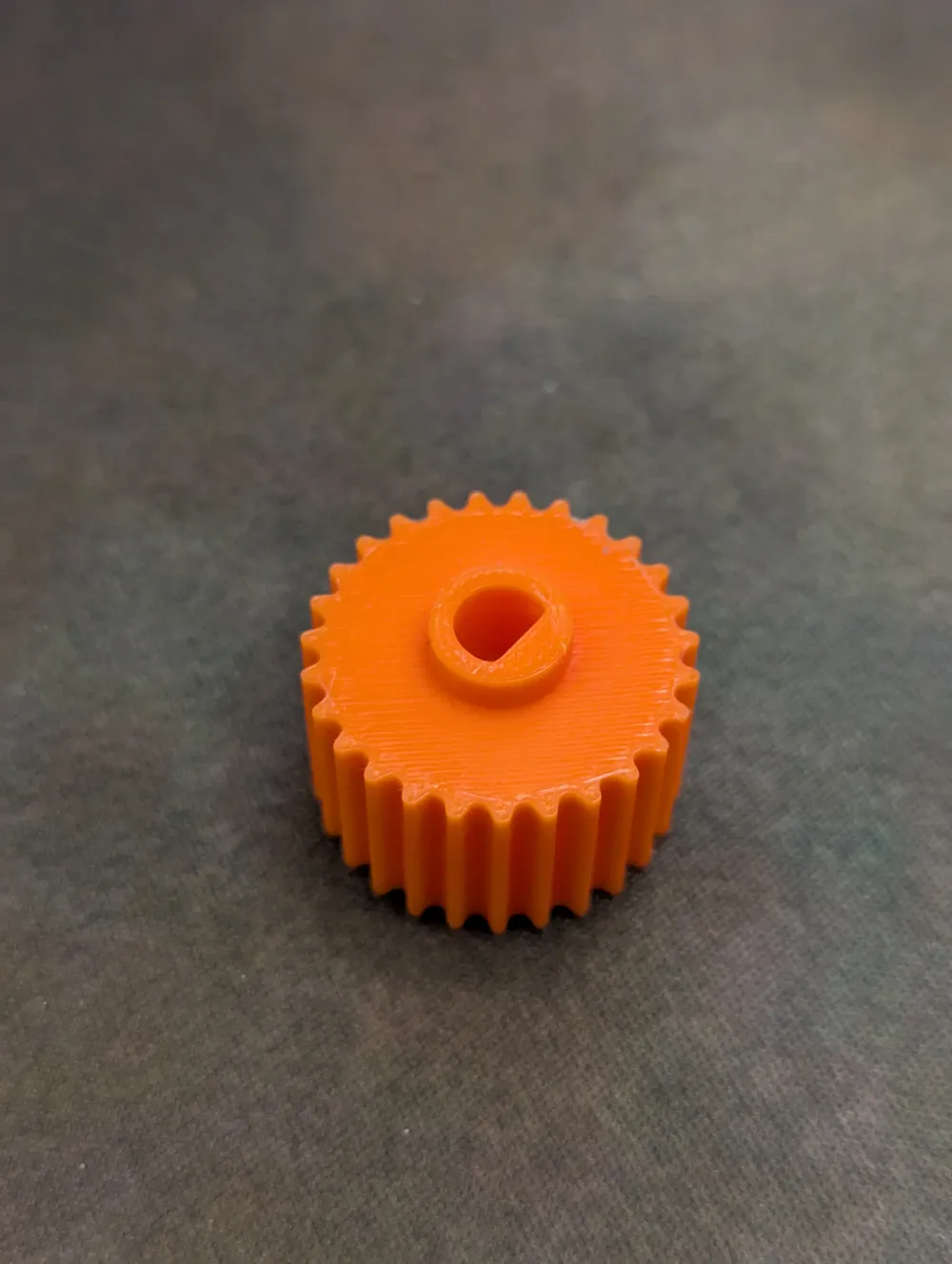
- Enhanced Grip with Gear-Like Teeth: Precision-modeled teeth around the circumference ensure your finger stays locked into place, even during fast adjustments or when your hands are slightly sweaty.
- 6 mm Shaft Compatibility: Specifically made to press-fit onto any standard 6 mm rotary encoder, this knob replaces small stock caps that lack traction.
- Scalable Press-Fit Design: If the fit on your particular encoder feels too tight or too loose, simply scale the model up or down (e.g., +1–2%) in your slicer to achieve a secure, wobble-free installation.
- Minimalistic Aesthetic: Clean, unobtrusive geometry blends seamlessly with most keyboard layouts—no extra bulk or visual clutter.
Technical Specs:
- Outer Diameter: 25.1 mm
- Knob Height: 15 mm
- Shaft Inner Diameter: Designed for a 6 mm rotary encoder shaft (scalable)
- Material: Optimized for standard PLA filament (adjust in slicer if using PETG or ABS)
Print Settings (Recommended):
- Layer Height: 0.2 mm
- Infill: 20%
- Supports: None required
- Filament Usage: Approximately 3.6 g of PLA
Simple Installation:
- Test Fit: Print a small calibration piece first (e.g., 98–102% scale) to determine ideal press-fit tolerance.
- Press-Fit Attachment: Gently push the knob onto your keyboard’s rotary encoder until it's in place.
- Adjust if Needed: If there’s slight wobble, rescale the model in your slicer by ±1–2% and reprint. No adhesives, screws, or extra tools required.
Why I Created This:
I wanted a more tactile, easy-to-reach volume control than the stock knob, which was too tiny and slippery for quick tweaks. After printing and using this oversized gear-style knob for several weeks, I found it dramatically improved both accuracy and comfort—now I can adjust audio levels with just one finger.
License

You shall not share, sub-license, sell, rent, host, transfer, or distribute in any way the digital or 3D printed versions of this object, nor any other derivative work of this object in its digital or physical format (including - but not limited to - remixes of this object, and hosting on other digital platforms). The objects may not be used without permission in any way whatsoever in which you charge money, or collect fees.


Comment & Rating (3)