Search models, users, collections, and posts

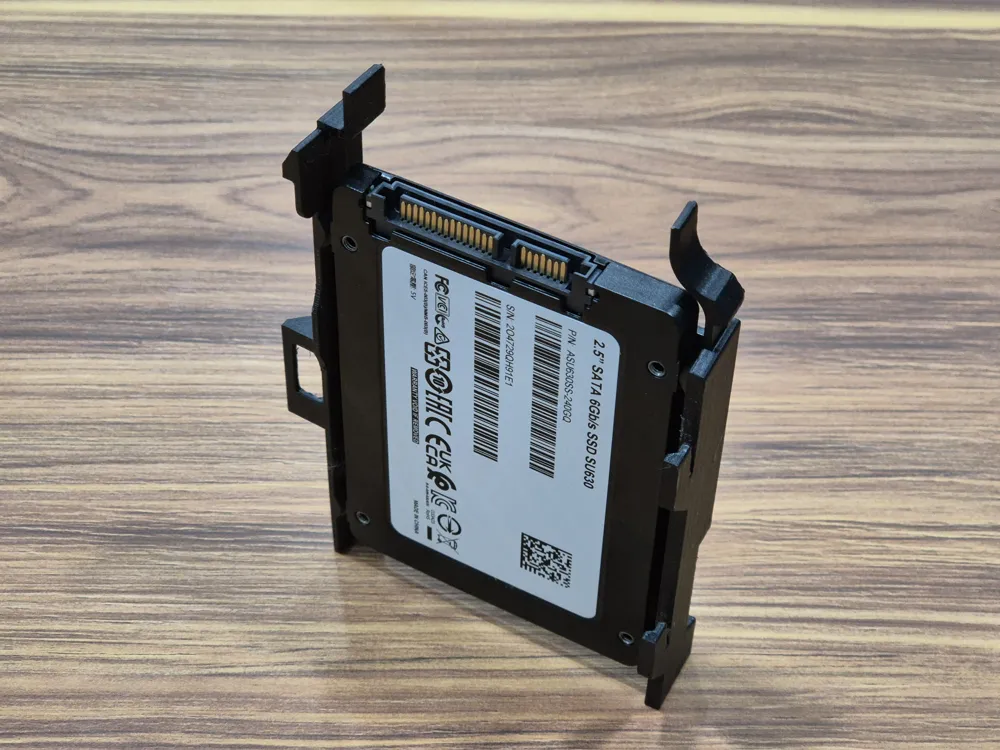
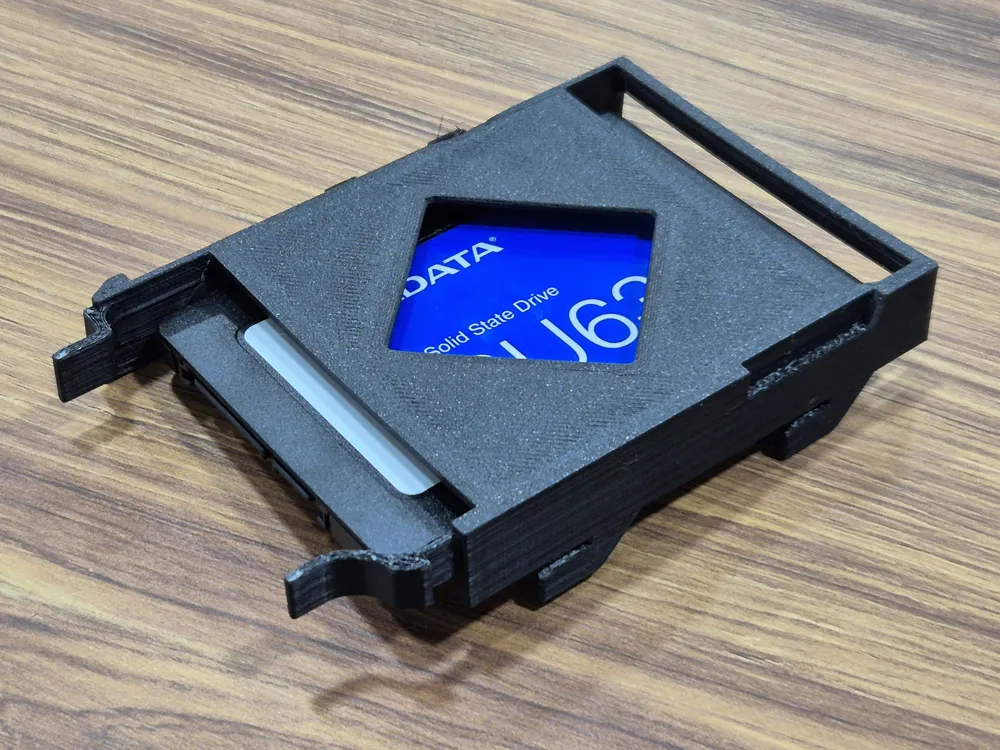
No screws Dell Optiplex Micro 2.5" HDD & SSD caddy
Print Profile(1)

All
X1E
X1
P1P
H2C
H2D Pro
X1 Carbon
P2S
H2S
A1
H2D
A1 mini
P1S
X2D
A2L

PETG 0.16mm layer, 4 walls, 15% infill
Designer
1.5 h
1 plate
4.9(13)

Open in Bambu Studio
Boost
96
287
27
16
406
234
Released 

Description

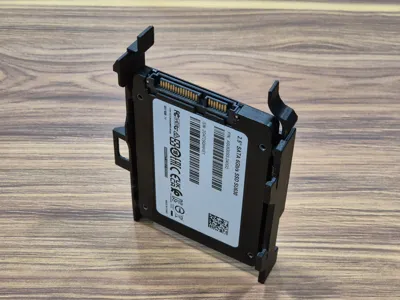
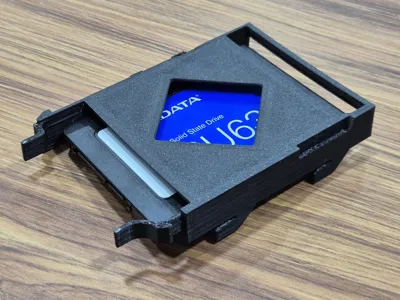
I wanted a caddy model that didn't need additional parts or screws to assemble. I sell used Optiplex Micros and this is the most common caddy.


Use at least PETG and if possible, a stronger but flexible filament as the caddy needs to be bent to get the SSD/HDD into position just like the original part.


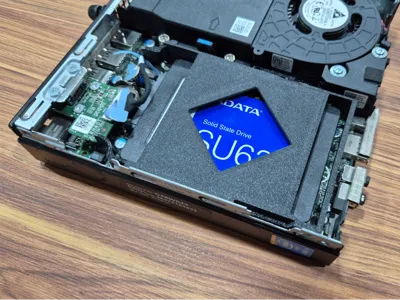
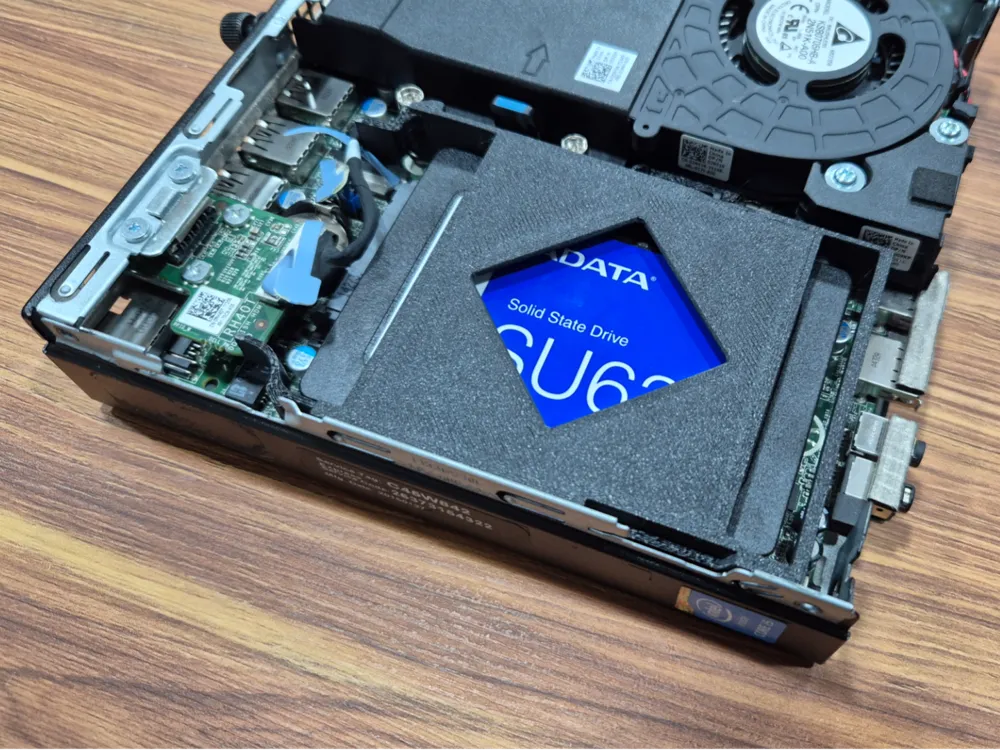
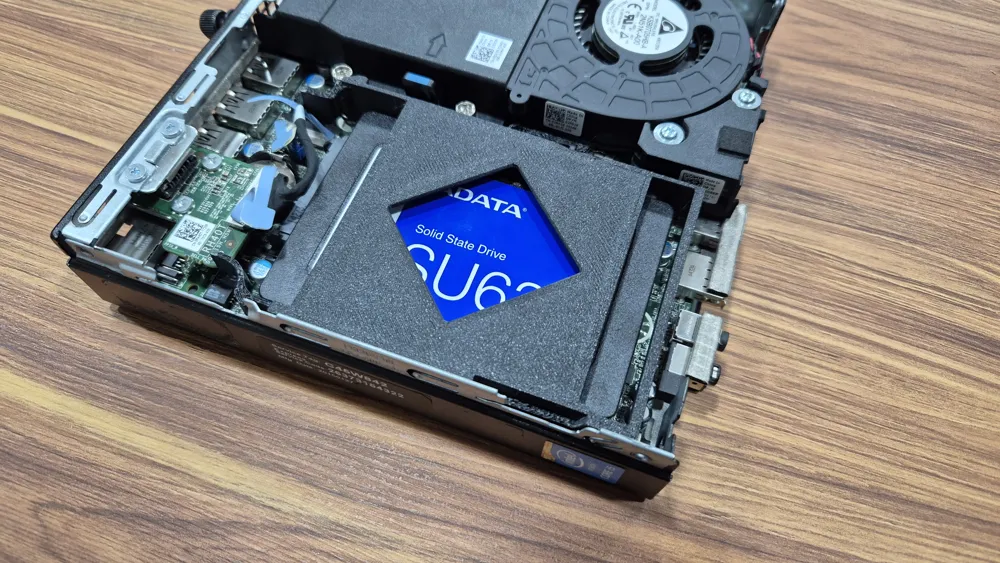
Be gentle when assembling as poor layer adhesion can make the tabs fragile. Might need to sand overgangs and support interface lightly to get the best fit.  Once correctly set in the chassis, it holds any 2.5" disk without any play or wobble. 


Some compatible Optiplex models: 3020M 3040M 3050M 3060M 3070M  5060M 7040M 7050M 7070M 9020M 

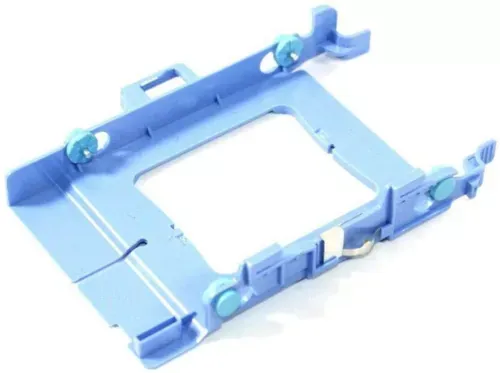
This is the part it's meant to replace (Only for Optiplex Micro form factors):


Boost Me (for free)

Feel free to make questions or requests, thank you!

Comment & Rating (27)

(0/1000)

Print Profile
PETG 0.16mm layer, 4 walls, 15% infill
Good design, fits like a glove!
The profile uploader has replied
profile
1
Reply
Thanks for the feedback!
0
Reply
Worked perfect for the 3060! thank you for an excellent model!
designer
1
Reply
Print Profile
PETG 0.16mm layer, 4 walls, 15% infill
Got an used optiplex micro, missed the hdd caddy. Perfect model, perfect print profile. As I printed it in red PETG, the HDD is very fast (red is always fast): total success
profile
1
Reply
Print Profile
PETG 0.16mm layer, 4 walls, 15% infill
I had to crop one of the hooks at the lid of the Micro to fully close it.
profile
1
Reply
Fit purrrfectly. Thanks for the share.
(Edited)
0
Reply
sadly did not fit my 3050, can’t seem to close the lid.
The designer has replied
0
Reply
I'm sorry to hear that, can you post a picture to see what part of the model is preventing it to close?
0
Reply
since OP didn't reply I will do that for them. First picture, that's where I had to cut with a razor blade. That segment needs to be at least 5mm longer to accomodate the lid latch correctly. Second thing, with a samsung SSD it warps pretty badly and needs to be squished with a tad of force to actually be able to slide into place. I'm kinda biased but I'd prefer a version with regular screws or, at least, less deep inserts
designer
1
Reply
Replying to @uranioh :
I had the same issues with mine. Took me longer than I care to admit to realize where the issue was. I melted the slot with a soldering iron and it fit. I also second the bowing, it was bad enough in my case that I had to take the fan shroud out and kinda pry the side in on mine. But it fits perfectly without an SSD in it.
designer
1
Reply
Great print, sadly doesnt fit in the 3090. Will try in my 3060 later
designer
1
Reply
Print Profile
PETG 0.16mm layer, 4 walls, 15% infill
fits perfectly. I printed it with ASA-CF
Show original
profile
1
Reply
Boosted
Print Profile
PETG 0.16mm layer, 4 walls, 15% infill
I just bought a couple Dell Micro PCs for my homelab and they were missing the caddy. Love the 3D printed solution, thank you!
(Edited)
profile
1
Reply
Print Profile
PETG 0.16mm layer, 4 walls, 15% infill
Exceptional
Show original
profile
1
Reply

License

This user content is licensed under the MakerWorld Exclusive License.

You may create derivative works based on this object, provided that all such derivative works are published exclusively on the MakerWorld platform and include proper attribution to the original creator. You may not share, upload, host, distribute, or publish this object—or any derivative work of this object—on any other digital platform, marketplace, or distribution channel. Commercial use of this object and any derivative works is strictly prohibited. This includes, but is not limited to, selling, renting, sublicensing, or using the object in any context in which you receive monetary compensation or other financial benefits.