
Custom Blank XDA Keycaps (MX stems)
Print Profile(2)

Description
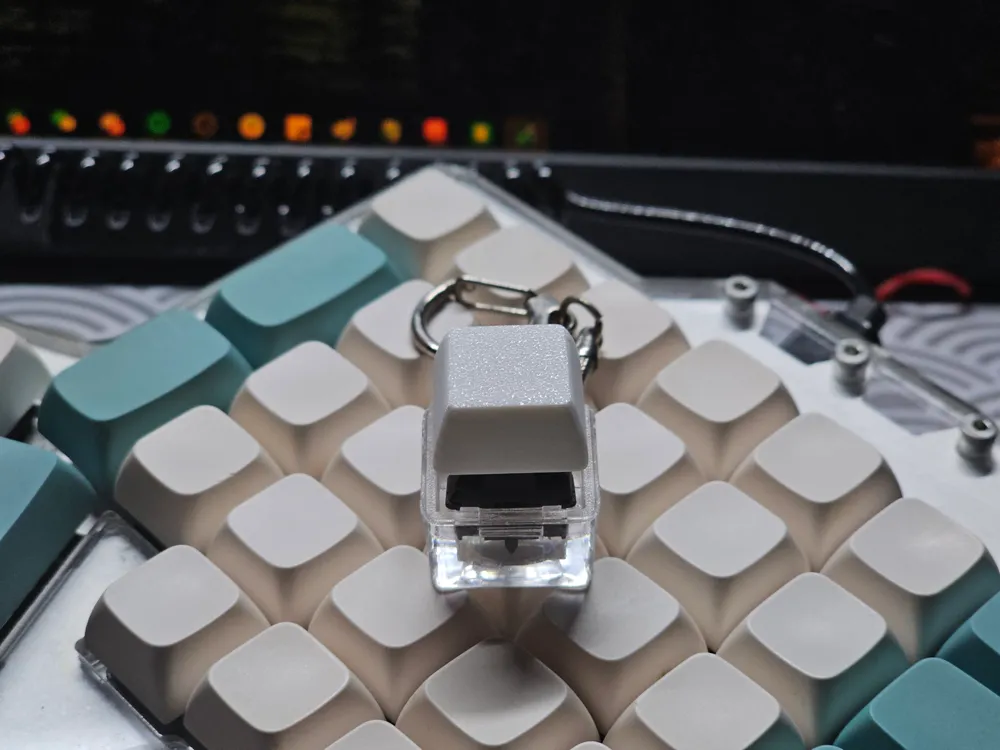
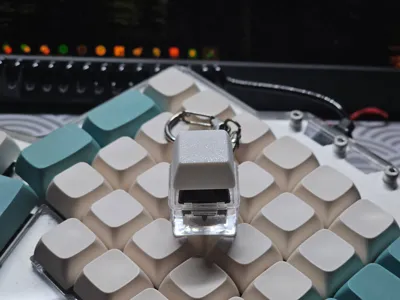
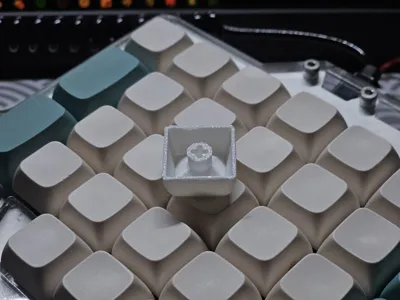
A custom keycap modelled after the XDA design profile. Do note that it will require switches with MX-style stems.
So, I've found myself recently needing some sort of keycap model for my other projects, and I decided… why not just model it myself? So here I am…
Print Details
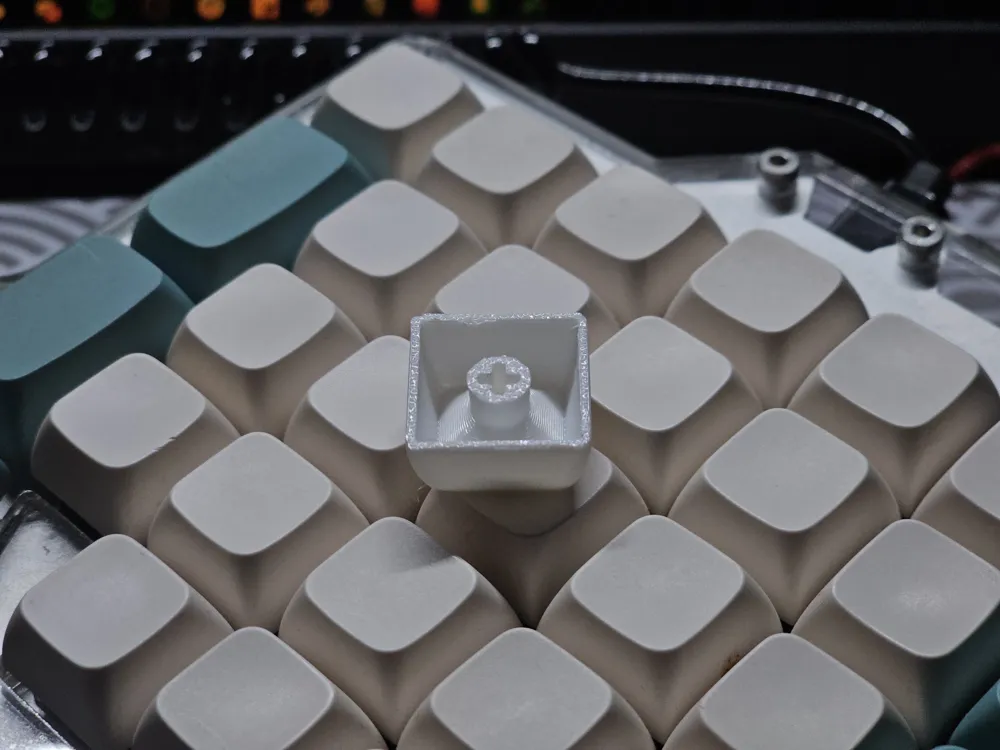
- I've experimented with both face down and face up, and found that face up seems to work better (since there's no supports / skirts needed) and the texture on the face is kinda cool.
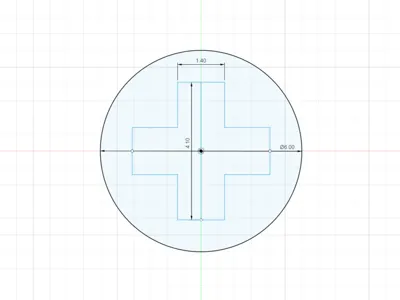
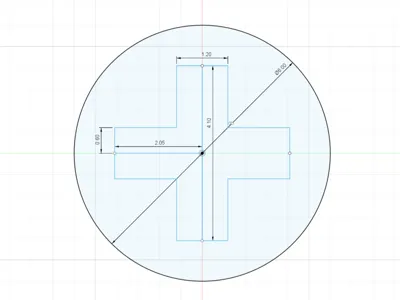
- Do note that there are two print profiles available, one for 0.4mm nozzle (which has a stem hole width of 1.4mm) and one for a 0.2mm nozzle (which has a stem hole width of 1.2mm)
Differences from standard XDA profile:
- Height is 9mm (my version) instead of 9.1mm (XDA)
- no proper reason, this is simply because I like nicer numbers on my models
- Top is flat and not ‘slightly indented’
- I'm using this keycap model as a base to create more complex models, and a flat top will be easier to add objects / text
- Also, this allows for the plate texture to be imprinted on the top surface of the keycap.
Important Dimensions
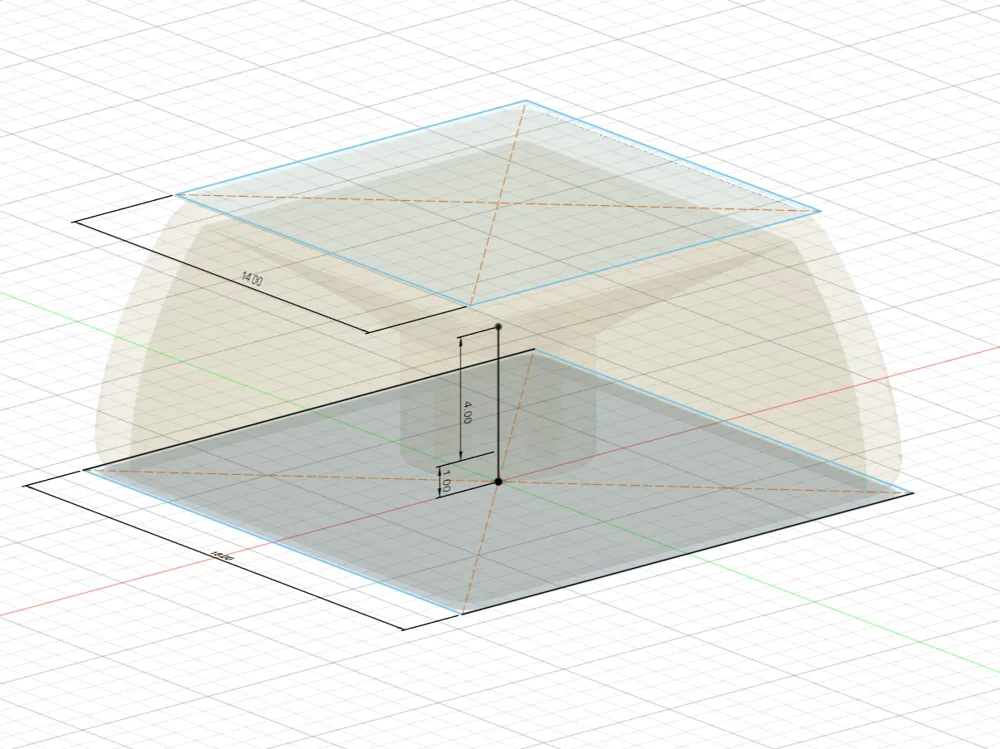
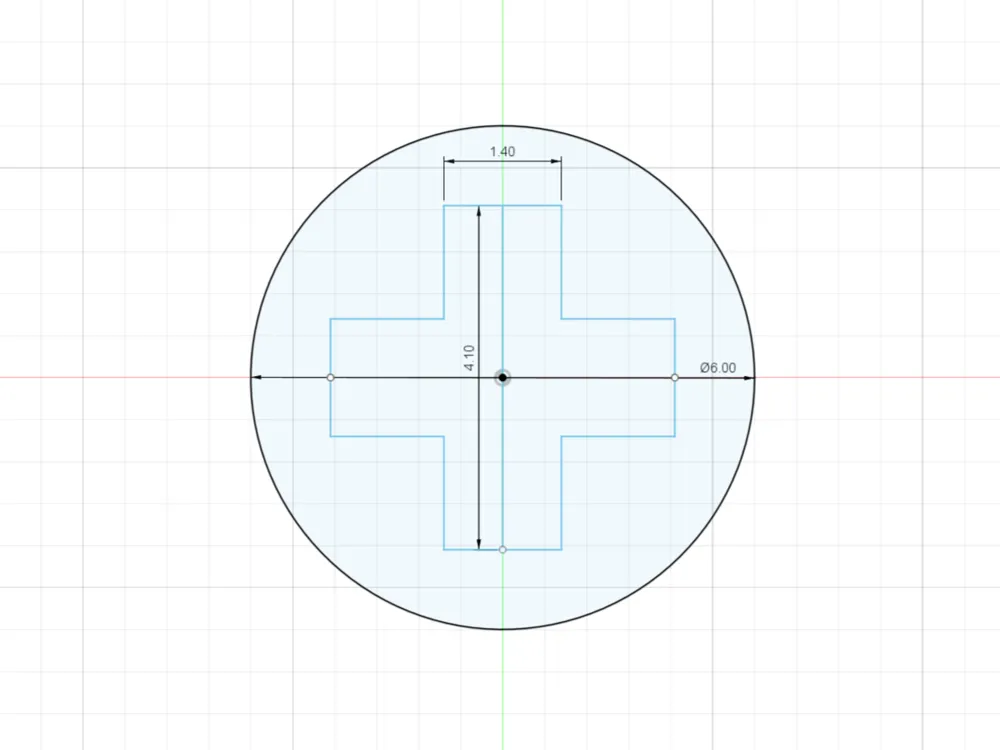
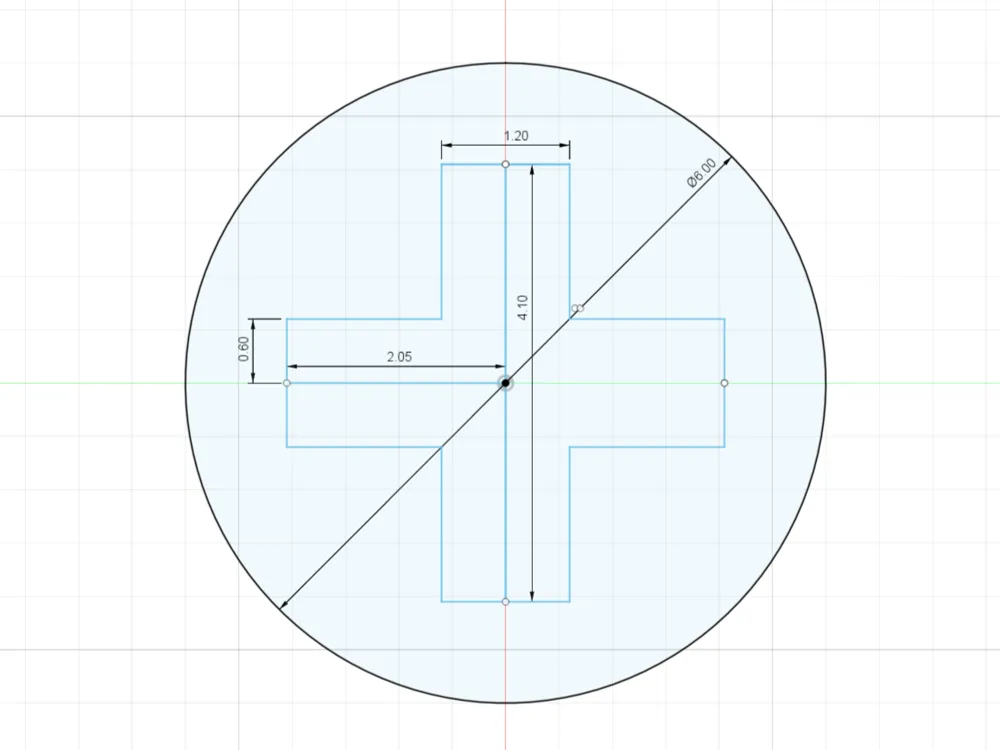
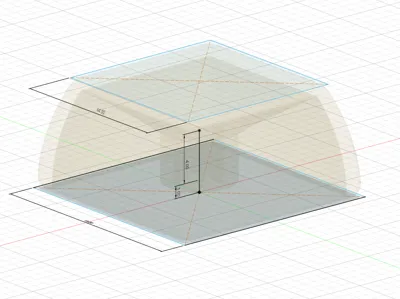
I attached pictures for reference, because visual learners and whatnot. Too much reading is bad for the eyes… or something like that
All my measurements were referenced from the official cherry MX's dimensions https://www.cherry.de/en-gb/gaming/developer
Do note that the hole for the stem is 1.4/1.2mm (even though stems are officially 1.17 +- 0.2mm), as I found that the fit was just right for the respective nozzles. Anything lower than that resulted in a pretty tight squeeze, which wasn't fun trying to remove it after; anything larger just fell right out, which surprisingly wasn't that big of a deal since keyboards and gravity but hey, we're trying to make it nicely.
Total Width: 18mm
Top Width: 14mm
Stem Tube Length: 4mm
Distance from stem tube bottom to bottom of keycap: 1mm
Customisation
Do note that if you're adding objects to the face of the model, I would recommend printing it face-up (and maybe having a brim to secure the print)
Sure, they're blank now, but you can definitely customise this to your heart's content! Simply use the provided .3mf file and extrude your own designs / text, or add your own custom things on it! Or not, nobody tells you what to do.
Updates
- I have raised the stem to be 1mm above the base so that the keycap hangs over the switch better (if not there was just a tad too much space in between the plate and the keycap which I did not like). This is more in-line with other available keycap profiles.
Final Thoughts
Honestly, that's a lot of words for something as simple as a keycap. Hopefully you like it!
License



Comment & Rating (30)