
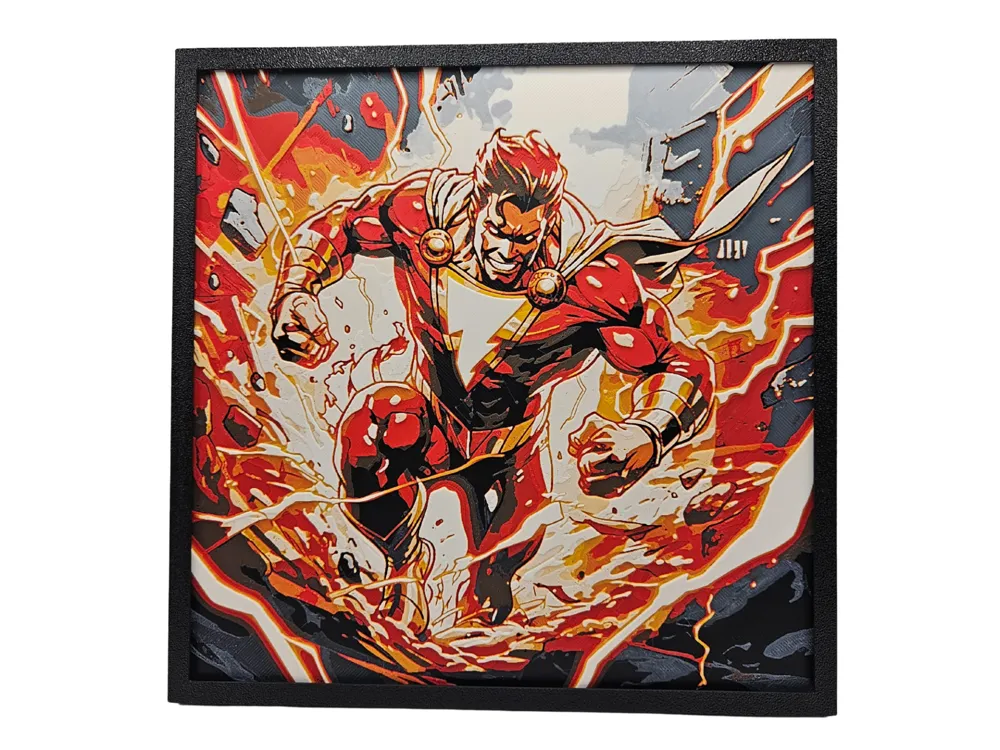
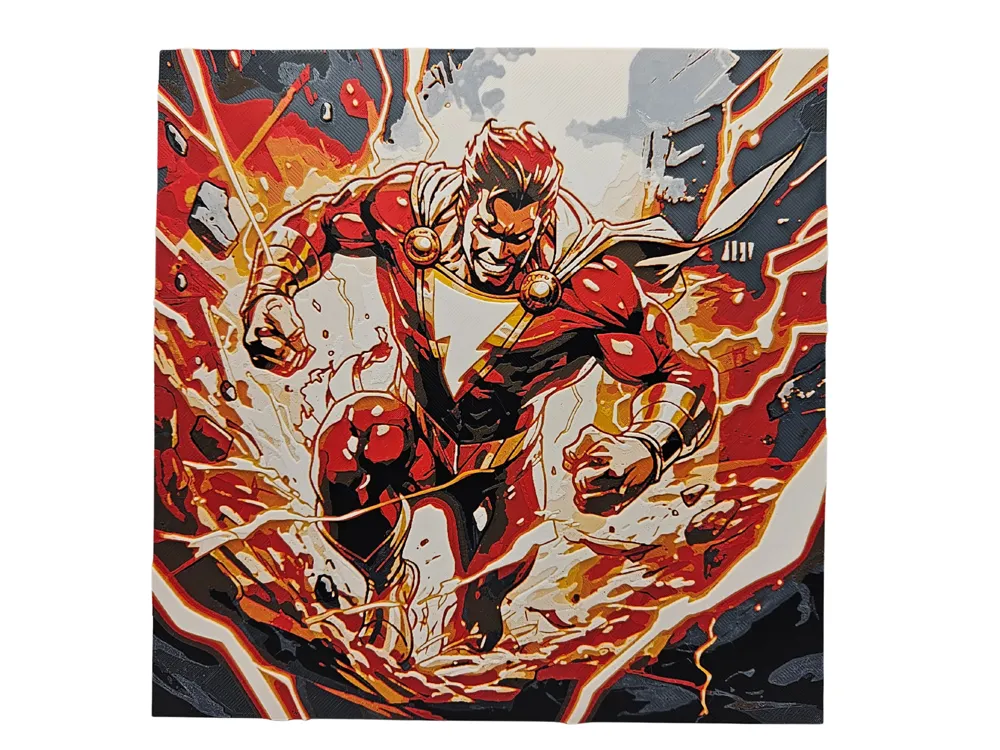
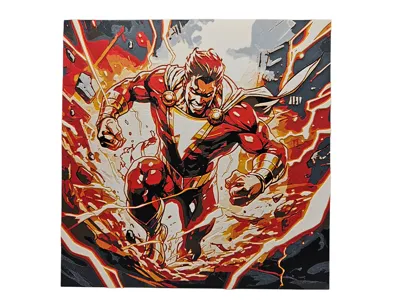
Shazam (DC Comics)

Print Profile(1)
Description
----------------------------
My designs for free download on Makerworld are intended for PERSONAL printing use only. If you wish to sell prints of my designs, please obtain a commercial license to compensate me for my time and skills in creating these files. A commercial license to sell my Makerworld AND exclusive designs on Patreon can be found at https://www.patreon.com/busykikibee
----------------------------
Project: Shazam DC Comics
Print at 100% infill with a layer height of 0.08mm with a base layer of 0.16mm
The Model is 200x200mm in size
You may print at higher layer heights below the Base Thickness of 0.64mm
The Max allowed Thickness is 2.24mm and the Actual Thickness is 2.16mm
This print uses 6 unique filaments
PLA BambuLab Basic Black
PLA Bambu Basic Blue Gray
PLA Bambu Matte Dark Chocolate Brown
PLA Bambu Matte Scarlet Red
PLA Bambu Basic Sunflower Yellow
PLA BambuLab Matte Ivory White
Swap Instructions:
Start with Black
At layer #8 (0.72mm) swap to Blue Gray
At layer #10 (0.88mm) swap to Dark Chocolate Brown
At layer #11 (0.96mm) swap to Scarlet Red
At layer #15 (1.28mm) swap to Sunflower Yellow
At layer #20 (1.68mm) swap to Ivory White
At layer #25 (2.08mm) swap to Blue Gray for the rest.
SUGGESTION: I have used Blue Gray again to keep the number of filaments to 6, but you can swap out the last color for a different blue (such as Turquoise, Sky Blue, Ice Blue) for a lighter background sky color.
All photos you see are of the actual print. Using the same filament choices will give the same result. 3mf file is AMS ready to slice and print with height range modifier and layers prepared for you. If using the STL to print the file, apply color swaps by their mm height and use height modifications and infill instructions as per the directions provided. You can safely ignore any error message about floating regions. You do NOT need a prime tower if you are printing with the STL file. Finally, if you wish to scale the design, do NOT scale the Z axis. Happy printing!
Pictured frame, stand, or puzzle box are by @CanadianGamer and can be found in his Frames and Functional items here: https://makerworld.com/@CanadianGamer/collections/1027330
Boost Me (for free)
Want to support my designs and keep me in filament? Consider boosting my designs and giving them a like. Thank you!
Membership
My designs for free download on Makerworld are intended for PERSONAL printing use only. If you wish to sell prints of my designs, please obtain a commercial license to compensate me for my time and skills in creating these files. I have 2 commercial license options: this license is for Makerworld designs only. Another license to sell BOTH my Makerworld AND exclusive designs on my Patreon can be found at https://www.patreon.com/busykikibee
License

You shall not share, sub-license, sell, rent, host, transfer, or distribute in any way the digital or 3D printed versions of this object, nor any other derivative work of this object in its digital or physical format (including - but not limited to - remixes of this object, and hosting on other digital platforms). The objects may not be used without permission in any way whatsoever in which you charge money, or collect fees.


Comment & Rating (0)