
Automatic Print Cost Calculation
Print Profile(1)

Description
AGGIORNAMENTO/UPDATE
V.2 NEI FILE/V.2 in the files
ITALIANO
Questo è un file excel per avere un costo di una stampa,ovvero quanto costa sia di eletricita che di materiale quella stampa che andremo a fare,basta inserire i dati che vi fornisce lo slicer e il gioco è fatto.
COME SCARICARLO?
1)Il file excel è all'interno del file “Password in 3mf files” che lo trovate in fondo alla descrizione (visibile anche su handy)
2)lo scaricate e lo estraete dove volete
3)all'apertura del file vi chiedera una password (che trovate sotto l'oggetto del file 3mf)
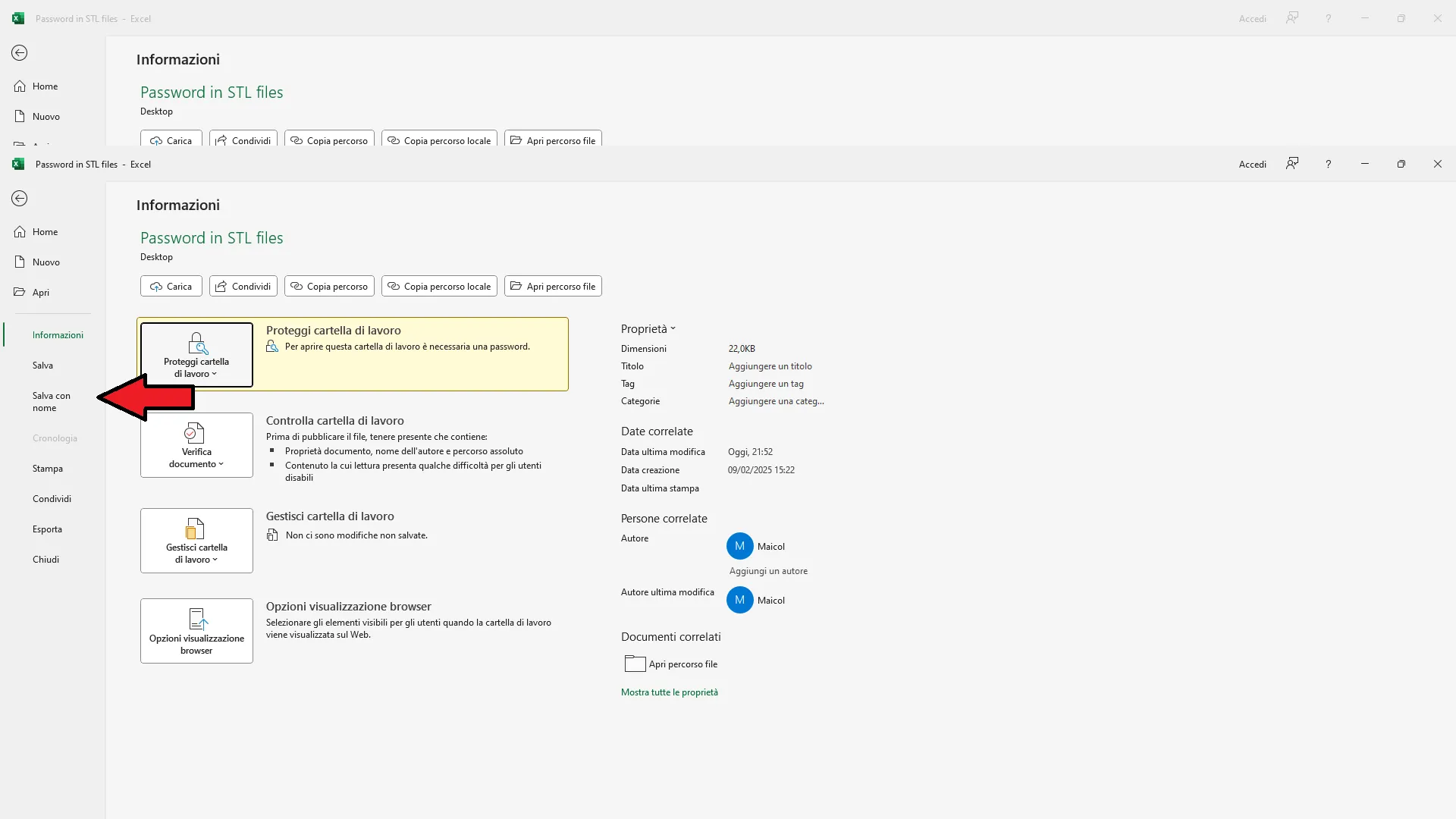
4)per rimuovere la password,sotto vi illustro come fare
ATTENZIONE!!!
non modificare i parametri sotto dove c'è scritto “Calcoli” solo la parte sopra visibile appena si apre il file.Qui sotto vi illustro come togliere la password dal file che ho condiviso.
____________________________________________________________________________________________________________________________________________________
NON CONDIVIDERE IL MIO FILE,SENNO IL MIO LAVORO SARA STATO INUTILE E NON POTRO PIU LAVORARE GRATUITAMENTE PER TE GRAZIE
____________________________________________________________________________________________________________________________________________________
ENGLISH
This is an Excel file to have a cost of a print, that is, how much it costs both electricity and material that press that we are going to do, just enter the data that the Slicer provides you and you're done.
HOW TO DOWNLOAD IT?
1) The Excel file is inside the "password in 3mf files" file that you can find it at the bottom of the description (also visible on handy)
2) Download it and extract it where you want
3) When opening the file, ask you for a password (which you find under the object of the 3mf file)
4) To remove the password below I show you how to do it
ATTENTION!!!
Do not change the parameters below where it is written "calculations" only the visible part above as soon as you open the file. Below you illustrate you how it removes the password from the file I shared.
____________________________________________________________________________________________________________________________________________________
DO NOT SHARE MY FILE, THEY ARE MY JOB WILL BE USELESS AND I CAN NO LONGER WORK FOR FREE FOR YOU THANKS
____________________________________________________________________________________________________________________________________________________
Boost Me (for free)
DONANDOMI UN BOOST MI DAI LA POSSIBILITA DI CONTINUARE A CREARE FILE E STAMPE 3D GRATUITAMENTE GRAZIE.
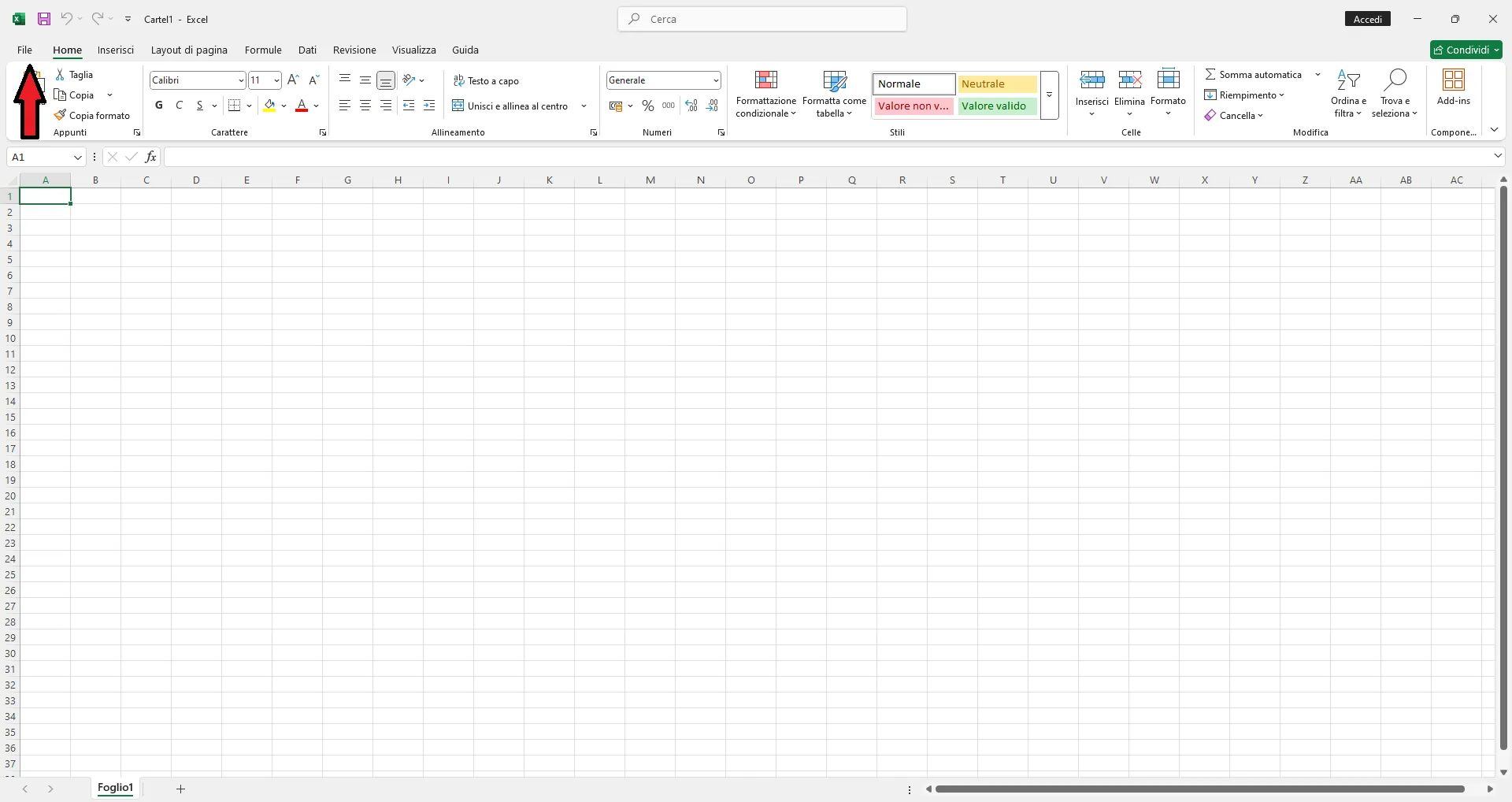
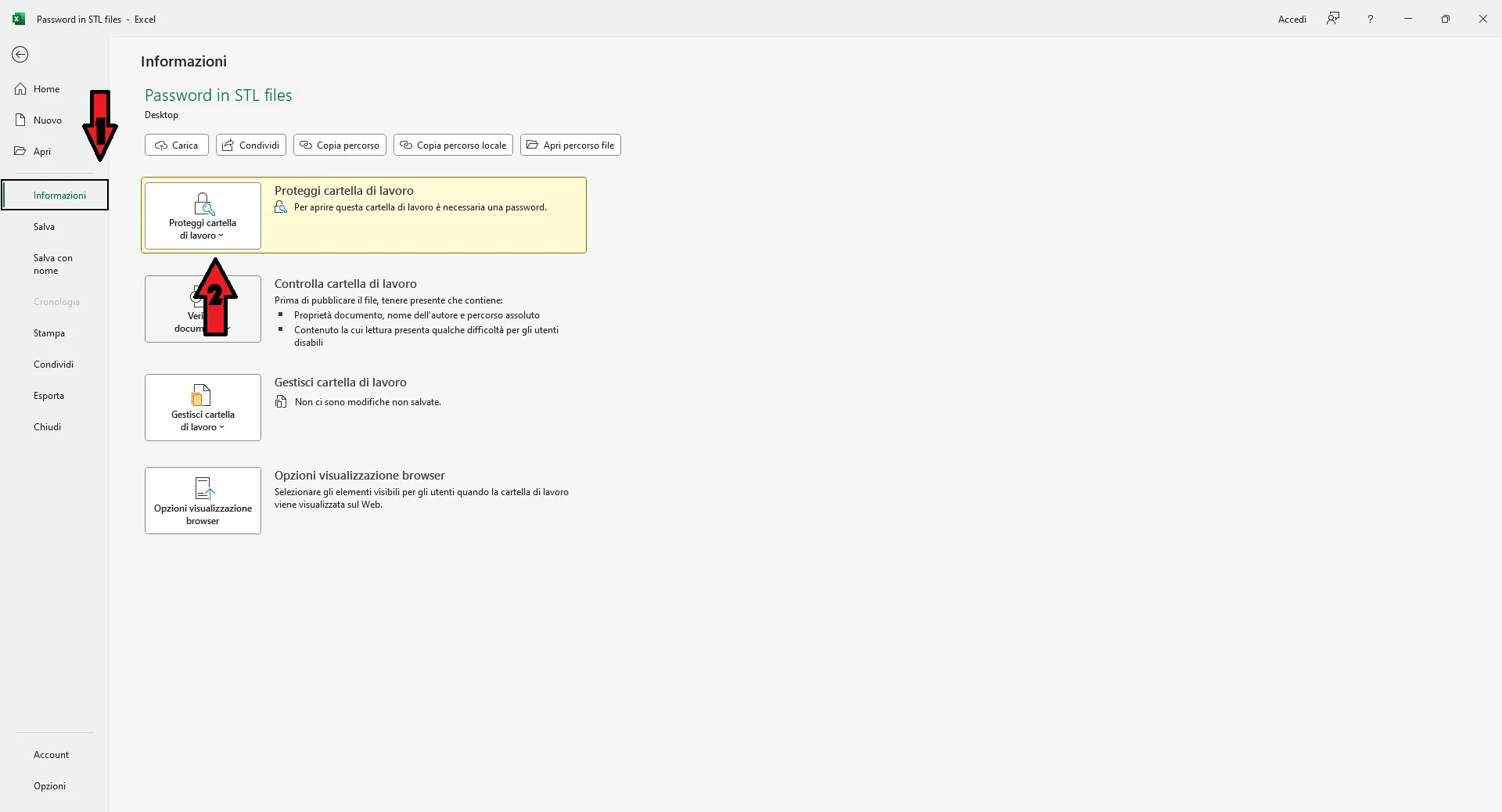
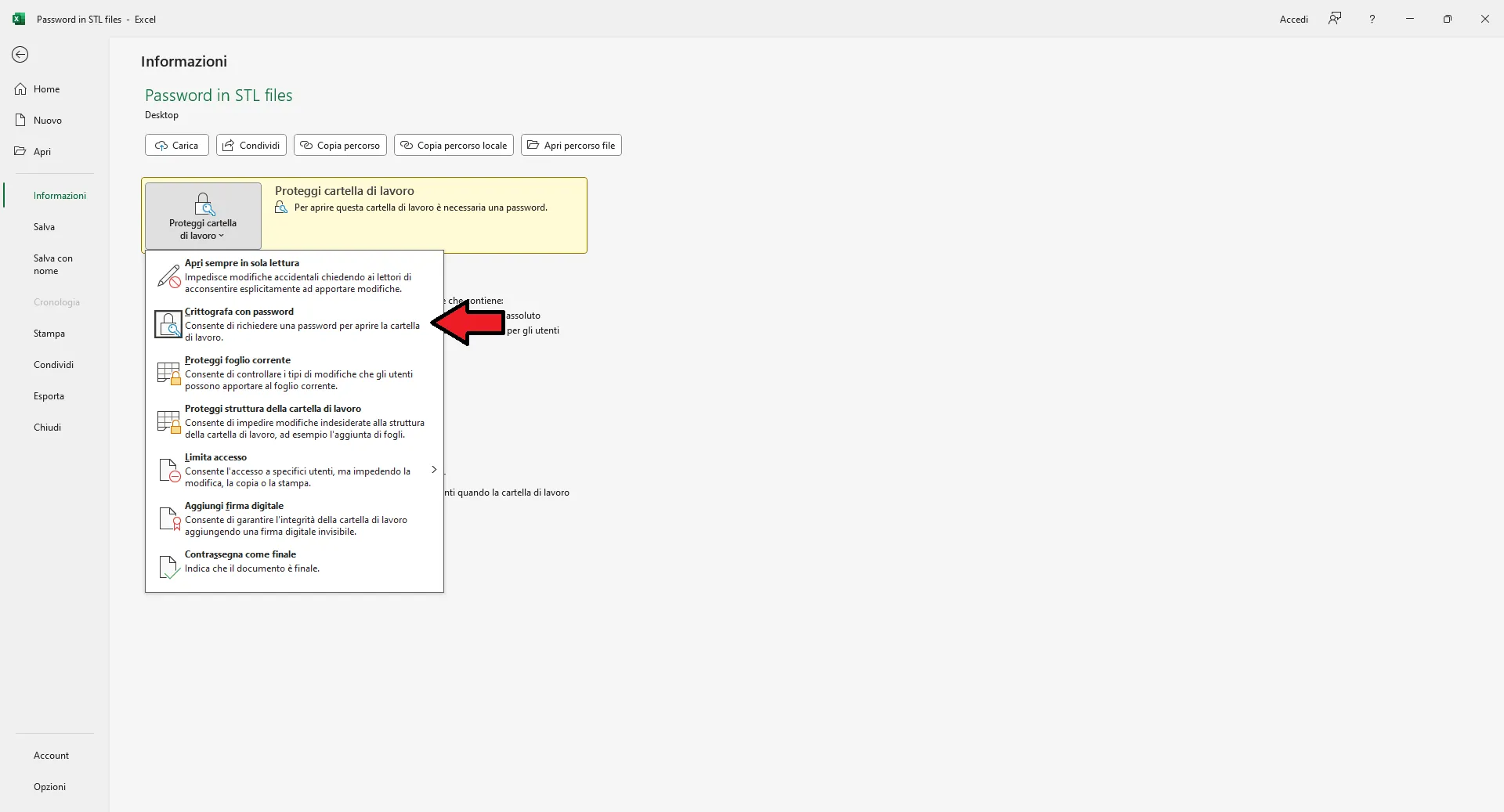
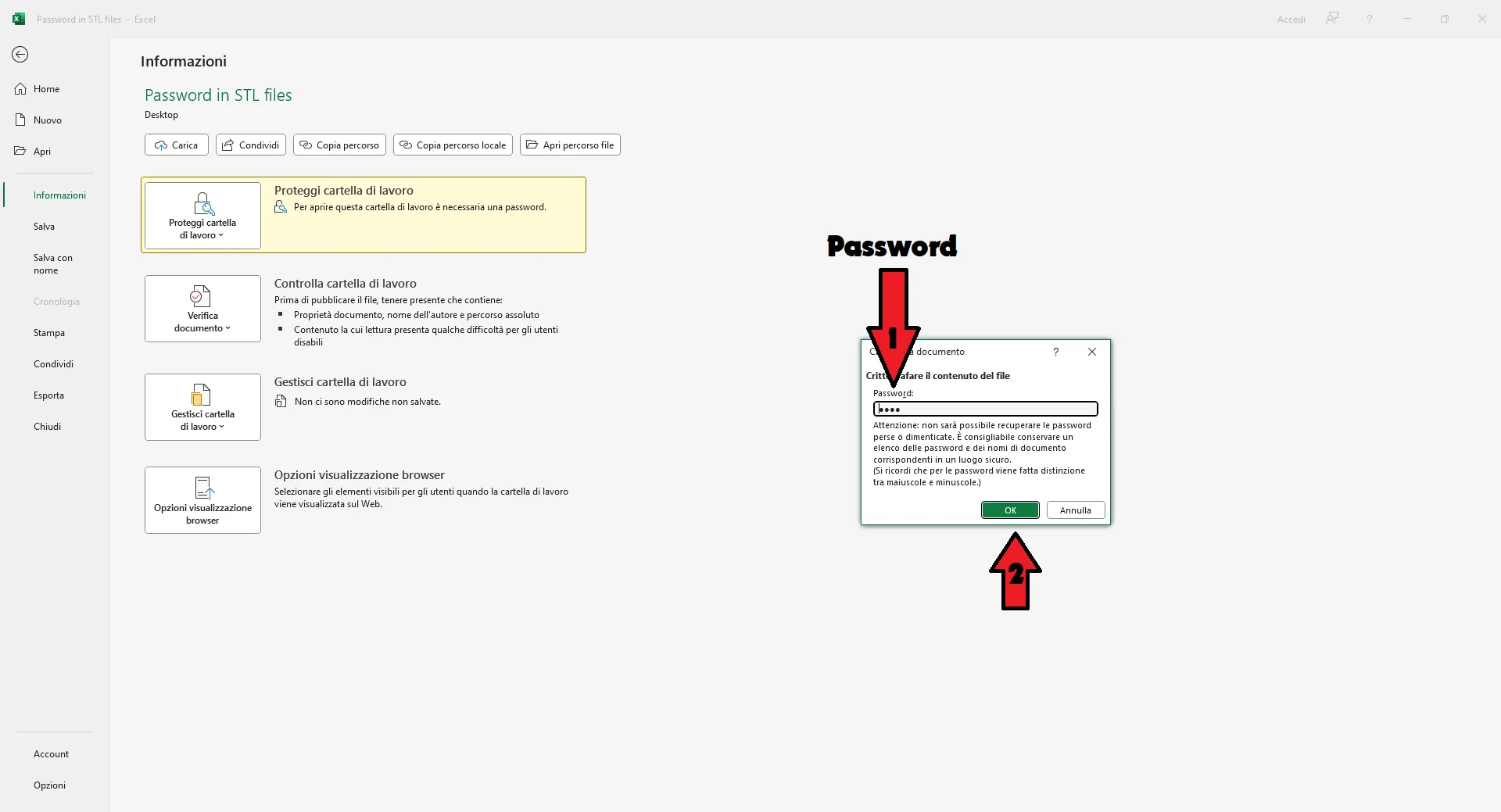
ITA:Ora salva il tuo file dove/come vuoi.
ENG:Now save your file where/how do you want.
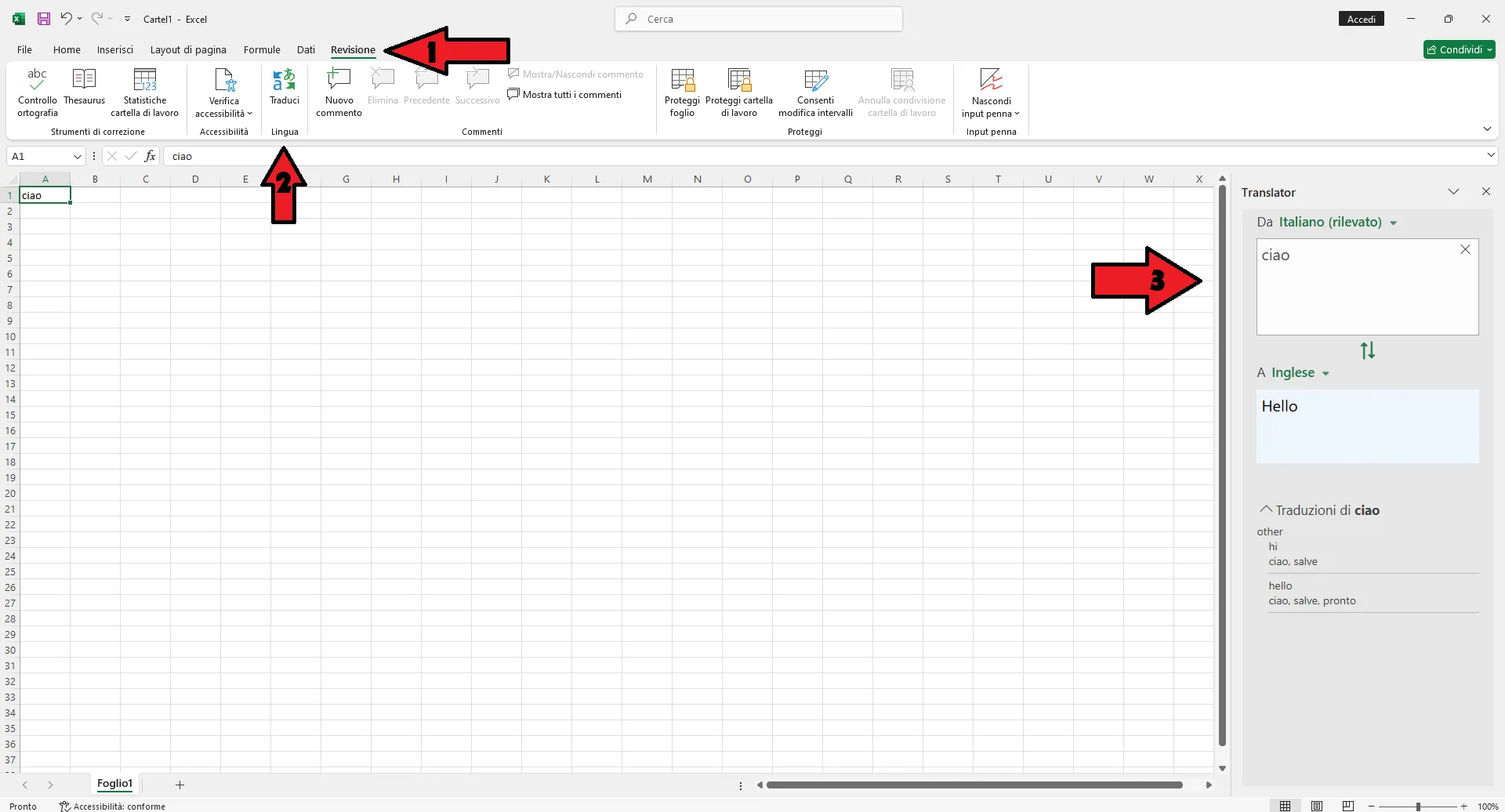
PER TRANSLATION
Click the box and on the right transfers you automatically
(Soon the lighthouse also in English)
Documentation (3)
License



Comment & Rating (15)