Search models, users, collections, and posts

Ralliart Led Lightbox
IP Report
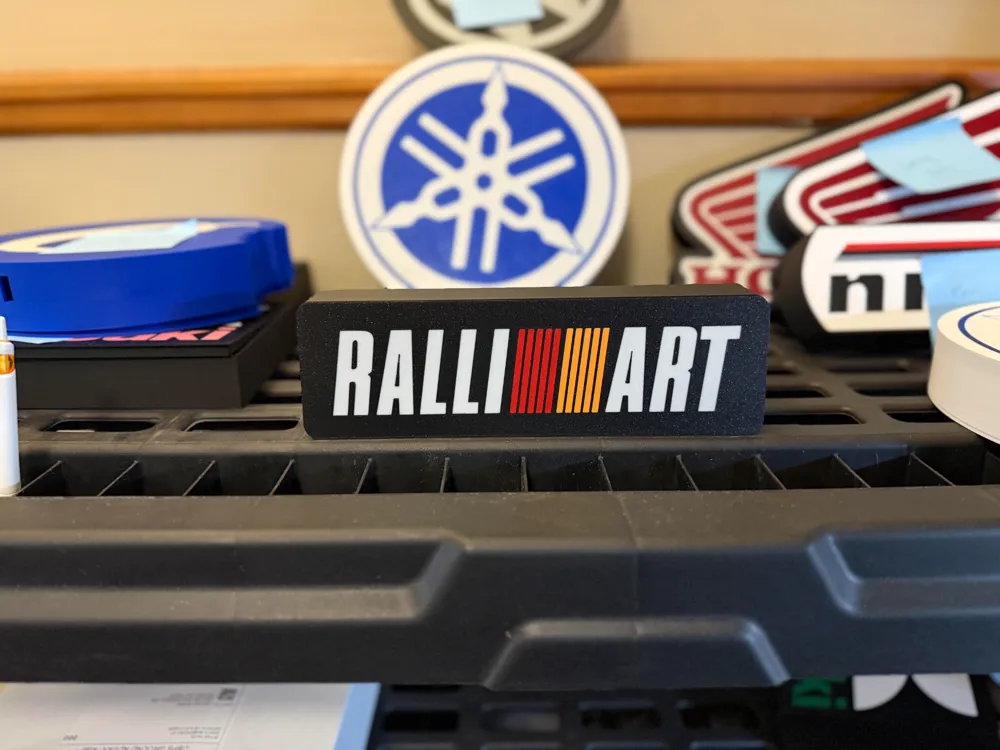
Print Profile(1)

0.2mm layer, 2 walls, 15% infill
Designer
3.7 h
2 plates
Open in Bambu Studio
Boost
7
22
1
0
19
5
Released
Description
General Recommendations:
- Use a textured PEI sheet for optimal results.
- Utilize the provided print profile to take advantage of optimized settings that deliver superior prints.
- Position the LEDs as far as possible from the colored design to ensure even light distribution; placing them too close may cause hotspots where individual LEDs become visible.
Suggested Slicer Settings for Bambu Studio:
If you're not using the recommended print profile, here are key slicer adjustments to consider:
- Open Preferences (Ctrl + P), enable developer settings, and modify:
- First Layer Flow Ratio: Set between 1.04 and 1.08 for improved adhesion.
- Wall Generator: Choose Arachne for better wall quality.
- Wall Transitioning Threshold Angle: Adjust to 50º for smoother transitions.
- Infill/Wall Overlap: Increase to 20%-25% to strengthen the bond between infill and walls.
- Under Advanced Quality Settings, activate Avoid Crossing Walls to reduce surface imperfections.
- To minimize stringing, try increasing retraction or lowering the print temperature.
- For color transitions, print lighter colors first, followed by darker shades for the best visual effect.
License

This user content is licensed under a
Creative Commons Attribution-Noncommercial


Comment & Rating (1)