Search models, users, collections, and posts

MacBook Pro Curtain Camera Cover
GIF
GIF
GIF

Print Profile(2)

All
A1 mini
A1
P1S
P1P
X1
X1 Carbon
X1E

0.12mm layer, 2 walls, 15% infill
Designer
41 min
1 plate
4.4(9)

0.12mm layer, 2 walls, 15% infill
43 min
1 plate
5.0(2)

Open in Bambu Studio
Boost
41
128
17
2
248
149
Released 

Description

Boost Me (for free)

If you like the model, do not forget to subscribe and send me a boost when available - this will be highly appreciated!
Comment freely - I always reply, and also subscribe to my account to not miss a thing! See you!


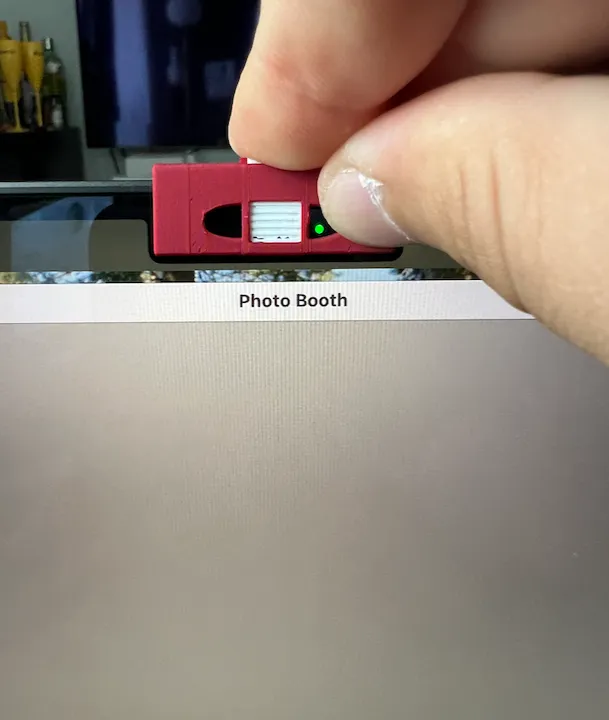
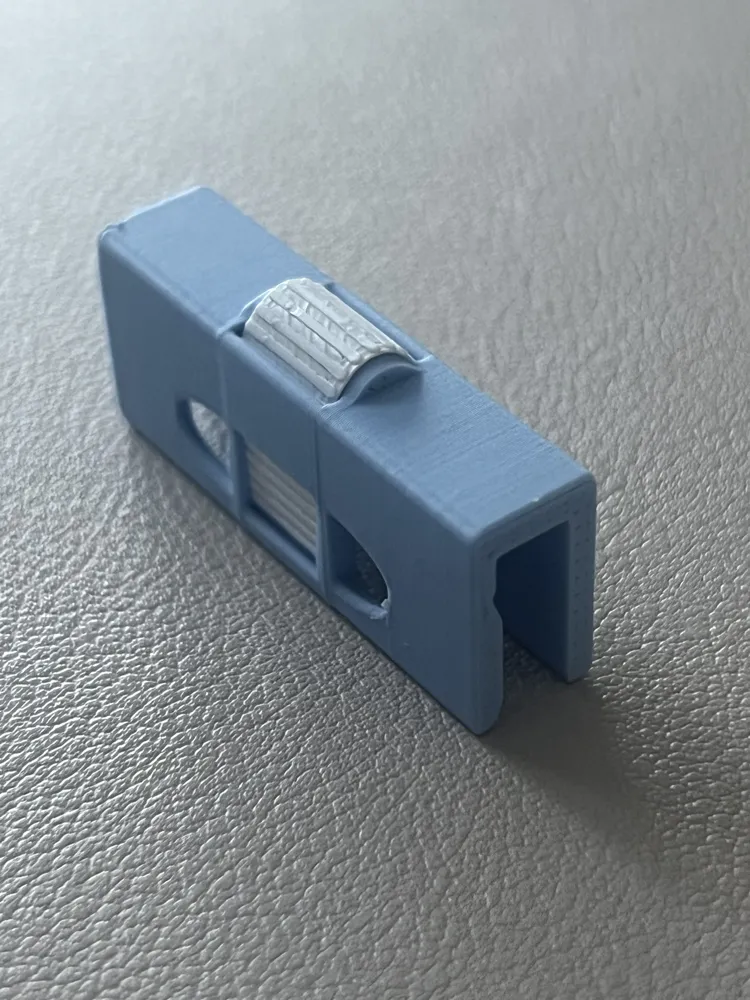
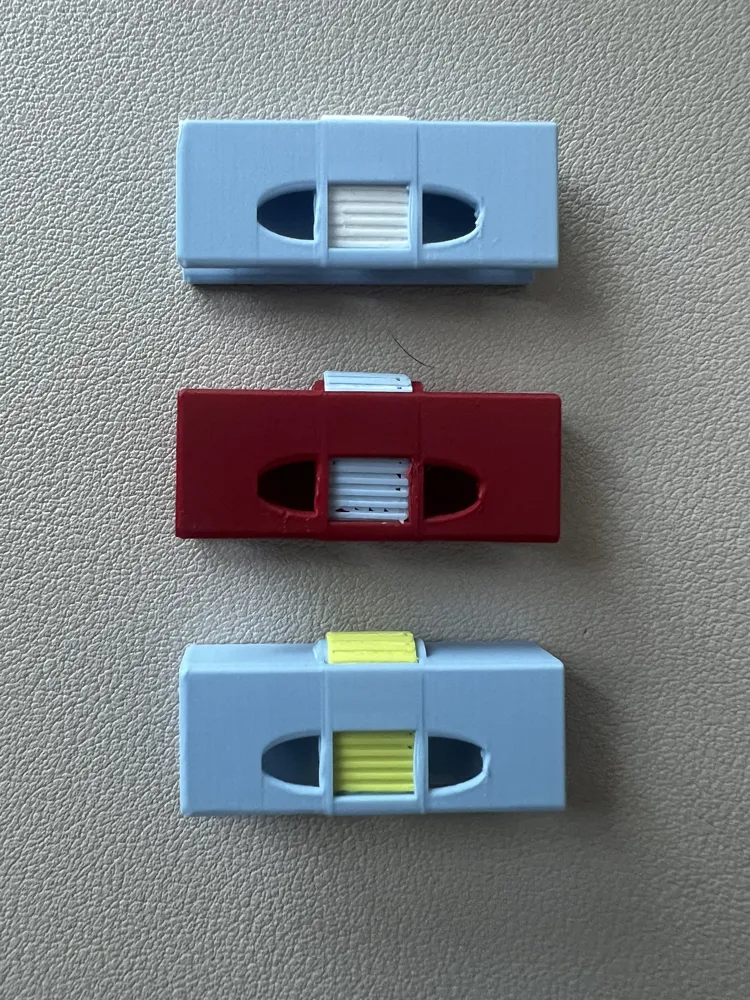
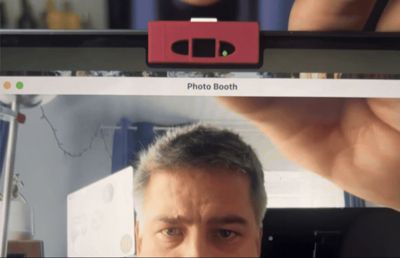
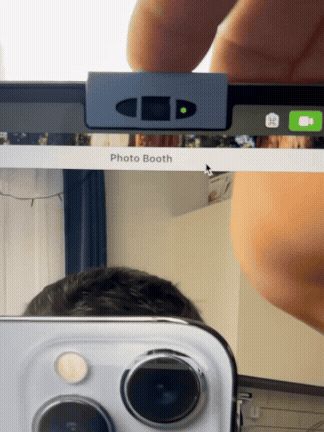
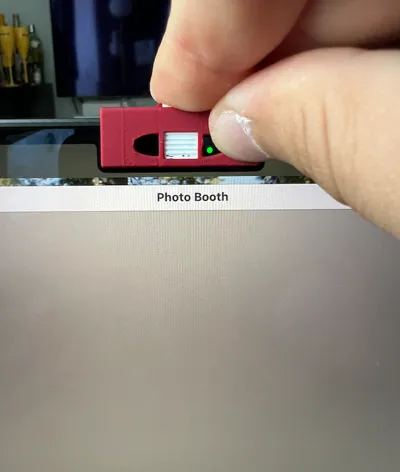
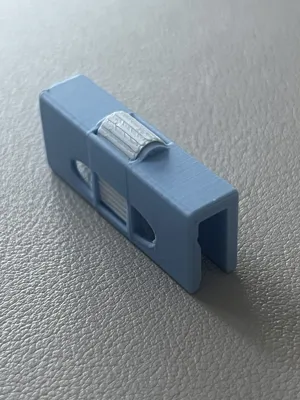
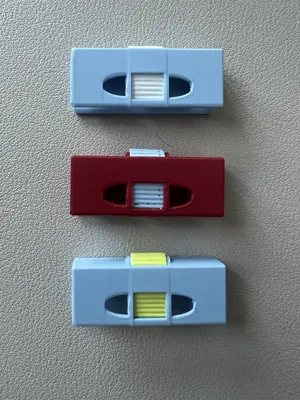


This cool model features a MacBook Pro (M series) camera cover with simple blind/curtain which can cover and open your camera in one simple gesture of your finger.


Features:

  • simple close/open switch for camera (just one finger movemenet!
  • opening to free up laptop camera light (signal)
  • opening to free up laptop ambient light senor (macbook uses this to regulate screen brightness and so this is needed to be without cover)
  • AMS support (print in one go at plate with two different colours!)
  • Less than an hour print!


Assembly guide. When printed:

  1. Remove any excessive pieces from the model parts if any formed while printing
  2. Push the curtain back and forth few times in both camera and a back side of the main clip
  3. Push the flat side of the curtain into the camera slot facing the flat surface inside the clip
  4. Push the rest of the curtain to a corresponding slot in the back of the clip
  5. Use curtain few times back and forth to get it to the surface before applying a clip on the laptop
  6. Apply a clip on the laptop screen gently and enjoy using it!


Disclaimer: gently apply and remove from your laptop. While PLA plastic can't make any scratches aluminium and the screen - the rubber spacer between aluminum and a glass is quite gentle and can be harmed. I've never had any issues with that, but assume it is possible knowing the materials. 

Comment & Rating (17)

(0/1000)

Print Profile
0.12mm layer, 2 walls, 15% infill
Fit well and works great.
The profile uploader has replied
profile
1
Reply
Great!)
0
Reply
not good with PLA Too tight to MacBook Pro, loose fo MacBook Air and the slider is not moving at all FYI: printed with PLA
The designer has replied
designer
1
Reply
Please follow the instructons: Remove any excessive pieces from the model parts if any formed while printingPush the curtain back and forth few times in both camera and a back side of the main clipPush the flat side of the curtain into the camera slot facing the flat surface inside the clipPush the rest of the curtain to a corresponding slot in the back of the clipUse curtain few times back and forth to get it to the surface before applying a clip on the laptopApply a clip on the laptop screen gently and enjoy using it!  Disclaimer: gently apply and remove from your laptop. While PLA plastic can't make any scratches aluminium and the screen - the rubber spacer between aluminum and a glass is quite gentle and can be harmed. I've never had any issues with that, but assume it is possible knowing the materials. 
0
Reply
Print Profile
0.12mm layer, 2 walls, 15% infill
Simple yet wonderful design. Printed on P1S. First time its a bit rough to move it but after blending it a little bit works nicely.
The profile uploader has replied
profile
1
Reply
thank you! glad you liked it! and thanks for uploading the print profile!
(Edited)
1
Reply
Print Profile
0.12mm layer, 2 walls, 15% infill
looks like it will work great
profile
1
Reply
Print Profile
0.12mm layer, 2 walls, 15% infill
Like a little garage door for my nosey leaders at work. Now you see me, now you don't... am I here working, or at the pool? Who knows. Works great with a combined mouse jiggler. Now I only work 2 days a week at best! LOL
The profile uploader has replied
profile
1
Reply
:))))) nice! :)
0
Reply
Print Profile
0.12mm layer, 2 walls, 15% infill
The curtain was hard to install and its really hard to move it once installed, ended up not using it
The profile uploader has replied
profile
1
Reply
please try the guide from the description: Push the curtain back and forth few times in both camera and a back side of the main clip3. Push the flat side of the curtain into the camera slot facing the flat surface inside the clip4. Push the rest of the curtain to a corresponding slot in the back of the clip5. Use curtain few times back and forth to get it to the surface before applying a clip on the laptop you are the first one to complain, so probably this will help. thank you
0
Reply
Print Profile
0.12mm layer, 2 walls, 15% infill
Great design, functions as expected, no notes!
profile
1
Reply
Print Profile
0.12mm layer, 2 walls, 15% infill
0
Reply
Boosted
Print Profile
0.12mm layer, 2 walls, 15% infill
0
Reply
Print Profile
0.12mm layer, 2 walls, 15% infill
0
Reply

License

This user content is licensed under a Standard Digital File License.

You shall not share, sub-license, sell, rent, host, transfer, or distribute in any way the digital or 3D printed versions of this object, nor any other derivative work of this object in its digital or physical format (including - but not limited to - remixes of this object, and hosting on other digital platforms). The objects may not be used without permission in any way whatsoever in which you charge money, or collect fees.