
Clicky McClickerson -improved 2 stage click fidget
Print Profile(1)

Bill of Materials

Description

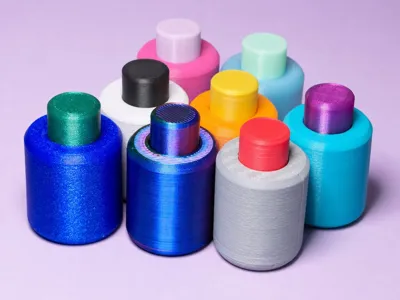
Introducing Clicky McClickerson an improved version of Clicky Two-State Fidget Button.
Improvements over the original.
1. Increased the body dimensions slightly to allow better more consistent clicks
2. Smoothed the button interior hole to improve the reliability when rapidly clicked
3. Smoothed the cam exterior to go along with #2 and also smoothed the interior where the spring goes
4. Improved the radius on the top of the button
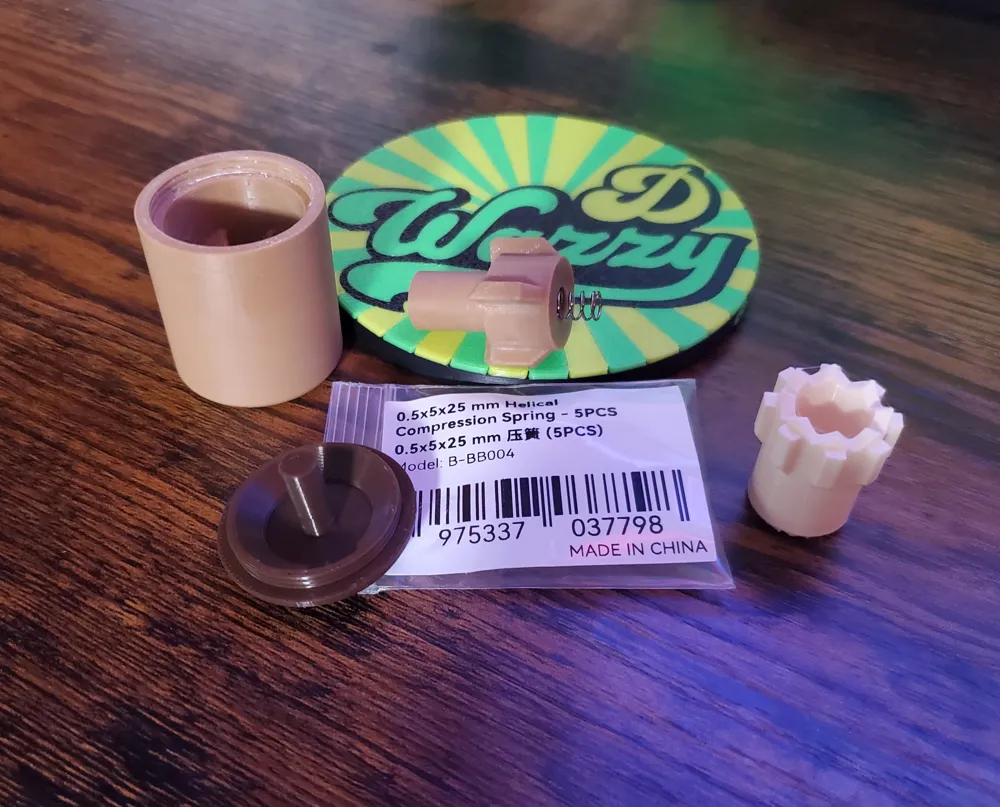
5. I found the 25mm spring did not work well with the cam, the hole was too shallow, I made another cam that accommodates the spring and clicks well too. Both cams are on the build plates.
Print everything with .12 layer height
Assembly is identical to original. The lube that you use on the X1 or P1 lead screws works well to assist the mechanism, just use a small amount.
This works with most 20mm springs found in click style pens, use the 25mm cam for the maker supply spring.
The spring called out in the original and here works really well and is supplied in the Maker's Essential Kit A.
I hope you enjoy this model ~ DWTC
Thanks for the support. I do not have commercial memberships at this time.
You can always buy me a ☕
Boost Me (for free)




Comment & Rating (5)