

Print Profile(13)


Description
Boost Me (for free)
Like these coasters? Consider giving me a boost!
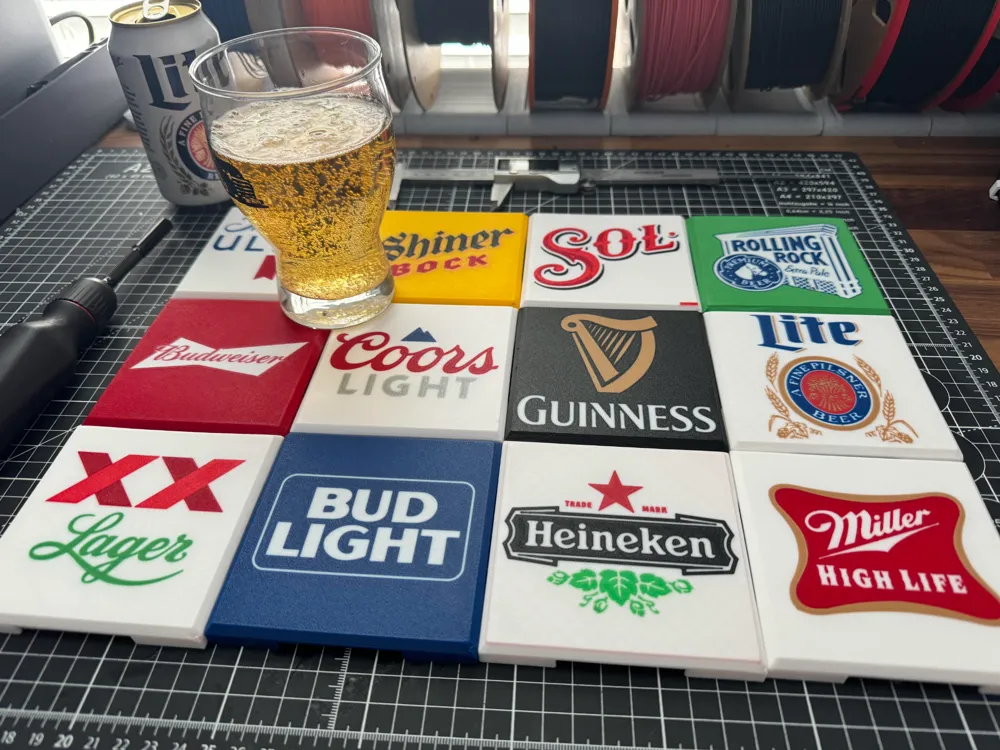
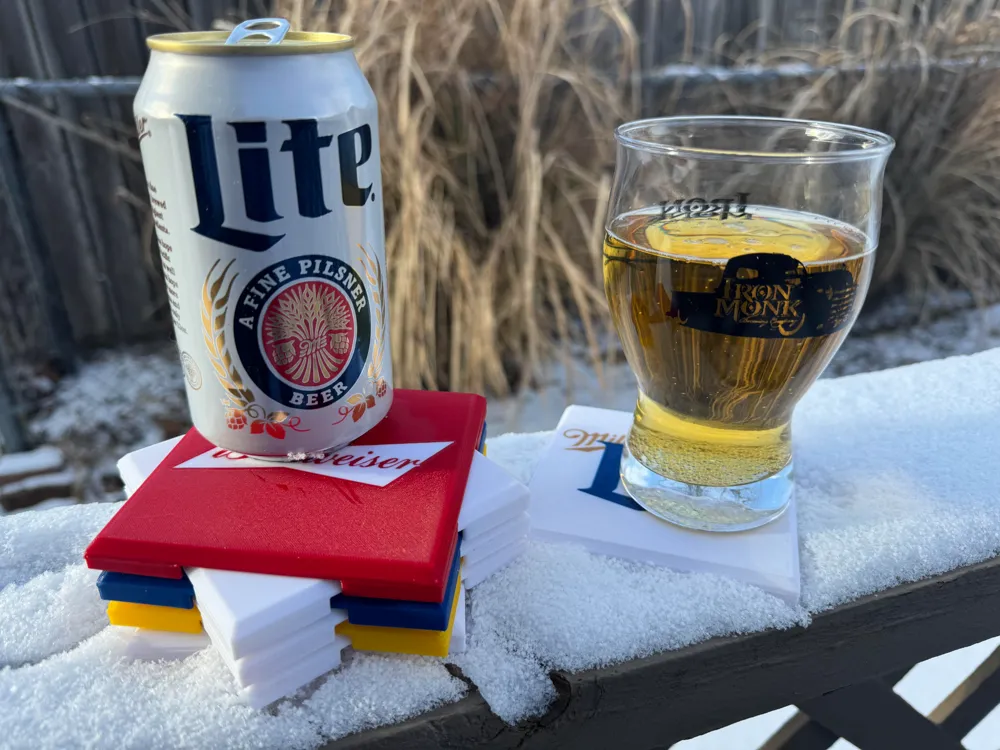
I modeled this stackable coaster design awhile ago and I had been looking for something to print on them. While at a bar I saw they had some branded coasters with beer logos and that made me want to print some of my favorite cheap/light beers!
I currently have 13 different (although there are 2 Miller Lite versions) 3MF's available for download. Some are very easy (not very fine details) to print while others are much hard (lots of very fine details), and some inbetween. I have indicated their difficulty to get a successful print next to their brand names.
- Budweiser (HARD)
- Coors Light (EASY)
- Heineken (MED)
- Michelob Ultra (MED)
- Miller Lite V1 (EASY)
- Miller Lite V2 (HARD)
- Miller High Life (EASY)
- Guinness (EASY)
- Shiner Bock (MED)
- Bud Light (EASY)
- Rolling Rock (HARD)
- Sol (EASY)
- Dos Equis (EASY)
Tips For A Successful Print
Some of these print are genuinely difficult to to get to print right and require good filament calibration and some trial and error. Print profiles simply cannot account of all the different unique variables for each printer and printing environment. The first layer is printed at 0.3mm width, which is significantly less than Bambu Studio's default 0.52mm width. This means good bed adhesion is incredibly important.
- Make sure your print bed is clean and if you are using glue it is PROPERLY applied. I use the Textured PEI Plate from Bambu Lab, which gives a nice finish, in my opinion, and has good adheasion. Make sure you watch the bed between prints or at least wipe down the plate with isoproply alcohol between prints.
- Turn off the Auxiliary Fan. This coaster model really wants to warp and the excessive cooling from the aux fan will guarantee warping. You can do this in your printer settings at the top of Bambu Studio (or Orca Slicer) and create a new profile named NO AUX FAN or you can manually disable it during the print, but I would reommend changing it in the print profile itself so you don't forget.
- Keep the door closed/barely cracked if you have a P1S or X1C. If you have a P1P or A1 series printer, just do your best to prevent air drafts from passing of your print bed, because that will lead to warping. As always, you know your printer, so just use your own knowledge on how to get successful prints.
- Go SLOW. The first layer has a travel speed of 25mm/s to reduce the amount of stringing and increase the chance of solid contact. I use Orca Slicer when originally making these, which has an option to slow down the first few layers, whereas Bambu Studio does not have this option. Your mileage may vary here and this is going to depend person to person and printer to printer, so apply your own knowledge of your printer and environment.
- Increase bed temperature. PLA typically prints on Bambu Lab printers at a default 55 degrees celsius. I bumped this up to 60 degrees and basically eliminated warping from my prints (if you look closely in the pictures you can see warping on some of the coasters, those were earlier prints as a refined the profile and printing environment).
If you follow these tips, you will maximize your chance at a succssful print. While some of these coasters are very easy prints and broad details that any printer can handle, others are quite intricate and require a skilled printer to get good results with. I would watch the first layer go down and stop it if I noticed an issue.
I request that people DON'T upload other profiles, because what works for you will not work for someone else. I gave the best possible profile already to ensure success, but it may require manual tweaking from the individual users to get the print they want.
If you have any brand requests, questions, or printing advice, please leave them in the comments or DM me.
Thanks and happy printing!
License

You shall not share, sub-license, sell, rent, host, transfer, or distribute in any way the digital or 3D printed versions of this object, nor any other derivative work of this object in its digital or physical format (including - but not limited to - remixes of this object, and hosting on other digital platforms). The objects may not be used without permission in any way whatsoever in which you charge money, or collect fees.


Comment & Rating (91)