Search models, users, collections, and posts

Volunteer Fire Department – your team coaster
This model is created by Make My Sign
Make Your Model

Print Profile(2)

All
A1 mini
P1P
X1
X1E
H2D Pro
H2S
H2C
H2D
P1S
A1
X1 Carbon
X2D
P2S
A2L

0.2mm layer, 2 walls, 15% infill
Designer
1.5 h
1 plate
5.0(1)

0.2mm layer, 2 walls, 15% infill
1.1 h
1 plate
5.0(8)

Open in Bambu Studio
Boost
102
313
49
40
473
49
Released 

Description

Content has been automatically translated.
Show original

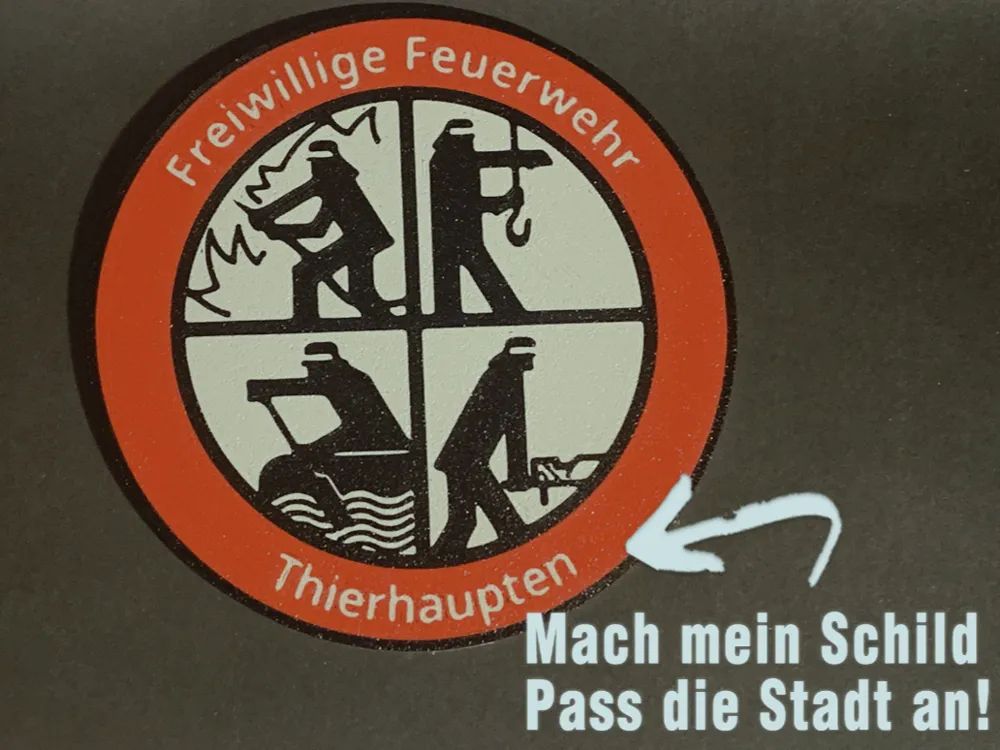
Firefighter Coaster with Custom Location 🚒🍺 


Stylish coaster with firefighter emblem – perfect for club evenings, fire stations, or your home sofa. The location name is freely customizable – simply edit the text in the model


A small thank you to the over 23,000 volunteer fire departments and 115 professional fire departments in Germany 

You are heroes – this coaster is for you

  • Text is customizable, click on the text and select the correct layer for this
  • Font size should be >40, otherwise umlaut dots will be very small or disappear
  • 3 filaments - white, black, and red - result in exactly 6 color changes - which I find acceptable (it's best to print 2 directly)
  • If you have problems, just leave a comment - I can also create the version for your fire department and upload it as a profile

I would naturally be happy to see a photo of your print and any suggestions for improvement :-)


How to? Open the coaster via Customize

  1. Open Online Editor - this is easily done by clicking on “Customize” – which takes you to “MakerLab” - the tools from Bambu Lab. Attention: if you open the template in Bambu Studio, you cannot change the text. Be sure to open the file via Customize in the free Mach mein Schild application in Maker Lab (Online-Tool) 
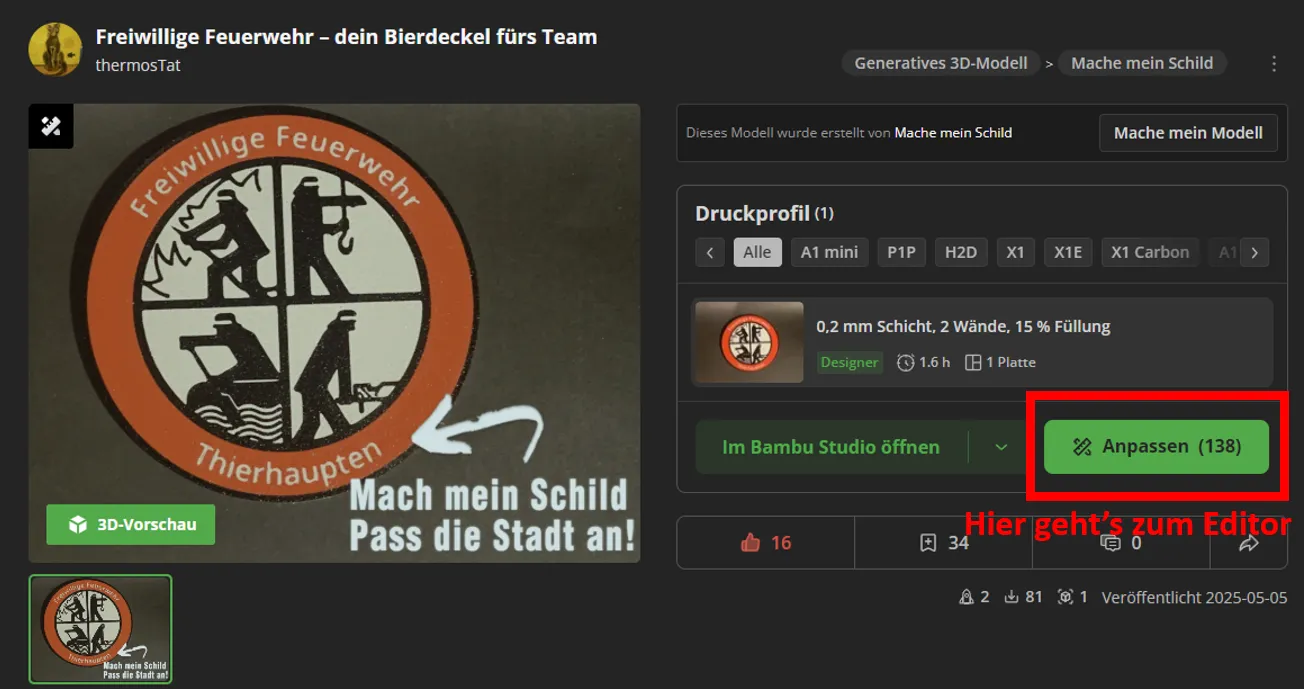
     

  2. Once you have opened the file in the editor, click on the location name – then the layers will open (here the red circle and the text above it)
 

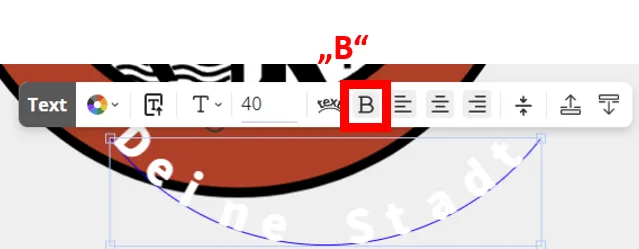
2. It can happen that the editor acts up; for example, the text might no longer be within the red circle. In that case, clicking “B” (bold) once will fix the text, as shown in the example
 

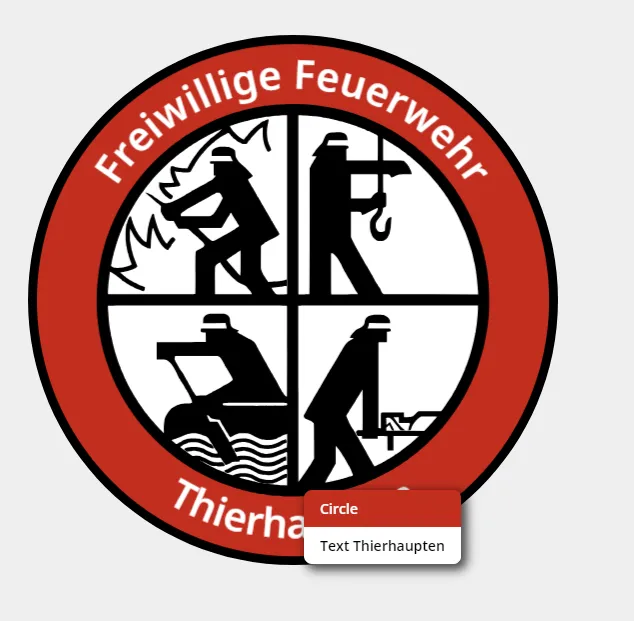
Then click on “Text Thierhaupten” to select the text field
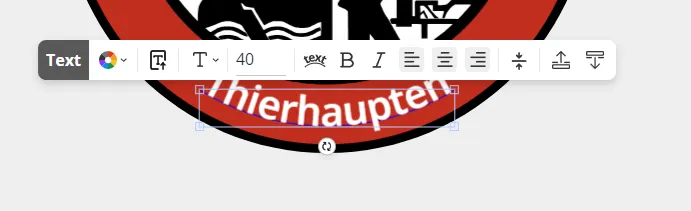
 

3. Click on the text again – then the input window will open, enter your location, and confirm with Enter
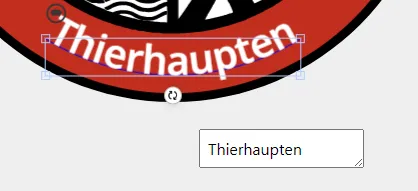
 

4. Visually realign the text with the mouse – the orange lines will show you the center 
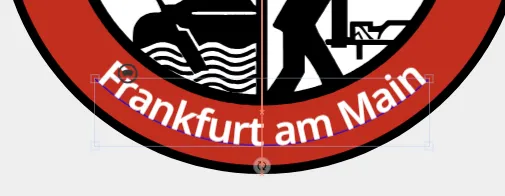
 

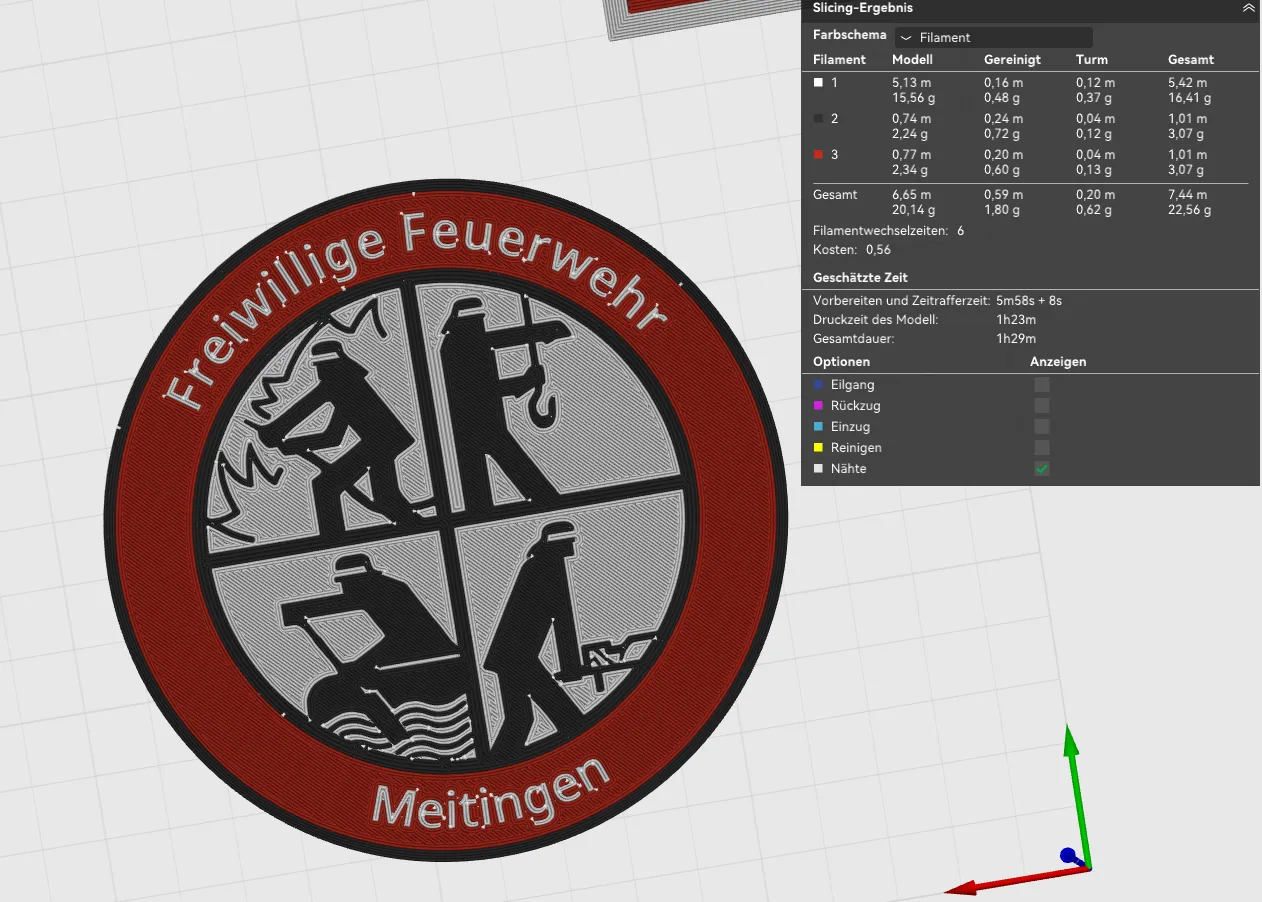
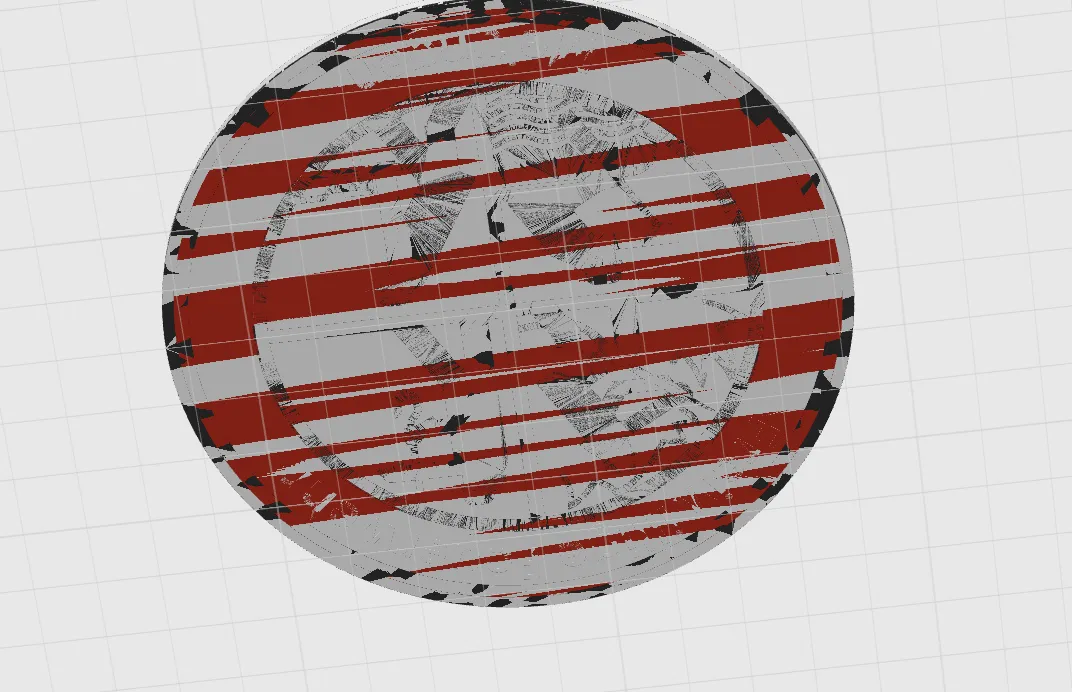
4. Download .3mf and happy printing! The coaster is face down – so you will only see the white back in the slicer. Accordingly, rotate the axis in Bambu Studio so you are looking from below. The preview is fuzzy – slice the file and it will look good


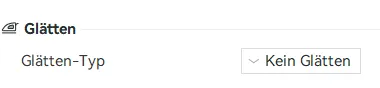
Important: you can turn off ironing - this only irons the backside, which is the actual bottom, making it unnecessary and time-consuming
 

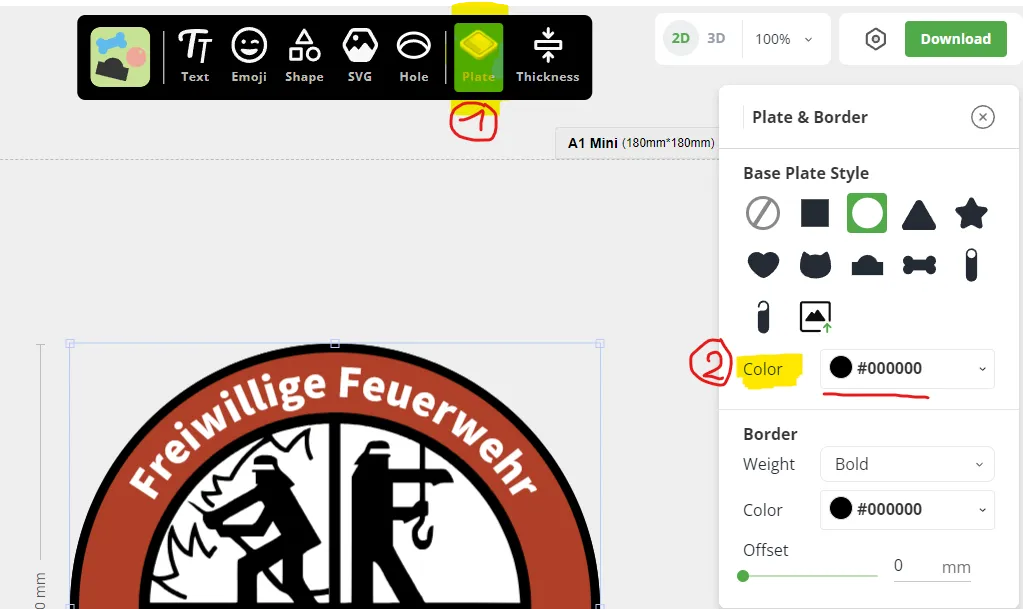
By default, white is set as the bottom color. If you prefer black, you can change this in the editor (Plate → Base Plate Color)


For questions or problems, just get in touch – I usually reply on the same day :)


Check out my other stuff and collections:



Appreciation

Boost Me (for free)

If you liked it, feel free to Boost me to support my work and keep me creating — your support truly means a lot! 📢 Everyone gets Boost tokens, which expire if not used. Use them to support your favorite artists 📢


Comment & Rating (49)

(0/1000)

Many thanks for the template Looks great and my colleagues like it too I printed two sizes, as more is drunk from bottles here
The designer has replied
Show original
designer
1
Reply
Thank you for your boost, the pictures, and the kind words :) Greetings to Rottenbach
Show original
0
Reply
Print Profile
0.2mm layer, 2 walls, 15% infill
Thank you for your contribution, really useful accessory :-)
The profile uploader has replied
Show original
profile
1
Reply
Gladly :-)
Show original
0
Reply
Thank you very much it looks very good my son will be thrilled
The designer has replied
Show original
designer
1
Reply
That's great
(Edited)
Show original
0
Reply
Boosted
It worked great, thanks for that
Show original
designer
1
Reply
Super great print templates! Is there perhaps also the possibility to change the lettering at the top? I would like "Fire department city" at the top and "Fire train-......." at the bottom. Many greetings
The designer has replied
Show original
designer
1
Reply
Hello! Of course, you can change everything - including the text above. To do this, you have to work on the PC, then in the browser, there is an editor via the green "Customize" button, there you can edit both text fields. Otherwise, you are also welcome to send me your text via message, then I will create your print file for you. It won't take a minute
Show original
0
Reply
Replying to @thermosTat :
Great, thank you very much for the quick response! I tried it myself beforehand, but I probably didn't find the right spot with the mouse above to select the text.
Show original
0
Reply
Replying to @user_1448605890 :
Yes, the editor is a bit... inconvenient. You just have to click below, above, left, and right until you hit the right field. Did it work or should I create the file quickly
Show original
0
Reply
Hello, on the last layer, very fine lines are drawn, and I sometimes have problems with adhesion, so they don't look so nice anymore. Can you remove these to have a completely smooth surface? Otherwise, this is a very nice template, thank you very much for it!
The designer has replied
Show original
designer
1
Reply
Hello, do you mean on the back (without the pattern)? Do you have a photo? Unfortunately, I'm currently in Japan and won't be able to check until next week - but there shouldn't be anything there, except perhaps some visible infill. You could simply increase the solid top layers to counteract that
Show original
0
Reply
Replying to @thermosTat :
Good morning and thank you for your quick feedback. I found the error, smoothing of the top layer was enabled in the slicer. This caused the printer to apply this thin layer of material and try to "smear" it. Smoothing disabled and behold, the bottom is wonderful. I'm still a relative newbie to 3D printing, please excuse me. The coasters are really great though, we'll have a lot of fun with them ;-) Thanks and greetings from Japan
Show original
0
Reply
Replying to @user_3459060357 :
Hello, no problem at all! That's what a community is for, after all. In fact, the editor always exports with the "smooth" option enabled, which doesn't add any value to this underside (especially since we're printing "face down"). Unfortunately, this cannot be switched on or off, but must be deactivated for each exported file. Then I wish you a lot of fun with all your future prints :)
Show original
0
Reply
Hello, I'm having trouble editing the text Do you perhaps have a tip for me😅
The designer has replied
Show original
designer
1
Reply
Hey, where are you stuck
Show original
0
Reply
I found it I had been doing it through Bambu Studio the whole time and was almost driven to despair because it didn't work But then I easily got it to work via the website MakerWorld 😅 Still thanks for the quick reply 😁
Show original
designer
1
Reply
great print, I made 10 units unfortunately I can't get the holder to the right height, does anyone have a tip
The designer has replied
Show original
0
Reply
Hello, are you using a mobile phone or a PC? On PC, it's quite easy in Bambu Studio: you go to "Scale", turn off "Uniform Scaling" and scale only the Z-axis. Leave the x and y axes at 106%. The creator surely set it up this way so that the coasters fit well. I can't tell you the exact height for 10 pieces - unfortunately, I'm on a business trip in Japan and don't have any samples with me. But one coaster is 2.4mm high - for 10 pieces, that's 24mm. At 135% z-axis, you're at 28mm height... I would go for 140% - then there are still 2 lids of "air" and it doesn't look overfilled. Regards
(Edited)
Show original
0
Reply
Replying to @thermosTat :
Hi, thank you very much for the quick reply, everything worked wonderfully ;😃
Show original
designer
1
Reply
Great template! Can you provide a template with a black base
The designer has replied
Show original
designer
1
Reply
Hello, thank you very much. You can simply adjust the color on your PC. To do this, go to the editor via "Adjust," select "Plate" in the toolbar, and set the "Base Plate Color" to black. If there are any problems, just let me know, and I'll send you the finished version via private message
Show original
0
Reply
Boosted
.
The designer has replied
designer
1
Reply
Hello PS_Print, thank you for your boost
Show original
0
Reply