
Siglent SSA3000X / SVA1000X VESA mount
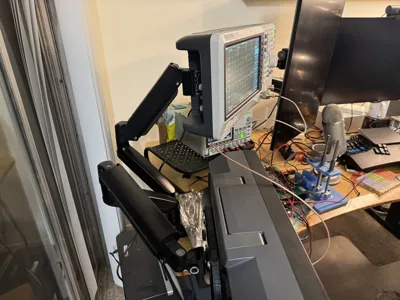
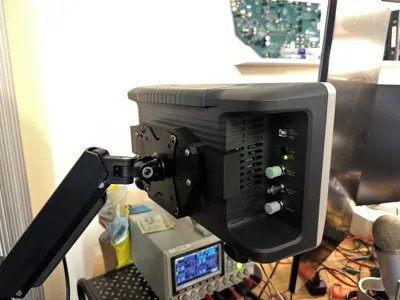
Print Profile(1)

Description
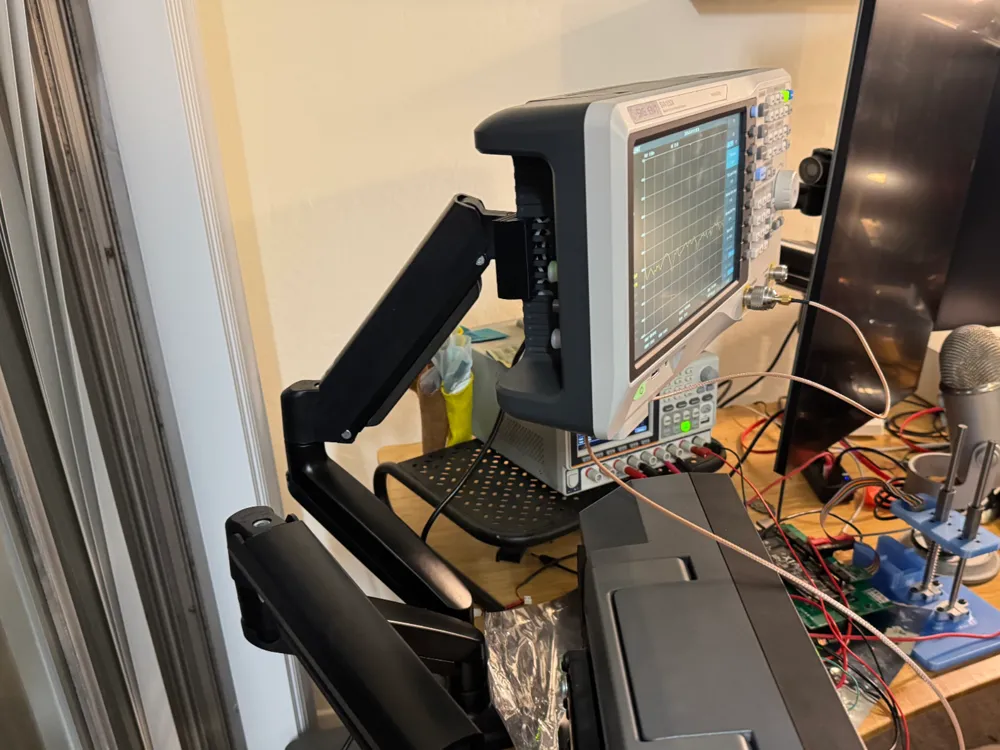
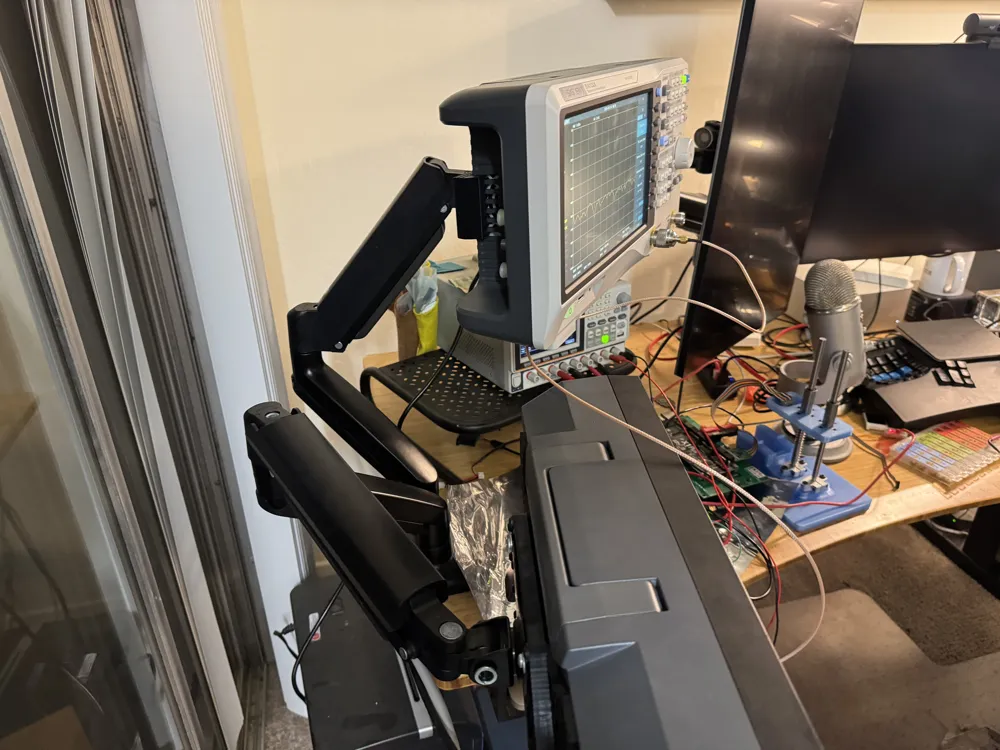
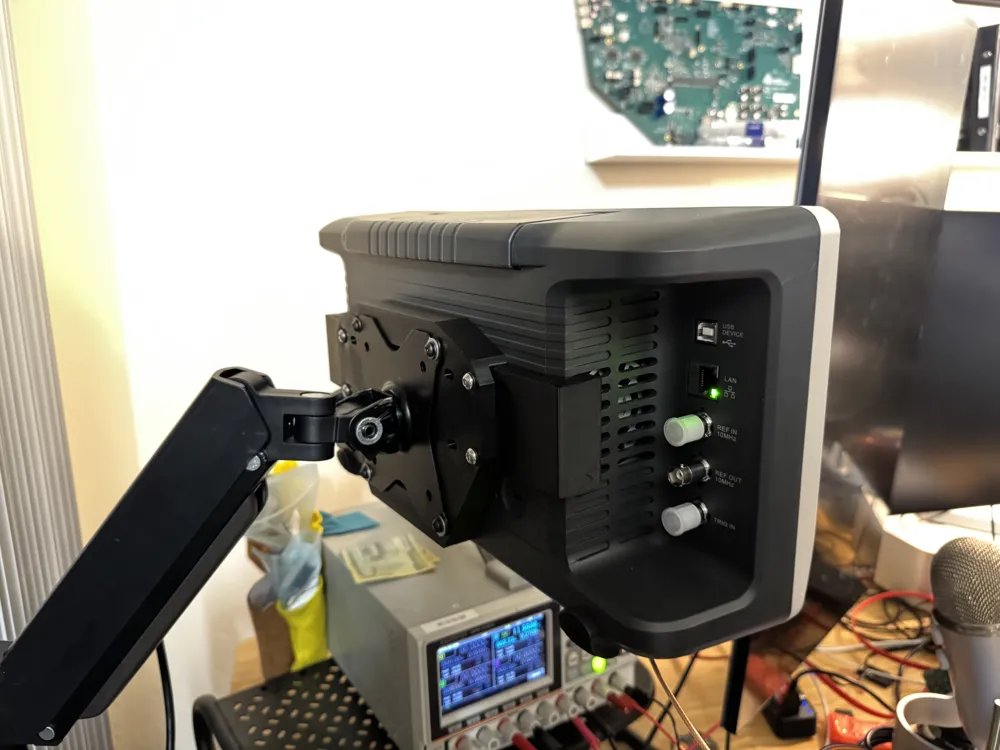
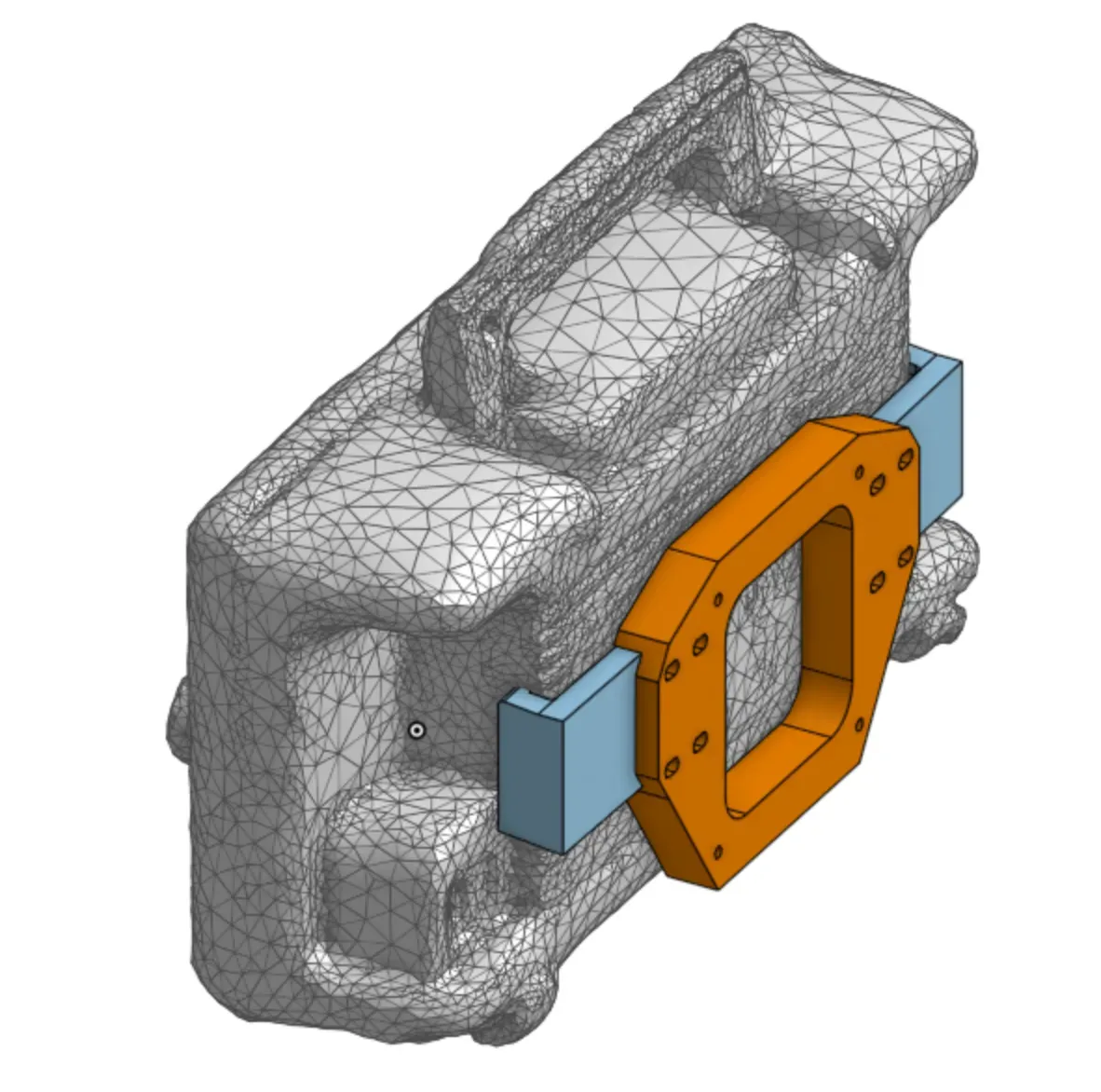
This is a VESA mount for the Siglent SVA1000X / SSA3000X series of spectrum analyzers. I have tested it to fit my SVA1032X (same as the SSA3021X / SSA3032X). It grabs the instrument by the vent holes on the back, and provides bracing using the instrument's back panel. To build it, you'll need four M5 heat-stake inserts (eight, if you're paranoid) for the “arms”, and four M4 heat-stake inserts for the VESA body. Here's a look at how it goes together, with a crummy 3D scan from my iPhone:
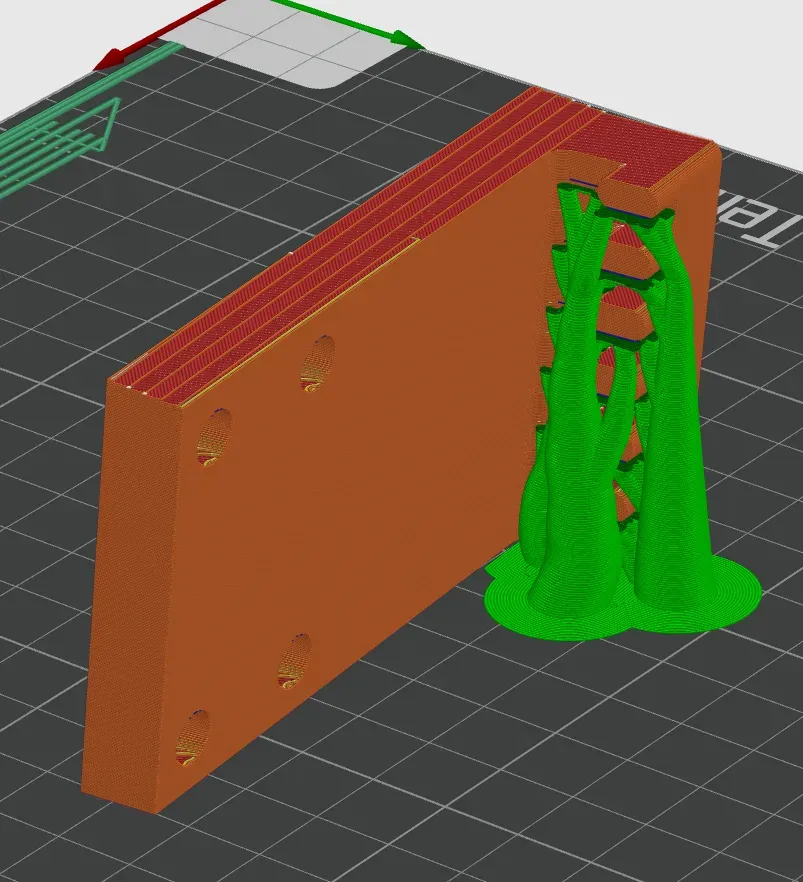
When printing this, do not print the clips standing straight up on their backs! It is tempting to save on support, but that puts an enormous amount of shear force on layer lines. Instead, I recommend printing the clips with support, on the flat long side, as shown below. I also recommend printing out of PETG, which has lower creep than PLA, because this model will hold sustained load. I also recommend printing with three walls (and alternating additional walls), and slim-style tree support. Mine looks approximately as below when sliced.
My recommendation to assemble it:
- Print all three parts.
- Install heat stakes into the outermost screw holes on the clips.
- Install heat stakes into the VESA mount.
- Press the clips into the correct sides of the instrument. They will only insert in one direction, and then they should be parallel with each other. If they do not fully insert, either clean up your supports a little better, or give it a few solid whacks with the heel of your palm, or both.
- Install the M5 screws with washers on one side of the VESA mount body, and tighten them to the clip.
- Lightly thread the M5 screws with washers onto the other side. Use your fingers to squeeze the other clip towards the mount body as hard as you can, capturing as much tension on the clip and body as possible; tighten the M5 screws.
- Tighten all screws one more time.
- Wrestle the mounted instrument onto your VESA mount monitor arm of choice.
It looks sketchy but it does seem to work so far – I've wrestled mine quite a bit with it on the stand to get it where I want, and it does not seem to be anywhere near breaking. All the same, you print this at your own risk – I do not take any responsibility if you end up with a $4,000 instrument on the floor!
I modeled this with Onshape. Here is the Onshape document.
Boost Me (for free)
Apparently, if you like this, you can give me a dollar worth of points by clicking this button. Maybe some day I'll even have enough to get some free filament.
License



Comment & Rating (1)