Search models, users, collections, and posts

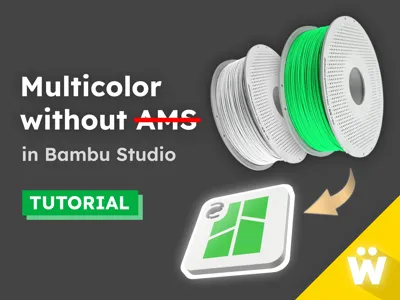
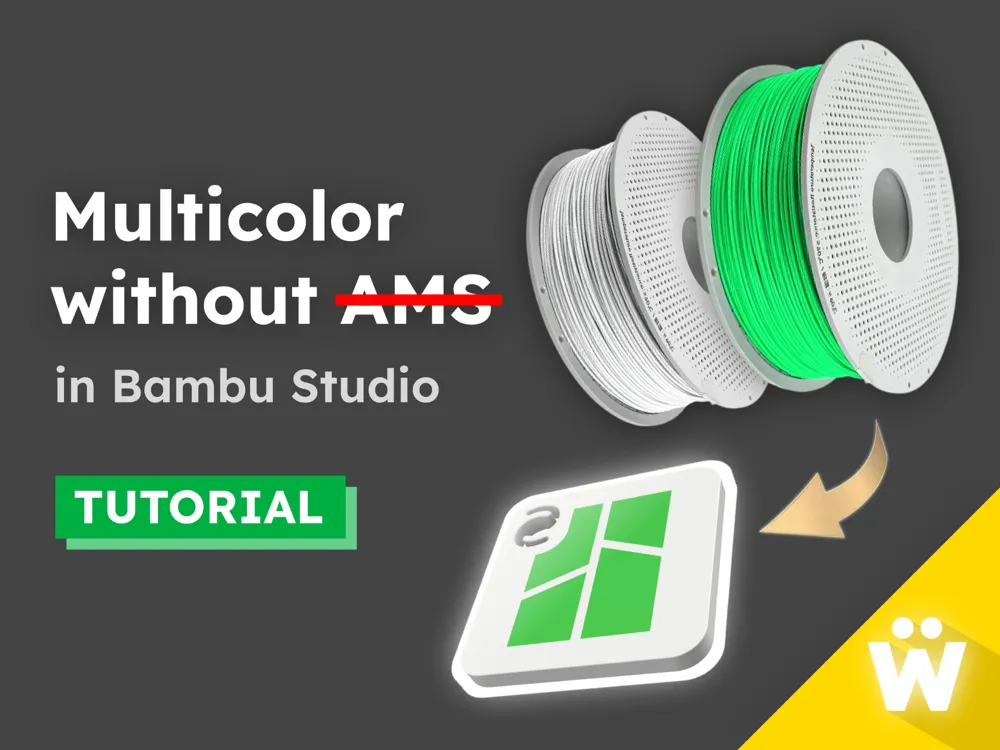
Multicolor without AMS (Tutorial)
Print Profile(2)

All
A1 mini
P1S
H2D
X1E
P1P
X1
X1 Carbon
A1
H2D Pro
H2S
P2S
H2C
X2D
A2L

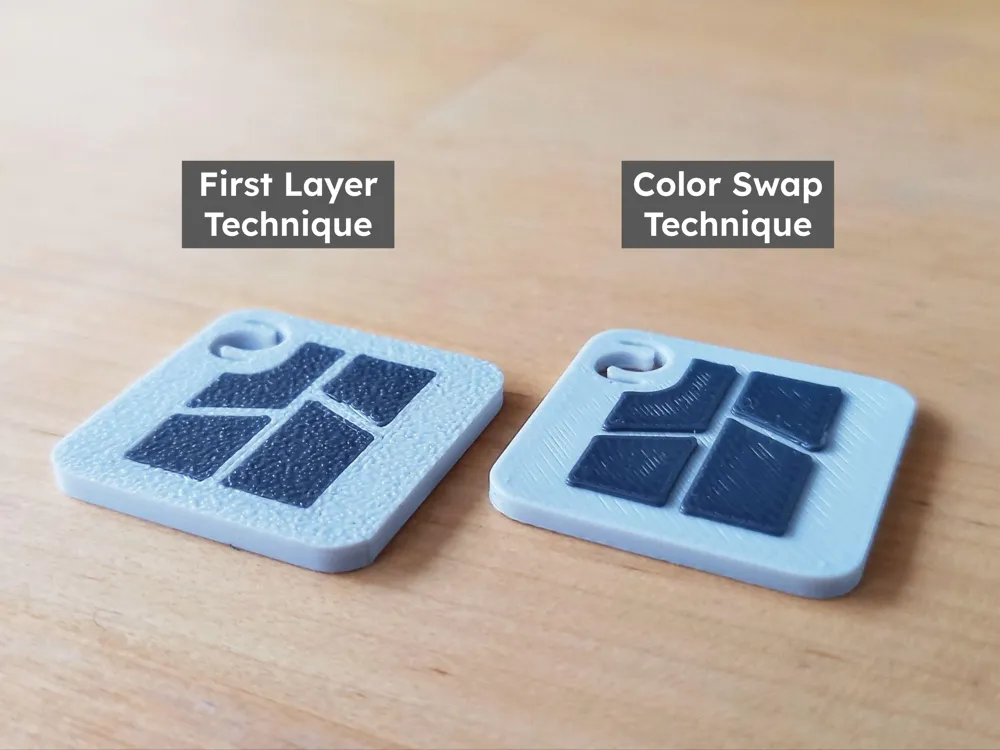
First Layer Color Technique - 0.2mm layer
Designer
9 min
1 plate
4.8(5)

Color Swap Technique – 0.2mm layer
Designer
9 min
1 plate

Open in Bambu Studio
Boost
99
217
17
16
142
23
Released 

Description

Check out my new CubicPets collection:

https://makerworld.com/collections/27840978
 

Boost Me (for free)

Free for you! Means the world to me! ❤️

____________________


Introduction to Multicolor without AMS

There's no doubt that Bambu Lab's AMS (Automatic Material System) offers an incredibly streamlined approach to multicolor 3D printing. But if you're like me and haven't yet embraced the AMS, you'll be happy to know that multicolor printing is still available to you! 🙂


And I am not talking about multi-part models that you need to assemble after printing (although those are great too). I am talking about real multicolor in which different colors are fused together in a single print.


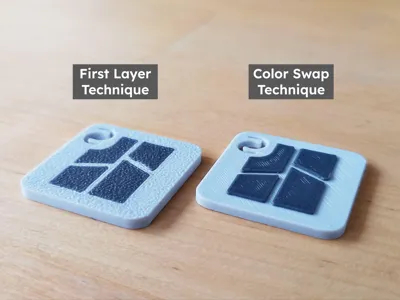
In this tutorial, I will walk you through a couple of practical techniques that allow you to do that. These are:

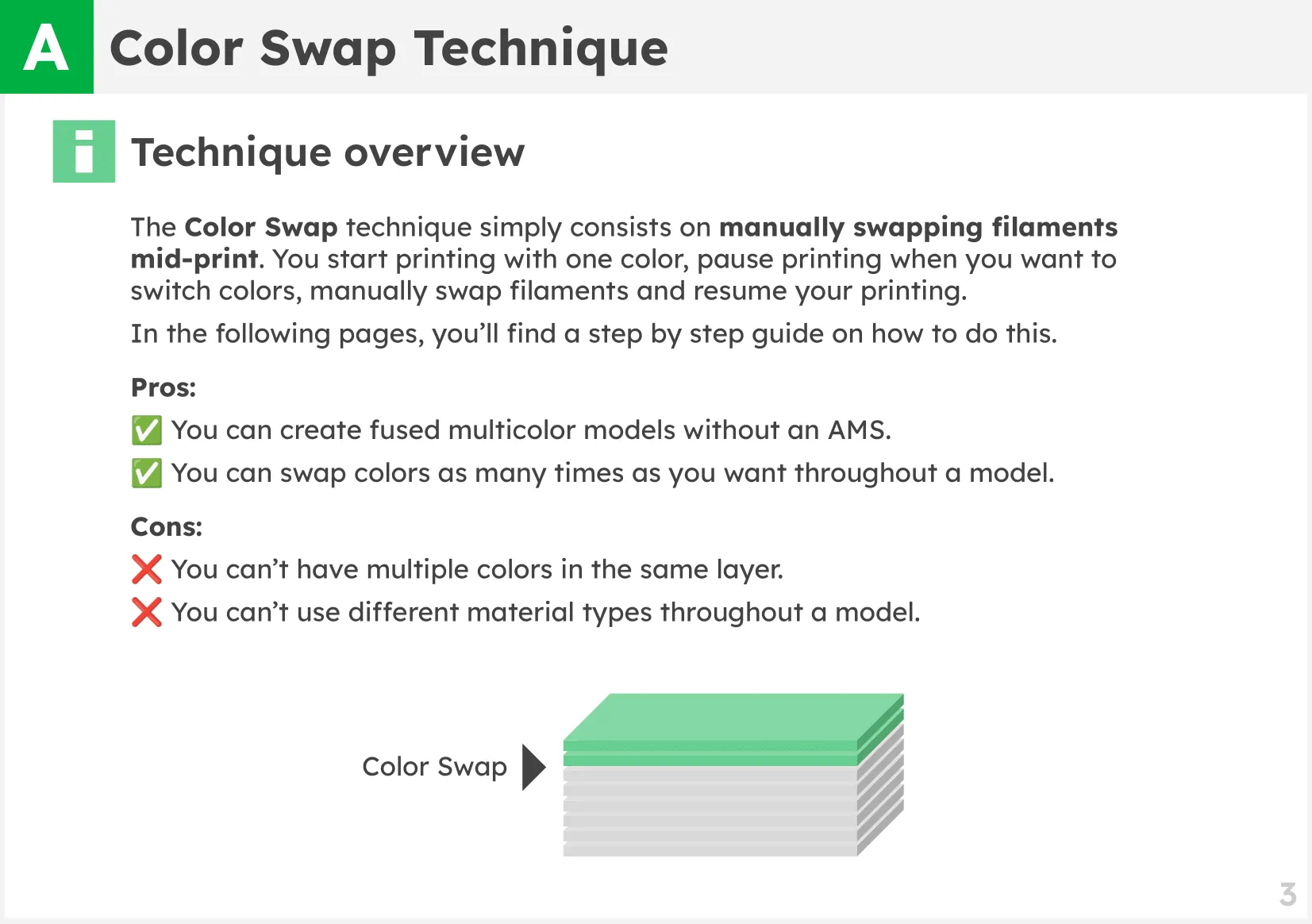
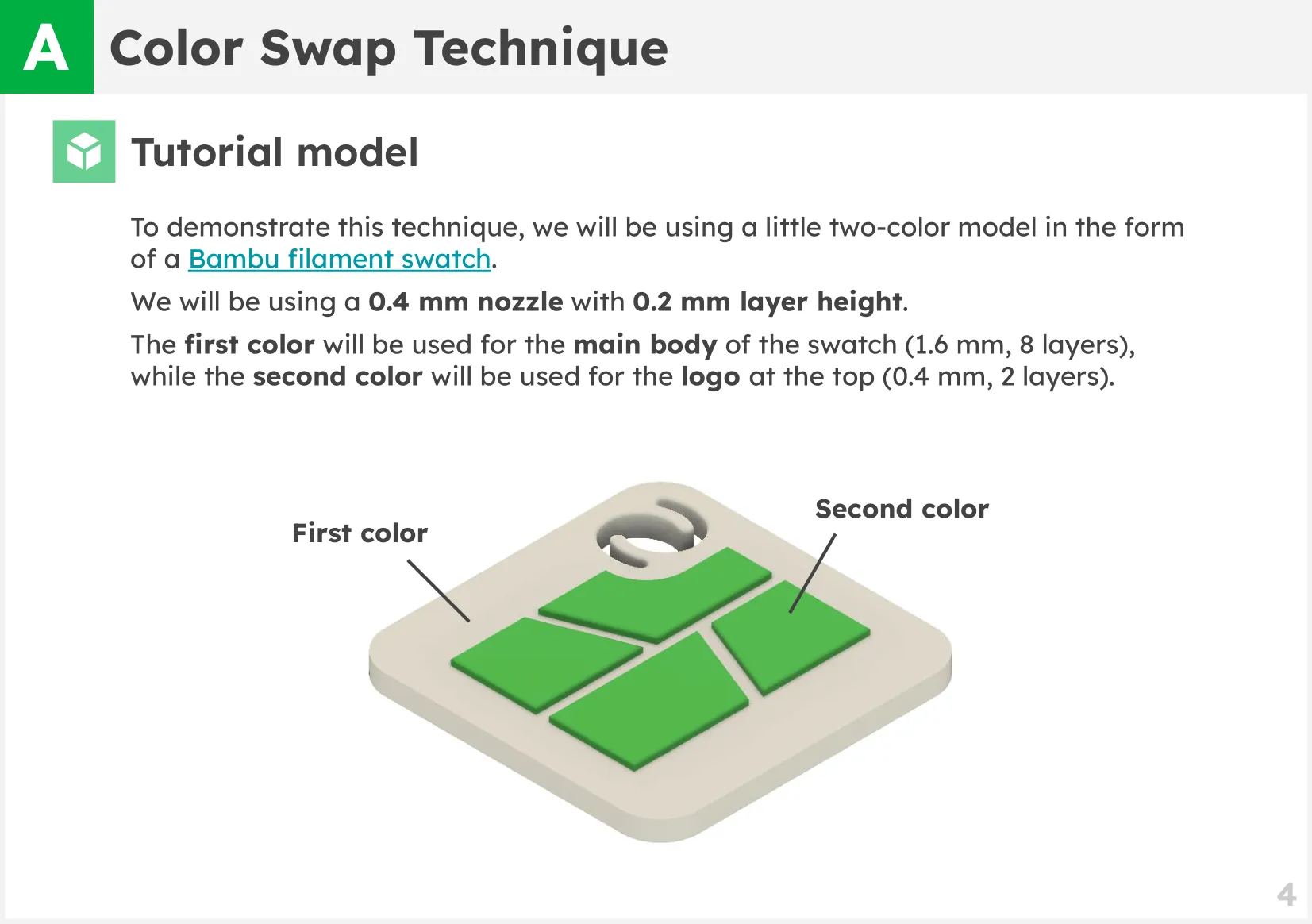
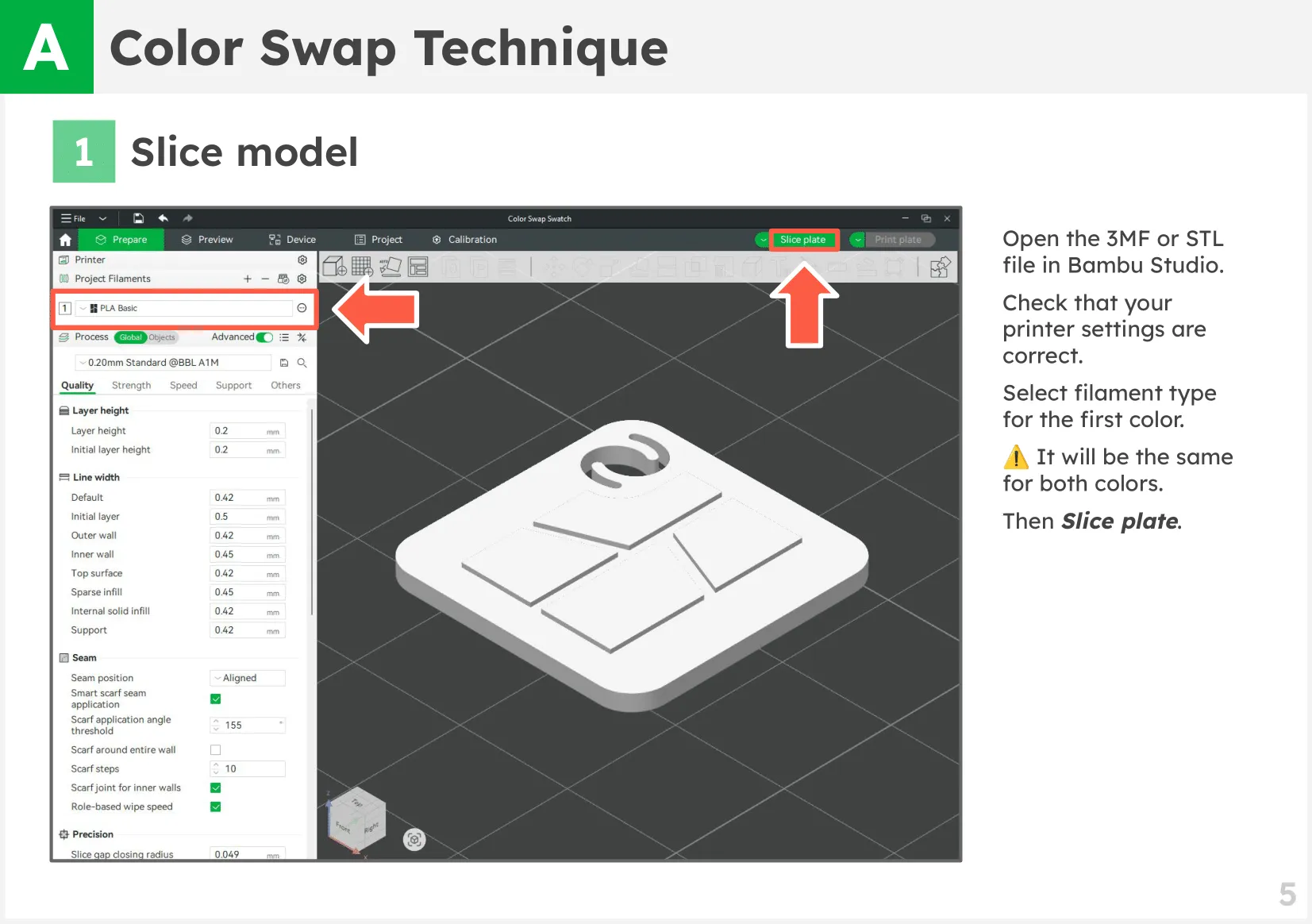
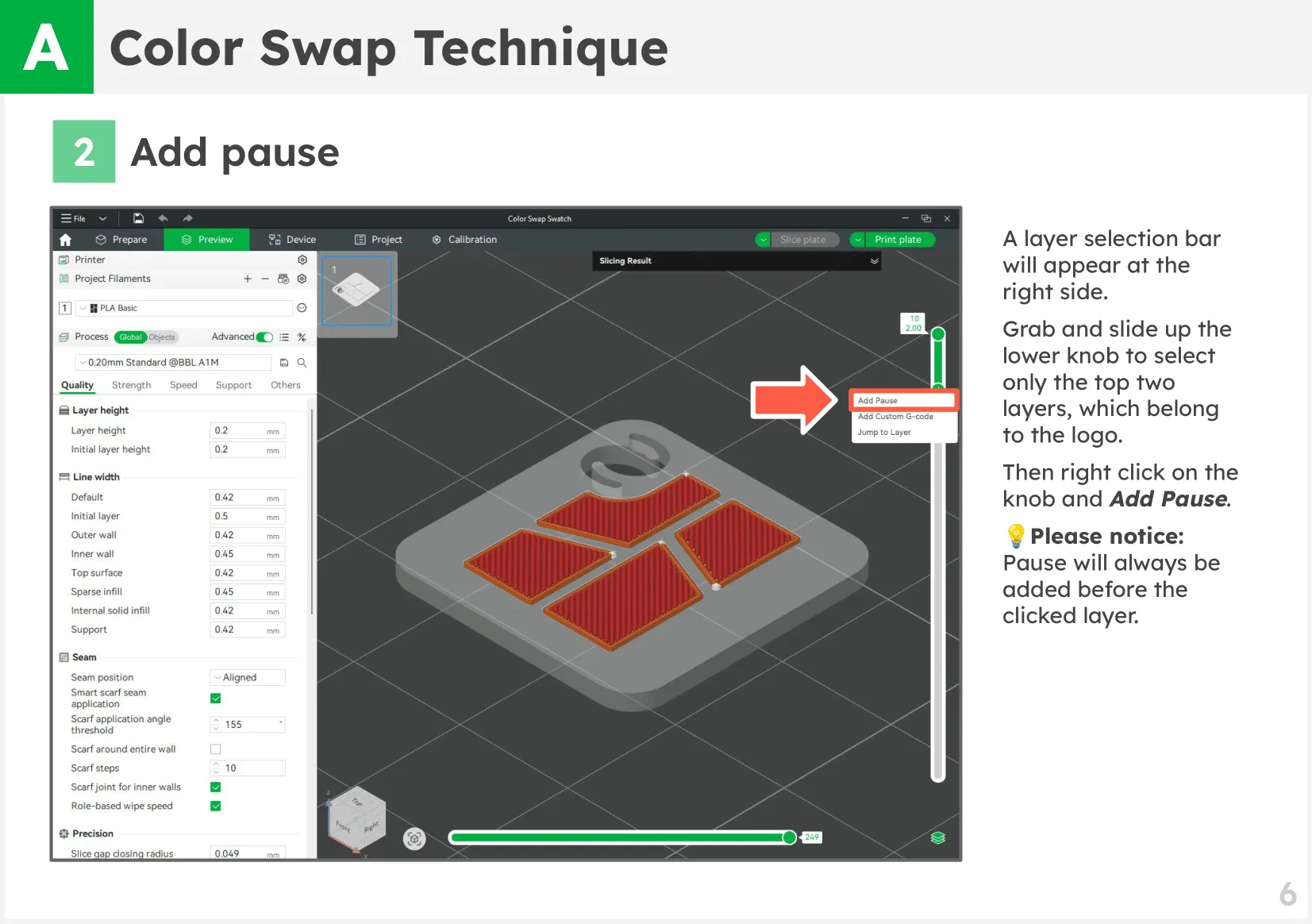
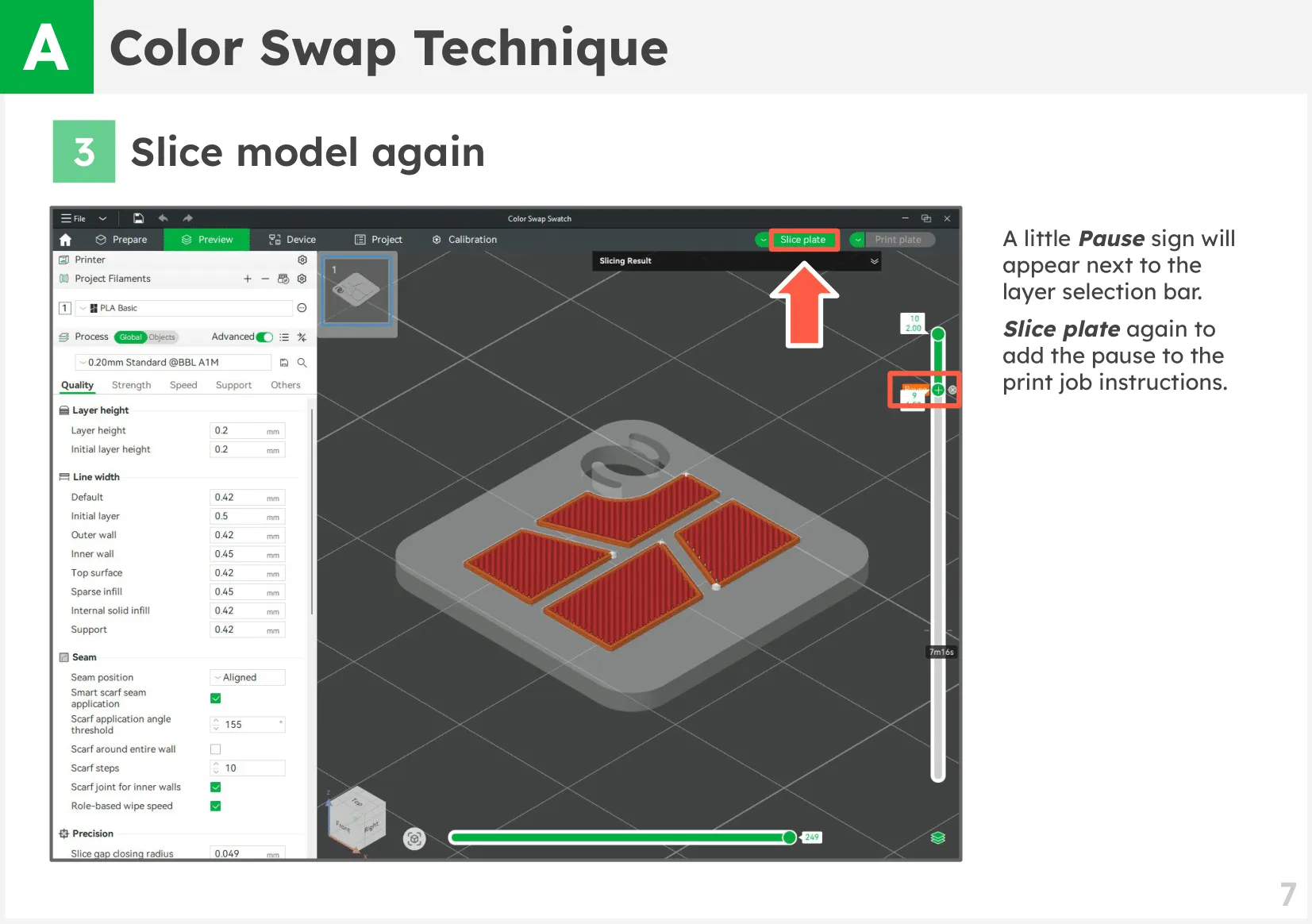
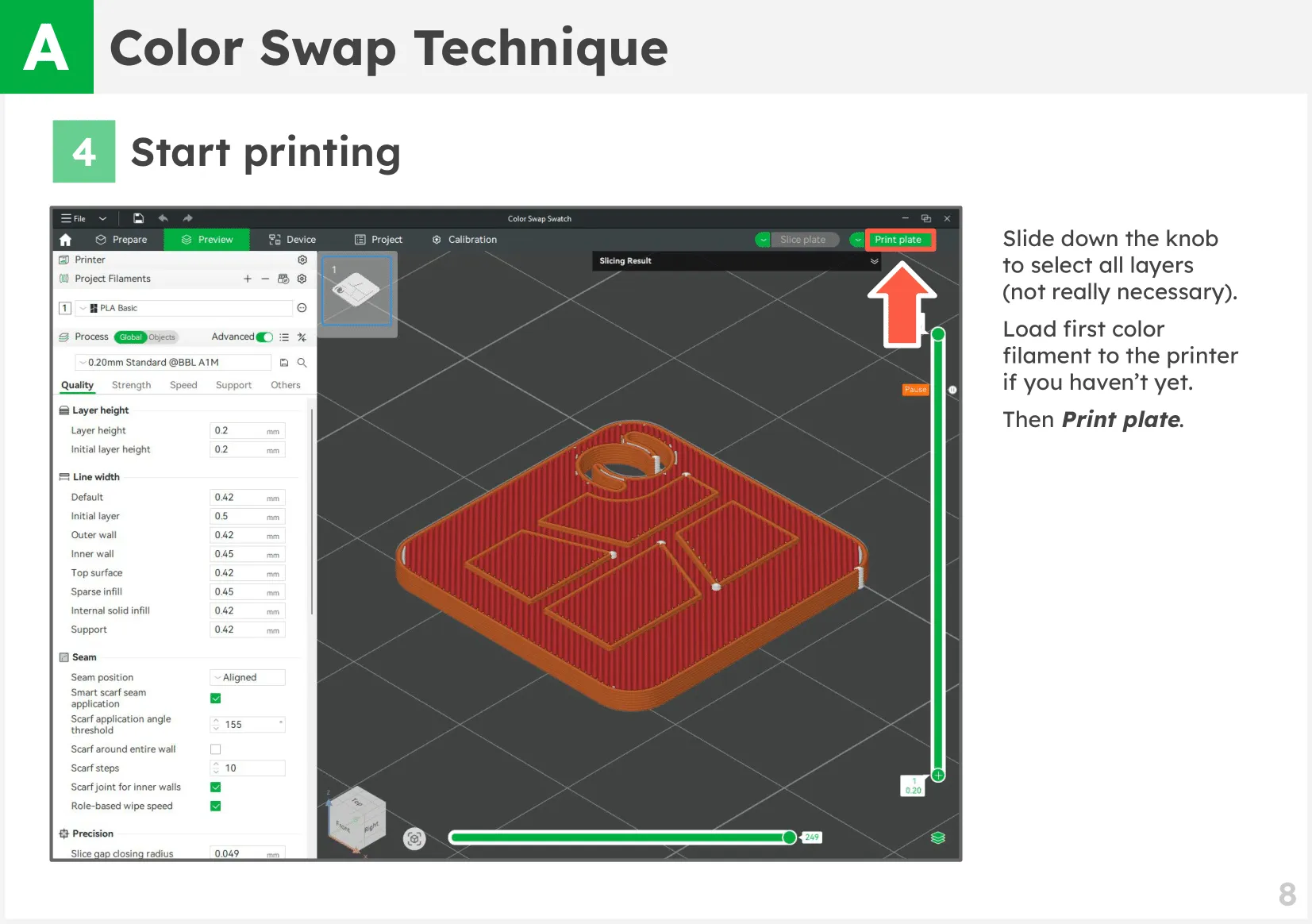
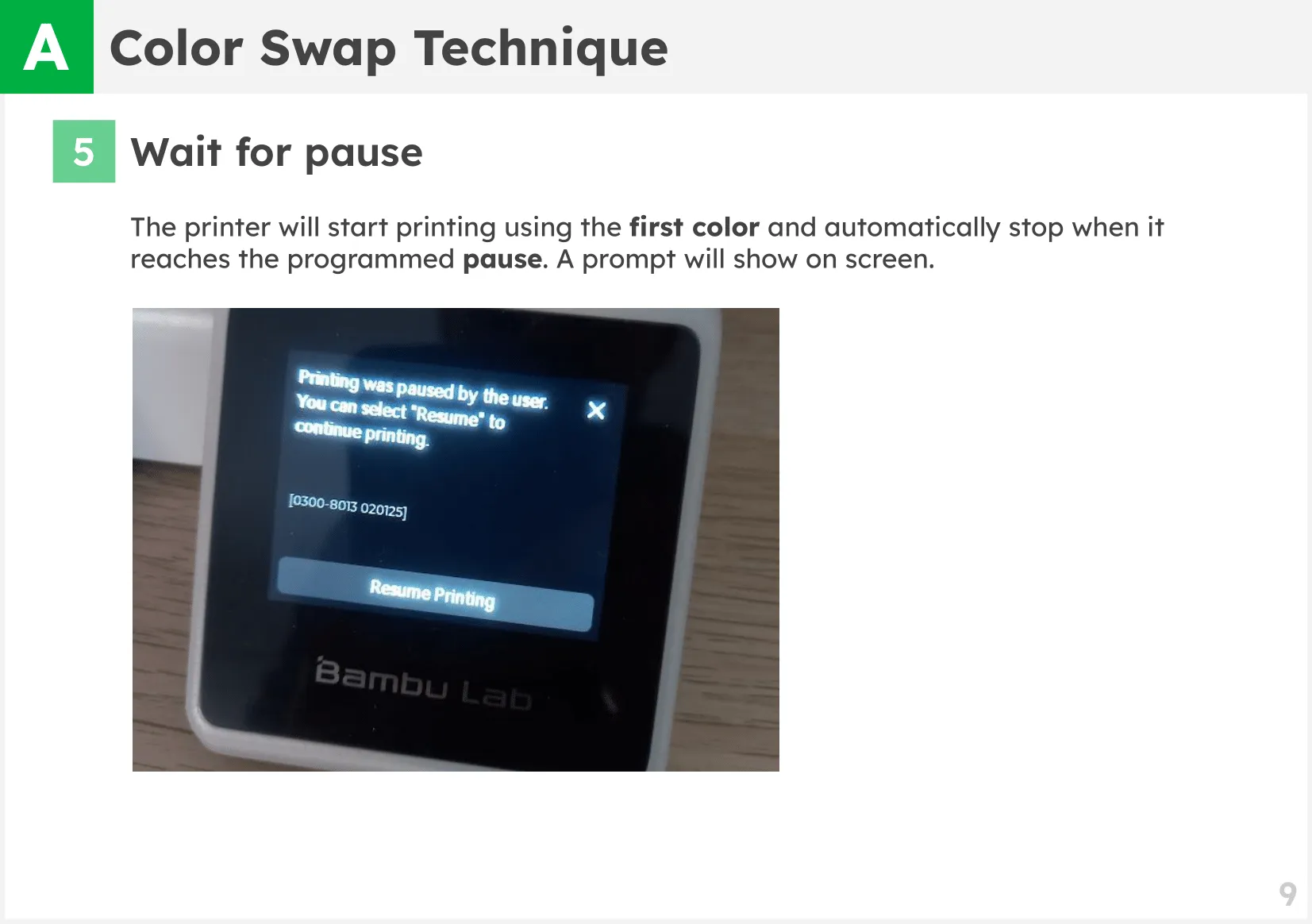
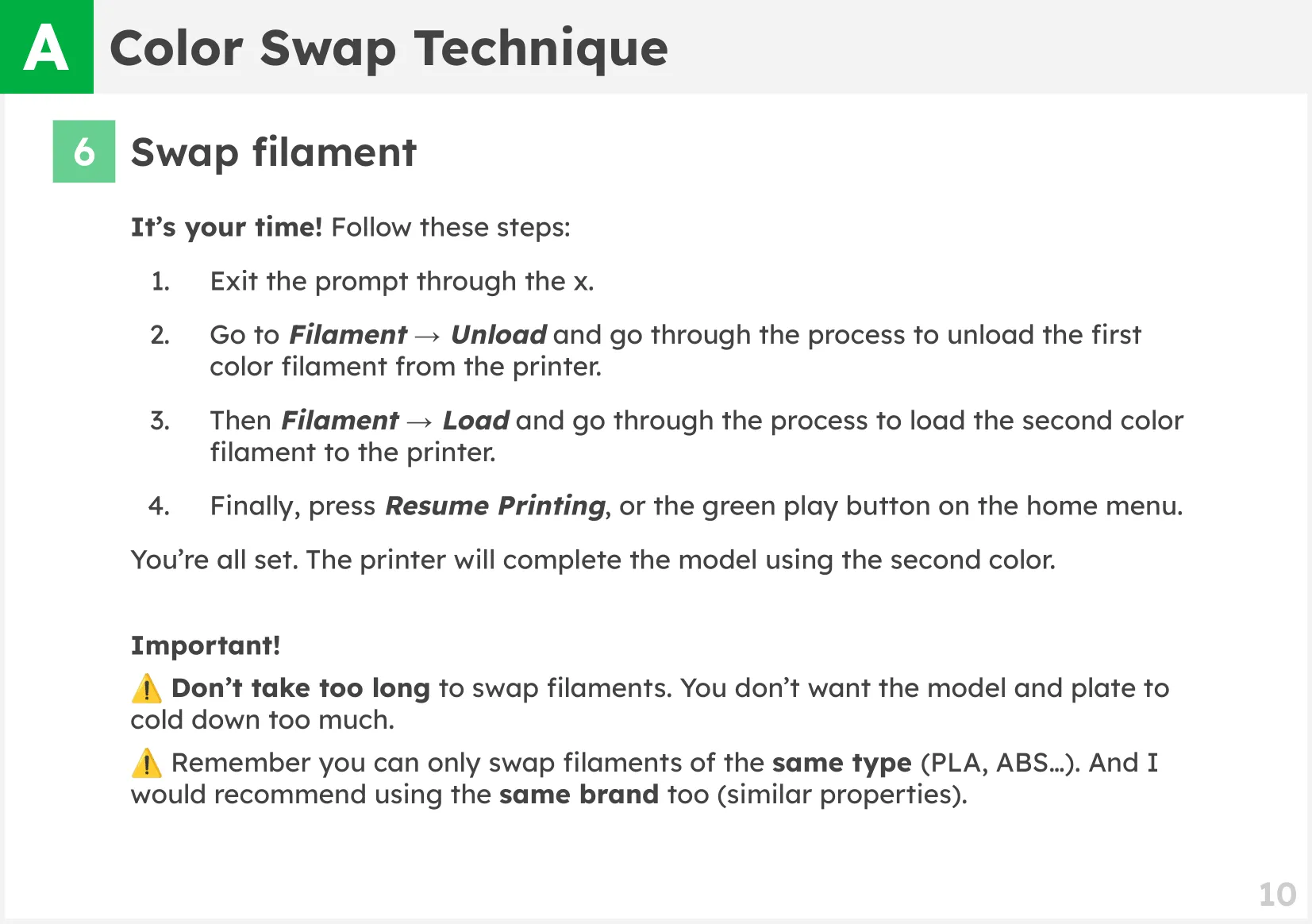
Color Swap Technique

It consists of swaping filaments mid-print.

Example models using this technique:


👉 Card Foldable Phone Stand (Customizable)

👉 Mario Kart Spinning Medals (No AMS)

👉 Paw Patrol Pup Tags (No AMS)

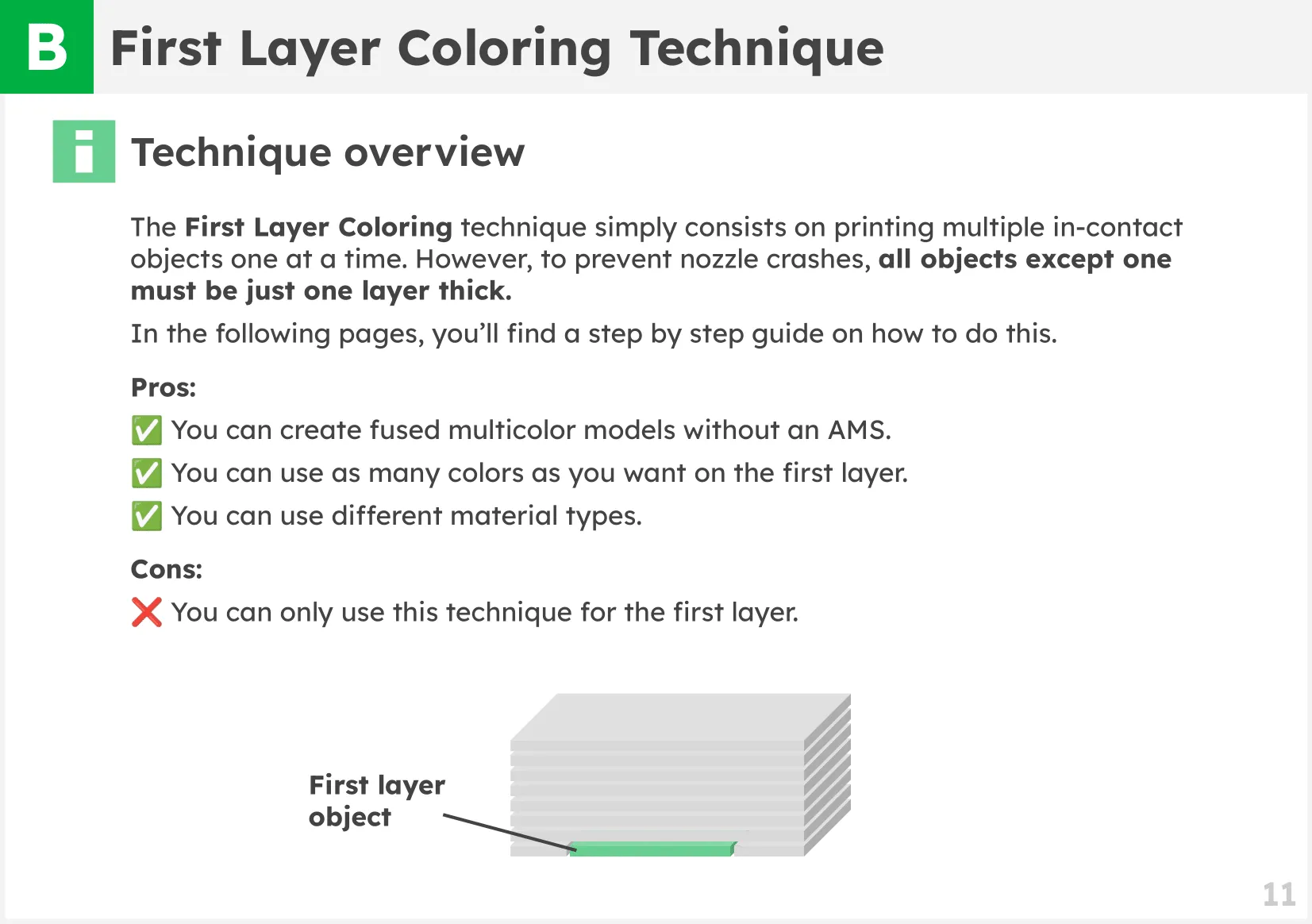
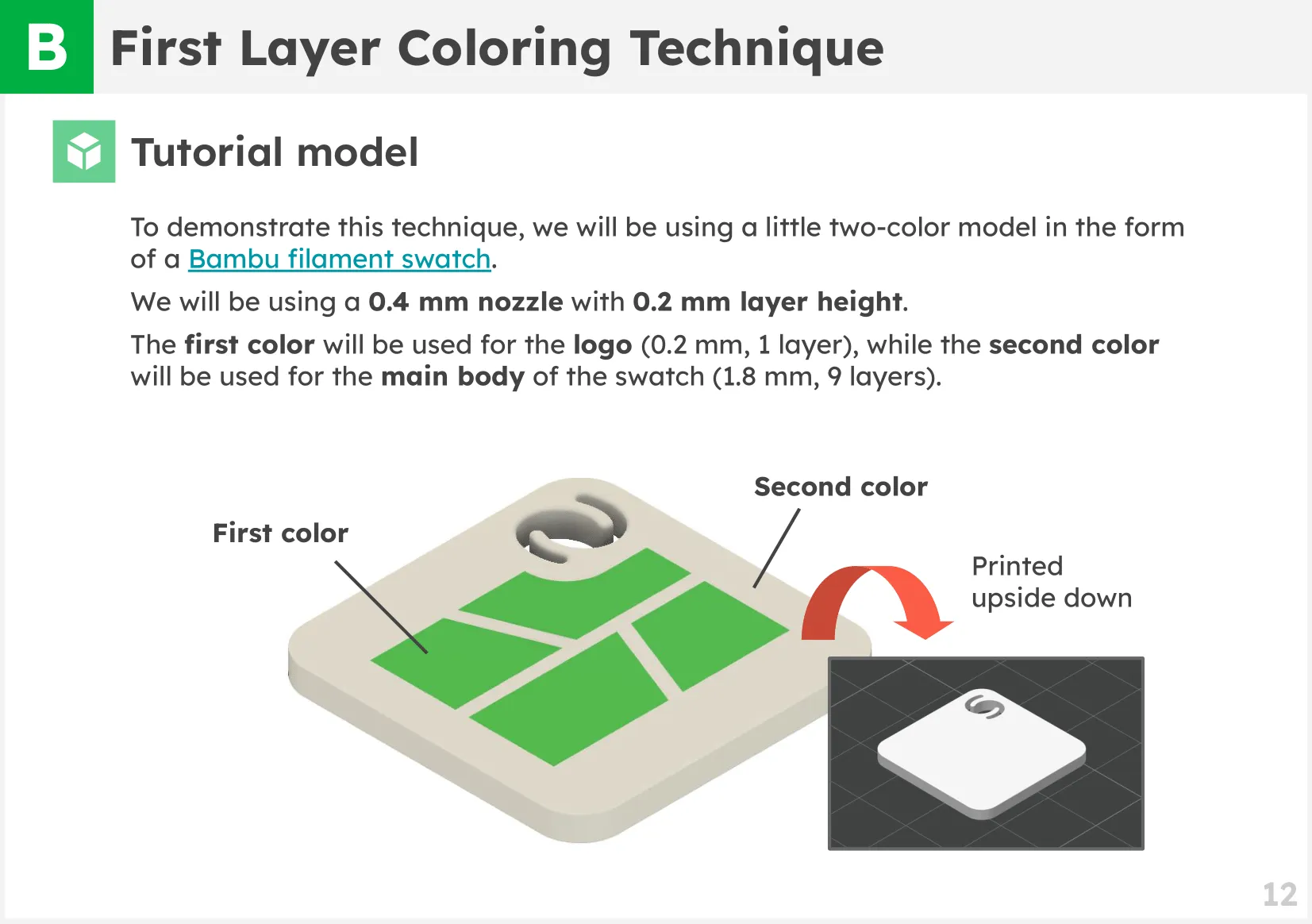
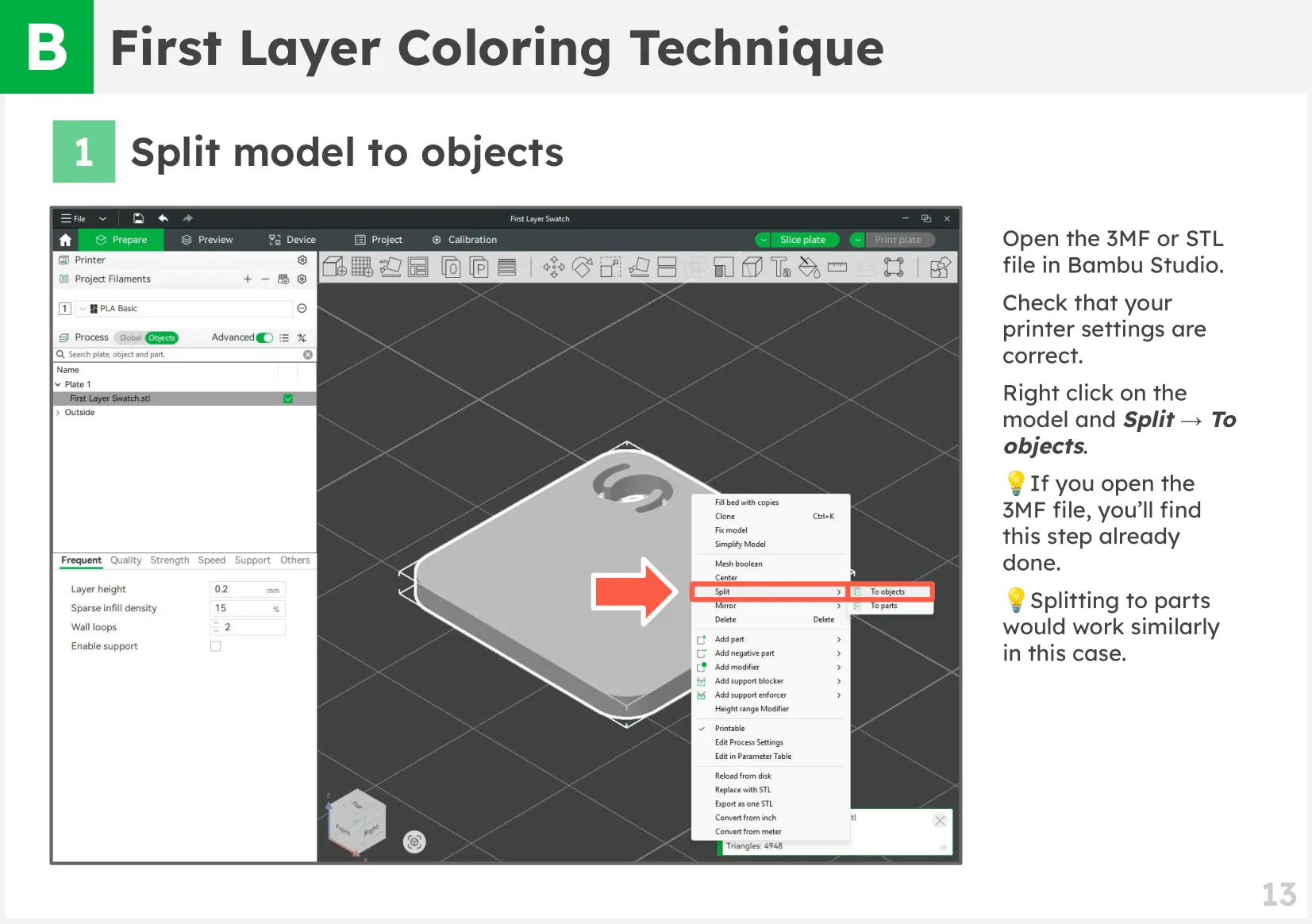
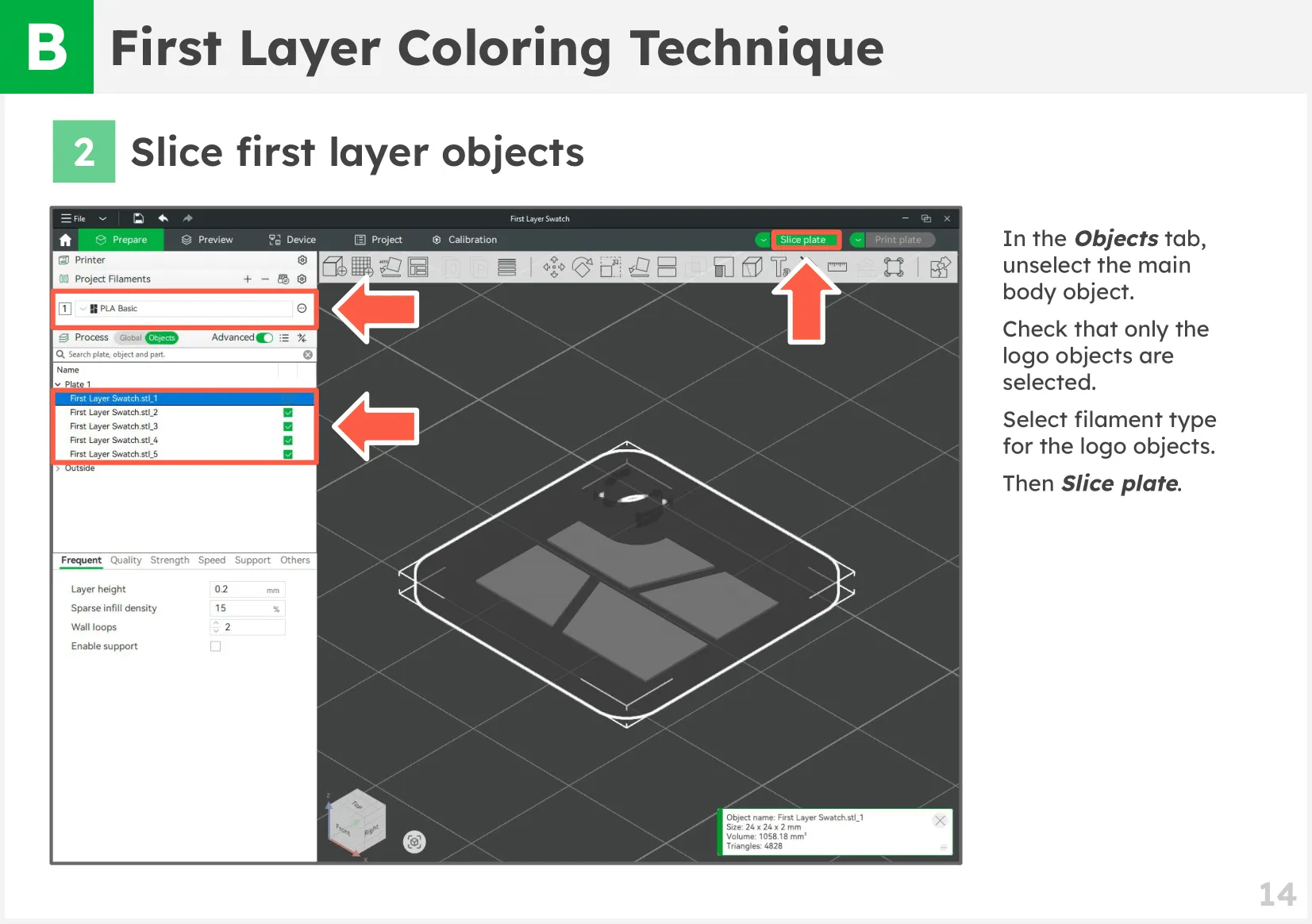
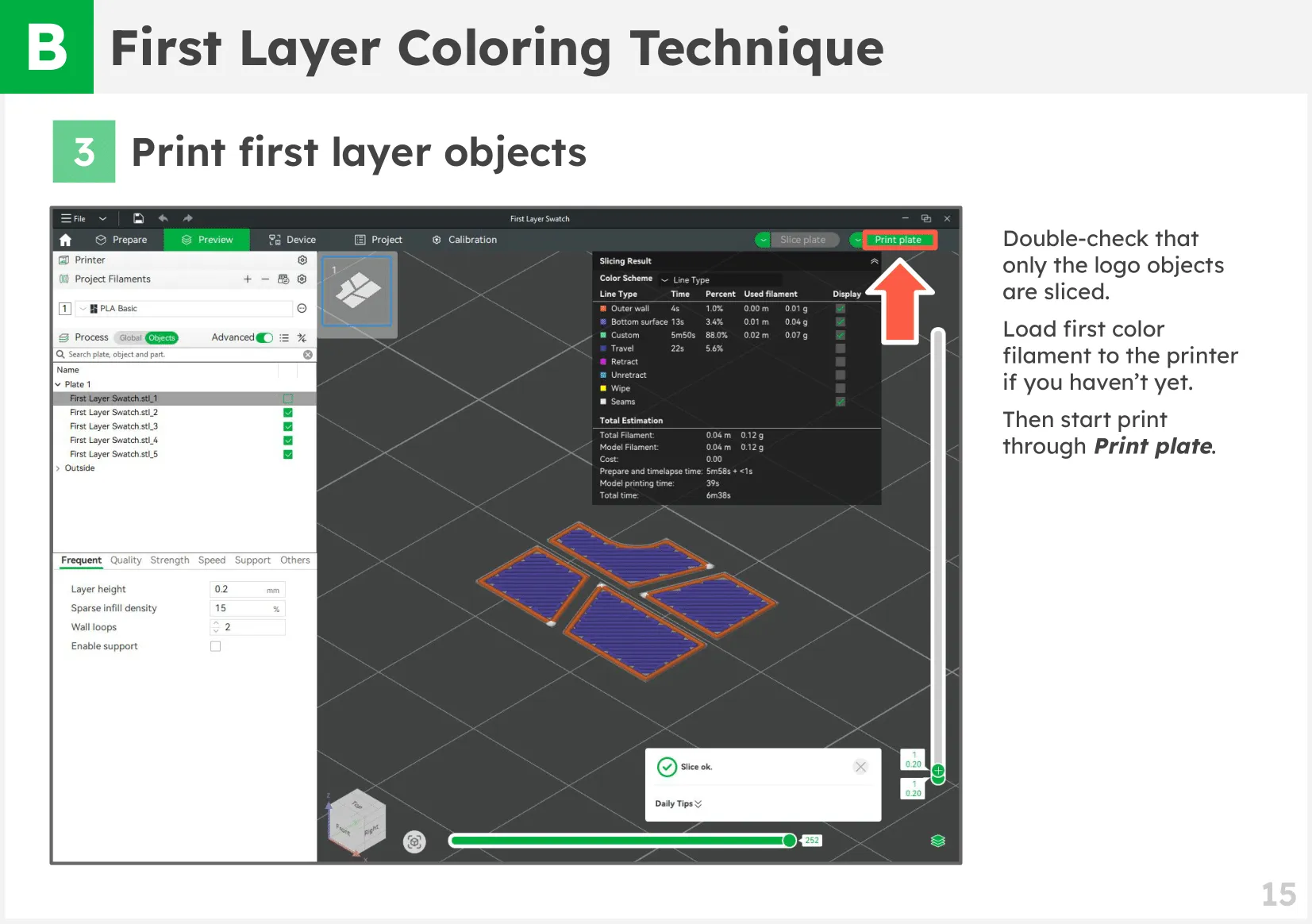
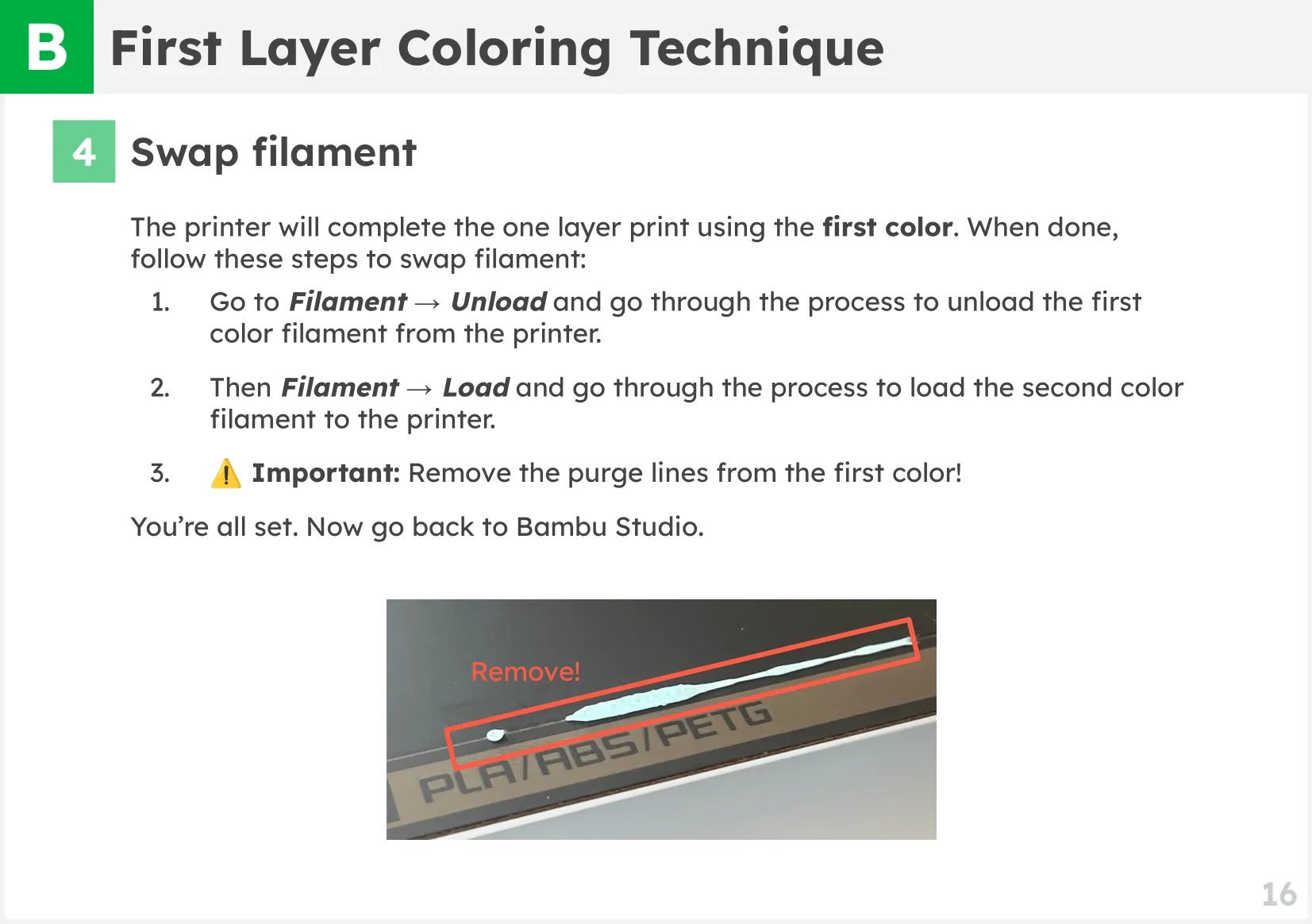
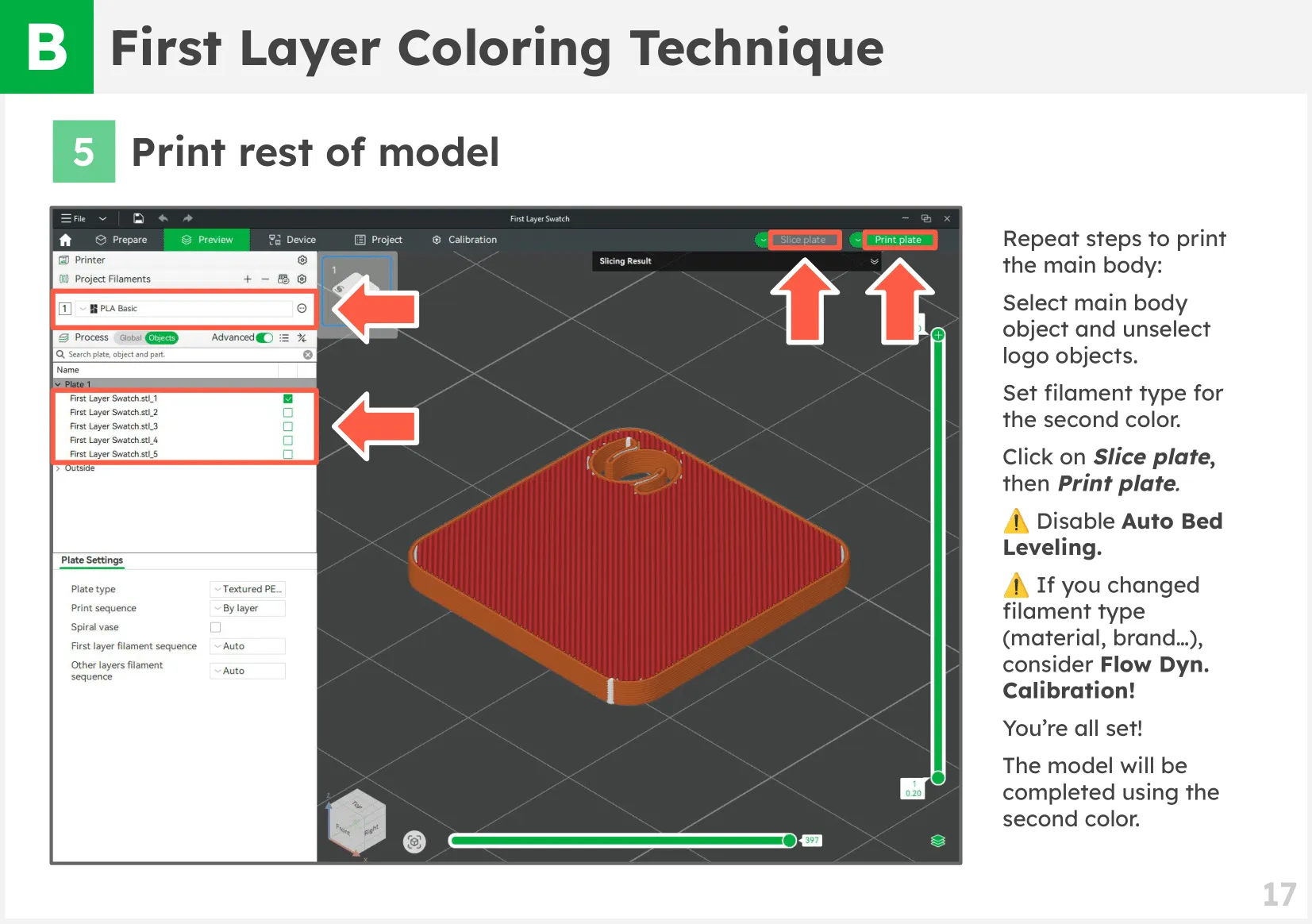
First Layer Coloring Technique

It consists of printing one-layer thick objects.

Example models using this technique:


👉 Monument Valley Totem (Multi-part, No AMS)

👉 Robot Edd-e (Print in place, No AMS)

Tutorial

You'll find the tutorial in the slides below.

If you prefer, you can also download it in PDF!
 

____________________

Show your appreciation

Hi! I'm Carles. I dedicate countless hours to creating and maintaining free models like this. If you enjoy them, please consider supporting my work through one of the following options:

Boost Me (for free)

Free for you! Means the world to me! ❤️

Membership

Support Monthly + Unlock Commercial License! 🔓

Join

💡 You can also make a one-time donation, by joining a Membership for just one month.


Documentation (1)

Assembly Guide (1)
Multicolor Printing Techniques (without AMS) - V1.0.pdf

Comment & Rating (17)

(0/1000)

Thanks for sharing this technique... it will help me a lot while waiting to afford an AMS
Show original
designer
1
Reply
Hi! I've discovered another way to print with multiple filaments without AMS. You can go to the printer settings (the printer icon in the top left corner of Bambu Studio), then "Machine gcode" tab, find "Change filament G-code" field, and replace all the code with "M400 U1". Then you can just set up filaments in the slicer and print the model with no extra effort. It automatically pauses the process and moves the hotend to the base, giving you time to load another filament manually. At least it worked for me. P.S. Don't turn off "Prime tower" unless you want ugly bumps like on my test prints 😅
0
Reply
Excellent instructions
The designer has replied
Show original
designer
2
Reply
Thanks for the boost!
0
Reply
Boosted
Thank you for the simple instructions. I've been trying to figure out a way to do this and this was the easiest to understand. I have an AMS and if I wanted more than 4 colors on the first layer I'm assuming I could do the same just swap the colors in the AMS after the pause.
The designer has replied
designer
1
Reply
Thanks for the boost! ❤️
0
Reply
Print Profile
First Layer Color Technique - 0.2mm layer
Thank you for this very clear and easy to follow tutorial! I did my first multi-colour print following your instructions and it was easy and smooth.
profile
1
Reply
Huge help for the newbies like me, thank you !!! :-)
0
Reply
Excellent instructions. Thank you!
0
Reply
I need some help please. When my print got to the pause, it stopped, and the resume box popped up. I 'think' I hit the X to exit, but when I did, I couldn't find the unload option anywhere in the touch screen menu?
0
Reply
Great Info!
0
Reply
Print Profile
First Layer Color Technique - 0.2mm layer
Super
0
Reply

License

If you want to use this model commercially, please join my membership.
Join Now
This user content is licensed under a Standard Digital File License.

You shall not share, sub-license, sell, rent, host, transfer, or distribute in any way the digital or 3D printed versions of this object, nor any other derivative work of this object in its digital or physical format (including - but not limited to - remixes of this object, and hosting on other digital platforms). The objects may not be used without permission in any way whatsoever in which you charge money, or collect fees.