
Magic Vanish Box
Print Profile(2)


Description
Overview:
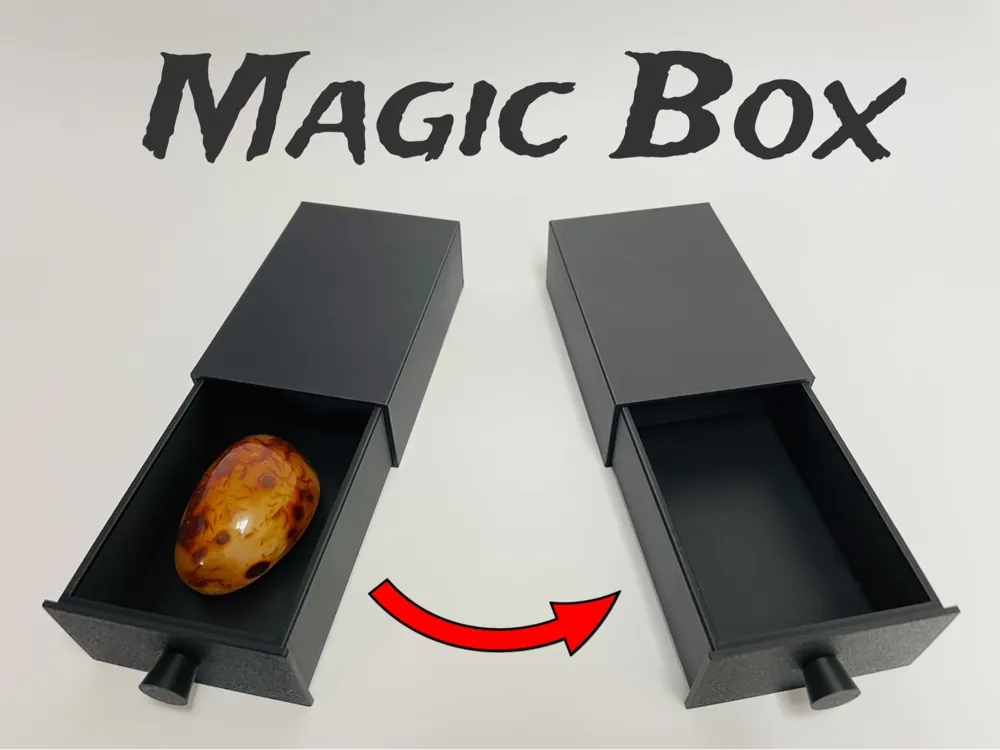
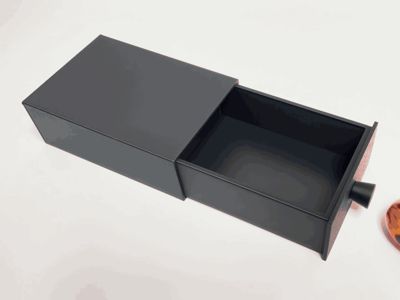
Enjoy this magical box that makes objects inside disappear!
- No supports!

- Mechanism not visible for spectator (no hole like in many other similar models, box can be shown from all sides!)
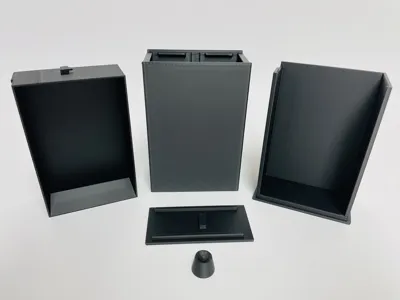
- No additional parts required!
- Easy assembly (step by step down below)
- Easy to use (instructions down below)
I used PLA Basic Black from BambuLab for my print. Please fully read the instructions to avoid misuse.
Assembly:
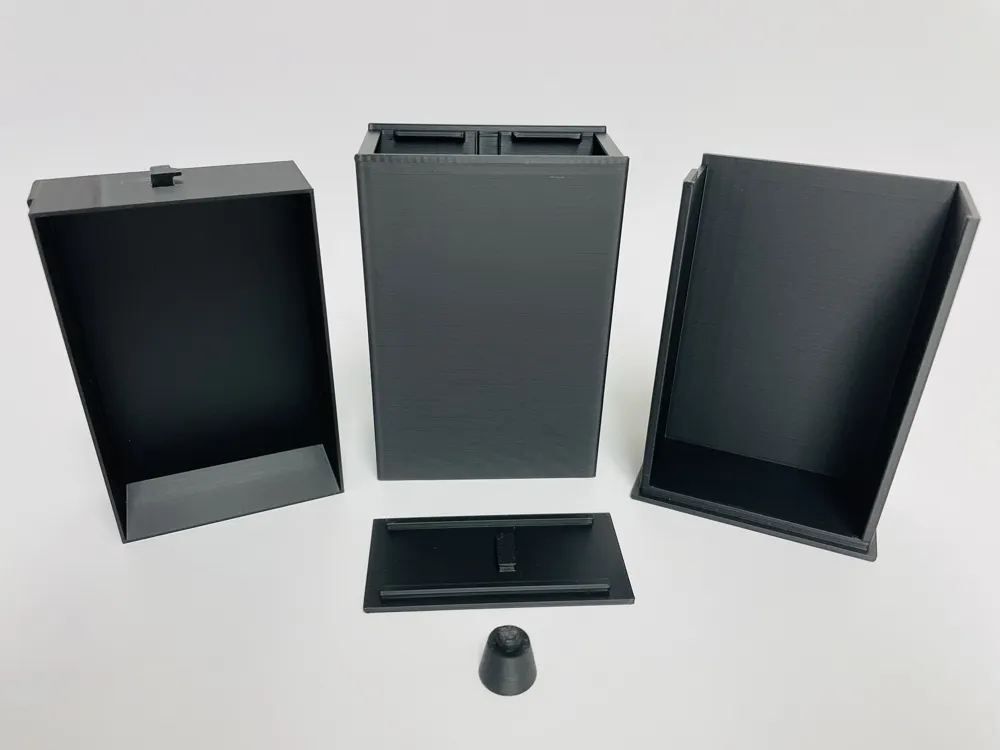
Insert the knob in the front hole. It's a press fit and shouldn't need any glue, but if you want to be extra safe you can use a little.
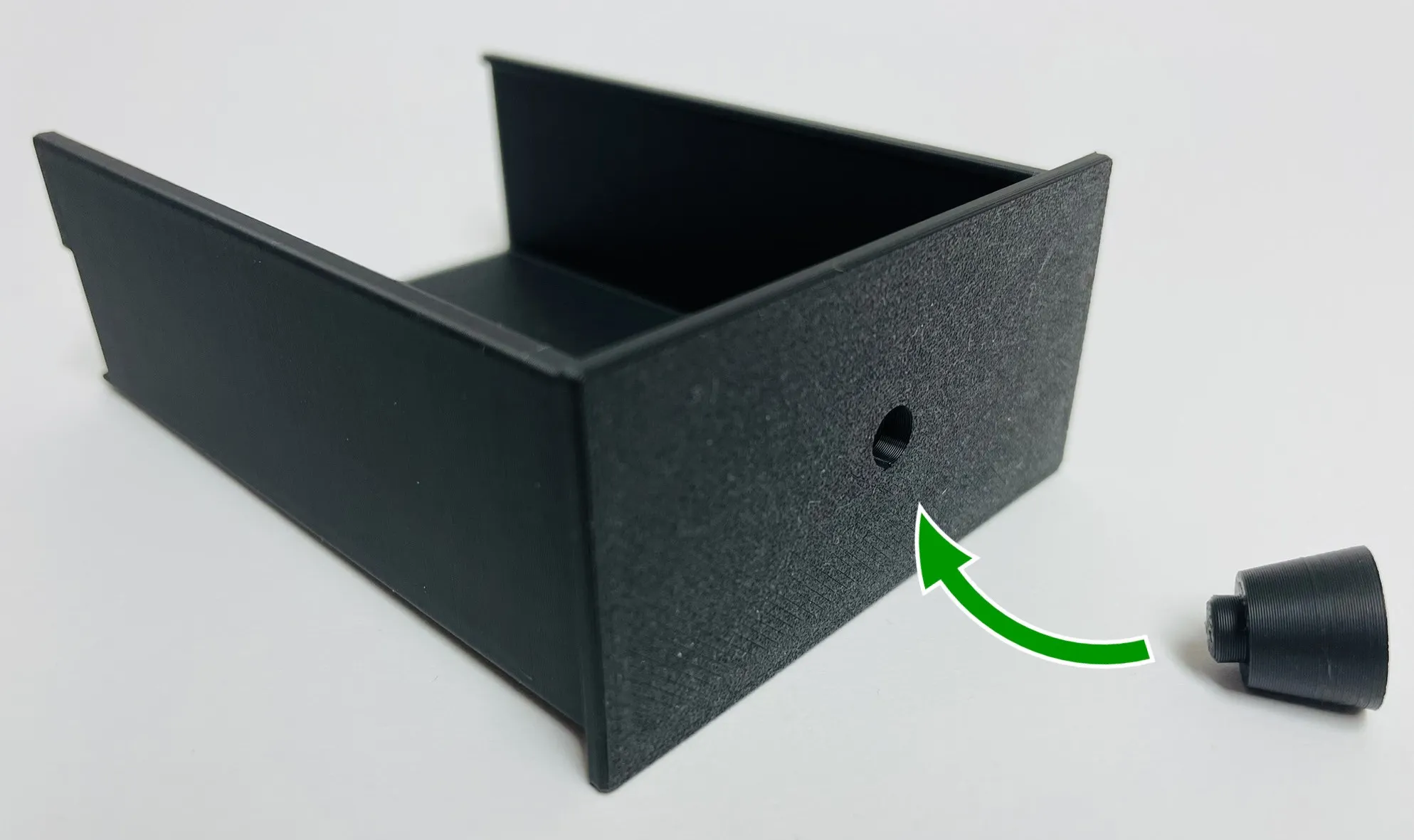
Slide the smaller box all the way into the larger box. (I recommend sliding it in and out again multiple times to make it move in a smooth way because the friction could be a bit higher in the beginning. Keep in mind that some friction is needed for the mechanism to work.)
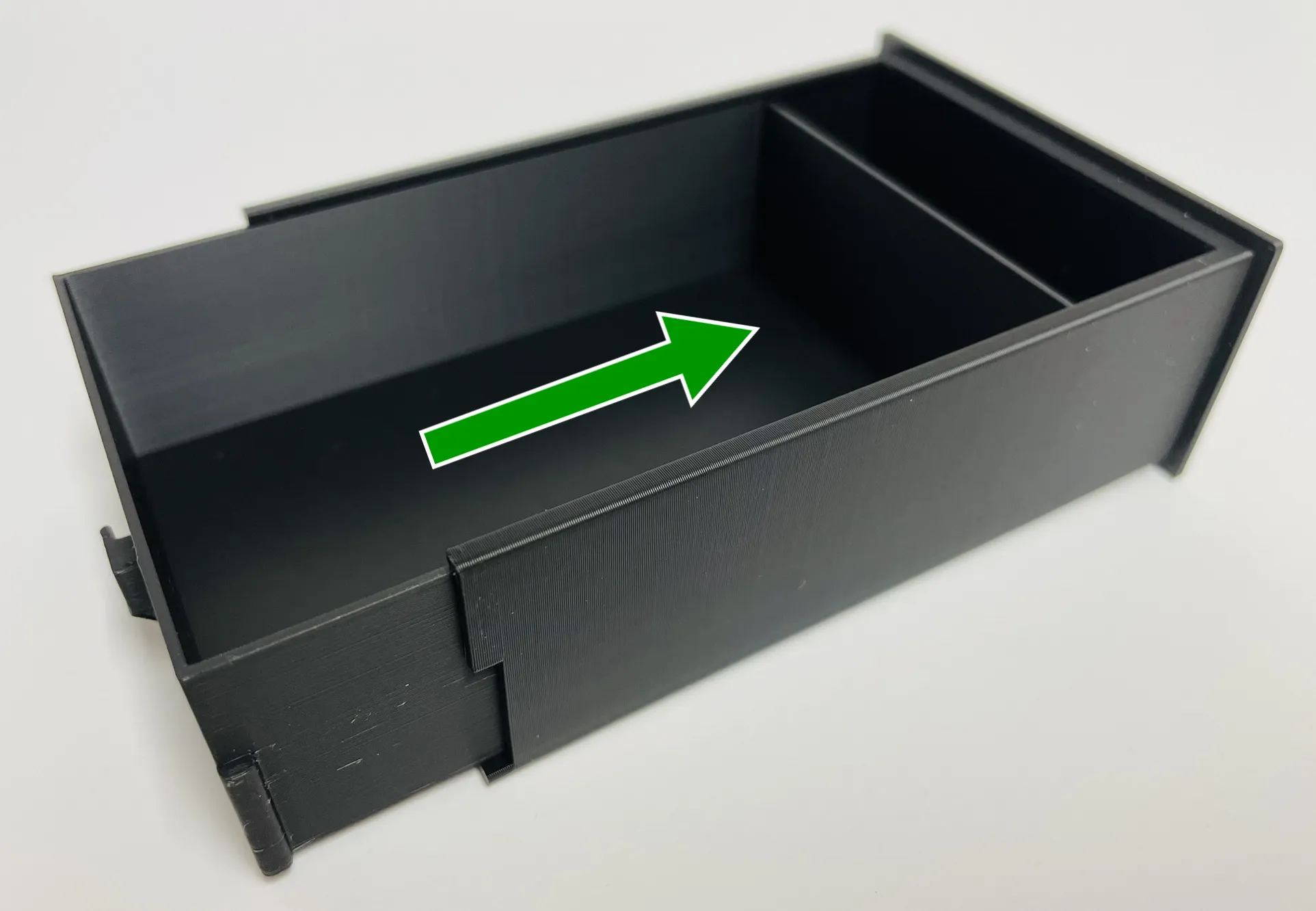
Press the back cover onto the large outer shell until it snaps in place. Be careful to use the orientation shown in the picture down below! For that, look at the groove of the large outer shell (should be at the bottom) and the small cutout in the middle of the cover piece (faces you in the photo).
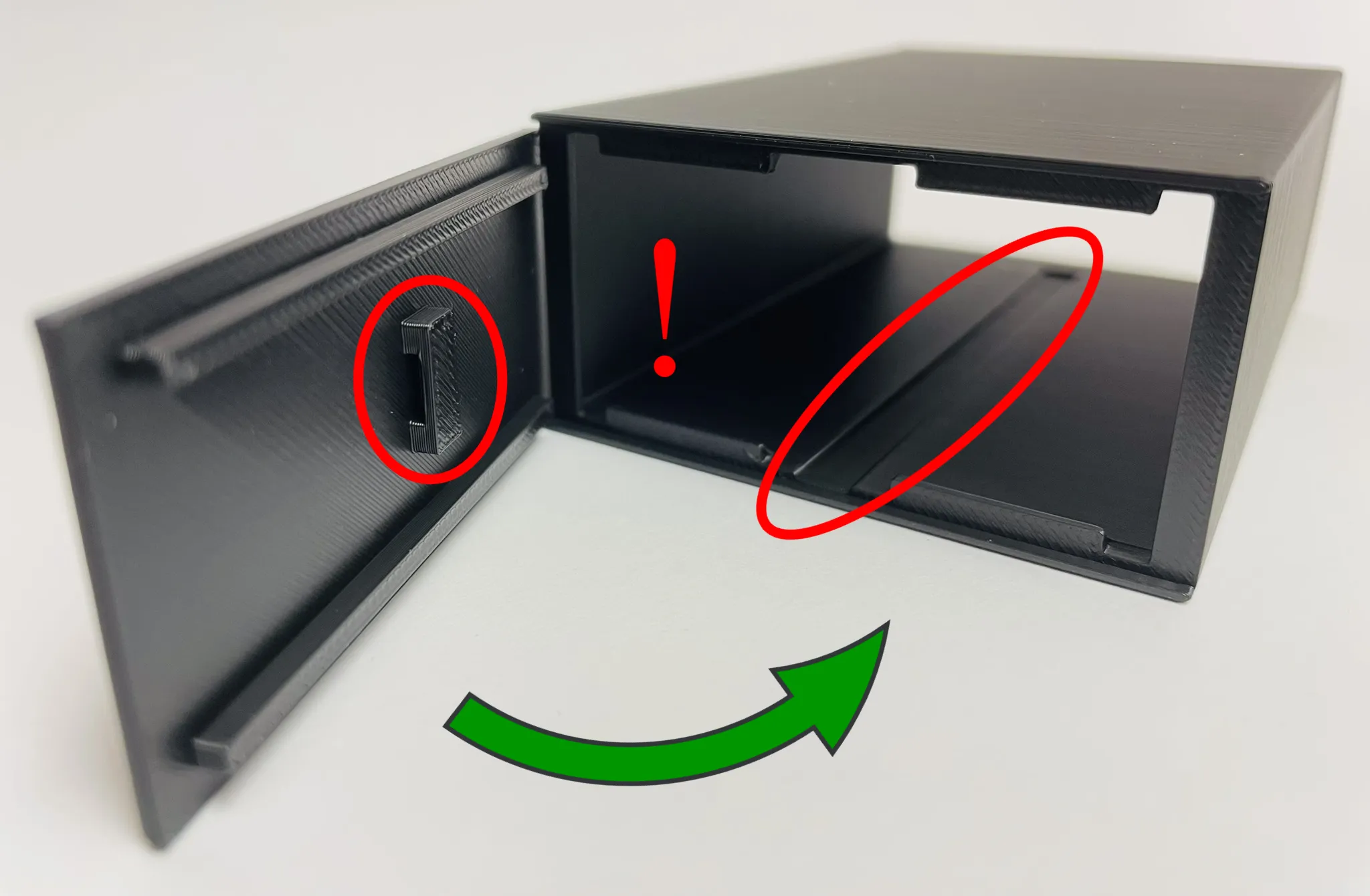
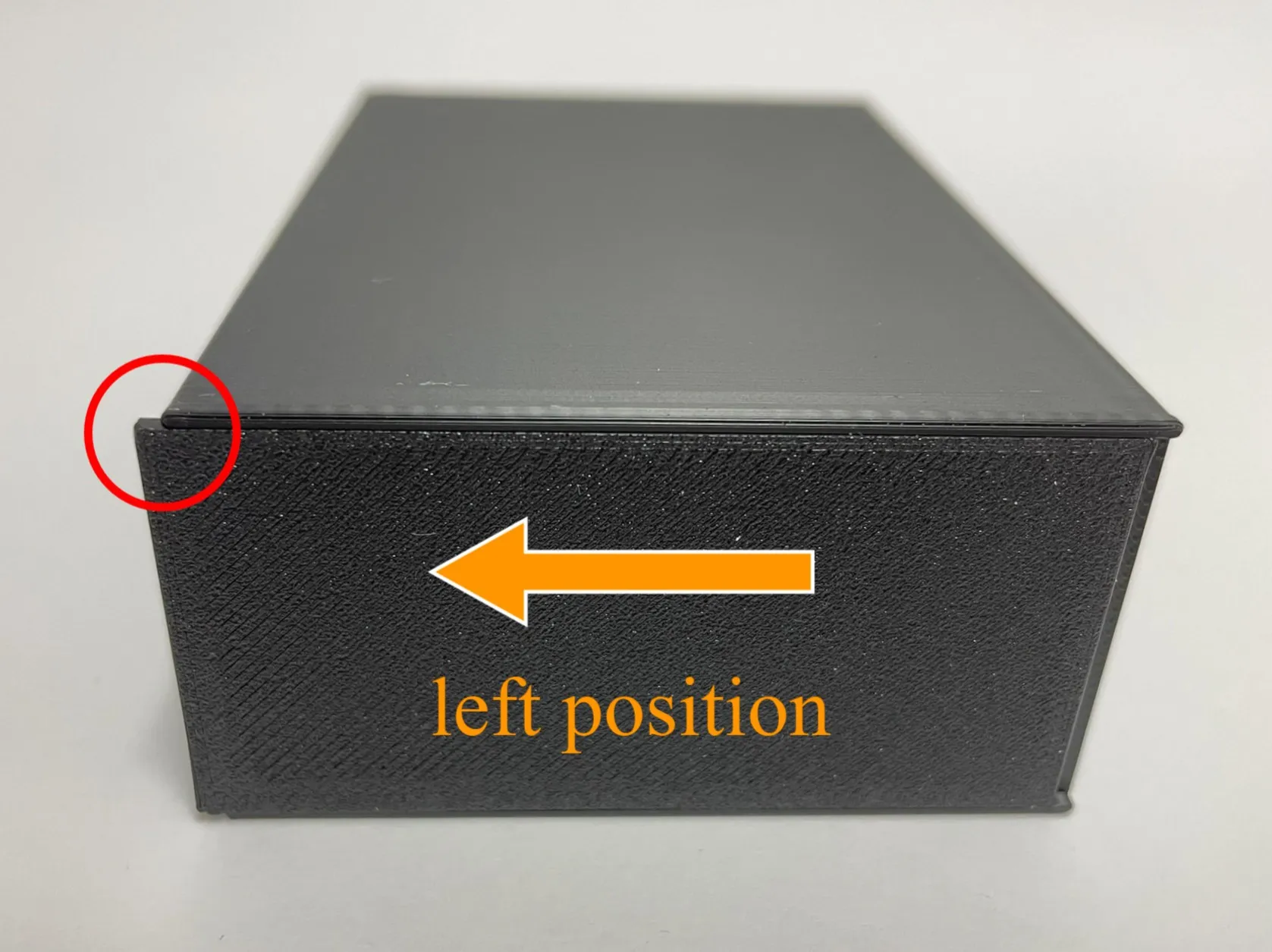
You should be able to slide the back cover you just installed a bit to the left. Keep it in that position for now.
Slide all the boxes together. Make sure that the groove of the large outer shell is at the bottom.
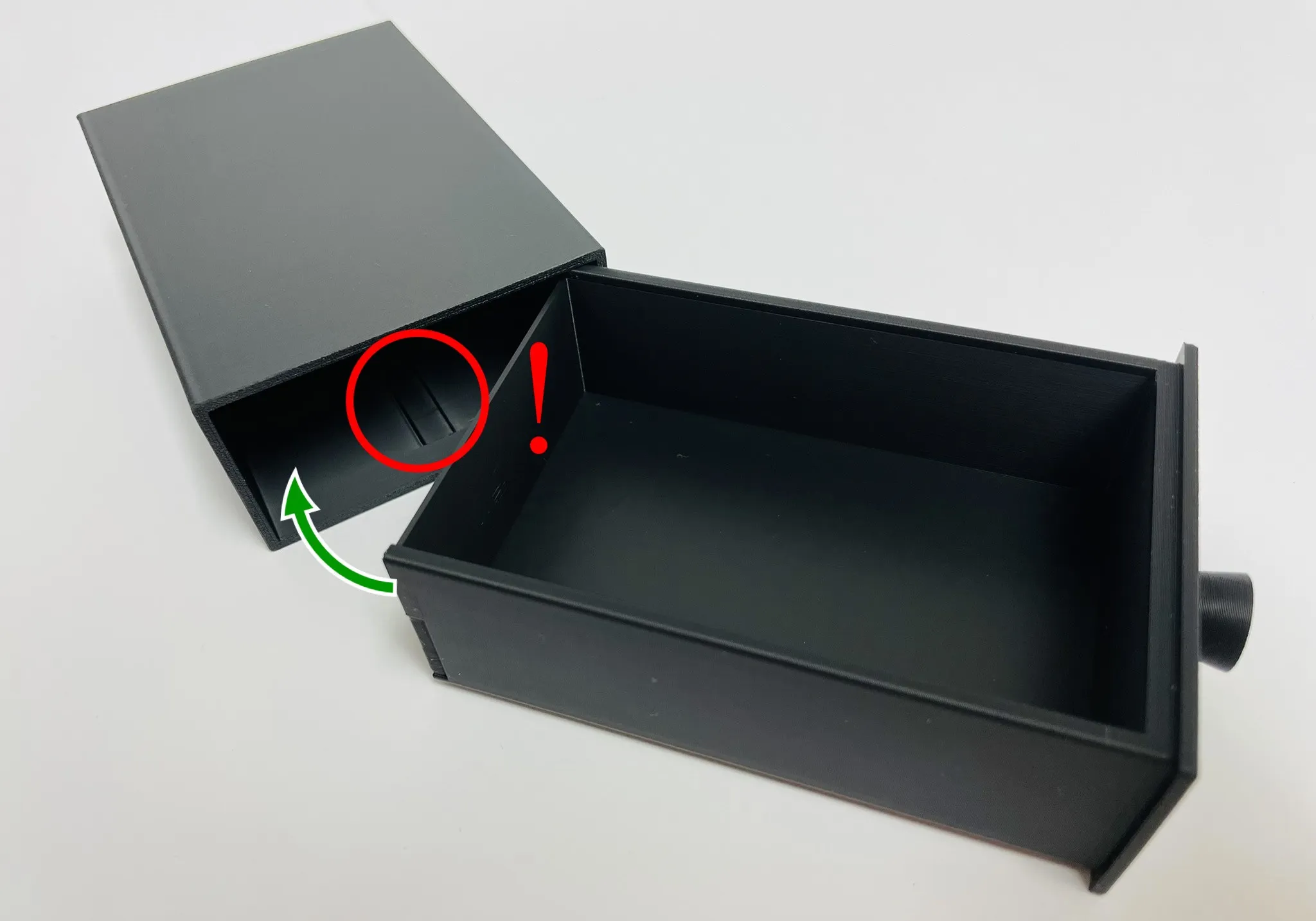
The Secret (how to use):
The secret of this box lies in the movable back cover. If you slide it slightly to the left, it locks the inner box into place and makes any content inside “disappear”. To perform this trick, I recommend the following steps:
Grab the Box in a way to hide the movement of the back cover. Practice to move the back cover in that grip with just your fingers holding it.
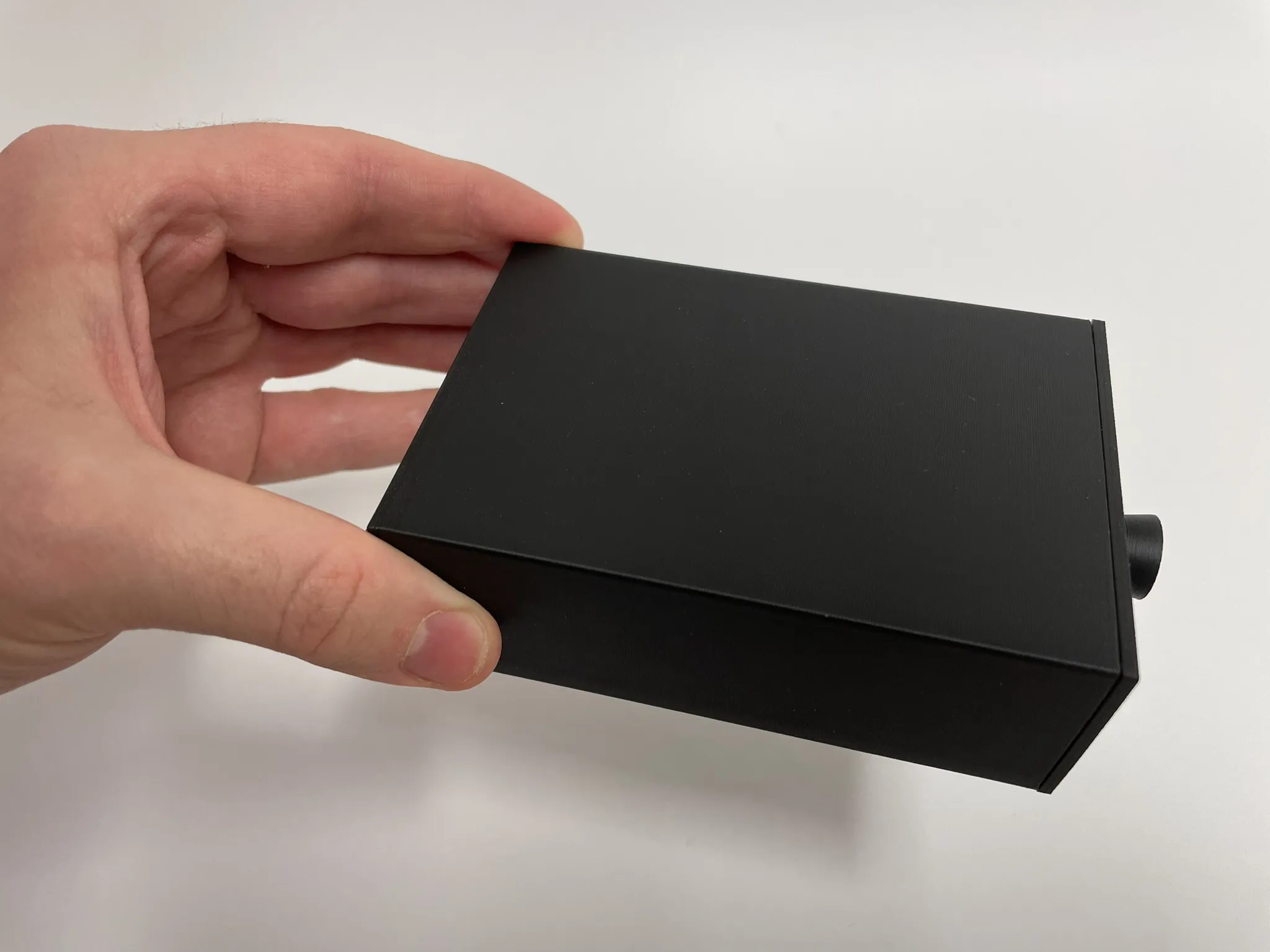
To start the trick, the back cover must be in the “incorrect” (left) position.
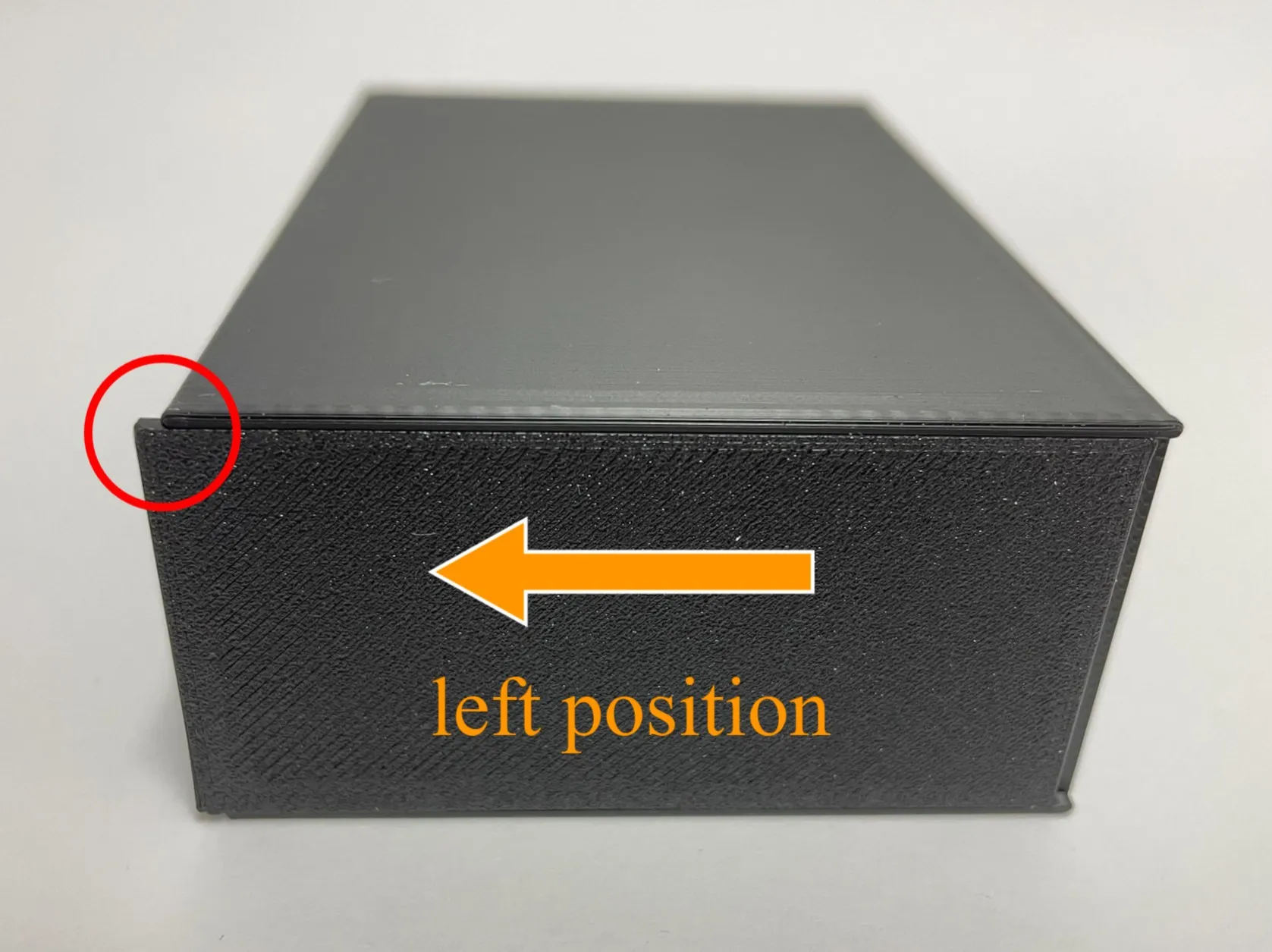
- Now open the box and put anything you want inside.
Fully close the box. Now you just push the back cover into its “normal” (right) position.
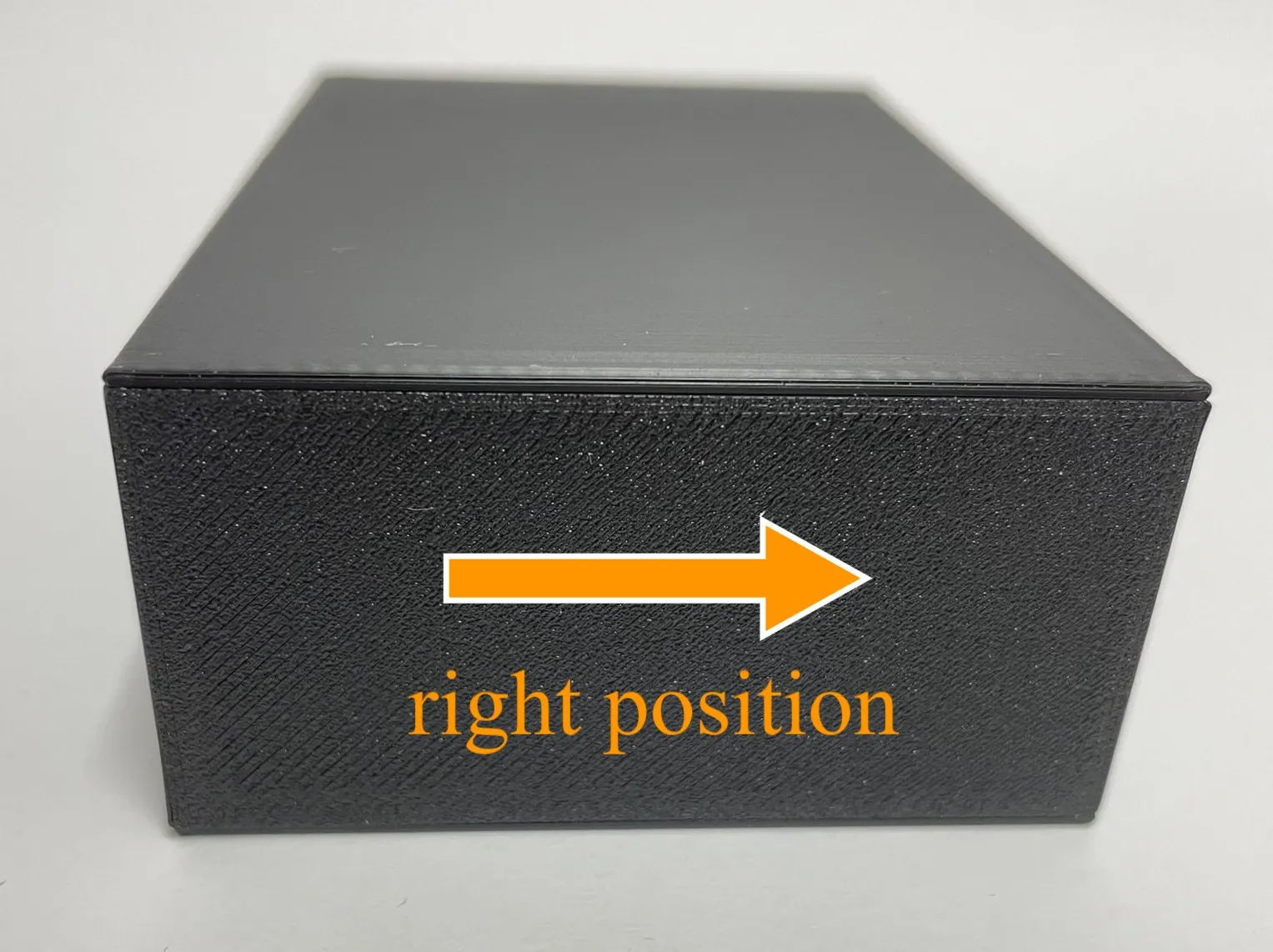
- If you open the box again, the object inside is missing! Congrats, you are now a certified magician!
Edit: Friction
Very few people are experiencing pretty tight “tolerances” (clearance) which leads to a lot of friction and a sqeaking noise when moving the parts. But don't worry, it's fully intended to have a bit more friction because without friction, the inner box won't fully move outside with the outer box anymore, revealing the trick… (trust me, I tested it a lot). Still, the friction shouldn't be abnormally high - if you experience that, please just move the parts back and forth many times, they will “sand down” themselves in the critical areas and it will get A LOT easier to move them over time!! The sqeaking noise is caused by the layer lines and unfortunately is unavoidable. I know that people will sometimes have their printer calibrated differently and experience more/less friction than me, but if you do experience higher friction at first, please keep in mind that friction is needed for the mechanism and more importantly, the friction goes down A LOT if you move the parts/ use the box a few times. Please remember that before rating :)
PS: If you for some reason still can't properly open the box even after moving the parts around multiple times, I recommend you to check out the replacement part by @Ethanite which he uploaded as a print profile. It's only the inner box with a lot more clearance - it helped him, maybe it helps you too if you got the same problem :)
Boost Me (for free)
If you like my work and want to support me, a Boost is highly appreciated!
License

You shall not share, sub-license, sell, rent, host, transfer, or distribute in any way the digital or 3D printed versions of this object, nor any other derivative work of this object in its digital or physical format (including - but not limited to - remixes of this object, and hosting on other digital platforms). The objects may not be used without permission in any way whatsoever in which you charge money, or collect fees.


Comment & Rating (397)