Search models, users, collections, and posts

Fast Start for Bambu Lab A1 - Start G-Code - v1.1
Print Profile(1)

All
A1
X1
H2S
X1E
X1 Carbon
P1S
P2S
H2D Pro
H2D
A1 mini
P1P
X2D
H2C
A2L

0.2mm layer, 2 walls, 15% infill
Designer
10 min
1 plate
5.0(1)

Open in Bambu Studio
Boost
42
103
16
3
164
16
Released 

Description

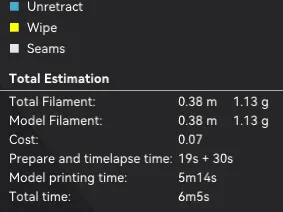
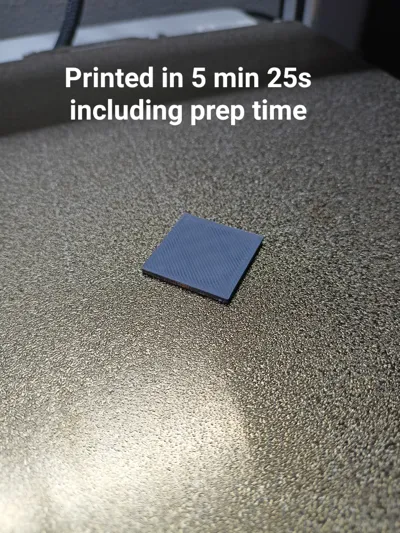
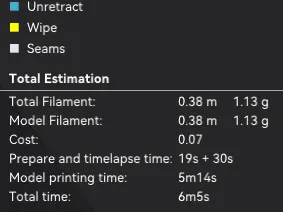
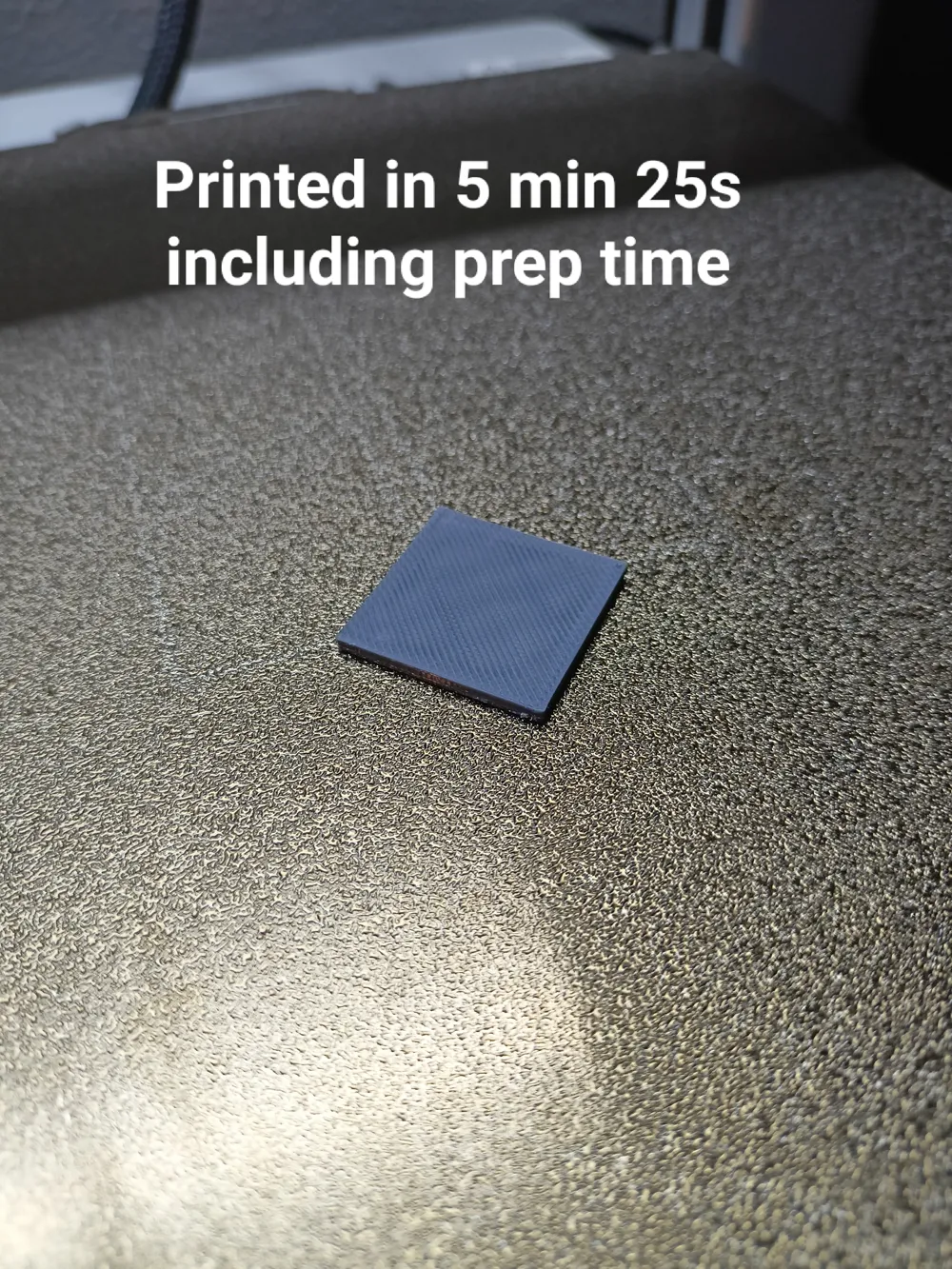
This is experimental start g-code, that cuts down prep time on BambuLab A1.

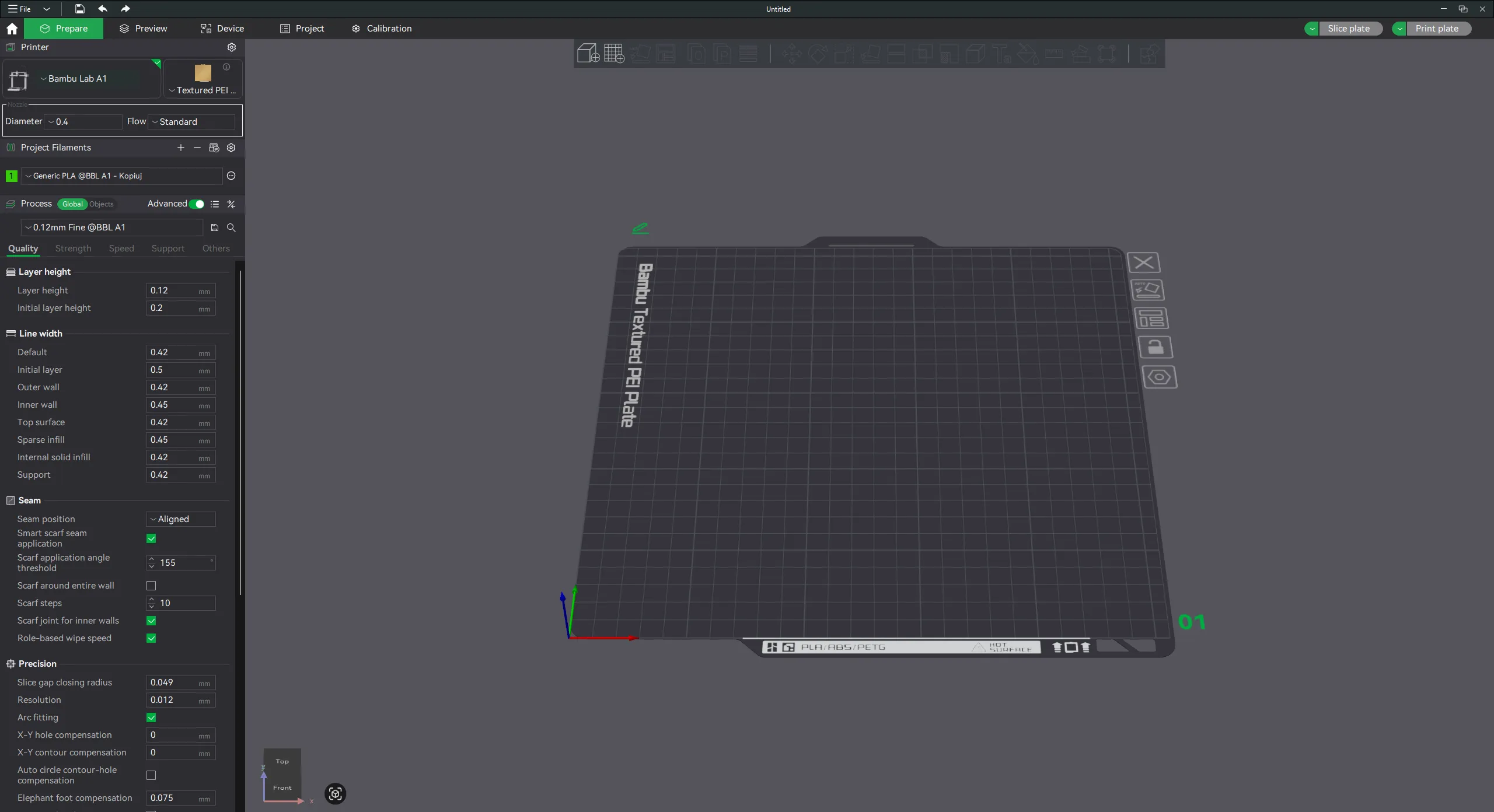
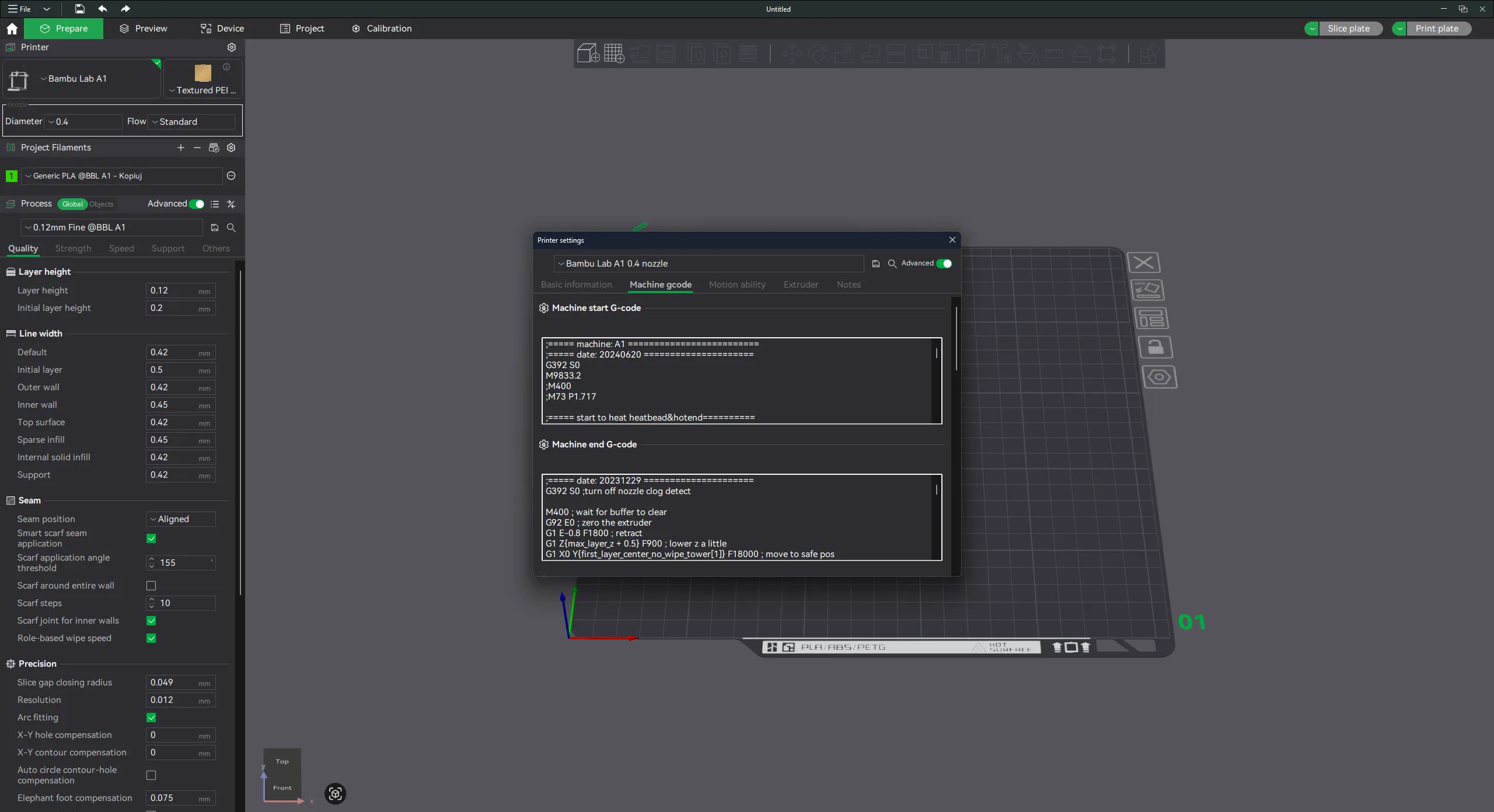
  1. Open Bambu Studio.


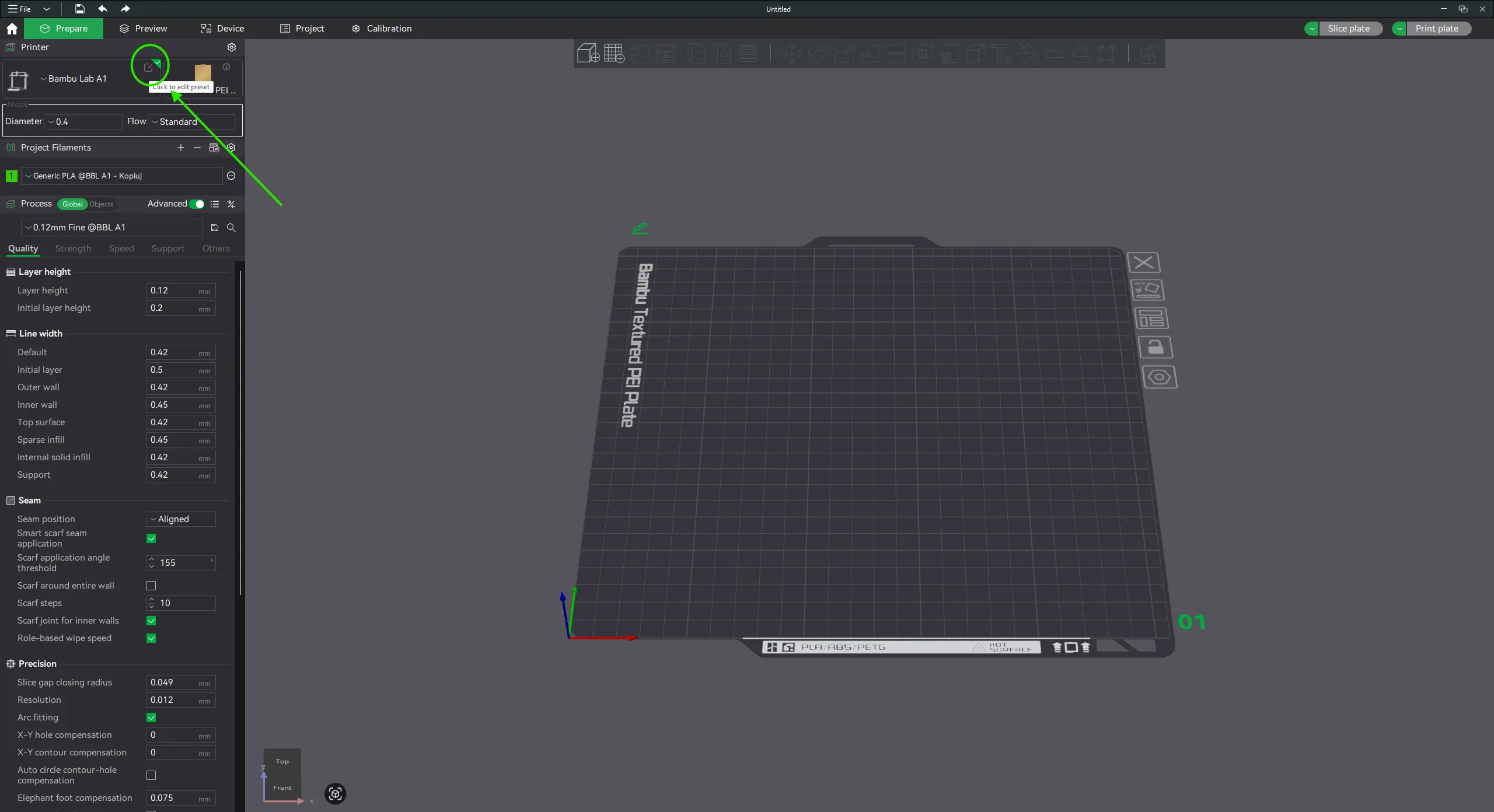
  2. Open your printer settings.


  3. Open machine gcode tab.


  4. Select all from machine start g-code, delete and paste this code :


    ;===== machine: A1 ========================
    ;===== author: amplabs =====================
    ;===== date: 20260111 =====================
    ;===== version: 1.1 =====================

    G91
    G0 Z5 F600 ; mniejsze uniesienie głowicy przed czyszczeniem
    G90
    M106 P2 S0
    M106 P1 S0
    M104 S170
    M140 S[bed_temperature]
    M190 S[bed_temperature]
    M109 S170
    G28 ; homing X, Y, Z
    M104 S[nozzle_temperature]
    M109 S[nozzle_temperature]
    G0 Z5 F300 ; mniejsze uniesienie
    G92 E0
    G1 Y2 F1000 ; mniejsze przesunięcie w osi Y
    G1 Z0.22 F300
    G1 X80 F600
    G1 X120 E18 F360
    G0 Z10 F600
    G92 E0
    G5


  5. Save as new profile and enjoy more than 10 times faster prep time.


    Ideal for small parts that do not require that much precision as this profile removes most of calibration features.

This is non official g-code, you use this at your own risk.


Boost Me (for free)

You find this model useful? Consider boosting :)


Documentation (1)

Other Files (1)
Fast Start G-code v1.1.txt

Comment & Rating (16)

(0/1000)

Hi, this code made the extrusion go off the bed. Otherwise, worked great :)
The designer has replied
2
Reply
I didn't think of that when I wrote it, but if your plate is fliped it works just fine. Thanks for the review.
1
Reply
Replying to @ExtasisStudio :
This is what I changed (via chatgpt) and it centers the prime line and moves it back a little - G91 G0 Z5 F600 G90 M106 P2 S0 M106 P1 S0 M104 S170 M140 S[bed_temperature] M190 S[bed_temperature] M109 S170 G28 ; homing X, Y, Z G0 Z5 F300 G92 E0 G92 E0 G0 X88 Y3 Z0.2 F600 ; move to 3 mm back from front, centered start ( (256-80)/2 = 88 ) G1 E2 F200 ; small prime G1 X168 E12 F600 ; draw 80 mm prime line across X G92 E0 G0 Z10 F600 G92 E0 M104 S[nozzle_temperature] M109 S[nozzle_temperature] G5
1
Reply
Print Profile
0.2mm layer, 2 walls, 15% infill
:)
profile
2
Reply
I also tried this gcode, but unfortunately it also creates a line outside the print bed, and the nozzle remains too dirty, ruining every print, it would be interesting to implement at least a quick cleaning
Show original
2
Reply
does this work for the A1 Mini as well ? i checked the G-Code with OpenAI, looks like there ist no A1 only related Code.
The designer has replied
0
Reply
I don't have a1 mini to test that and I don't want to write it blind, but there is one dedicated to A1 mini. https://forum.bambulab.com/t/optimized-a1-mini-start-g-code-quick-and-quiet-version/116364/37
(Edited)
0
Reply
Replying to @amplabs :
ive used this on my a1 mini just fine
2
Reply
This doesnt work. the printer was just stringing everywhere.
The designer has replied
0
Reply
Please ensure that the tip of the nozzle is clean, if there are remains of filament on there it can cause wrong homing position on the z-axis, which can cause the print to start slightly in the air. If this doesn't help try leveling the bed and check if the custom g-code is properly pasted as shown in the instruction.
0
Reply
Immediately after homing, insert M104 S[nozzle_temperature]M109 S[nozzle_temperature], otherwise it will do the prime line with the residual temperature of the nozzle from the last print, which was about 170° for me... A1
The designer has replied
Show original
0
Reply
Thanks for pointing that out, should be fixed now.
0
Reply
could wait for bed and nozzle to reach temps after homing to save some seconds, it can heat while homing
(Edited)
1
Reply
what does gcode G5 do ?
1
Reply
This  Gcode is not suitable for use in the AMS as it cannot change materials, but it is very convenient and time-saving for quick first-layer testing
Show original
0
Reply
Great I am using this for little prints where the prepare time is longer than the print time itself, even though I already modified the original gcode to be shorter (you can find it on my page: https://makerworld.com/de/models/2150117-a1-custom-start-gcode ), or for prototypes where I want them done fast and quality doesn't matter.
(Edited)
0
Reply

License

This user content is licensed under the MakerWorld Exclusive License.

You may create derivative works based on this object, provided that all such derivative works are published exclusively on the MakerWorld platform and include proper attribution to the original creator. You may not share, upload, host, distribute, or publish this object—or any derivative work of this object—on any other digital platform, marketplace, or distribution channel. Commercial use of this object and any derivative works is strictly prohibited. This includes, but is not limited to, selling, renting, sublicensing, or using the object in any context in which you receive monetary compensation or other financial benefits.