
Plexiglass Cube Model Display Components
Print Profile(1)

Description
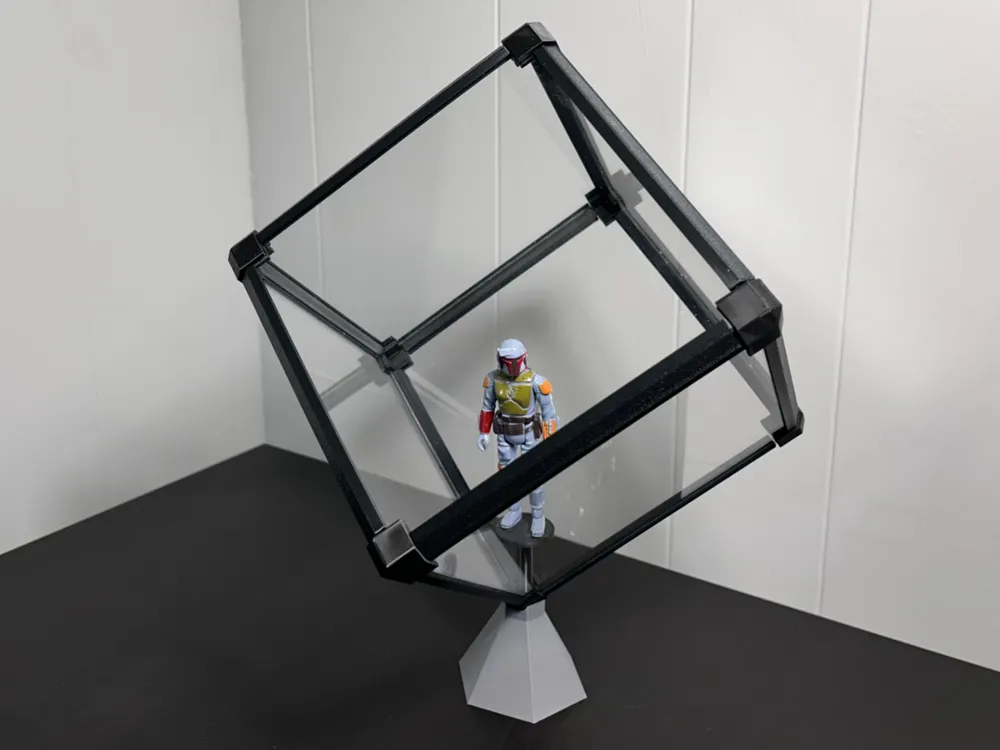
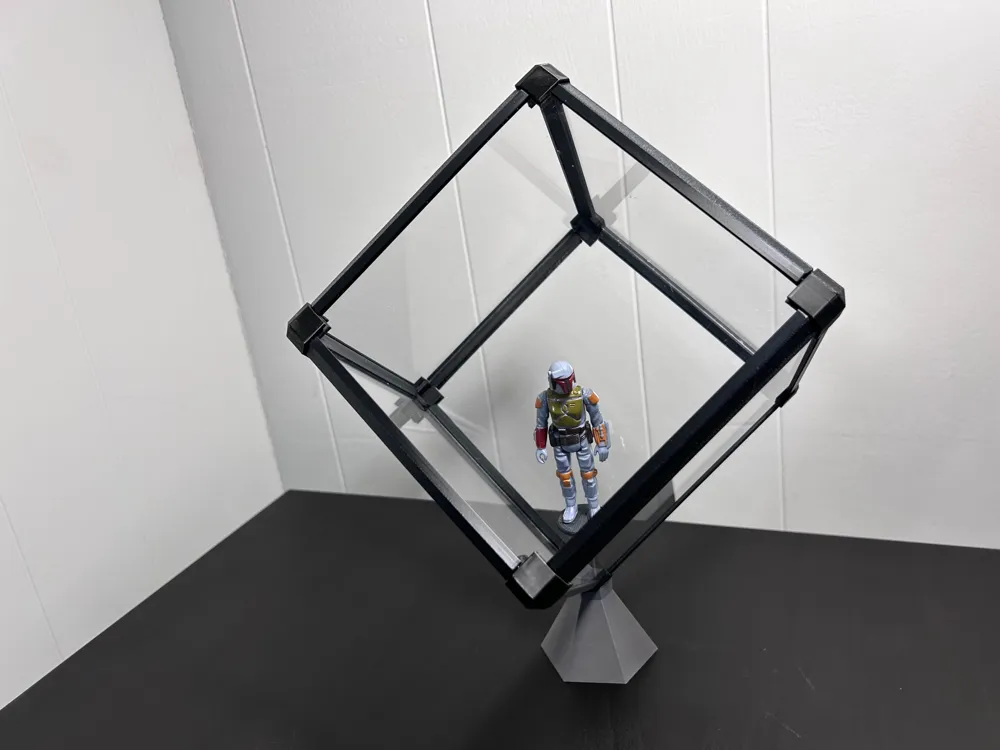
I had some 3mm (1/8") plexiglass sitting around leftover from another project so I designed this set of joints and edge covers to turn the plexiglass pieces into a cool little display cube with a pedestal stand.
IMPORTANT NOTE BEFORE PRINTING: I have no doubt that 1/8" (3mm) plexiglass sheets will vary in thickness depending on the manufacturer. The parts of this kit were designed to snugly fit the plexiglass I had which had a nominal thickness of 2.93mm. I would measure what you have and if it varies from this thickness more than say .05mm, I would scale the parts up just a little bit and test print one corner joint to see how well it fits. It should be snug. A little loose is okay if you don't mind a few drops of glue during assembly (CA glue will cloud the plastic so I would use a slow set epoxy). If the plexiglass doesn't fit, try scaling a test corner up or down 1% and print again. Do this until the size matches your plexiglass.
HOT TIP: I wish I had clipped the corners of each plexiglass piece off before I assembled mine. I think it would have made it go a little smoother. Just a millimeter off at each corner should do it.
The first build plate has all the parts you need to complete the box as shown for a 6" cube, meaning you need to cut (6) square pieces of 3mm plexiglass 6" x 6" (152mm x 152mm). In theory you could make the box any size you want, however the edge strips are specifically sized for a 6" cube.
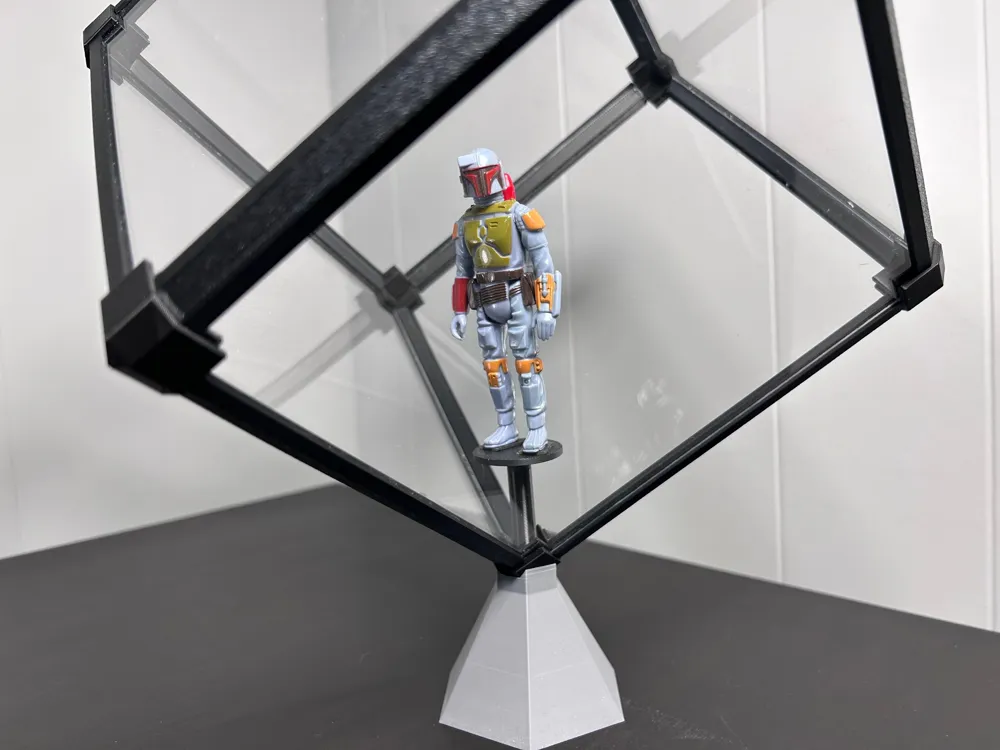
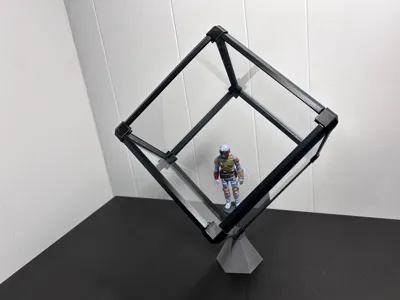
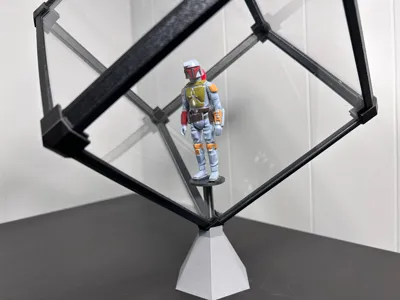
The second build plate has the stand. You will see that one of the corner joints has a cylinder at the corner of it that fits into the hole in the stand. Printing the first and second build plates will get you what is shown in the picture (supplying your own plexiglass of course).
The third plate has optional midpoint 90 degree joints. Those joints are 17.6mm long, so you could double the size of the cube by printing twice as many of the long edge strips and using a midpoint 90 degree joint between them (or just use two edge strips butt jointed together without the midpoint joint). You will just need to do the math and increase the size of the plexiglass pieces accordingly. So, if you wanted a larger box and planned to use two long edge strips end-to-end, then you would need to increase the size of the plexiglass pieces by the additional length of an edge strip which is 132mm (5.2").
Custom size box: Although the edge strips are a fixed length, you can make them whatever length you want by scaling them only in the long direction to your desired length. All you need to do is one of them. Then clone it 11x at its new length. Add or subtract the change in length you made from the default plexiglass piece size of 152mm x 152mm to get the new size plexiglass you will need to cut.
Printing: All the parts print without support.
Assembly: Clean all the plexiglass of fingerprints and dust before you assemble. You will also want to clean it again before you put the last piece of plexi on. I'm not going to lie to you… you are going to have to mess around with the parts to get them seated in the joints with the edge strips fully clipped on. The edge strips will stay in place but you sort of have to “manipulate” them until the are fully seated. They won't be secure until the plexiglass corners are fully seated into the corner joints. So, just start with one piece of plexi and attach 3 corner joints and the corner joint with the cylinder on it. Call this part the bottom. Now fit 4 plexi side walls into those corner joints. With the plexi seated properly in all the corners, slide the edge trim pieces into place. Squeeze the parts together so everything is snug. You probably got fingerprints on the inside so clean it again. Before going forward, get the pedestal and attach your display model to it. I used a couple pieces of double sided tape to stand Boba Fett. Make sure whatever you are displaying is well stuck to to the pedestal stand. If it falls off when you are putting the top plexi piece on, you will probably curse me.
Slide the pedestal stand into the hole you see on the inside of that corner piece that has the cylinder on it. The pedestal stand is just a friction fit and doesn't go very deep into the corner joint. Just twist it a couple times until it feels snugly in place.
Now get the last piece of plexi and put the remaining corner pieces on it. Put it in place onto your cube and start the plexi side walls into the last 4 corners but don't push them all the way in yet. You still need to be able to get the remaining edge strips on. This is where you just have to sort of work your way around the corners and manipulate the edge strips and joints until everything comes together flush. The joints were very snug for me so I carefully went around each joint with the finished cube on my workbench and gently tapped the pieces into place for a final snugging up. Boba Fett stayed in place no problem.
Finish your cube by fitting the corner joint with the cylinder on it into the display stand.
Boost Me (for free)
If this cube is everything you thought it would be, I would love to get your feedback and a boost for my efforts! Thank you :)
License

You shall not share, sub-license, sell, rent, host, transfer, or distribute in any way the digital or 3D printed versions of this object, nor any other derivative work of this object in its digital or physical format (including - but not limited to - remixes of this object, and hosting on other digital platforms). The objects may not be used without permission in any way whatsoever in which you charge money, or collect fees.


Comment & Rating (6)