
Print Profile(2)
Bill of Materials





- M5_Hex_Nuts x 3:
Description
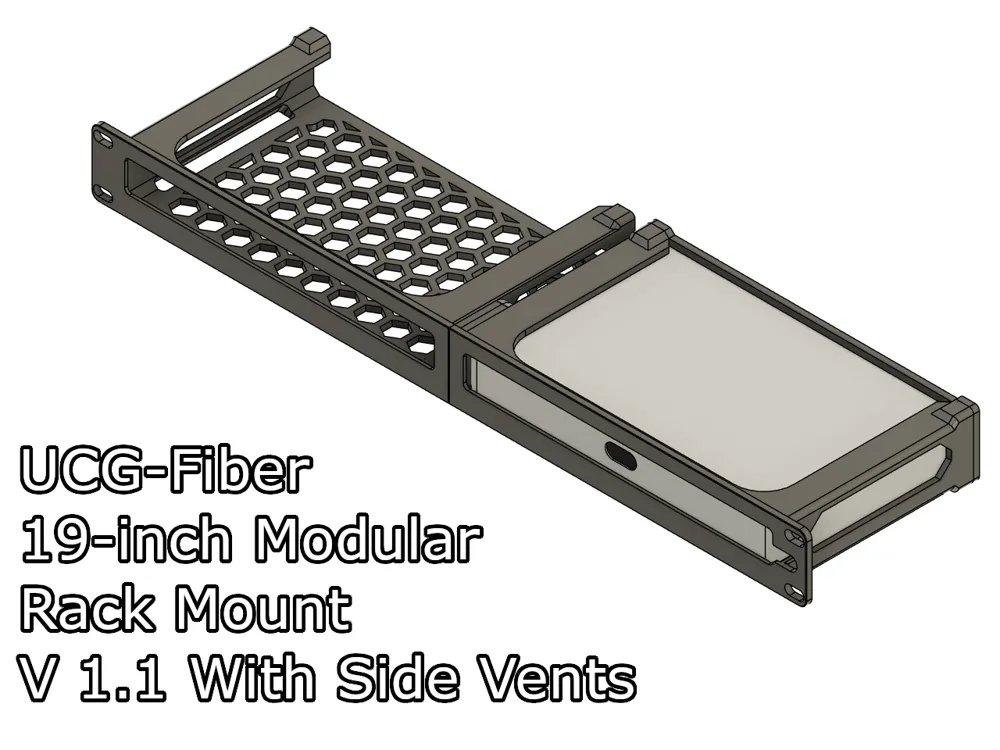
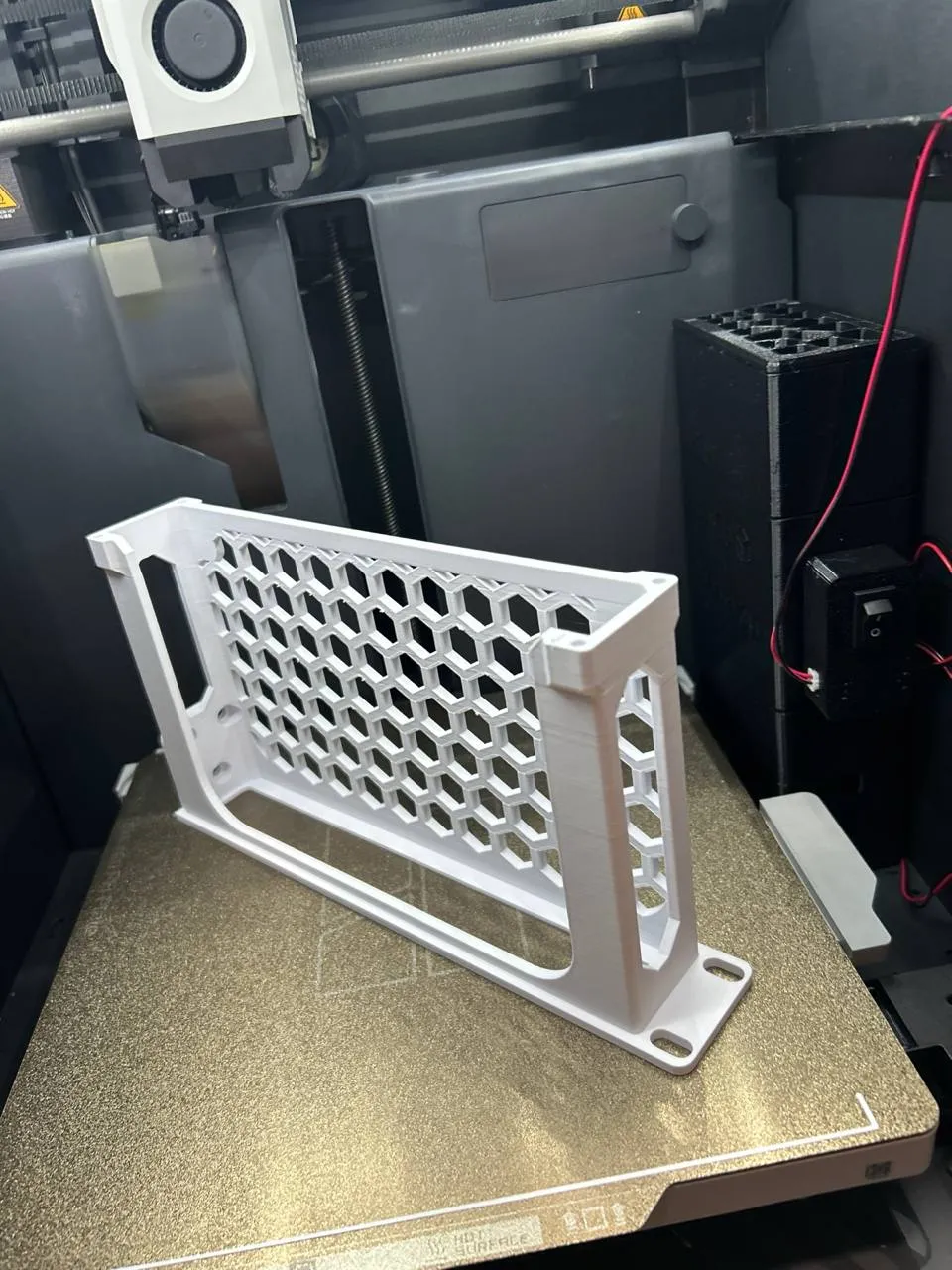
A modular, 2-part, 19-inch rack mount for the Ubiquiti Unifi UCG-Fiber cloud gateway.
This mount is part of a 19-inch modular rack mount system I designed. You can mix and match the modules with other mounts. Take a look at my models here to find out the other 19-inch mount modules.
Boost Me (for free)
I make these models for free, and it takes time and material to test them out. Your boost will help me keep releasing new models! Thank you!
Membership
Want to support me further? Or sell my prints? Please consider one of my membership tiers. Thank you!
Do you like my models? Consider buying me a coffee ;)

Updates:
- 15 May 2026: I've released version 1.1 of this model, based on feedback from the community. Thanks again! Change log:
- Added side vents for increased airflow.
- Increased the internal spacing by 0.2mm on all sides.
- Small tweaks on the hex pattern to make it easier to print with the side vents.
Which model to print?
This model comes in 6 variants. 4 for the right-side mount, and 2 for the left-side mount.
- Right side (screw side):
- With front cutout for power cable routing
- With holes for M3 thread inserts. → UCG-Fiber 19i RM for Thread Inserts - Right (Screw).stl
- With holes for attaching the screw directly into the plastic. → UCG-Fiber 19i RM - Right (Screw).stl
- Without the front cutout
- With holes for M3 thread inserts. → UCG-Fiber 19i RM NC for Thread Inserts - Right (Screw).stl
- With holes for attaching the screw directly into the plastic. → UCG-Fiber 19i RM NC - Right (Screw).stl
- With front cutout for power cable routing
- Left side (hex nuts side):
- Without the front cutout
- With holes for M3 thread inserts. → UCG-Fiber 19i RM NC for Thread Inserts - Left (Hex).stl
- With holes for attaching the screw directly into the plastic. → UCG-Fiber 19i RM NC - Left (Hex).stl
- Without the front cutout
You can use the same back plate regardless of the chosen variant.
Each version is optimized for certain scenarios. If you don't know which one to print, follow the instructions below:
UCG-Fiber with its screen aligned with the front of the mount:

If you're mounting your UCG-Fiber leaving the screen in the front, use one of the left-side mounts. This will give you a cleaner look and still allow access to the SSD tray.
- UCG-Fiber with its ports aligned with the front of the mount:
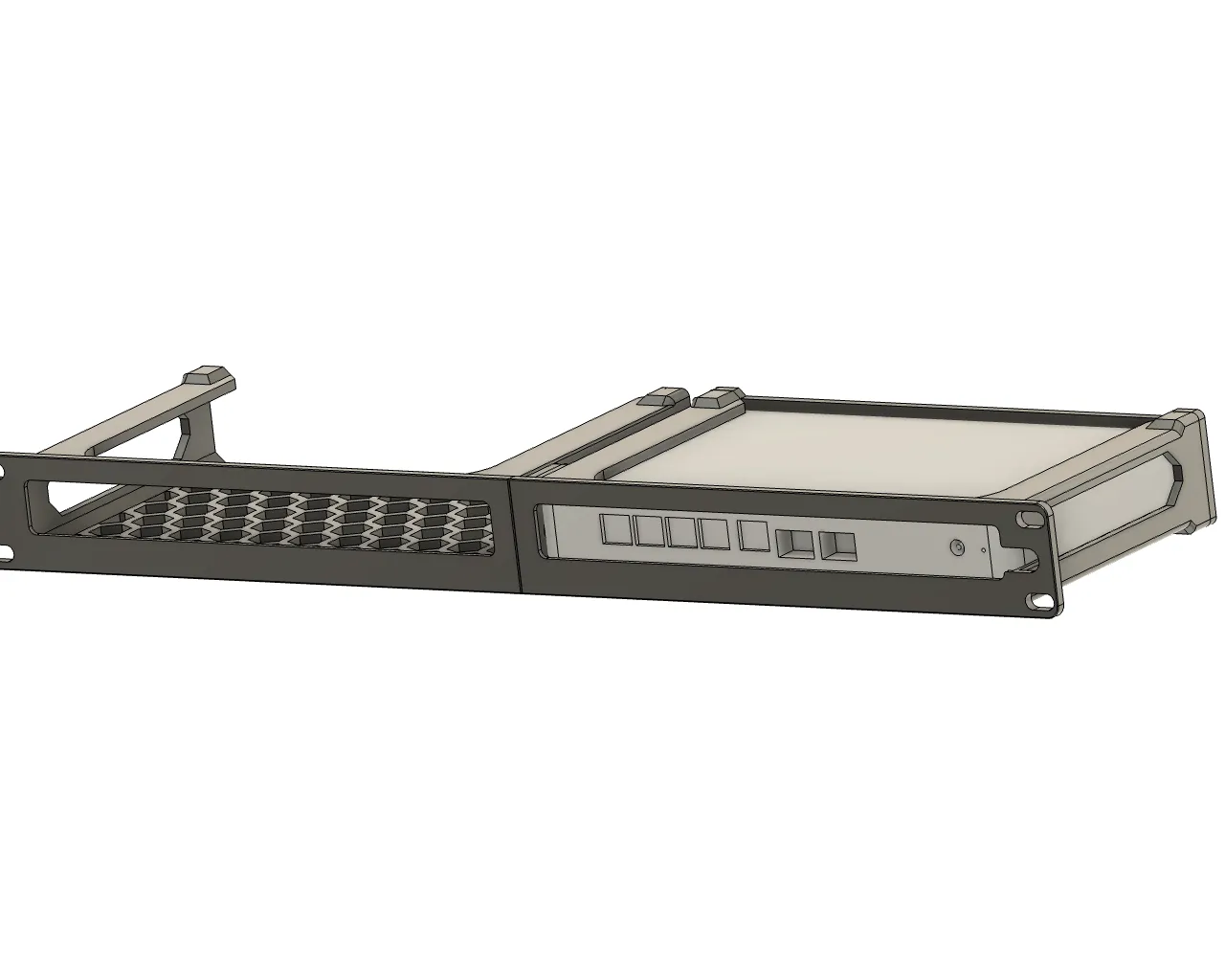
In this case, prefer one of the right-side mounts. There are versions with a power cable cutout for better cable routing. This also gives you access to the SSD tray.
Required parts
- 4x M3x10 or 4x M3x12 for the back plate.
- (Optional) 4x M3 thread inserts. If you're using the Thread Insert version.
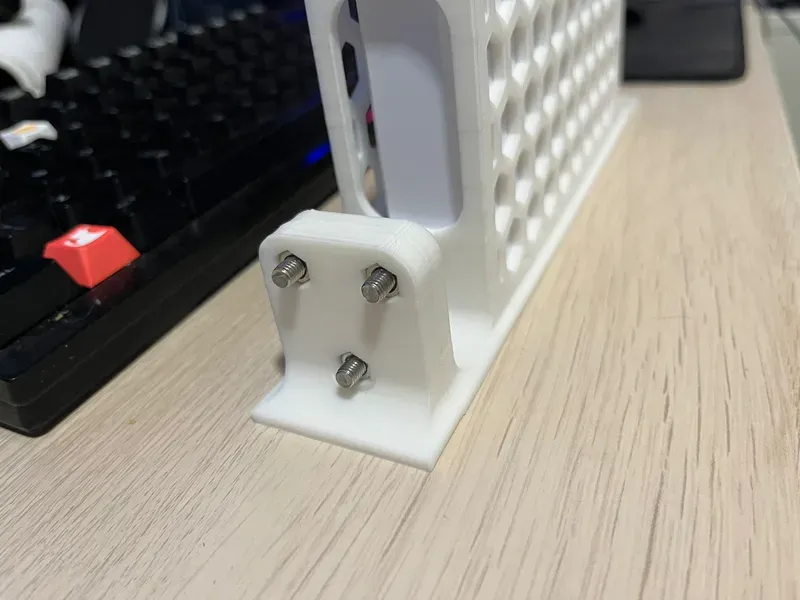
- 3x M5 screws (Min size: 12mm, recommended size: 16mm).
- 3x M5 hex nuts.
Mount Assembly
OBS.: The modules used in this tutorial are only for illustration purposes, and I'm using them for the whole series. It might not reflect the models you download from this page.
- To assemble the parts, insert the 3 screws into the Right module.
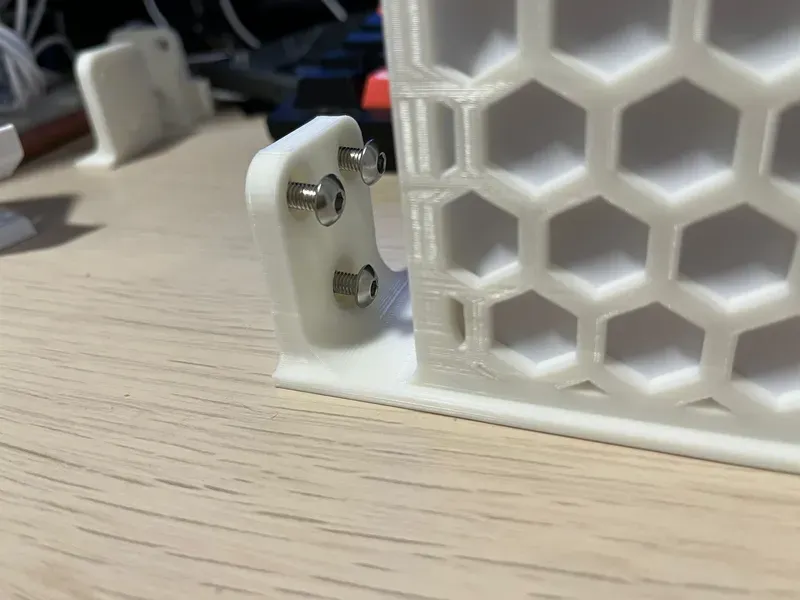
- Then align it with the Left module.
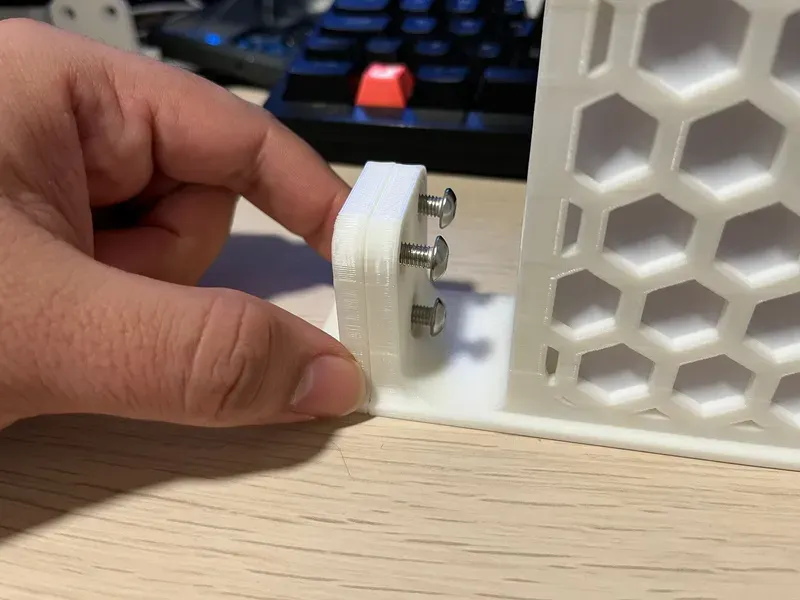
- After that, insert the hex nuts in the screws, and using a screwdriver or allen key.
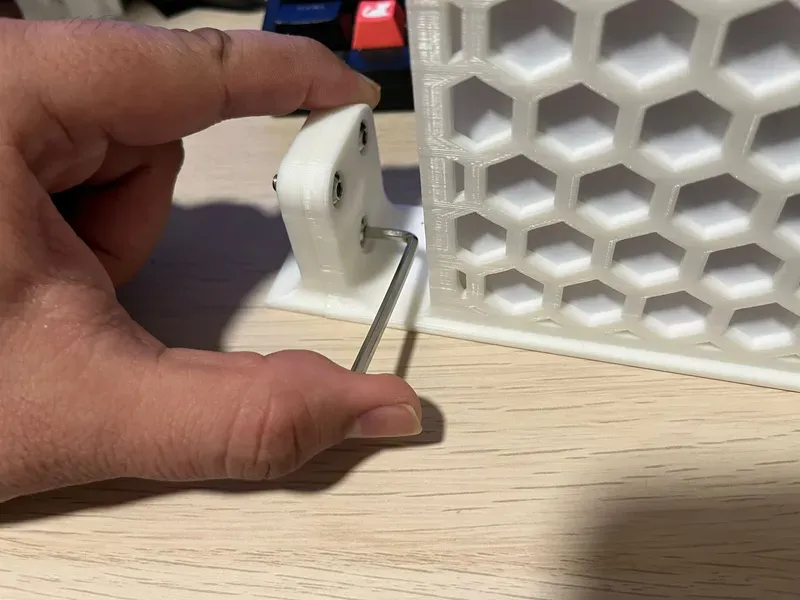
- Tighten the screws until you start feeling resistance and the nuts are securely into place. After that, you can install the mount in your rack.
Print Settings
Rafts:
Doesn't Matter.
Supports:
No.
Resolution:
0.2 or 0.24
Walls/Perimeters:
4.
Infill:
20% or more.
Filament:
PETG, ABS, ASA, PC, Nylon.
PLA could work, but pay attention to the glass transition temperature of your filament manufacturer.
License



Comment & Rating (165)