
Print Profile(3)


Description
Meet Your Wallet’s New Best Friend: The YubiKey Wallet Swivel Holder!
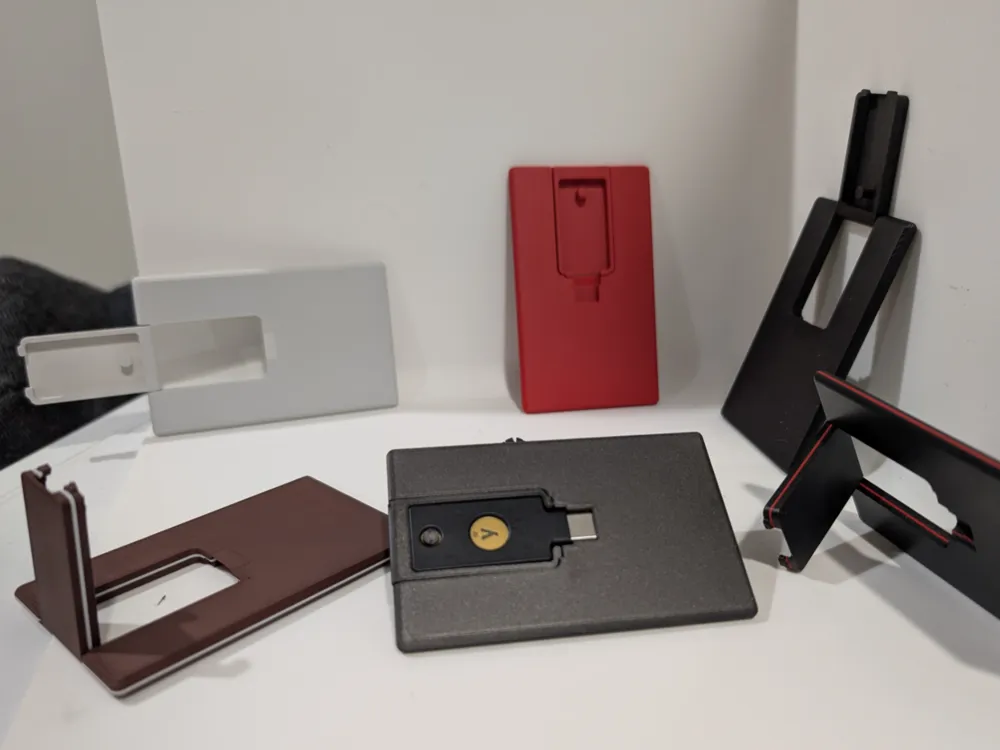
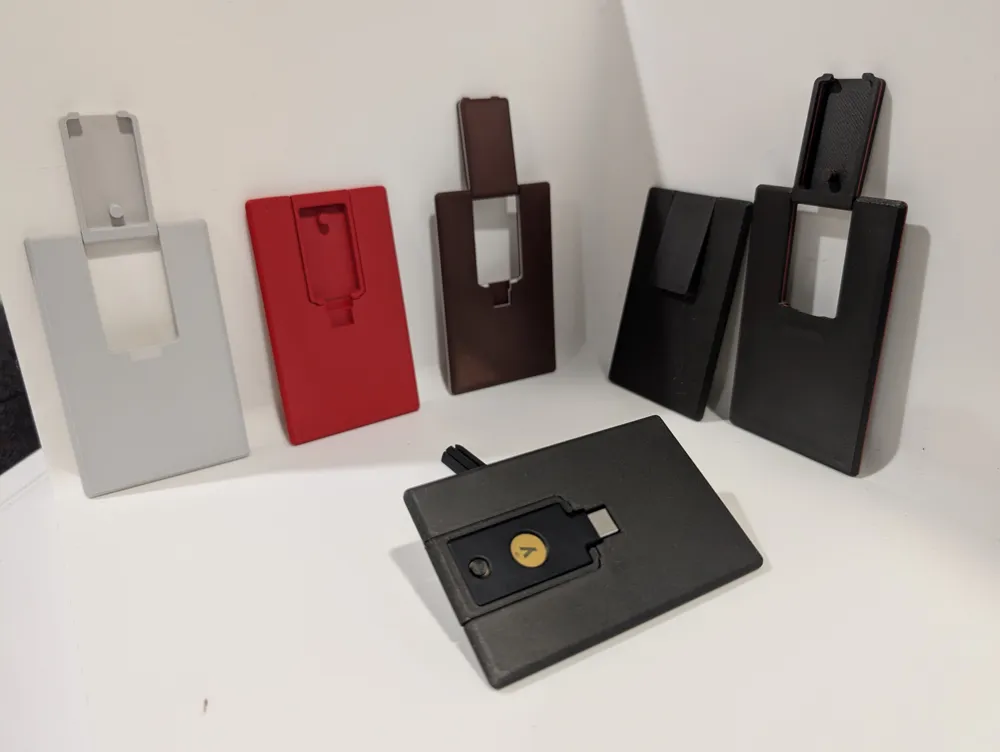
Tired of rummaging through your bag for that tiny but mighty YubiKey? Meet your new sidekick—a slick, card-sized 3D-printed holder designed to securely store your YubiKey right in your wallet. Crafted precisely for a snug fit at just the thickness of your trusty YubiKey, this print ensures maximum portability without extra bulk.
This clever holder comes with a smart swivel mechanism, allowing you to swiftly rotate your YubiKey out for quick use and seamlessly swivel it back into place when you’re done. No more fumbling, no more frustration—just smooth, effortless security.
Optimized for printing with a super-crisp 0.12mm layer height, the YubiKey wallet holder offers sleek details and a premium feel. We highly recommend printing it on a smooth build plate to achieve that professional finish, though it isn’t strictly required. And here's a pro tip: Keep ironing on to give your holder a silky-smooth top surface that feels fantastic in your hands (and your wallet!).
Whether you're an IT pro, cybersecurity enthusiast, or simply someone who values top-notch security in a sleek package, this YubiKey swivel holder is about to be your wallet’s favorite gadget.
Print it, swivel it, secure it—make everyday security effortless!
Boost Me (for free)
Share a boost! The pro model makers don't need them as they are rolling in boost points. I'm still below my first gift card.
Assembly:
It should be a tight fit, so insert the USB end first to get it snug against the sides, then push down the key ring circle side into the mount.
License

You shall not share, sub-license, sell, rent, host, transfer, or distribute in any way the digital or 3D printed versions of this object, nor any other derivative work of this object in its digital or physical format (including - but not limited to - remixes of this object, and hosting on other digital platforms). The objects may not be used without permission in any way whatsoever in which you charge money, or collect fees.


Comment & Rating (29)