Search models, users, collections, and posts

Powerbank Holder Nuki Smartlock Gen. 4
Print Profile(2)

All
A1 mini
X2D
A2L

0.2mm layer, 3 walls, 20% infill Montage Links
Designer
4.3 h
1 plate
5.0(2)

0.2mm layer, 3 walls, 20% infill Right Mount
Designer
4.4 h
1 plate

Open in Bambu Studio
Boost
14
45
7
0
45
26
Released 

Description

Content has been automatically translated.
Show original

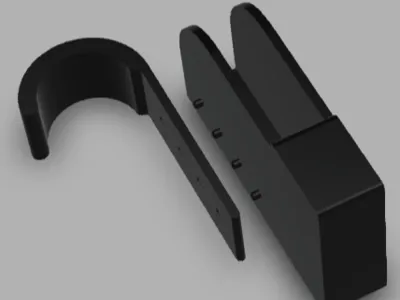
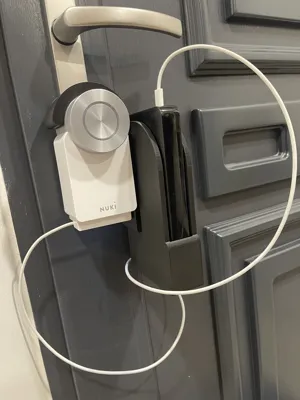
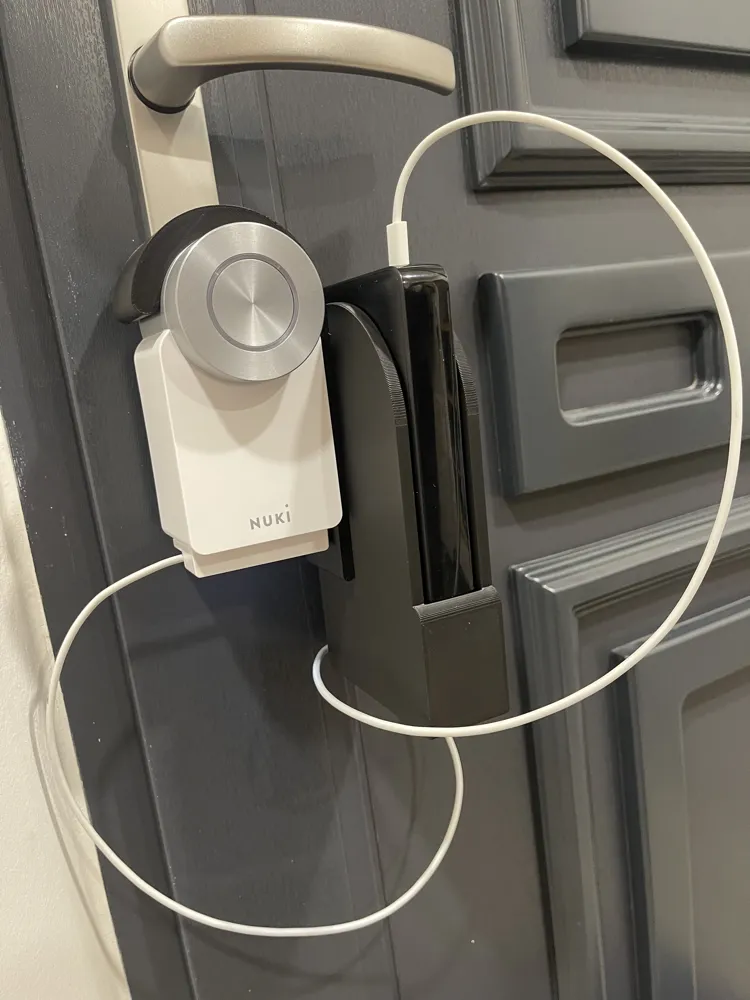
This is a holder for a large power bank approximately 81.5mm wide and up to 24mm thick, designed for a 4th generation Nuki Smartlock.

It simply hangs onto the smartlock.


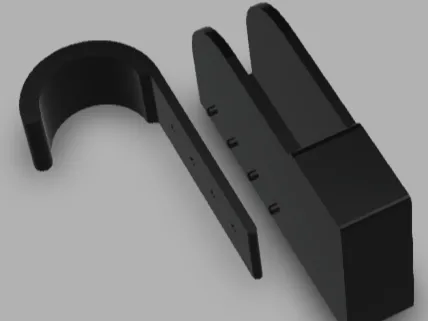
The print comprises two parts that interlock via existing bores and pins and/or can be glued together.


I printed this using basic PLA with a 0.4mm nozzle and a standard Bambu Lab profile on an A1 mini.

Tree support (auto) was enabled and printed as shown in the render.

Comment & Rating (7)

(0/1000)

One of the best prints I've made so far - fit and quality are top. Thanks for uploading! A quick question: I'm still relatively new to 3D printing. Is there an easy way to mirror or rotate the holder (i.e. the part where the power bank is inserted) left/right? Currently, the pins are on the left side, I need them on the right so I can hang the model better at my place
The designer has replied
Show original
designer
1
Reply
Hello and thank you for the nice comment I have just uploaded a mirrored print profile which allows mounting on the left side of the Smartlock Please check your slicer settings and the correct orientation on the print bed before printing
Show original
0
Reply
Replying to @user_1522137318 :
Wow thank you very much I will try it right away
Show original
0
Reply
Replying to @LordMurri :
@LordMurri please let me know if everything worked out 😊
Show original
0
Reply
Print Profile
0.2mm layer, 3 walls, 20% infill Montage Links
Finally, the power bank no longer hangs around and the Nuki can be charged safely. Anyone who can read has a clear advantage, I overlooked that there is a left and a right and then mirrored the left for the right. Only after that did I notice that left would also have worked or I could have taken right straight away. haha However, it would be great if there were a combined version, that was a little extra effort and I can see the "connecting pins" even though I had already connected it virtually. So please create a version for "large" build volumes :-D
Show original
0
Reply
Print Profile
0.2mm layer, 3 walls, 20% infill Montage Links
0
Reply
No more

License

This user content is licensed under a Standard Digital File License.

You shall not share, sub-license, sell, rent, host, transfer, or distribute in any way the digital or 3D printed versions of this object, nor any other derivative work of this object in its digital or physical format (including - but not limited to - remixes of this object, and hosting on other digital platforms). The objects may not be used without permission in any way whatsoever in which you charge money, or collect fees.