
Drone - Volador VX 3.5 - DJI O4 Conversion Kit
Print Profile(1)

Bill of Materials


- DJI Air Unit O4 Pro x 1:
Description
Basic information
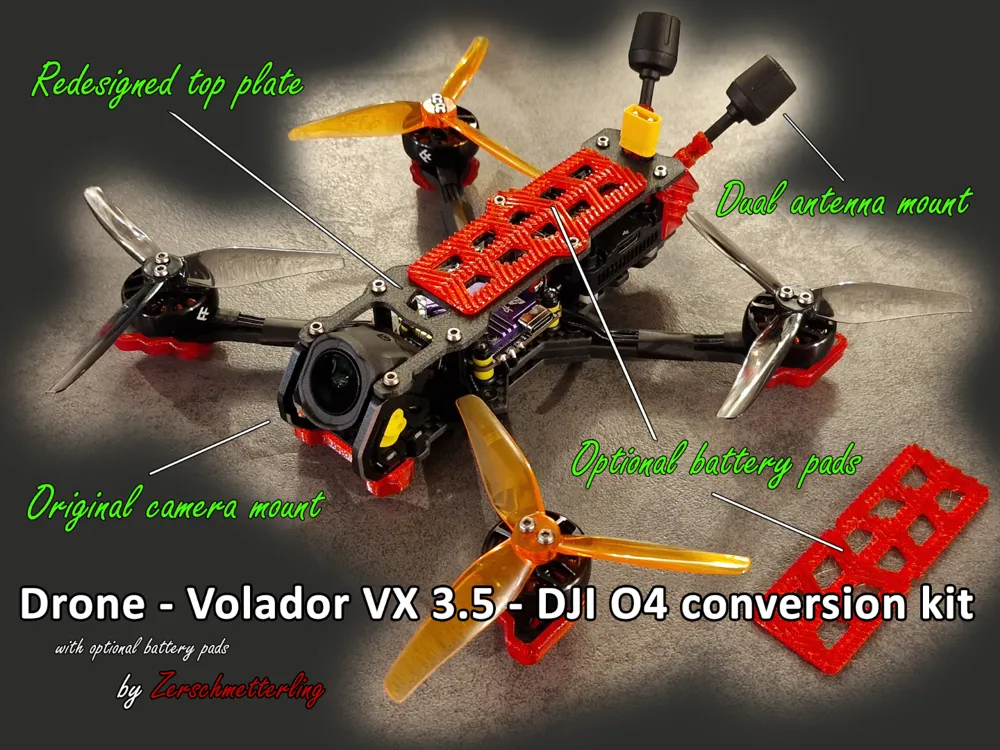
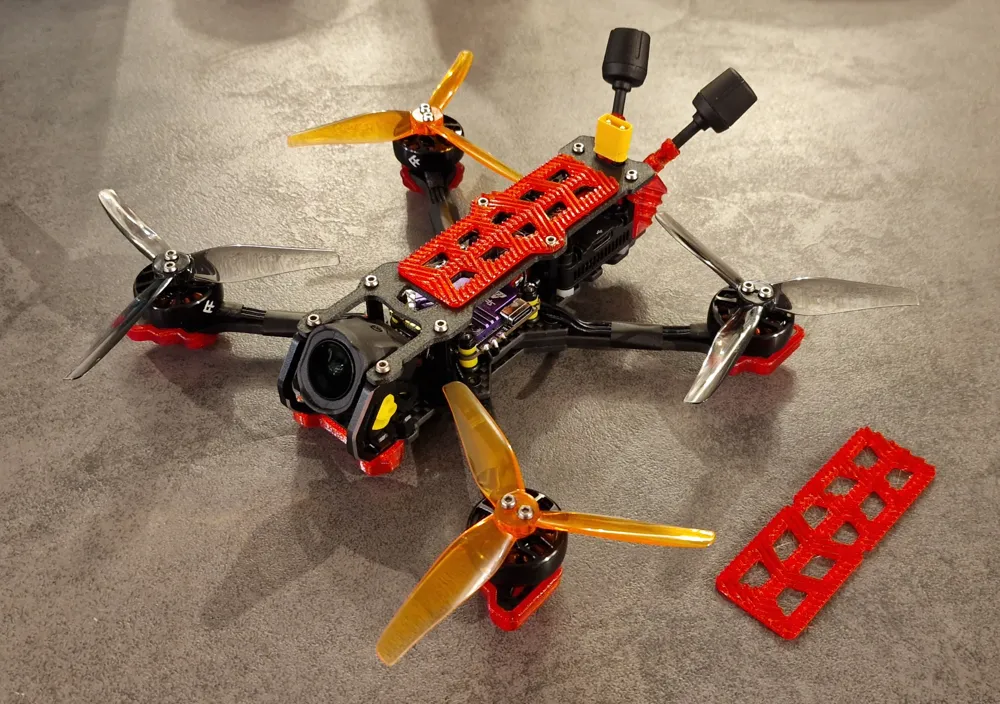
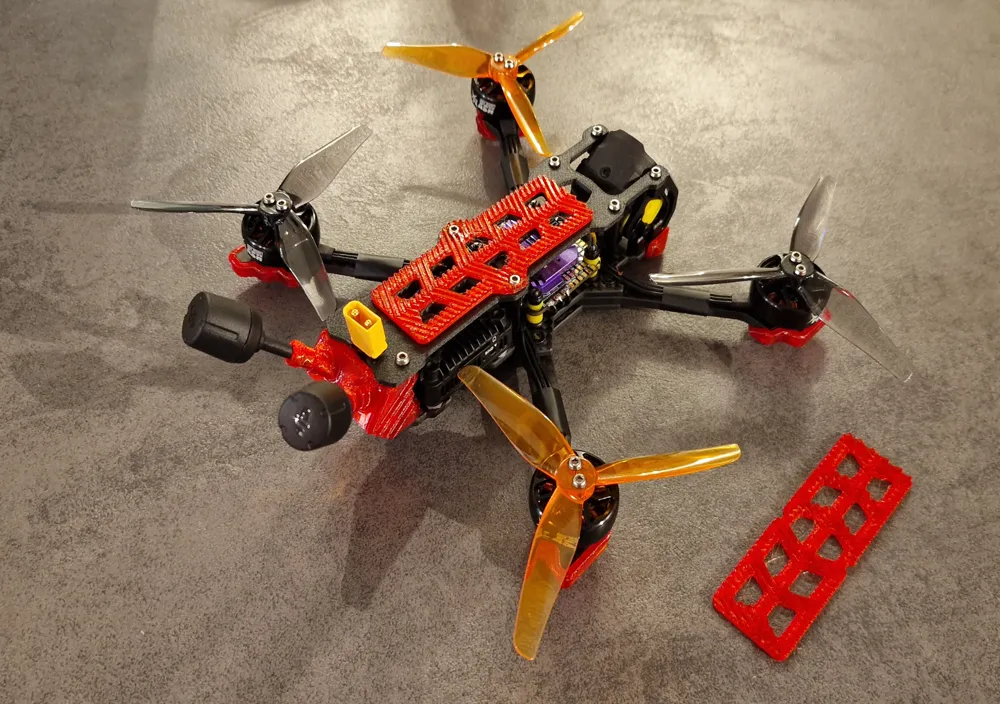
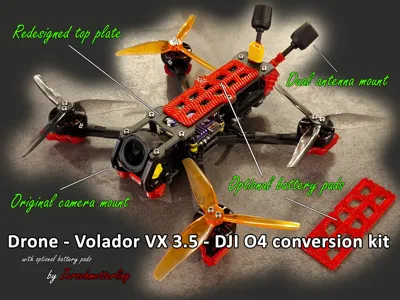
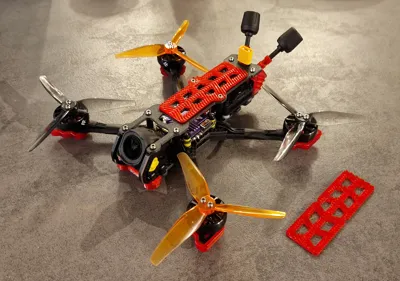
This conversion kit allows you to install the DJI O4 Air Unit Pro into the FlyFish RC Volador VX 3.5 frame originally designed for the DJI O3. The kit includes a redesigned Top Plate and a custom Antenna Mount, plus optional battery pads. A ready-to-use Bambu Studio .3mf file with optimal print settings is included. The Top Plate is a redesign of the original FlyFish RC Volador VX 3.5 Top Pate to fit the DJI O4 Air Unit.
Boost Me (for free)
If you like this DJI O4 upgrade for your Volador VX 3.5, please hit BOOST! Your support helps me create even more high-quality models for you. Let's keep innovating together! 🚀
Model information
- Compatible Frame: FlyFish RC Volador VX 3.5
- Supported Air Unit: DJI O4 Pro
- Recommended materials:
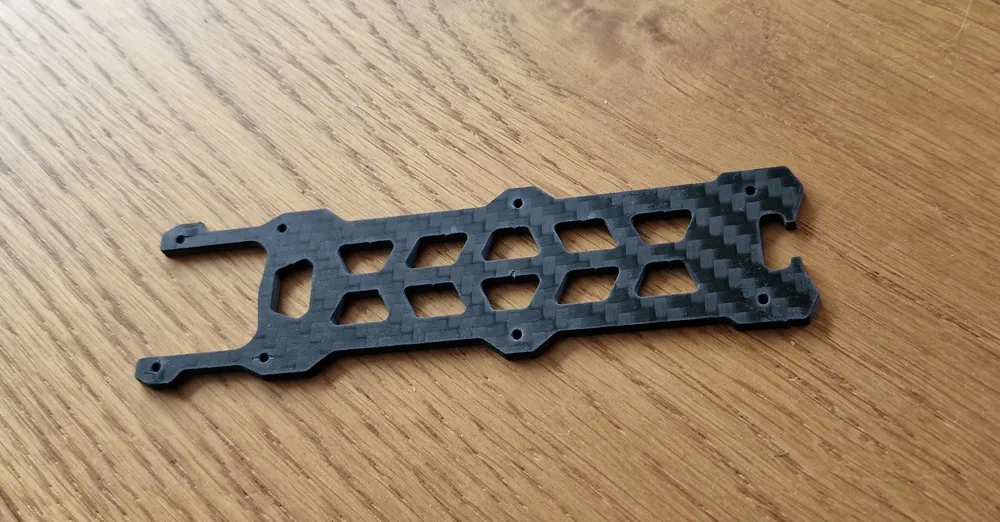
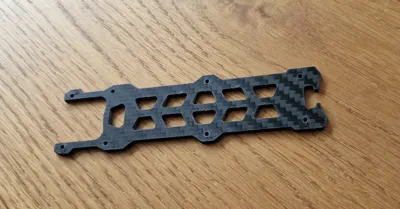
- Top Plate: PA6 CF (Carbon Fiber Nylon) or alternatively machined from 2 mm Carbon Fiber
- Antenna Mount: TPU 95A (flexible)
- Battery Pads (optional): TPU 95A (flexible) - choose between the screwable or the non screwable version.
A DXF file is included if you prefer machining the Top Plate from 2 mm carbon fiber plate via CNC milling or waterjet cutting.
Print instructions
Use my provided Bambu Studio 3MF project file for optimal results:
- All print settings, orientations, and required materials are pre-configured.
⚠️ Important notes before printing:
- Both materials (PA6 CF Nylon and TPU 95A) must be thoroughly dried before printing:
- PA6 CF Nylon: Dry at 80°C for 8–12 hours.
- TPU 95A: Dry at 55°C for 4–6 hours.
- Use a hardened steel nozzle for printing the PA6 CF Nylon Top Plate:
- A 0.4 mm nozzle generally works well, but there's a risk of nozzle clogging.
- A 0.6 mm nozzle reduces clogging risk but results in lower print quality.
- I recommend using the 0.4 mm hardened nozzle, despite the potential clogging risk, for the best overall results.
🔧 Recommended build plates and print settings:
- Top Plate (PA6 CF Nylon):
- Print on the Engineering Plate.
- 0.4 mm hardened steel nozzle strongly recommended.
- Antenna Mount & Battery Pads (TPU 95A):
- Print on either the Smooth PEI Plate or the High Temp Plate.
- The Antenna Mount requires support structures. These supports can be easily removed using small pliers.
Following these instructions will ensure the best print quality and functionality.
Assembly instructions
- Remove the original Top Plate and Antenna Mount from your Volador VX 3.5 frame.
- Remove the O3 Air Unit if it was installed.
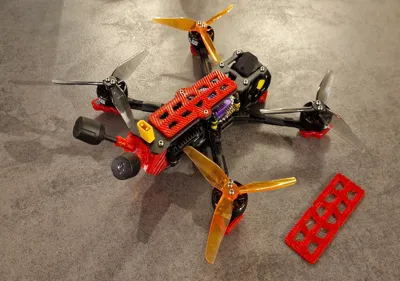
- Install the O4 Air Unit Pro camera into the original mounting points where the O3 camera was - you will need the silicon pads for 20 mm cameras.
It is a tight fit, just use the two bottom screws on the side and ignore the top screws. I recommend a 35° angle so the O4 camera is protected as much as possible by the original Aluminum camera mounts. - Install the O4 Air Unit Pro antennas into your newly printed TPU Antenna Mount and screw it to the original bottom plate.
- Install the O4 Air Unit Pro onto the original mounting points at the bottom plate where the O3 Air Unit was.
- Install the newly printed (or CNC-cut) Top Plate provided by this kit.
- Optionally, add one of the included TPU battery pads for better battery grip and vibration dampening.
Enjoy flying your upgraded DJI O4-powered Volador VX 3.5! 🚁
License

You shall not share, sub-license, sell, rent, host, transfer, or distribute in any way the digital or 3D printed versions of this object, nor any other derivative work of this object in its digital or physical format (including - but not limited to - remixes of this object, and hosting on other digital platforms). The objects may not be used without permission in any way whatsoever in which you charge money, or collect fees.


Comment & Rating (4)