Search models, users, collections, and posts

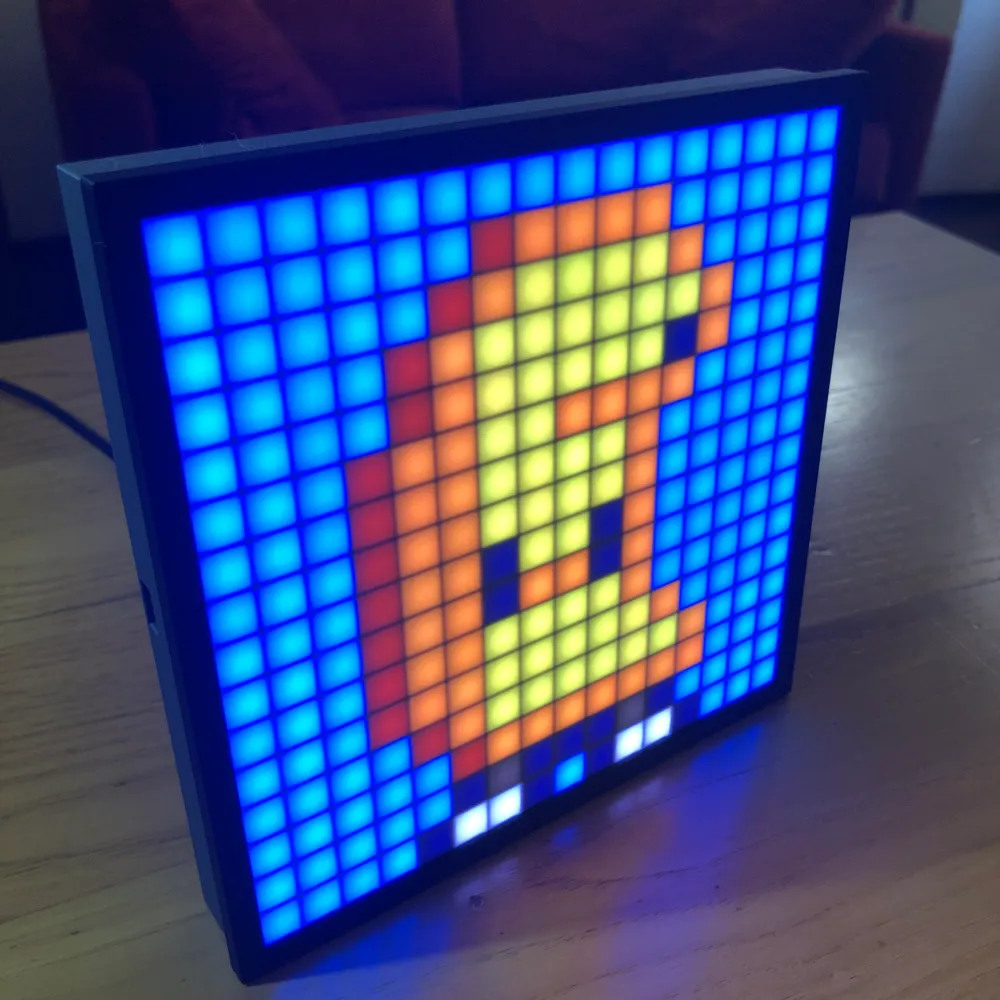
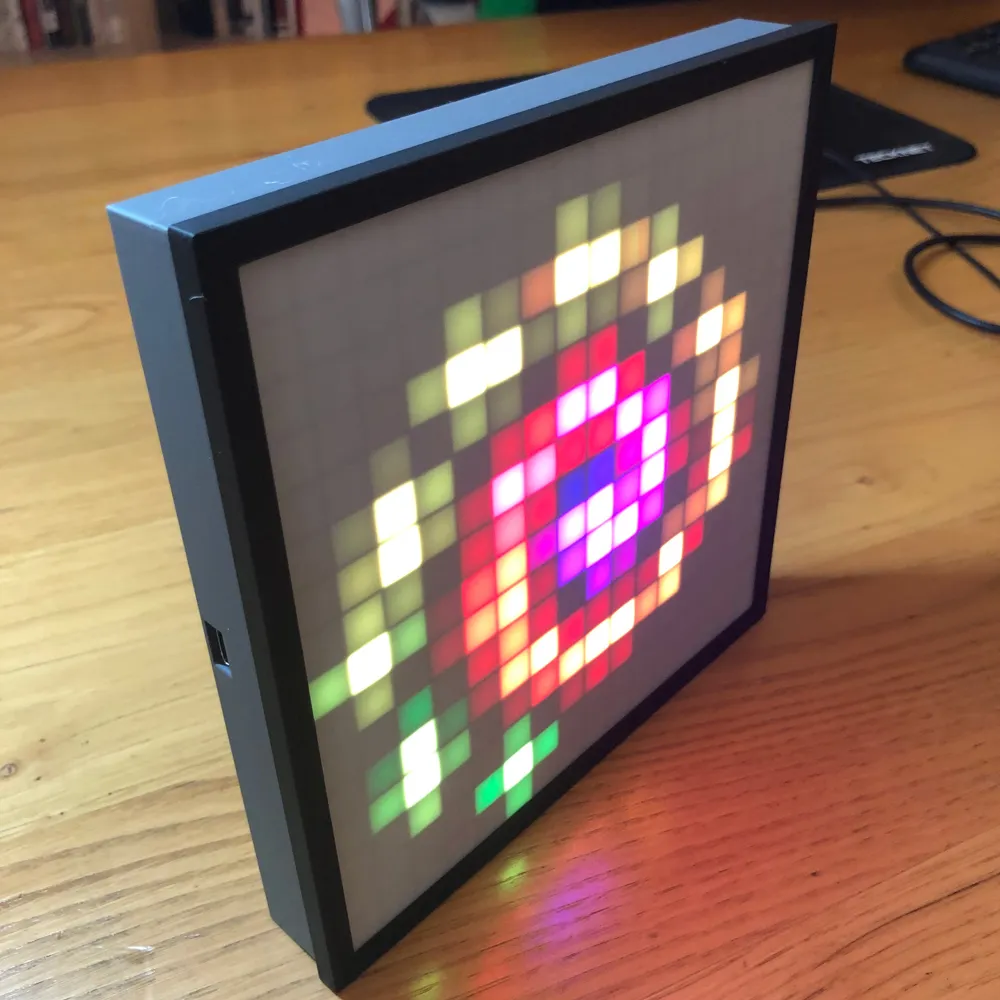
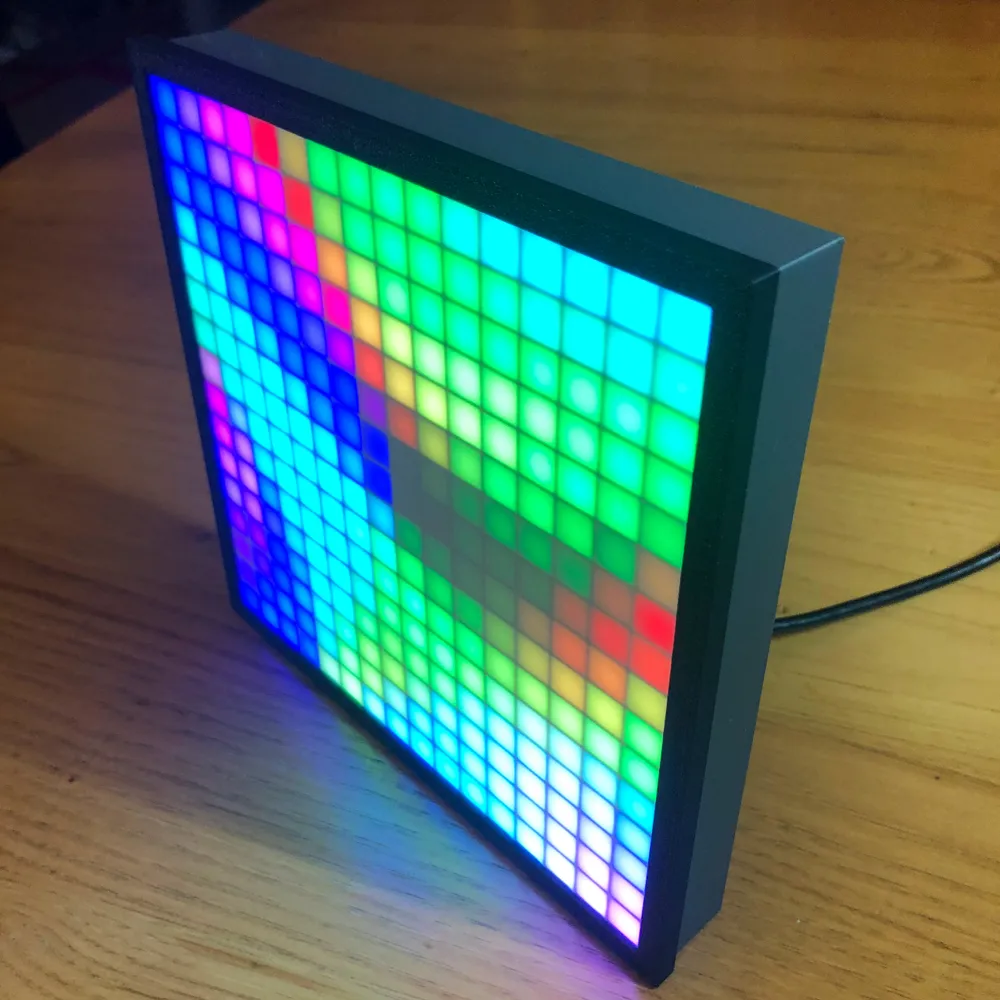
16x16 LED Matrix Frame with Diffuser Grid
IP Report
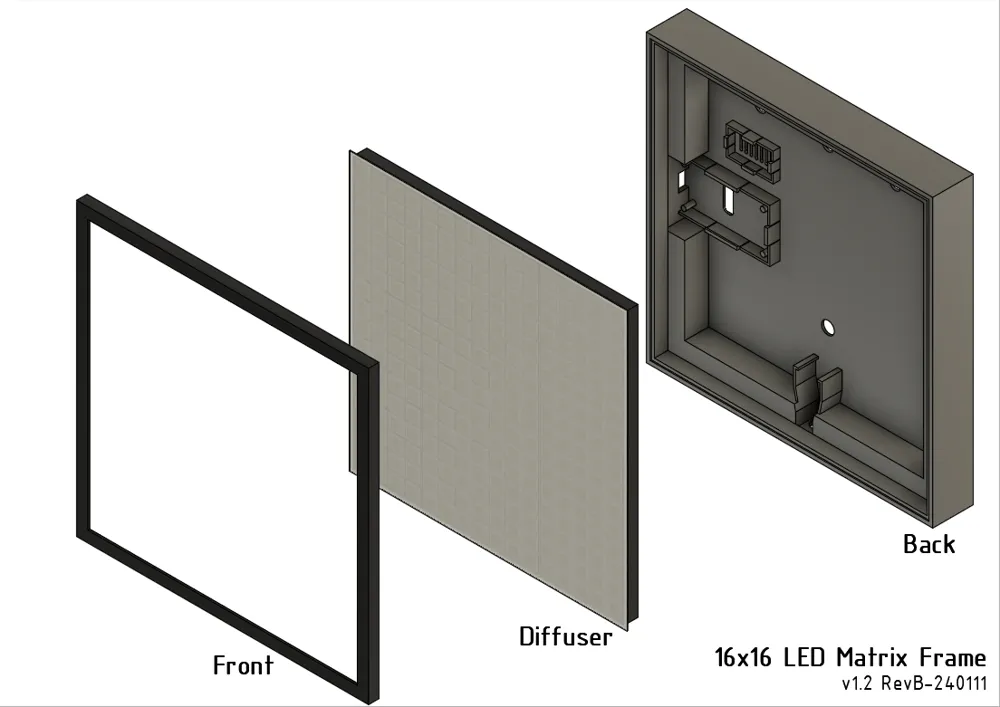

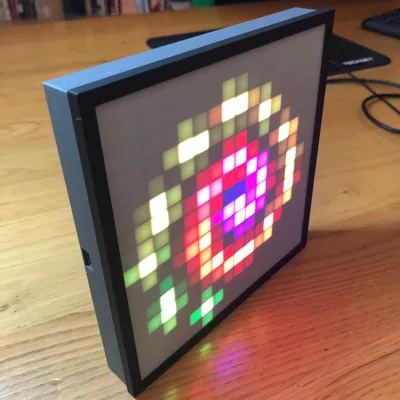
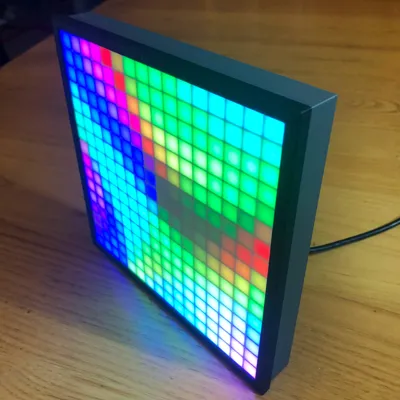
Print Profile(5)
Front and Back (0.28mm layer, 2 walls, 15% infill)
Designer
2.4 h
2 plates
Diffuser (0.2mm layer, 2 walls, 15% infill)
Designer
2.4 h
1 plate

Stable frame stand

1.3 h
1 plate

Diffuser 0.2mm layer, 2 walls, 15% infill

2.7 h
1 plate
Click to see more
Open in Bambu Studio
Boost
544
1405
351
197
1.7 k
1.2 k
Released
Description
16x16 LED Matrix Frame
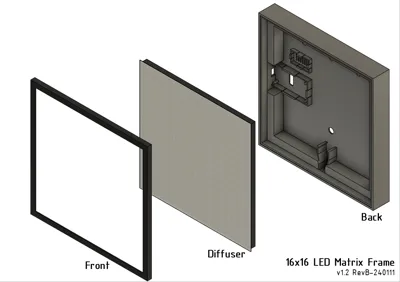
- No glue, tape or screws needed
- Accessible USB port
- Wall- or desk-mounted
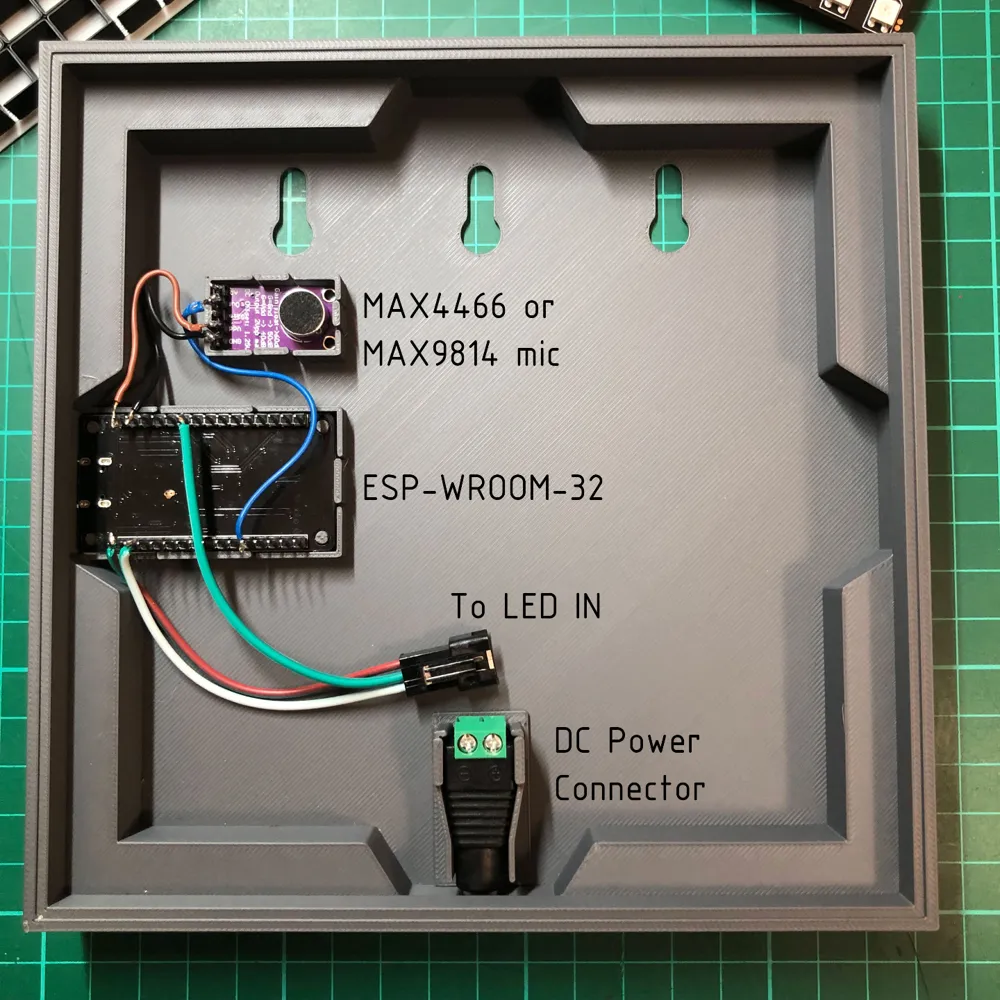
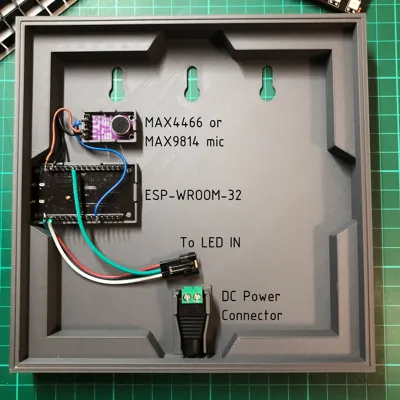
- Snap-fit sockets for ESP-WROOM-32, MAX4466 or MAX9814 microphone and DC Power Connector for easy installation
- Optional socket-less version (see stl files)
CHECK THE STL FILES ("DOWNLOAD STL/CAD FILES") IF YOU NEED THE UN-SPLIT (ONE PIECE) OR SOCKET-LESS FILES
Instructions
Print:
Print the Diffuser Screen with these settings to give the screen a horizontal “scanline” texture:
- Top/Bottom surface pattern: ALIGNED RECTILINEAR
- Internal solid infill pattern: ALIGNED RECTILINEAR
- Sparse infill pattern: ALIGNED RECTILINEAR
- Infill direction: 0
If using white filament for the Diffuser Screen, printing it on a textured plate will make it scatter more light and be dimmer. Use a smooth plate for best results. A textured plate will work great for clear filament though.
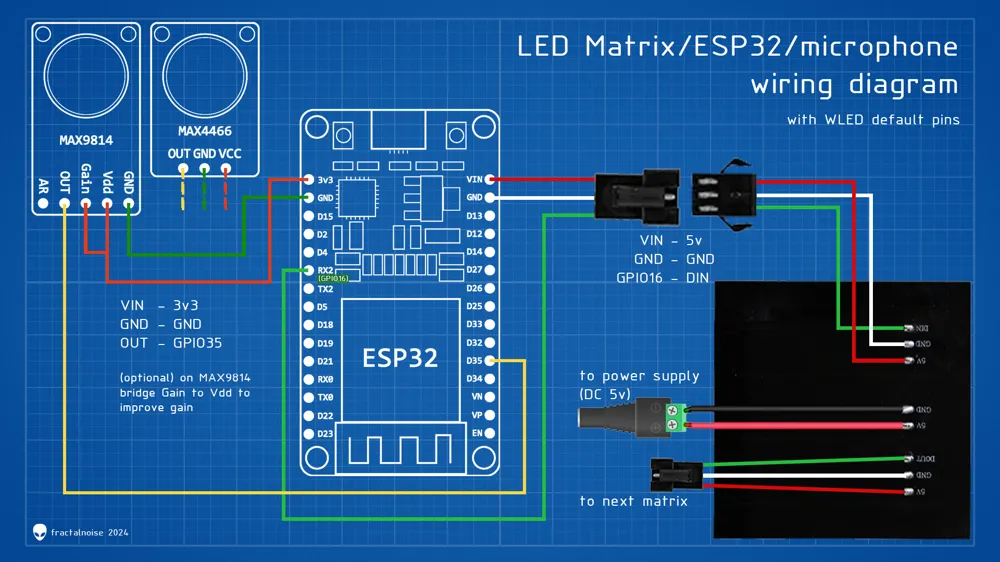
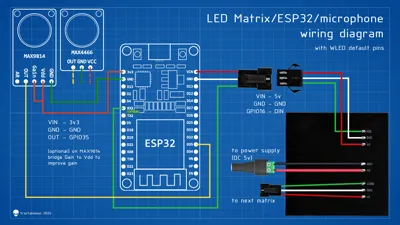
For the LED matrix, you'll need:
- 16x16 LED Matrix - e.g. https://aliexpress.com/item/4000544411175.html
- ESP-Wroom-32 - e.g. https://aliexpress.com/item/1005005972312714.html
- MAX4466 microphone - e.g. https://aliexpress.com/item/3256803608057399.html
or
MAX9814 microphone - e.g. https://aliexpress.com/item/3256805923391884.html - Power Supply 5V 1.5A-15A (~2-5A will do for most uses) - e.g. https://aliexpress.com/item/32844702891.html or https://aliexpress.com/item/1005006126703620.html
or an old USB cable (cut one end and connect the + and - to the LED matrix)
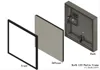
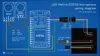
LED Matrix/ESP32/WLED Assembly Guide:
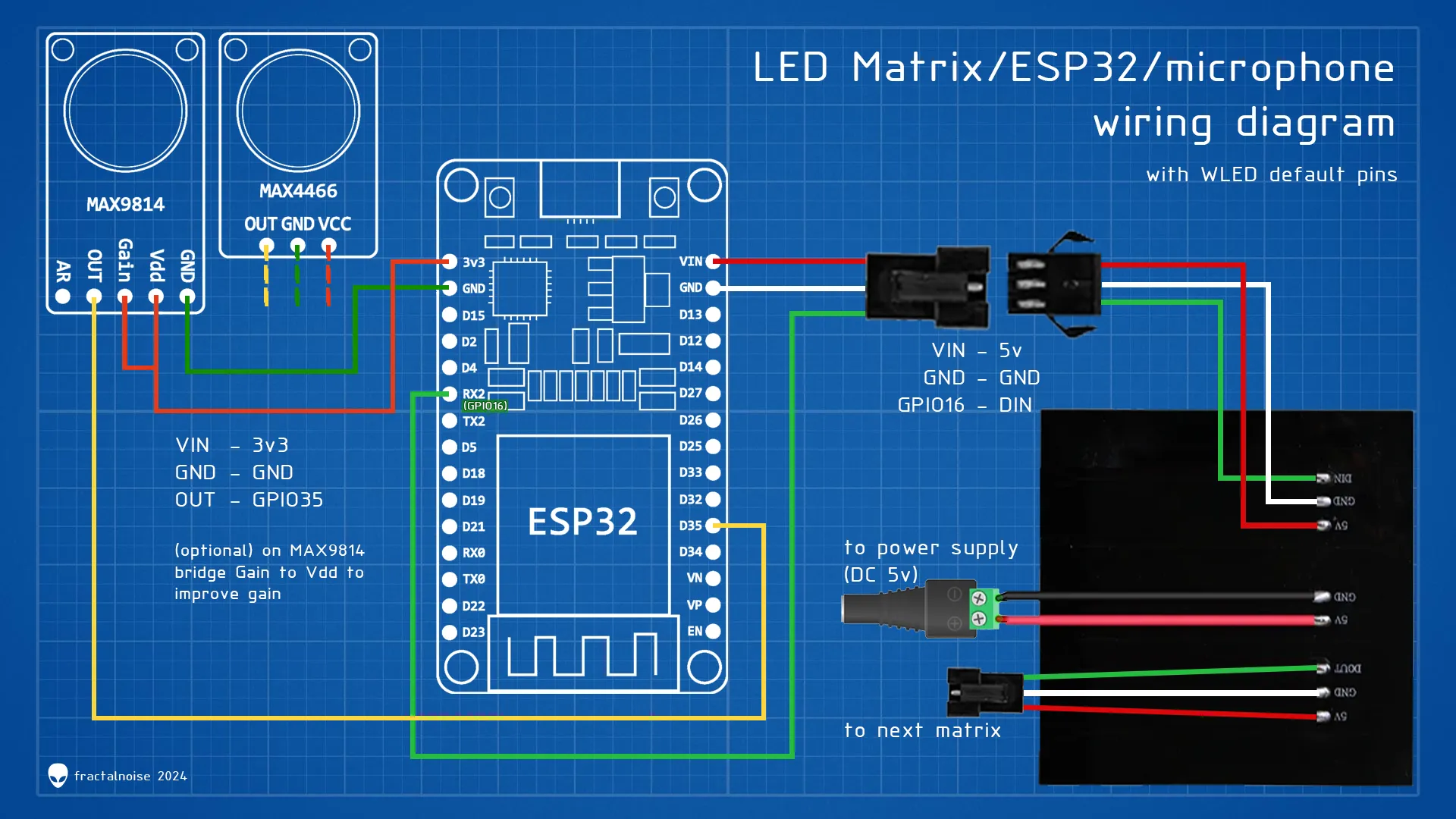
WLED CONFIG:
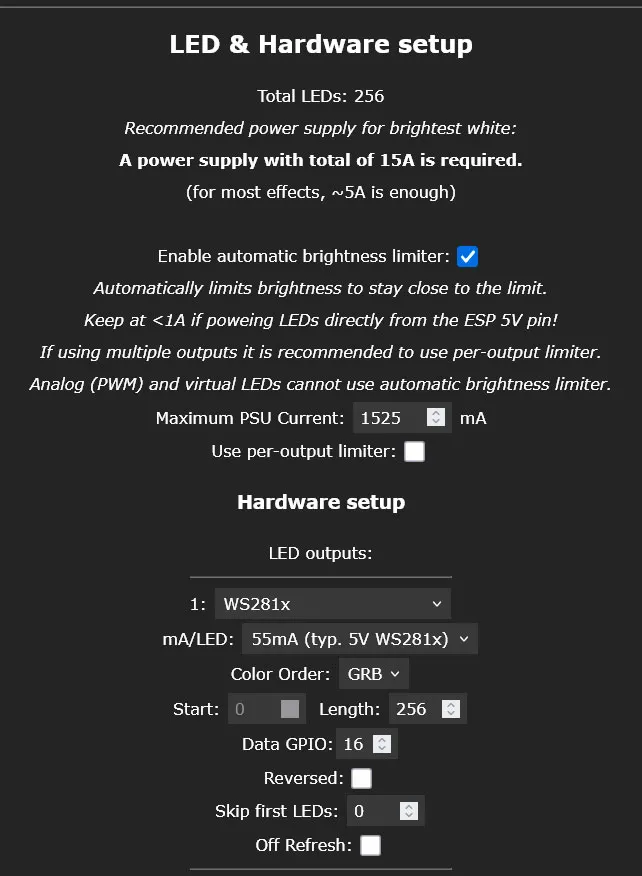
LED & Hardware setup (WLED/Config/LED Preferences):
IMPORTANT! - Set the appropriate Maximum PSU Current for your power supply (if powering from USB use 5-9A max – it varies with USB type and chargers.)
Under Hardware Setup/LED Outputs set the correct number of LEDs in the matrix/matrices, in this case 256. This will also give you an idea of how many Amps are needed.
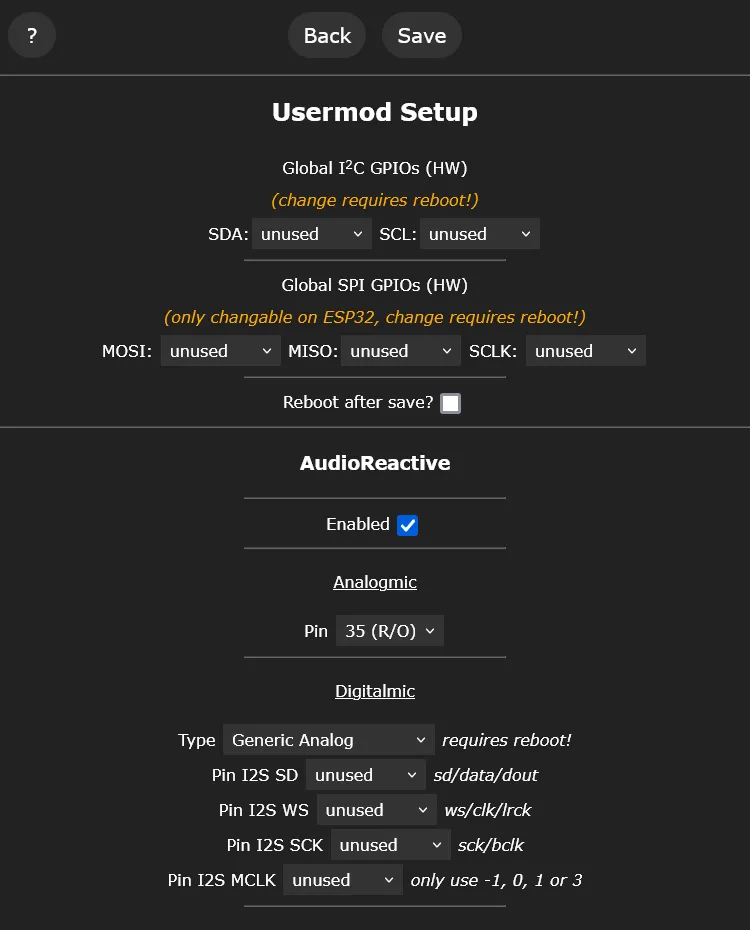
Microphone settings (WLED/Config/Usermods):
Some useful resources:
- WLED Project: https://kno.wled.ge/
- Chris Maher WLED tutorials playlist: https://www.youtube.com/playlist?list=PLur8dX5PE-4pk838s_gZAdm-98-sf0f0Z
- Make It Work WLED tutorials playlist: https://www.youtube.com/playlist?list=PLUTKOGJvdIQ8WYfG6TDJ_c8_WlPovWbL9
My other LED projects:
Documentation (2)
Assembly Guide (2)
License

This user content is licensed under a
Creative Commons Attribution-Noncommercial-Share AlikeRemixes (5)


Click to see more


Comment & Rating (351)