
Panda Knomi P1S / P1P top mount, no logo optional
Print Profile(2)


Bill of Materials

- Panda Knomi x 1: from https://biqu.equipment/products/panda-knomi
Description

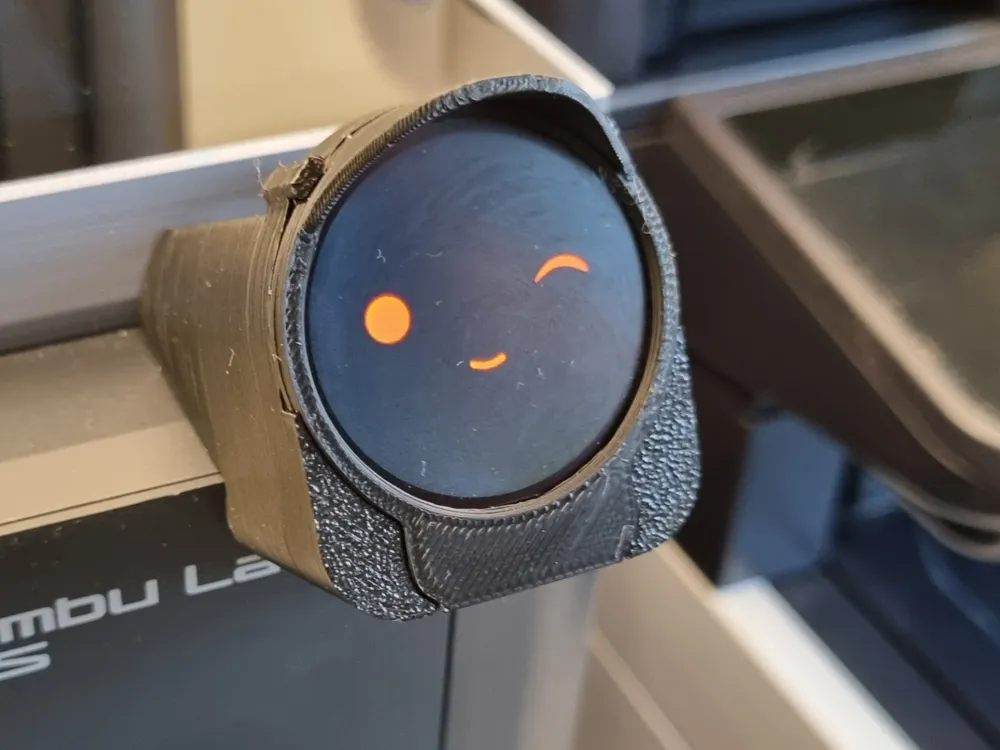
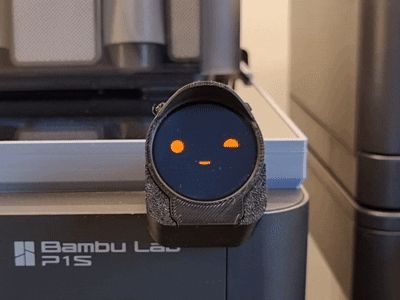
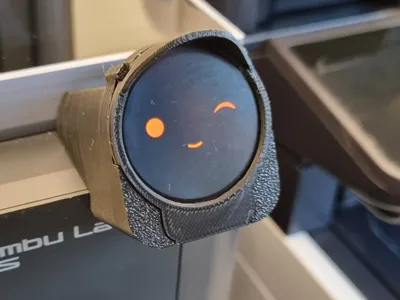
High quality remaster of the Panda Knomi holder for Bambu Lab P1S and P1P with cleaner seams, no branding option and tested print profiles for perfect results.
Boost Me (for free)
If you like this model, hit Boost or Follow. It keeps the filament rolling in and saves me from explaining another Bambu Lab bill at home.
Why not use the original files directly from GitHub?
- If you have a Bambu Lab P1S or P1P printer, you will probably first look for print files on Makerworld before using a search engine and possibly finding them on GitHub. That's why you're reading these lines right now. 😀
- I used the original .step files to recreate the model in high quality.
- Since not everyone likes logos and branding, I also created a version without the Bigtreetech lettering.
- The seam has been drawn in by hand so that the seam is not placed in an aesthetically undesirable position.
- The file names are now standardized and without Chinese characters.
- With the print profiles, that I have created and tested, the models can be printed easily, quickly and in good quality.

And finally the most important thing, here you can see some nice pictures I made for you, so you know how the model looks like in real life.
Installation
After removing the support, unfortunately the model cannot be printed without it, installation is very simple.
Set up your Panda Knomi first. See also https://bttwiki.com/PandaKnomi.html
Whatever you do: DO NOT touch the host name when setting it up and leave it set to ‘PandaKnomi.local’. If you change the host name, you will brick the Panda Knomi (firmware version v1.0.2) and have to erase the ESP32 and reflash the firmware. A reset with the boot button will not work.
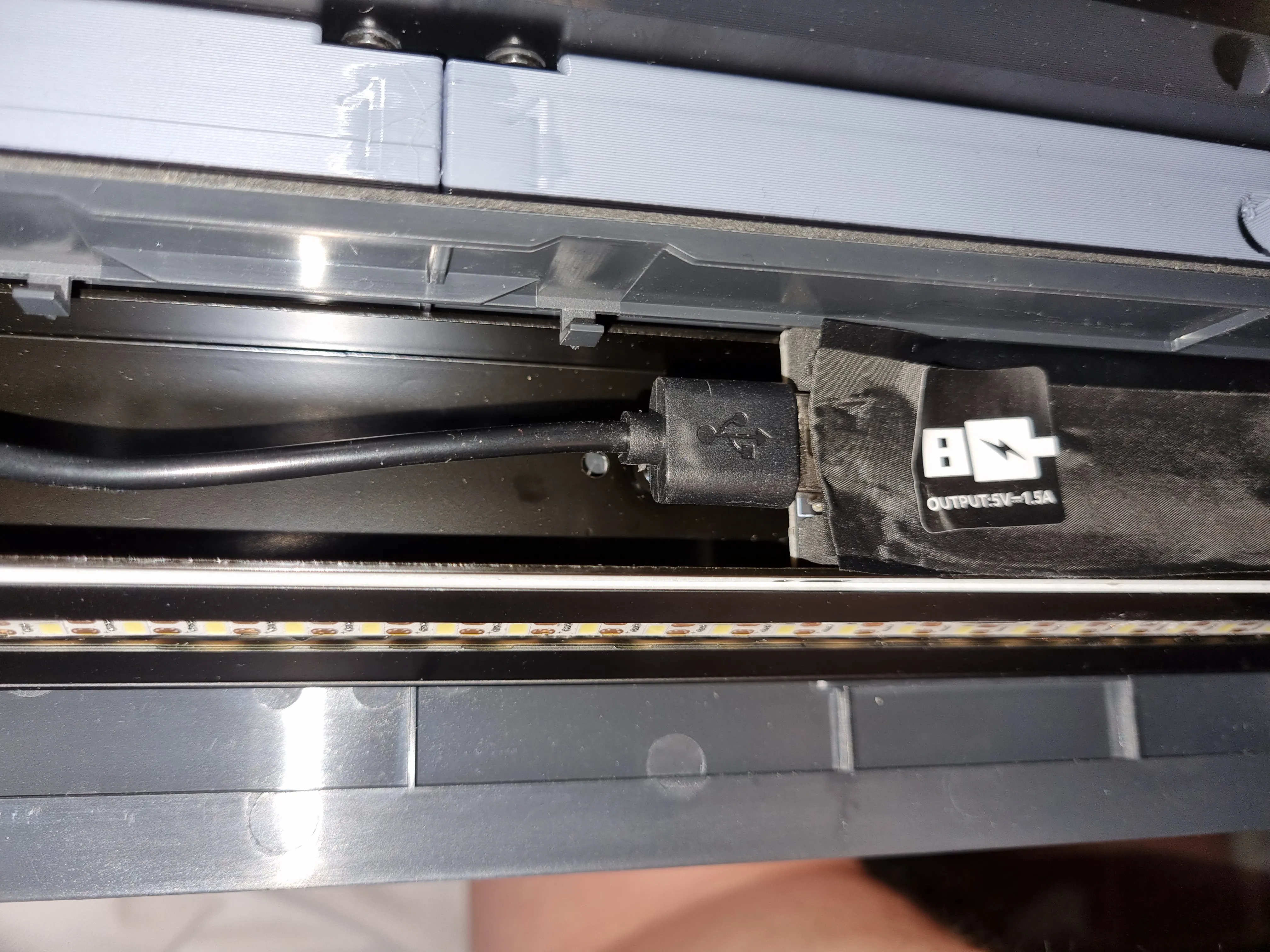
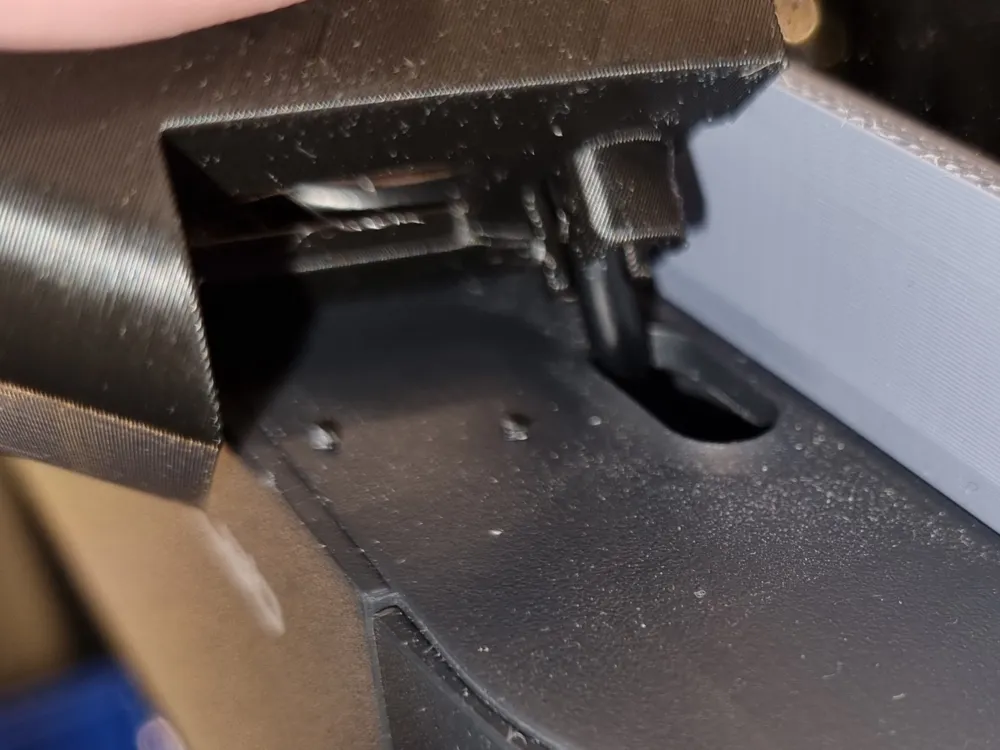
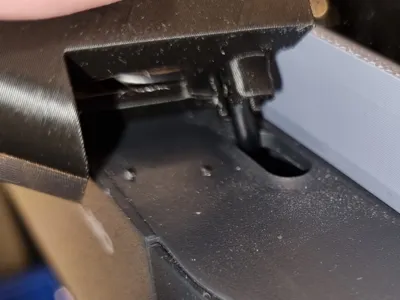
Insert the USB-A plug (the square one) of the supplied cable into the USB A socket in the Bambu Lab P1S or P1P printer.
The socket is located in the print area, on the front side at the height of the ‘OK button’ on the control panel.
Remove the foil from the Panda Knomi and insert the device into the holder. The clip ring secures the Knomi in the housing.
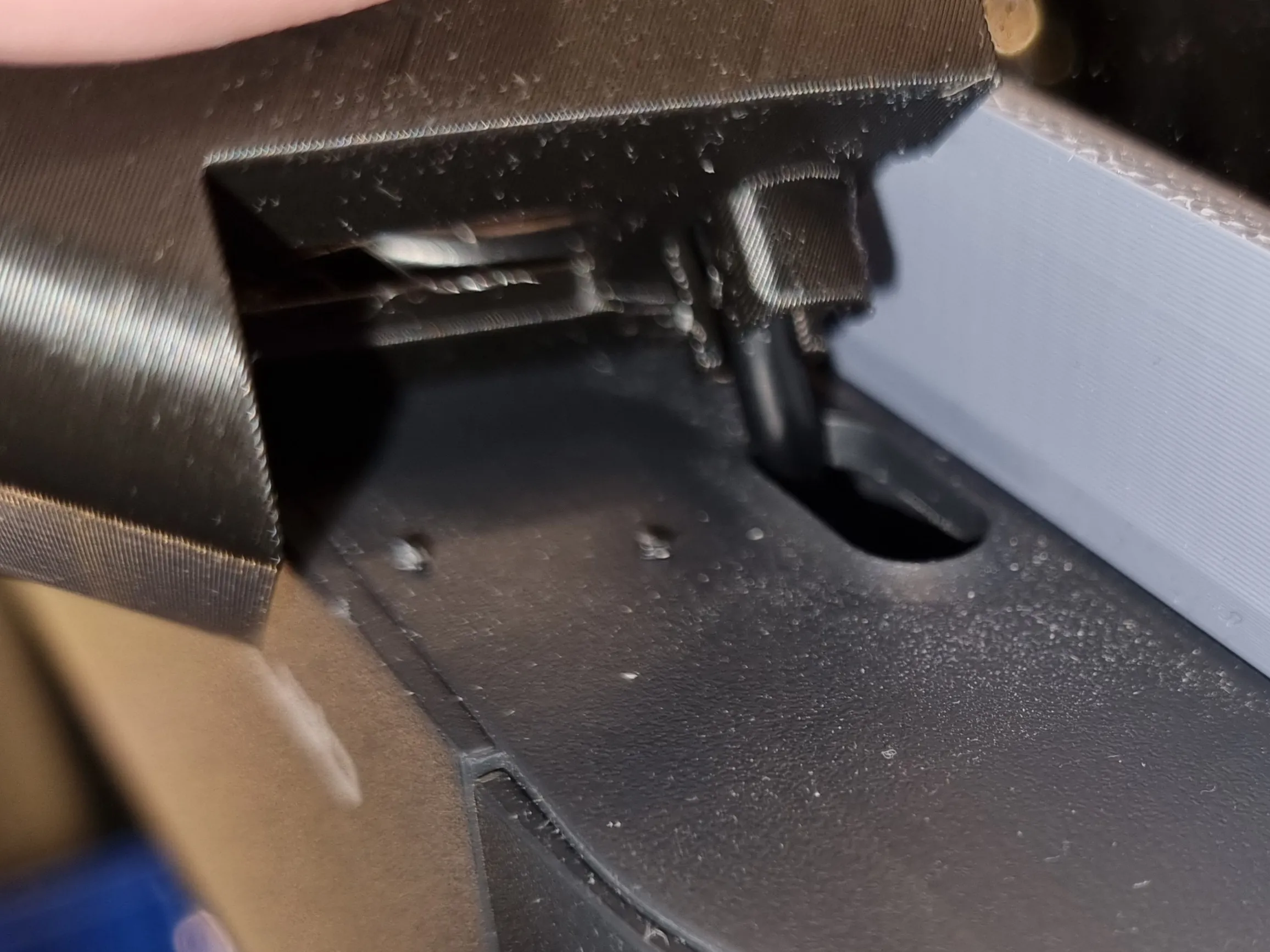
Guide the USB cable with the USB-C side from the bottom through the hole on the right, upper side of your P1S/P1P.
Pull the USB cable through the hole at the bottom of the holder and clip the holder onto your printer.
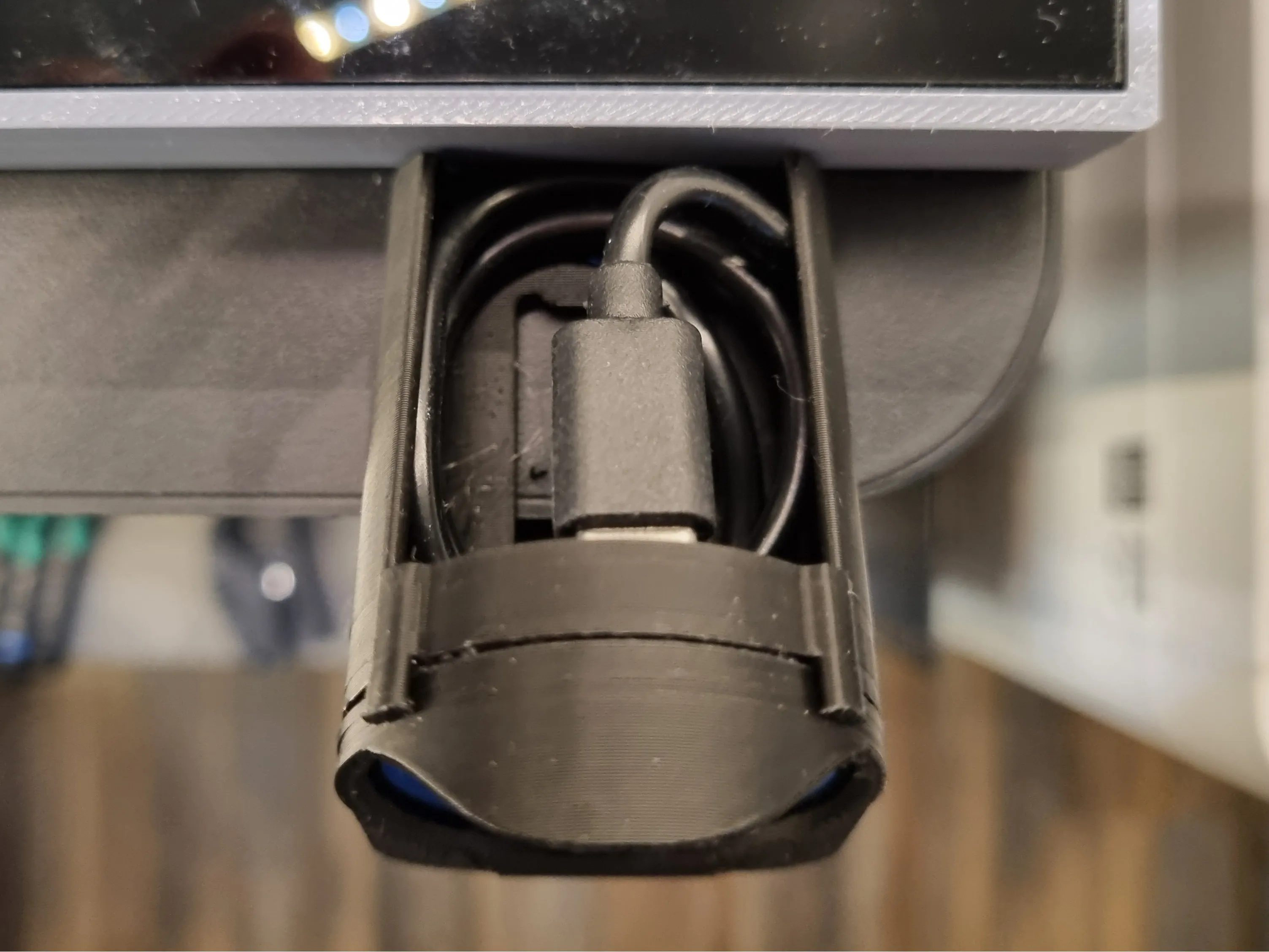
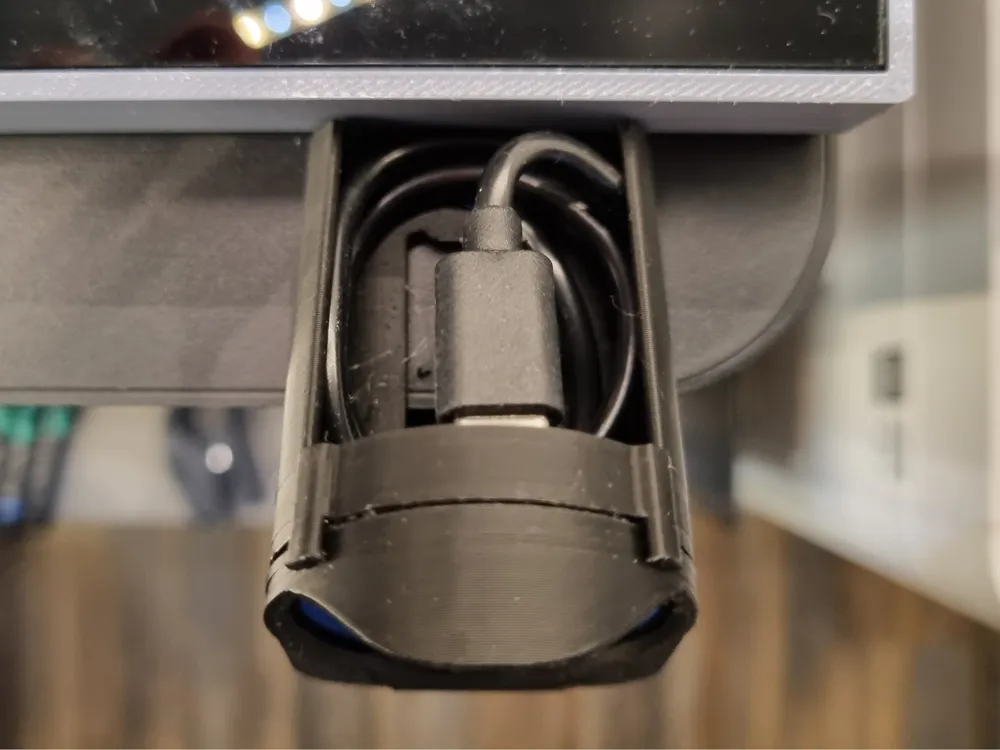
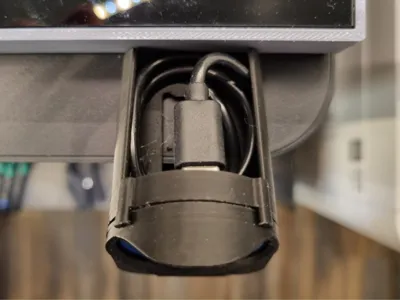
Wind up the excess cable and stow it in the model. Then plug the USB C connector into the Panda Knomi.
Original model licence
The 3D models on GitHub were declared as “Creative Commons Attribution-NonCommercial-ShareAlike 4.0 International” on 11 May 2025, after no information on the license was previously provided, by Bigtreetech.
I have chosen this licence accordingly on makerworld.
The original files came from https://github.com/bigtreetech/PandaKnomi/tree/master/Print_Files/P1_Seires
The licence can be found here https://github.com/bigtreetech/PandaKnomi/blob/master/Print_Files/license.md
Boost Me (for free)
Support for this model helps fund 3D printing in a local school in Lower Saxony, Germany. Contributions go toward printers and filament for student maker and robotics clubs, including preparation for "Jugend forscht" competitions. Likes, follows, and boosts help increase visibility and indirectly support hands-on technical education.
Translation Notice: I am not a native English speaker. I write all descriptions in English to ensure the best automated translation into other languages. To make the text smoother and more readable, I use language tools to refine my wording.
Bill of Materials Notice: Hero Shot models are usually printed in Bambu Lab PLA Basic, primarily Pumpkin Orange, Purple and Matte Charcoal Black. The Bill of Materials contains the recommended filament for the model, which may differ from the filament used for the photos.
Purchases made via the BOM support my work through the Maker World Commission Incentive at no extra cost to you.
Documentation (1)
This remix is based on

License



Comment & Rating (81)