
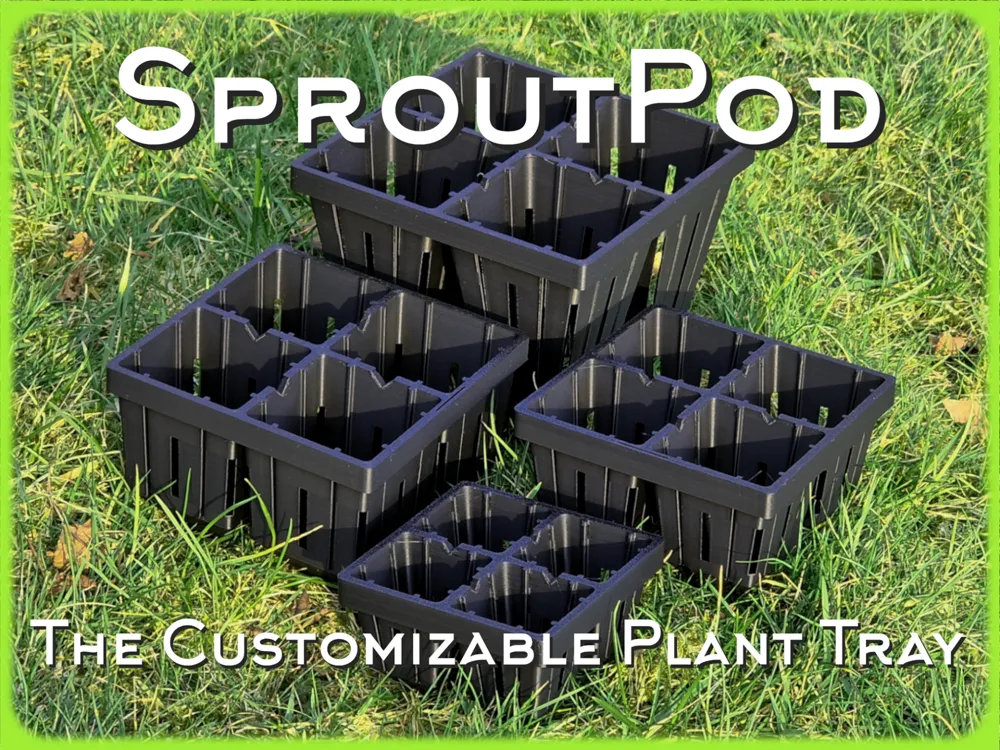
SproutPod - The Customizable Plant Tray


Print Profile(1)

Description
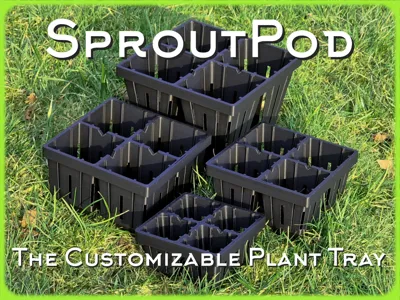
SproutPod - The Customizable Plant Tray
Update: If you'd like premade, easy print versions check here:
What is this thing?
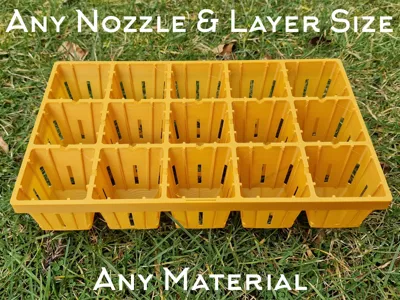
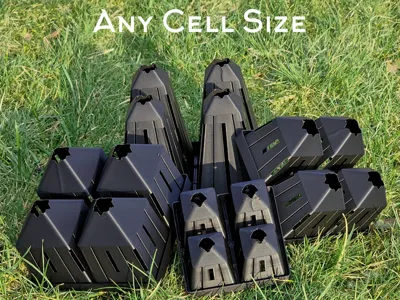
This is a custom plant tray generator used to create trays for germination, seed/plant growing, pots, etc. The generator will allow you to create trays to your own specification including;
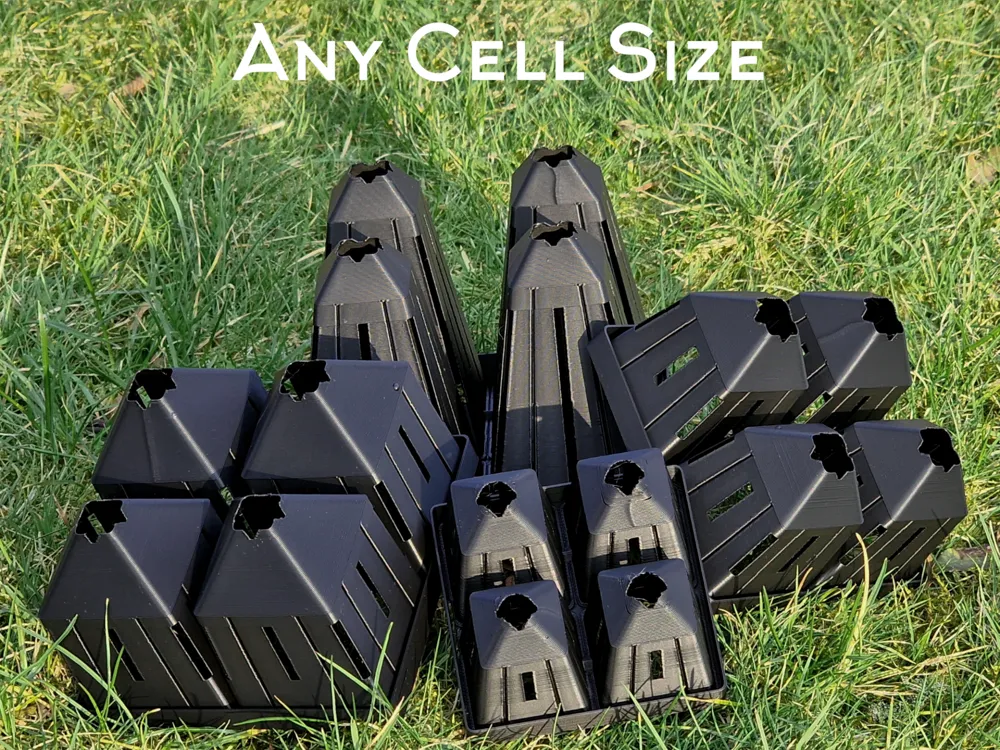
- Cell size in all dimensions
- Grid size
- Thickness of walls
- Cell spacing
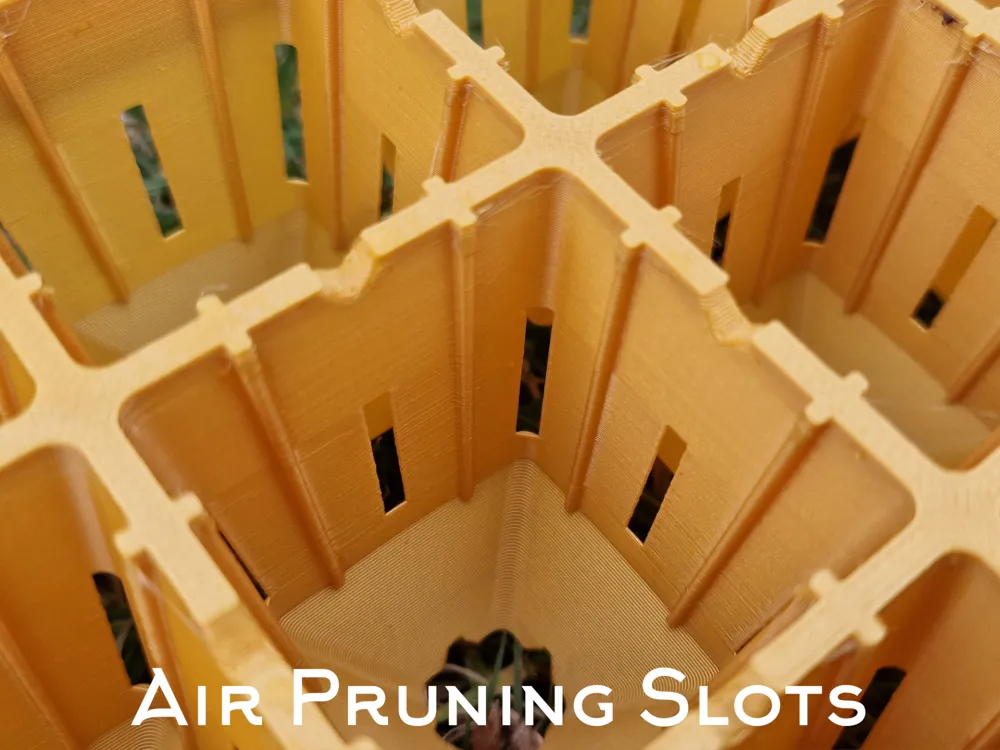
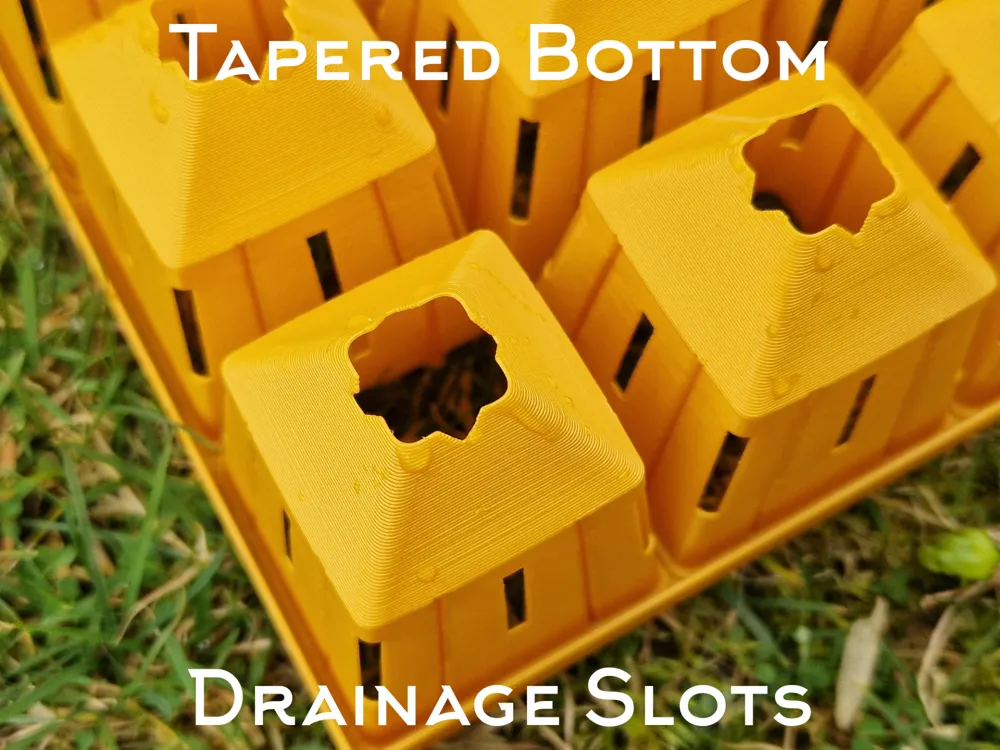
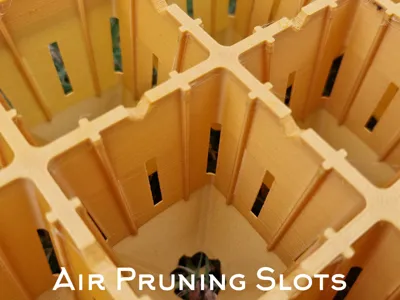
- Air pruning slots
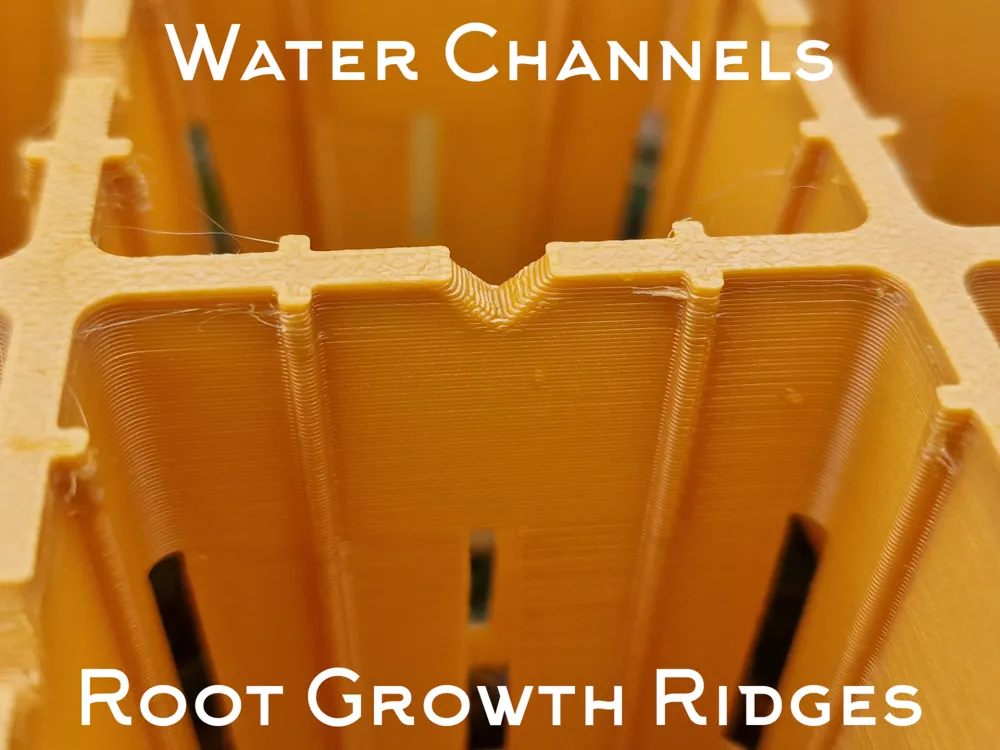
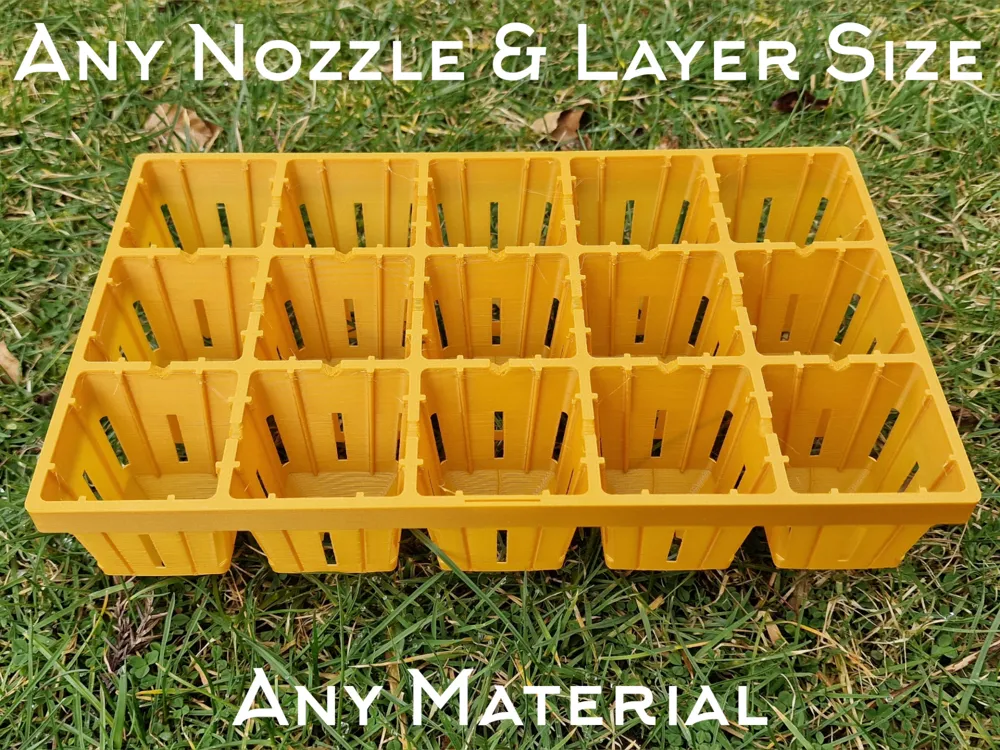
- Root growth ridges
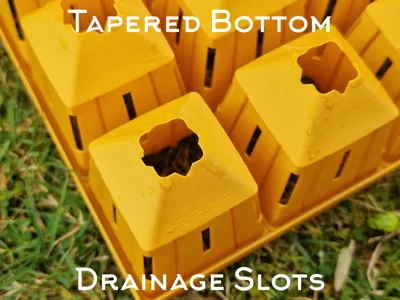
- Drainage notches
- Water channels
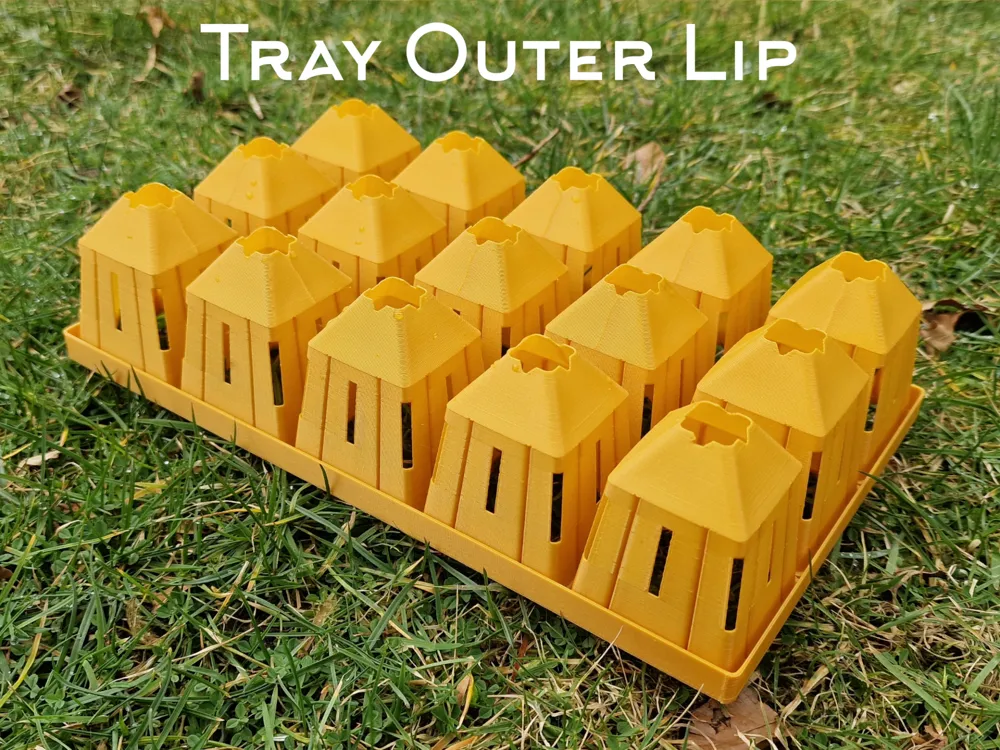
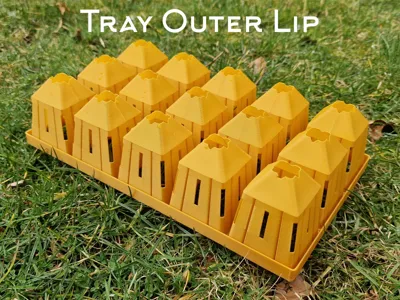
- Tray stiffening outer wall
- Cell reinforcement
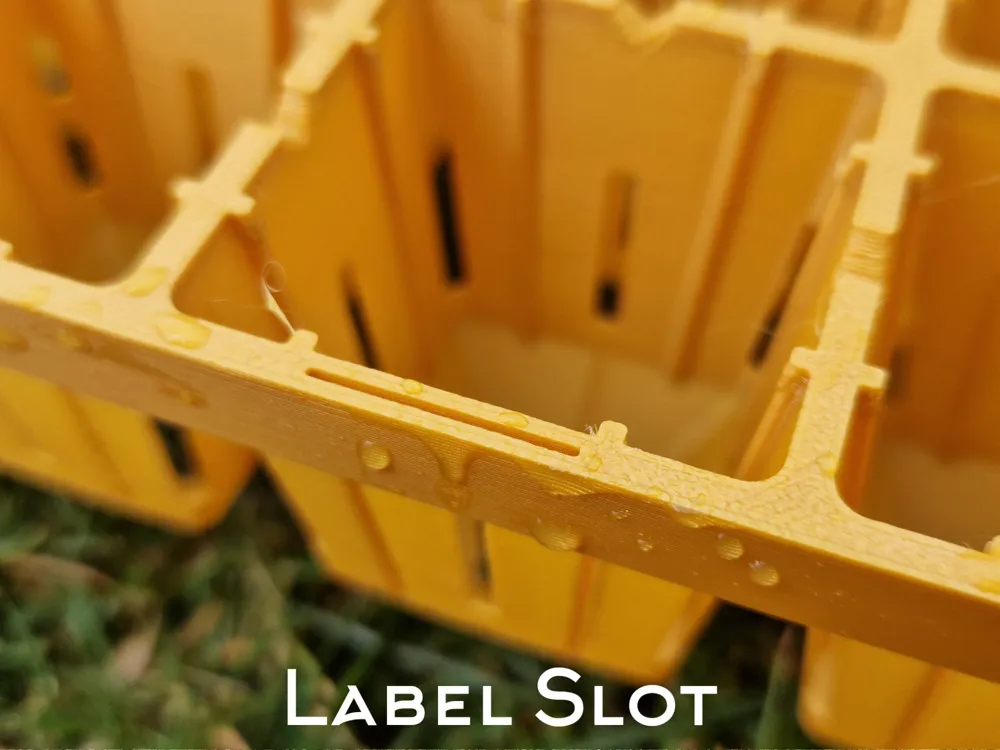
- Label hole
It is compatible with any nozzle size, material and layer height with the appropriate settings.
Hello there:
Boost Me (for free)
Boosts are always nice if you feel I've earned them <3
What are boosts? They are free tokens that you can gift to creators you feel did a good job. Each boost gives that creator a few points that can eventually be used for certain items in the Bambulab shop. A free way for you to support us.
I don't ask or require any payment, but if you wish to help me out you can tip me via KoFi.
Or enjoy it for free! Your call :)
Brief:
A new system to generate custom planting trays that would be an upgrade to the original Customizable Seed / Plant Tray (Propagator) that I designed. It would meet the original tray's brief (italic):
- Choice of grid size in X and Y to fit any print bed size and/or seed tray size.
- Can be adapted to work with any nozzle size and layer height.
- Customisable bottom drain / removal hole size.
- Optional drain notches to allow watering from below and proper drainage on flat trays.
- Optional customisable “air pruning slots”.
- Printable in one with no supports.
- Can print as thin disposable, or thick reusable.
But in addition do the following:
- Filleted corners to make stronger cells.
- Root growth ridges to guide roots to grow downwards, rather than spiraling around the edges of the cell.
- Water channels between cells to aid even top watering if desired.
- Tray stiffening outer wall to prevent tray flex and breakage.
- Label hole to accept any size of label at the front of the tray.
- More robustly coded to handle the additional options and wider variety of sizes.
I liked my original Customisable Seed Trays, but felt I could do much better by including the above elements as options, along with a heavy rewrite of the code. With these options added, I feel I've taken this project as far as is reasonable to go with a coded parametric system offered for free.
How it works:
You can either print from one of the exiting profiles made by me or others, or you can use the customisation system to make your own.
- If you're happy with one of the profiles, you can simply press print!
- If you want to define your own tray, follow the Customize instructions below.
- Tip: You can use a print profile I uploaded as a start and simply swap the model out.
Customize:
- Press the “Customize” button to go to the editor for the tray.
- You will be brought to a page with the default model in the middle, and a list of variables on the left.
- Change any variables you prefer, then press “Generate”. (See variable list below for details)
- When you are happy with the model, press Download.
- Choose .STL so you can import the model into whichever printing environment you like.
- You can choose .3mf if you wish to start a blank project for it.
- I'd recommend choosing one of the existing profiles, then importing the .STL into it replacing the existing one.
The Print:
The following settings should already be set in the print profile if you use it, but check you have:
- Line width and layer height match or are multiples of the ones you chose in the customisation.
- Arachne wall generator is chosen instead of standard.
- Set wall count to 1 (unless you specified a really thick wall).
- Optional: Add a brim if your material is challenging.
Thanks!
It'd be great if people upload any tray customisations they do as print profiles for others, especially if they are for standard tray sizes or particular plant types.
I hope you find this useful, happy printing! :)
Variables:
This will maybe seem like an overwhelming list, but hopefully it's easy to understand how to achieve what you want.
- layer height
- Base layer height for 3D printing (mm)
- Set this to the same as your slicer will be using.
- Default: 0.28
- line width
- Base line width for 3D printing (mm)
- Set this to the same as your slicer will be using.
- Default: 0.42
- wall thickness factor
- Multiplier for wall thickness
- This will be the number of lines in the slicer the cells walls are thick, more lines, means harder wearing tray but costlier.
- Default: 1
- lip thickness factor
- Multiplier for lip thickness
- This is the number of layers the top surface, the lip, is thick. The higher this number, the less flexible the tray.
- Default: 2
- gridSize x
- Number of cells in X direction
- Default: 5
- gridSize y
- Number of cells in Y direction
- Default: 3
- cell top x
- Top inner cavity dimension X (mm)
- Default: 45
- cell top y
- Top inner cavity dimension Y (mm)
- Default: 45
- cell bottom x
- Bottom inner cavity dimension X (Pre taper) (mm)
- The size of the bottom of the cell internal, this is before it slopes down to the drain hole.
- Default: 35
- cell bottom y
- Bottom inner cavity dimension Y (Pre taper) (mm)
- The size of the bottom of the cell internal, this is before it slopes down to the drain hole.
- Default: 35
- cell depth
- Total cell depth (mm)
- This is top to bottom including the tapered section.
- Default: 57
- drainage hole dia
- Drainage hole diameter (mm)
- It's called diameter even though the drain hole is now a rounded square, it inherited the name from the old code.
- Default: 12.7
- wall rounding radius
- Radius for rounding cell corners (mm)
- May mess with things at extreme values.
- Default: 2
- bottom taper start height
- Vertical distance from the bottom where the tapered section starts (mm)
- You are in charge of making sure the thing is printable, choose a value that makes the taper around 45degrees
- Default: 15
- lip width
- Lip size (also gap between cells) (mm)
- Can be useful to keep plants further apart, but will increase tray flex.
- Default: 3
- drainageSlot enable
- Enable/Disable drainage slots
- If your watering trays have ridges on the floor, you may not need these notches, leaving them out will speed up the last part of the print.
- Default: true
- drain tri size
- Drainage slot triangle cut out size (mm)
- Default: 3
- reinforcement width factor
- How many walls thick is the reinforcement fillet
- The reinforcement fillet is a band placed between the lip and the wall, it's needed as the wall is often only 1 line thick, meaning it has barely anything surface area to adhere cell to tray. This should dynamically change with other values.
- Default: 3
- reinforcement height factor
- How many layers deep is the reinforcement fillet
- The reinforcement fillet is a band placed between the lip and the wall, it's needed as the wall is often only 1 line thick, meaning it has barely anything surface area to adhere cell to tray. This should dynamically change with other values.
- Default: 3
- aps enable cardinal
- Enable/Disable air pruning slots on faces
- Default: true
- aps enable diagonal
- Enable/Disable air pruning slots on corners
- Default: true
- aps height
- Vertical height of air pruning slots (mm)
- Ensure you adjust this to match whatever cell height you chose.
- Default: 20
- aps width
- Horizontal width of air pruning slots (mm)
- Going too wide may let soil fall out, going too small may not make a well defined slot depending on material used.
- Default: 2
- aps start
- Vertical start height of air pruning slots (mm)
- Ensure you adjust this to match whatever taper start height you chose.
- Default: 20
- channels enable
- Enable/Disable inter-cell water channels
- You may need to use this if you choose 1 cell wide trays, as there is a minor issue in the code.
- Default: true
- channel size
- Inter-cell water channel size (mm)
- Always zoom in to check to see if this has sealed to the edges of the cell, it's not perfect sorry!
- Default: 5
- ridges enable
- Enable/Disable internal root ridges
- Default: true
- ridge size factor
- How many multiples of the cell wall thickness are the ridges
- I tried to make this draw a single continuous line for every layer the ridge was present, but this is exceptionally hard, some values may end up with less neat ridge tool paths.
- Default: 1
- ridge cutOverlapFactor
- Overlap factor for ridges (if they aren't cutting fully)
- If you're choosing wild values, this may help fix things, otherwise leave it alone.
- Default: 0.05
- outerWall enable
- Enable/Disable outer wall
- The wall going around the edge of the tray to give it stiffness. Disable if you like it floppy.
- Default: true
- outer wall depth
- Depth of the outer wall (mm)
- Default: 10
- outer wall layers
- Number of walls thick for the outer wall
- Default: 2
- labelSlot enable
- Enable/Disable internal label slot
- Default: true
- label slot length
- Length of the label slot
- Default: 20
- label slot width
- Width of the label slot
- Default: 1
License

You shall not share, sub-license, sell, rent, host, transfer, or distribute in any way the digital or 3D printed versions of this object, nor any other derivative work of this object in its digital or physical format (including - but not limited to - remixes of this object, and hosting on other digital platforms). The objects may not be used without permission in any way whatsoever in which you charge money, or collect fees.


Comment & Rating (11)