Search models, users, collections, and posts

Wine Labels - Magnetic
IP Report
Print Profile(1)

0.2mm layer, 2 walls, 15% infill
Designer
6.5 h
1 plate
Open in Bambu Studio
Boost
3
13
0
0
2
0
Released
Description
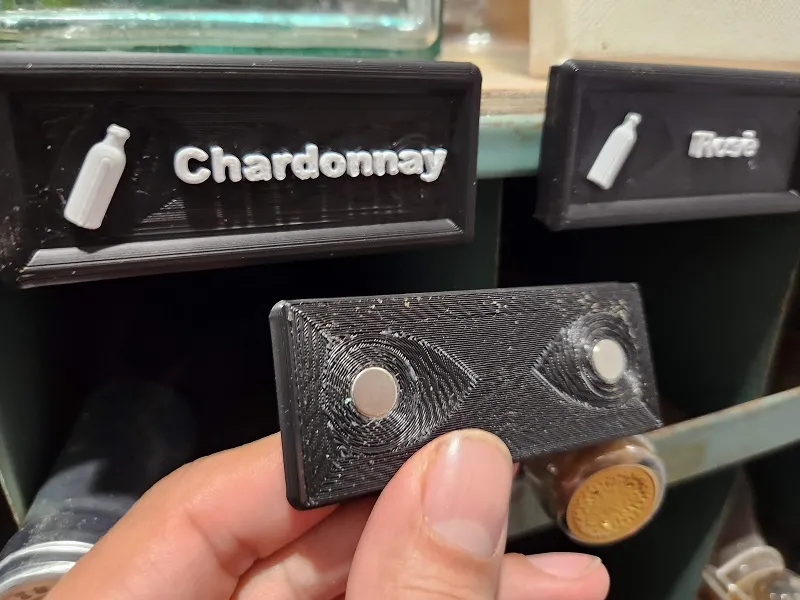
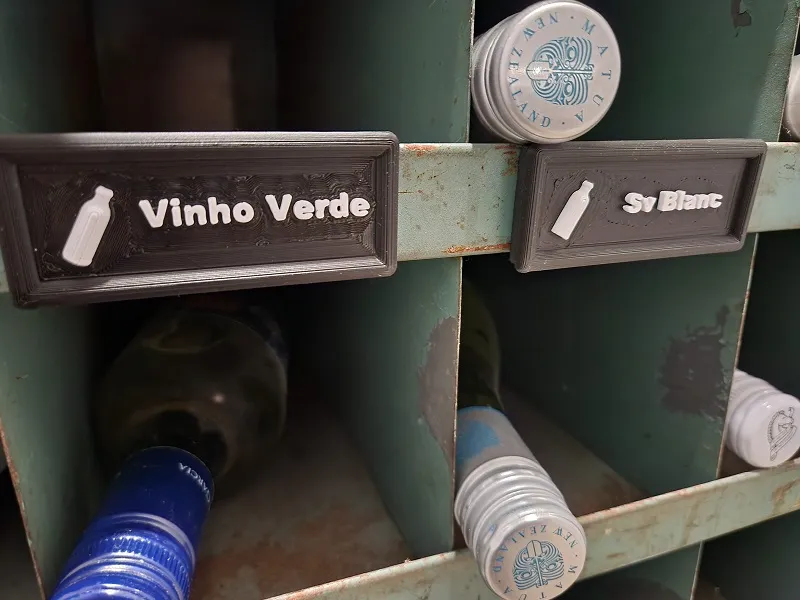
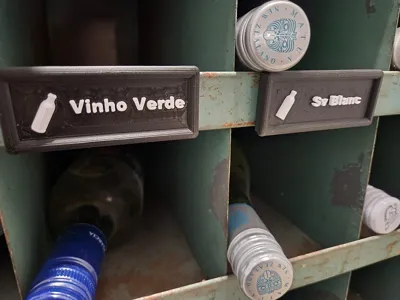
Wine Labels with magnets to organizer wine bottles in a metal storage holder.
Tools and Items Needed:
- AMS or AMS Lite
- 5/16 drill bit (Drill Press makes it easier, no power drill)
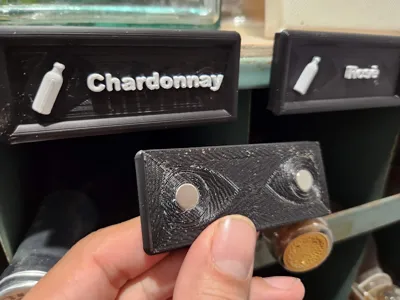
- Round Magnets (1/8" x 5/16")
- Purchased mine at Harbor Freight (Rare Earth Magnets - Rare Earth Magnet Set, 10 Piece)
- The Default Bambu Scrapper (everyone should have this)
- NO GLUE NEEDED
Instructions:
- Open model and edit text to match your wine collection
- Print the plate
- Use the Default Bambu scrapper to remove the Brim Layer and internal supports from back of each label.
- Use a 5/16" drill bit to drill out the 2x magnet holes on the back of each label. (This is to ensure snug fit without the use of glue)
- You can use drill press or drill by hand, do not use power drill, it will most likely drill right through the label and ruin it.
- Once the drill but starts to touch the bottom of the hole STOP. Do not over drill the hole, you are making the hole wider, not deeper.
- Place magnet one at a time on hard flat surface and press the label down over the magnet to insert magnet into hole. (no glue needed)
- Repeat for the other side of the label to insert magnet.
This is my very first model from scratch and my first upload. How did I do?
License

This user content is licensed under a
Creative Commons Attribution


Comment & Rating (0)