
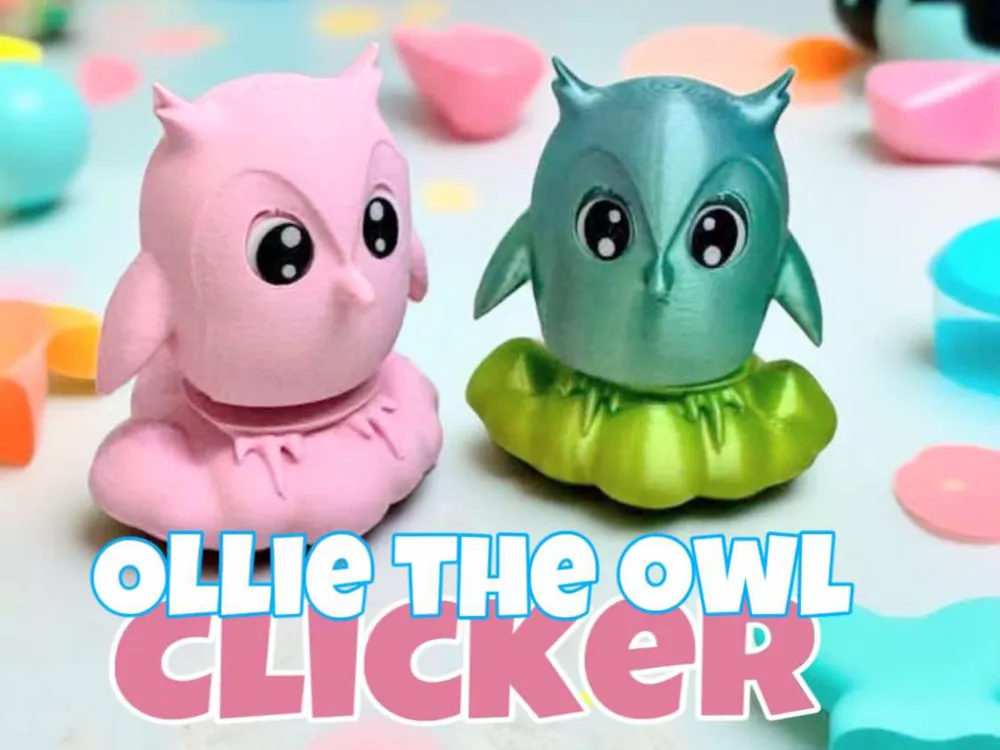
Cute Owl fidget clicker Ollie the owl
Print Profile(2)


Description
Please take a second and follow us.
Boost Me (for free)
Your boost would mean the world to us. Thanks so much for your support. With your help, our work gets seen more!
Please consider giving us a boost.
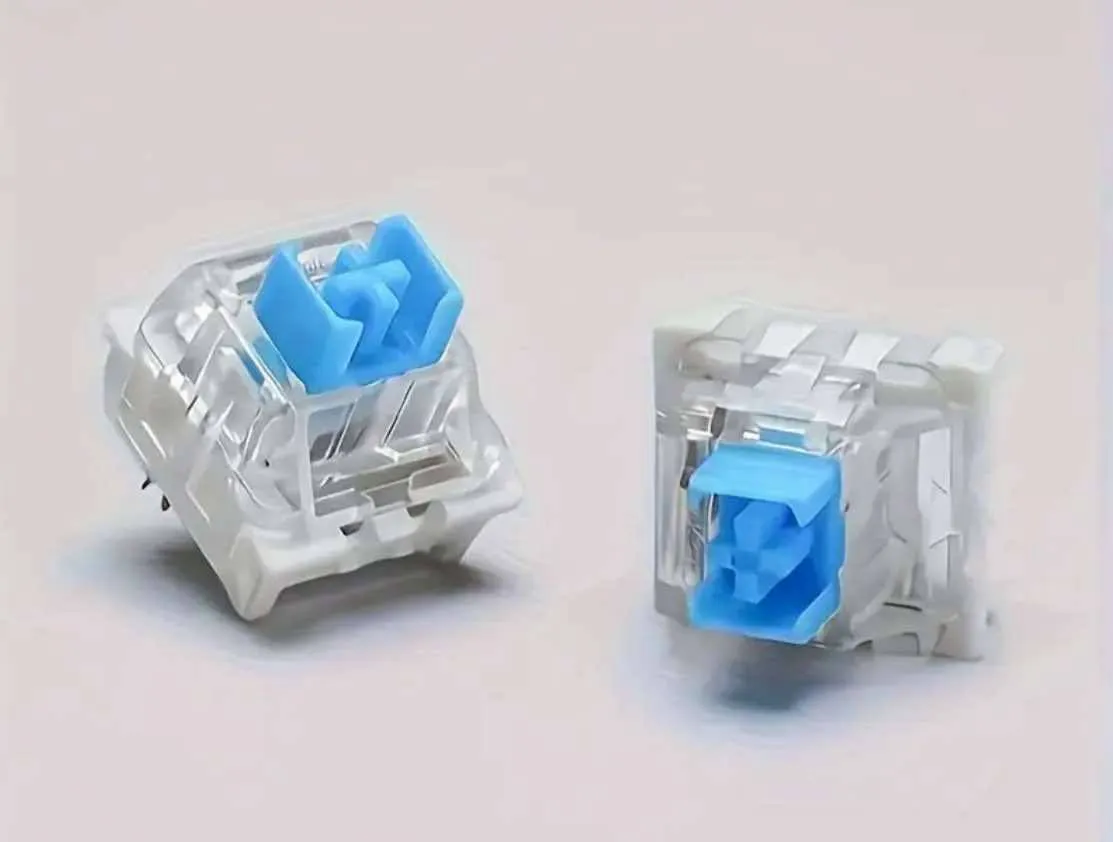
You will need a keyboard switch. And a dab of glue for the clicker and eyes.
We do have commercial license available on our Patreon, patreon.com/3DA1. Or send us a message for more info.
There is a separate file for better quality eyes. This option has a smaller line height. Does take a little longer to print.
We would love to hear from you! We love to hear where our little creations end up:)
Boost Me (for free)
We would absolutely love to have your boost!
Ollie's Story-
As the sun set behind the fluffy white clouds, a tiny owl named Ollie settled into her favorite perch, a soft and puffy cloud that felt like a warm hug. With a contented sigh, Ollie wrapped her tiny talons around a wispy cloud-strand and gazed out at the starry sky, her big round eyes shining like moonstones in the fading light. As she sat there, the clouds began to drift and swirl around her, forming a gentle whirlwind that lifted Ollie up and carried her effortlessly across the sky, her little wings spread wide as she laughed with pure joy, feeling as free and light as the clouds themselves.
3D Printed Clicker Toy Assembly Guide
Materials:
• 1 Mechanical Keyboard Switch
• 3D-Printed cross half and box hole Half
• (Optional) Small amount of super glue
Assembly Steps:
Find the cross half, box Half (holds the switch), and the switch itself.
Push the cross top of the switch into the cross half of the 3d print. It should click into place snugly. You can use glue if needed. A little glue goes a long ways. You don't want the glue to get into the switch.
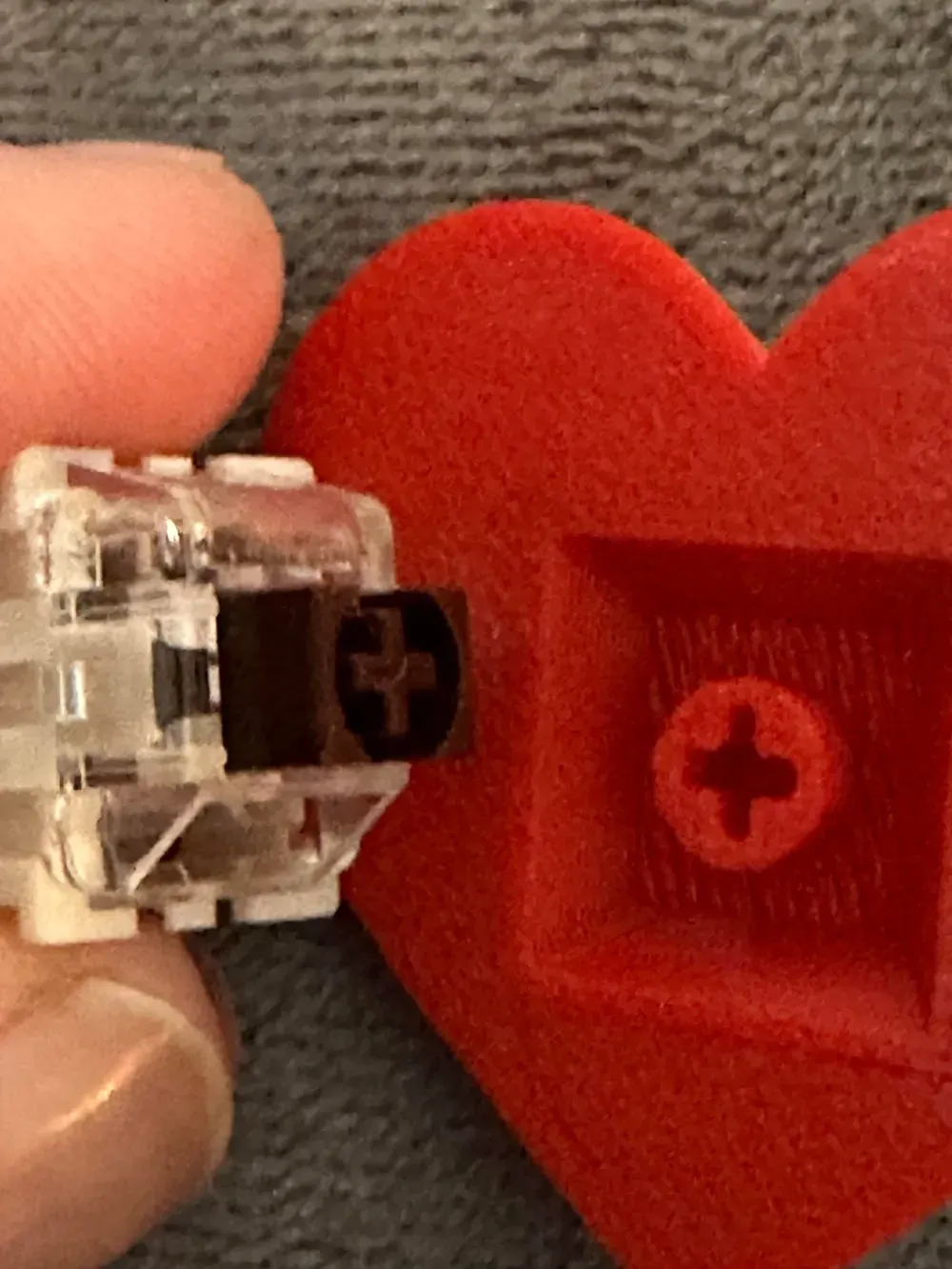
Line up the box 3d print half over the switch. Press the two halves together firmly.
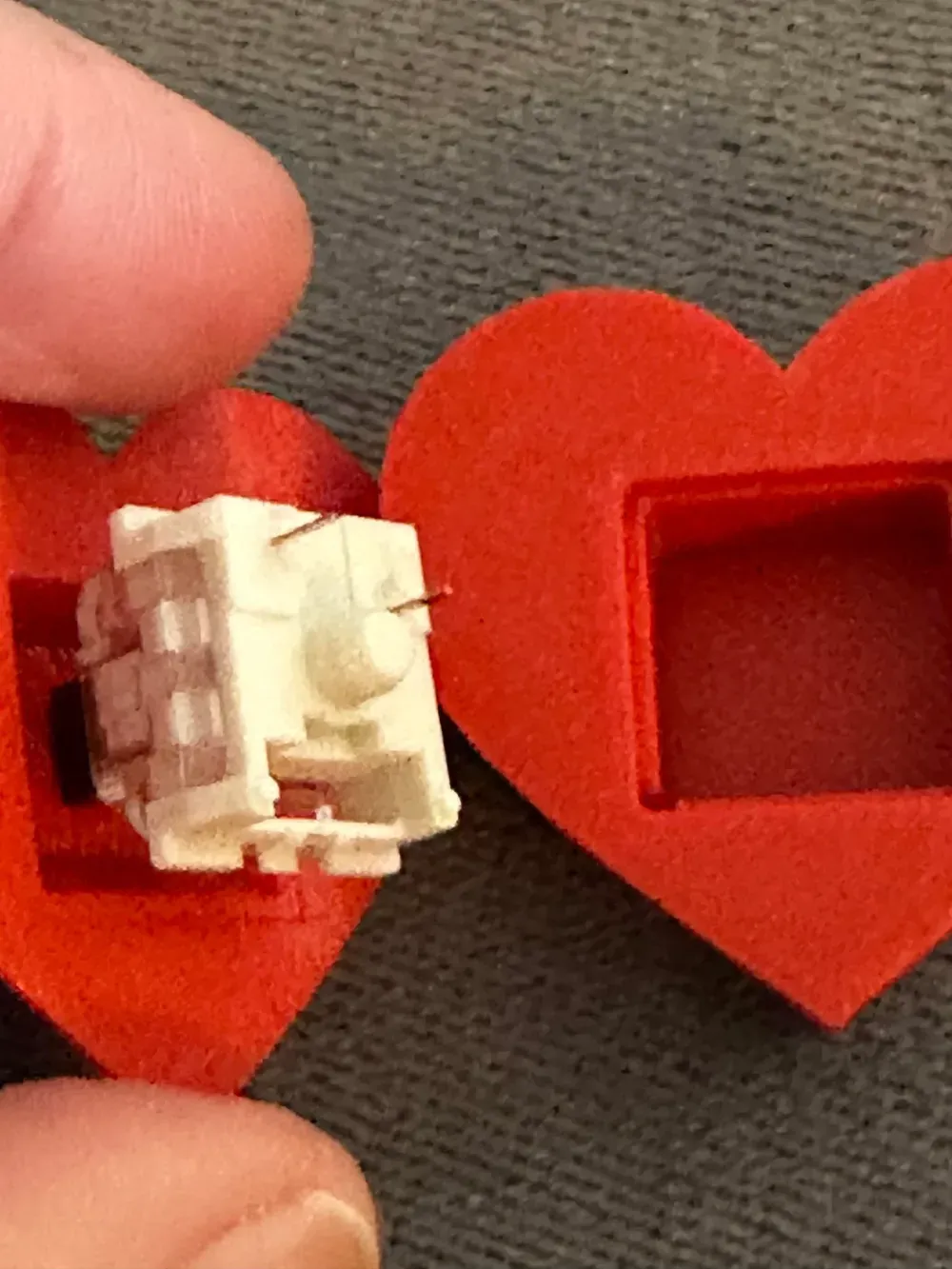
Test Your Clicker
Press down to test the click action! If the halves feel loose, use a tiny bit of glue to secure them.
unedited base design
Powered by PrintMon from MakerWorld (https://makerworld.com/makerlab/printMonMaker)
Do you want to sell our items? Be sure to purchase a membership, available here and on Patreon. https://www.patreon.com/3DA1
Membership
ONLY $4! Join our creative world! Become a member and get commercial license to sell all our unique 3D print designs! *We also try our best and take your 3d print ideas to life. No additional cost to you.* Patreon provides different payment options for you. You can sell our models from both sites with any membership. patreon.com/3DA1
License

You shall not share, sub-license, sell, rent, host, transfer, or distribute in any way the digital or 3D printed versions of this object, nor any other derivative work of this object in its digital or physical format (including - but not limited to - remixes of this object, and hosting on other digital platforms). The objects may not be used without permission in any way whatsoever in which you charge money, or collect fees.


Comment & Rating (2)