
Vex V5 Charging Dock
Print Profile(1)

Description
I originally posted this model to Thingiverse, but since I've found copies of it posted here (since removed) I thought I would post to MakerWorld too.
_____________________________________
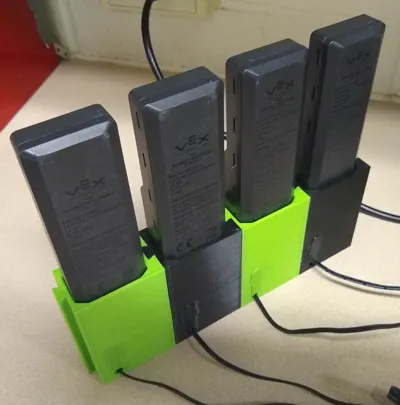
This model was designed from the STEP file of the V5 battery provided by VEX. It was inspired by the charging sleeve here (https://www.thingiverse.com/thing:3608551).
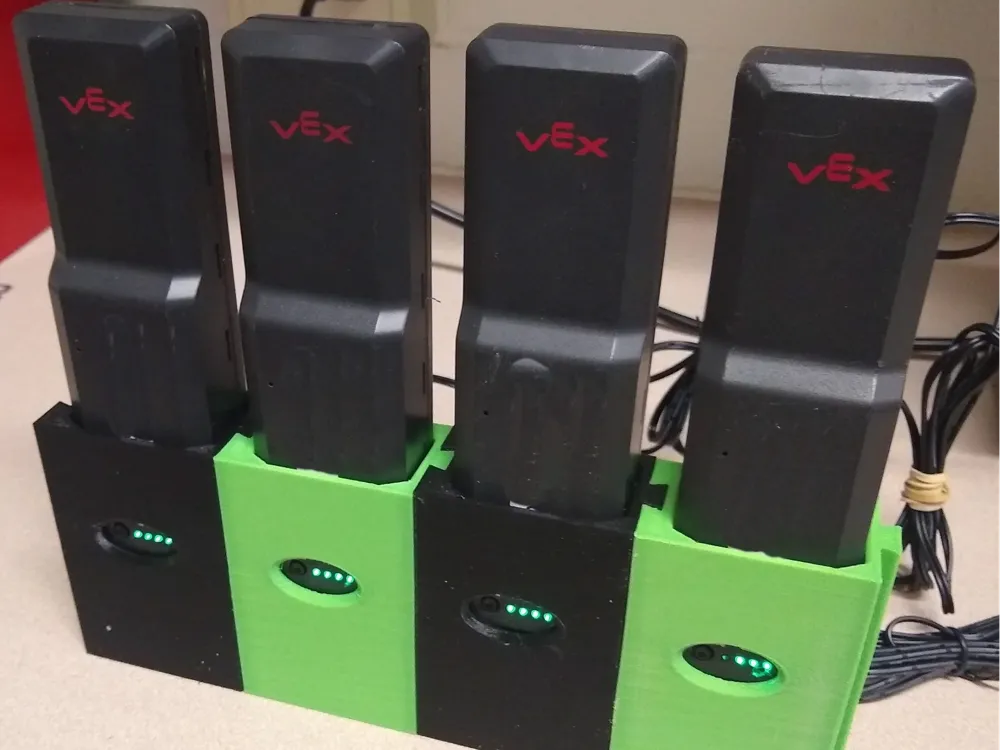
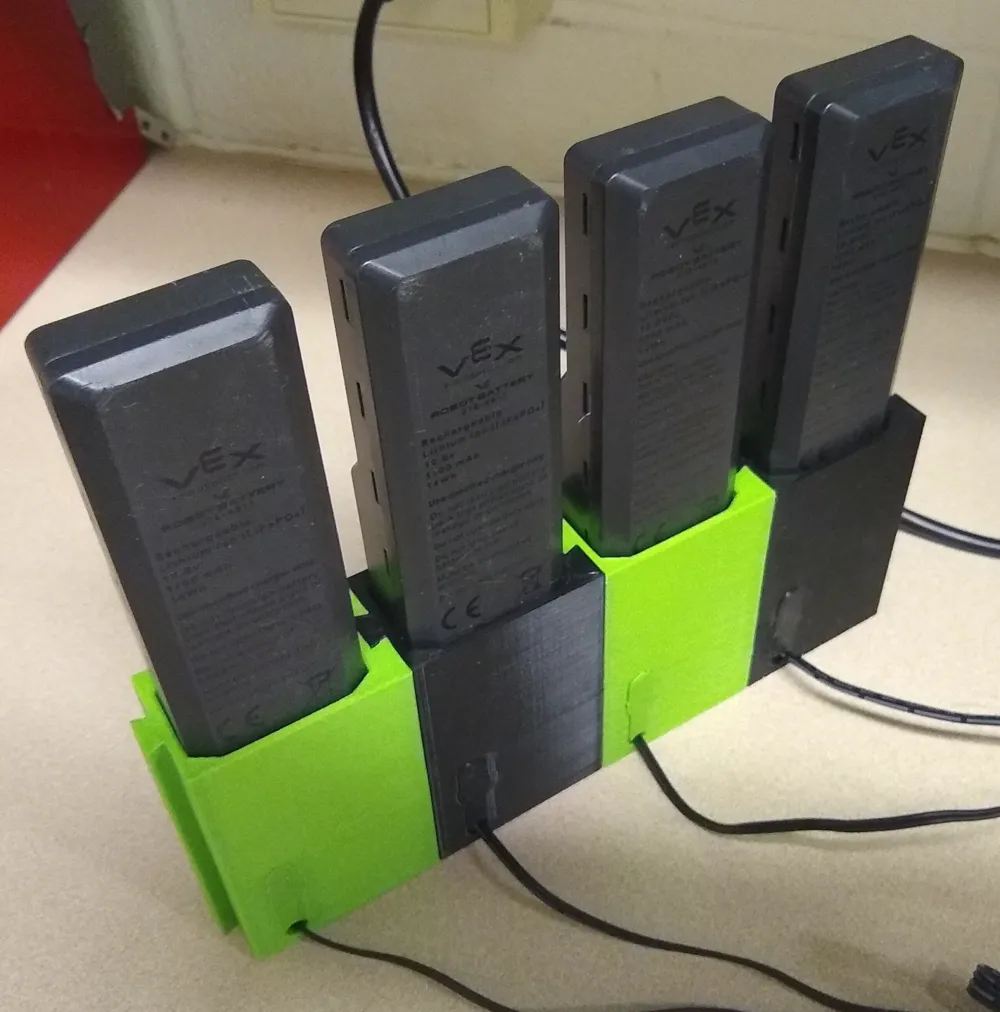
The docks are designed to be connected together for convenience and stability. With them you can easily insert, charge, and remove your V5 battery. The battery LED indicators are visible on the front and cables are routed out the back.
There are 3 versions (The first two versions route the charging cable differently.)
- horizontal
- vertical
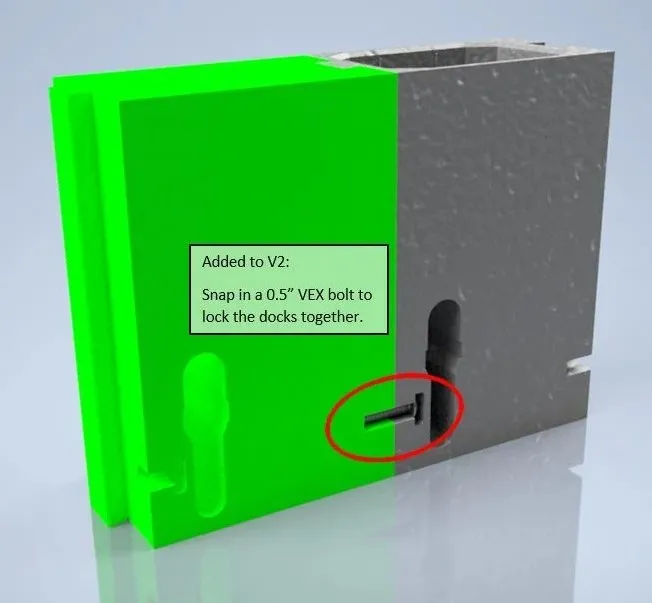
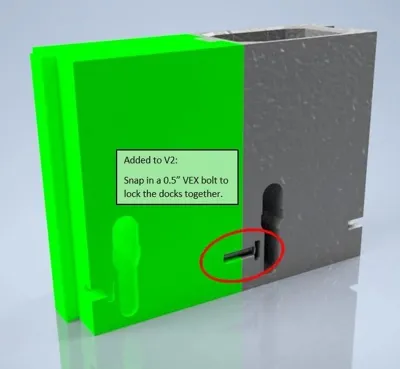
- vertical with a "lock"
The "lock" keeps the docks from sliding apart when you remove a battery. When two docks are connected, a slot is formed on the back that spans the connection. Simply press in a 0.5" vex screw. (It is meant to be a snug fit). This should hold the docks together. There is a thru-hole from the front so you can easily use a vex screwdriver to remove the locking screw.
The main stl files contain both the dock and an insert to secure the plug into the correct position.
I added a new insert with ridges so it fits tighter. The original parts worked well with the accuracy of my older printers. My newer printers (and many of your printers) are much more accurate and need this new piece. The dovetail connector on the sides may also be a bit loose, but that was solved with the addition of the "locking screw" in version 3.
I suggest checking out this remix (https://www.thingiverse.com/thing:5140702) for bookend support legs.
Print Settings
Notes:
- Have printed in PLA on CR-10, CR-10 Pro S, Anycubic Chiron, Prusa i3 MK2, and Mini-Delta with the original insert
- Depending upon the printer, the connection can be tight or a little loose. It may require some light sanding or the use of the lock.
- My newer printers (Bambu H2c and Creality K2) are more accurate and require the locking screw and the ridged insert.
- Have printed on rafts and directly on build plate
- Have printed at .20 and .16 layer heights
- Have printed with support, but results have been fine without support. (V3 has only been printed with supports as there are some overhangs.)
License



Comment & Rating (4)