Search models, users, collections, and posts

Spool Holder for Mini A1

Print Profile(4)

All
A1 mini
H2D Pro
P1P
X1
P1S
H2S
X1 Carbon
X1E
H2D
A1
P2S
H2C
X2D
A2L

0.2mm layer, 4 walls, 15% infill
Designer
4.2 h
1 plate
4.6(10)

Modification for mounting the original spool holder
Designer
2.7 h
1 plate
5.0(2)

AMS Lite Rotary Spool Holder mod, 4 walls, 20% infill
Designer
5.5 h
1 plate

Longer PTFE Support
Longer PTFE Support
24 min
1 plate
5.0(3)

Open in Bambu Studio
Boost
225
666
43
14
223
137
Released 

Description

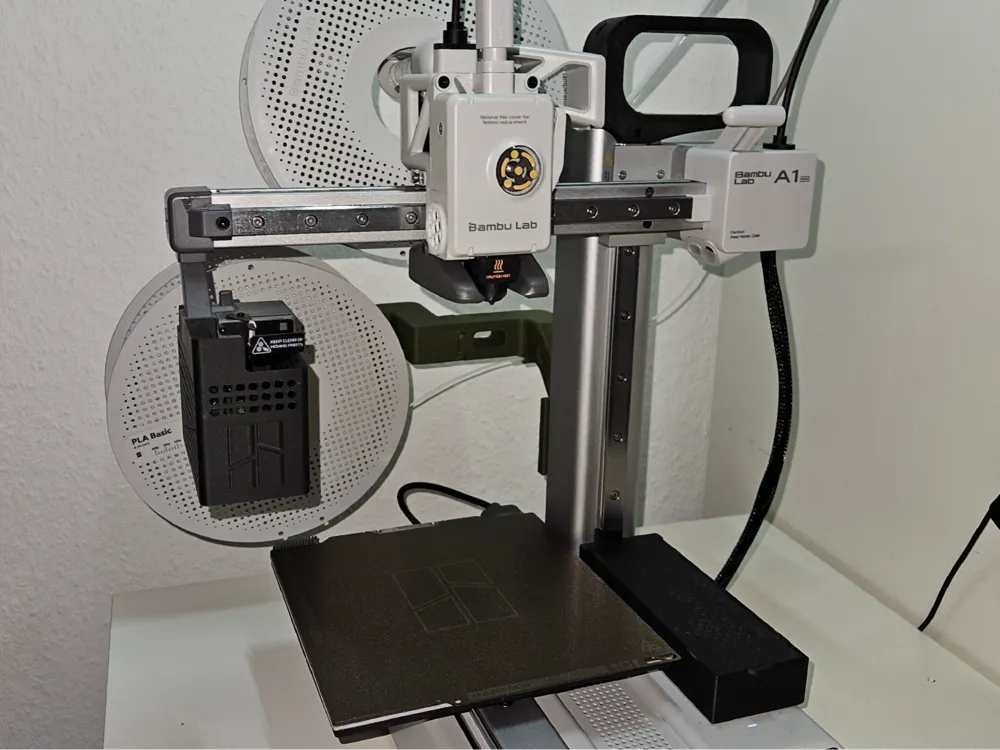
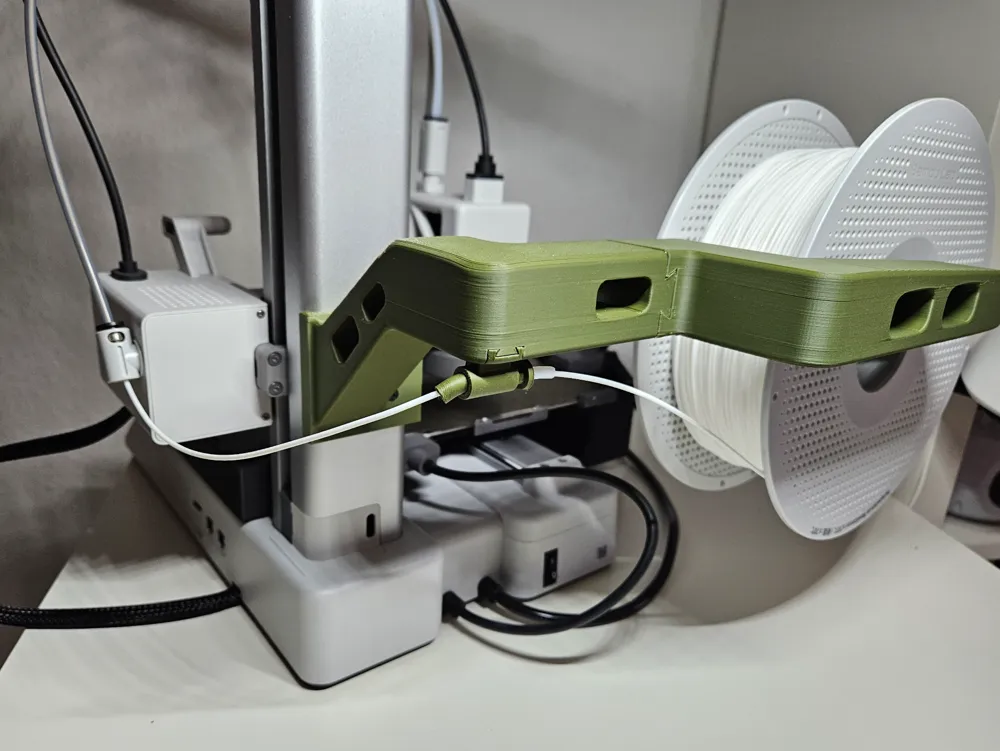
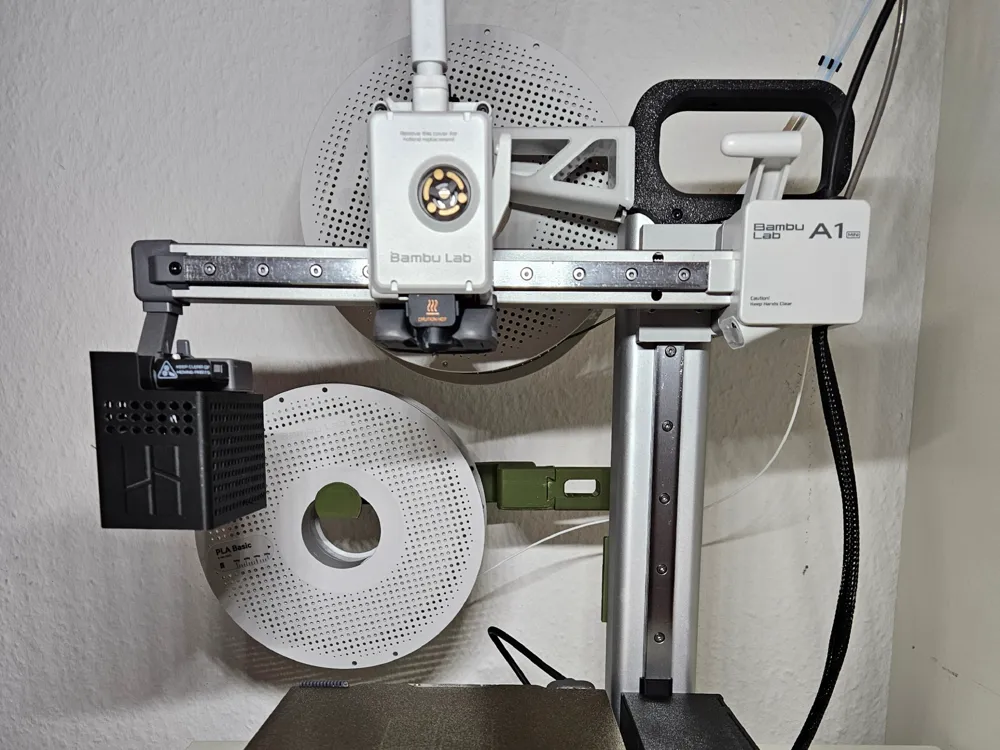
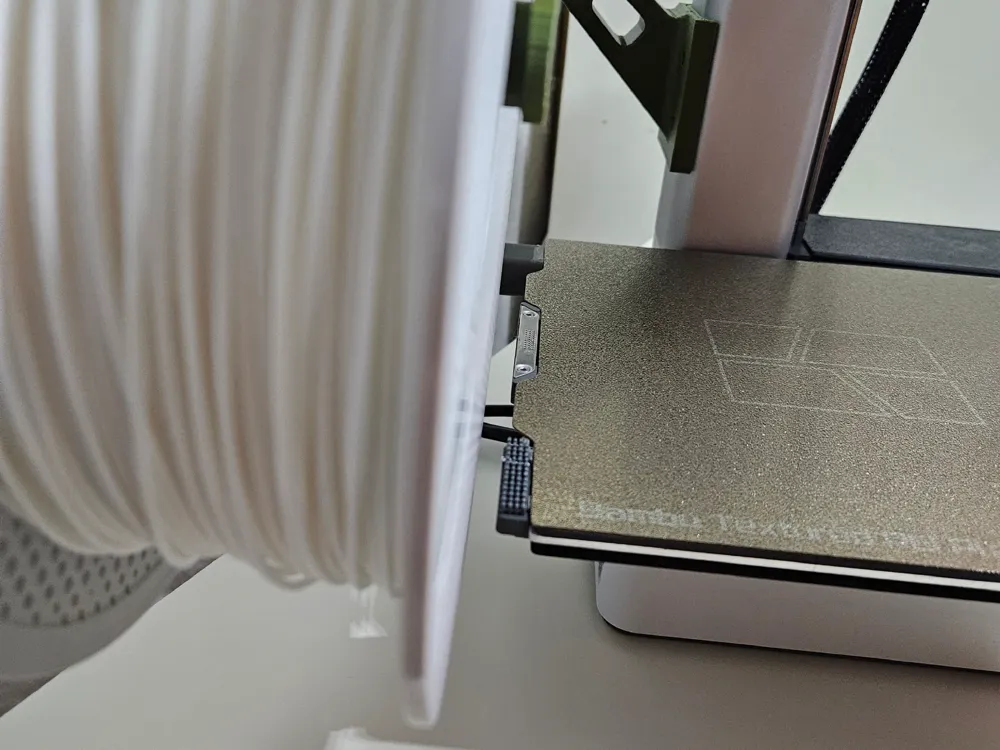
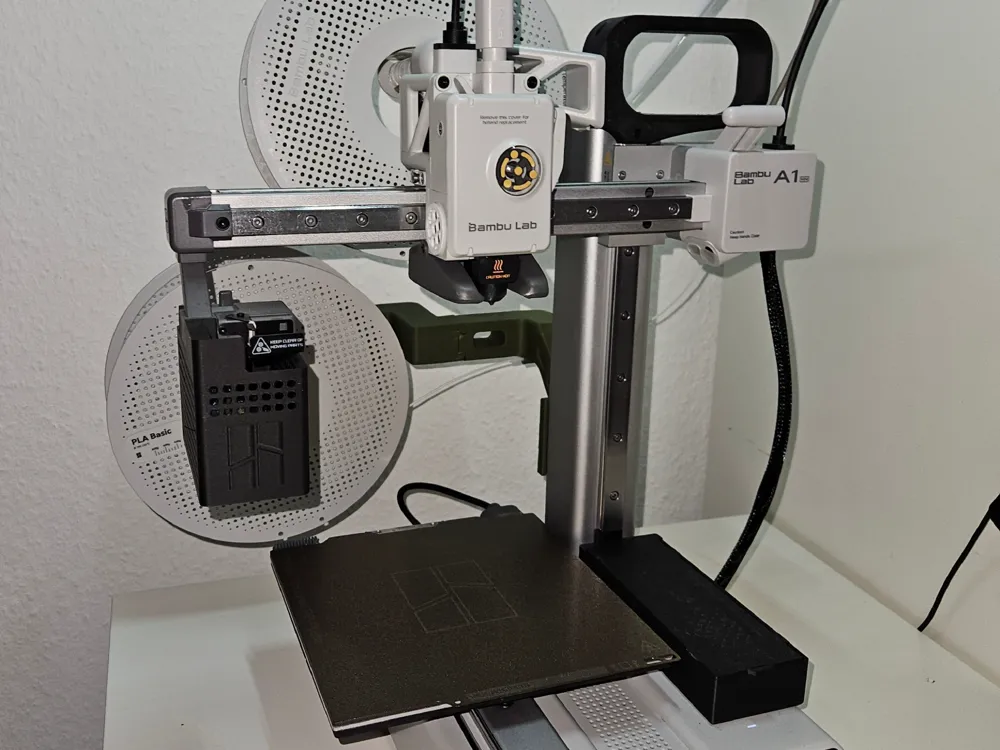
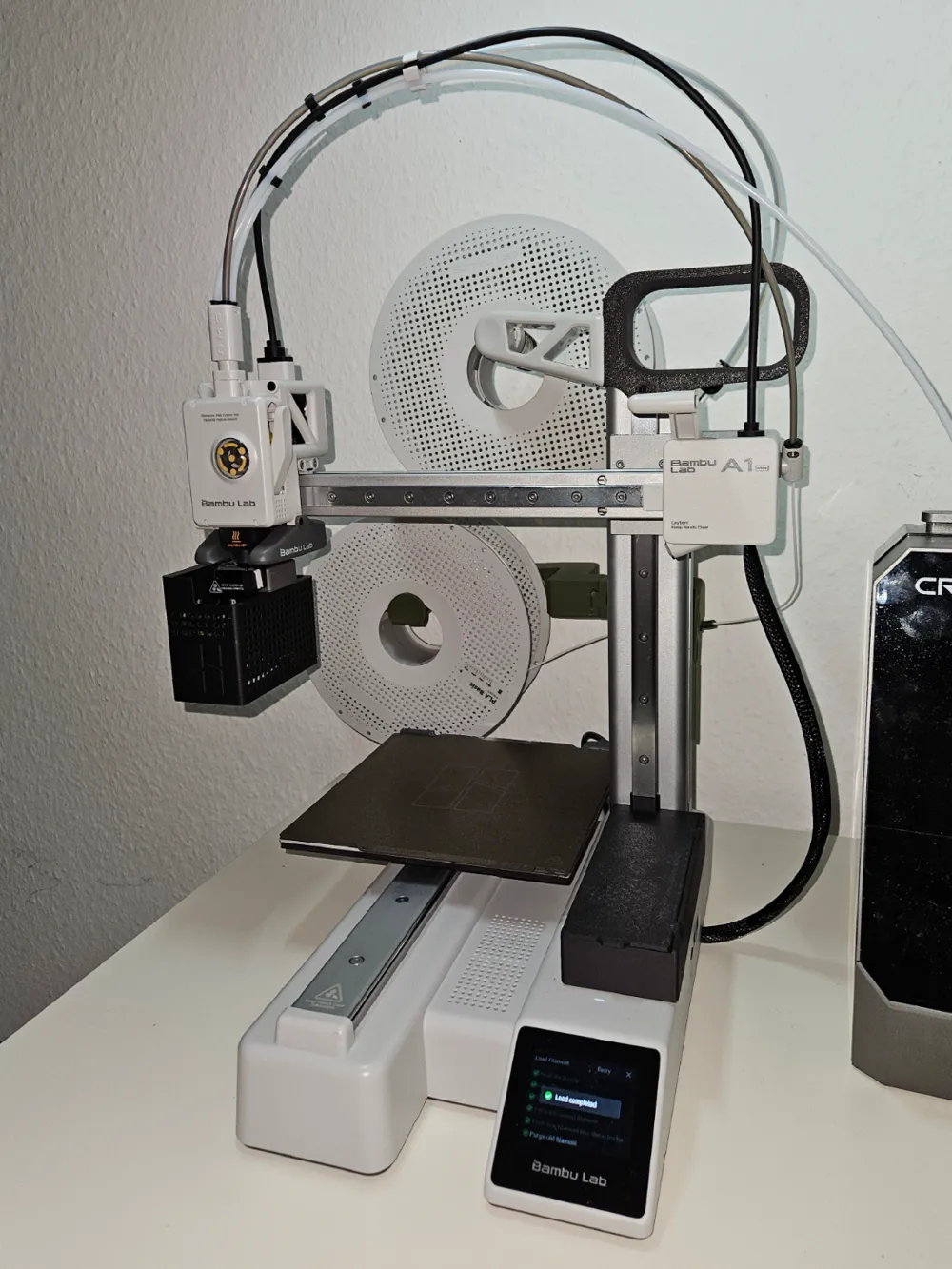
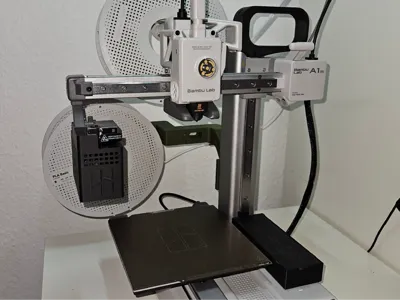
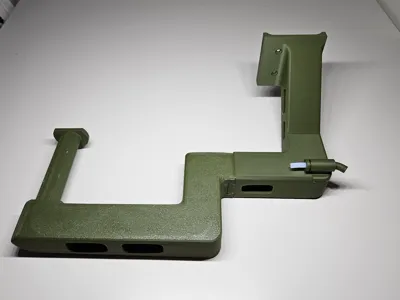
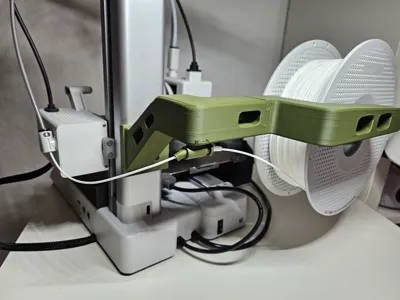
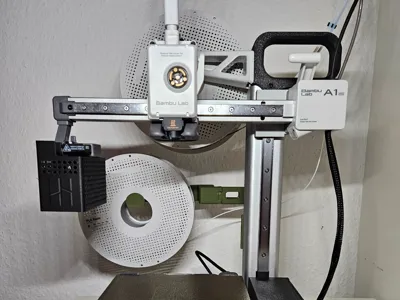
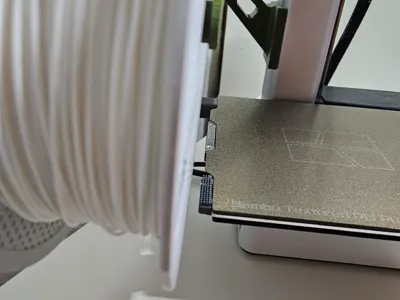
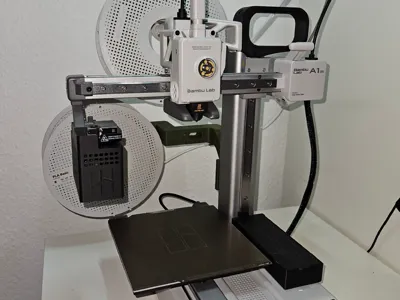
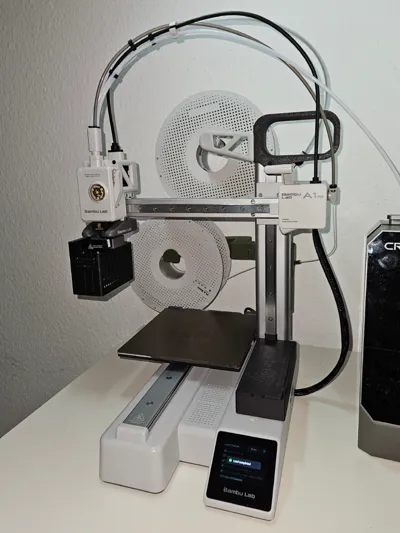
This is the rotated version of my secondary spool holder for the A1 Mini. I nedeed the space on the right for a filament dryer. To avoid collision with the cable chain and the printed model, i had to move it to the left, which required some kind of safe filament path. So I added a filament guide. It can rotate and moves with the z-axis. You should stick a piece of ptfe tube in it to reduce fricton. The spool is facing to the front, which should make it easier to change the filament.
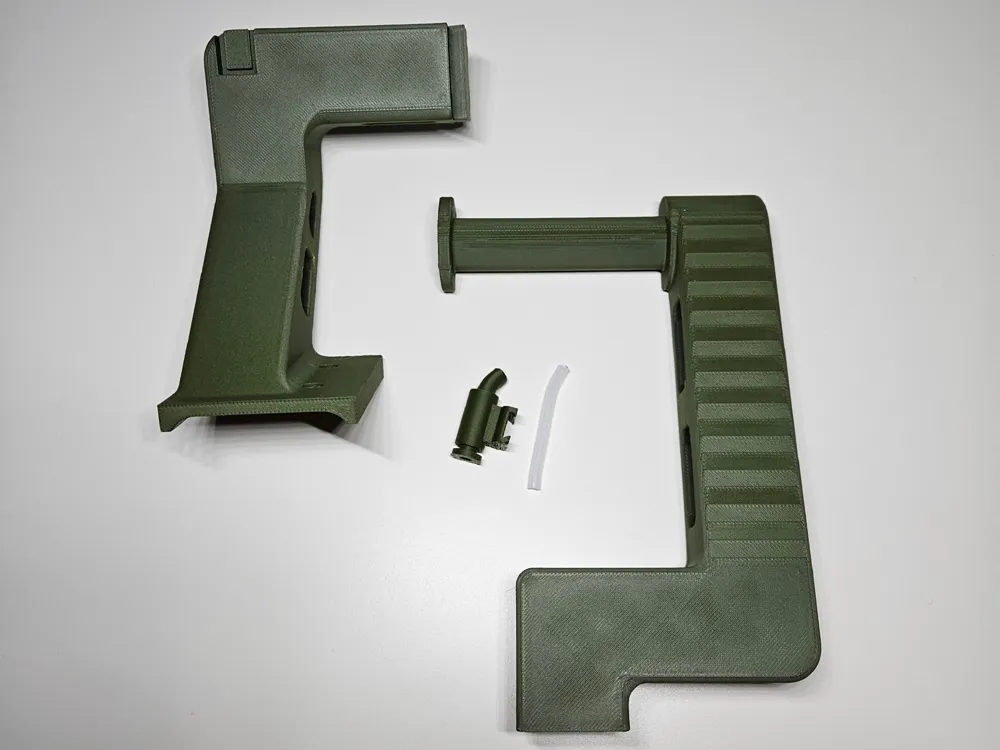
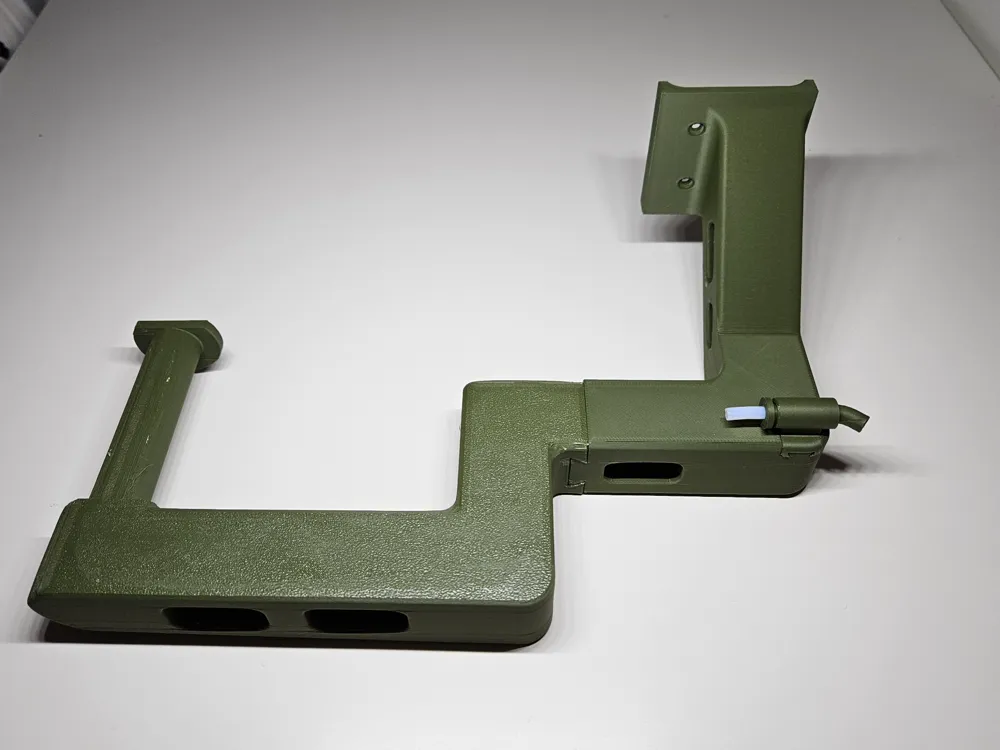
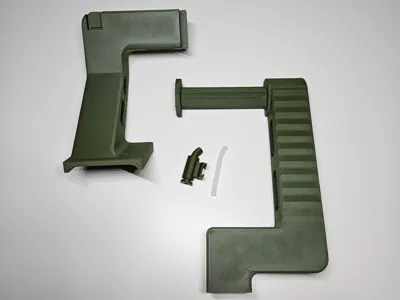
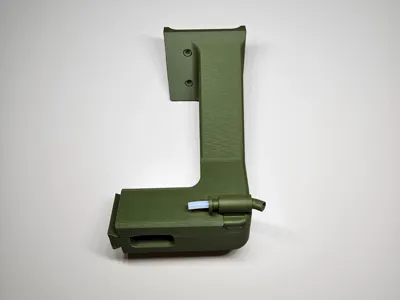
There are 3 parts, put it together as seen in the pictures. You will need 2 original sized screws.

Comment & Rating (43)

(0/1000)

Boosted
This is exactly what I need! Due to my room layout I really struggle with vertical space where my printer is, so being able to keep a second spool low is perfect - is there any way to use this alongside the existing standard spool mount? Thank you!
The designer has replied
0
Reply
I mounted the original spool holder onto the top mount. However, I understand that you can't go up. Currently, it is not possible to mount the original spool holder onto my design. I can design a slot for mounting the original spool holder like in the picture, but it will require more space on the sides and back. And to be honest, I don't know if it can handle the weight. For the time being, I suggest using a spoolroller like this one: https://makerworld.com/de/models/1298990-spool-roller-filament-holder-spool-holder?from=search#profileId-1330937
1
Reply
Boosted
Replying to @user_405598340 :
Haha funnily enough this is exactly the design I am trying to make at the moment, using a dovetail to mount a printed version of the original spool holder to the base - I would definitely appreciate it if you could design something, I am not great with CAD!
0
Reply
Replying to @64dtz :
Okay, I'll look into it. I'll need a couple of days, though.
0
Reply
this is exactly what I was looking for! thank you! now just waiting on parts from Bambu to complete! printed very well just sent it from my phone and forgot about it!! I used PETG for more strength
1
Reply
Print Profile
0.2mm layer, 4 walls, 15% infill
Other Issues:The print went smoothly The surface is okay however the fit is not good I even lightly filed the joining parts but a significant crack still formed during assembly Unfortunately a failed print as I don't want my printer to print like that If the arm breaks off the next print would also be ruined Nevertheless thanks for the effort
The profile uploader has replied
Show original
0
Reply
Hi, thanks for the feedback. I will check the fit again. Did you print with PLA Matte
Show original
0
Reply
Print Profile
0.2mm layer, 4 walls, 15% infill
0
Reply
Boosted
Perfectly functional as a second spool holder for my A1 mini. Exactly what I was looking for. However, I had to reposition the two parts of the spool arm differently in Bambu Studio to achieve better print results. It took a few attempts. The connections were incompletely printed. But that might also be my fault. I'm still a beginner and may not have chosen the optimal print settings. But now everything fits, and I can switch between two spools. Excellent. Thank you very much for the design!
The designer has replied
Show original
1
Reply
Vielen Dank für die Unterstützung!
0
Reply
How do you mount it
The designer has replied
0
Reply
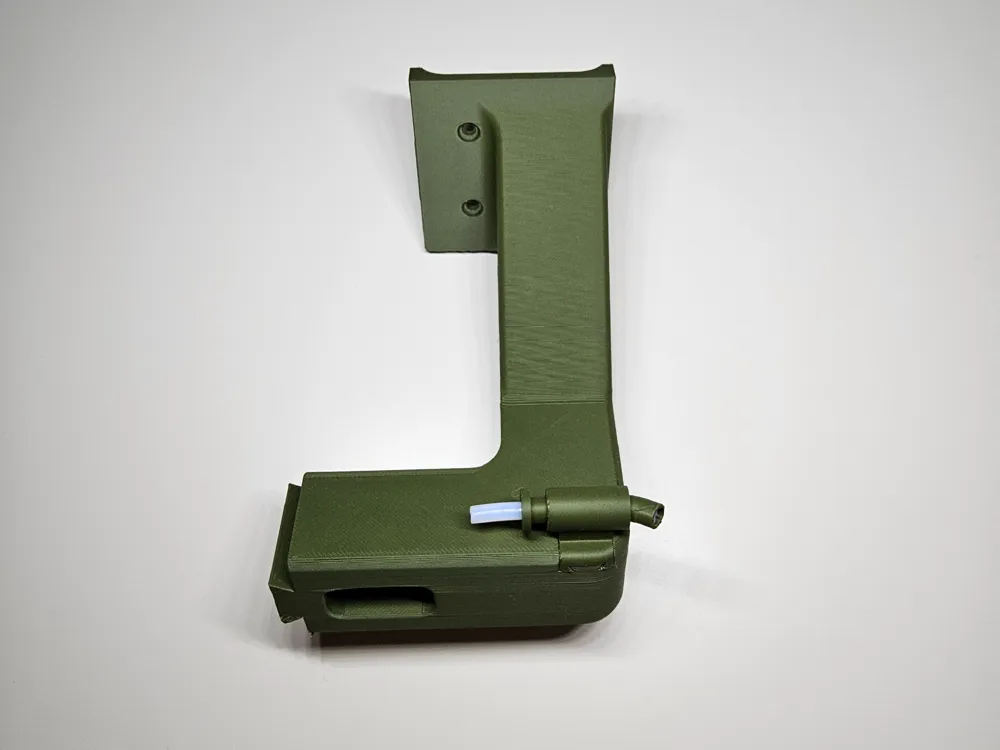
Hello, First insert the PTFE tube into the filament guide (the smallest piece). Then slide the filament guide into the slot (picture 3) and put the two large pieces together as shown in picture 4. You should mount the assembly with two screws where the original spool holder was.
0
Reply
Replying to @user_405598340 :
oh ok
0
Reply
Thank you so much…I have printed the secondary spoon holder…May I know, If I want to use two color how I make the settings in software system as I dont have any AMS?
The designer has replied
0
Reply
Hi, in Bambu Studio: in the Preview tab, locate the layer where you want to pause, right-click on the layer slider, and select "Add Pause" or "Pause at layer". This will insert a pause command into the G-code before the specified layer, allowing you to stop the print, unload the old filament, load the new one, and resume. The printer will pause and notify you via the control panel, and you can then proceed with the manual filament change.
0
Reply
Boosted
@user_405598340 is there any chance that you can integrate the AMS lite spool onto this rotated design like you have for your straight design? I love this design and have already printed it, but have only just seen that you designed the AMS lite spool for your other design and would like to do something similar with the rotated spool holder.
The designer has replied
0
Reply
Hi, thank you for the boost and suggestion. I'll look into it and try to get it done during the week.
0
Reply
How did you create the secondary support?
The designer has replied
Show original
0
Reply
If you mean the second PTFE tube connector, i bought it as a spare part from Bambu Lab,. eu.store.bambulab.com/collections/spare-parts-for-a1-series/products/ptfe-tube-connector-a1-mini
0
Reply
Boosted
Print Profile
Modification for mounting the original spool holder
Amazing design, only option for secondary spool mounting for those with limited vertical space!
0
Reply